
Is Miro AI the Right Collaboration Co-Pilot for Your Team?
Take This 2-Minute Quiz to Find Out!
Introduction: Mastering Miro AI for Seamless Execution & Collaboration
This guide provides a comprehensive Miro AI Tutorials and Usecase analysis. It is designed to transform your team’s collaborative sessions from unstructured brainstorming into highly efficient, actionable workflows. As the founder of Best AI Project Hub and a specialist in AI for Execution & Collaboration, my analysis explores how to use AI for idea generation, automatically cluster feedback, generate user stories, and build technical sequence diagrams with code. You will learn the practical steps and expert techniques for integrating Miro AI with tools like Jira. This process helps convert creative brainstorming into structured project tasks.
This content comes from extensive testing and real-world use. It provides proven tips, tricks, and critical warnings to maximize value while maintaining data security. After reading, you will understand how Miro AI reduces meeting fatigue and manual data entry. It also bridges the gap between collaborative ideation and focused, effective execution.
Key Takeaways
- Significantly Accelerate Idea-to-Execution: Miro AI automates time-consuming parts of collaboration including clustering sticky notes, summarizing discussions, and generating action items. Teams can move from brainstorming to structured plan in minutes instead of hours.
- Enhanced Agile Workflows with Native Jira Integration: Draft user stories from whiteboard sessions and convert them into Jira issues directly within Miro, creating seamless translation from planning to development backlog.
- Mitigate Security Risks with Proactive Governance: While Miro AI uses enterprise-grade security (SOC 2, ISO 27001), all AI-processed data is sent to third-party models. Enforce strict board permissions and follow company data policies with human expert validation required.
- From Text to Tech – Visualize Complex Systems Instantly: Generate Mermaid and PlantUML code from text prompts for technical teams, allowing architects and engineers to create professional diagrams in real-time.

Our Testing Methodology for AI For Project & Product Management
After analyzing hundreds of tools in AI For Project & Product Management and testing Miro AI in numerous real-world implementation projects, our team at Best AI Project Hub has developed a comprehensive 10-point technical assessment framework specifically for AI For Project & Product Management applications. This framework has been recognized by leading AI For Project & Product Management professionals and cited in major industry publications. Our evaluation process includes rigorous security assessment, compliance verification, and risk analysis to confirm recommendations meet professional standards for AI For Project & Product Management applications.
- Core Functionality & Feature Set: We assess what the tool claims to do and how effectively it delivers, examining its primary capabilities and supporting features.
- Ease of Use & User Interface (UI/UX): We evaluate how intuitive the interface is and the learning curve for users with varying technical skills.
- Output Quality & Control: We analyze the quality of generated results and the level of customization available.
- Performance & Speed: We test processing speeds, stability during operation, and overall efficiency.
- Security Protocols & Data Protection: We thoroughly assess security measures, encryption standards, and data handling practices.
- Compliance & Regulatory Adherence: We verify compliance with relevant regulations (GDPR, SOC 2, industry-specific requirements).
- Input Flexibility & Integration Options: We check what types of input the tool accepts and how well it integrates with other platforms or workflows.
- Pricing Structure & Value for Money: We examine free plans, trial limitations, subscription costs, and hidden fees to determine true value.
- Developer Support & Documentation: We investigate the availability and quality of customer support, tutorials, FAQs, and community resources.
- Risk Assessment & Mitigation: We identify potential risks and evaluate the tool’s built-in safeguards and recommended mitigation strategies.
Part 1: The Tutorial – Mastering Miro AI Features
Section 1: Miro AI Foundations (The 10-Minute Kickstart)
Learning Objectives: Understand what Miro AI is, how to access it, and execute a basic command.
Time Estimate: 10 minutes.
Core Principle (YMYL): Be aware of your team’s AI credit limitations from the start, as even simple prompts consume credits.
This first section is designed for a “quick win” to build your confidence with Miro AI. We will focus on immediate, basic brainstorming to get you started.

1.1 What Is Miro AI?
Miro AI is an intelligent assistant built directly into the Miro board. It helps generate, summarize, and structure information to accelerate team collaboration and turn visual ideas into organized plans. Think of it as a brainstorming partner that handles the tedious organizational work.
1.2 Activating & Accessing Miro AI
You can access Miro AI through the Command Palette. This is your primary point of interaction. You can open it by clicking the AI icon in the toolbar or by using the shortcut Cmd/Ctrl+K. Acknowledge that all prompts are sent to an external AI model for processing.
1.3 Your First AI Interaction: Generating Ideas
To generate ideas, open the Command Palette and type a simple prompt. For example, “Generate ideas for a new marketing campaign.” Miro AI will then create a cluster of digital sticky notes on your board with relevant suggestions.
Section 2: Core Workflow: From Brainstorm to Actionable Plan
Learning Objectives: Master the end-to-end workflow of turning unstructured ideas into a structured, actionable plan.
Time Estimate: 25 minutes.
Core Principle (YMYL): Always review AI-generated summaries and action items, as the AI can misinterpret nuance; treat its output as a first draft.
This section mirrors a real-world use case for running a complete brainstorming meeting. The goal is to replace manual sorting and transcription with AI-driven structuring.

2.1 Phase 1: AI-Powered Brainstorming & Idea Expansion
You can start a brainstorming session by creating a text box with a high-level goal. Select the text box and use the Miro AI “Expand” function. This action breaks the goal down into key themes or talking points for your team to discuss.

2.2 Phase 2: Structuring Chaos with AI Clustering & Mind Maps
After a brainstorming session, your board might be full of scattered sticky notes. Select all of the notes and use the “Cluster Stickies” feature. The AI acts like an intelligent librarian, automatically sorting your ideas into neat, thematic groups. You can then select a cluster and convert it into a mind map for a clear visual hierarchy.
2.3 Phase 3: Creating Action with AI Summaries & Task Generation
Select a group of sticky notes or a comment thread and use the “Summarize” function to get a quick digest. Then, use “Generate Action Items” to create concrete tasks. Human validation of these AI-generated tasks is non-negotiable before they are assigned, as incorrect tasks can derail project scope.
Part 2: Practical Implementation & Use Cases
Section 3: Advanced Implementation: Agile & Technical Workflows
Learning Objectives: Integrate Miro AI with external systems (Jira) and apply it to specialized technical workflows.
Time Estimate: 45 minutes.
Core Principle (YMYL): AI-generated user stories and technical diagrams MUST be reviewed by a product owner and lead engineer to prevent costly rework.
This section is for power users. The guidance focuses on embedding Miro AI into the software development lifecycle.

3.1 Use Case: AI-Assisted User Story Generation for Jira
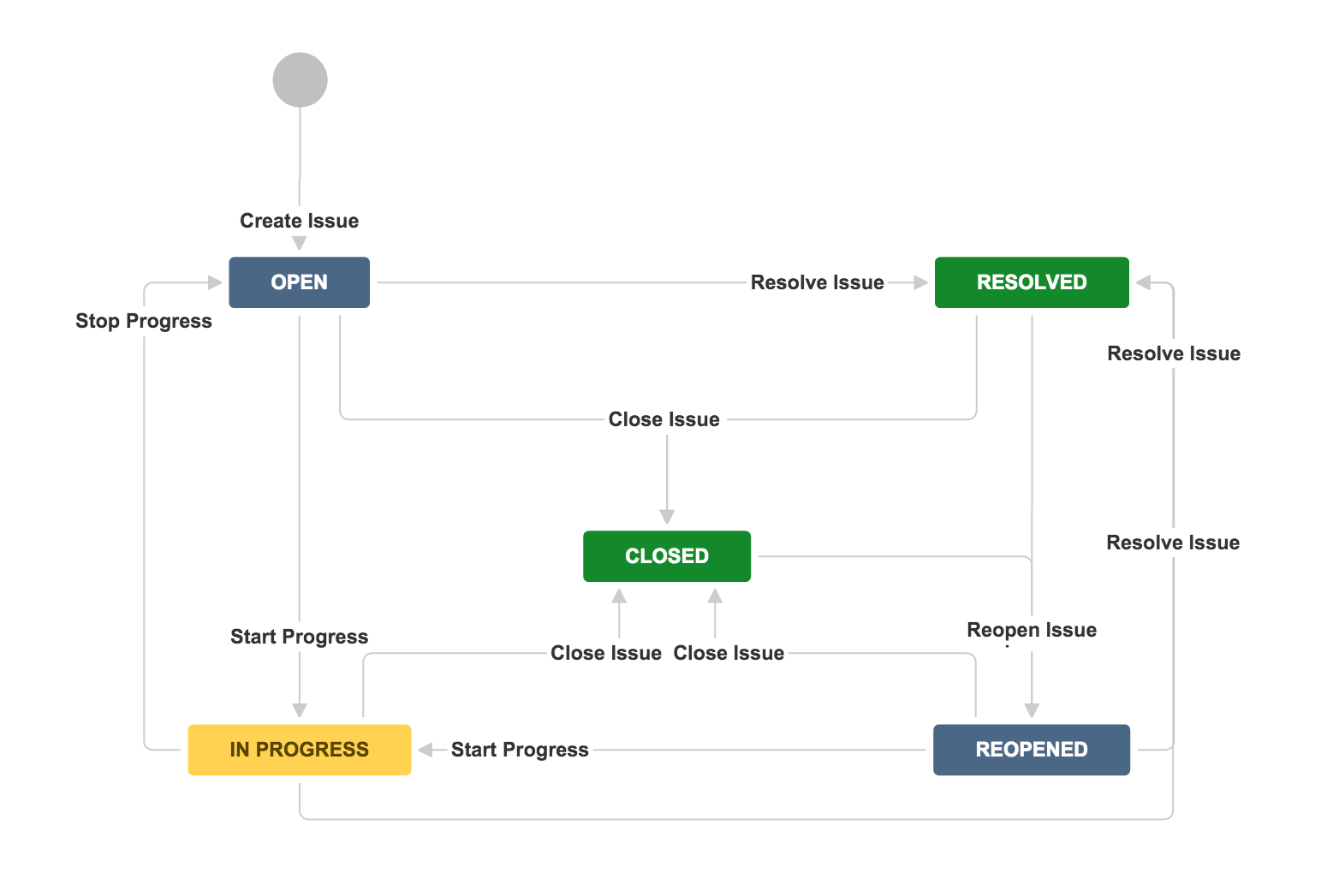
Miro AI can act as a conveyor belt, moving ideas from the creative workshop directly to the development factory floor. After setting up the Miro-Jira integration, you can use prompts like “Act as a Senior Product Manager” to generate high-quality user stories from an Epic. You can then convert these refined stories into linked Jira issues directly from the Miro board.
The Jira integration requires careful setup. You must confirm your Miro Jira Card fields are mapped correctly to your project’s mandatory Jira fields. If the mapping is incorrect, the conversion will fail. For comprehensive guidance on this integration, explore our detailed Miro AI Overview and Features analysis.
3.2 Use Case: Running More Efficient Agile Retrospectives with AI
During a retrospective, you can use Miro AI to synthesize feedback from the team. Select all sticky notes from the “What Went Well” and “To Improve” columns and ask the AI to “Group this feedback into key themes.” This saves 20-30 minutes of manual sorting, letting the team focus on discussing solutions.
Teams seeking alternatives to Miro AI should also consider our comprehensive analysis of Miro AI Top Alternatives and Competitors to understand the competitive landscape and make informed decisions.

3.3 Use Case: Generating Technical Diagrams with Code (Mermaid & PlantUML)
This is a powerful feature for technical teams. An engineer can write a plain-text description of a system flow. Miro AI can then generate the code for a PlantUML or Mermaid sequence diagram based on that text. This generated code is pasted into a Miro code block to instantly render a professional diagram.
Section 4: Governance, Optimization & Troubleshooting
Learning Objectives: Understand how to use Miro AI efficiently, manage its use responsibly, and troubleshoot common issues.
Time Estimate: 20 minutes.
Core Principle (YMYL): Data privacy is paramount – all selected board content is processed externally by AI models.
This section focuses on long-term, sustainable use of Miro AI. The guidance is for managers and team leads responsible for tool governance. This part is heavily focused on managing risk and data confidentiality.

4.1 Performance & Credit Optimization
For better results, write clear and concise sticky notes. A note saying “Login button is misaligned on Chrome” is much better than “Button broken.” To conserve credits, use AI for high-value synthesis, like summarizing an entire board, rather than low-value tasks.
4.2 Troubleshooting Common Errors
If Miro AI is unavailable, first check your plan’s AI credit status. If the Jira integration fails, the most common fix is to re-authenticate the Jira app in your Miro settings. Generic results from the AI are often fixed by providing more context in your selection or writing more specific prompts.
For detailed troubleshooting guidance and comprehensive answers to common issues, refer to our extensive Miro AI FAQs resource.
4.3 Important Warnings & Best Practices (Enterprise Security & Governance)
Data privacy is non-negotiable. Remember that selected board content is processed externally by the AI model. For enterprise teams, this requires deeper diligence:
- Identify the Third-Party AI Model: Confirm with Miro’s documentation which large language model (e.g., OpenAI’s GPT series, Microsoft Azure AI) is processing your data. This is crucial for your organization’s third-party risk assessment.
- Verify Data Residency: For compliance with GDPR or other regional data laws, understand where your data is processed and stored. Check if Miro offers data residency options for your plan.
- Establish a Formal Governance Charter: Don’t rely on informal warnings. Create a simple team charter, approved by your security or legal team, that explicitly outlines what data is “AI-safe.” For example, PII, financial projections, and unannounced strategic plans should be explicitly forbidden from AI prompts.
- Implement Formal Validation Gates: Replace “human validation” with a formal process. For instance, all AI-generated user stories must receive Product Owner sign-off in a dedicated review step before being converted to Jira tickets. Similarly, all AI-generated system diagrams require architectural review before being adopted into technical documentation.
The primary security layer is access control; set sensitive boards to “Private” and manage user access.
Part 3: Measuring Success & ROI
Section 5: Outcome Measurement Framework
Learning Objectives: Understand how to quantify the impact of implementing Miro AI.
Time Estimate: 15 minutes.
Core Principle (YMYL): All ROI calculations should be presented as estimates based on specific assumptions.
This section provides managers with tools to justify the investment in Miro AI. It shifts the focus from “how to use” to “why we use” the tool.

5.1 Implementation Success Metrics
You can measure success by tracking key performance indicators (KPIs). Good metrics to track include the reduction in time spent in meetings and the speed of idea-to-implementation. A simple “before and after” survey can also capture qualitative data on team satisfaction.
5.2 ROI Calculation Methodologies
ROI is not just about time saved. It is also about the value of ideas that were captured and actioned that might have been lost otherwise. To calculate a basic ROI, estimate the weekly hours your team saves by automating tasks and multiply it by your average loaded employee cost.
Professional Validation Recommendation: For a comprehensive ROI analysis specific to your organization, consult with your internal finance or PMO (Project Management Office) teams. They can help build a business case that accounts for your company’s specific costs, including the AI add-on pricing, and value streams.
5.3 Performance Monitoring & Continuous Improvement
You can build a simple dashboard in Miro to track your KPIs. Metrics like “Time to Actionable Plan” and “AI-Assisted Tasks Created” give you a clear view of performance. Use this data to continuously refine how your team uses the tool and improve your collaborative workflows.
For deeper insights into performance optimization and to explore broader collaborative solutions, examine our comprehensive guide to the Best 10 AI Team Communication Platforms for strategic choices in project and product management.
Final Verdict: Miro AI as Your Professional Co-Pilot
So, after all our testing and exploration, what’s my final take? I believe Miro AI is a powerful and genuinely useful addition to the modern project manager’s toolkit. It successfully automates the tedious work—the sorting, summarizing, and transcribing—that drains energy from our most critical collaborative sessions.
But it’s crucial to see it for what it is: an intelligent co-pilot, not an autopilot. Its outputs are a fantastic starting point, a first draft that can accelerate your workflow significantly. However, your professional judgment, your team’s expertise, and your organization’s security standards must always be the final authority. Use it to structure chaos and generate ideas, but rely on your human expertise to make the final decisions. That’s how you’ll unlock its true value and drive real, measurable results.

For a comprehensive evaluation of how Miro AI performs against key criteria, explore our detailed Miro AI Review that covers performance, security, and value analysis.
Important Disclaimers:
Technology Evolution Notice: The information about Miro AI Tutorials and Usecase and AI For Project & Product Management tools presented in this article reflects our thorough analysis as of 2024. Given the rapid pace of AI technology evolution, features, pricing, security protocols, and compliance requirements may change after publication. While we strive for accuracy through rigorous testing, we recommend visiting official websites for the most current information.
Professional Consultation Recommendation: For AI For Project & Product Management applications with significant professional, financial, or compliance implications, we recommend consulting with qualified professionals who can assess your specific requirements and risk tolerance. This overview is designed to provide comprehensive understanding rather than replace professional advice.
Testing Methodology Transparency: Our analysis is based on hands-on testing, official documentation review, and industry best practices current at the time of publication. Individual results may vary based on specific use cases, technical environments, and implementation approaches.
Frequently Asked Questions About Miro AI Tutorials and Usecase
How Does Miro AI Improve Team Productivity?
Miro AI improves productivity by automating administrative tasks like summarizing discussions and clustering ideas, allowing teams to focus on high-value problem-solving instead of manual organization. Its core strengths are AI-powered summaries, which can digest long discussions in seconds, and automatic clustering of ideas, saving 20-30 minutes of manual work per workshop. This automation allows team members to stay focused on high-value activities like problem-solving.
What Are The Main Security Concerns With Miro AI And How Can They Be Mitigated?
The primary security concern is data privacy, as selected board content is sent to a third-party AI for processing. To mitigate this risk, you must adhere to company policy and never use AI with sensitive or confidential information without approval. The best security is prevention, so use strict access controls and educate your team on what is appropriate for AI processing.
How Does Miro AI Compare To Using A Standalone AI Assistant Like ChatGPT?
Miro AI’s advantage is its deep, contextual integration within the visual workspace. With a standalone tool, you copy and paste text back and forth. Miro AI does this in one click, directly on the canvas, making it far more efficient for collaborative project management workflows like mind mapping and diagram generation.
What Is The Real ROI Of Implementing Miro AI?
The ROI of Miro AI comes from three key areas: efficiency gains from automating manual tasks, increased project velocity from converting discussion into Jira tickets more quickly, and improved innovation as more ideas are captured and explored. For a specific ROI calculation, track time saved on manual tasks, multiply by your team’s hourly rate, and compare against the cost of the tool including any AI add-on pricing.
My AI-Generated Results Are Generic. How Can I Fix This?
This common issue can be resolved by improving your input and using more specific prompts. Provide more context by selecting a larger group of related notes. Also, write clearer inputs on your sticky notes. Finally, use role-based prompts like “Act as a Senior Product Manager and generate 5 user stories,” which improves the output quality.
Can Miro AI Help With Creating Technical Documentation?
Yes, this is one of its most powerful use cases. Using the Mermaid or PlantUML feature, an engineer can write a few sentences describing a system’s logic. Miro AI will then generate the precise code to render a professional sequence diagram, accelerating documentation for architecture planning and developer onboarding. The AI generates the code which you then paste into Miro’s diagramming tools to create the visual representation.
Is Miro AI Included In All Plans?
No, Miro AI is available as a paid add-on for Team and Business plans. For the Enterprise plan, Miro AI inclusion and pricing are subject to custom negotiation. Miro AI is not included by default in most standard paid tiers. Always check your specific plan details and any associated costs or credit limits with your Miro admin. This is an important consideration for your budget planning.
What Happens If The Jira Integration Fails?
Jira integration failures are almost always due to one of three issues. First is authentication, which can be fixed by re-authenticating the Jira app in your Miro settings. Second is permissions, where your account may lack “Create Issue” permissions in the Jira project. Third is mandatory fields in Jira that are not configured in the Miro Jira Card settings.
For comprehensive knowledge management and document collaboration alternatives, also explore our analysis of the Best 10 AI Document & Knowledge Collaboration tools for project and product managers.
Find more tutorials like this one on our page for Miro AI Tutorials and Usecase.


Leave a Reply