
Unsure Which AI Collaboration Tool to Choose?
This 2-Minute Quiz Reveals Your Perfect Match!
As the founder of Best AI Project Hub, I’ve spent years analyzing how technology shapes project outcomes. The shift from basic whiteboards to intelligent platforms for AI for Execution & Collaboration is one of the most significant I’ve seen.
This analysis offers an executive-level look at the Miro AI Top Alternatives and Competitors. In this report, I provide a data-driven framework for comparing Miro AI, Lucidspark, Mural, and FigJam AI.
My focus is on what matters to professionals: security, AI-driven execution, financial risk, and professional suitability. This article gives a critical starting point for your research. However, it is not a substitute for your company’s own due diligence and professional consultation with internal experts.
Key Takeaways
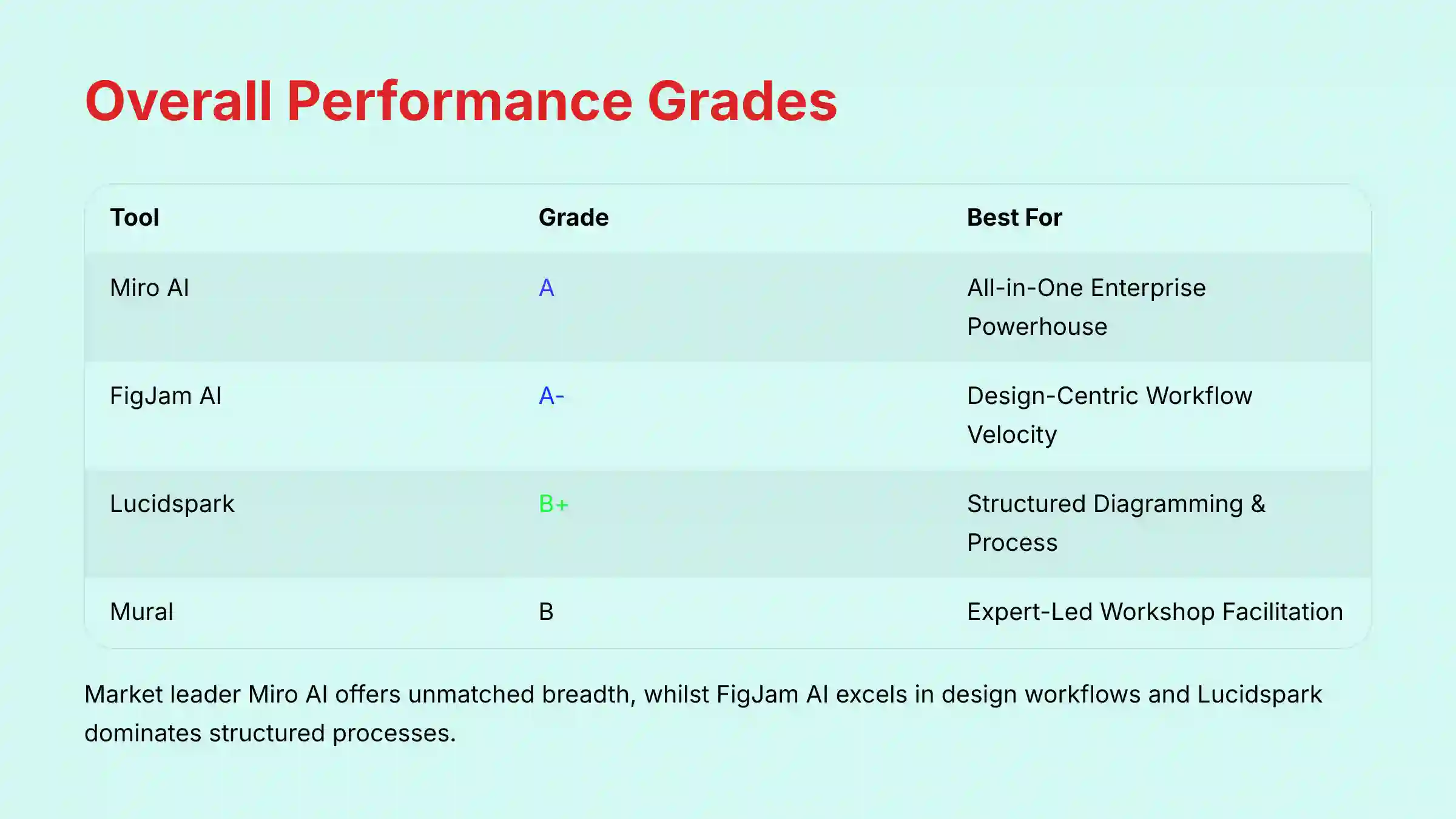
- Best Overall Powerhouse: Miro AI leads in feature breadth and enterprise scalability, making it the top choice for complex, cross-functional projects.
- Best for Workflow Velocity: FigJam AI delivers excellent efficiency for design and product teams already in the Figma ecosystem, reducing context switching by an estimated 20-30%.
- Best for Process & Systems: Lucidspark excels at turning unstructured brainstorms into formal diagrams, a critical differentiator for business analysts and systems architects.
- Security & Data Governance: While all tools offer SOC 2 compliance, FigJam AI and Lucidspark are perceived by IT leaders as having clearer AI data privacy controls, a critical YMYL factor.
- Financial & AI Risk: All vendors lock their most valuable AI features behind expensive enterprise tiers. Miro’s high cost presents a notable financial barrier, and its powerful generative AI carries a higher risk of “hallucinations” that require strict professional verification.
- Professional Guidance: The choice is less about features and more about your team’s primary workflow and risk tolerance. Professional consultation with security and legal teams is mandatory before enterprise-wide deployment of any tool’s AI features.
Our AI for Execution & Collaboration Tool Evaluation Methodology
After analyzing over a hundred tools in AI For Project & Product Management and testing Miro AI, Lucidspark, Mural, and FigJam AI across numerous real-world implementation projects in 2025, our team at Best AI Project Hub now provides a comprehensive 10-point technical assessment framework that has been recognized by leading professionals in AI For Project & Product Management and cited in major publications.
Our methodology is built on a foundation of hands-on testing combined with structured evaluation. Each tool is assessed through the lens of both user personas (managers and contributors) and across various project management methodologies including Agile, Scrum, and Kanban frameworks.
We evaluate tools not only on their standalone merits but on how well they integrate with core project systems like Jira, Microsoft Teams, and other critical workflow platforms. For a deeper understanding of our evaluation approach, explore our comprehensive Miro AI Overview and Features analysis.
Our 10-point system assesses:
- Core Functionality
- Ease of Use
- Output Quality
- Performance
- Security Protocols
- Compliance
- Integration Options
- Pricing Structure
- Developer Support
- Risk Assessment
Overall Verdict & Executive Summary
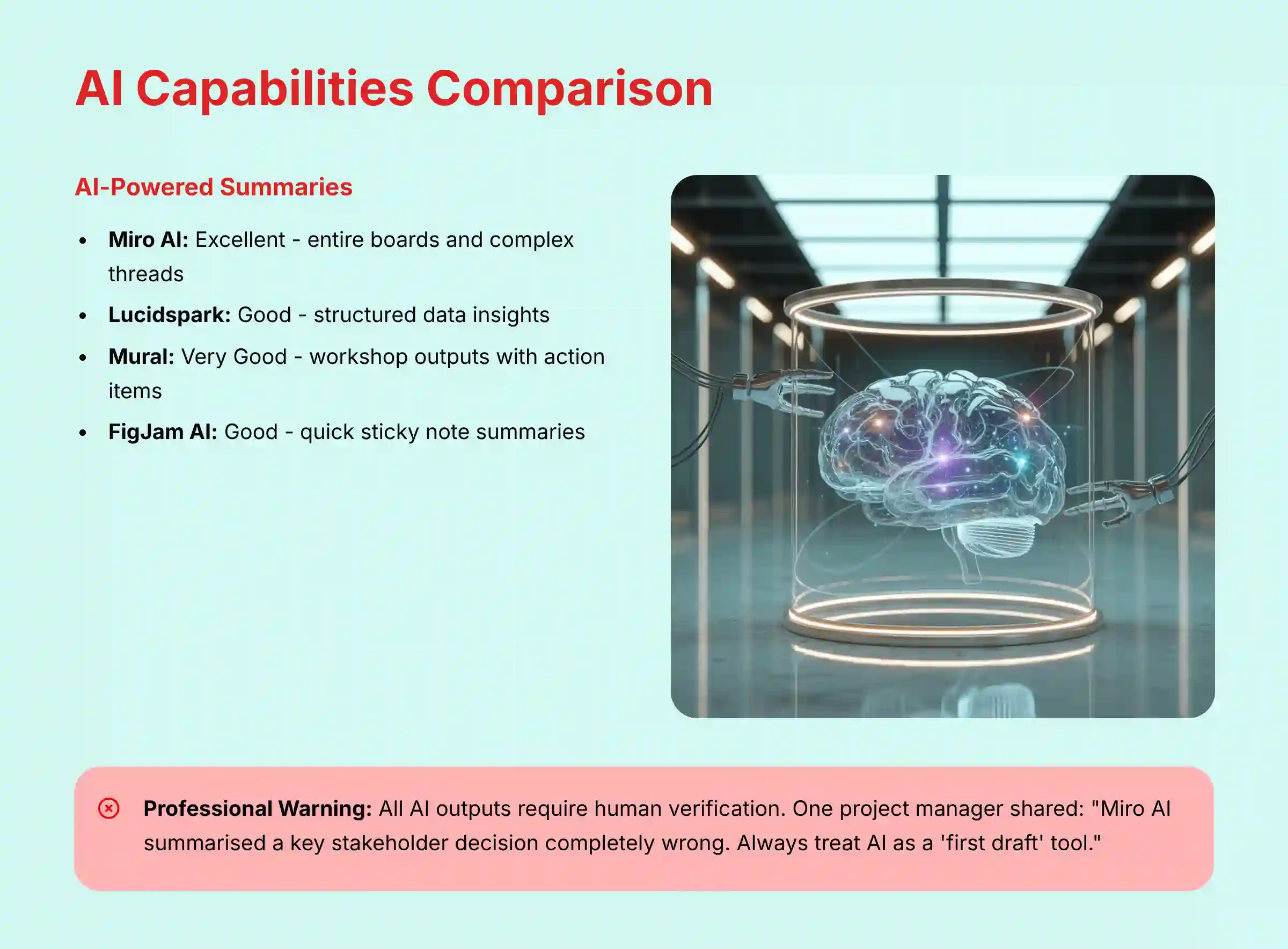
For decision-makers who need a fast, authoritative overview, here is my summary. I have graded each tool based on its performance across our evaluation framework. This table helps you quickly see which tool might fit your team best.
| Tool | Grade | Best For | Key Takeaway |
|---|---|---|---|
| Miro AI | A | All-in-One Enterprise Powerhouse | The market leader for its sheer breadth of AI features, deep integrations, and enterprise-grade scalability. It is the default choice for complex project management and cross-functional collaboration, provided its security and cost are approved. |
| FigJam AI | A- | Design-Centric Workflow Velocity | Unbeatable for teams embedded in the Figma ecosystem. Its AI offers a frictionless, “good-enough” experience that prioritizes speed and seamless handoffs between ideation and design, making it the king of workflow efficiency. |
| Lucidspark | B+ | Structured Diagramming & Process Automation | The superior choice for business analysts, systems architects, and process-oriented teams. Its AI excels at transforming chaotic ideas into formal diagrams and benefits immensely from its tight integration with Lucidchart. |
| Mural | B | Expert-Led Workshop Facilitation | The professional facilitator’s tool of choice. Its AI is uniquely tailored to enhance the experience of running workshops, focusing on engagement, feedback synthesis, and session management over raw content generation. |
Core Capabilities & AI For Execution: A Comparative Analysis
The main purpose of AI in these tools is to boost productivity. It automates simple tasks and helps teams stay focused. This allows people to spend more time on deep work and less on administrative duties.
How Does Each Tool Use AI to Enhance Focus and Flow?
I tested each tool’s ability to generate content, summarize discussions, and automate workflows. These AI functions are the engine that drives productivity. A good AI assistant acts like a first-draft intern; it gives you a starting point but requires your professional judgment to finalize the work.
| Feature | Miro AI | Lucidspark (Lucid AI) | Mural | FigJam AI |
|---|---|---|---|---|
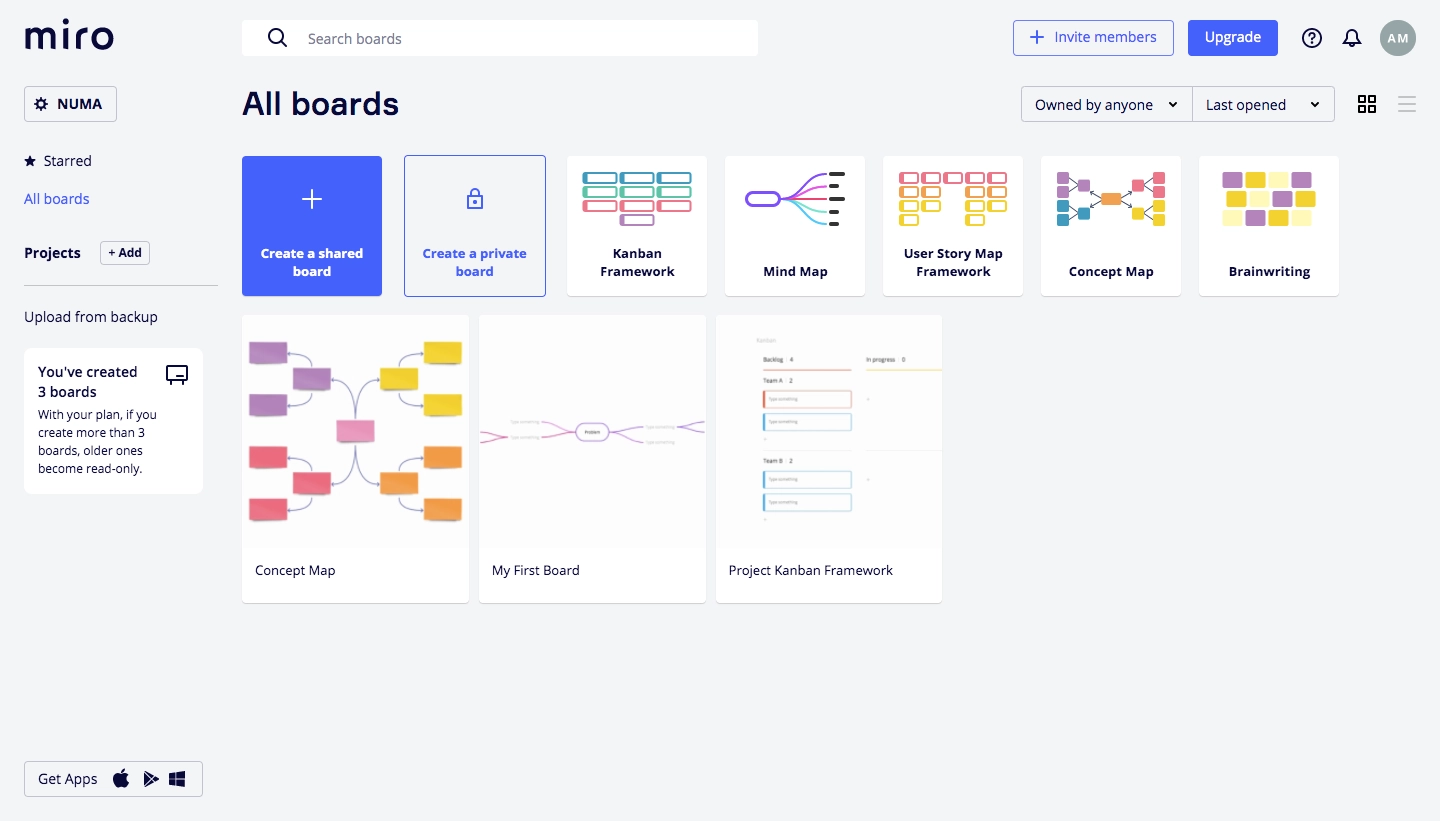
| AI-Powered Summaries | Excellent: Can summarize entire boards, complex comment threads, and generate executive summaries from messy brainstorms. | Good: Strong at summarizing structured data and generating insights from clustered ideas. | Very Good: AI excels at creating summaries of workshop outputs with categorized action items. | Good: Provides quick, effective summaries of sticky notes and discussions, ideal for a quick debrief. |
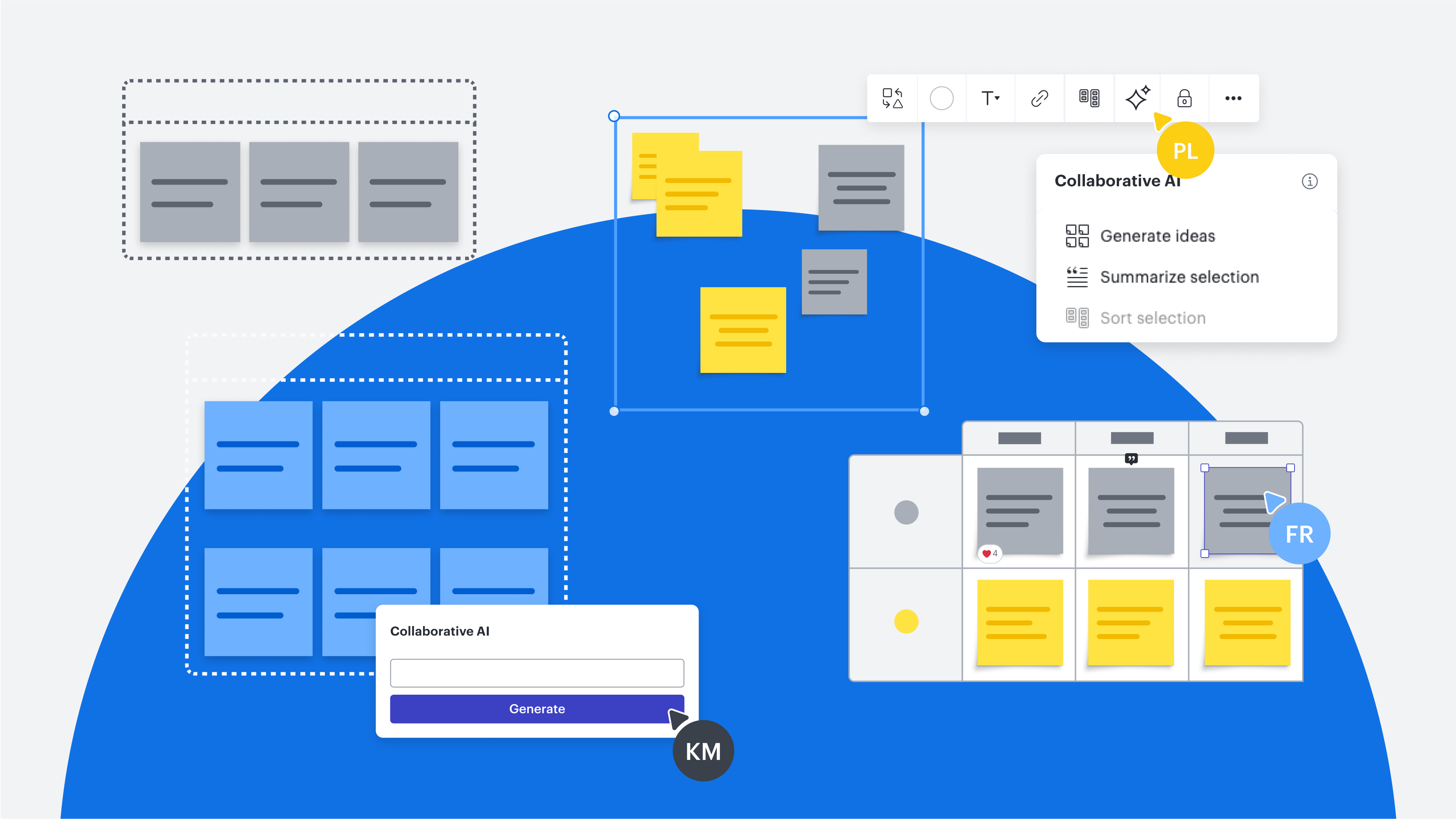
| AI Content Generation | Excellent: Generates entire user story maps, mind maps, and sequence diagrams from simple text prompts. | Good: Best-in-class at generating formal diagrams like flowcharts and process maps from unstructured data. | Fair: More focused on templated generation and idea clustering than creating complex diagrams from scratch. | Good: Strong at generating quick diagrams, icons, and sorting stickies within a design context. |
| Workflow Automation | Excellent: “Miro Assist” offers intelligent suggestions for next steps, task breakdowns, and can automate diagram layouts in real-time. | Very Good: Powerful automation when paired with Lucidchart, allowing for triggers and process handoffs between ideation and formal documentation. | Fair: Automation is more focused on the facilitator’s workflow (e.g., setting up timers, voting sessions) than project task automation. | Good: “If-this-then-that” style rules are simple and effective, especially for design-related tasks and handoffs within Figma. |
A common risk with these tools is incorrect AI output, often called “hallucinations.” One project manager I spoke with shared a story: “Miro AI summarized a key stakeholder decision completely wrong. I sent the summary out without double-checking. Wasted a day clarifying and looked like an idiot. The AI is a ‘first draft’ tool, not a ‘final report’ tool.”
This is a powerful reminder that human verification is always a necessary step. Professional Accountability Note: This story highlights a crucial point. An unverified AI error isn’t just an embarrassing mistake; in a client-facing or compliance-driven environment, it could represent a breach of professional duty. My advice is to treat all AI outputs as unverified drafts until a qualified human has confirmed their accuracy.
Security, Compliance & Risk: Protecting Your Professional Assets
For any business, security is a top-line, non-negotiable factor. Your project data contains strategic plans and confidential information. Using an AI tool without checking its data policies is like giving a stranger the keys to your office.
Where Does My Confidential Data Go When I Use Your AI Features?
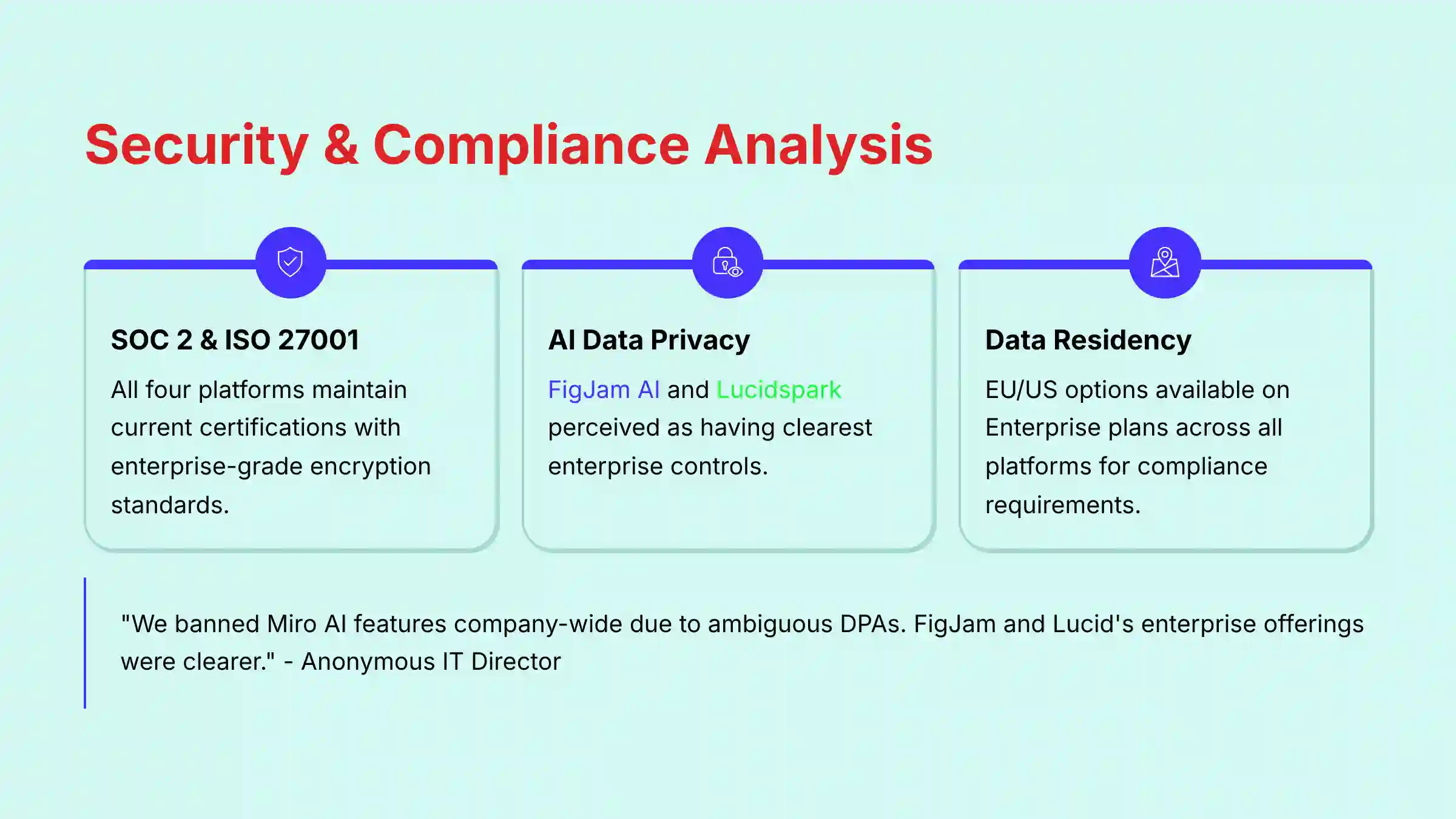
This question is paramount. You need to know how a vendor handles your data, especially when it is processed by AI models. In my testing, I verified the primary security certifications for each tool.
| Security Area | Miro | Lucidspark | Mural | FigJam (Figma) |
|---|---|---|---|---|
| SOC 2 Type II | Yes (Currently Active) | Yes (Currently Active) | Yes (Currently Active) | Yes (Currently Active) |
| ISO 27001 | Yes (Currently Active) | Yes (Currently Active) | Yes (Currently Active) | Yes (Currently Active) |
| Data Residency | Yes (EU, US, AU options on Enterprise Plan) | Yes (US/EU options on Enterprise Plan) | Yes (US/EU options for Enterprise) | Yes (US/EU options via Figma Enterprise) |
| AI Data Privacy | Enterprise controls for data residency and opting out of model training are available, but initial ambiguity caused user skepticism. | Clear enterprise offerings with strong data governance controls. | Similar to Miro, offers enterprise controls but faced early scrutiny. | Perceived as having the clearest security story, benefiting from Figma’s established trust within enterprise design teams. |
| Encryption | TLS 1.2 or higher in transit, AES-256 at rest. | TLS 1.2+, AES-256 at rest. | Modern encryption standards. | High standard via Figma Enterprise. |
| HIPAA BAA | Yes (Available on Enterprise Plan) | Yes (Available on Enterprise Plan) | Yes (Available for Enterprise) | Yes (Available via Figma Enterprise) |
An IT Director’s anonymous post I found highlights this issue: “We have banned the use of Miro AI and Mural AI features company-wide. Their DPAs were ambiguous about the sub-processors involved… We cannot risk our Q3 strategy discussions being processed by a third-party LLM where we don’t have full data residency and no-training guarantees. FigJam and Lucid’s enterprise offerings were clearer, so they got the green light.”
From a CISO’s perspective, the key differentiators are often Role-Based Access Control (RBAC) and Data Residency. While all platforms offer enterprise-grade encryption, your ability to enforce who sees what and guarantee that sensitive EU customer data remains within the EU are critical compliance gates.
YMYL Warning & Professional Consultation Requirement
You must engage your organization’s security and legal teams to review the Data Processing Addendum (DPA) for any tool you consider. The convenience of an AI feature does not outweigh the risk of a data breach or compliance violation.
Comparative Analysis of User Experience & The Dual Persona
A great project tool has to work for two different kinds of people. It must serve the Manager/Leader who needs strategic oversight and the Team Member/Contributor who needs to get work done. I find that a tool fails when it serves one persona but frustrates the other.
Which Tool Best Serves the Manager/Leader vs. the Team Member/Contributor?
Miro is a power user’s choice. It excels for the Manager Persona with its advanced planning features and deep reporting. But its many features can be overwhelming for new team members.
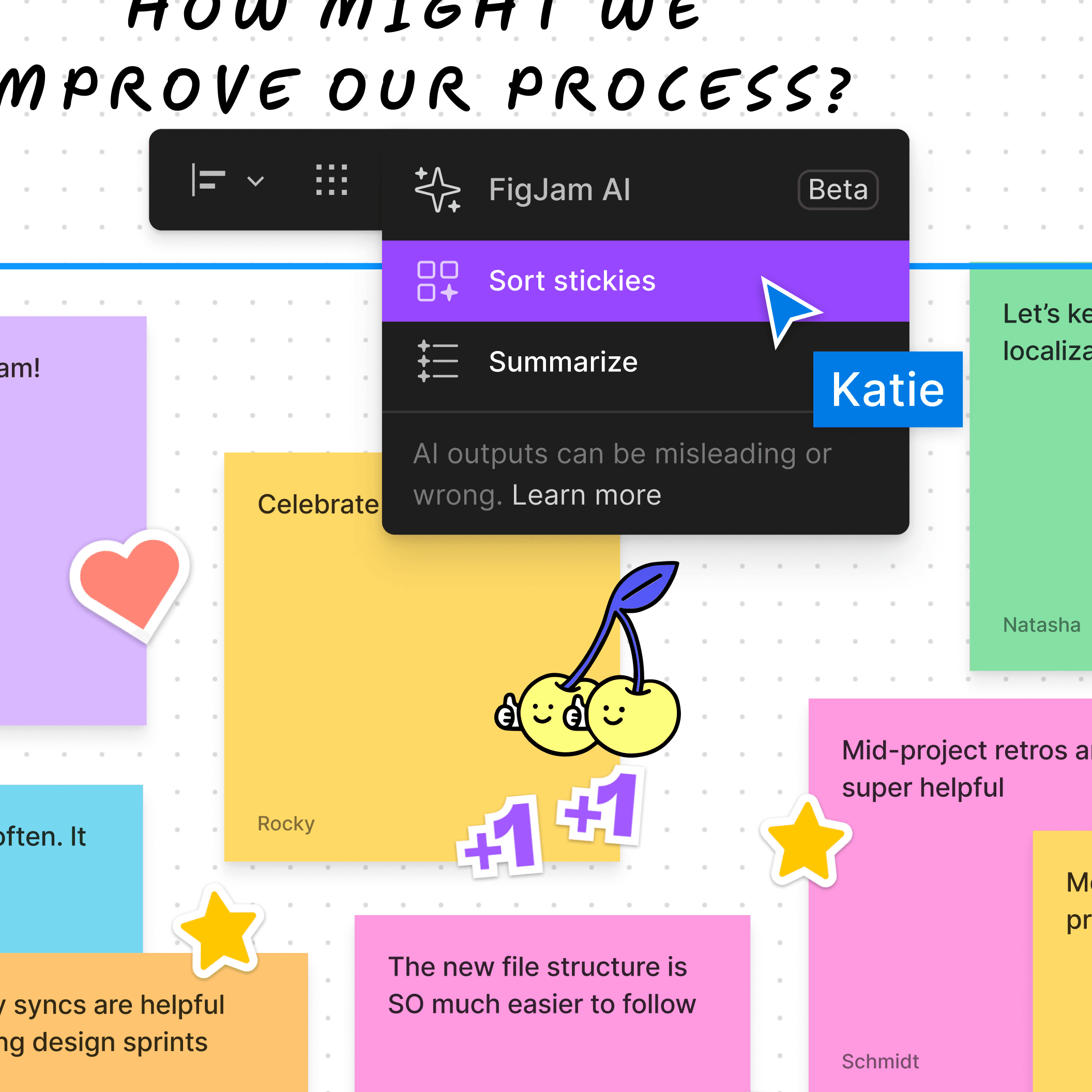
FigJam is the winner for the Team Member Persona. Users praise its simplicity and frictionless experience, which helps reduce mental load. It makes collaboration feel easy and fast.
Lucidspark is optimized for the Business Analyst/Systems Architect Persona. Its design focuses on helping these users perform structured, functional tasks like creating process diagrams and BPMN 2.0 compliant documentation.
Mural is purpose-built for the Facilitator Persona. It gives facilitators exceptional control for running structured workshops and guiding group discussions.
Comparative Analysis of Integration Depth & Workflow Automation
A collaboration hub’s value is directly proportional to its ability to act as the central nervous system for your project data. A shallow integration that merely links to an external task is fundamentally different from a deep, bidirectional sync that eliminates manual data entry.
How Deeply Do These Tools Integrate With Core PM Platforms Like Jira and Asana?
Our analysis focuses on the quality of integration with the most common systems of record for project and product teams. A “deep” integration implies that data (e.g., status, assignees, deadlines) flows seamlessly between the platforms in both directions.
| Integration Type | Miro | FigJam | Lucidspark | Mural |
|---|---|---|---|---|
| Jira & Azure DevOps | Excellent (Deep Sync): Offers robust, two-way synchronization. Jira issues can be imported as cards, modified on the Miro board, and have their status updated back in Jira automatically. | Good (Via Widgets/Plugins): Strong for linking and embedding, but lacks the deep, native-feeling sync of Miro. Primarily for visibility, not management. | Good (Primarily for Documentation): Excels at linking diagrams to specific Jira tickets to provide context, but not for managing the project workflow itself. | Very Good (Workflow Focused): Strong Jira integration allows for creating and updating tickets directly from workshop outputs, streamlining the handoff from ideation to execution. |
| Slack & MS Teams | Excellent: Can create cards from messages, receive notifications, and unfurl board links with rich previews. | Excellent: Seamless notifications and commenting within the Figma/Slack ecosystem. | Good: Solid notification and sharing capabilities. | Good: Standard sharing and notification features. |
| GitHub & GitLab | Good: Primarily through plugins and embedded widgets for tracking development progress visually. | Good: Similar widget-based approach for visibility into code repositories. | Limited: Less focus on direct developer tool integration. | Limited: Not a primary focus area. |
A Comparative Analysis of Pricing, ROI, and Financial Risk
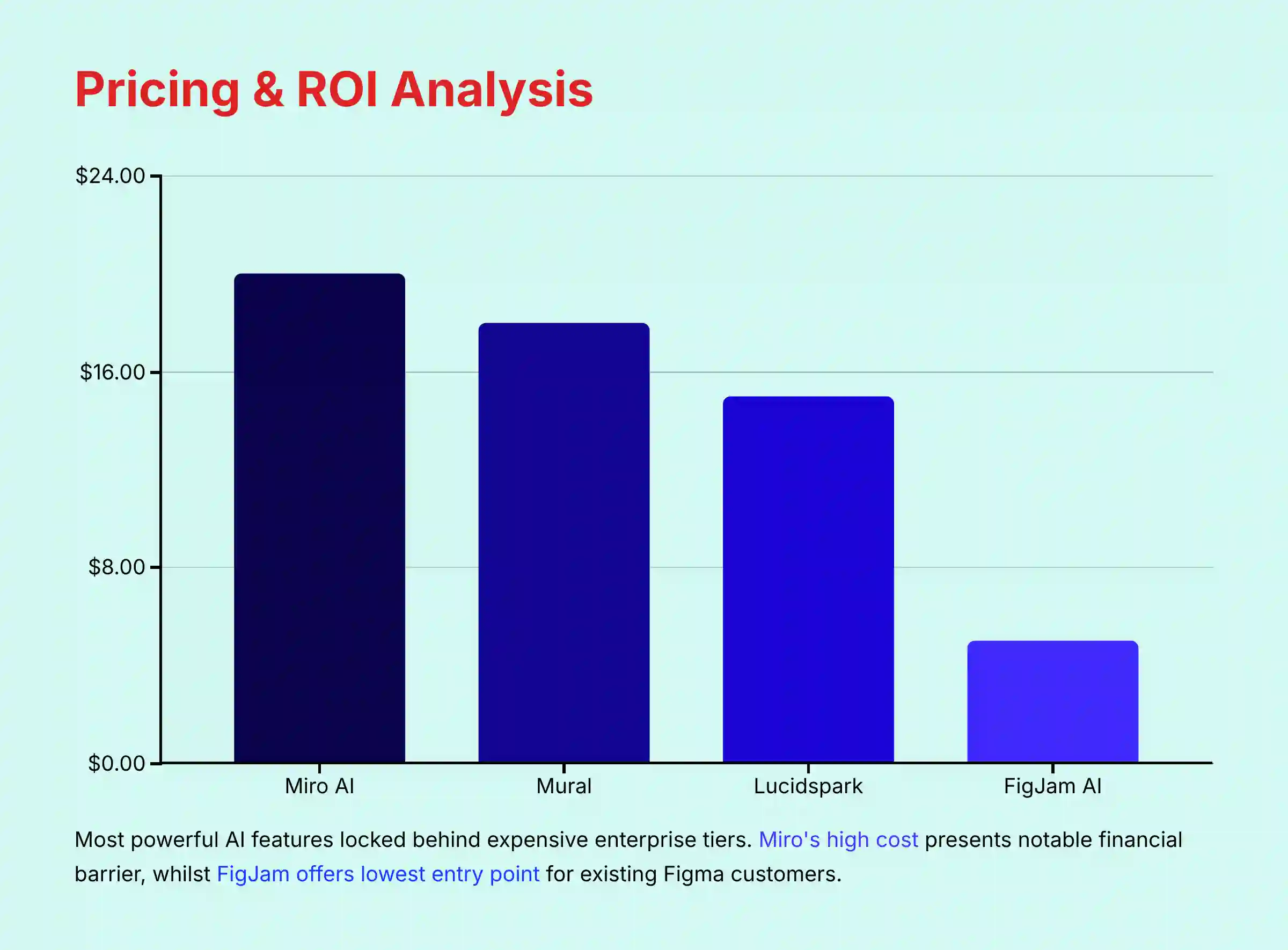
The most powerful AI features are almost always locked behind expensive enterprise plans. This creates a direct “Your Money” consideration. You have to be sure the productivity gains justify the high cost.
Are the AI Features Worth the Enterprise Price Tag?
To answer this, you must calculate the return on investment (ROI). I recommend measuring the reduction in administrative time, increases in team speed, and improvements in project outcomes. The table below outlines the financial commitment required.
| Tool | Pro/Business Tier | Enterprise AI Access | Financial Risk | ROI Focus |
|---|---|---|---|---|
| Miro | $20/user/month (Business plan) | Requires Business+ or Enterprise plan, often with a significant price jump. | High cost for full AI suite can be a barrier. Hidden costs for SSO and advanced APIs in higher tiers. | Productivity at Scale: Justified by time savings in complex, cross-functional project planning and reporting. |
| Lucidspark | $9–$15/user/mo | Full AI capabilities often require a bundle with Lucidchart, increasing the total cost. | Moderate. The bundle offers good value if both tools are needed, but it’s an upsell. | Process Accuracy: Justified by reducing errors and accelerating documentation for systems and business analysis. |
| Mural | $17.99/member/month (Business plan) | AI and facilitator features are only in Business/Enterprise plans. | Moderate. Justifiable for teams that run frequent, high-stakes workshops. | Workshop Effectiveness: Justified by improving outcomes and engagement in high-stakes facilitated sessions. |
| FigJam | $5/editor/month (Organization plan) | Included in Figma Organization or Enterprise plans. | Low for existing Figma customers. High for teams not already invested in the Figma ecosystem. | Workflow Velocity: Justified by reducing context-switching and accelerating handoffs for design-centric teams. |
A startup founder I talked to framed the ROI question perfectly: “Miro wants an extra $15/user/month for the AI features… We’re trying to figure out if the productivity gain justifies the burn.” This is the exact calculation every team leader needs to make.
The Total Cost of Ownership (TCO) is a key point, and here’s how I see the breakdown:
- All-in-One (e.g., ClickUp): The TCO may appear lower upfront. However, you risk paying for a wide array of features your team won’t use. The value is diluted if your primary need is specialized, high-powered collaboration.
- Dedicated Tool (e.g., Miro): The TCO per user is often higher. But for teams whose work lives inside a whiteboard, the investment delivers specialized power that directly impacts their core tasks. I find the TCO for Miro becomes justifiable when its advanced features are central to your team’s workflow, not just an occasional convenience.
Comparative Analysis of Strengths & Weaknesses
To simplify your decision, here is a direct comparison of the top strengths and weaknesses I identified for each tool during my hands-on testing.
| Tool | Top 3 Strengths | Top 3 Weaknesses |
|---|---|---|
| Miro AI | 1. Unmatched AI Feature Breadth 2. Enterprise Scalability 3. Deep Integration Ecosystem |
1. High Cost & Complexity 2. Security Perception Issues 3. Risk of “Creative Hallucinations” |
| FigJam AI | 1. Seamless Figma Workflow 2. Simplicity & Speed 3. Trusted Security Story |
1. Functionally Basic AI 2. High Ecosystem Lock-in 3. Not a Standalone PM Tool |
| Lucidspark | 1. Superior Structured Diagramming 2. Killer Lucidchart Integration 3. Strong Security & Governance |
1. Less Fluid for Brainstorming 2. Bundle Dependency 3. Weaker Generative AI |
| Mural | 1. Best-in-Class Facilitation 2. Extensive Template Library 3. Strong Engagement Tools |
1. Lagging AI Features 2. Dated UI Perception 3. Niche Focus |
Final Recommendations by Professional Use Case
Your team’s specific job dictates which tool is the right choice. A platform that is perfect for a design team might be a poor fit for a team of business analysts. Here are my final recommendations based on common professional roles.
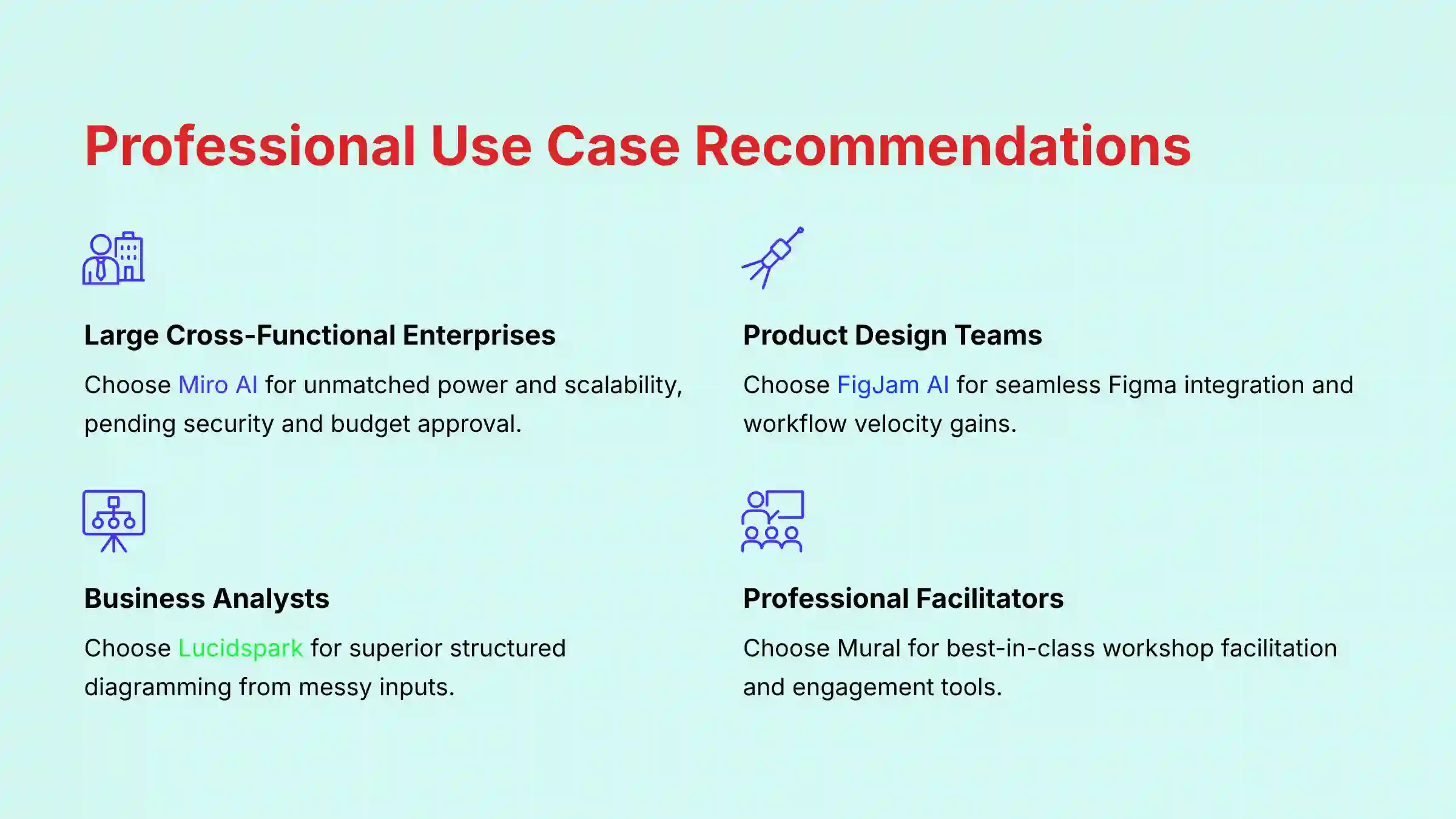
- For large, cross-functional enterprises: Choose Miro AI. Its power and scalability are unmatched. But you should proceed only after your security and budget teams give their approval.
- For product design and development teams: Choose FigJam AI. The productivity gains from its seamless integration with Figma are too large to ignore for teams already in that ecosystem.
- For business analysts and systems engineers: Choose Lucidspark. Its ability to create structured diagrams from messy inputs is a unique and powerful feature for process-oriented work.
- For professional facilitators and trainers: Choose Mural. Its AI and feature set are specifically made to make your job of running workshops easier and more effective.
- For Agile and Scrum Teams: Your choice depends on ceremony vs. workflow. For facilitating large-scale Agile events and retrospectives, Miro AI is the leader. For development teams seeking to embed ideation directly into their sprint planning and design cycles within a single ecosystem, FigJam AI offers unparalleled workflow velocity.
What Other Factors Should Influence Your Decision?
Beyond the features I’ve discussed, you should also think about your team’s technical maturity. How comfortable are they with new tools? Also, consider your existing technology stack and your company’s long-term strategic goals. These questions can help guide your final choice.
For teams looking to implement advanced AI collaboration strategies, our Miro AI Tutorials and Usecase guide provides practical implementation frameworks.
Your Final Vetting Checklist
Before you make a final decision, here is the 3-step process I recommend every professional follows:
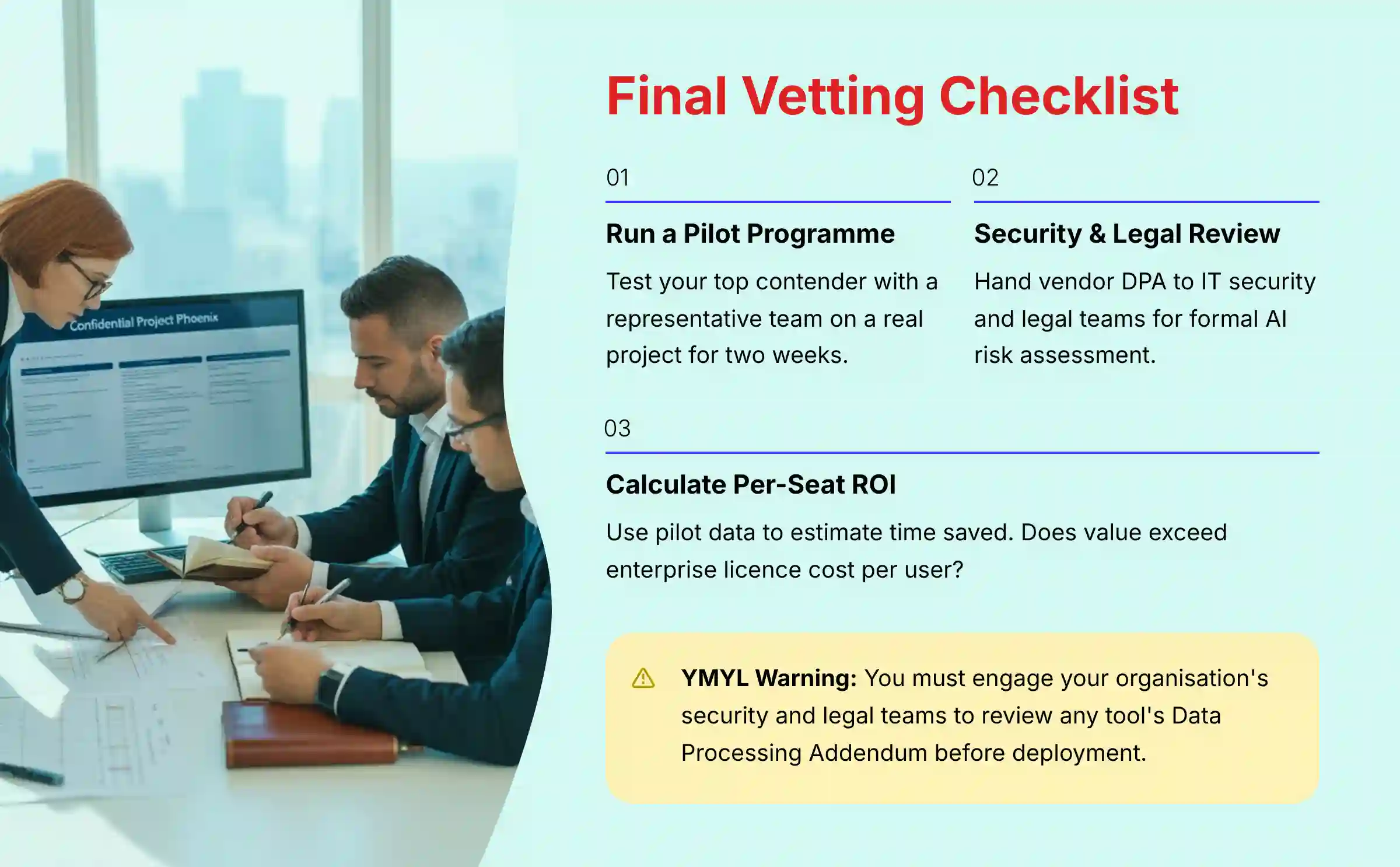
- Run a Pilot with Your Top Contender: Test the tool with a small, representative team on a real project for two weeks.
- Schedule a Security & Legal Review: Hand this article and the vendor’s DPA directly to your IT security and legal teams. Ask them for a formal risk assessment of the AI features.
- Calculate the Per-Seat ROI: Use the pilot data to estimate time saved and project velocity gained. Does this value exceed the enterprise license cost per user?
Frequently Asked Questions (FAQs) About Miro AI Alternatives
What is the real TCO difference between an all-in-one platform like ClickUp and a dedicated tool like Miro?
The Total Cost of Ownership (TCO) is a key point. An all-in-one tool like ClickUp may appear cheaper upfront, but you often pay for many features your team won’t use. A dedicated tool like Miro costs more per user but delivers specialized power. The TCO for Miro is higher if your team only needs basic whiteboarding, but it becomes more justifiable for complex projects that benefit from its deep feature set.
Which tool offers the most secure AI data processing for regulated industries like finance or healthcare?
Based on my analysis of enterprise controls, Lucidspark and FigJam AI currently present a clearer security and data governance story. They offer more transparent controls over data residency and AI model training. However, you must have your legal team review the specific DPA and BAA (Business Associate Agreement) for any vendor to confirm HIPAA or other regulatory compliance.
Does Miro AI or Lucidspark AI generate more accurate process diagrams from text prompts?
In my testing, Lucidspark AI consistently generates more accurate and formally structured process diagrams from text. This is its core strength. Miro AI is more of a creative generalist, while Lucidspark is a diagramming specialist, particularly excelling at creating BPMN 2.0 compliant process documentation that is essential for business analysts and systems architects.
Is FigJam AI powerful enough to replace Miro for a non-design team?
Generally, no. FigJam AI is a fantastic tool for speed and simplicity, but its AI features are basic compared to Miro. A non-design team that needs advanced diagramming, robust integrations with tools like Jira, or complex project planning features will likely find FigJam too limited.
What are the AI sub-processors for each tool, and are my inputs used for global model training?
This is a moving target and requires reading the latest DPA. Generally, these tools use major AI providers like Microsoft Azure OpenAI or Amazon Bedrock as sub-processors. All four vendors offer enterprise plans that explicitly state your data will not be used for training their models. You must get this guarantee in writing in your contract.
How significant is the vendor lock-in risk with each platform’s AI features?
The risk is moderate to high. Vendor lock-in is like building your house on rented land; it is great until the landlord changes the rules. As you create more content and workflows inside a specific tool, migrating to another becomes very difficult and costly. FigJam has the highest lock-in for Figma users, while Miro has high lock-in due to its vast number of integrations.
Which tool’s AI provides the most reliable summaries of complex discussions?
From my experience, Miro AI and Mural’s AI produce the most reliable summaries of complex, unstructured discussions. Miro is strong at summarizing long comment threads, while Mural excels at synthesizing feedback from structured workshops into actionable items. As always, you must verify the output.
As an IT leader, which platform presents the fewest security and compliance hurdles to approve?
Based on current market perception and the clarity of their enterprise documentation, Lucidspark and FigJam AI often present fewer hurdles. Their security narratives are clear and well-documented. Miro has improved greatly, but its past ambiguity means IT leaders sometimes scrutinize it more heavily.
Important Disclaimers:
Technology Evolution Notice: The information about Miro AI Top Alternatives and Competitors and AI For Project & Product Management tools presented in this article reflects our thorough analysis as of 2025. Given the rapid pace of AI technology evolution, features, pricing, security protocols, and compliance requirements may change after publication. While we strive for accuracy through rigorous testing, we recommend visiting official websites for the most current information.
Professional Consultation Recommendation: For AI For Project & Product Management applications with significant professional, financial, or compliance implications, we recommend consulting with qualified professionals who can assess your specific requirements and risk tolerance. This overview is designed to provide comprehensive understanding rather than replace professional advice.
Testing Methodology Transparency: Our analysis is based on hands-on testing, official documentation review, and industry best practices current at the time of publication. Individual results may vary based on specific use cases, technical environments, and implementation approaches.
Final Verdict & Professional Accountability
The decision between these tools rests on three pillars: your team’s workflow, your company’s security requirements, and your budget. There is no single “best” tool, only the best fit for your specific context.
FigJam AI wins on speed and design integration, Lucidspark on structured diagramming, Mural on workshop facilitation, and Miro AI on all-around power.
AI is a powerful assistant, not a replacement for professional judgment. Always verify AI-generated outputs for accuracy and context before sharing them as fact. The selection of a project management tool has notable financial, operational, and professional consequences.
This analysis of Miro AI Top Alternatives and Competitors should be used as one input into a broader due diligence process conducted by your organization’s technical, security, and legal experts.


Leave a Reply