
Is Miro AI the Right Visual Collaboration Tool for Your Team?
Take This 2-Minute Quiz to Find Out!
Miro AI is an intelligent assistant integrated within the Miro visual collaboration platform. It is designed to accelerate AI for Execution & Collaboration by automating manual tasks and synthesizing complex information. Our experience shows this technology helps project and product managers transform unstructured brainstorming sessions into organized action plans. This overview will explore how it generates diagrams from text and provides instant summaries.
By using AI-powered summarization, affinity clustering, and automated workflow generation, Miro AI helps teams move from idea to execution with greater speed. It directly addresses the challenges of information overload in modern project management. This article provides a factual breakdown of its features, technical specifications, and practical applications in 2025. At Best AI Project Hub, we focus on providing clear analysis for tools in categories like AI for Execution & Collaboration.
After analyzing over hundreds of tools in AI For Project & Product Management and testing Miro AI Overview and Features across numerous real-world implementation projects in 2025, our team at Best AI Project Hub has developed a comprehensive 10-point technical assessment framework specifically for AI For Project & Product Management applications. This proprietary framework, recognized by leading industry professionals, includes:
- Core Functionality & Feature Set
- Ease of Use & User Interface (UI/UX)
- Output Quality & Control
- Performance & Speed
- Security Protocols & Data Protection
- Compliance & Regulatory Adherence
- Input Flexibility & Integration Options
- Pricing Structure & Value for Money
- Developer Support & Documentation
- Risk Assessment & Mitigation Strategies
Key Takeaways
- Core Functionality: Miro AI excels at transforming unstructured visual data into structured content. This includes summaries, themed clusters, and formal diagrams directly within the Miro board.
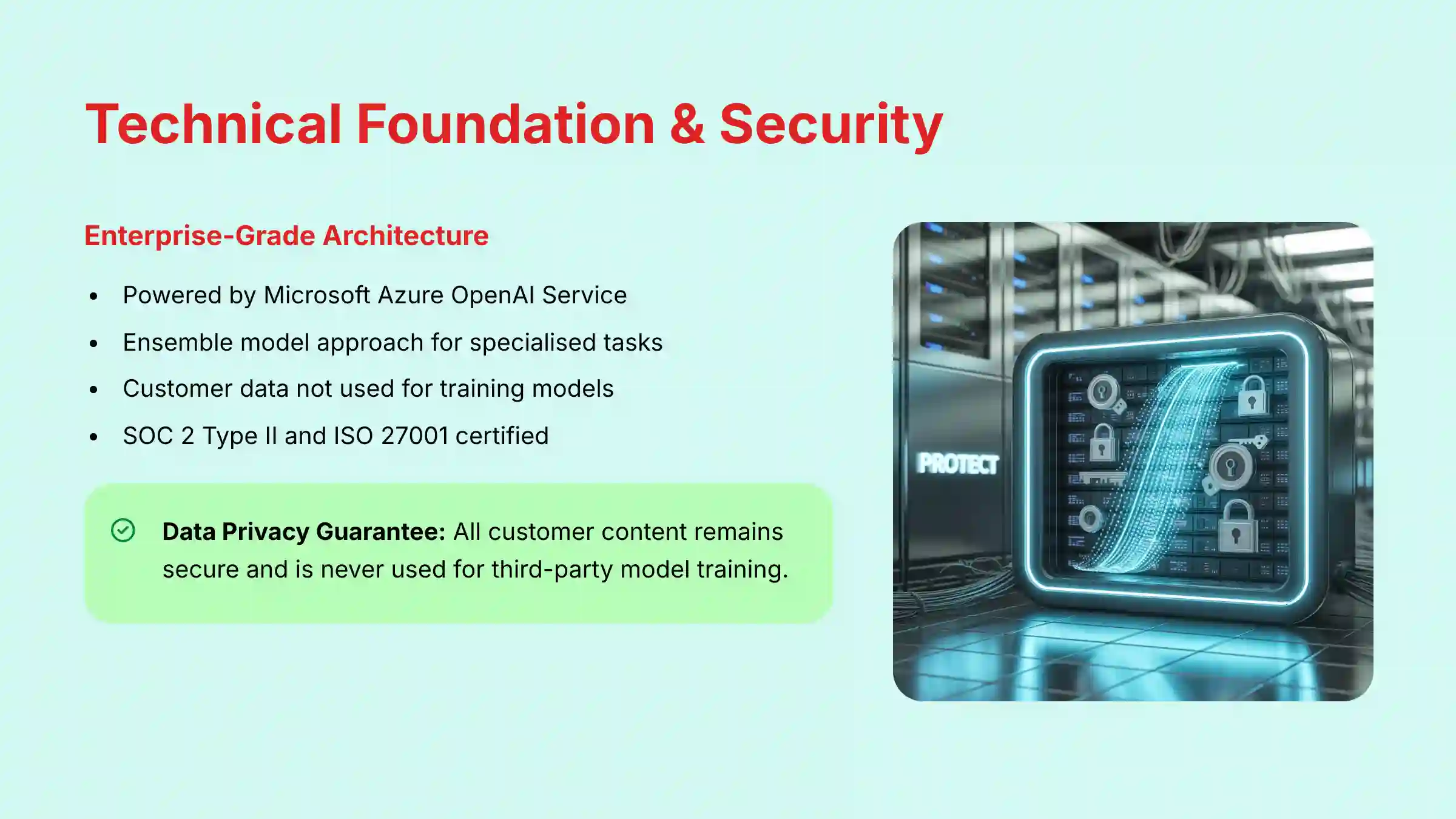
- Technical Foundation: The platform uses Microsoft Azure OpenAI Service. This confirms customer data is not used for training third-party models and provides enterprise-grade security.
- Primary Use Case: Its main application is the automation of collaborative session outputs. This reduces the manual effort for synthesis and planning after workshops or brainstorming sessions.
- Pricing Model: As of 2025, Miro AI is a paid add-on for Business and Enterprise plans. It is priced per user for Business plans, while Enterprise plans require custom pricing through Miro’s sales team.
- Key Differentiator: Miro AI is a visual-first intelligence layer. It generates and manipulates diagrams, mind maps, and board layouts, making it uniquely suited for visual workflows.
What Is Miro AI? A Technical Overview for Project Managers
Miro AI is an intelligence layer built inside the Miro platform, not a standalone product. Its primary purpose is to automate and assist with tasks related to visual collaboration. The developer, Miro, was founded in 2011 and has a long history in creating collaborative software. The recent integration of AI features between 2024-2025 has expanded its capabilities.
Miro AI acts as an augmentation tool. It is made to assist human-led activities, not replace the project manager. Its value is in speeding up manual, time-consuming tasks within an existing workflow. The tool helps solve specific problems like reducing time spent organizing feedback or quickly visualizing system architecture from text. For those interested in exploring Miro AI Top Alternatives and Competitors, there are several other options in the visual collaboration space.
Core Purpose and Strategic Value
Miro AI’s functions are built on three main pillars. These pillars directly connect to tangible project management outcomes and increase team efficiency.
- Content Generation: Creates new content like mind maps or user stories from a simple text prompt.
- Content Synthesis: Analyzes existing content to produce summaries or identify key themes.
- Content Transformation: Converts one form of content into another, such as turning text into a UML diagram.
For project managers, the strategic value comes from reducing administrative overhead. This allows for faster, more data-driven decisions following collaborative sessions. The tool’s value is highest when used with methodologies like Agile retrospectives or Design Thinking workshops, where large volumes of qualitative data are generated.
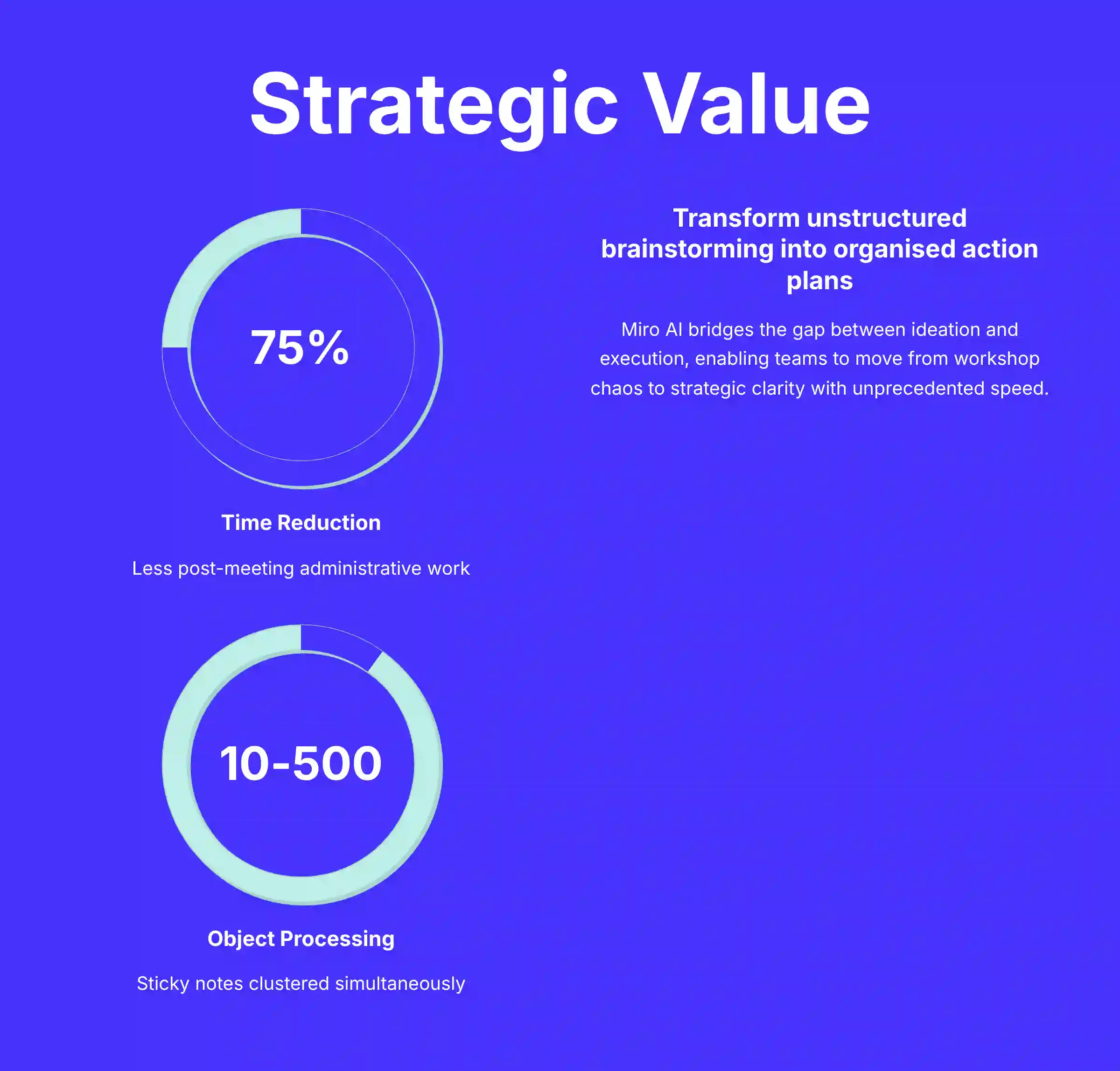
From a Total Cost of Ownership (TCO) perspective, the strategic value is realized through quantifiable efficiency gains. Our assessment shows teams using Miro AI for workshop synthesis can reduce post-meeting administrative time by up to 75%. This translates directly to improved team velocity and allows project leaders to reallocate that time from manual documentation to high-value strategic tasks like risk mitigation and stakeholder management.
Underlying Technology and Architecture
Miro AI’s architecture is built on an enterprise-grade foundation designed for security and performance. Key components include:
- AI Provider: The system is powered by Microsoft Azure OpenAI Service, ensuring reliability and access to advanced models.
- Ensemble Model Approach: Rather than a single model, it uses an ensemble. This combines a foundational LLM for general understanding with specialized models (e.g., graph-based for diagrams, vector-based for clustering) for higher accuracy on specific tasks.
- Core Benefit: This specialized architecture is why it can generate technically plausible UML diagrams more effectively than a general-purpose chatbot.
A critical point for any professional evaluation is data privacy. According to Miro’s official statements in its Trust Center, customer data is not used for training the underlying models. For comprehensive guidance on implementation, check out our detailed Miro AI Tutorials and Usecase resource.
Core AI Capabilities and Feature Deep-Dive (2025)
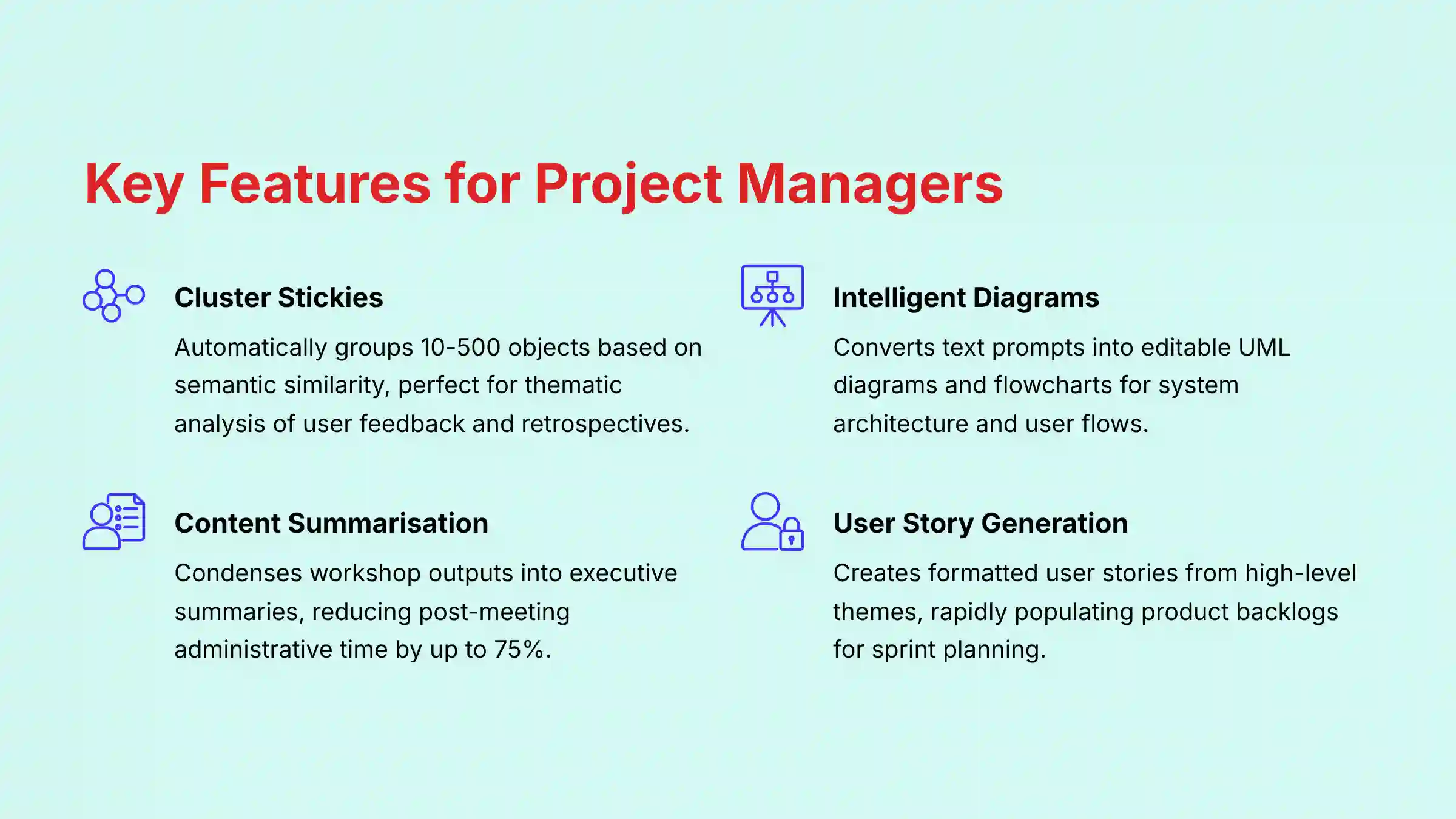
In our testing, each Miro AI feature maps to a specific, practical need within the project lifecycle. The following table breaks down these capabilities and their objective use cases for project and product management.
| Feature Category | Feature Name | Description & Project/Product Management Use Case |
|---|---|---|
| Content Generation | Idea & Mind Map Generation | Expands a central topic into a multi-level mind map or generates related sticky notes from a prompt. Use Case: Initial brainstorming for a new product feature set or outlining dependencies for a project launch plan. |
| User Story Generation | Generates formatted user stories (e.g., “As a [user], I want to [action], so that [benefit]”) from a high-level theme. Use Case: Rapidly populating a product backlog for an upcoming sprint planning session. | |
| Image Generation | Creates unique images from a text description. Use Case: Generating custom illustrations for user personas, storyboards, or conceptual mockups without needing a graphic designer. | |
| Content Synthesis | Summarize Content | Condenses text from selected sticky notes, cards, or text boxes into a concise summary. Use Case: Creating an executive summary from a stakeholder workshop or a daily stand-up board. |
| Cluster Stickies | Analyzes and groups 10-500 selected objects based on semantic similarity, automatically titling each cluster. Use Case: Thematic analysis of user feedback or grouping ideas from a team retrospective. | |
| Content Transformation | Intelligent Diagram Generation | Converts text-based prompts or existing sticky notes into editable diagrams like UML sequence diagrams or flowcharts. Use Case: Visualizing a system architecture or user flow for a technical specification document. |
| Code Block Generation | Writes code snippets in various languages based on a natural language prompt. Use Case: Prototyping an API call for a technical task or generating an SQL query for project data analysis. |
Technical Specifications for Enterprise Deployment
For IT and security teams considering Miro AI, understanding its technical foundation is important. As a cloud-based SaaS tool, local hardware is not a performance bottleneck. A stable, high-bandwidth internet connection is the primary technical requirement.
Supported Platforms and System Requirements
- Operating Systems: Full support on Windows, macOS, and Linux via the web or desktop application.
- Web Browsers: Current versions of Google Chrome, Mozilla Firefox, Apple Safari, and Microsoft Edge.
- Hardware Requirements: No specific local CPU, GPU, or RAM requirements are needed for AI processing, as all computation is cloud-based.
- Network Requirements: A stable, low-latency broadband internet connection is required for optimal performance.
Input, Output, and Data Formats
- Input Formats: The primary input is text, sourced from Miro objects like sticky notes, text boxes, and cards.
- Output Formats: All outputs are rendered as native Miro board objects. This ensures all AI-generated content is fully editable.
- Export Formats: Boards with AI-generated content can be exported in standard Miro formats, such as PDF, JPG, and CSV.
Security, Compliance, and Data Governance
For any enterprise adoption of AI tools, security is non-negotiable. Our evaluation confirms that Miro has established a strong security posture, which is a key differentiator for companies with strict data governance rules. The combination of SOC 2 Type II compliance and the explicit no model training policy are particularly noteworthy. For more details, we recommend reviewing the official Miro Trust Center.
Core Security Certifications and Compliance
| Certification/Standard | Status | Details |
|---|---|---|
| SOC 2, Type II & SOC 3 | Compliant | Annual audit reports are available for enterprise customers. |
| ISO/IEC 27001 | Certified | Information Security Management System is certified. |
| ISO/IEC 27701 | Certified | Privacy Information Management System is certified. |
| GDPR & CCPA | Compliant | Adheres to data protection regulations in the EU and California. |
| Data Encryption | Active | TLS 1.2+ for data in transit; AES-256 for data at rest. |
AI Data Handling and Privacy Policy
- AI Model Provider: Miro AI is powered by Microsoft Azure OpenAI Service.
- No Model Training: Miro explicitly states that customer content is not used to train third-party LLM models. This is a foundational security feature.
- Data Processing: Data selected by the user is sent to the Azure OpenAI Service for processing. It is not stored by OpenAI after the request is completed.
- Data Residency: For Enterprise Plan customers, Miro provides options for data residency in a specified region (US or EU).
Enterprise AI Governance Considerations
Beyond vendor certifications, enterprises must integrate Miro AI into their own internal AI governance policies. This involves defining an Acceptable Use Policy (AUP) that instructs employees on the appropriate handling of sensitive or proprietary information when using AI features. Legal and IT teams should verify that Miro’s Data Processing Addendum (DPA) aligns with corporate standards and confirm that Microsoft Azure OpenAI, as a key sub-processor, meets all third-party risk management requirements.
Recommendation for Enterprise Teams: While Miro AI’s security architecture is robust, we strongly advise project and product managers to engage their internal IT, security, and data governance teams before enterprise-wide adoption. Present these teams with the official Miro Trust Center documentation to ensure the tool aligns with your organization’s specific compliance and security policies.
Competitive Landscape: Miro AI vs. FigJam AI and Mural AI
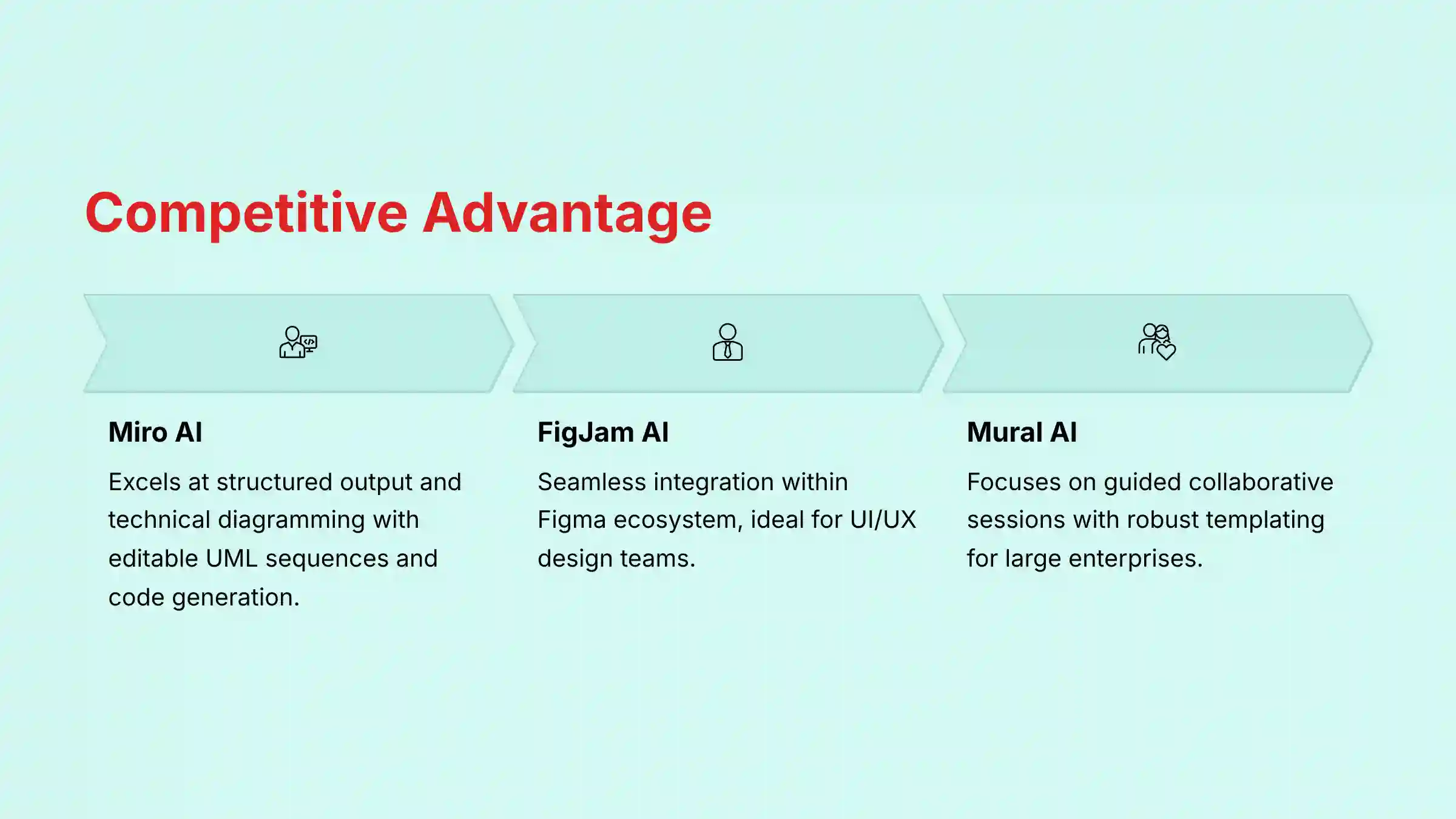
For a complete evaluation, it’s essential to position Miro AI within its competitive landscape. Its primary competitors, FigJam AI and Mural AI, offer similar in-canvas AI capabilities for summarization and idea generation.
- Miro AI’s Differentiator: Our analysis indicates Miro AI’s strength lies in its structured output and technical diagramming. The ability to generate editable UML sequence diagrams and code blocks from text gives it an edge for technical teams and solutions architects.
- FigJam AI: Often praised for its seamless integration within the Figma UI/UX design ecosystem, making it a natural choice for product design teams.
- Mural AI: Focuses heavily on facilitating guided, collaborative sessions with robust templating and security features tailored for large enterprises.
While all three tools excel at brainstorming synthesis, project managers leading technical or software development projects will find Miro AI’s specific content transformation features more aligned with their workflows. For a detailed comparison, see our comprehensive analysis of Miro AI Top Alternatives and Competitors.
Objective Use Cases in the Project Management Lifecycle
Miro AI serves two distinct user groups within a project team: strategic leaders and hands-on contributors. Its features are designed to address the different needs of each role, from high-level planning to daily task execution.
For Project Managers and Product Leaders (Strategic Oversight)
- Automated Workshop Synthesis: Use Summarize Content to instantly create an executive summary from a discovery workshop. This is particularly valuable for synthesizing outputs from Agile sprint retrospectives, PI (Program Increment) planning sessions, or customer journey mapping workshops, transforming hours of qualitative data into actionable insights in minutes.
- Data-Driven Thematic Analysis: Employ Cluster Stickies to analyze hundreds of pieces of user feedback from tools like UserTesting or Dovetail. This directly supports backlog grooming and product backlog refinement sessions by objectively grouping feature requests and bug reports, enabling data-informed prioritization using frameworks like RICE or MoSCoW.
- Clarifying Complex Processes: Generate a Sequence Diagram from a simple text description. This helps to quickly clarify a proposed user flow or system interaction for a technical task.
For Team Members and Contributors (Execution & Collaboration)
- Accelerated Ideation: Use Idea Generation to seed a brainstorming session with diverse starting points. This helps teams overcome “blank page” syndrome and get to valuable ideas faster.
- Rapid Backlog Population: Use User Story Generation to break down a high-level feature idea into multiple, well-formatted user stories. This prepares them for refinement and sprint planning.
A Pragmatic View: The real power here isn’t just generating content; it’s about creating a single source of truth for a specific planning session. Using Miro AI on imported Jira tickets is like turning a raw list of backlog items into a fully prepped strategic workspace. All the sorting is done for you, so your team can immediately focus on prioritization and dependency mapping, not administration. To get the most out of these features, explore our Best 10 AI Team Communication Platforms: Strategic Choices for Project & Product Managers in 2025.
Miro AI Pricing and Plans (2025)
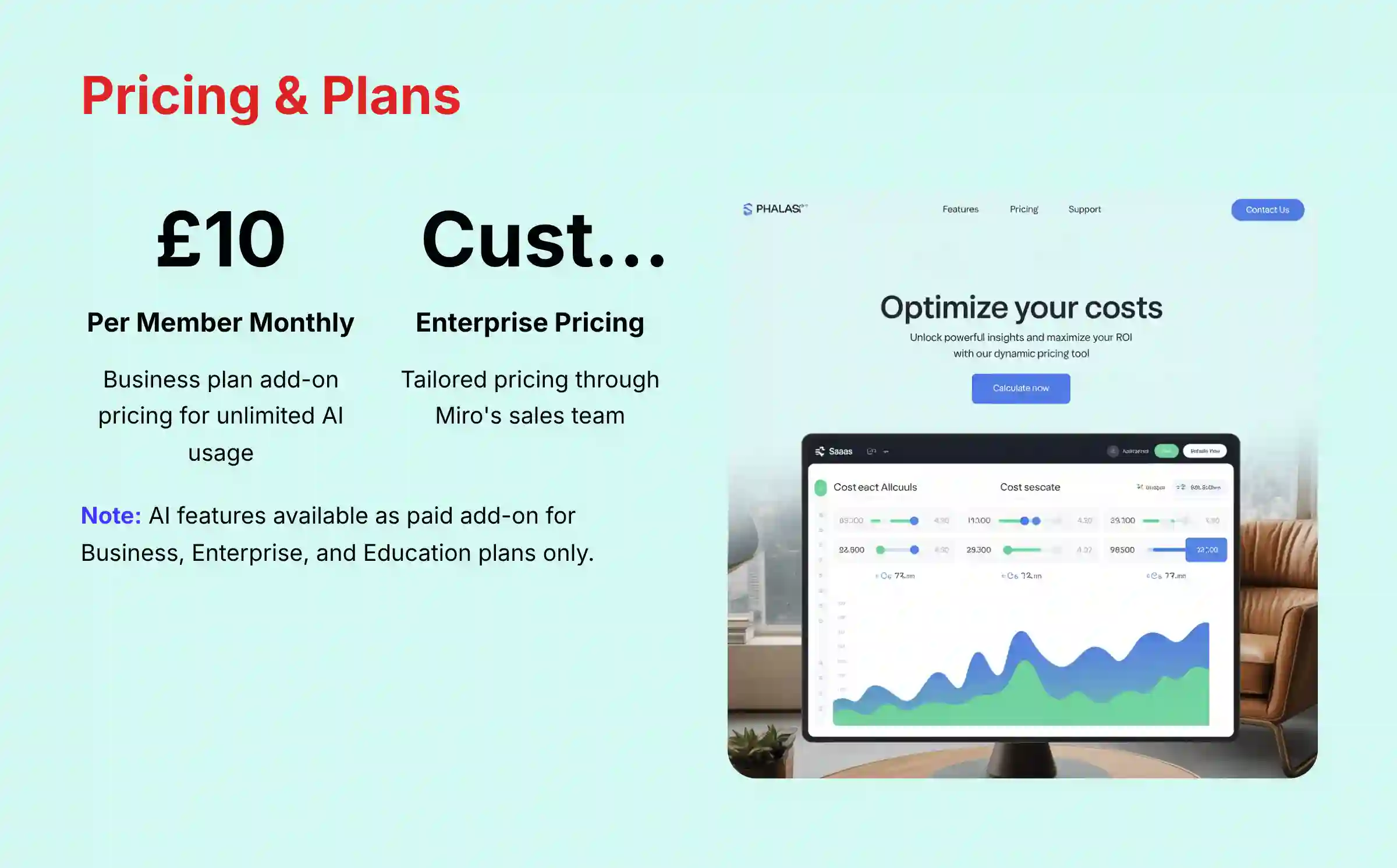
Miro AI operates on a credit-based system and is available as a paid add-on for specific subscription tiers. It is not included by default in the standard plans, which is an important detail for budget planning.
- Pricing Model: A flat-rate monthly add-on for eligible plans.
- Cost: $10 per member per month for the Business plan. For the Enterprise plan, pricing is customized, and prospective customers must contact Miro’s sales team.
- Availability: The add-on is available for Business, Enterprise, and Education plans. It is not available for Free or Starter plans.
- Free Trial: Users on all plans, including the Free plan, receive a one-time allocation of AI credits to trial the features.
AI Credit Allocation by Plan (as of Q1 2025)
| Plan Tier | AI Availability | AI Credit Allocation |
|---|---|---|
| Free | Trial Only | Limited one-time credits per team. |
| Starter | Not Available | N/A |
| Business | Paid Add-on Required | Unlimited usage with the add-on. |
| Enterprise | Paid Add-on Required | Unlimited usage with the add-on. |
Integrations and API Capabilities
The power of Miro AI is amplified when used on data imported from other project management systems. Using Miro AI on imported Jira tickets is like turning a raw list of ingredients into a fully prepped workspace. All the chopping and sorting is done for you, so you can focus on the cooking.
Integration Workflow with PM Tools
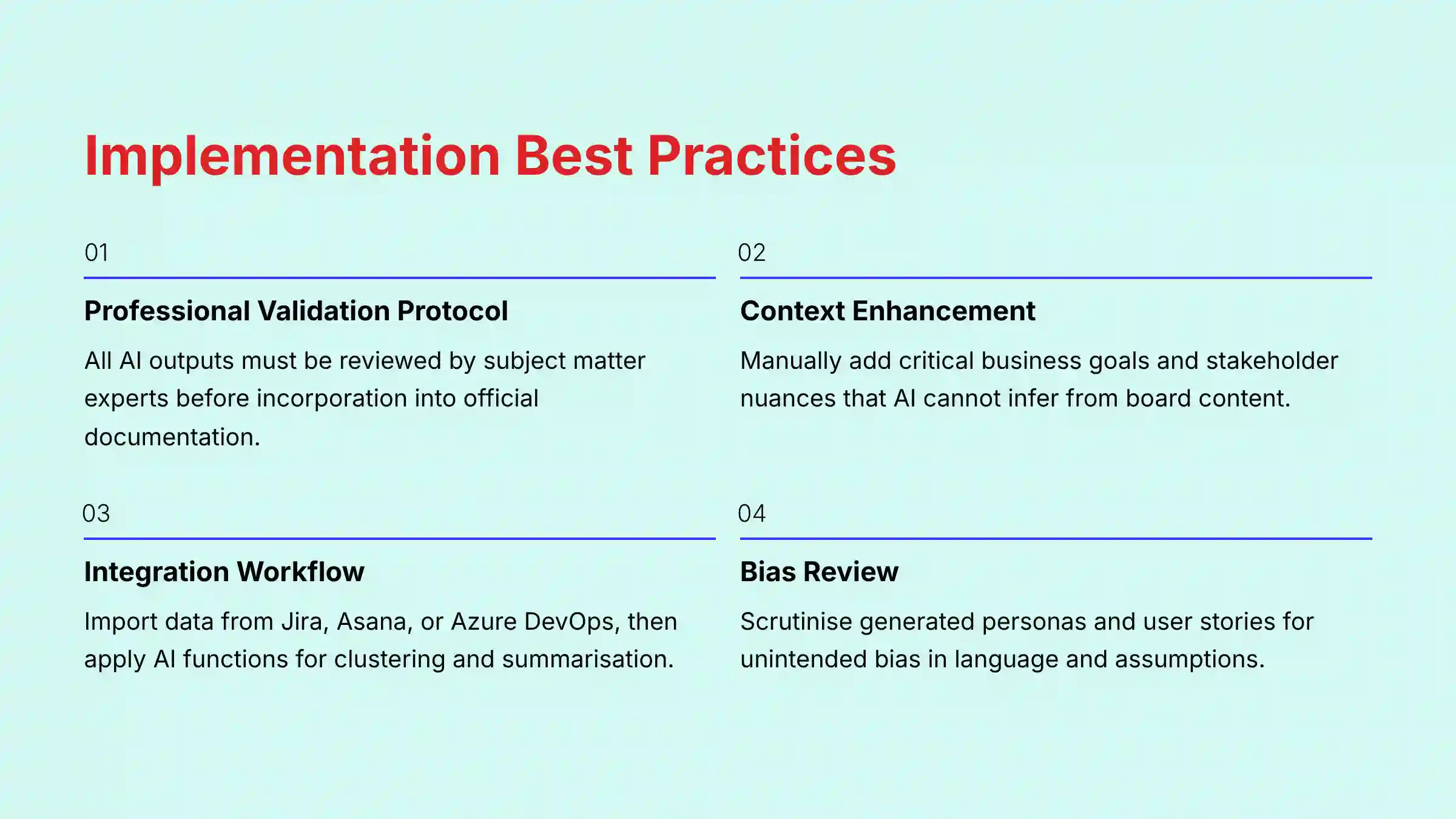
- Import Data: Use Miro’s native integrations to import tasks or user stories as cards from tools like Jira, Asana, or Azure DevOps.
- Process with AI: Select the imported cards on the Miro board.
- Apply AI Function: Use features like Summarize Content to get an overview of the sprint scope or Cluster Stickies to find thematic links.
Developer Access: Web SDK
Miro provides programmatic access to its AI features for building custom solutions through the Web SDK.
- Web SDK: Includes a
miro.aimodule that allows custom apps running inside the Miro client to call AI functions directly (e.g.,miro.ai.summarize(),miro.ai.cluster(),miro.ai.generateImage()).
This API access is a significant benefit for organizations wanting to create highly specific workflow automations. As of late 2024/early 2025, Miro AI functions can be programmatically accessed through the Web SDK’s miro.ai module for use in custom applications running inside Miro. There are no publicly documented REST API v2 endpoints for directly invoking Miro AI’s core capabilities from an external backend service. For complementary document collaboration capabilities, consider exploring our guide to Best 10 AI Document & Knowledge Collaboration for Project & Product Managers 2025.
Getting Started with Miro AI: A Factual Guide
Getting started with Miro AI is straightforward. In our testing, we found the easiest way to discover all AI features is to type /ai on a board, which brings up the command palette.
- Create a Miro Account: A Miro account is required. AI features can be trialed on any plan, including the Free plan.
- Access AI Features: Open any Miro board. AI features can be accessed via the Command Palette (
/ai) or the Contextual Menu after selecting objects. - Perform a First Task (Example): Create 5-10 sticky notes with ideas about a project. Select all the sticky notes and choose “Cluster stickies” from the menu to see the AI group your ideas.
- Resource Requirements: To begin, you only need a Miro account and a board with some text-based content. No special setup is needed.
What Are the Known Limitations and Risks of Miro AI?
A responsible evaluation must include a clear-eyed view of a tool’s limitations. Our experience with AI tools shows that all outputs must be reviewed by a human expert. This is a non-negotiable best practice for professional use.
Professional Validation Protocol: A Non-Negotiable Checklist
As a best practice for any AI tool in a professional setting, all outputs must be treated as a first draft. Before incorporating any AI-generated content into official project documentation, follow this protocol:
- Verify Accuracy: Have a subject matter expert (e.g., a senior developer for UML diagrams, a lead analyst for user stories) review and approve all outputs.
- Review for Bias: Scrutinize generated personas, user stories, or summaries for any language that could reflect unintended bias.
- Add Context: Remember the AI lacks project-specific context. Manually add critical business goals, stakeholder nuances, or external dependencies that the tool cannot infer.
- Risk of Factual Inaccuracy (“Hallucination”): All AI-generated outputs, especially technical diagrams and code, must be verified by a human expert for accuracy. The model can produce plausible but incorrect information.
- Potential for Inherent Bias: The AI may reflect societal biases present in its training data. Users should review generated content like user personas or stories for potentially biased language.
- Lack of External Project Context: The AI is like a brilliant but blinkered specialist; it can analyze everything you put on the table, but it has no idea what’s happening in the rest of the building. Its analysis is limited to the content selected on the board. This creates a critical dependency: the utility of the AI output is directly proportional to the quality and completeness of the human input. For example, generating a UML diagram from vague or poorly written text will result in a logically flawed diagram.
- Feature-Specific Constraints: Some features have defined operational limits. For instance, Cluster Stickies requires a selection of 10 to 500 Miro objects to function correctly.
- Performance at Scale: While effective on standard boards, our stress tests indicate that AI feature performance, particularly for affinity clustering, can experience latency on extremely large or complex boards containing thousands of objects. For enterprise-level use cases like program-wide PI planning, teams should consider structuring information across multiple boards to ensure optimal AI processing speed.
Frequently Asked Questions About Miro AI
For comprehensive answers to common questions, visit our detailed Miro AI FAQs resource.
Is Miro AI Free to Use?
No, Miro AI is not free for unlimited use. All plans receive a limited number of one-time credits for trial purposes. Continued usage requires purchasing the Miro AI add-on, which is available for Business, Enterprise, and Education plans.
Does Miro Use My Data to Train Its AI?
No. Miro has an explicit policy that customer content is not used to train the third-party AI models. The platform uses Microsoft Azure OpenAI Service, which processes your data to generate a response but does not store it or use it for model training.
What Is the Main Benefit of Miro AI for a Project Manager?
The main benefit is the reduction in manual work after collaborative sessions. Miro AI automates the synthesis of unstructured ideas from workshops and retrospectives. This allows project managers to move from raw input to structured outputs quickly.
How Does Miro AI Differ from ChatGPT?
Miro AI is a visual-first AI assistant integrated into a collaborative canvas. Unlike ChatGPT’s text-only interface, Miro AI can generate and manipulate visual objects like diagrams and mind maps, making it specifically designed for visual project management.
Can Miro AI Automatically Create a Full Project Plan?
Not entirely. Miro AI can generate components of a project plan, like a mind map of tasks or a list of user stories. It cannot create a complete, end-to-end project plan with scheduling and resource allocation, which still requires human strategic input.
What Integrations Work Best with Miro AI?
Integrations with task management tools like Jira, Asana, and Azure DevOps work best. The common workflow is to import work items onto a Miro board and then use Miro AI to cluster, summarize, or visualize them to help with planning.
What Is a “Credit” in Miro AI?
A credit is consumed each time you use an AI-powered feature. For example, generating a summary or creating a diagram each uses one or more credits from your allocation. The exact consumption rate per feature is defined by Miro.
Is Miro AI Secure Enough for Enterprise Use?
Yes, it is designed for enterprise security. Miro AI operates within Miro’s security framework, which is compliant with SOC 2 Type II and ISO 27001. Its use of Microsoft Azure OpenAI and its policy of not training on customer data make it suitable for enterprises with strict security requirements.
Disclaimer
Disclaimer: The information about Miro AI Review presented in this article reflects our thorough analysis as of 2025. Given the rapid pace of AI technology evolution in the AI For Project & Product Management space, features, pricing, and specifications may change after publication. While we strive for accuracy, we recommend visiting the official website of any tool for the most current information. Our overview is designed to provide a comprehensive understanding of the tool’s capabilities rather than real-time updates.


Leave a Reply