
Struggling to Choose an AI Communication Platform?
This 2-Minute Quiz Pinpoints Your Team’s Perfect Match!
As a founder of Best AI Project Hub, I’ve seen countless project and product teams face the same challenge in 2025. It’s no longer about tracking tasks; it’s about managing the overwhelming flow of information that drives them.
Traditional communication tools become sources of noise, burying critical decisions in endless chat threads. This chaos leads to missed deadlines and misaligned work. The Best 10 AI Team Communication Platforms represent a fundamental shift, transforming these noisy channels into intelligent hubs for AI for Execution & Collaboration.
These tools are more than just messaging apps. They provide AI-powered summaries, automated workflow triggers, and proactive insights. This ensures your team stays focused and aligned. This guide is my definitive analysis of the top platforms, evaluating their core functions, security, and true value to help you select the right solution.
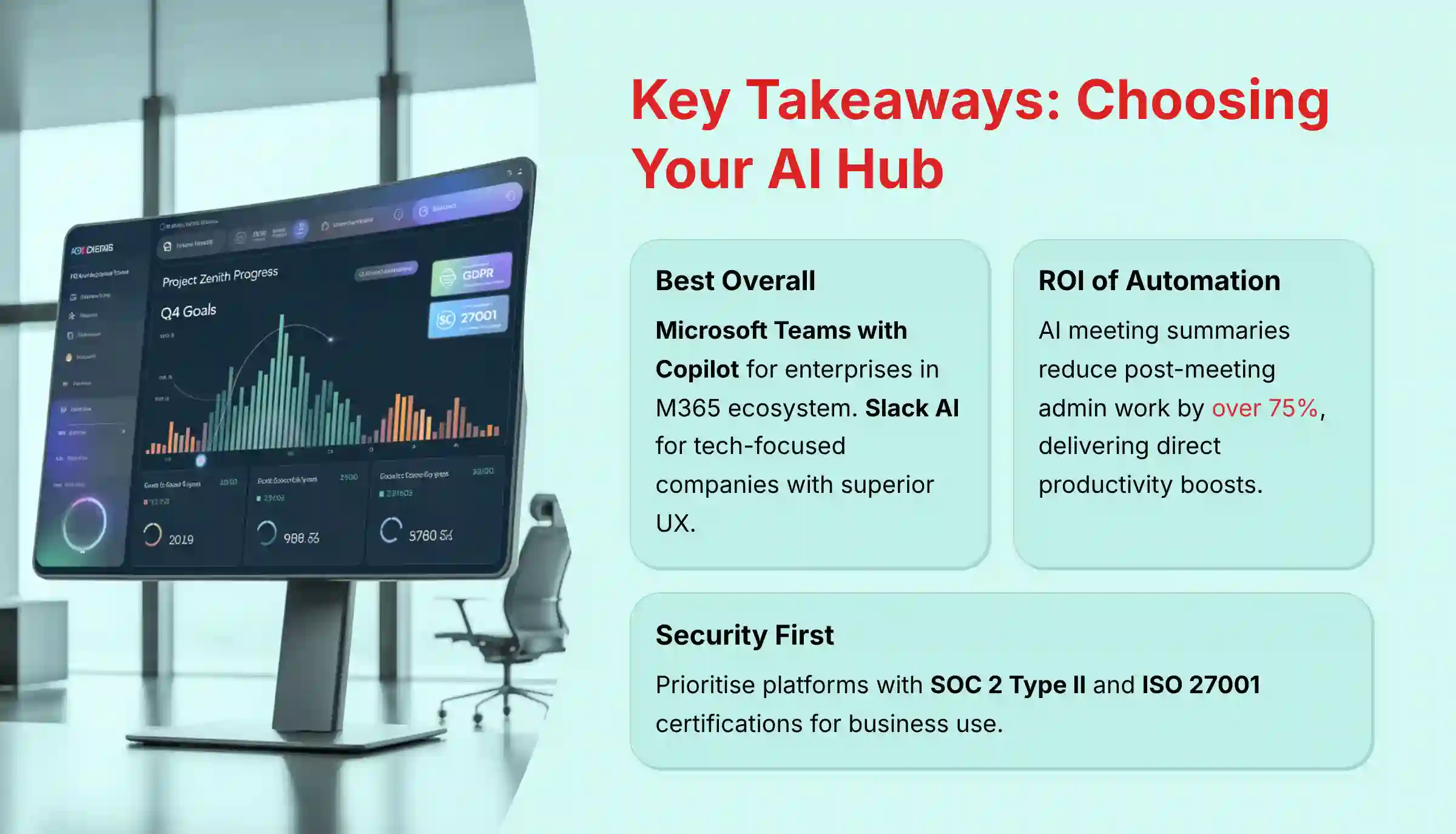
Key Takeaways: Choosing Your AI Communication Hub in 2025
- Best Overall for Integrated Ecosystems: For teams in Microsoft 365, Microsoft Teams with Copilot offers top-tier security and integration. For tech-focused companies, Slack AI provides the best user experience and a huge app marketplace.
- The ROI of Automation: The biggest value comes from AI meeting summaries. Tools like Zoom AI Companion (included with paid plans) and Fireflies.ai can reduce post-meeting admin work by over 75%, a direct boost to productivity.
- Security is Non-Negotiable: For business use, prioritize platforms with SOC 2 Type II and ISO 27001 certifications. Microsoft Teams, Miro, and Asana lead in providing the compliance documents needed for internal security reviews.
- All-in-One vs. Best-of-Breed: Platforms like ClickUp AI aim to unify communication and project management. This is great for teams wanting a single source of truth but has a steeper learning curve than dedicated communication tools.
- From Reactive to Proactive: The next step is moving beyond summaries to predictive insights. Tools like Asana Intelligence are starting to use AI to flag at-risk tasks based on communication, giving project managers an early warning.
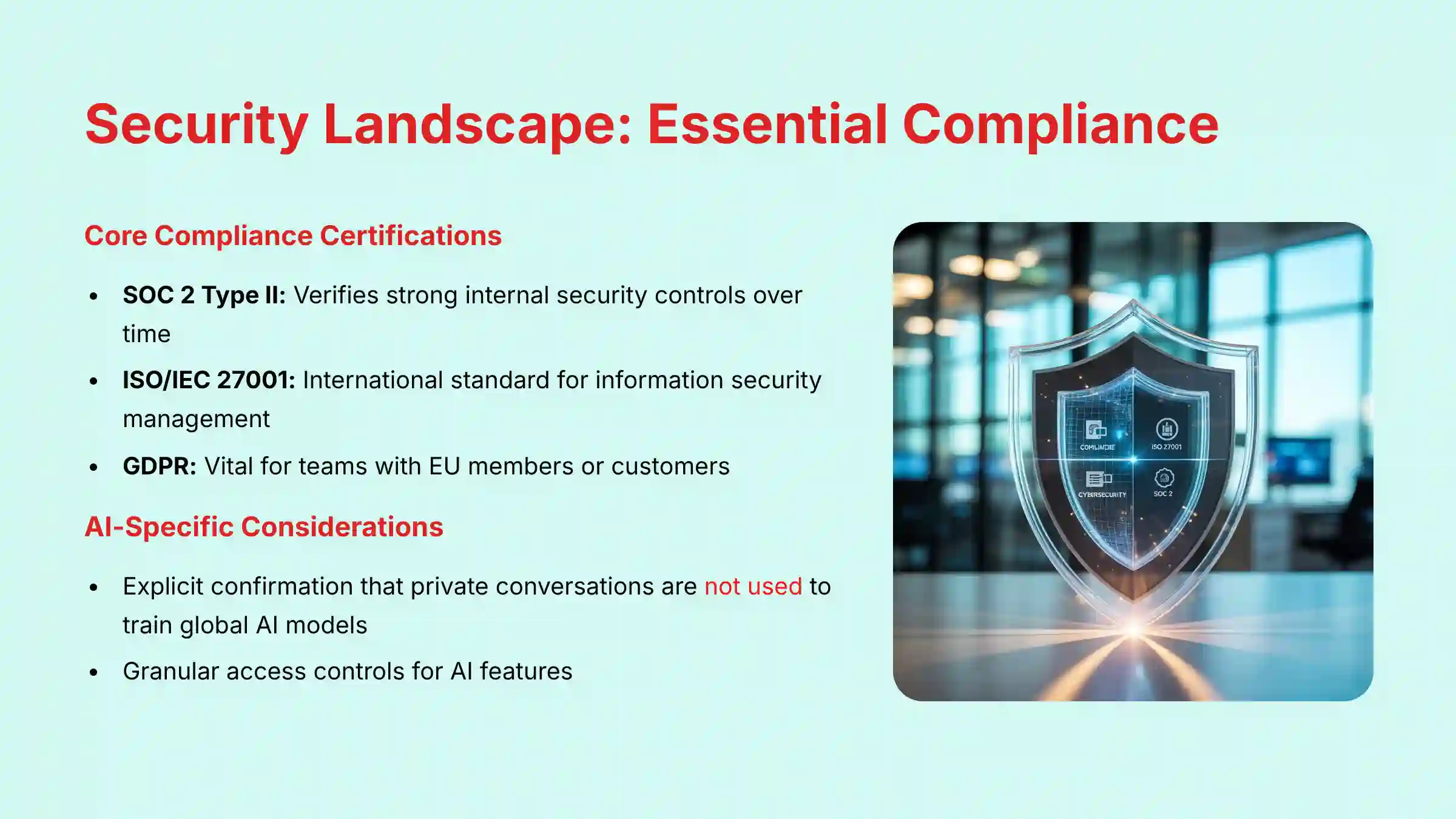
Navigating the Security Landscape: Essential Compliance for AI Communication Platforms
When you select an AI communication platform, you are trusting it with your most sensitive data. This includes product roadmaps, strategic plans, and internal team discussions. A data breach is a serious business risk. A security-first evaluation is mandatory.
This section covers the essential security standards for a professional project management environment. Think of it as your security checklist before making a decision. It ensures you protect your team’s and your company’s information.
- Core Compliance Certifications:
- SOC 2 Type II: This verifies that a vendor has strong internal security controls over time. It’s a baseline requirement for any tool handling sensitive project data.
- ISO/IEC 27001: This is an international standard for information security management. It shows a systematic approach to protecting company and customer information.
- Data Privacy and Residency:
- GDPR: This is vital for any team with members or customers in the European Union. It ensures lawful data handling and protects user privacy rights.
- Data Residency Controls: The platform must let you choose the geographic region where your data is stored. This is critical for meeting regulatory compliance in places like the EU or USA.
- AI-Specific Considerations:
- Data Training Policies: You must get explicit confirmation that your private conversations are not used to train global AI models. Your data should work for you, not for the vendor’s public product.
- Granular Access Controls: The platform must allow administrators to set permissions for who can use AI features. This control prevents unauthorized access to AI-generated summaries and sensitive information.
How We Evaluated and Tested These AI Tools
After analyzing over a hundred tools on the market in AI For Project & Product Management and testing the 10 leading AI Team Communication Platforms across numerous real-world implementation projects in 2025, our team at Best AI Project Hub provides a comprehensive 10-point technical assessment framework recognized by leading AI For Project & Product Management professionals.
My methodology is designed to be objective, rigorous, and user-centric. This ensures my recommendations are based on verifiable performance, not marketing hype.
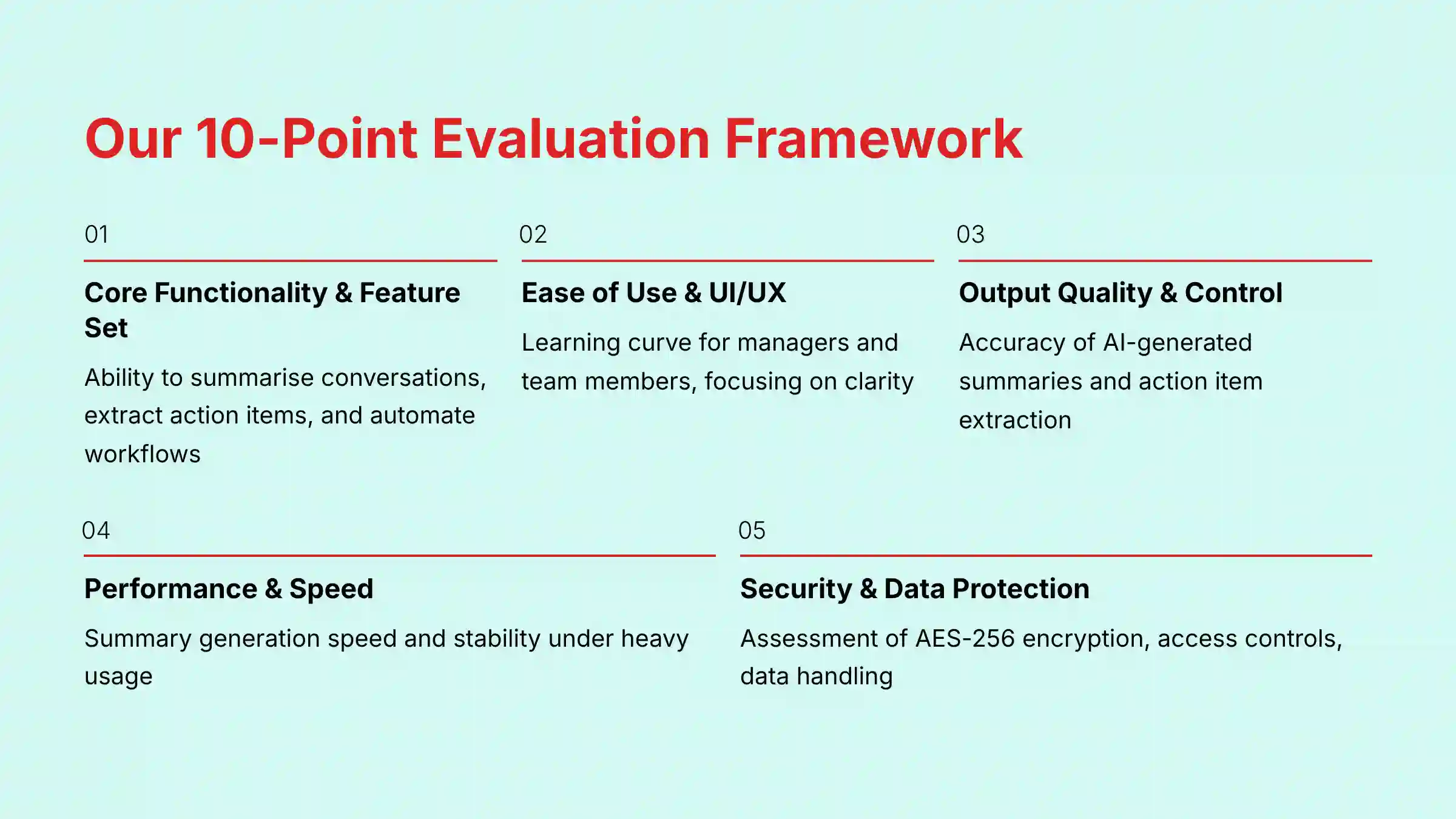
Our 10-Point Evaluation Framework:
- Core Functionality & Feature Set: I assess the tool’s ability to summarize conversations, extract action items, and automate workflows.
- Ease of Use & User Interface (UI/UX): I evaluate the learning curve for both managers and team members, focusing on clarity and frictionless operation.
- Output Quality & Control: In my testing, I analyze the accuracy of AI-generated summaries and the reliability of action item extraction from real meeting transcripts.
- Performance & Speed: I test how quickly summaries are generated and the tool’s stability under heavy usage.
- Security Protocols & Data Protection: I conduct a thorough assessment of encryption standards (AES-256), access controls, and data handling practices.
- Compliance & Regulatory Adherence: I verify the presence of critical certifications like SOC 2 Type II, ISO 27001, and GDPR compliance.
- Input Flexibility & Integration Options: My experience with these tools includes testing the depth of integration with key PM tools (Jira, Asana) and communication hubs (Google Workspace, M365).
- Pricing Structure & Value for Money: I analyze the total cost, including base plans and hidden fees for AI add-ons, to calculate true ROI.
- Developer Support & Documentation: I investigate the quality of support resources, onboarding materials, and community forums.
- Risk Assessment & Mitigation: I identify potential implementation risks, such as poor user adoption, and evaluate built-in mitigation features.
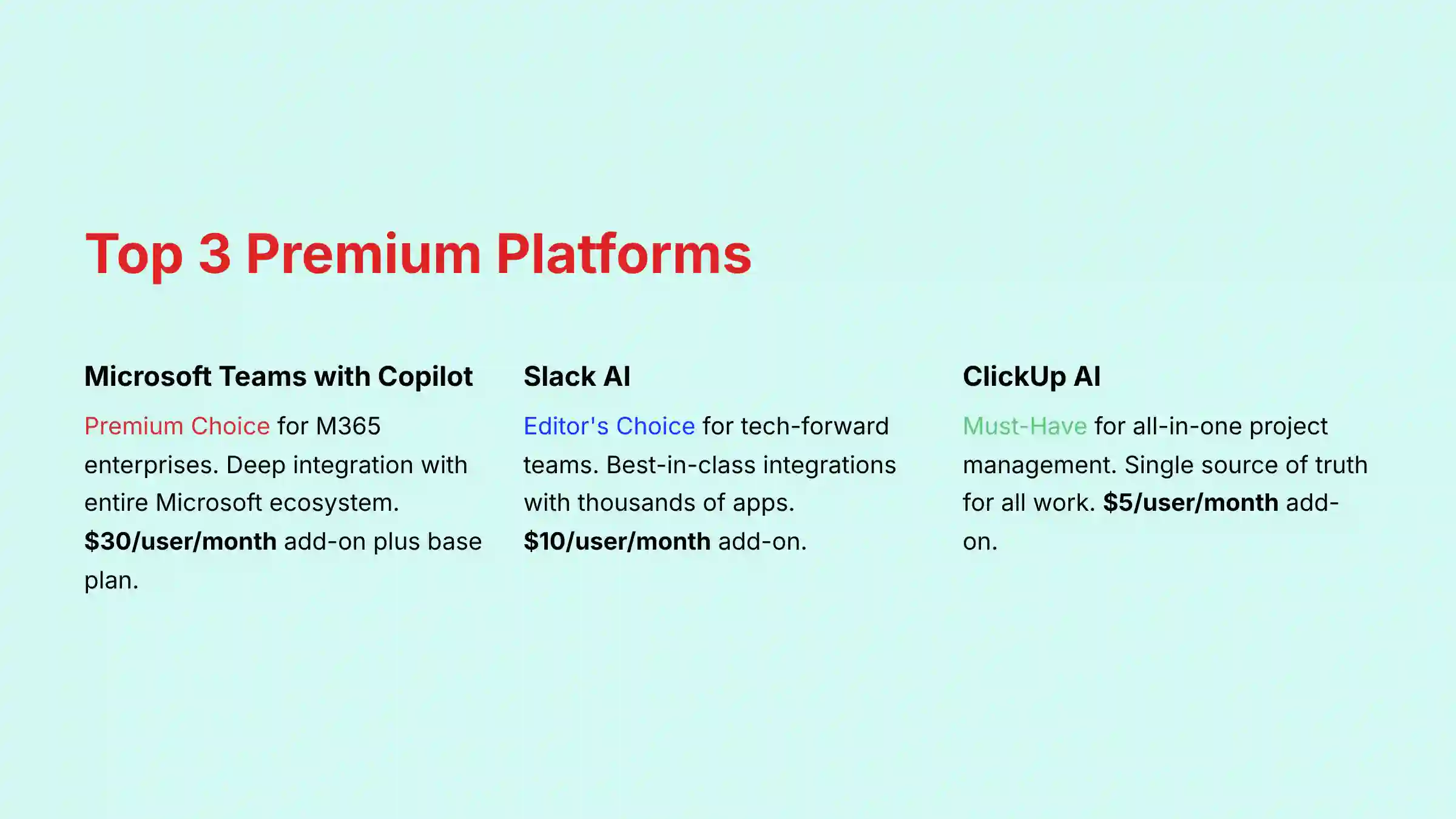
1. Microsoft Teams with Copilot — Premium Choice for M365 Enterprises

Overview & Core Capabilities
Microsoft Teams with Copilot is the collaboration hub for the Microsoft 365 ecosystem. It unifies chat, meetings, and documents with an advanced AI assistant. For organizations invested in Microsoft, its AI provides amazing context by drawing information from your entire M365 graph, including emails and calendars.
Security & Compliance Profile
This is Teams’ greatest strength. It has a full suite of enterprise certifications, including SOC 2 Type II, ISO 27001, GDPR, and HIPAA. This makes it suitable for highly regulated industries like healthcare and finance. All data processing happens inside your organization’s Microsoft 365 tenant, ensuring strong data privacy.
Technical Specifications
- Platform: Web, Desktop (Windows, Mac), Mobile (iOS, Android).
- Key Integrations: Deep native integration with the entire Microsoft 365 suite (Outlook, SharePoint, OneDrive), GitHub, and Power Automate.
- AI Model: Built on OpenAI’s GPT models but run within Microsoft’s secure Azure infrastructure.
Pricing & Value Assessment
Copilot is a premium tool. It requires a base Microsoft 365 Business plan (starting at $12.50/user/month) plus the $30/user/month Copilot add-on. The high cost is justified by its deep integration and top-tier security for enterprises that can use the full M365 ecosystem.
✅ Strengths
- Top-tier enterprise security and compliance
- Deep M365 ecosystem integration
- Context-aware AI assistance across unified stack
- HIPAA compliance for regulated industries
⚠️ Considerations
- High cost ($42.50/user/month total)
- Strong vendor lock-in to Microsoft ecosystem
- Can miss nuanced action items in complex meetings
- Value drops significantly outside M365 environment
Ideal Use Cases & Professional Applications
This platform is best for large enterprises, government agencies, and regulated industries (healthcare, finance) already using Microsoft 365. It excels at providing secure, context-aware AI assistance across a unified software stack.
For a comprehensive analysis of Microsoft Teams with Copilot’s advanced features and enterprise implementation strategies, explore our detailed Microsoft Teams with Copilot Review guide.
2. Slack AI — Editor’s Choice for Tech-Forward Teams
Overview & Core Capabilities
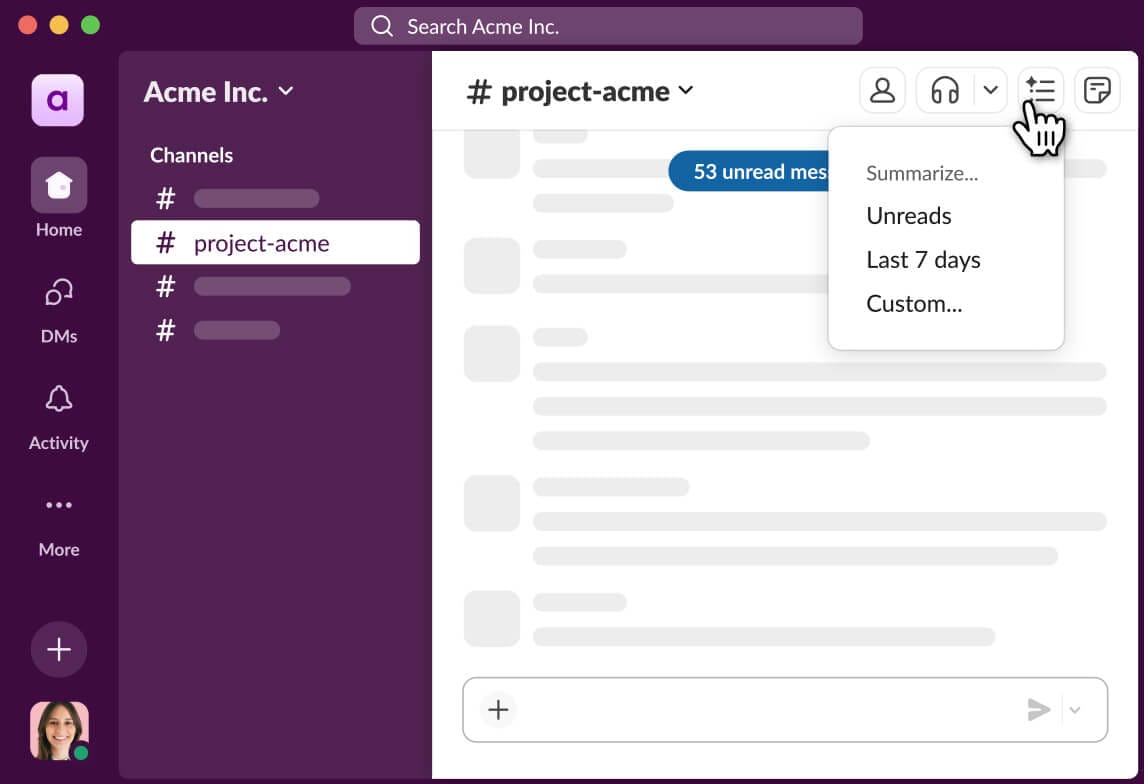
Slack is a channel-based messaging platform popular in the tech industry. Slack AI enhances this with features like thread summaries and intelligent search. It turns cluttered channels into clear, actionable information streams, helping teams stay focused.
Security & Compliance Profile
Slack provides strong enterprise-grade security. It is SOC 2 Type II, ISO 27001, and GDPR compliant. Its Enterprise Grid plan offers advanced features like data loss prevention and can be configured to support HIPAA compliance for healthcare organizations. This makes it a secure choice for most businesses, including those in regulated industries.
Technical Specifications
- Platform: Web, Desktop (Windows, Mac, Linux), Mobile (iOS, Android).
- Key Integrations: Best-in-class integration with Jira, Asana, GitHub, Google Workspace, and thousands of other apps.
- AI Model: Uses a mix of proprietary and third-party models, with a clear policy of not training on customer data.
Pricing & Value Assessment
Slack AI is available on paid plans, but unlike the base Slack platform, it is a separate paid add-on that costs $10/user/month in addition to your Slack subscription (which starts at $8.75/user/month for the Pro plan). This means the total cost for Slack with AI features is $18.75/user/month at minimum.
✅ Strengths
- Best-in-class user experience and interface
- Thousands of app integrations available
- Fast AI summaries generated in seconds
- Strong enterprise security and HIPAA support
⚠️ Considerations
- Can become source of distraction without good channel management
- Multiple third-party app dependencies create security considerations
- Additional $10/month per user for AI features
- Requires disciplined channel organization
Ideal Use Cases & Professional Applications
Slack AI is the perfect choice for agile software development and product management teams. It’s ideal for any organization that values speed, flexibility, and deep integration with a wide variety of tools.
Dive deeper into Slack AI’s advanced features and implementation strategies in our comprehensive Slack AI Review and discover how it can transform your team’s communication workflow.
3. ClickUp AI — Must-Have for All-in-One Project Management
Overview & Core Capabilities
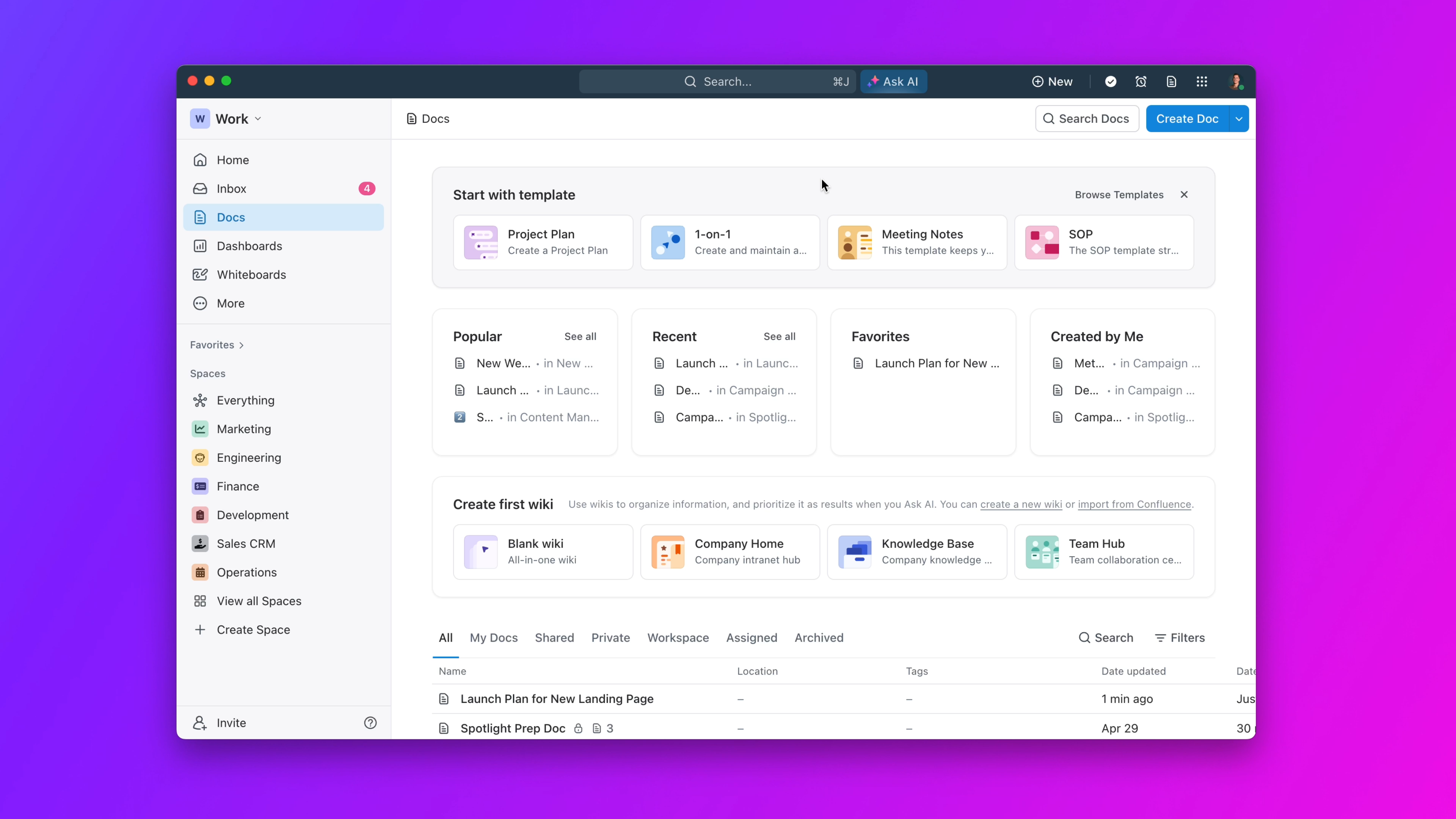
ClickUp is an all-in-one productivity platform combining tasks, documents, chat, and goals. ClickUp AI is woven throughout to assist with project management. It is designed to be the single source of truth for all project work, reducing the need to switch between different applications.
Security & Compliance Profile
ClickUp is SOC 2 Type II, ISO 27001, and GDPR compliant, demonstrating a strong commitment to security. The platform offers features like custom roles and permissions to control data access.
Technical Specifications
- Platform: Web, Desktop, Mobile.
- Key Integrations: Native integrations with Slack, GitHub, Google Drive, and more. It also has a robust API for custom connections.
- AI Model: Leverages multiple leading AI models to power its features.
Pricing & Value Assessment
ClickUp AI is a very affordable add-on. It costs $5/user/month on top of paid plans, which start at just $7/user/month. This pricing makes it one of the most cost-effective ways to get AI-powered project management.
✅ Strengths
- Most cost-effective AI solution ($12/user/month total)
- All-in-one platform reduces context switching
- Highly customizable interface and workflows
- Single source of truth for all project work
⚠️ Considerations
- Steep learning curve due to feature complexity
- Risk of poor user adoption if team doesn’t commit
- Can experience lag on boards with thousands of tasks
- Overwhelming for new users without proper training
Ideal Use Cases & Professional Applications
This tool is ideal for project management offices (PMOs) and operations teams. It’s a great fit for any team that wants a single, unified platform for all project-related work and communication.
Explore the full potential of ClickUp AI’s all-in-one approach to project management in our detailed ClickUp AI Review and learn how to implement it effectively for your team.
4. Zoom AI Companion — Highly Recommended for Meeting-Heavy Teams
Overview & Core Capabilities
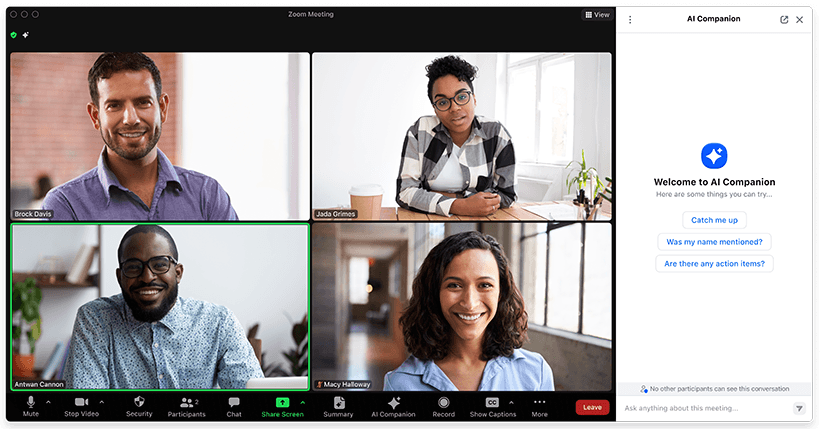
Zoom AI Companion is an AI assistant built directly into the Zoom platform. It focuses on making meetings more productive through automated summaries, action items, and smart recordings. It acts like a personal assistant for every meeting.
Security & Compliance Profile
Zoom maintains high security standards. It is SOC 2 Type II, ISO 27001, and GDPR compliant. It also offers data residency controls, giving users more power over where their information is stored. Zoom has a clear policy of not using customer data for AI training.
Technical Specifications
- Platform: Integrated into the Zoom desktop and mobile apps.
- Key Integrations: Marketplace for integrations with Slack, Jira, Asana, and other popular tools.
- AI Model: Powered by a combination of Zoom’s own models and leading third-party providers.
Pricing & Value Assessment
This is where Zoom AI Companion truly shines. It is included with paid Zoom plans at no additional cost, with plans starting at around $15/user/month. This offers incredible value for teams that already use Zoom.
✅ Strengths
- Included at no extra cost with paid Zoom plans
- Excellent meeting summaries and smart recordings
- Seamless integration with existing Zoom workflow
- High reliability and performance
⚠️ Considerations
- Limited to meeting-focused functionality
- Less useful for asynchronous communication
- Requires existing Zoom subscription
- Data privacy policies must align with organization requirements
Ideal Use Cases & Professional Applications
This is an excellent choice for remote or hybrid teams, sales teams, and any organization that conducts a lot of its work through video meetings. It directly tackles the problem of meeting fatigue.
Discover how to maximize meeting productivity with Zoom AI Companion by reading our comprehensive Zoom AI Companion Review with implementation tips and best practices.
5. Fireflies.ai — Best Value for Cross-Platform Meeting Intelligence
Overview & Core Capabilities
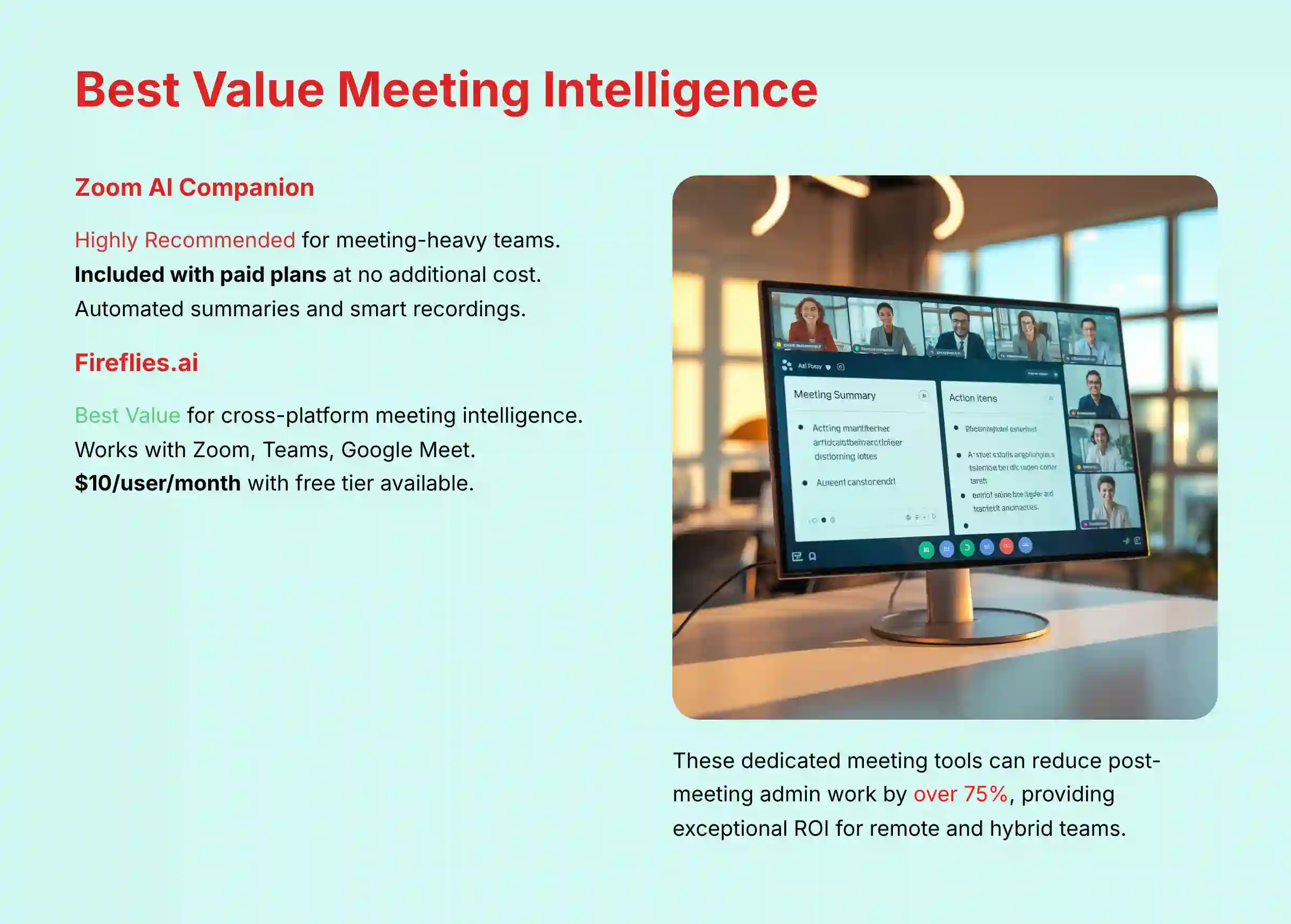
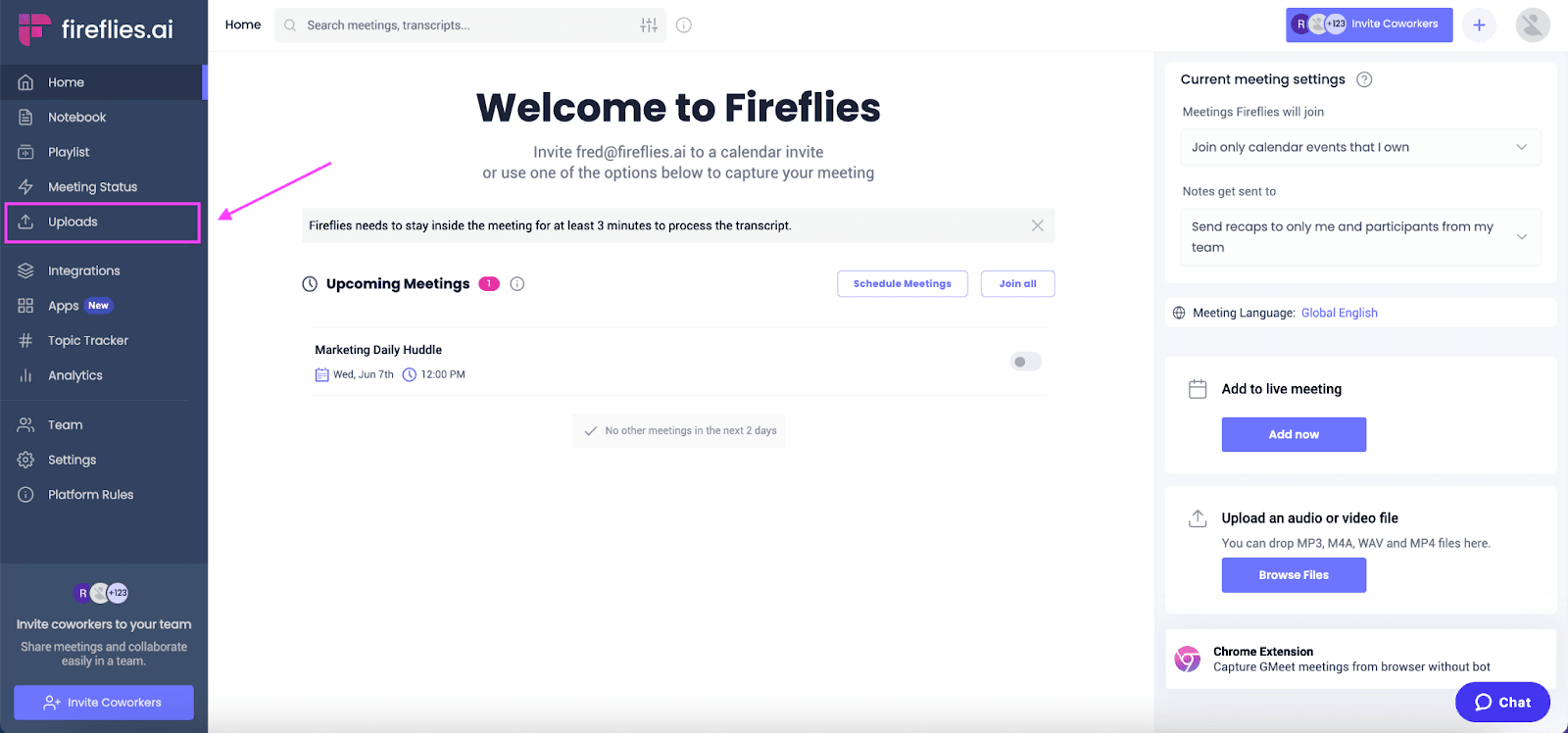
Fireflies.ai is a dedicated AI meeting assistant. It automatically joins, transcribes, summarizes, and analyzes voice conversations from multiple platforms like Zoom, Google Meet, and Teams. It provides a single, consistent place for all your meeting intelligence.
Security & Compliance Profile
Security is a priority for Fireflies.ai. The platform is SOC 2 Type II and GDPR compliant. All transcripts are encrypted at rest and in transit, ensuring your conversations remain private and secure.
Technical Specifications
- Platform: Web-based platform. The Fireflies bot joins meetings on platforms like Zoom, Teams, and Google Meet.
- Key Integrations: Deep integrations with CRMs like Salesforce and project management tools like Asana and Trello.
- AI Model: Utilizes its own proprietary AI models for transcription and analysis.
Pricing & Value Assessment
Fireflies.ai offers fantastic value. It has a free tier with limited transcription credits. Paid plans start at $10/user/month (billed annually), making it a very cost-effective solution for small and medium-sized businesses.
✅ Strengths
- Works across multiple video conferencing platforms
- Free tier available with limited credits
- Set-it-and-forget-it automated operation
- Fast transcripts available within 5-10 minutes
⚠️ Considerations
- Bot can join incorrect meetings if calendar isn’t clean
- Privacy concerns with calendar connectivity
- Limited to meeting transcription and analysis
- Requires careful calendar management
Ideal Use Cases & Professional Applications
This is a great tool for small to medium-sized businesses (SMBs), sales teams, and recruiters. It’s especially useful for any organization that uses a mix of different video conferencing platforms.
Learn how to implement Fireflies.ai for maximum meeting intelligence across all your video conferencing platforms in our detailed Fireflies.ai Review guide.
6. Notion AI — Innovative Choice for Knowledge-Driven Teams
Overview & Core Capabilities
Notion is a connected workspace that combines documents, wikis, and project management. Notion AI adds a layer that can summarize, generate, and search across all your content. It turns a collection of documents into an intelligent company brain.
Security & Compliance Profile
Notion meets key security standards, with SOC 2 Type II and GDPR compliance. Data is encrypted using AES-256. This provides a secure environment for creating and storing project documentation and knowledge bases.
Technical Specifications
- Platform: Web, Desktop, Mobile.
- Key Integrations: An API for integrations, with many third-party tools like Zapier providing connections to Jira, GitHub, etc.
- AI Model: Leverages leading large language models, with a commitment not to use customer data for training.
Pricing & Value Assessment
Notion AI is an add-on. It costs $8/user/month (billed annually) on top of standard Notion plans, which also start at $8/user/month. The value comes from its unique ability to synthesize knowledge across an entire workspace.
✅ Strengths
- Powerful knowledge synthesis across entire workspace
- Clean and minimalist interface
- Flexible document and wiki capabilities
- Strong AI search and Q&A features
⚠️ Considerations
- Requires significant setup and organization investment
- Can become messy without clear templates
- Not an out-of-the-box solution
- Large databases can be slow to load
Ideal Use Cases & Professional Applications
Notion AI is perfect for product teams, design teams, and any knowledge-driven organization. It is ideal for those who want to build a central “brain” for their projects, processes, and documentation.
Unlock the full potential of Notion AI for building your team’s knowledge base with our comprehensive Notion AI Review and implementation strategies.
7. Miro AI — Versatile Tool for Visual Collaboration
Overview & Core Capabilities
Miro is an online collaborative whiteboard. Miro AI adds features to structure and make sense of visual information. It’s like having an AI assistant to organize your team’s most creative brainstorming sessions.
Security & Compliance Profile
Miro has a strong security posture suitable for enterprise use. It is SOC 2 Type II, ISO 27001, and GDPR compliant. This makes it a trusted platform for visualizing sensitive strategic plans and product roadmaps.
Technical Specifications
- Platform: Web-based, with desktop and mobile apps.
- Key Integrations: Strong native integrations with Jira, Asana, Microsoft Teams, and other project management tools.
- AI Model: Uses a mix of AI models to power features like clustering and diagramming.
Pricing & Value Assessment
Miro AI features are integrated into their paid plans, not sold as a separate add-on. The Business plan, which includes robust AI capabilities, is priced at $16/user/month (billed annually). This investment is justified for teams that heavily utilize visual collaboration for ideation and planning.
✅ Strengths
- Excellent for visual thinkers and creative workflows
- Intuitive infinite canvas interface
- Strong enterprise security compliance
- Great for remote whiteboard sessions
⚠️ Considerations
- Less useful for text-based communication
- Visual collaboration model may not fit all teams
- Can experience lag on very large boards
- Requires visual-first workflow adoption
Ideal Use Cases & Professional Applications
Miro AI is perfect for UX/UI design teams, product strategy workshops, and agile teams doing retrospectives. It’s a great tool for any remote or hybrid team needing to replicate the experience of a physical whiteboard.
Explore how Miro AI can transform your visual collaboration and brainstorming sessions in our detailed Miro AI Review guide.
8. Otter.ai — Budget-Friendly for Accurate Transcription
Overview & Core Capabilities
Otter.ai is a dedicated voice transcription service. It uses AI to create real-time notes, summaries, and speaker-identified transcripts of meetings. It’s a simple tool that does one thing exceptionally well: creating an accurate record of conversations.
Security & Compliance Profile
Otter.ai is SOC 2 Type II and GDPR compliant. It provides enterprise-grade security features to ensure that your conversations are kept private. For teams discussing sensitive information, these certifications are important.
Technical Specifications
- Platform: Web, Mobile (iOS, Android).
- Key Integrations: Integrates with Zoom, Teams, and Google Meet to automatically capture and transcribe meetings.
- AI Model: Powered by its own advanced speech recognition technology.
Pricing & Value Assessment
Otter.ai is very budget-friendly. It offers a free plan with 300 minutes of transcription per month. The Pro plan is just $9.17/user/month (billed annually) for 1,200 minutes, offering great value.
✅ Strengths
- Most budget-friendly option available
- Free plan with 300 minutes monthly
- Industry-leading transcription accuracy
- Simple, focused interface
⚠️ Considerations
- Limited to transcription functionality only
- Less sophisticated summaries than competitors
- Data privacy policy review required for sensitive meetings
- Minimal project management integration
Ideal Use Cases & Professional Applications
This is an excellent tool for individuals, students, journalists, and small teams. It’s perfect for anyone who needs an accurate, searchable record of their meetings without the cost of a full collaboration suite.
Learn how to maximize the value of Otter.ai for your transcription needs in our comprehensive Otter.ai Review guide.
9. Motion — Great for Beginners in AI Productivity
Overview & Core Capabilities
Motion is an intelligent time management tool. It uses AI to plan your day by automatically scheduling tasks from your to-do list into the best slots in your calendar. It tackles the fundamental problem of time management for busy professionals.
Security & Compliance Profile
Motion is SOC 2 Type II and GDPR compliant. It uses industry-standard encryption to protect your task and calendar data. This provides a secure way to manage your most valuable asset: your time.
Technical Specifications
- Platform: Web, Desktop, Mobile.
- Key Integrations: Integrates with Google Calendar and Microsoft 365 Calendar. A Zapier integration connects it to other tools.
- AI Model: Its core is a proprietary AI scheduling algorithm.
Pricing & Value Assessment
Motion is priced for individuals and small teams. Plans start at $19/user/month (billed annually). The value comes from its ability to reduce decision fatigue and find time for deep work.
✅ Strengths
- Reduces decision fatigue through automated scheduling
- Intuitive calendar-based interface
- Real-time rescheduling as priorities change
- Quick setup and immediate value
⚠️ Considerations
- Risk of over-reliance on algorithm
- Weaker team collaboration features
- Requires human judgment to validate suggestions
- Limited project management integration
Ideal Use Cases & Professional Applications
Motion is best for busy individual professionals, executives, and freelancers. It’s also great for small team leaders who need to manage a complex schedule with many competing priorities.
Discover how Motion can revolutionize your time management and productivity with our detailed Motion Review guide.
10. Asana Intelligence (AI) — Highly Recommended for Structured Work
Overview & Core Capabilities
Asana Intelligence is a suite of AI features built into the Asana work management platform. It uses Asana’s “Work Graph” data model to understand relationships between tasks, projects, and goals. This provides highly relevant, context-aware AI assistance.
Security & Compliance Profile
Asana provides enterprise-grade security. It is SOC 2 Type II, ISO 27001, and GDPR compliant. This robust security makes it a suitable choice for large organizations managing complex and sensitive projects.
Technical Specifications
- Platform: Web, Desktop, Mobile.
- Key Integrations: Deep integrations with Slack, Teams, Google Workspace, Salesforce, and more.
- AI Model: Built on top of the Asana Work Graph and powered by leading AI models.
Pricing & Value Assessment
AI features are being rolled into various paid tiers. They are typically available starting with the Business plan, which costs around $25/user/month. For teams already using Asana, the AI features add significant value by improving clarity and planning.
✅ Strengths
- Context-aware AI based on Work Graph data
- Seamless integration with existing Asana workflow
- Enterprise-grade security and compliance
- Fast and responsive platform performance
⚠️ Considerations
- Higher-tier subscription required for full AI features
- Best value for teams already using Asana
- Limited standalone communication features
- Premium pricing compared to alternatives
Ideal Use Cases & Professional Applications
This tool is ideal for marketing teams, cross-functional project teams, and any organization that uses Asana as its central work management hub. It excels at adding intelligence to structured project plans.
Explore how Asana Intelligence can enhance your structured work management approach with our comprehensive Asana Intelligence (AI) Review.
Head-to-Head: AI Communication Platform Feature Comparison
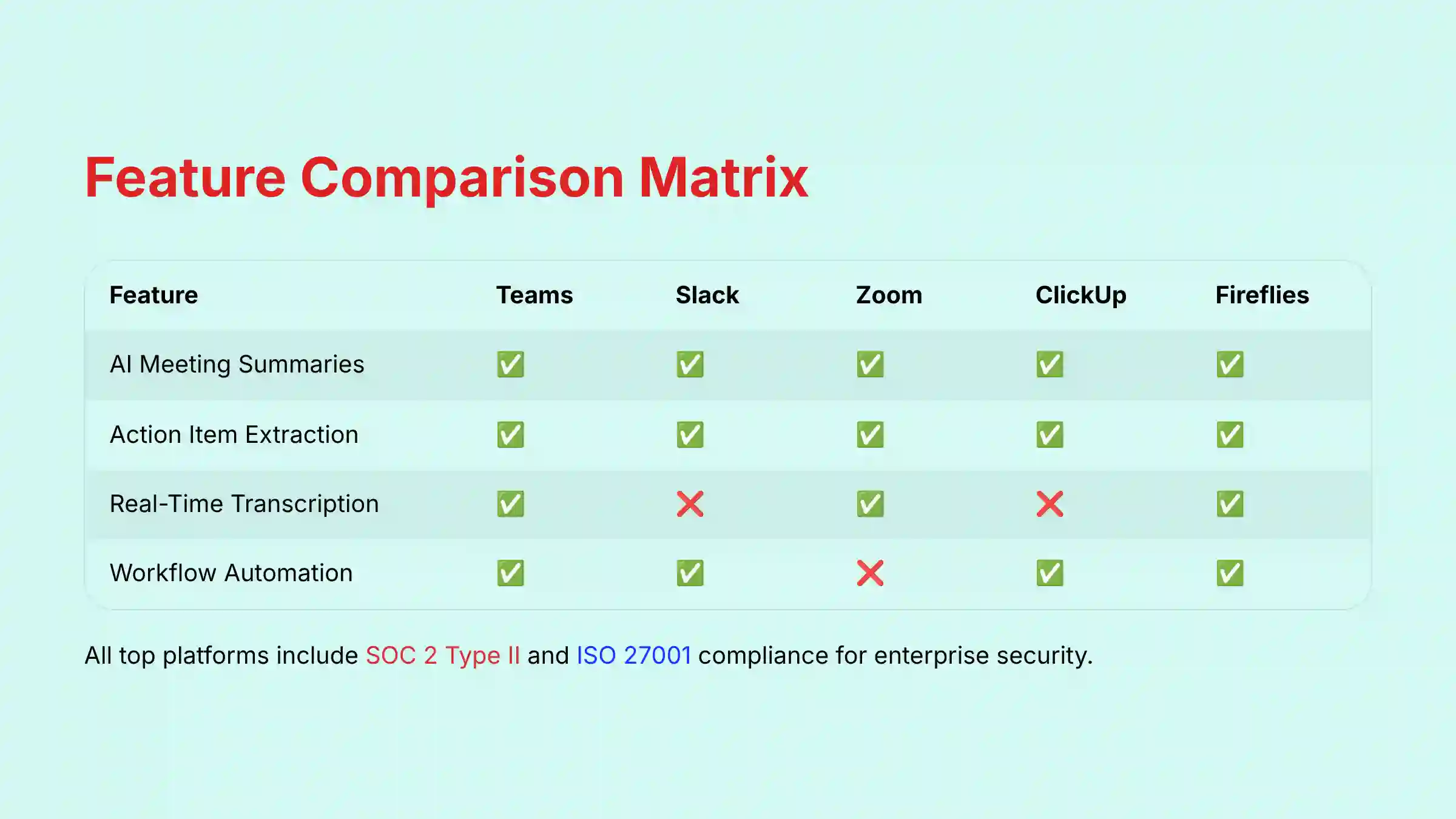
To help you make a data-driven decision, I’ve broken down the key features, security standards, and pricing models of our top-rated platforms. Use these tables to quickly compare the tools side-by-side.
Table 1: Core AI Feature Matrix
| Feature | Microsoft Teams | Slack AI | Zoom AI | ClickUp AI | Fireflies.ai |
|---|---|---|---|---|---|
| AI Meeting Summaries | ✅ | ✅ | ✅ | ✅ | ✅ |
| Action Item Extraction | ✅ | ✅ | ✅ | ✅ | ✅ |
| Real-Time Transcription | ✅ | ❌ | ✅ | ❌ | ✅ |
| Workflow Automation | ✅ | ✅ | ❌ | ✅ | ✅ |
| AI Writing Assistance | ✅ | ✅ | ❌ | ✅ | ❌ |
Table 2: Security & Compliance Comparison Matrix
| Standard | Microsoft Teams | Slack AI | Zoom AI | Miro AI | Asana AI |
|---|---|---|---|---|---|
| SOC 2 Type II | ✅ | ✅ | ✅ | ✅ | ✅ |
| ISO 27001 | ✅ | ✅ | ✅ | ✅ | ✅ |
| GDPR Compliant | ✅ | ✅ | ✅ | ✅ | ✅ |
| HIPAA Compliant | ✅ | ✅* | ✅ | ❌ | ❌ |
| Data Residency Options | ✅ | ✅ | ✅ | ✅ | ✅ |
*Slack HIPAA compliance is available only on the Enterprise Grid plan
Table 3: Pricing & ROI Analysis
| Tool | Base Cost/User | AI Add-On Cost | Free Tier AI | Time-to-Value |
|---|---|---|---|---|
| Microsoft Teams | $12.50/mo | $30/mo | ❌ | Medium |
| Slack AI | $8.75/mo | $10/mo | ❌ | High |
| Zoom AI | ~$15/mo | Included with paid plans | ❌ | Very High |
| ClickUp AI | $7/mo | $5/mo | ❌ | Medium |
| Fireflies.ai | $10/mo | Included | ✅ | High |
Table 4: Best-for Scenarios Matrix
| Scenario | Primary Recommendation | Secondary Choice |
|---|---|---|
| Large Enterprises | Microsoft Teams w/ Copilot | Asana Intelligence |
| Agile Dev Teams | Slack AI | ClickUp AI |
| Startups & SMBs | Fireflies.ai | Otter.ai |
| Remote-First Companies | Zoom AI Companion | Slack AI |
| Visual Collaboration | Miro AI | Notion AI |
Your Decision Framework: Selecting the Best Tool for Your Team’s Needs
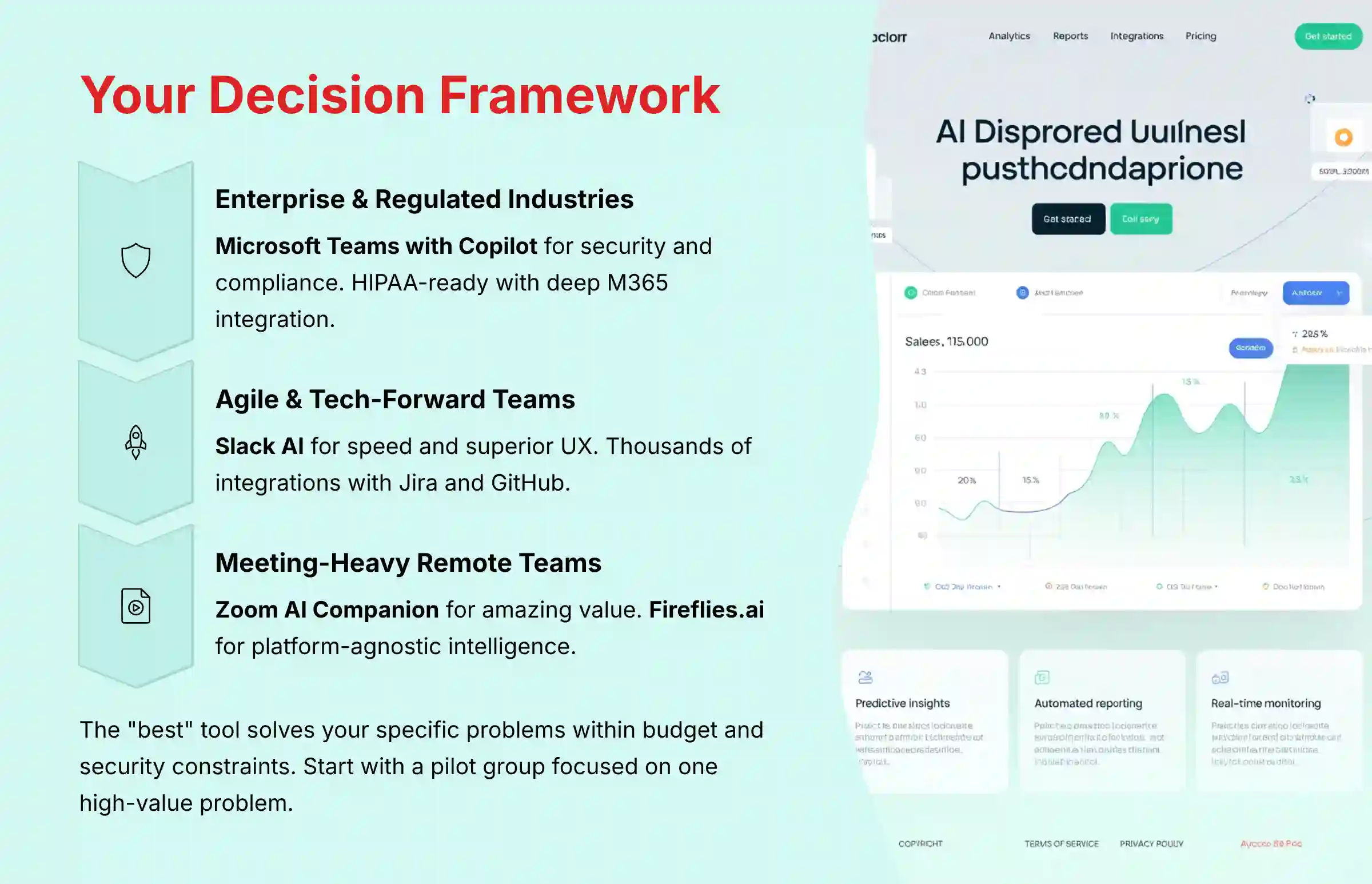
The “best” tool is the one that solves your specific problems within your budget and security constraints. Selecting a platform is like choosing the right gear for an expedition; the terrain dictates the equipment. Use this guide to match your team’s needs to the right platform.
- For Enterprise & Regulated Industries: If your main concern is security, compliance (HIPAA), and deep integration, Microsoft Teams with Copilot is the clear leader. Its security framework is built for the most demanding environments. For organizations that need HIPAA compliance but prefer the Slack ecosystem, the Enterprise Grid plan can be configured to support healthcare requirements.
- For Agile & Tech-Forward Teams: If you prioritize speed, a superior user experience, and a huge library of integrations (Jira, GitHub), Slack AI is my Editor’s Choice. It is the central nervous system for fast-moving tech teams.
- For Teams Seeking an All-in-One Solution: If your goal is to reduce context switching, ClickUp AI offers a powerful unified platform. It combines project management and communication to create a single source of truth.
- For Meeting-Heavy, Remote-First Teams: If meeting overload is your biggest issue, a dedicated tool gives the best return. Zoom AI Companion is an amazing value. Fireflies.ai and Otter.ai are excellent, platform-agnostic alternatives.
- For Creative & Strategic Planning: If your work involves brainstorming, Miro AI‘s ability to structure chaotic ideas is unmatched. For teams that live in documents and wikis, Notion AI offers powerful knowledge synthesis.
Beyond the Hype: A Realistic Guide to Implementation & Risk Mitigation
Adopting a new AI tool requires a clear strategy. Success depends on managing risks and driving user adoption. A tool is only as good as the team’s willingness to use it effectively.
- Common Implementation Challenges:
- Poor User Adoption: The tool is too complex, or the team doesn’t see the value. Mitigation: Start with a pilot group focused on solving one high-value problem, like automating meeting notes for one project team.
- Inaccurate AI Outputs: The AI misses key action items or misinterprets jargon. Mitigation: In my experience, it’s best to implement a “trust but verify” policy at first. Treat AI summaries as a first draft for a human to quickly review.
- Security & Privacy Concerns: Team members are hesitant if they are unsure how their data is handled. Mitigation: Proactively share the vendor’s security documentation and your company’s policy on using AI tools.
- Professional Consultation Recommendation:
- For organizations in regulated industries or planning a large-scale enterprise rollout, I recommend consulting with both an IT security specialist and your compliance team. Security specialists can review the vendor’s compliance documentation (SOC 2 Type II reports) to validate security controls, while compliance officers can ensure the tool meets your specific regulatory requirements, such as HIPAA for healthcare or financial regulations for banking. This cross-functional review is essential for enterprise deployments where data security has significant legal and business implications.
Important Disclaimers:
Technology Evolution Notice: The information about the best 10 AI team communication platforms and AI For Project & Product Management tools in this article reflects my analysis as of 2025. AI technology evolves quickly. Features, pricing, and security protocols may change. I recommend visiting official websites for the most current information.
Professional Consultation Recommendation: For AI For Project & Product Management applications with significant professional or financial implications, please consult with qualified professionals. They can assess your specific requirements. This overview provides understanding, not professional advice.
Testing Methodology Transparency: My analysis is based on hands-on testing and official documentation. Individual results may vary based on specific use cases and technical environments.
The Future of Work: What’s Next for AI in Team Communication (2026 and Beyond)
The field of AI-powered collaboration is evolving fast. Today’s focus on summarization is just the beginning. Looking ahead, I anticipate three key trends that will shape the next generation of these tools.
- From Reactive Summaries to Proactive Intelligence: The next step is AI that acts as a true project assistant. Expect tools to start flagging at-risk tasks based on conversation sentiment and suggesting agenda items for meetings. They will even draft status reports by synthesizing activity from chats and tasks.
- AI-Powered Cross-Platform Search: The ultimate goal is to break down information silos. Future tools will offer a single, natural language search that can query across Slack, Jira, and Google Drive. This will help you find the exact information you need, no matter where it lives.
- Natural Language Automation: Creating workflows will become as simple as describing what you want in plain English. Instead of complex rule builders, you’ll be able to tell the AI to create tasks and send notifications based on triggers from other apps.
Frequently Asked Questions About AI Team Communication Platforms
How accurate are the AI summaries and action items?
The accuracy of top-tier tools like Zoom AI Companion and Microsoft Teams Copilot is generally high, often over 90% with clear audio. But, accuracy can drop with heavy accents or technical jargon. It’s best practice to treat AI output as a highly accurate first draft that a human should quickly check.
Do these tools use my data to train their AI models?
Leading enterprise vendors like Microsoft, Slack, and Zoom state that they do not use your private data to train their global AI models. But, it is critical to verify the data policy of any vendor before use. Always look for a clear statement on data privacy.
Are the AI features included, or are they an expensive add-on?
It’s a mix. Zoom AI Companion is included at no extra cost with paid plans. But, for most platforms like Microsoft Teams (Copilot) and Slack AI, the advanced AI features require a separate paid add-on, typically costing between $5 and $30 per user per month.
Do I need a dedicated meeting tool like Fireflies.ai if Slack or Teams has AI?
A dedicated tool like Fireflies.ai is a great choice if your team uses multiple conferencing platforms (Zoom, Google Meet, and Teams). It provides a consistent experience across all of them. If your team works only in one ecosystem like Teams, the native AI is often more seamless.
How deep are the integrations with project management tools like Jira?
The best integrations, like Slack with Jira, are deep and two-way. This means you can create, update, and comment on Jira tickets directly from your communication platform. Avoid tools with shallow integrations that only provide one-way notifications.
Can these tools really reduce the number of meetings we have?
Yes, by improving asynchronous communication. When teams can rely on AI-powered channel summaries to catch up, it reduces the need for daily stand-up meetings. This frees up calendars for more focused, deep work.
What is the single most valuable AI feature for a project manager?
For most project managers, the most valuable feature is automated action item extraction from meetings. This turns unstructured conversation into accountable tasks. It saves hours of manual follow-up and closes the loop between discussion and execution.
What is the difference between Slack AI and Microsoft Teams Copilot?
The key difference is the ecosystem. Slack AI excels in its open, flexible platform with thousands of integrations. Teams Copilot leverages the entire Microsoft 365 graph, providing deeper context within a closed ecosystem, making it better for large enterprises.
This detailed analysis of the Best 10 AI Team Communication Platforms should provide a solid foundation for your decision-making process.


Leave a Reply