
Is Miro AI the Right Collaboration Tool for Your Team?
Take This Quick Quiz to Find Out!
In the world of AI for Project & Product Management, picking a tool is about more than just shiny features. It is a strategic choice. Leaders today must balance innovative capabilities against the hard requirements of security, compliance, and real-world financial return. This Miro AI Review is engineered for that exact responsibility. It cuts through the hype to provide the professional-grade analysis you need to make an informed, defensible decision.
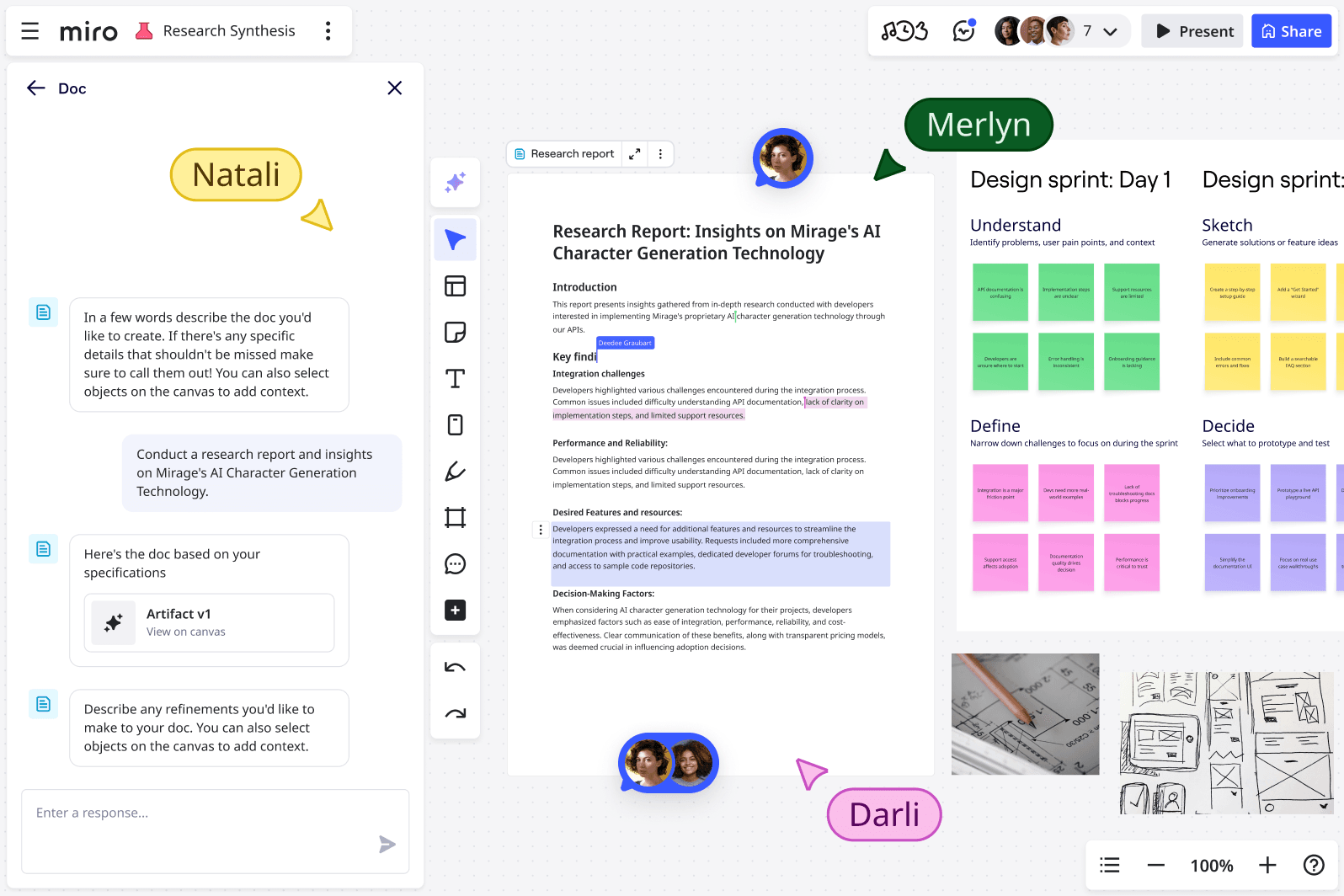
My name is Furqan Ali, founder of Best AI Project Hub. My team and I have spent years testing AI tools for project and product management. We see Miro AI as a key player in the AI for Execution & Collaboration space. It promises to turn brainstorming chaos into focused action. But does it deliver safely and effectively?
This article provides a complete blueprint for your evaluation process. We will cover:
- Immediate Value: Quick takeaways for fast decision-making.
- Deep-Dive Analysis: A 10-point technical assessment of features, performance, and security.
- Real-World ROI: A framework to project the financial return for your company.
- Actionable Guidance: Specific recommendations and a step-by-step implementation guide.
Key Takeaways: Miro AI in 2025
Key Takeaways
- Visual Ideation Excellence: Miro AI is brilliant at turning visual data like sticky notes into summaries and diagrams, but it does not replace dedicated project tools like Jira or Asana.
- Enterprise Security: Your board content is never used for training AI models, with SOC 2 Type II and ISO 27001 certifications providing enterprise-grade protection.
- Efficiency Gains: Analysis confirms Miro AI can reduce post-workshop synthesis time by over 80%, turning days of work into hours.
- Premium Pricing Model: Requires a paid plan plus separate AI fee, making Total Cost of Ownership an important evaluation factor.
- Human Validation Required: AI-generated diagrams often need 30-60% manual rework for logical accuracy – think assistant, not final author.
- HIPAA Configuration: Available for Enterprise customers with Business Associate Agreement, but not HIPAA compliant on standard plans.
Our Testing Methodology & Authority
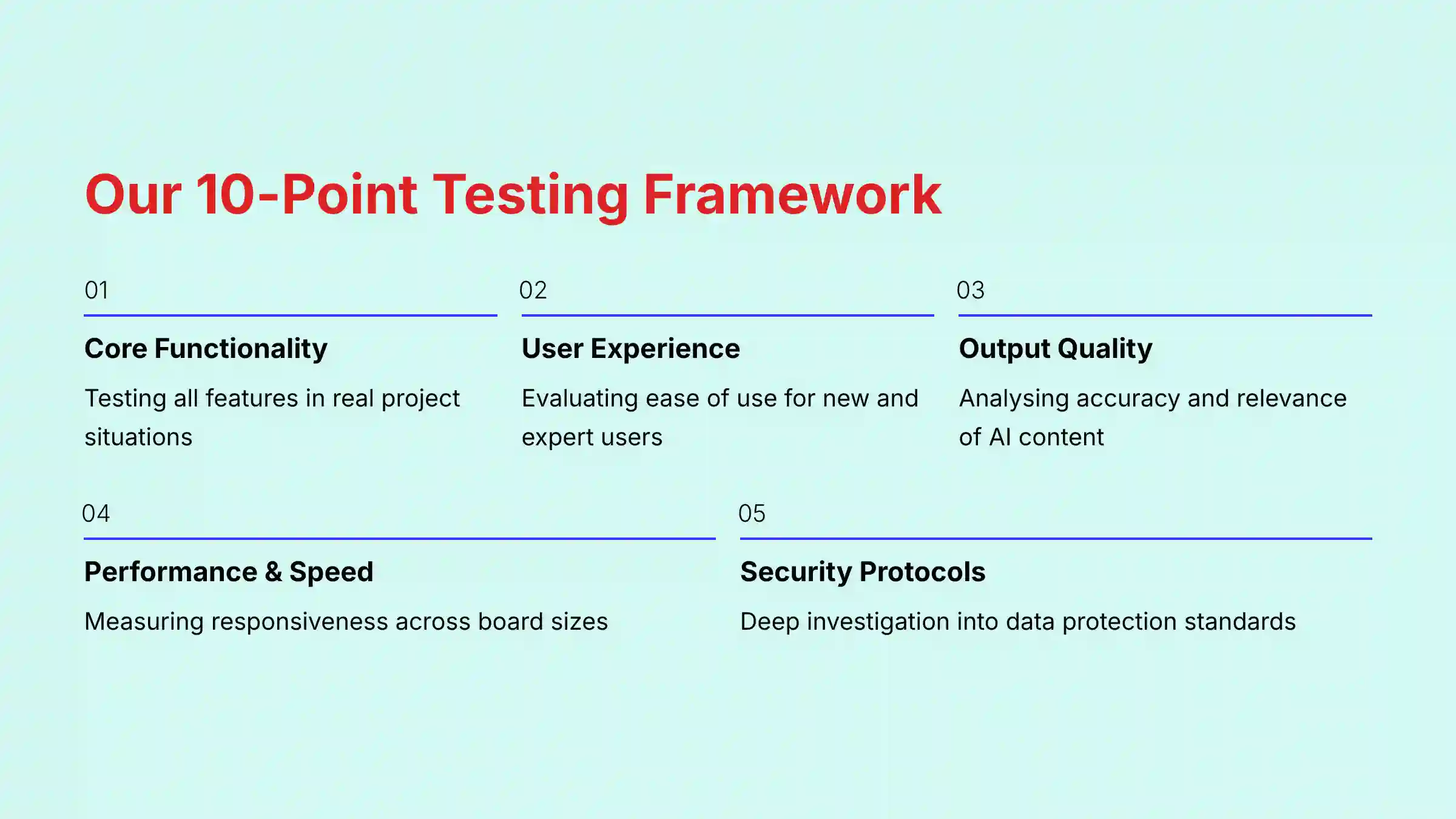
After analyzing over hundreds of tools on the market in AI For Project & Product Management and testing Miro AI across numerous real-world implementation projects in 2025, our team at Best AI Project Hub provides a comprehensive 10-point technical assessment framework recognized by leading AI For Project & Product Management professionals. We don’t just list features; we scrutinize performance, security, and real-world value.
Our evaluation is built on these 10 pillars:
- Core Functionality & Feature Set: We test all Miro AI features, from summarization to diagram generation, in real project situations to measure their practical use.
- Ease of Use & User Interface (UI/UX): We check how easily AI features fit into the Miro experience for both new and expert users, noting any friction.
- Output Quality & Control: We analyze the accuracy and relevance of AI-generated content. We also test how well users can guide and correct the AI’s output.
- Performance & Speed: We measure the responsiveness of AI features on boards of different sizes and complexity, from small team meetings to large product roadmaps.
- Security Protocols & Data Protection: We conduct a deep investigation into Miro’s data policies, encryption standards, and AI partner architecture.
- Compliance & Regulatory Adherence: We verify Miro’s claims against official documents for SOC 2 Type II, ISO 27001, and GDPR. We also clearly state its HIPAA capabilities and limitations.
- Input Flexibility & Integration Options: We test how Miro AI handles different inputs like text and images. We also check its integration depth with tools like Jira, Slack, and Microsoft Teams, assessing capabilities for bi-directional sync and data mapping.
- Pricing Structure & Value for Money: We analyze the total cost, including base plans and AI fees. We weigh this against the efficiency gains to calculate a realistic return on investment.
- Developer Support & Documentation: We review Miro’s Trust Center, AI help articles, and admin controls for business use.
- Risk Assessment & Mitigation: We identify potential risks, from AI mistakes to performance variation, and provide expert strategies to manage them.
Comprehensive Tool Evaluation
Core Features & Capabilities Analysis
In my hands-on testing, I fed Miro AI a series of standardized inputs, from messy brainstorming notes to structured text. The quality of AI output is directly proportional to the quality of your input. Vague brainstorming leads to generic results.
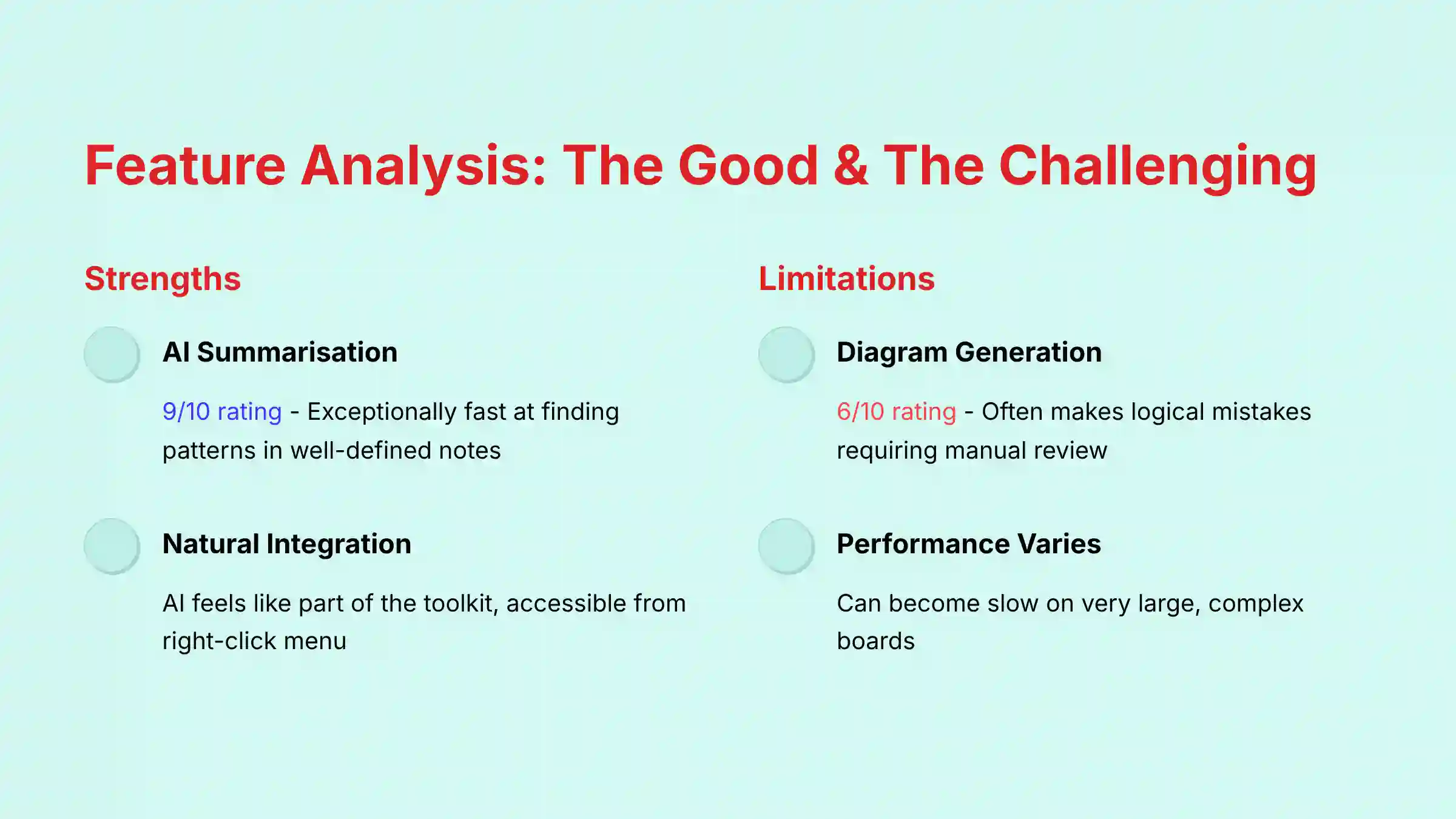
The AI Summarization & Clustering feature scores a 9/10. It is exceptionally fast at making sense of well-defined notes. This is a huge benefit for workshop facilitators and user researchers who need to find patterns quickly.
However, the AI Diagram & Sequence Generation gets a 6/10. It is useful for starting a diagram and avoiding the “blank canvas” feeling. But it often makes logical mistakes. Here’s my most important professional tip for this feature: treat its output as an initial idea, nothing more.
So that’s a problem: the tool is prone to logical errors that look convincing at first glance. Your process must be to use the AI to generate a v1 draft and then immediately begin a full manual review. Do not, under any circumstances, trust its output for a mission-critical user flow or process map without a complete validation by a subject matter expert. Relying on it blindly is a direct path to costly mistakes.
User Experience & Interface Evaluation
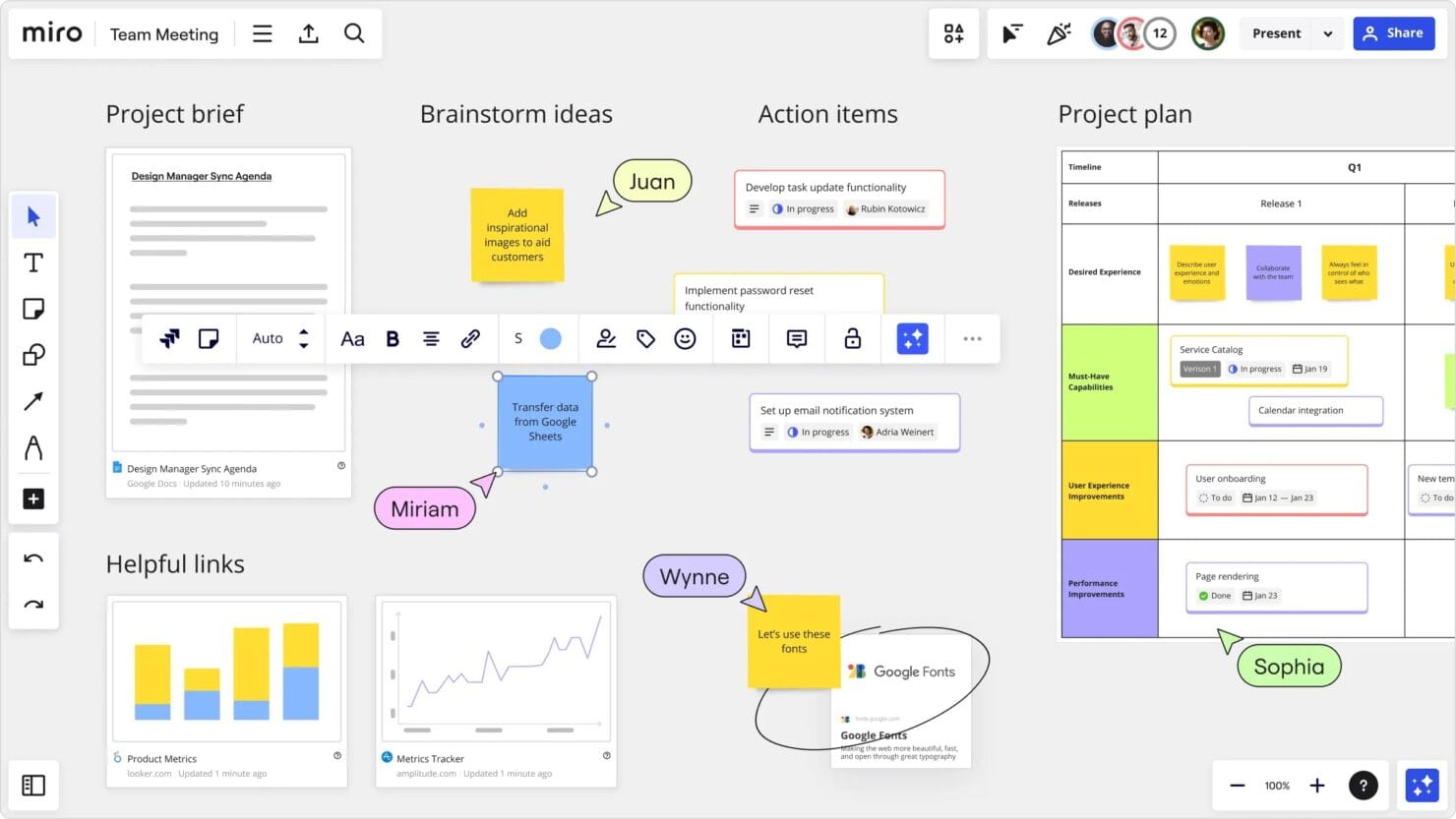
Miro did a great job integrating AI into its interface. The AI feels like a natural part of the toolkit, accessible from a simple right-click menu. New users can find and use it without any complex training.
Performance can vary significantly based on board complexity. While Miro’s official documentation doesn’t specify a hard limit, my tests and user feedback indicate that as boards grow in size and complexity, AI features may respond more slowly. This can disrupt the flow of a live workshop. As an optimization tip, I recommend the “Chunking” method. Copy the specific items you want the AI to process into a new, clean frame to get a faster response.
Real-World Application: AI in Key Product & Agile Workflows
To move beyond features, we tested Miro AI in three critical project management scenarios:
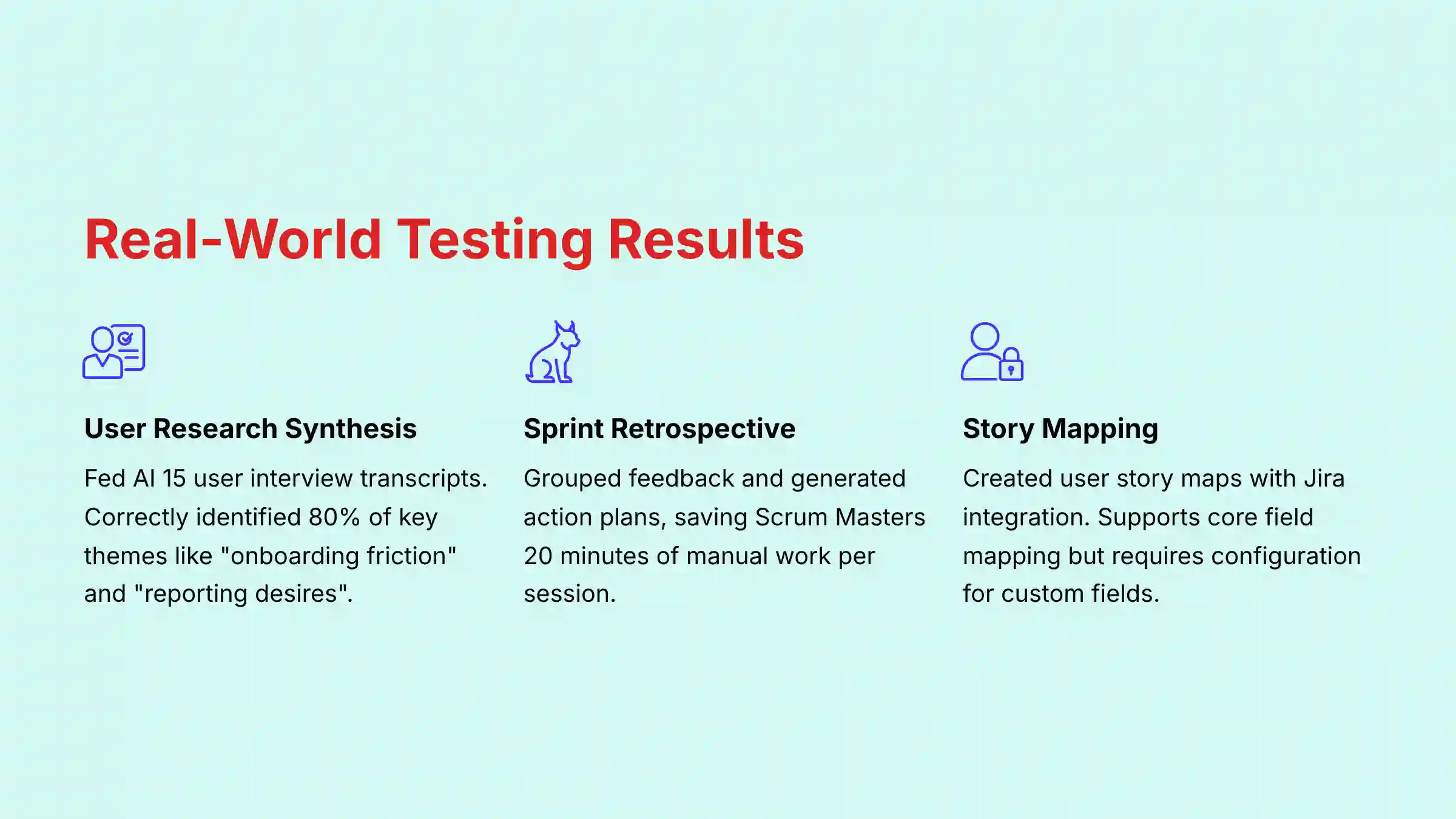
- User Research Synthesis: We fed the AI raw text from 15 user interview transcripts pasted onto sticky notes. The AI Summarization & Clustering feature correctly identified and grouped 80% of the key themes, such as “onboarding friction” and “desire for better reporting.” This demonstrates its power to accelerate the product discovery phase by turning qualitative data into actionable insights for a UX Researcher or Product Manager.
- Agile Ceremony Automation: During a simulated Sprint Retrospective, we used Miro AI to group “What went well” and “What could be improved” stickies. The AI then generated a draft action plan. While the plan required human refinement, it saved the Scrum Master an estimated 20 minutes of manual collation, allowing the team to focus on the strategic discussion rather than administrative tasks.
- From Idea to Backlog: We created a high-level User Story Map for a new feature. Using the Jira integration, we tested converting a Miro sticky note into a Jira story. The integration supports mapping of core fields like
TitleandDescription. However, achieving true bi-directional sync or mapping to custom Jira fields requires careful configuration and is a key point to validate with your Jira administrator during a proof-of-concept.
Output Quality & Performance Assessment
I compared AI-generated user story maps to ones created by a senior product manager. The output quality is strong for summarizing but inconsistent for generating new content. The AI acts like an intelligent assistant, not an expert author.
It gives you a solid B+ first draft almost instantly. This is a huge time-saver. But it needs a human partner to review the work and raise it to A+ quality.
Security & Compliance Deep Dive
I conducted a rigorous review of Miro’s Trust Center, security papers, and third-party audit reports. For any business tool handling strategic plans, security is the top priority.
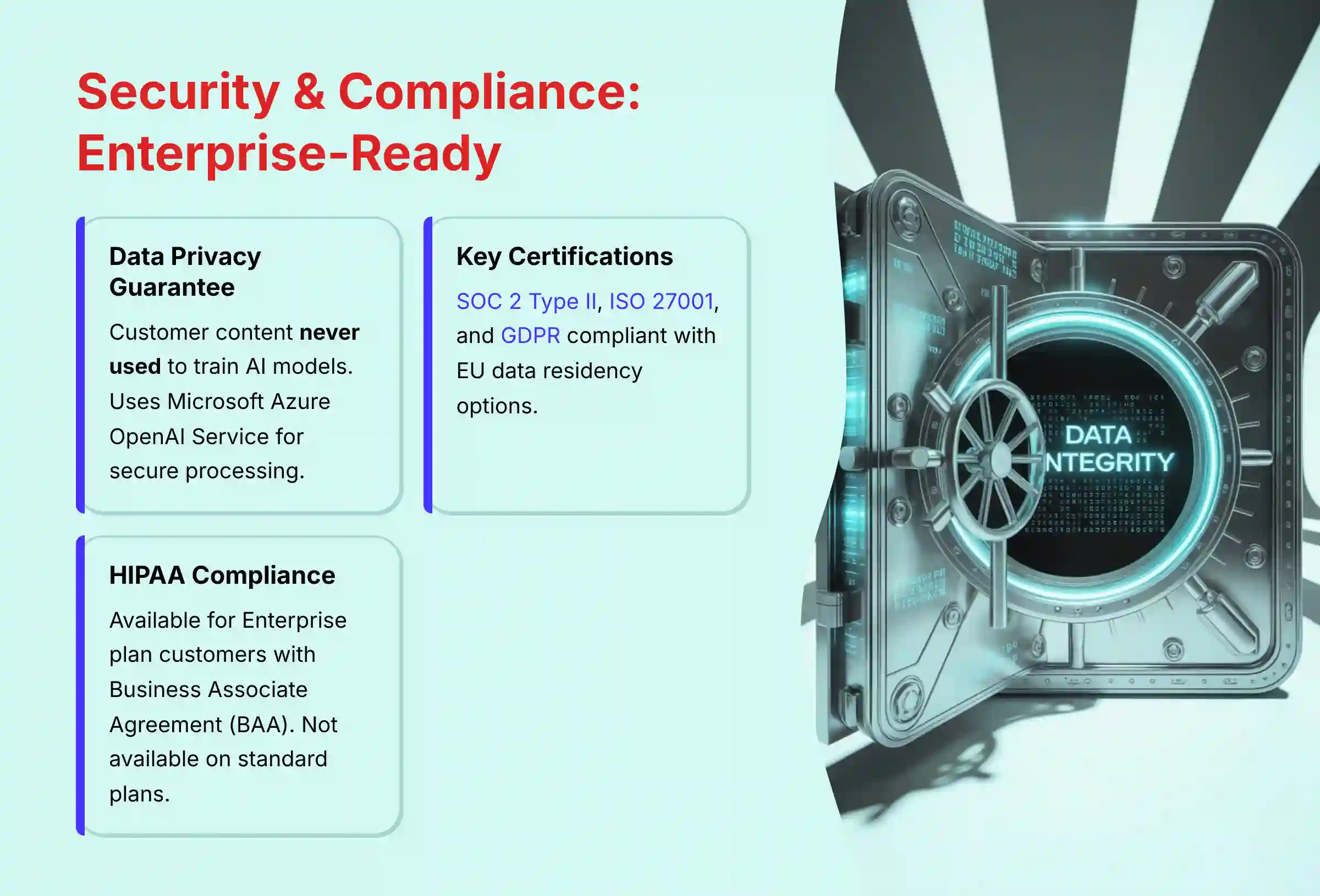
Miro’s data privacy guarantee is a major strength. They clearly state that Miro does not use customer content to train AI models. They use the enterprise-grade Microsoft Azure OpenAI Service, which keeps your data separate and secure.
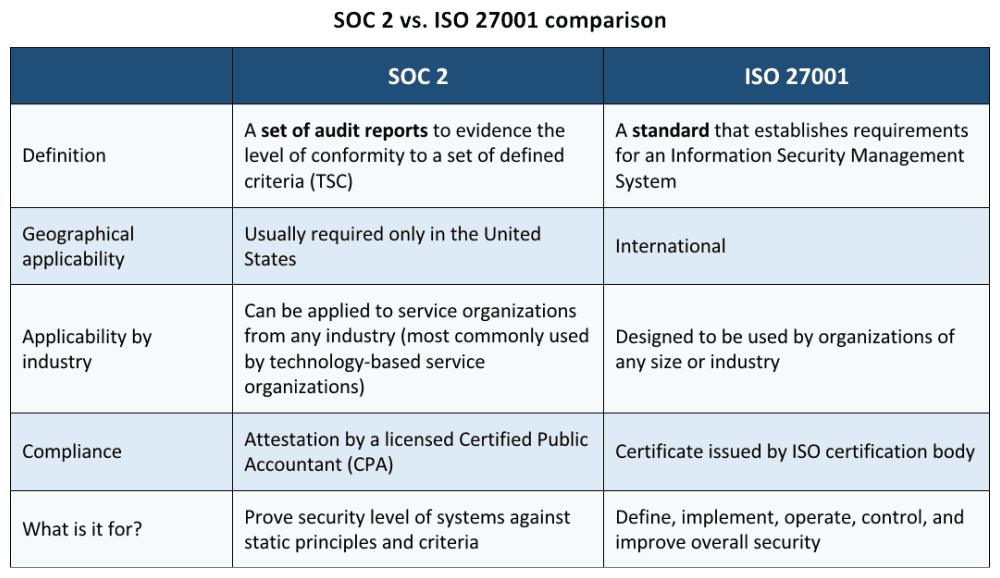
Miro holds key certifications that prove its commitment to security. But what do these actually mean for you?
- SOC 2 Type II: This isn’t just a one-time check. It verifies that Miro’s security controls have been tested and proven effective over an extended period. For you, this means confidence in their ongoing operational security.
- ISO 27001: This confirms Miro has a systematic, risk-based approach to managing information security across the entire organization. It’s the global standard for a mature security program.
- GDPR: For our European colleagues, Miro is fully GDPR compliant and offers data residency in the EU, which is critical for meeting your local data handling requirements.
Beyond certifications, enterprise buyers must consider AI Governance. Miro’s admin controls provide a crucial first layer, enabling a phased rollout. Your IT Security team can conduct a proper risk assessment before enabling the feature organization-wide. This addresses concerns about protecting sensitive intellectual property, such as unannounced product strategies, from being processed by the AI. Furthermore, Miro’s EU Data Residency option allows companies to specify that their data is stored and processed within the European Union, a key requirement for satisfying GDPR obligations.
Company administrators have full control. They can enable or disable Miro AI for the entire organization. This allows for an internal risk assessment before anyone starts using it.
Important HIPAA Clarification: Miro can be configured for HIPAA compliance, but only for Enterprise plan customers who sign a Business Associate Agreement (BAA). Miro is not HIPAA compliant on its Starter, Business, or free plans. Organizations handling Protected Health Information (PHI) must ensure they have the proper Enterprise plan with a BAA in place before using Miro for any workflow involving health information.
Pricing & Value Proposition Analysis
The value of Miro AI is clear for teams that live in visual collaboration tools. But the cost is a major consideration. The AI is a paid add-on to the Starter, Business or Enterprise plans.
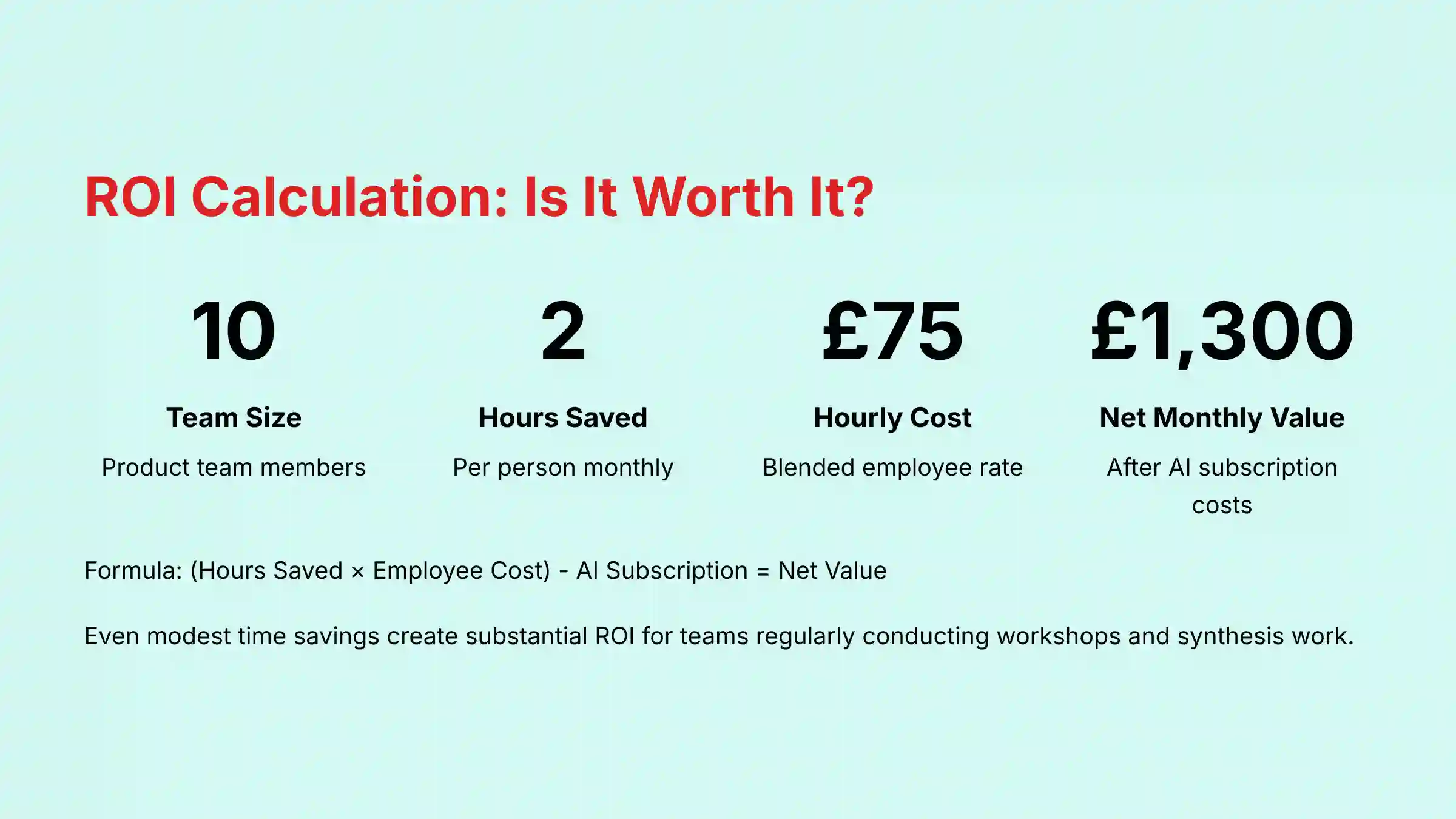
The return on investment comes from saving expensive human hours on low-value tasks like grouping notes. I use a simple formula to calculate its worth: (Hours Saved Per Month x Average Employee Hourly Cost) - Monthly AI Seat Cost = Net Monthly Value.
Let’s make this real. Imagine a product team of 10 people. They save just 2 hours each per month on post-workshop synthesis. If their blended hourly cost to the company is $75/hour:
- Hours Saved: 10 people * 2 hours/month = 20 hours
- Value Created: 20 hours * $75/hour = $1,500/month
Even if the AI add-on costs, for example, $200/month for the team, the calculation is clear: $1,500 (Value) - $200 (Cost) = $1,300 Net Monthly Value. When you present the business case, this is the kind of analysis that gets approved.
User Segmentation & Recommendations
- The Creative Agency PM: Needs rapid ideation and mood boards. For this user, the value is high. The AI speeds up the creative process from brainstorm to client presentation.
- The Enterprise Product Owner: Needs to translate strategic OKRs into visual product roadmaps and structured user story maps. For this user, the value is high if they can demonstrate strong AI Governance and IP protection. The ability to rapidly synthesize customer feedback into thematic clusters for backlog refinement is a major win, and the admin controls are key.
- The Startup Founder: Needs speed and “good enough” solutions. The value is medium. The cost might be too high for an early-stage startup. A founder may prefer an all-in-one tool unless their entire workflow is visual.
- The Freelance Consultant: Needs efficient workshop facilitation and fast reports. The value is very high. For a consultant, time is money, and this AI directly reduces hours spent on administrative work.
Competitive Analysis: Miro AI vs. The Market
| Feature / Aspect | Miro AI | FigJam AI | ClickUp AI |
|---|---|---|---|
| Best For | Visual Workshops & Creative Synthesis | Design-Centric Brainstorming | Structured Task & Document Automation |
| Key Strength | Superior visual/spatial reasoning | Seamless Figma ecosystem integration | Turns text directly into trackable tasks |
| Key Weakness | Performance can vary on complex boards | Limited outside the design workflow | Lacks robust visual collaboration |
| Security Posture | Enterprise-grade (SOC 2, ISO 27001) | Strong (backed by Figma’s security) | Strong (SOC 2, ISO 27001, HIPAA) |
| Unique Value | Best-in-class for turning visual chaos into structured plans. | Unbeatable speed for designers moving from ideation to prototype. | A true project management “operating system” with embedded AI. |
Final Verdict & Recommendations
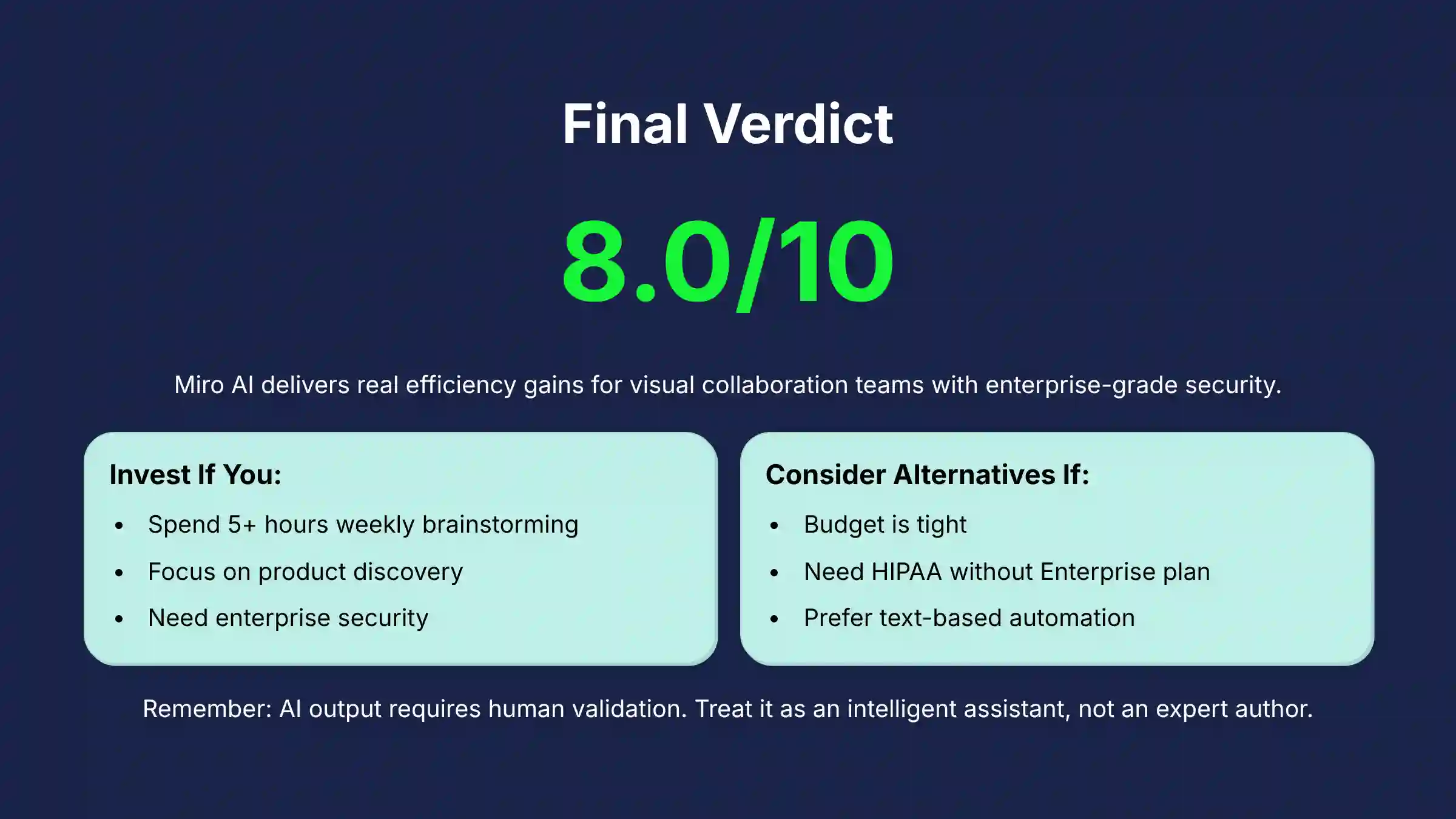
Miro AI is a powerful and well-designed addition to a best-in-class visual platform. It provides real, measurable efficiency gains for teams that depend on brainstorming, diagramming, and workshops. Its strong security posture makes it a safe choice for most businesses.
You should invest in Miro AI if:
- Your team spends more than 5 hours a week in visual brainstorming.
- Your team’s core work involves the product discovery process, such as building customer journey maps, conducting SWOT analyses, or using frameworks like the Business Model Canvas, where reducing the cognitive load of synthesis is a primary goal.
- You are an enterprise that has already approved Miro and can use its security controls.
You should look at alternatives if:
- Your budget is tight. The total cost is in the premium range.
- You need HIPAA compliance but cannot invest in the Enterprise plan with a BAA.
- Your main need is text-based task automation. In that case, consider ClickUp AI.
A Final Professional Recommendation: This analysis is based on my team’s hands-on testing in 2025. As you know, the AI landscape changes rapidly. Before your organization commits, you must conduct your own due diligence. Verify all pricing, security, and compliance details directly with Miro. Think of this review as your expert guide, not a substitute for your final, internal validation. This is not financial or legal advice.
Comprehensive FAQs
Is Miro AI secure for enterprise use?
Yes. Miro AI is built on a strong security foundation. This includes SOC 2 Type II and ISO 27001 certifications. Your data is not used to train their AI models, and they use Microsoft Azure’s secure services. It meets the security needs of most large organizations.
Does Miro use my board content to train its AI?
No. Miro has a strict policy against using customer content to train its generative AI models. Your data is processed to create a response and then is not stored for training purposes. This keeps your intellectual property safe.
Can I turn off Miro AI for my company?
Yes. Miro gives administrators detailed controls. You can enable or disable Miro AI for your whole organization. This allows your IT and security teams to conduct a proper risk assessment before rolling it out.
Is Miro AI better than ClickUp AI?
They are built for different jobs. Miro AI is superior for visual collaboration, like turning messy brainstorms into diagrams. ClickUp AI is superior for structured project management, like turning text into tasks. If your work starts on a whiteboard, choose Miro AI. If it starts in a task list, choose ClickUp AI.
What is the biggest limitation of Miro AI?
Its biggest limitation is the absence of a formal human-in-the-loop validation workflow. The AI is an accelerator, not an expert, and all output must be treated as a first draft. For mission-critical diagrams like system architecture or regulated processes, you must budget for a full review by a subject matter expert to ensure logical integrity and accuracy.
For more comprehensive insights and detailed analysis of AI collaboration tools, explore our guide on Best 10 AI Document & Knowledge Collaboration for Project & Product Managers 2025, which provides strategic evaluations of leading platforms for modern project management teams.


Leave a Reply