
Struggling to Choose an AI Document & Knowledge Collaboration Tool?
This 2-Minute Quiz Pinpoints Your Perfect Match!
In my work advising project and product leaders, I see the same story play out daily. Critical information is scattered like digital confetti. Project plans live in one system, key decisions are buried in chat threads, and task updates reside in yet another manager. This fragmentation isn’t just an annoyance; it’s why only 35% of projects are truly successful.
My analysis shows this chaos leads directly to the misalignment, delays, and budget overruns that keep managers up at night. This is precisely where I recommend the Best 10 AI Document & Knowledge Collaboration tools. These platforms are a core component of the modern AI for Execution & Collaboration toolkit from Best AI Project Hub.
These tools use artificial intelligence to create a central nervous system for your projects, acting as a single source of truth for your team’s collective knowledge. They can automate summaries, instantly find information buried in multiple apps, and help your team stay focused on the deep work that matters.
My mission with this guide is to provide a professional-grade, verifiable comparison for 2025, focusing on the factors that matter most in a professional setting: robust security, deep integrations, and the real return on your investment.
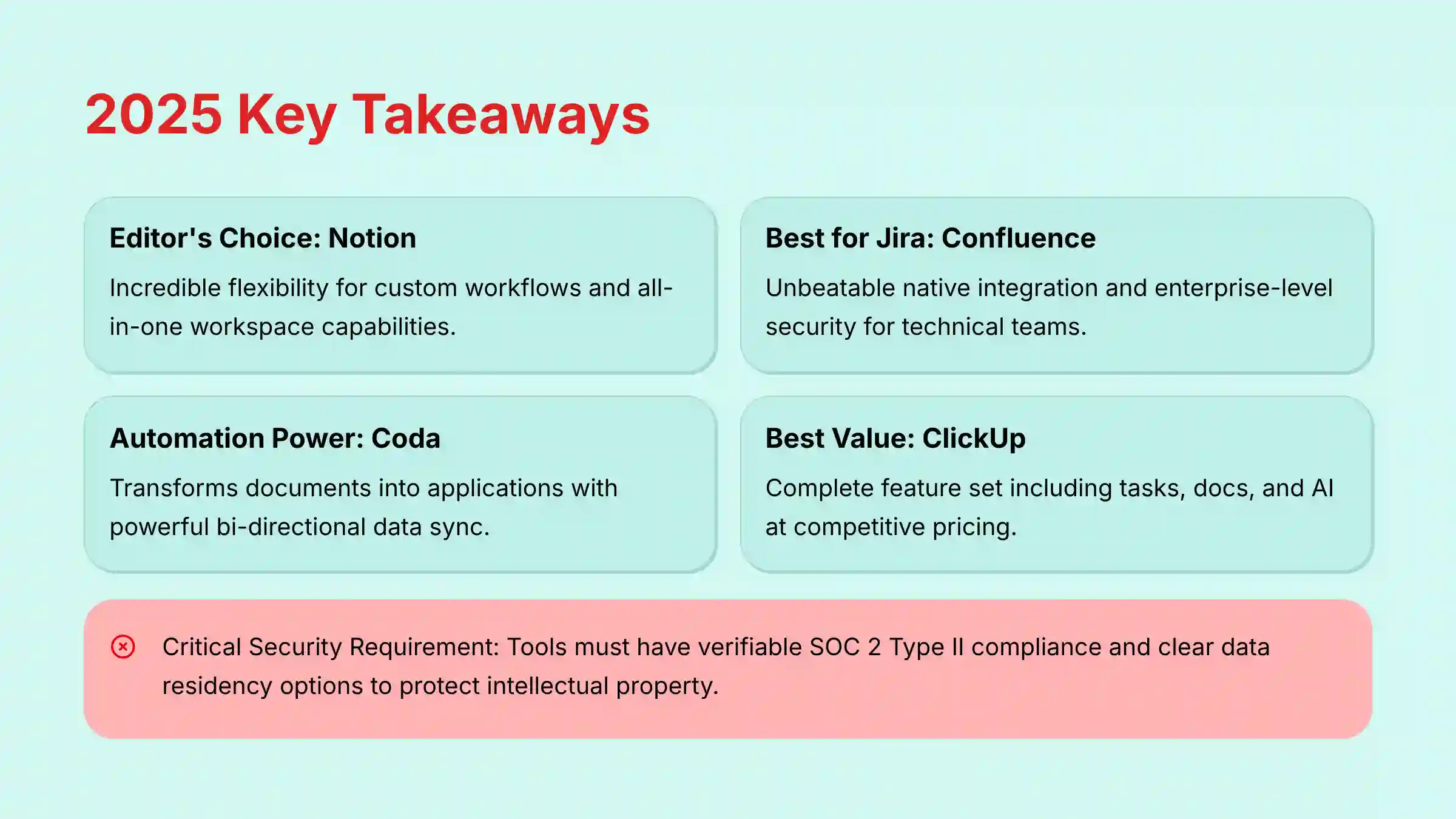
Key Takeaways for 2025
- Editor’s Choice: Notion wins for its incredible flexibility. It lets you build completely custom workflows and serves as a true all-in-one workspace if you invest the time in its setup.
- Best for Jira Ecosystems: Confluence is the required choice for teams inside the Atlassian suite. It offers unbeatable native Jira integration and enterprise-level security for technical teams.
- Best for Automation Power-Users: Coda is fantastic with its “Packs” for powerful, bi-directional data sync. It transforms documents into applications, making it a premium choice for tech-focused teams.
- Best Value: ClickUp gives you the most complete set of features, including tasks, docs, and AI, at a very competitive price. It offers maximum ROI for teams wanting to consolidate tools.
- Critical Security Takeaway: In 2025, tools must have verifiable SOC 2 Type II compliance and clear data residency options. This is the minimum standard for protecting your project’s intellectual property.
Now that you have a high-level overview of the top contenders, let’s address the single most important factor before you evaluate any features: security.
The 2025 Security and Compliance Landscape for AI Collaboration Tools
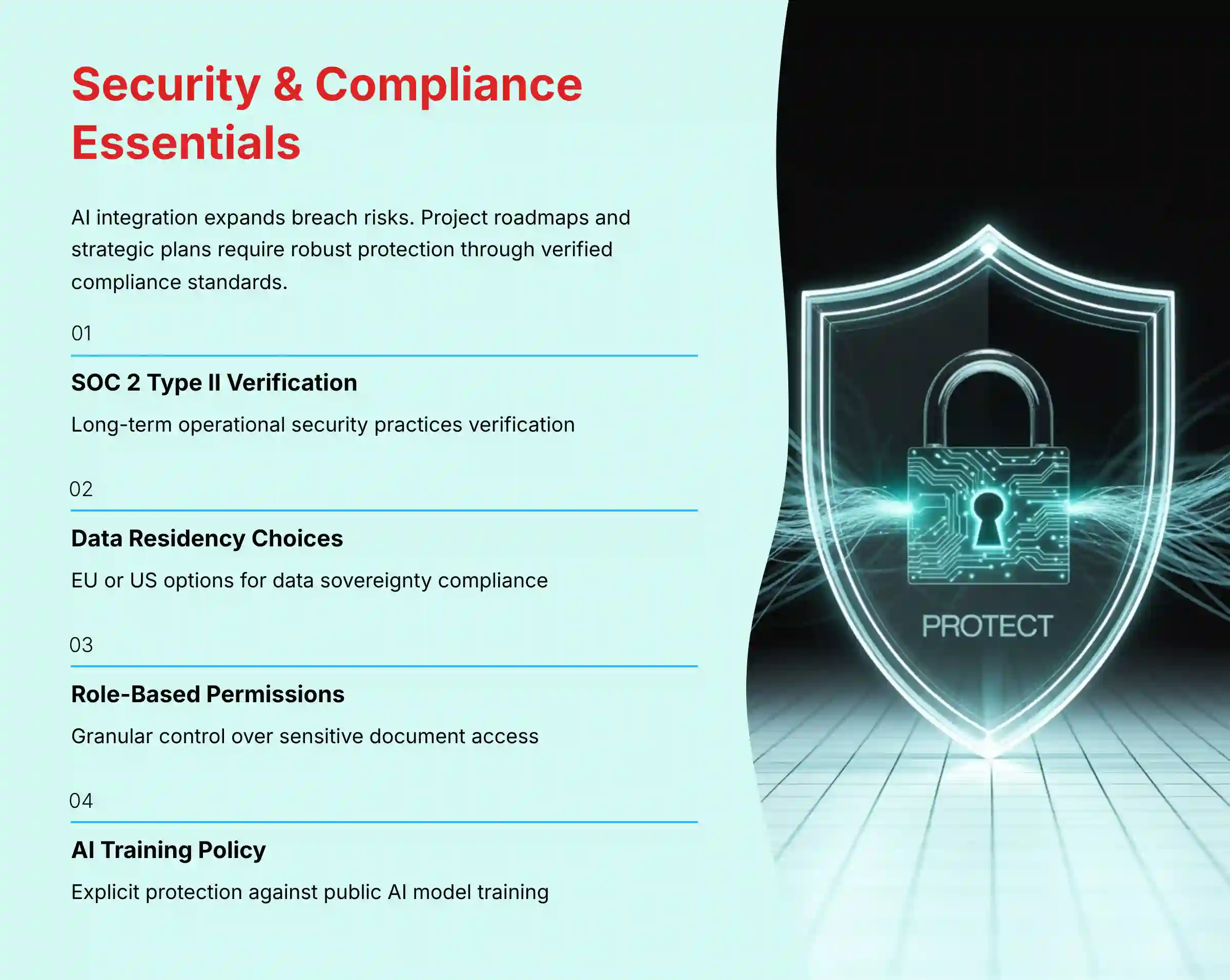
As AI becomes more deeply integrated into our work, the potential for data breaches and intellectual property loss expands. Your project roadmaps, strategic plans, and product innovations are valuable assets that require robust protection. My security assessments show that you cannot afford to overlook this.
For 2025, several compliance standards are non-negotiable for professional use. These include SOC 2 Type II, which verifies long-term operational security practices, ISO 27001 for information security management systems, and GDPR for data privacy.
For teams in specific sectors, I also check for HIPAA for healthcare and FedRAMP for government work. I am also seeing the emergence of critical new features like AI-driven sensitive data discovery to protect private information automatically and customer-managed encryption keys (CMEK) to give you ultimate control over your data.
Here is the simple checklist I use when evaluating a tool’s security posture:
- Does the vendor have a public security page with up-to-date trust reports?
- Do they offer data residency choices, such as in the EU or US, to meet data sovereignty laws?
- Are granular, role-based permissions available to control who sees sensitive documents?
- What is the vendor’s AI Model Data Training Policy? Do they explicitly state that your confidential project data will not be used to train their public AI models?
- Does the tool provide complete audit logs to track all access and changes?
Our Comprehensive Evaluation Framework: How We Test AI Collaboration Tools
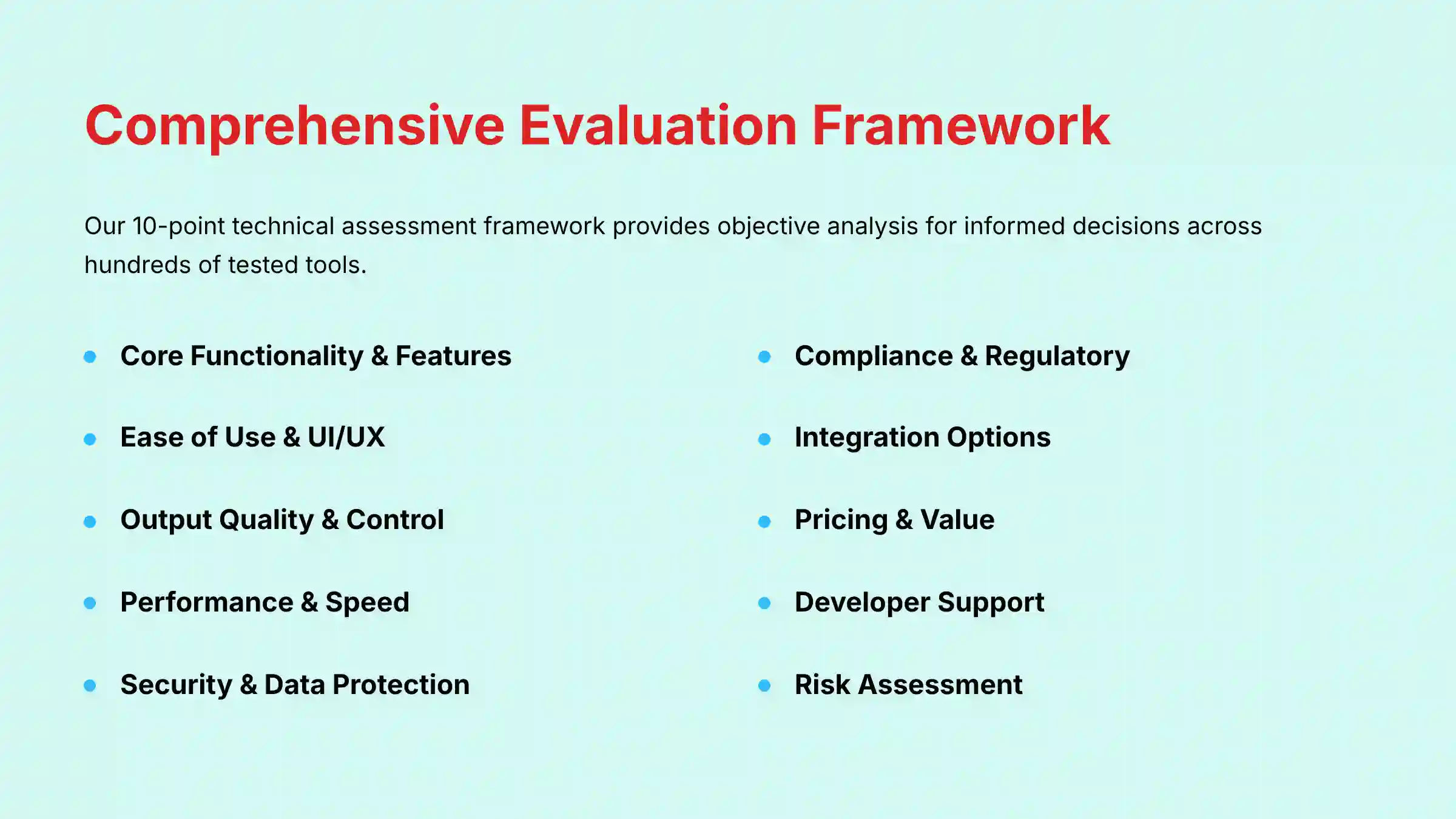
After analyzing hundreds of tools on the market in AI For Project & Product Management and testing the Best 10 AI Document & Knowledge Collaboration tools across numerous real-world implementation projects in 2025, our team at Best AI Project Hub provides a comprehensive 10-point technical assessment framework. Our evaluation process is designed to give you the objective analysis needed to make an informed decision.
- Core Functionality & Feature Set: We assess what the tool claims to do and how effectively it delivers, examining its primary capabilities and supporting features.
- Ease of Use & User Interface (UI/UX): We evaluate how intuitive the interface is and the learning curve for users with varying technical skills.
- Output Quality & Control: We analyze the quality of generated results (AI summaries, content) and the level of customization available.
- Performance & Speed: We test processing speeds and stability, especially with large data sets (e.g., >10,000 database items or documents).
- Security Protocols & Data Protection: We thoroughly assess security measures, encryption standards like AES-256, and data handling practices.
- Compliance & Regulatory Adherence: We verify compliance with relevant regulations (GDPR, SOC 2, ISO 27001, HIPAA) through official vendor documentation.
- Input Flexibility & Integration Options: We check how well it integrates with key ecosystem platforms like Jira, Slack, Salesforce, and Microsoft 365.
- Pricing Structure & Value for Money: We examine free plans, trial limitations, and subscription costs to determine the true Total Cost of Ownership (TCO).
- Developer Support & Documentation: We investigate the quality of customer support, tutorials, and community resources.
- Risk Assessment & Mitigation: We identify potential risks (e.g., scalability, implementation, vendor lock-in) and evaluate the tool’s safeguards.
Notion
Overview and Core Capabilities
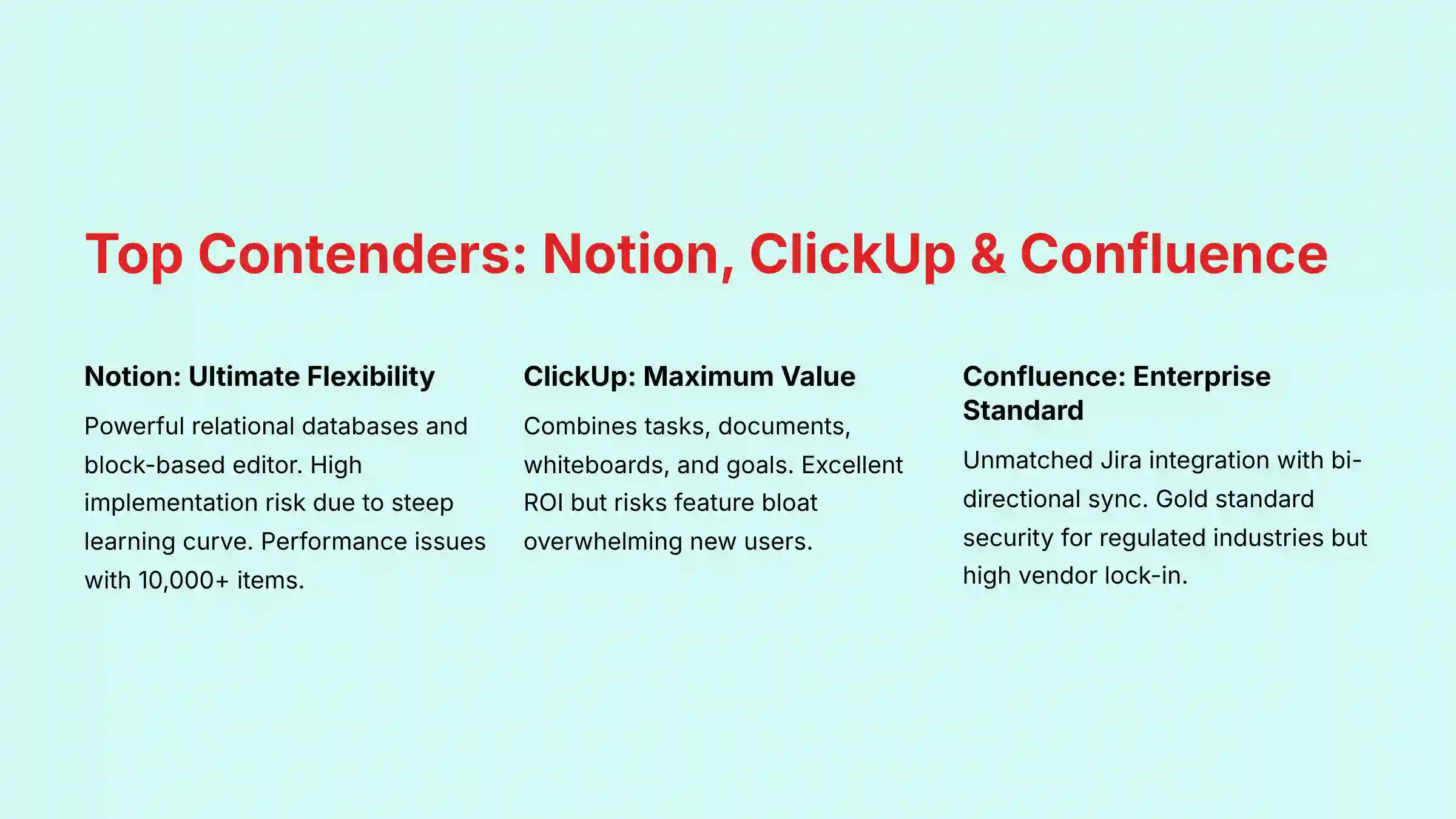
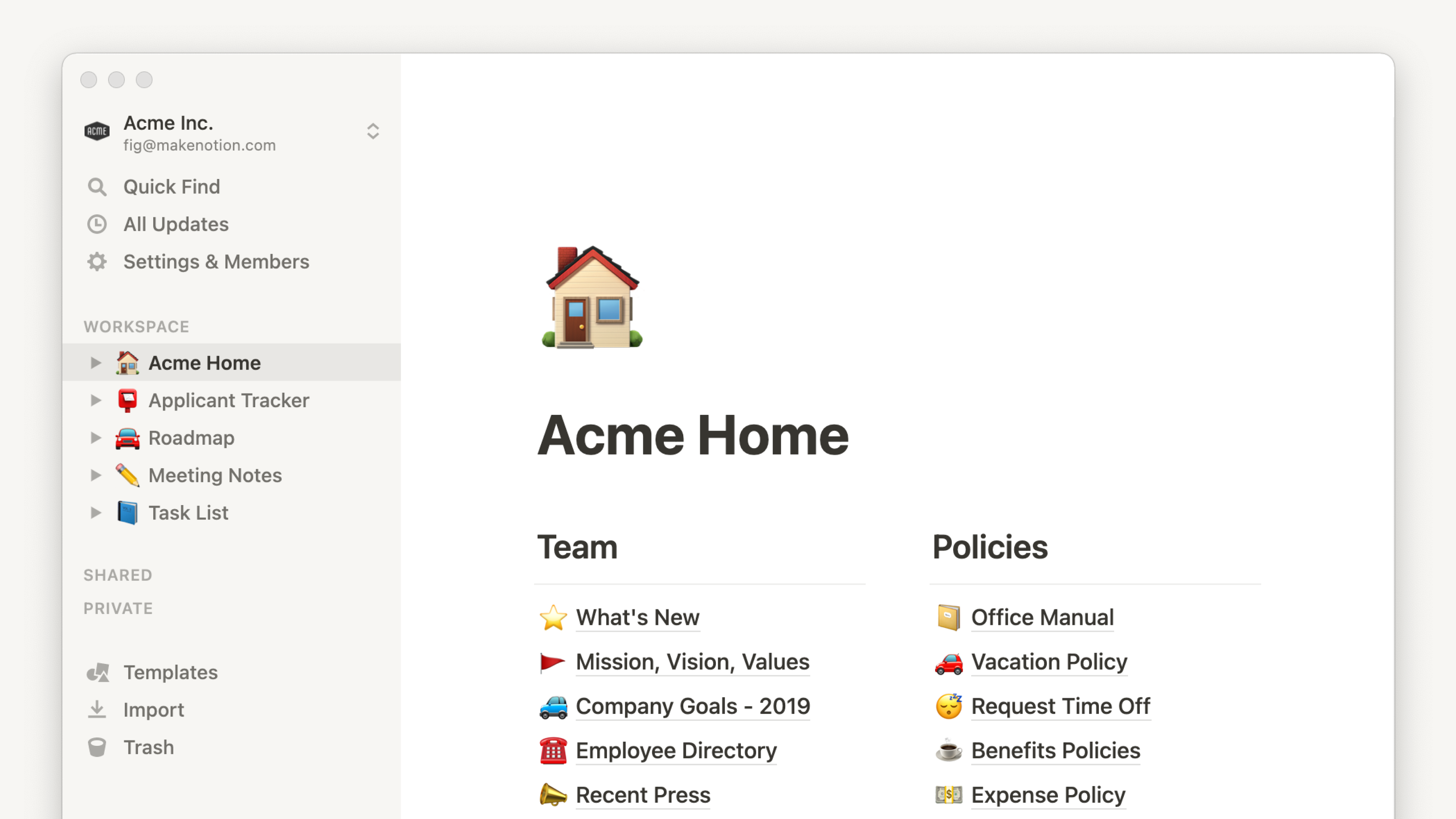
Notion presents itself as the ultimate flexible workspace. In my testing, its core strength comes from its powerful relational databases and block-based editor. This combination allows teams to build completely custom systems for managing both knowledge and tasks, acting as a true all-in-one platform. For more detailed insights, check out our comprehensive Notion AI Review.
Security and Compliance Profile
Notion’s security is solid for most businesses. According to its official documentation, it holds SOC 2 Type II and ISO 27001 certifications. The enterprise plan adds important controls like data residency options and advanced security settings to meet stricter corporate governance needs.
Technical Specifications
- Platform Availability: Web, Desktop (macOS, Windows), and Mobile (iOS, Android)
- API Integration: Robust API for deep integrations with Slack, Jira, and GitHub
- Core Features: Relational databases, block-based editor, AI summarization, workflow automation
Pricing and Value Assessment
The pricing is competitive, though key features like AI and enterprise-grade security are reserved for higher-priced tiers. The value is high because it can replace several other applications, such as a separate wiki, task manager, and document editor, potentially lowering your overall software spending.
✅ Strengths
- Incredible flexibility for custom workflows
- Powerful relational database capabilities
- Can replace multiple tools in one platform
- Strong AI features for summarization and content generation
⚠️ Considerations
- High implementation risk due to steep learning curve
- Performance issues with databases over 10,000 items
- Requires dedicated champion to manage workspace
- Can become expensive for larger teams
Ideal Use Cases and Professional Applications
- Product Teams: Building interconnected roadmaps and product requirements documents (PRDs)
- Startups: Creating an all-in-one operating system for entire business operations
- Custom Workflows: Teams needing highly tailored systems for specific processes
ClickUp
Overview and Core Capabilities
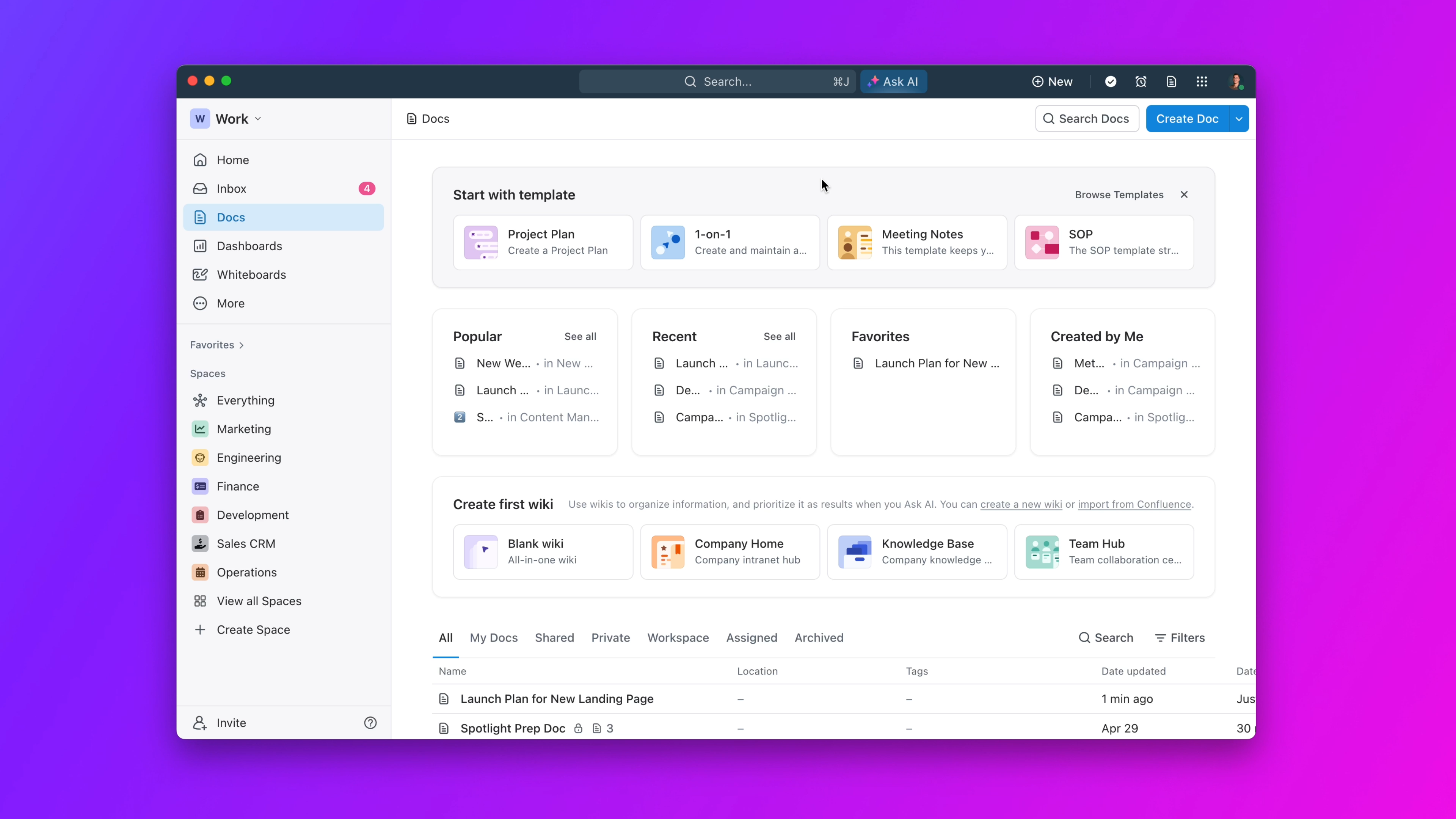
ClickUp is the “all-in-one” productivity application. It combines tasks, documents, whiteboards, and goals into a single platform. Its AI features are focused on automating common project management tasks, like generating status updates, summarizing comment threads, and improving written content. Explore our detailed ClickUp AI Review for deeper insights.
Security and Compliance Profile
ClickUp meets key security standards with SOC 2 Type II compliance and is also HIPAA compliant, making it suitable for teams handling sensitive health information. For enterprise customers, data residency options are available, which is a strong indicator of its commitment to global security standards.
Technical Specifications
- Platform Availability: Web, macOS, Windows, iOS, Android, and Linux
- Core Features: Task management, document collaboration, whiteboards, goals tracking, AI automation
- Integration Capabilities: Extensive integrations with popular business tools
✅ Strengths
- Excellent value with generous free plan
- Comprehensive feature set in one platform
- Strong project management capabilities
- Predictive AI for project insights
⚠️ Considerations
- Feature bloat can overwhelm new users
- Performance issues with large, complex accounts
- Interface can feel cluttered
- Requires structured onboarding plan
Ideal Use Cases and Professional Applications
- Project Management Offices (PMOs): Standardizing processes and reporting across organizations
- Budget-Conscious Teams: Maximum functionality without multiple separate applications
- Cross-Functional Teams: Need for integrated task and document management
Confluence (Atlassian Intelligence)

Overview and Core Capabilities
Confluence is the enterprise knowledge base for teams inside the Atlassian ecosystem. Its killer feature is its deep, native bi-directional sync with Jira, which is unmatched. You can embed dynamic JQL (Jira Query Language) queries directly into a Confluence page to create live status reports, and updates on either platform are reflected in real-time. Read our comprehensive Confluence Review for more details.
Security and Compliance Profile
Confluence offers market-leading security, making it a gold standard for regulated industries. It holds SOC 2/3, ISO 27001, FedRAMP, and HIPAA compliance certifications. For teams with strict security needs in finance, government, or healthcare, this is a top contender.
✅ Strengths
- Unmatched Jira integration for agile teams
- Enterprise-grade security and compliance
- Scalable for large organizations
- Both Cloud and Data Center deployment options
⚠️ Considerations
- High vendor lock-in with Atlassian ecosystem
- User interface feels less modern
- Pricing targeted at enterprise budgets
- Limited flexibility compared to modern alternatives
Coda
Overview and Core Capabilities
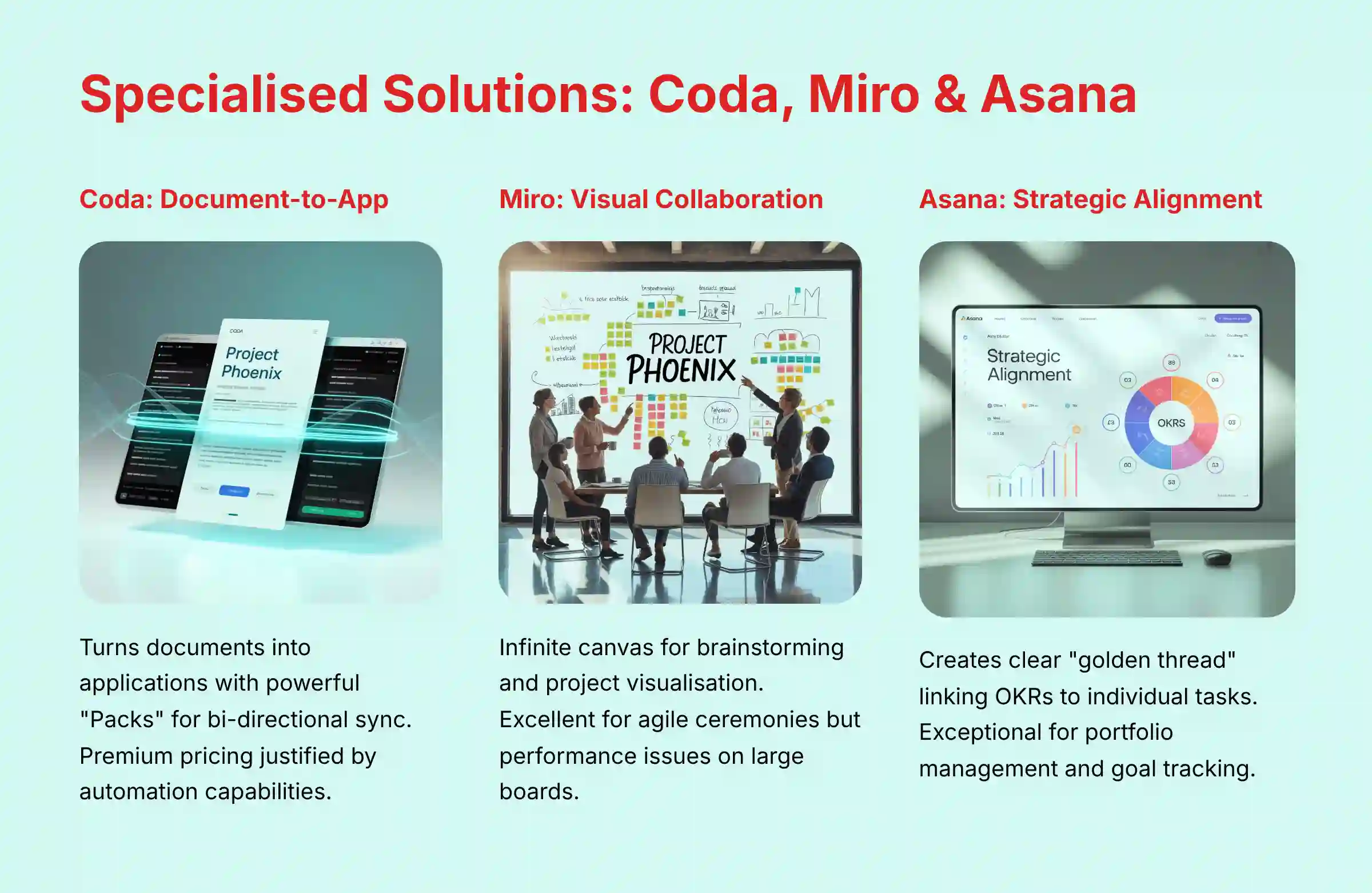
Coda is a unique tool that turns a document into an application. It blends the flexibility of a document with the structured power of a spreadsheet and database. This allows teams to build powerful, no-code solutions for their specific workflows, powered by its best-in-class integrations. For a detailed analysis, see our Coda Review.
Technical Specifications and Unique Features
- “Packs” Platform: Bi-directional sync with Jira, Salesforce, and other tools
- Custom Dashboards: Build interactive tools that update external systems directly
- Automation: Complex cross-platform workflows without coding
✅ Strengths
- Transforms documents into powerful applications
- Best-in-class bi-directional integrations
- Handles large datasets gracefully
- Perfect for custom automation workflows
⚠️ Considerations
- High learning curve requiring technical mindset
- More expensive than many competitors
- Needs dedicated team member to maximize value
- Complex concepts may overwhelm non-technical users
Miro
Overview and Core Capabilities
Miro is an online collaborative whiteboard that provides an infinite canvas for teams to brainstorm, visualize ideas, and manage projects. Its AI features are innovatively designed to structure and make sense of this visual information, turning chaotic brainstorming into actionable plans. Learn more in our detailed Miro AI Review.
Professional Applications in Agile
- Sprint Retrospectives: Visual exercises for remote agile ceremonies
- Story Point Estimation: Democratic estimation during backlog grooming
- User Story Mapping: Visual product planning and customer journey mapping
✅ Strengths
- Intuitive drag-and-drop interface
- Excellent for visual collaboration and workshops
- AI-powered diagramming and clustering
- Perfect for agile ceremonies and planning
⚠️ Considerations
- Performance issues with very large boards
- Not designed for detailed task tracking
- Premium AI features require higher-tier plans
- Should complement, not replace, project management tools
Asana
Overview and Core Capabilities
Asana is a work management platform focused on clarity and accountability. Its standout capability, in my analysis, is its ability to create a clear “golden thread” of strategic alignment. It allows leaders to define top-level OKRs (Objectives and Key Results) and cascade them down, visually linking them to portfolios, projects, and individual tasks. Check out our comprehensive Asana Intelligence (AI) Review.
Strategic Alignment Features
- OKR Management: Top-level objectives cascaded to individual tasks
- Portfolio Views: Cross-functional visibility for program managers
- Goal Tracking: Progress monitoring against company-wide objectives
✅ Strengths
- Excellent strategic alignment capabilities
- Clean, intuitive interface with low learning curve
- Strong cross-functional visibility
- Fast and responsive performance
⚠️ Considerations
- Not a dedicated knowledge base
- May need separate tool for long-form documentation
- Most powerful features in higher-priced tiers
- Limited flexibility for custom workflows
Guru
Overview and Core Capabilities
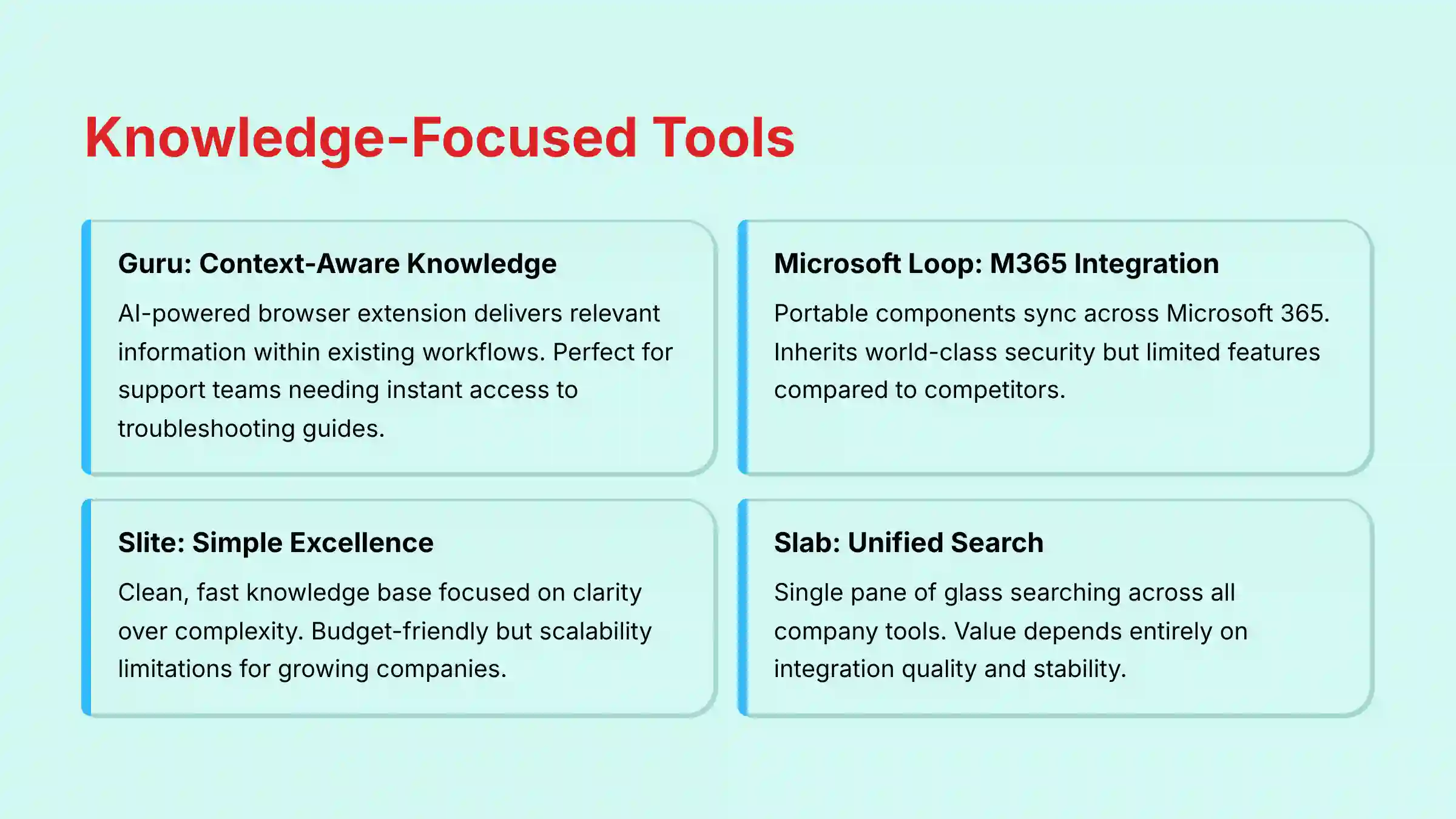
Guru is a knowledge platform that delivers information to you inside your existing workflow. Its AI-powered browser extension proactively suggests relevant knowledge “Cards,” turning a static wiki into a dynamic, context-aware service that reduces time spent searching for information. Explore our detailed Guru Review.
✅ Strengths
- Proactive knowledge suggestions within workflow
- Excellent integrations with support and sales tools
- Very low learning curve
- Fast, lightweight browser extension
⚠️ Considerations
- Value depends on well-maintained knowledge base
- Content quality risk requires active management
- Premium AI features on highest-priced plan
- Success tied to content verification by experts
Microsoft Loop
Overview and Core Capabilities
Microsoft Loop is a collaboration app that uses portable “Loop components” that stay in sync across Microsoft 365. These live, editable blocks of content (like lists, tables, or notes) can be pasted into Teams chats or Outlook emails, allowing for fluid, in-context collaboration. Read our comprehensive MS Loop Review.
✅ Strengths
- Included with Microsoft 365 subscriptions
- World-class security and compliance framework
- Native integration with Teams and Outlook
- Low learning curve for M365 users
⚠️ Considerations
- Relatively immature with feature gaps
- Heavy ecosystem lock-in with Microsoft
- Limited advanced features compared to alternatives
- Best suited for Teams-centric workflows
Slite
Overview and Core Capabilities
Slite is a simple, clean, and fast knowledge base. It is intentionally designed for teams who want clarity and ease of use over a long list of complex features. It focuses on being a pleasant and efficient place to write, organize, and find information. Learn more in our detailed Slite Review.
✅ Strengths
- Best-in-class interface design
- Extremely fast and responsive
- Budget-friendly with generous free plan
- Minutes to productivity with low learning curve
⚠️ Considerations
- Teams may outgrow simple feature set
- Scalability risk for growing companies
- No complex databases or automations
- May require migration as needs mature
Slab
Overview and Core Capabilities
Slab positions itself as a knowledge hub that unifies information from all of a company’s tools. Its standout feature is a powerful, integrated search that works across disparate applications, acting as a single pane of glass for all your company knowledge. Check out our comprehensive Slab Review.
✅ Strengths
- Unified search across multiple applications
- Reduces information silos effectively
- Fast and responsive search performance
- Competitive pricing with free plan
⚠️ Considerations
- Value tied to quality of search integrations
- Dependency risk on third-party services
- Core value reduced if integrations break
- Limited functionality beyond search
Comprehensive Comparison Tables
Feature Comparison Matrix
| Feature | Notion | ClickUp | Confluence | Coda | Miro | Asana | Guru | MS Loop | Slite | Slab |
|---|---|---|---|---|---|---|---|---|---|---|
| Relational Databases | ✅ | ✅ | ❌ | ✅ | ❌ | ❌ | ❌ | ❌ | ❌ | ❌ |
| AI Summarization | ✅ | ✅ | ✅ | ✅ | ✅ | ✅ | ✅ | ✅ | ✅ | ✅ |
| Predictive AI | ❌ | ✅ | ❌ | ❌ | ❌ | ✅ | ❌ | ❌ | ❌ | ❌ |
| Workflow Automation | ✅ | ✅ | ✅ | ✅ | ❌ | ✅ | ❌ | ❌ | ❌ | ❌ |
| Visual Collaboration | Partial | ✅ | ❌ | ❌ | ✅ | Partial | ❌ | ✅ | ❌ | ❌ |
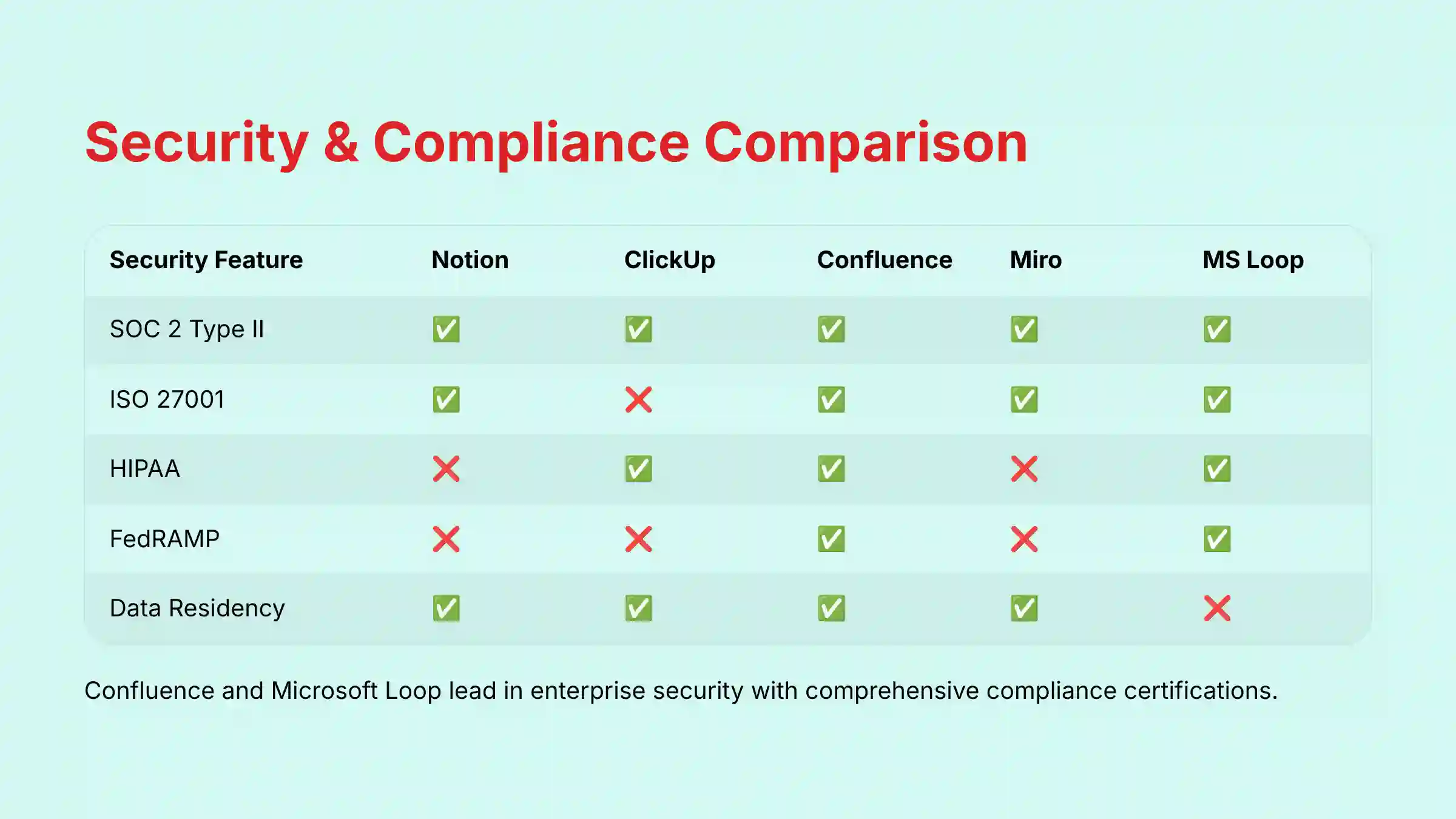
Security and Compliance Matrix
| Security Feature | Notion | ClickUp | Confluence | Coda | Miro | Asana | Guru | MS Loop | Slite | Slab |
|---|---|---|---|---|---|---|---|---|---|---|
| SOC 2 Type II | ✅ | ✅ | ✅ | ✅ | ✅ | ✅ | ✅ | ✅ | ✅ | ✅ |
| ISO 27001 | ✅ | ❌ | ✅ | ❌ | ✅ | ✅ | ❌ | ✅ | ❌ | ❌ |
| HIPAA | ❌ | ✅ | ✅ | ❌ | ❌ | ❌ | ❌ | ✅ | ❌ | ❌ |
| FedRAMP | ❌ | ❌ | ✅ | ❌ | ❌ | ❌ | ❌ | ✅ | ❌ | ❌ |
| Data Residency | ✅ | ✅ | ✅ | ✅¹ | ✅ | ✅ | ❌ | ✅ | ❌ | ❌ |
| CMEK² | ❌ | ❌ | ✅ | ❌ | ✅ | ✅ | ❌ | ✅ | ❌ | ❌ |
¹ Available on Enterprise plan.
² CMEK (Customer-Managed Encryption Keys): An advanced security feature that allows your organization to control its own encryption keys, providing an additional layer of data protection and control.
Best-for-Scenarios Matrix
| Scenario / Use Case | Best Choice | Strong Alternative |
|---|---|---|
| Managing an Agile Development Team | Confluence | Coda |
| Building a Company Handbook/Wiki | Slite | Notion |
| Running Remote Visual Workshops | Miro | ClickUp Whiteboards |
| Creating an All-in-One Startup OS | Notion | ClickUp |
| Automating Cross-Tool Workflows | Coda | Asana |
| Finding Information in Siloed Apps | Slab | Guru |
| High-Security Regulated Industries | Microsoft Loop | Confluence |
| Aligning Projects with Company Goals (OKRs) | Asana | ClickUp |
Selection Guide: Choosing the Right Tool for Your Team
Choosing the right tool can feel difficult, but it becomes easier when you ask the right questions. I walk my clients through a simple decision process to find the best fit.
Start with Your Ecosystem
Are you an Atlassian, Microsoft, or Google shop? If your team lives in Jira, Confluence is the path of least resistance. If you are deeply embedded in Microsoft Teams, Microsoft Loop offers a frictionless starting point with enterprise-grade security built-in.
Flexibility vs. Structure
Do you need a blank canvas or guided workflows? A blank canvas tool like Notion or Coda offers incredible power but requires you to build your own systems. Your choice also depends on your team’s maturity with prioritization; these tools let you build a custom RICE scoring model from scratch.
A structured tool like Asana or ClickUp, in contrast, provides pre-built frameworks that guide your team’s process.
Primary Need: Docs or Tasks?
What is your main pain point? If you need a true home for your company’s knowledge, a dedicated knowledge base like Confluence, Slab, or Slite is your best bet. If your primary challenge is managing complex projects and you just need document features on the side, a work management tool like ClickUp or Asana is more suitable.
Security & Compliance Threshold
Are you in a regulated industry like finance, healthcare, or government contracting? If so, your choices narrow quickly. Your evaluation should start with tools that offer the highest levels of compliance and data governance, such as Confluence and Microsoft Loop.
Implementation and Risk Mitigation Guide
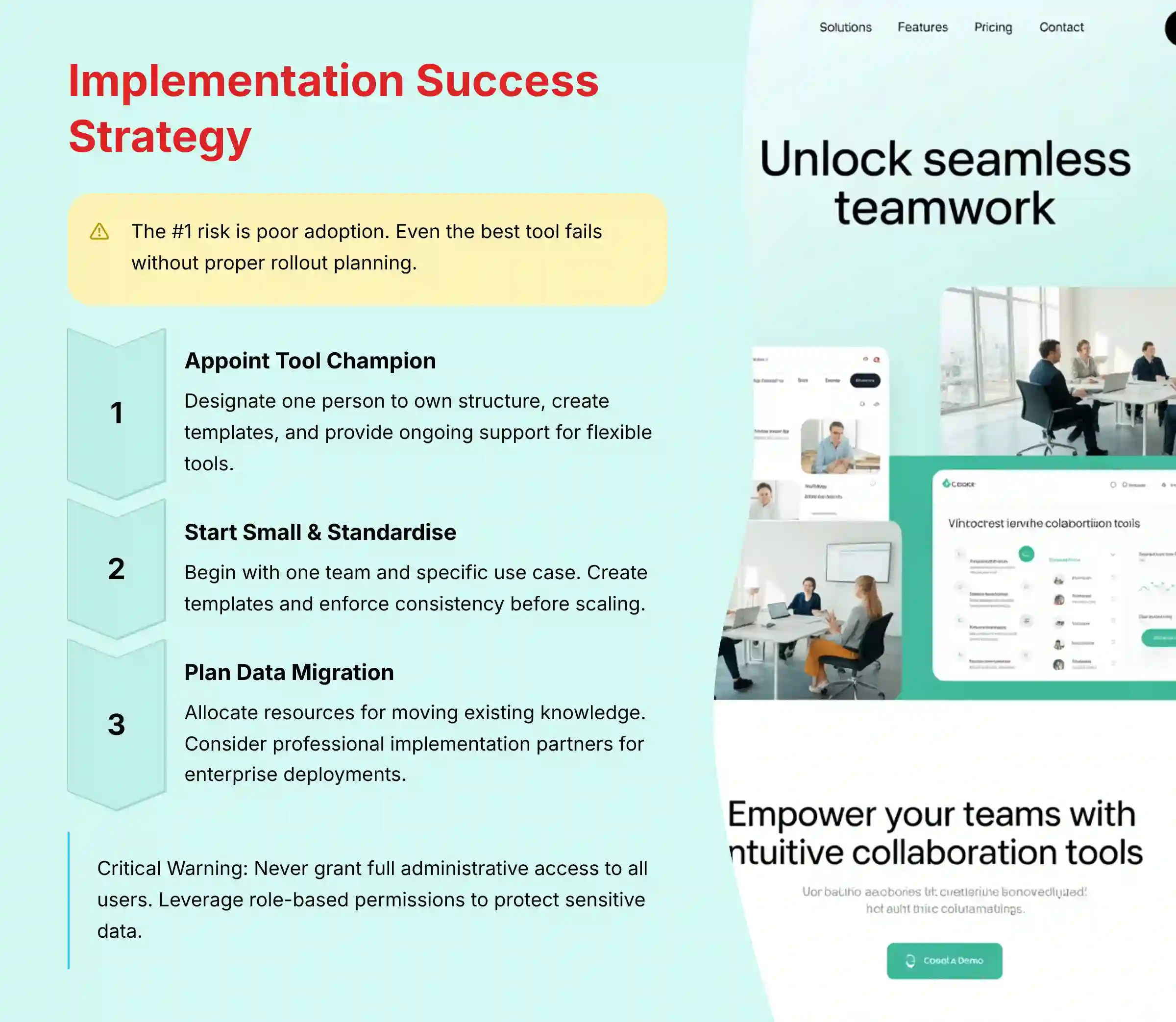
From my experience deploying these tools for dozens of companies, the #1 risk is poor adoption. Even the best tool will fail if your team does not have a proper rollout plan. A tool is only as good as the process it supports.
Here are my top mitigation strategies:
- Appoint a Tool Champion: For flexible tools like Notion or Coda, you must designate one person to own the structure. This champion doesn’t just manage the tool; they are the architect of your team’s new digital headquarters. Key responsibilities include:
- Building the initial workspace hierarchy and core databases.
- Creating and enforcing the use of standardized templates for meeting notes, project briefs, and PRDs.
- Providing initial training and ongoing support to the team.
- Periodically auditing the workspace to clean up and archive old information.
- Start Small & Standardize: Do not try to roll out the tool to the entire company at once. Begin with one team and one specific use case, like running sprint retrospectives in Miro or documenting a single project in Notion. Create templates for common documents and processes and enforce their use to build consistency.
- Plan for Data Migration: Acknowledge that moving your existing knowledge from Google Docs, SharePoint, or other systems is a project in itself. Allocate time and resources for this process before you begin.
For enterprise-wide deployments or teams in highly regulated industries, professional help is often necessary. I strongly recommend engaging a certified implementation partner to ensure security and compliance best practices are followed from day one.
Critical Warning
Do not grant full administrative access to all users. This is a critical security and governance mistake. Always leverage role-based permissions to protect sensitive company data and prevent your new workspace from descending into unusable chaos.
Future Trends: The 2026 Outlook for AI Collaboration
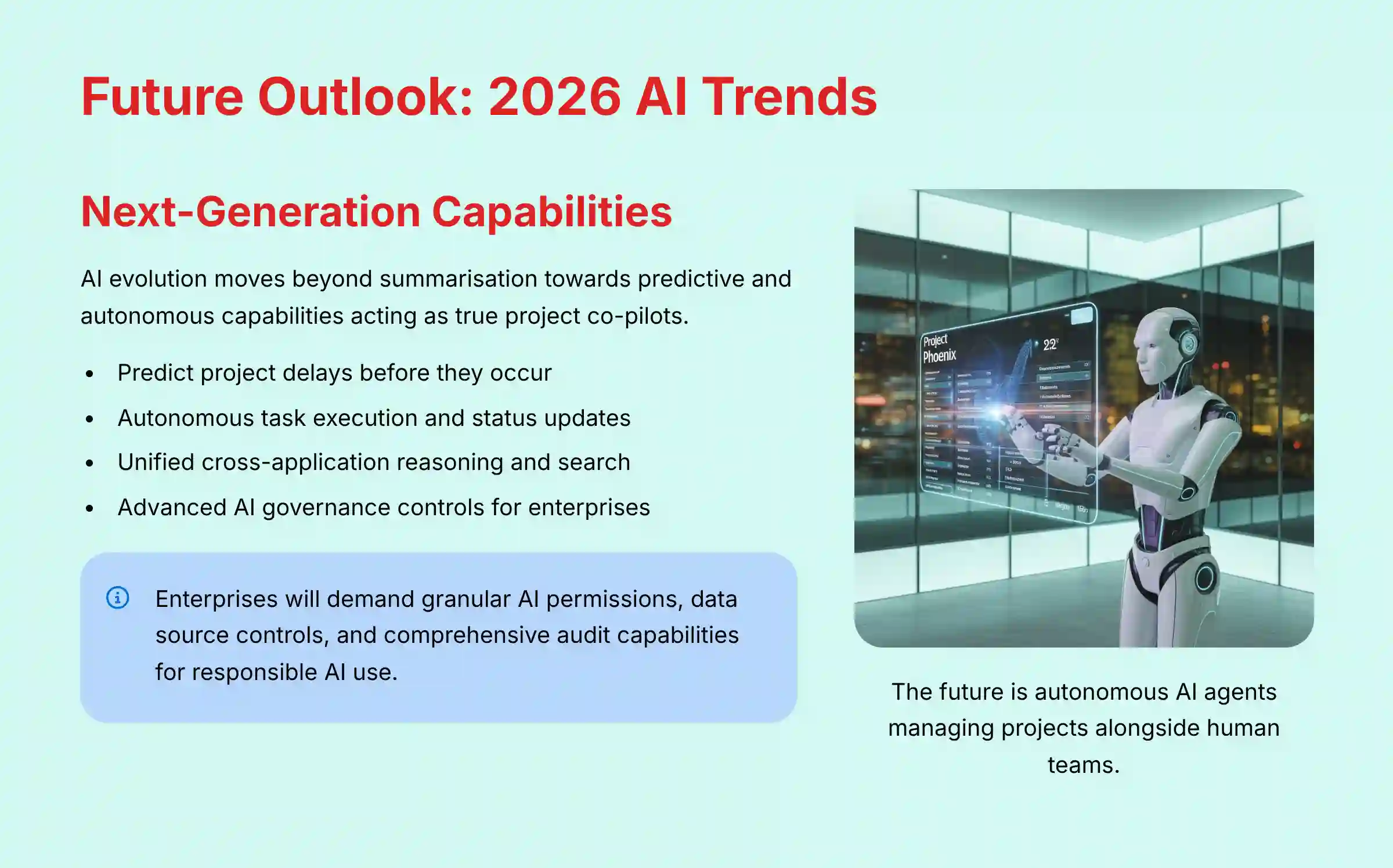
Looking ahead, I see AI moving beyond simple summarization and content generation. The next wave of innovation will be focused on predictive and autonomous capabilities that act as a true co-pilot for project and product managers.
I expect AI will begin to predict project delays before they happen by analyzing historical data and current progress patterns. It will also act as an autonomous agent, performing tasks like finding information, drafting reports, and updating project statuses on its own.
The future is a unified system where AI can search and reason across all your company’s applications, not just the data within one tool. As these capabilities grow, AI governance controls will become a critical new feature category.
My professional assessment is that enterprises will demand granular permissions to control which users can leverage AI features, which data sources the AI can access, and the ability to audit all AI-driven actions to ensure responsible and secure use.
Important Disclaimers and Professional Recommendations
Technology Evolution Notice:
The information about the Best 10 AI Document & Knowledge Collaboration and AI For Project & Product Management tools presented in this article reflects our thorough analysis as of 2025. Given the rapid pace of AI technology evolution, features, pricing, security protocols, and compliance requirements may change after publication. While we strive for accuracy through rigorous testing, we recommend visiting official vendor websites for the most current information.
Professional Consultation Recommendation:
For AI For Project & Product Management applications with significant professional, financial, or compliance implications, we recommend consulting with qualified professionals, such as certified implementation partners or IT security specialists, who can assess your specific requirements and risk tolerance. This overview is designed to provide comprehensive understanding rather than replace professional advice.
Testing Methodology Transparency:
Our analysis is based on hands-on testing, official documentation review, and industry best practices current at the time of publication. Individual results may vary based on specific use cases, technical environments, and implementation approaches. Decision-makers should conduct their own Total Cost of Ownership (TCO) and ROI analysis based on their unique operational needs.
Frequently Asked Questions (FAQ)
What is the best all-in-one replacement for Google Docs, Trello, and Confluence?
For maximum flexibility, Notion is the top choice, allowing you to build custom wikis and task boards in one place. For teams wanting more structured project management out of the box, ClickUp is a strong alternative. Both aim to consolidate your tool stack effectively.
Which tool has the best and most reliable Jira integration?
Hands down, Confluence has the best Jira integration. Because they are both Atlassian products, it’s deeply native and just works, which is exactly what you want for mission-critical development work. However, if you’re not in the Atlassian world, I’ve seen technical teams do incredible things with Coda’s Jira Pack. It requires more setup but offers powerful, custom bi-directional syncs that are second to none.
Is the AI in Notion and ClickUp actually useful or just a gimmick?
It is genuinely useful for specific administrative tasks. The AI excels at summarizing long documents or comment threads, extracting action items, and drafting first drafts of reports or project updates. While it doesn’t replace strategic thinking, it saves significant time on low-value administrative work, allowing your team to focus on more important problems.
Which collaboration tools are safest for enterprise use in regulated industries?
Confluence (Atlassian) and Microsoft Loop (part of Microsoft 365) lead in enterprise security. They offer the most comprehensive compliance certifications, including FedRAMP for government work and HIPAA for healthcare, making them the default starting points for evaluation in these sectors.
Can any of these tools handle thousands of documents without slowing down?
Performance at scale is a common challenge. While most tools perform well initially, platforms like Notion and ClickUp can experience noticeable lag with very large databases (over 10,000 items). For enterprise-level scale, Confluence Data Center (self-hosted) and Coda’s federated architecture are generally better equipped to maintain performance.
What is the difference between Notion, Coda, and Slite?
Notion is a flexible workspace for building completely custom systems with databases and documents. Coda turns your doc into a powerful application with deep, bi-directional data integrations. Slite is a fast, beautifully designed, and simple knowledge base focused purely on the experience of writing and organizing information.
Do I need an internal ‘expert’ to manage Notion or Coda?
For team-wide success, yes. My experience shows the flexibility of these tools requires a dedicated “champion” to design the workspace structure, provide training, and ensure consistency. Without one, these powerful platforms can quickly become disorganized and fail to deliver on their value proposition.
How do I measure the ROI of an AI collaboration tool?
Measure ROI by tracking improvements in key performance indicators (KPIs) that directly impact business outcomes. My clients focus on: 1. Increased Team Velocity (a quantifiable increase in story points completed per sprint). 2. Reduced Administrative Overhead (tracking hours saved on manual tasks like creating burndown charts or status reports). 3. Improved Predictability (a lower variance between planned and actual project completion dates).
For more detailed guides and reviews, explore our full analysis of the Best 10 AI Document & Knowledge Collaboration.


Leave a Reply