
Is Clockwise the Right AI Scheduling Tool for You?
Take Our Quick Quiz to Find Out!
When we talk about optimizing project delivery, effective calendar management is often an overlooked superpower. Today, we’re diving into the essential Clockwise FAQs to explore how this AI-powered solution can revolutionize scheduling for project and product teams.
As project management professionals, we constantly battle fragmented schedules and meeting overload. I believe that leveraging smart AI scheduling tools within the ‘AI for Planning & Scheduling’ category is no longer a luxury, but a necessity to maintain project velocity and team well-being. Here at Best AI Project Hub, our mission, driven by founder Furqan Ali, is to provide objective, hands-on analysis that cuts through the marketing hype, helping you make informed decisions.
We’ll analyze Clockwise’s capabilities, from protecting precious Focus Time to ensuring enterprise-grade security, and even compare it to alternatives like Reclaim.ai. This guide aims to empower you to transform your team’s approach to time management, moving from reactive scheduling to proactive, data-driven orchestration, a core tenet of our AI for Planning & Scheduling resource. So, let’s explore how Clockwise addresses common pain points and if it’s the right fit for your team.
Key Takeaways
- AI-Powered Team Orchestration: Clockwise transforms fragmented schedules into optimized Focus Time by intelligently moving flexible meetings across entire project teams
- Enterprise Security Standards: SOC 2 Type II certified with GDPR compliance, ensuring safe deployment for sensitive project management data
- Cross-Platform Integration: Full compatibility with both Google Workspace and Microsoft 365, plus native project management tool integration
- ROI-Driven Results: Teams typically see 8:1 to 15:1 ROI ratios through reclaimed Focus Time and reduced coordination overhead
- Team Adoption Critical: Success depends on broad team participation and marking significant internal meetings as flexible for AI optimization
What is Clockwise and how does its AI optimize project manager calendars?
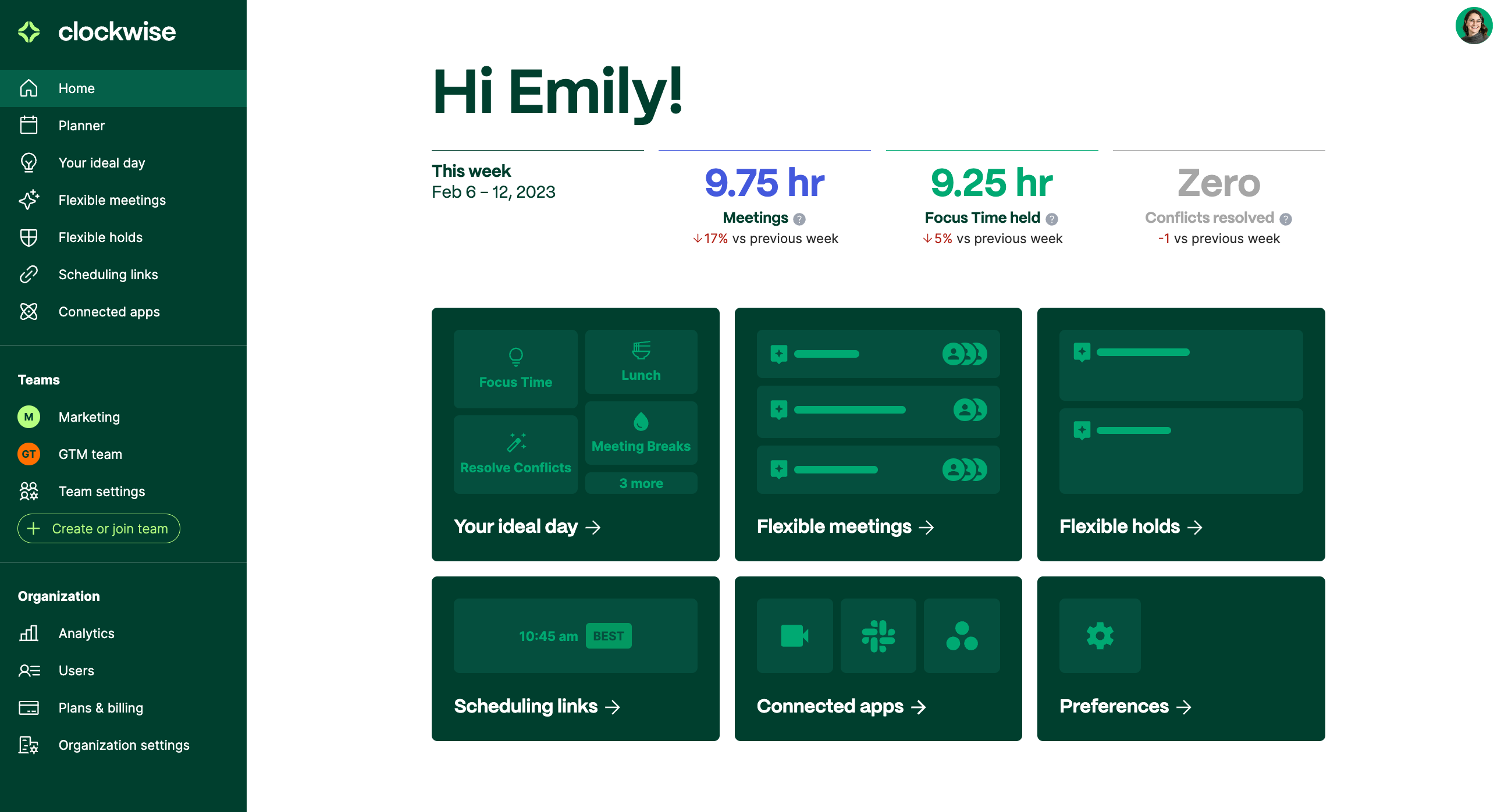
Clockwise is an AI-powered time management platform specifically designed to transform how project and product teams manage their schedules and maximize productivity. For project managers drowning in meeting overload, Clockwise serves as an intelligent calendar orchestrator that automates the complex task of schedule optimization across entire teams.
The AI works by analyzing everyone’s calendars, commitments, and work preferences to intelligently rearrange “flexible” meetings and create longer, uninterrupted blocks of “Focus Time.” Instead of manually coordinating schedules for cross-functional project meetings, Clockwise automatically finds optimal time slots that respect everyone’s existing commitments and deep work needs.
For project managers, this represents a fundamental shift from reactive scheduling to proactive team orchestration. The AI continuously monitors calendar patterns, identifies fragmentation issues, and provides analytics on how your team spends time. This enables early detection of potential burnout risks and meeting overload—critical insights for maintaining project velocity and team well-being.
The platform integrates seamlessly with both Google Workspace and Microsoft 365, ensuring compatibility across diverse organizational tech stacks. By automating the tedious aspects of schedule management, Clockwise allows project managers to focus on strategic work rather than acting as human scheduling assistants. For more insights on Clockwise Overview and Features, our comprehensive analysis explores every aspect of this powerful scheduling platform.
Is Clockwise secure and compliant for enterprise project management data?

Yes, Clockwise meets enterprise-grade security standards essential for organizations handling sensitive project information, strategic roadmaps, and confidential team communications. Given that calendar data contains highly sensitive information about strategic meetings, project timelines, and internal team dynamics, robust security is non-negotiable.
Clockwise maintains SOC 2 Type II certification, the gold standard audit that verifies effective controls for securing customer data. This certification specifically validates their data handling, processing integrity, and security measures—critical for project teams managing confidential product launches or strategic initiatives.
The platform is also GDPR compliant and implements comprehensive data privacy protections. All data transmission uses TLS encryption, while stored data is protected with AES-256 encryption. Clockwise employs a “least privilege” access model, requesting only minimum necessary permissions from your Google or Microsoft accounts.
For project managers, this security framework means you can confidently deploy Clockwise knowing that sensitive project names, strategic meeting details, and internal team schedules are protected according to verified, auditable standards. The platform’s security posture enables safe use even in regulated industries where data protection is paramount.
Enterprise customers also benefit from additional security features including Single Sign-On (SSO) integration, advanced access controls, and dedicated security support—ensuring alignment with organizational security policies and compliance requirements. Our detailed Clockwise Review covers enterprise security implementations and real-world deployment scenarios.
How does Clockwise create and protect Focus Time for deep project work?

Clockwise creates and protects Focus Time by treating uninterrupted work blocks as high-priority, non-negotiable calendar events. This is particularly crucial for project teams where deep work—like writing detailed project specs, conducting thorough risk assessments, or developing complex technical documentation—requires extended periods of concentration.
The AI process works in three phases: First, it analyzes your calendar to identify “fragmented time”—those productivity-killing 30-60 minute gaps between meetings that are too short for meaningful project work. Second, it identifies meetings marked as “flexible” (typically internal syncs, stand-ups, and team check-ins) and intelligently reschedules them to create consolidated time blocks. Finally, it automatically reserves these newly created periods as “Focus Time,” marking them as busy to prevent scheduling conflicts.
For product managers needing to write comprehensive user stories or engineering leaders requiring time for architectural planning, this automated protection is transformative. The system shifts from reactive time defense to proactive time allocation, ensuring deep work becomes a scheduled priority rather than an afterthought.
Clockwise also provides analytics showing how much Focus Time each team member receives, enabling project managers to identify team members at risk of burnout or those lacking sufficient time for strategic thinking. This data-driven approach helps maintain sustainable project velocity while protecting the quality thinking time essential for successful project outcomes.
Does Clockwise integrate with Microsoft Outlook and Microsoft 365 for project teams?
Yes, Clockwise offers comprehensive integration with Microsoft Outlook and Microsoft 365, alongside its robust Google Calendar and Google Workspace connectivity. This dual-platform support is essential for project teams operating in hybrid technology environments where different departments may use different productivity suites.
The Microsoft integration provides full feature parity with Google Calendar functionality, including calendar access for scheduling meetings, resolving conflicts, moving flexible events, and creating Focus Time blocks. The integration connects securely through Microsoft’s authentication protocols, ensuring enterprise-level data protection and compliance with organizational IT policies.
For project managers, this cross-platform compatibility solves a critical collaboration challenge. In many organizations, engineering teams might use Google Workspace while finance or legal departments operate on Microsoft 365. Clockwise’s ability to work seamlessly across both platforms ensures that cross-functional project meetings can be optimized regardless of which calendar system team members prefer.
The integration supports all core Clockwise features including team availability scheduling, automated meeting coordination, and analytics reporting. Project managers can run unified scheduling operations across their entire project team without worrying about platform fragmentation or requiring everyone to switch to a single calendar system.
This flexibility is particularly valuable for client-facing projects where external stakeholders may use different calendar platforms, ensuring smooth coordination across organizational boundaries.
Clockwise vs Reclaim.ai: Which AI scheduling tool better serves product and engineering teams?
Both Clockwise and Reclaim.ai represent top-tier AI scheduling solutions, but they excel in different aspects of project and product management workflows. Understanding these differences is crucial for selecting the right tool for your team’s specific needs.
Clockwise focuses primarily on team-wide schedule optimization, with its core strength being collaborative calendar orchestration. It excels at analyzing entire project teams’ schedules simultaneously and moving flexible meetings to create consolidated Focus Time for everyone. This makes it ideal for teams with heavy meeting loads, frequent cross-functional collaboration, and complex scheduling dependencies.
Reclaim.ai, conversely, emphasizes individual task scheduling and habit management. Its standout feature is automatically finding calendar time for specific tasks from project management tools (Jira, Asana, Todoist) and blocking time for both professional and personal habits. While Clockwise handles team coordination brilliantly, Reclaim.ai is superior for ensuring individual project tasks actually get scheduled time slots.
Choose Clockwise if: Your primary pain point is meeting overload and fragmented schedules across the project team. You need AI that optimizes the collective schedule for maximum team productivity.
Choose Reclaim.ai if: Your main challenge is that individual tasks and project deliverables aren’t making it from your backlog onto actual calendar time blocks. You need AI that bridges the gap between task lists and time allocation.
Many successful product teams use both tools complementarily—Clockwise for team coordination and Reclaim.ai for individual task scheduling, though this requires managing two separate systems. For a comprehensive comparison, explore our guide to Clockwise Top Alternatives and Competitors which analyzes the complete competitive landscape.
How does Clockwise integrate with project management tools like Asana and Jira?
Clockwise offers native integrations with both Asana and Jira, providing direct connectivity to the project management platforms where most product and engineering teams track their work. These integrations transform static task lists into scheduled, time-bound calendar commitments.
The Asana integration allows you to sync assigned tasks directly to your calendar. When you connect your Asana account, Clockwise can access your task assignments and automatically find optimal time slots for completing them. This ensures that important project deliverables aren’t just items on a to-do list but have dedicated, protected time for execution. Project managers gain valuable visibility into whether their team has realistically scheduled time to complete assigned work.
The Jira integration brings similar functionality for development teams, allowing Jira issues to be scheduled as calendar blocks. This is particularly valuable for engineering managers who need to ensure that bug fixes, feature development, and technical debt tasks have allocated development time rather than being relegated to “when I have time” status.
Both integrations respect your existing Focus Time blocks and meeting commitments, intelligently finding the best available slots for task execution. The AI considers task priority, estimated duration, and team member availability to optimize scheduling decisions.
For project managers, these integrations provide critical insight into team capacity planning. You can see whether your sprint commitments align with available calendar time, helping prevent overcommitment and ensuring more realistic project timelines. Learn more about practical implementation strategies in our Clockwise Tutorials and Usecase resource.
What are Clockwise’s limitations and when isn’t it the right scheduling solution?
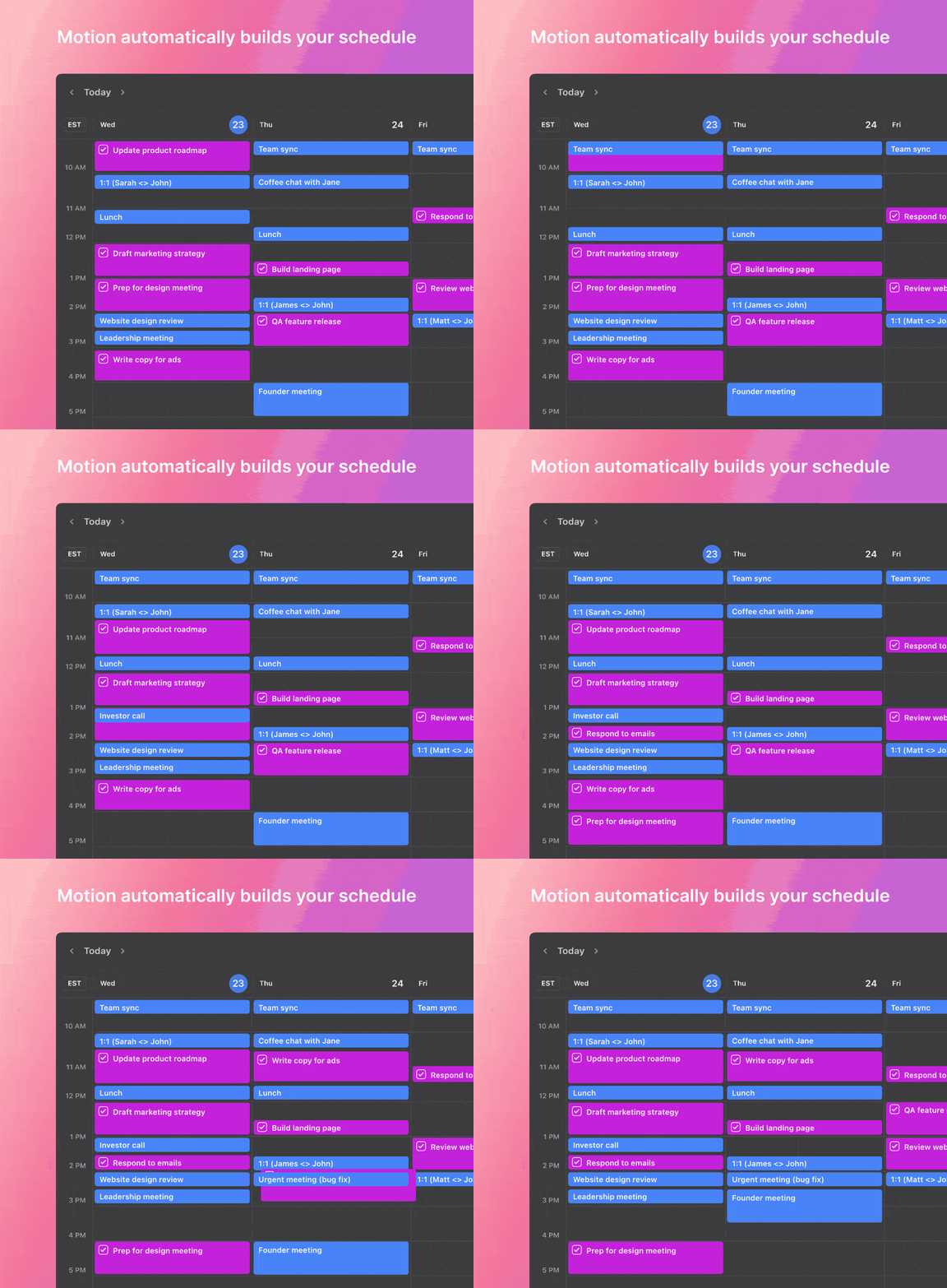
While Clockwise is powerful for team-oriented scheduling optimization, it has specific limitations that make it unsuitable for certain use cases and team structures. Understanding these constraints is essential for making an informed adoption decision.
The primary limitation is that Clockwise’s effectiveness is directly proportional to team adoption rates. The AI requires broad team participation to access sufficient calendar data and flexible meetings to optimize. If only a few team members on a large project use Clockwise, the system has limited optimization opportunities, severely reducing its value proposition.
Key limitations include:
- Dependency on flexible meetings: The tool’s core value relies on users marking significant portions of internal meetings as flexible. Teams with predominantly rigid, client-facing, or externally-driven schedules will see minimal benefit.
- Team-first optimization: The algorithm prioritizes collective team benefit, which can sometimes feel like loss of individual control. Your preferred morning meeting might be moved to afternoon to accommodate team-wide Focus Time creation.
- Limited individual task granularity: While it integrates with Asana and Jira, it’s less sophisticated than dedicated task-scheduling tools for managing complex individual workload planning.
Clockwise is NOT the right solution for:
- Solo freelancers or individual contributors without team collaboration needs
- Teams with schedules dominated by external, inflexible client meetings
- Organizations unable to achieve broad team adoption
- Teams requiring sophisticated individual task-time allocation beyond basic project management integration
The tool thrives in collaborative, internal-team environments with regular syncs, recurring meetings, and cross-functional project coordination.
What are Clockwise’s pricing plans and is there a free version for project teams?
Clockwise offers a tiered pricing structure designed to accommodate individual users through large enterprise teams, with clear value progression across plans that align with different project management needs and organizational sizes.
The Free plan provides an excellent starting point for individual project managers, including core features like automatic calendar syncing, personal Focus Time booking, and basic Slack integration. However, its primary limitation is single-user optimization—it cannot coordinate schedules across project teams, significantly limiting its value for collaborative project management.
The Teams plan represents the optimal entry point for most project and product management groups. It unlocks collaborative features essential for team coordination, including cross-team availability scheduling, flexible meeting optimization for multiple users, and team-wide productivity analytics. Pricing is typically per-user monthly, making it scalable for growing project teams.
The Business/Enterprise plan adds advanced features critical for larger organizations and complex project portfolios. These include Single Sign-On (SSO) integration, advanced security controls, dedicated customer support, comprehensive team analytics with meeting habit insights, and centralized billing administration. This tier is designed for department-wide or company-wide deployments where IT oversight and detailed reporting are required.
For project managers calculating ROI, the Teams plan typically pays for itself if it saves each team member just 2-3 hours per week of scheduling overhead or creates 4-5 additional hours of Focus Time. Always consult the official Clockwise pricing page for current rates and feature details, as pricing and feature allocation may be updated.
What’s the best strategy for rolling out Clockwise to ensure project team adoption?
Successfully implementing Clockwise across a project team requires a strategic, phased approach focused on team agreements and cultural change rather than just technical deployment. Simply installing software rarely drives adoption—you need to establish new collaborative habits.
Phase 1: Pilot Group Strategy
Start with a small, enthusiastic pilot team (ideally 5-8 people from a single project squad). This allows you to learn the tool thoroughly, identify implementation challenges, and create internal success stories before broader rollout. Document specific metrics like Focus Time created and meeting conflicts resolved during the pilot phase.
Phase 2: Establish Team Agreements
This is the most critical step for long-term success. Collaborate with your team to explicitly define which recurring meetings will be marked as “flexible.” Ideal candidates include internal stand-ups, retrospectives, one-on-ones, and project check-ins. Avoid marking client meetings, external stakeholder calls, or deadline-driven sessions as flexible. These agreements give the AI the scheduling flexibility it needs while setting clear team expectations.
Phase 3: Education on Value Proposition
Don’t just show people how to use Clockwise—explain why you’re implementing it. Frame it as a solution to meeting fragmentation and calendar chaos that directly impacts project delivery quality. Use pilot group analytics to demonstrate concrete benefits like “We created 12 additional hours of Focus Time per person last week.”
Phase 4: Leadership Modeling
As a project manager, you must fully commit and model desired behaviors. Mark your own meetings as flexible, religiously respect team members’ auto-scheduled Focus Time, and consistently use Clockwise for all new meeting scheduling. Your adoption behavior directly influences team adoption rates. For hands-on guidance, check our comprehensive Clockwise FAQs addressing common implementation challenges.
How do you calculate ROI of Clockwise for project team productivity?
Calculating Clockwise ROI requires moving beyond subjective productivity feelings to quantifiable metrics that demonstrate clear business value. This data-driven approach is essential for justifying the investment to stakeholders and measuring ongoing value delivery.
Step 1: Establish Focus Time Baseline
Before Clockwise implementation, measure your team’s current uninterrupted work time. Survey team members about weekly deep work hours—most project teams report shockingly low numbers (2-4 hours per week). Document this baseline for comparison.
Step 2: Measure Reclaimed Productive Time
After 30 days of Clockwise usage, use the built-in analytics dashboard to quantify created Focus Time. For example, if Clockwise creates an average of 6 additional Focus Time hours per person weekly across a 10-person project team, that represents 60 reclaimed productive hours weekly.
Step 3: Monetize Time Value
Calculate the monetary value of reclaimed time using average loaded employee costs (salary plus benefits plus overhead). For a team with $85/hour average loaded cost, 60 weekly reclaimed hours equals $5,100 in productive value creation per week, or approximately $265,200 annually.
Step 4: Account for Coordination Savings
Track meeting conflict resolutions and scheduling automation using Clockwise analytics. Each automated resolution represents saved coordination time that would otherwise consume project manager and team member hours in email chains and scheduling discussions.
Step 5: Compare Against Costs
Compare total value (reclaimed Focus Time plus coordination savings) against annual Clockwise subscription costs. Most project teams see ROI ratios of 8:1 to 15:1, providing compelling business justification.
Advanced ROI Metrics:
- Reduction in project delivery timelines
- Decreased context-switching frequency
- Improved sprint completion rates
- Reduced project manager administrative overhead
Document these metrics quarterly to demonstrate ongoing value and optimize usage patterns for maximum ROI. For comprehensive productivity analysis frameworks, explore Best 10 AI for Planning & Scheduling: The Definitive Professional Guide for 2025 which provides benchmarking data across multiple AI scheduling solutions.





Leave a Reply