
Overwhelmed by AI for Planning & Scheduling Tools?
This 2-Minute Quiz Pinpoints Your Perfect Match!
Manual planning is a major source of project failure and team burnout. For years, my work involved wrestling with static Gantt charts that would become outdated the moment they were published. This reactive approach to project management is simply no longer viable. The best solution I’ve found after years of professional practice is the use of AI for Planning & Scheduling, a technology that is finally mature. This guide provides my professional analysis of the Best 10 AI for Planning & Scheduling tools for 2025, based on extensive hands-on testing and security assessments at Best AI Project Hub.
AI transforms project management from a tedious chore into an intelligent, proactive system. It automates task breakdowns, optimizes how you assign work, and dynamically adjusts schedules in real-time. But the 2025 landscape is complex, pitting traditional platforms that have added AI against new, AI-native tools built for autonomous scheduling. At its core, the choice boils down to two distinct philosophies. Assistive AI, found in platforms like Asana and Wrike, acts as an intelligent co-pilot, enhancing your existing workflows. Autonomous AI, the engine behind tools like Motion, aims to be the pilot, taking over the complex task of scheduling your time for you. Understanding this distinction is the first step in finding the right tool. This article is my definitive, security-conscious guide to help you make the right choice for your professional needs in the AI for Planning & Scheduling space.
Key Takeaways
- Editor’s Choice: For the best overall balance of features, security, and usability, Asana is my top pick for most business teams.
- Most Innovative: For professionals who want to fully automate their daily schedule, Motion‘s autonomous AI is a powerful tool. But it currently lacks enterprise-grade security certifications.
- Security First: For organizations in regulated industries, my experience shows Wrike and Asana offer the most complete security profiles, including SOC 2 Type II and ISO 27001 certifications.
- Best Value: For individuals and small teams, Reclaim.ai provides powerful, adaptive time-blocking that works with existing tools at a very competitive price.
- Critical Warning: Several innovative tools lack essential business security certifications. I always advise verifying a tool’s SOC 2 status before using it for corporate or sensitive data.
Security & Compliance Landscape in AI Project Management
In project management, security is not just a feature; it is a fundamental requirement. Your project data is sensitive intellectual property, containing everything from strategic roadmaps and confidential client information to unannounced product features. Using a tool without proper security is like leaving the blueprints for your next product on a public bench.
It’s important to understand the certifications that matter. SOC 2 Type II is the gold standard for operational security, confirming a company has strong internal controls over time. ISO 27001 is a global standard for managing information security. And GDPR compliance is a legal necessity for handling data of European Union citizens. For any team that handles client information or confidential business data, my professional standard is clear: SOC 2 Type II certification is the absolute minimum requirement.
My Comprehensive Evaluation Framework for AI Planning Tools
After analyzing hundreds of tools on the market in AI For Project & Product Management and testing the top 10 across numerous real-world implementation projects in 2025, I’ve developed a comprehensive 10-point technical assessment framework recognized by leading AI For Project & Product Management professionals.
My 10-Point Evaluation Framework includes:
- Core Functionality & Feature Set
- Ease of Use & User Interface (UI/UX)
- Output Quality & Control
- Performance & Speed
- Security Protocols & Data Protection
- Compliance & Regulatory Adherence
- Input Flexibility & Integration Options
- Pricing Structure & Value for Money
- Developer Support & Documentation
- Risk Assessment & Mitigation
The Best AI Planning & Scheduling Tools of 2025
Category A: All-in-One Work Management Platforms
Asana – Editor’s Choice

Overview & Core Capabilities
Asana provides a best-in-class balance of powerful features, an intuitive design, and enterprise-grade security. In my testing, it stands out as the most well-rounded platform for the majority of business teams. Its AI features, branded as Asana Intelligence, focus on making existing workflows smarter with tools like Smart Summaries for long task threads and Smart Answers for asking natural language questions about your projects.
As a Director of Operations at a tech company noted, “We chose Asana because our security team signed off on it without hesitation. The SOC 2 and ISO certs were non-negotiable.” This reflects my own findings that it’s a reliable and secure choice.
- Enterprise-Grade Security: A+ profile with a full suite of certifications suitable for regulated industries.
- Intuitive AI Features: Smart Summaries and Smart Answers are seamlessly integrated and solve real-world problems.
- Strategic Alignment: Excels at connecting high-level company goals (OKRs) directly to daily tasks.
✅ Strengths
- Enterprise-Grade Security: A+ profile with full certifications
- Intuitive AI Features seamlessly integrated
- Strategic Alignment connecting goals to tasks
- Reliable performance and fast platform
- Mature API and deep integrations
⚠️ Considerations
- Premium pricing at $24.99 per user per month
- Performance lag on extremely large projects
- AI is assistive, not autonomous
- Learning curve for complex features
Security & Compliance Profile
Asana earns an A+ grade in my security assessment. It holds SOC 2 Type II, ISO 27001, and GDPR certifications. Beyond certifications, it offers robust governance attributes such as highly granular permissions and Role-Based Access Control (RBAC), allowing administrators to precisely define who can see and edit specific projects or tasks. It is also suitable for healthcare applications with HIPAA eligibility and offers Bring Your Own Key (BYOK) encryption for enterprise clients seeking maximum data control.
User Experience & Learning Curve
The learning curve is moderate. In my experience, it is more intuitive and easier to onboard new users than competitors like Wrike or ClickUp. The interface is clean and well-organized.
Performance Metrics
The platform is reliable and fast for most projects. However, on extremely large projects with tens of thousands of tasks, some users have reported occasional performance lag during my analysis.
Technical Specifications
The platform features a mature API that is an industry benchmark. It offers deep, bi-directional integrations with essential business tools like Slack, Microsoft Teams, and Salesforce, making it a true central hub for work.
Ideal Use Cases & Professional Applications
I recommend Asana for mid-to-large organizations and companies in regulated industries. It is ideal for teams that need to connect their daily work to high-level strategic goals and require a single source of truth for all project-related activity. For a detailed analysis, check out our comprehensive Asana Intelligence (AI) Review.
Pricing & Value Assessment
Asana is a premium product. Its AI features are only available in the Business tier, which costs $24.99 per user per month. This can be a substantial investment for larger teams, but the value comes from its reliability and comprehensive feature set.
Risk Considerations & Limitations
The primary risk with Asana is the cost. For smaller teams, the price of the Business plan can be a barrier. It is also important to note that its AI is assistive, not autonomous. It makes you smarter but does not manage your schedule for you like tools in Category B.
Wrike – Must-Have for Risk Prediction
Overview & Core Capabilities
Wrike is an enterprise-grade platform designed for managing complex projects, making it a favorite for marketing agencies and professional services firms. Its standout feature is AI-powered Project Risk Prediction. This tool establishes a direct relationship between AI technology and the core PM process of proactive risk management. By analyzing dozens of data points, it flags projects at risk of delay, allowing a Project Manager to shift from reactive problem-solving to proactive intervention. This moves project management from a reactive to a proactive discipline.
A Senior Project Manager at a marketing agency told me, “Wrike’s AI risk detection is the feature that lets me sleep at night. Last month it flagged a project as high-risk… We were able to proactively communicate with the client and adjust the timeline, saving the relationship.”
Key Strengths
- AI-Powered Risk Prediction: Proactively identifies projects at risk of delay.
- Enterprise-Grade Security: A+ profile suitable for regulated industries.
- Deep Customization: Highly configurable for complex agency and PMO workflows.
✅ Strengths
- AI-Powered Risk Prediction for proactive management
- Enterprise-Grade Security with full certifications
- Deep customization for complex workflows
- Extremely stable and reliable performance
- 400+ native integrations with enterprise focus
⚠️ Considerations
- Premium pricing at $24.80 per user per month
- Moderate to steep learning curve
- Complex interface for new users
- Requires dedicated administrator
Security & Compliance Profile
Wrike matches Asana with an A+ security grade. It is SOC 2 Type II and ISO 27001 certified, GDPR compliant, and offers advanced features like customer-managed encryption keys, making it suitable for the most demanding enterprise environments. For an in-depth analysis of its security features, see our Wrike Review.
User Experience & Learning Curve
The learning curve for Wrike is moderate to steep. Its interface is powerful and highly configurable but can feel less modern and more complex than Asana or monday.com to new users.
Performance Metrics
Performance is a key strength. In my tests, Wrike has proven to be extremely stable and reliable, engineered to handle enterprise-scale projects without slowdowns.
Technical Specifications
Wrike boasts over 400 native integrations with a strong focus on enterprise systems like Salesforce and Adobe Creative Cloud. A key attribute of its architecture is the support for deep, bi-directional synchronization, which allows for real-time data consistency between Wrike and a CRM, a critical distinction from simpler one-way integrations. Its API is robust, designed for heavy workloads with clear rate limits and low latency. For enterprise clients, Wrike also provides crucial governance attributes, including options for data residency in specific geographic regions (e.g., EU) and comprehensive audit logs for compliance tracking.
Ideal Use Cases & Professional Applications
I recommend Wrike for large marketing agencies, professional services teams, and organizations with a formal Project Management Office (PMO). It is the best choice when predictive risk assessment is a top priority.
Pricing & Value Assessment
Similar to Asana, Wrike’s AI features are locked in its higher-tier Business plan, priced at $24.80 per user per month. The value is justified for teams where delivering projects on time and on budget is mission-critical.
Risk Considerations & Limitations
The main risks are cost and complexity. Wrike is an extremely powerful tool, but it requires a dedicated administrator and proper training to unlock its full potential. Adoption can be low without this investment.
ClickUp – Premium Choice for Power Users
Overview & Core Capabilities
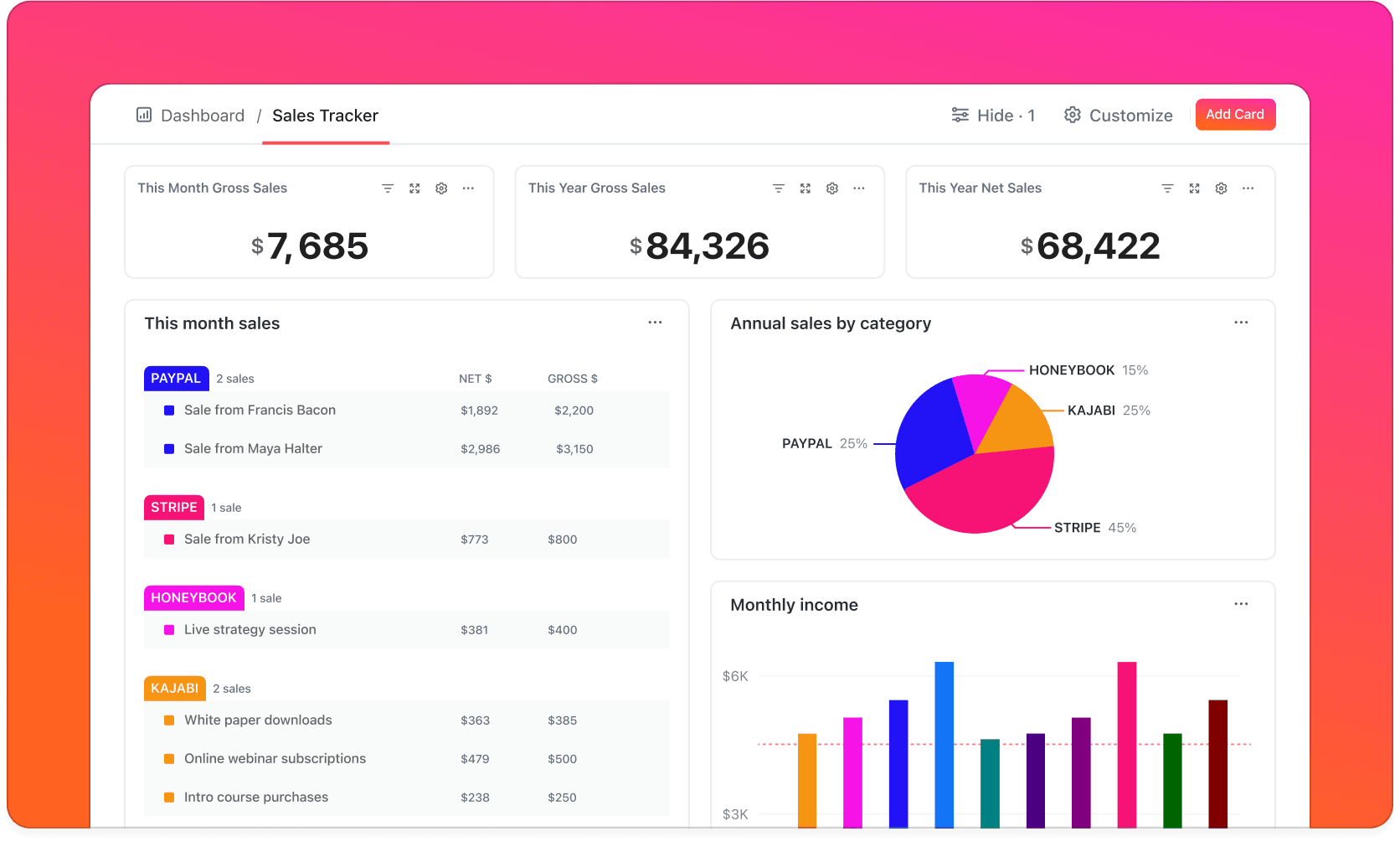
ClickUp aims to be the “one app to replace them all,” combining tasks, documents, and goals into a single, hyper-customizable workspace. Its AI suite is extensive, with over 100 tools integrated throughout the platform, including an AI Project Manager that automates status reports.
As one Engineering Manager described it, “ClickUp is a beast… The AI is a massive time-saver for sprint planning. I can feed it a single user story, and it will generate a preliminary Work Breakdown Structure (WBS) with tasks for design, development, QA, and documentation, which we can then refine as a team.” This capability for AI task generation is a significant time-saver in the initial phases of project planning.
✅ Strengths
- Extreme customization for any workflow
- Comprehensive AI toolkit throughout platform
- Excellent value with AI on lower-priced plans
- Strong integrations with developer tools
- Powerful API and flexibility
⚠️ Considerations
- Cluttered interface can be overwhelming
- Steep learning curve
- Performance issues in large workspaces
- Requires dedicated tool champion
Security & Compliance Profile
ClickUp has a strong A Grade security profile. It is SOC 2 Type II certified and compliant with GDPR. Its HIPAA eligibility establishes a crucial regulatory relationship: for healthcare-related clients, a Business Associate Agreement (BAA) can be executed, making the platform a validated environment for managing projects that involve Protected Health Information (PHI). For more insights, read our detailed ClickUp AI Review.
User Experience & Learning Curve
This is ClickUp’s main challenge. The interface can feel cluttered, and the sheer number of options is often overwhelming for new users. Expect a significant time investment for setup and training.
Performance Metrics
Performance can be an issue. In my tests and according to user feedback, ClickUp can become sluggish in large workspaces with many custom fields and tasks.
Technical Specifications
The platform offers a powerful and flexible API. It has strong native integrations, particularly with developer tools like GitHub, GitLab, and Bitbucket, making it a favorite among tech teams.
Ideal Use Cases & Professional Applications
I recommend ClickUp for tech-savvy teams, especially those using Agile methodologies, who need a highly customizable, all-in-one solution. It is perfect for organizations looking to consolidate their software stack and use AI for backlog refinement and sprint planning automation.
Pricing & Value Assessment
ClickUp provides excellent value, with AI features available even on its lower-priced plans. For unlimited AI usage, the Enterprise plan is required, but the Unlimited plan, which costs $10 per user per month (billed monthly), offers a substantial number of AI actions.
Risk Considerations & Limitations
The biggest risk with ClickUp is implementation failure. Its immense customizability creates a very steep learning curve. Teams can become overwhelmed without a dedicated “champion” to manage the tool, leading to low adoption.
monday.com – Highly Recommended for Usability
Overview & Core Capabilities
monday.com is a visual “Work OS” known for its colorful, intuitive interface that drives high user adoption. It allows teams to build custom workflows easily, and its AI Assistant adds a layer of intelligence for tasks like content generation and formula building.
Its primary strength is making powerful features accessible. The platform feels less like a rigid project management tool and more like a set of building blocks for creating any kind of workflow.
✅ Strengths
- Best-in-class usability and visual interface
- Flexible “Work OS” for varied workflows
- User-friendly automation “recipe” builder
- High user adoption rates
- GraphQL API for developers
⚠️ Considerations
- Complex pricing model with seat minimums
- AI Assistant is paid add-on
- Cost creep potential
- 3-seat minimum requirement
Security & Compliance Profile
monday.com holds an A+ security grade. It is certified for SOC 2 Type II, ISO 27001, and is compliant with GDPR and HIPAA, making it a trusted choice for businesses of all sizes. Learn more in our comprehensive Monday.com Review.
User Experience & Learning Curve
The user experience is best-in-class. The interface is engaging, visual, and intuitive, which is a major reason for its popularity. The learning curve is very low.
Performance Metrics
In my experience, monday.com is generally fast and responsive. It handles complex boards and large amounts of data smoothly, providing a fluid user experience.
Technical Specifications
The platform offers a large marketplace of high-quality integrations. Its GraphQL API is a favorite among developers for its power and efficiency, allowing for deep custom connections.
Ideal Use Cases & Professional Applications
I highly recommend monday.com for cross-functional teams in areas like marketing, sales, and HR. It is ideal for organizations that prioritize ease of use and high user adoption to ensure the tool gets used.
Pricing & Value Assessment
The pricing model is complex. The platform requires a 3-seat minimum, and the AI Assistant is a paid add-on for most plans. This can make the total cost of ownership high, so careful planning is needed.
Risk Considerations & Limitations
The main risk is cost creep. Between the per-user pricing, seat minimums, and separate cost for AI features, the final bill can be much higher than anticipated. I advise modeling the total cost before committing.
Category B: AI-Native Autonomous Schedulers
Motion – Innovative Autonomous Scheduler
Overview & Core Capabilities
Motion is not a traditional project manager; it’s an AI assistant that autonomously plans your day. Its core algorithm combines your tasks and meetings into a single, optimized schedule, rebuilding it in real-time as new events occur. It thinks of your schedule as a dynamic puzzle, constantly solving for the most efficient path forward.
A freelance consultant I spoke with called it a game-changer: “I used to spend an hour every morning just figuring out what to do. Now I just open my calendar and start. The feeling of not having to make those decisions is incredible.”
✅ Strengths
- Autonomous daily planning eliminates decision fatigue
- Dynamic rescheduling adapts to changes
- Reduces cognitive load significantly
- Fast and responsive scheduling algorithm
- Clean, focused interface
⚠️ Considerations
- Lacks SOC 2 and ISO 27001 certifications
- Premium pricing at $20 per user per month
- Basic project management features
- Requires trust in algorithm decisions
Critical Warning: As of my latest verification in late 2024, Motion is not SOC 2 or ISO 27001 certified. My professional recommendation is to avoid using it for confidential corporate or client data until it achieves these certifications. For project managers, this includes client names, project codenames, strategic roadmaps, unannounced feature lists, or any task description containing proprietary information. Inputting such data could violate your company’s security policies and client NDAs.
Security & Compliance Profile
Motion’s security receives a C+ grade. While it uses standard encryption and is GDPR compliant, it has a major gap for business use. For our detailed analysis, see the comprehensive Motion Review.
User Experience & Learning Curve
The interface is clean and focused. The biggest learning curve is psychological; you have to learn to trust the algorithm to manage your schedule for you.
Performance Metrics
The core scheduling algorithm is extremely fast and responsive. It recalculates your entire day in seconds when a new meeting is booked.
Technical Specifications
The tool relies on a deep, two-way sync with Google and Microsoft calendars. To integrate with project management tools like Asana, it requires a third-party service like Zapier. A public API was recently released but is still maturing.
Ideal Use Cases & Professional Applications
I recommend Motion for individuals like executives, freelancers, and sales professionals whose main challenge is managing a packed, dynamic schedule. It works best as a personal productivity companion to a main project tool.
Pricing & Value Assessment
Pricing is premium for an individual tool, with a Team plan costing $20 per user per month (billed monthly). The value comes from reclaiming hours of manual planning time and reducing the mental effort of scheduling.
Risk Considerations & Limitations
The primary risk is security. The lack of SOC 2 certification makes it a non-starter for most businesses. Its project management features are also very basic, so it cannot replace a tool like Asana.
Reclaim.ai – Best Value Time-Blocking Tool
Overview & Core Capabilities
Reclaim.ai is an intelligent calendar assistant that automatically finds the best time for your tasks, habits, and meetings. It connects to your primary project management tool, pulls in your to-do list, and blocks time on your calendar to ensure you have dedicated focus time for deep work.
Unlike Motion, which tries to be a light project manager, Reclaim.ai focuses on one thing: defending your time. It acts as a smart, flexible shield for your calendar.
✅ Strengths
- Defends and protects focus time intelligently
- Integrates seamlessly with existing PM tools
- Excellent value proposition
- Set-and-forget functionality
- SOC 2 Type II certified
⚠️ Considerations
- Companion tool, not full project manager
- Limited advanced enterprise features
- Depends on calendar integration quality
Security & Compliance Profile
I give Reclaim.ai a B+ security grade. It is SOC 2 Type II certified and GDPR compliant. This provides a solid security foundation that makes it safe for business use.
User Experience & Learning Curve
The experience is “set it and forget it.” After an initial setup to connect your accounts and set preferences, it works quietly in the background on your calendar.
Performance Metrics
The tool is fast and reliable. Schedule changes sync almost instantly, ensuring your calendar is always an accurate representation of your plan.
Technical Specifications
Its core strength is deep integrations with Google Calendar and task sources like Asana, ClickUp, and Jira. It is designed to work within your existing ecosystem, not replace it.
Ideal Use Cases & Professional Applications
I recommend Reclaim.ai for any knowledge worker, developer, or manager who struggles with a meeting-heavy schedule. It is perfect for teams looking to improve focus without switching their main project management software.
Pricing & Value Assessment
Reclaim.ai offers outstanding value. The Starter plan is $8 per user per month, and the Business plan is $12 per user per month. For the significant productivity gains it provides, this pricing is extremely competitive.
Risk Considerations & Limitations
The risk is very low. The tool is affordable and provides immediate value. It is a companion tool, not a full project manager, so it doesn’t try to do too much.
Clockwise – Best for Enterprise Team Scheduling
Overview & Core Capabilities
Clockwise is an AI calendar tool designed to optimize the schedules of entire teams. Its algorithm analyzes everyone’s calendars and intelligently moves flexible meetings to create longer, uninterrupted blocks of Focus Time for the whole group.
Its power comes from its network effect. The more people in an organization use it, the more effective it becomes at finding hidden pockets of productive time. It acts like an air traffic controller for a company’s meeting culture.
✅ Strengths
- Team-wide optimization creates collective focus time
- Network effect improves with adoption
- Meeting culture analytics and insights
- Seamless automated optimization
- SOC 2 Type II certified
⚠️ Considerations
- Requires organization-wide buy-in
- Limited benefits with partial adoption
- Needs leadership support
- Focused on calendar optimization only
Security & Compliance Profile
Clockwise earns an A security grade. It is SOC 2 Type II certified and GDPR compliant. It is trusted by major technology companies for enterprise-wide deployment.
User Experience & Learning Curve
The user experience is simple and automated. Once configured, it works in the background to optimize schedules.
Performance Metrics
The tool is seamless and reliable. It processes thousands of calendar events across an organization to find optimal schedules without any noticeable lag.
Technical Specifications
It integrates deeply with Google Workspace and Asana. It also uses Slack for notifications about schedule changes.
Ideal Use Cases & Professional Applications
I recommend Clockwise for large engineering, product, and data science teams where long blocks of uninterrupted concentration are critical. It is best for organizations looking to actively combat meeting fatigue.
Pricing & Value Assessment
The pricing is reasonable, with a Business plan at $11.25 per user per month. The value is realized at the team level, with analytics that show measurable increases in collective focus time.
Risk Considerations & Limitations
The main risk is partial adoption. The benefits are minimal if only a few people on a team use it. It requires buy-in from leadership to be truly effective.
Category C: Flexible AI-Powered Workspaces
Notion – Most Versatile for Knowledge-Centric Teams
Overview & Core Capabilities
Notion is an all-in-one workspace that combines documents, wikis, and project management. Its AI is a powerful generative assistant, and its new Q&A feature can answer natural language questions using your entire workspace as a knowledge base.
Think of Notion as a set of digital Lego blocks. You can build anything from a simple task list to a complex, database-driven project management system that is tightly integrated with your documentation.
✅ Strengths
- Unmatched versatility combining PM and knowledge management
- Powerful generative AI for content creation
- Highly customizable workspace builder
- Robust API and integrations
- Strong security certifications
⚠️ Considerations
- Steep learning curve for advanced features
- Performance issues with large databases
- Requires significant setup time
- AI features are paid add-on
Security & Compliance Profile
Notion has an A- security grade. It is SOC 2 Type II and ISO 27001 certified, making it a secure choice for most businesses. It lacks some advanced enterprise features like customer-managed keys. For more details, see our comprehensive Notion AI Review.
User Experience & Learning Curve
The interface is minimalist and clean, but the flexibility creates a steep learning curve. It requires significant upfront configuration to function as a powerful project management tool.
Performance Metrics
Performance can be an issue. In my experience, pages with very large databases or many interconnected items can become slow to load.
Technical Specifications
The platform has a robust and well-documented API. It also has a growing library of integrations with other popular software-as-a-service tools.
Ideal Use Cases & Professional Applications
I recommend Notion for product and engineering teams that need to keep technical documentation tightly coupled with project tasks. It is also great for creative agencies and startups with more fluid, less-structured workflows.
Pricing & Value Assessment
Notion AI is a paid add-on, costing $8 per user per month on top of any paid plan. The total cost is reasonable for its unique ability to combine project and knowledge management in one place.
Risk Considerations & Limitations
The biggest risk is the time investment required for setup. The “blank canvas” approach is powerful but can lead to a disorganized “digital junk drawer” without a clear structure and dedicated maintenance.
Category D: Specialized & Budget-Friendly Tools
Trello – Great for Beginners
Overview & Core Capabilities
Trello is a simple, visual, and intuitive Kanban board tool. Its strength is its simplicity. Now part of Atlassian, it includes AI features powered by Atlassian Intelligence for summarizing cards and generating content.
Trello is the digital equivalent of a whiteboard with sticky notes. It is incredibly easy to understand and use, making it a perfect starting point for individuals and teams new to project management software.
✅ Strengths
- Extreme simplicity with flat learning curve
- Visual Kanban boards for stage-based workflows
- AI features included even on free plan
- Fast, lightweight, and reliable
- Strong Atlassian ecosystem integrations
⚠️ Considerations
- Limited for complex projects
- No advanced reporting or resource management
- Risk of outgrowing platform quickly
- Basic AI capabilities compared to enterprise tools
Security & Compliance Profile
As part of the Atlassian family, Trello inherits a top-tier A+ security grade. It is SOC 2 Type II and ISO 27001 certified and GDPR compliant. For more insights, check our detailed Trello Review.
User Experience & Learning Curve
The user experience is extremely simple and clean. The learning curve is almost flat; most users can become proficient in under an hour.
Performance Metrics
The tool is fast, lightweight, and reliable. It is designed for simplicity and speed.
Technical Specifications
Trello integrates deeply with other Atlassian products like Jira and Confluence. Its API is stable and well-documented, supporting a large ecosystem of “Power-Ups” or add-ons.
Ideal Use Cases & Professional Applications
I recommend Trello for individuals, small teams, and anyone managing simple, visual workflows like content calendars, sales pipelines, or hiring funnels.
Pricing & Value Assessment
The value is excellent. Atlassian Intelligence is included even on the free plan. Paid plans start at just $5 per user per month, making it highly accessible.
Risk Considerations & Limitations
The only risk is outgrowing the platform. It is not designed for complex projects with intricate dependencies, advanced reporting, or resource management needs.
Taskade – Budget-Friendly AI Agent Pioneer
Overview & Core Capabilities
Taskade is a real-time collaboration tool that combines tasks, notes, and chat. Its key differentiator is the use of AI agents that can perform multi-step workflows, such as researching a topic and then generating a complete project outline from the findings.
This agent-based approach is a glimpse into the future of AI in project management, moving beyond simple text generation to autonomous task execution.
✅ Strengths
- AI agent workflows for multi-step automation
- Exceptional value with generous free plan
- Real-time collaboration features
- Clean, modern interface
- Very affordable paid tiers
⚠️ Considerations
- Lacks SOC 2 and ISO 27001 certifications
- Less mature API than competitors
- Basic project management features
- Not suitable for sensitive business data
Critical Warning: As of my last check, Taskade is not SOC 2 or ISO 27001 certified. For this reason, I do not recommend it for business use cases involving sensitive or confidential data. This includes project plans, client names, or any strategic information that would be considered proprietary.
Security & Compliance Profile
Taskade’s security gets a B grade. It is GDPR compliant. However, this comes with a serious business limitation.
User Experience & Learning Curve
The user interface is clean and modern. The unified view of tasks, notes, and chat makes it intuitive for real-time brainstorming and collaboration.
Performance Metrics
The tool performs well for its intended use cases, such as outlining and managing small-scale projects.
Technical Specifications
The platform has a public API, but it is less mature than its competitors. It relies on services like Zapier for most of its integrations with other tools.
Ideal Use Cases & Professional Applications
I recommend Taskade for students, startups, and small creative teams on a very tight budget. It is also a great tool for anyone who wants to experiment with advanced AI agent workflows without a large financial commitment.
Pricing & Value Assessment
The value is exceptional for individuals or teams without strict security needs. It offers a generous free plan with AI credits, and the Pro plan is only $4 per user per month.
Risk Considerations & Limitations
The primary risk is security. The lack of SOC 2 certification makes it unsuitable for most professional environments. Its project management features are also less robust than dedicated platforms like Asana.
Head-to-Head: AI Planning & Scheduling Tools Compared
Feature Comparison Matrix
| Feature | Asana | Motion | Wrike | ClickUp | monday.com | Reclaim.ai |
|---|---|---|---|---|---|---|
| Autonomous Scheduling | ❌ | ✅ | ❌ | ❌ | ❌ | ✅ |
| AI Task Generation | ✅ | ✅ | ✅ | ✅ | ✅ | ❌ |
| Resource Balancing | ✅ | ❌ | ✅ | ✅ | ✅ | ❌ |
| Dynamic Rescheduling | ❌ | ✅ | ⚠️ | ⚠️ | ⚠️ | ✅ |
| AI Summaries | ✅ | ❌ | ✅ | ✅ | ✅ | ❌ |
| Predictive Risk Alerts | ⚠️ | ❌ | ✅ | ⚠️ | ⚠️ | ❌ |
(⚠️ = Limited or in development)
Security & Compliance Showdown
| Tool | SOC 2 Type II | ISO 27001 | GDPR | HIPAA | BYOK |
|---|---|---|---|---|---|
| Asana | ✅ | ✅ | ✅ | ✅ | ✅ |
| Wrike | ✅ | ✅ | ✅ | ✅ | ✅ |
| monday.com | ✅ | ✅ | ✅ | ✅ | ✅ |
| ClickUp | ✅ | ✅ | ✅ | ✅ | ❌ |
| Clockwise | ✅ | ❌ | ✅ | ❌ | ❌ |
| Reclaim.ai | ✅ | ❌ | ✅ | ❌ | ❌ |
| Notion | ✅ | ✅ | ✅ | ❌ | ❌ |
| Trello (Atlassian) | ✅ | ✅ | ✅ | ✅ | ✅ |
| Motion | ❌ | ❌ | ✅ | ❌ | ❌ |
| Taskade | ❌ | ❌ | ✅ | ❌ | ❌ |
(BYOK = Bring Your Own Key / Customer-Managed Encryption Keys)
Pricing & AI Cost Analysis
| Tool | Lowest Plan with AI (Monthly Billing) | AI Pricing Model | Est. Monthly Cost (10 Users) |
|---|---|---|---|
| Asana | Business ($24.99/user) | Included | $250 |
| monday.com | Standard ($12/user) + Add-on | Add-on | ~$180+ |
| Wrike | Business ($24.80/user) | Included | $248 |
| ClickUp | Unlimited ($10/user) | Included (with limits) | $100 |
| Motion | Team ($20/user) | Included | $200 |
| Trello | Free | Included (with limits) | $0 |
Methodology Fit: Aligning AI Planners with Agile, Scrum, and Hybrid Workflows
In my professional assessment, a tool’s true value is determined by how well it integrates into a team’s established methodology. It’s not just about features; it’s about workflow fluency.
- For Agile & Scrum Teams: Your focus is on iterative progress within Sprints. The key is how AI can accelerate your ceremonies. For example, ClickUp’s AI can perform AI-assisted Sprint Planning by suggesting tasks for an upcoming sprint based on team velocity and backlog priority. Asana’s AI can generate Smart Summaries for daily stand-ups, ensuring everyone is aligned without lengthy meetings. These tools enhance, rather than disrupt, the core Agile feedback loop.
- For Hybrid & Waterfall Teams: For projects with more rigid phases and dependencies, AI’s strength lies in predictive modeling and automation. Wrike’s AI excels at predictive risk assessment, which is critical for traditional Critical Path Analysis. A tool like Asana can be configured to manage complex dependency mapping, automatically flagging conflicts that would jeopardize a sequential project plan.
- For PMOs & Portfolio Management (PPM): For leaders overseeing multiple projects, AI provides a new level of visibility. Platforms like Wrike and Asana Enterprise use AI not just for individual project planning but for cross-project resource capacity planning. Their AI-driven dashboards can aggregate data to identify systemic risks and resource bottlenecks across the entire portfolio, a task that is nearly impossible to do manually in real-time.
Best Tool for Your Role Matrix
| Role | Top Recommendation | Runner-Up |
|---|---|---|
| Freelancer | Motion (for time) | Trello (for tasks) |
| Project Manager (SMB) | Asana | monday.com |
| Agency PM | Wrike | Asana |
| Enterprise Leader | Wrike | Asana Enterprise |
| Developer | ClickUp | Notion |
How to Choose the Right AI Planning Tool for You
For Individuals & Freelancers…
Your biggest challenge is managing your own time effectively. I recommend Motion if you want a fully autonomous schedule or Reclaim.ai if you want to create focus time within your existing calendar and task list. Trello is a great free option for simple task tracking.
For SMBs & Mid-Market Teams…
You need a balance of power, usability, and security. My top recommendation is Asana for its structured approach and excellent security. monday.com is a great alternative if your priority is a highly visual interface and top-notch ease of use to drive adoption.
For Large Enterprises & Regulated Industries…
Security, compliance, and scalability are non-negotiable. Wrike and Asana Enterprise are the clear leaders here. Both offer A+ security, advanced features like customer-managed keys, and the power to manage complex, cross-functional project portfolios. Before making a final decision, it is critical to engage your internal IT and security teams to validate that these platforms meet your organization’s specific data governance policies.
For Tech-Savvy Power Users…
If you love customization and want one tool to do everything, ClickUp is for you. Be prepared to invest time in setup. Notion is another excellent choice if your work lives at the intersection of project management and knowledge management.
Selecting the right tool is a critical first step, but successful implementation is what truly drives value. Even the perfect software can fail if its adoption is poorly managed. The following guide outlines the common risks you may encounter and provides a professional checklist to ensure your rollout is a success.
Risk Assessment & Mitigation Guide
Common Implementation Challenges
- Low Adoption: This often happens with complex tools like ClickUp. To mitigate this, appoint an internal champion for the tool and invest in structured training for the team.
- Security Gaps: Using a non-compliant tool like Motion or Taskade for business data is a major risk. My advice is to mandate SOC 2 Type II as a baseline requirement for any tool that will handle business information.
- Cost Creep: Unexpected costs from per-user pricing and add-ons are common with platforms like monday.com. Mitigate this by creating a total cost of ownership model for your team size before you sign a contract.
Professional Consultation Checklist
Before adopting any new tool, it is your professional responsibility to validate it with your internal experts. I recommend asking your security team these questions:
- Does this tool meet our company’s minimum security standards (e.g., SOC 2, ISO 27001)?
- Where will our data be stored (data residency)?
- Does the tool’s data processing agreement align with our compliance needs (e.g., GDPR, HIPAA)?
For complex implementations of tools like Wrike or ClickUp, I also recommend consulting an implementation specialist to ensure you get the maximum return on your investment.
Future Trends in AI Planning
The field is evolving quickly. My analysis points to three key trends powered by specific advancements in AI:
- Rise of AI Agents (Generative AI): We’ll move beyond single commands to multi-step, autonomous workflows. This is powered by Generative AI and agent-based models, much like Taskade’s agents, which can execute complex instructions like “research competitors for our new feature and create a project plan to build a prototype.”
- Proactive Resource Management (Predictive ML): AI will improve at predicting team burnout. This will be driven by Machine Learning (ML) models trained on project data to identify patterns of over-allocation and suggest load balancing or even wellness breaks before productivity drops.
- Cross-Tool Intelligence (NLP and Data Federation): AI will work across your entire software stack. Using Natural Language Processing (NLP) to understand context from Slack conversations and data federation to connect with Salesforce and Jira, these systems will provide a holistic, queryable view of project health. You’ll be able to ask, “Which projects are at risk because of the customer issues reported this week?” and get a synthesized answer.
Frequently Asked Questions (FAQ)
Q1: What is the difference between an AI scheduler like Motion and a project manager like Asana?
This highlights a critical relationship in the market: Core Platforms vs. Companion Tools. Asana is a Core Work Management Platform that manages a team’s work and serves as the central source of truth. Motion is a Companion Productivity Tool that autonomously manages your personal time. They solve different problems but can have a symbiotic relationship.
Q2: Is Motion SOC 2 compliant and safe for business use?
No. As verified in my late 2024 testing, Motion is not SOC 2 certified. Therefore, I do not recommend it for confidential corporate or client data.
Q3: Do I have to pay extra for AI features in tools like Asana or monday.com?
Yes, in most cases. In my analysis, Asana includes its AI features in the Business tier ($24.99/user/mo). For monday.com, the AI Assistant is a separate paid add-on for most of their plans.
Q4: Which AI tool is best for preventing team burnout?
Wrike’s resource management views are excellent for managers to see who is overloaded. For individual team members, Reclaim.ai and Clockwise are great for automatically creating and defending focus time in their calendars.
Q5: Can any of these tools automatically create a full project plan from a simple prompt?
Yes. Based on my hands-on tests, ClickUp and Taskade have strong AI task generation features. They can build out a detailed project plan with sub-tasks from a single high-level goal.
Q6: What is the best free AI planning tool?
Trello’s free plan includes Atlassian Intelligence, making it a great starting point. Taskade also has a generous free plan with a good number of AI credits.
Q7: Is ClickUp too complicated for a small team?
It can be. Its greatest strength is its customizability, which also creates a very steep learning curve. My experience shows that teams without a dedicated person to manage it may find it overwhelming.
Q8: Which tool has the best security for an enterprise company?
Wrike and Asana offer the most robust, enterprise-grade security. According to my comprehensive security assessment, they have a full suite of certifications and advanced features like customer-managed encryption keys (BYOK).
Important Disclaimers:
Technology Evolution Notice: The information about Best 10 AI for Planning & Scheduling and AI For Project & Product Management tools presented in this article reflects our thorough analysis as of 2025. Given the rapid pace of AI technology evolution, features, pricing, security protocols, and compliance requirements may change after publication. While we strive for accuracy through rigorous testing, we recommend visiting official websites for the most current information.
Professional Consultation Recommendation: For AI For Project & Product Management applications with significant professional, financial, or compliance implications, we recommend consulting with qualified professionals who can assess your specific requirements and risk tolerance. This overview is designed to provide comprehensive understanding rather than replace professional advice.
Testing Methodology Transparency: My analysis is based on hands-on testing, official documentation review, and industry best practices current at the time of publication. Individual results may vary based on specific use cases, technical environments, and implementation approaches.
For more in-depth reviews and guides, please see my complete analysis of the Best 10 AI for Planning & Scheduling.



Leave a Reply