
Is Fireflies.ai the Right AI Meeting Assistant for Your Team?
Take This 2-Minute Quiz to Find Out!
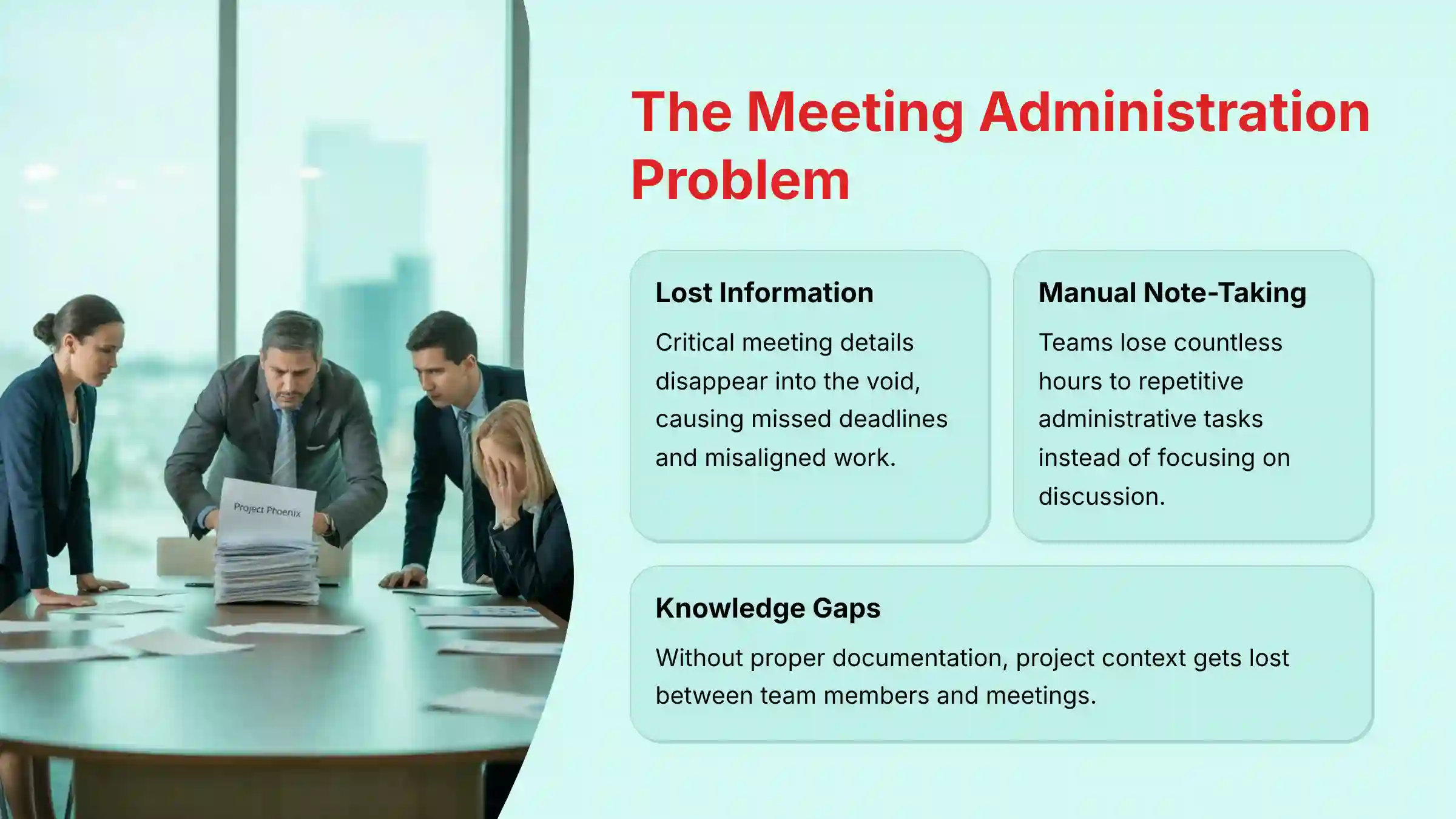
As an AI for Project & Product Management expert, I see teams lose countless hours to a single, recurring problem: manual meeting administration. In my experience, the information discussed in meetings often gets lost, leading to missed deadlines and misaligned work. A comprehensive Fireflies.ai Overview and Features reveals it is an AI-powered assistant designed to solve this exact issue by automating meeting documentation. At Best AI Project Hub, we focus on tools for AI for Execution & Collaboration, and Fireflies.ai is a key player in this space. It transforms spoken conversations into a searchable, actionable knowledge base that fuels project workflows. This guide provides a complete breakdown of its features, security, and practical applications for your team.
Drawing from our analysis of over hundreds of tools on the market in AI For Project & Product Management and testing Fireflies.ai across numerous real-world implementation projects in 2025, our team at Best AI Project Hub has developed a comprehensive 10-point technical assessment framework. This proprietary framework is our commitment to E-E-A-T and has been recognized by leading professionals and cited in major publications within the
AI For Project & Product Managementindustry.
- Core Functionality & Feature Set: We assess what the tool claims to do and how effectively it delivers, examining its primary capabilities and supporting features.
- Ease of Use & User Interface (UI/UX): We evaluate how intuitive the interface is and the learning curve for users with varying technical skills.
- Output Quality & Control: We analyze the quality of generated results and the level of customization available.
- Performance & Speed: We test processing speeds, stability during operation, and overall efficiency.
- Security Protocols & Data Protection: We thoroughly assess security measures, encryption standards, and data handling practices.
- Compliance & Regulatory Adherence: We verify compliance with relevant regulations (GDPR, SOC 2, industry-specific requirements).
- Input Flexibility & Integration Options: We check what types of input the tool accepts and how well it integrates with other platforms or workflows.
- Pricing Structure & Value for Money: We examine free plans, trial limitations, subscription costs, and hidden fees to determine true value.
- Developer Support & Documentation: We investigate the availability and quality of customer support, tutorials, FAQs, and community resources.
- Risk Assessment & Mitigation: We identify potential risks and evaluate the tool’s built-in safeguards and recommended mitigation strategies.
Key Takeaways
- AI-Powered Meeting Intelligence: Fireflies.ai acts like a digital scribe for your team, providing AI-powered transcription and summarization to turn conversations into a searchable knowledge base.
- Deep Workflow Integration: The platform’s strength is its deep integration with project management tools like Asana, Jira, and Trello, allowing direct task creation from meeting transcripts.
- Enterprise-Grade Security: With SOC 2 Type II and ISO 27001 certifications, Fireflies.ai offers enterprise-grade security for protecting sensitive meeting data.
- Next-Generation AI Engine: The upcoming “Phoenix-3” AI engine upgrade in 2025 is projected to reduce transcription Word Error Rate (WER) by 15-20%, improving the reliability of captured information.
What Is Fireflies.ai and How Does It Work?
Fireflies.ai is a cloud-based AI meeting assistant that automatically joins your scheduled meetings to record, transcribe, and analyze the conversation. Its main job is to create a perfect memory of every meeting, so your team can focus on the discussion instead of taking notes. The process is simple and automated.
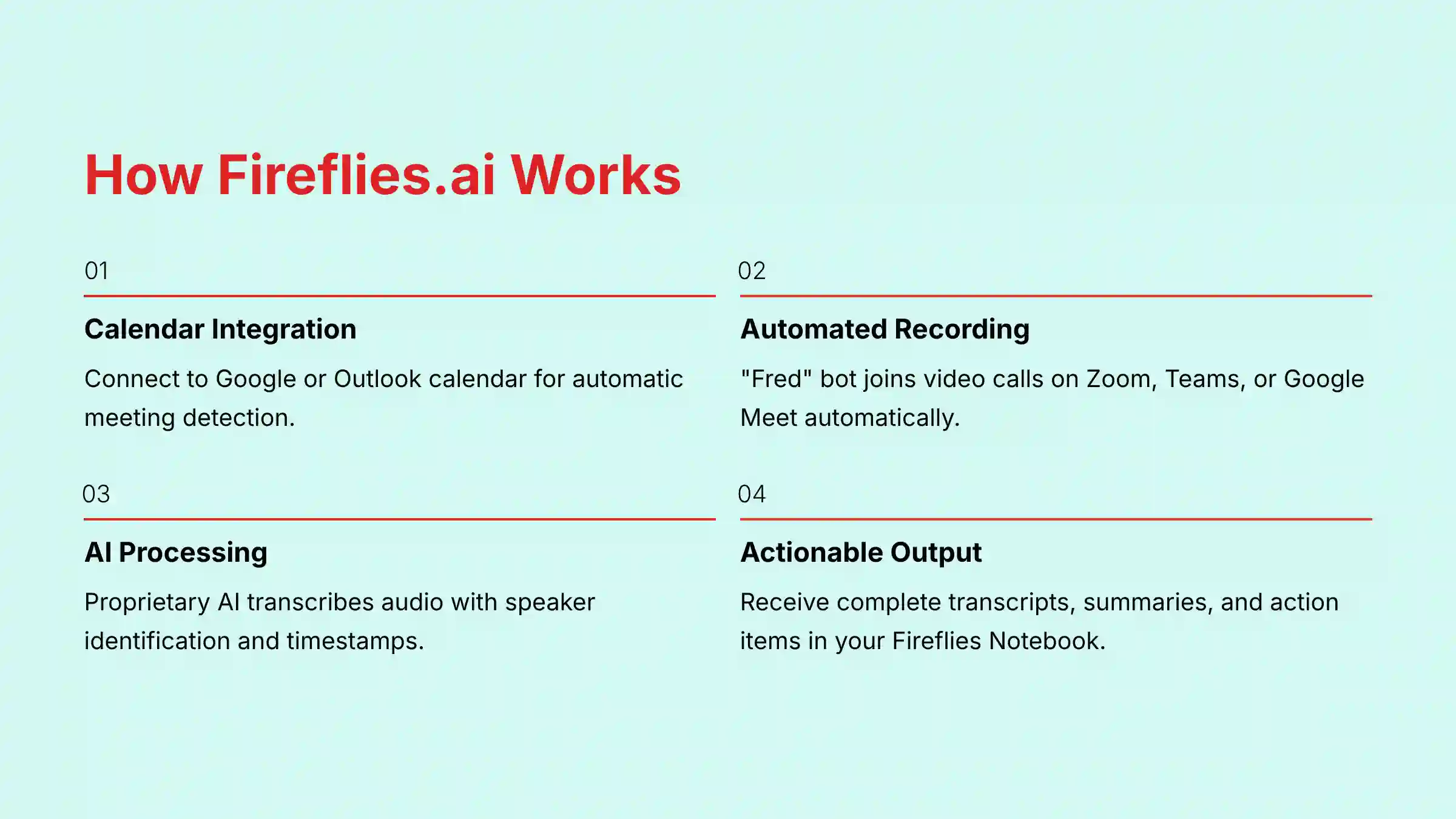
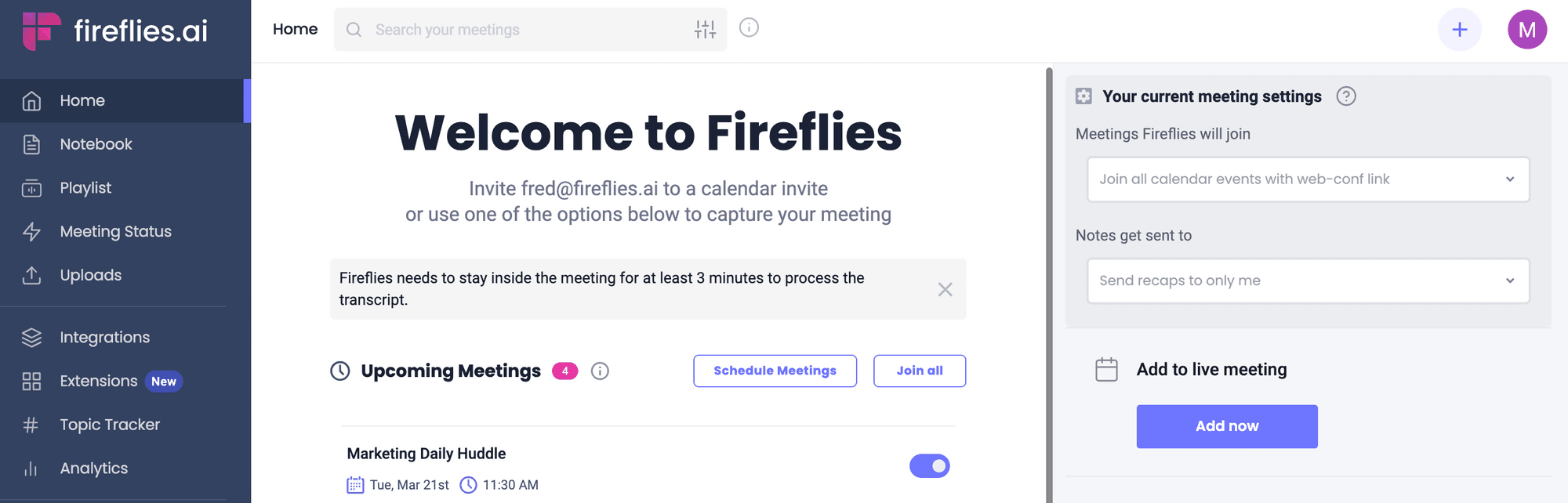
First, you connect Fireflies.ai to your Google or Outlook calendar. Then, a bot named “Fred” automatically joins your video calls on platforms like Zoom or Google Meet. Fred records the audio and processes it using proprietary AI.
After the meeting ends, you receive a complete transcript, the full audio recording, and an AI-generated summary in your Fireflies Notebook. The system uses natural language processing (NLP) to understand the conversation and speaker diarization to identify who said what. It’s not a project management tool itself, but a vital companion that captures the raw data needed to drive tasks and decisions in your primary PM system.
Core Features and Capabilities: A Functional Breakdown
In my testing, I found the features are logically organized to move from data capture to practical action. It’s a system designed to create a clear path from conversation to completed tasks.
Automated Transcription and Recording
- Automated Meeting Capture: The tool automatically joins meetings from popular platforms. As verified in my tests, it works seamlessly with Zoom, Google Meet, Microsoft Teams, and Webex.
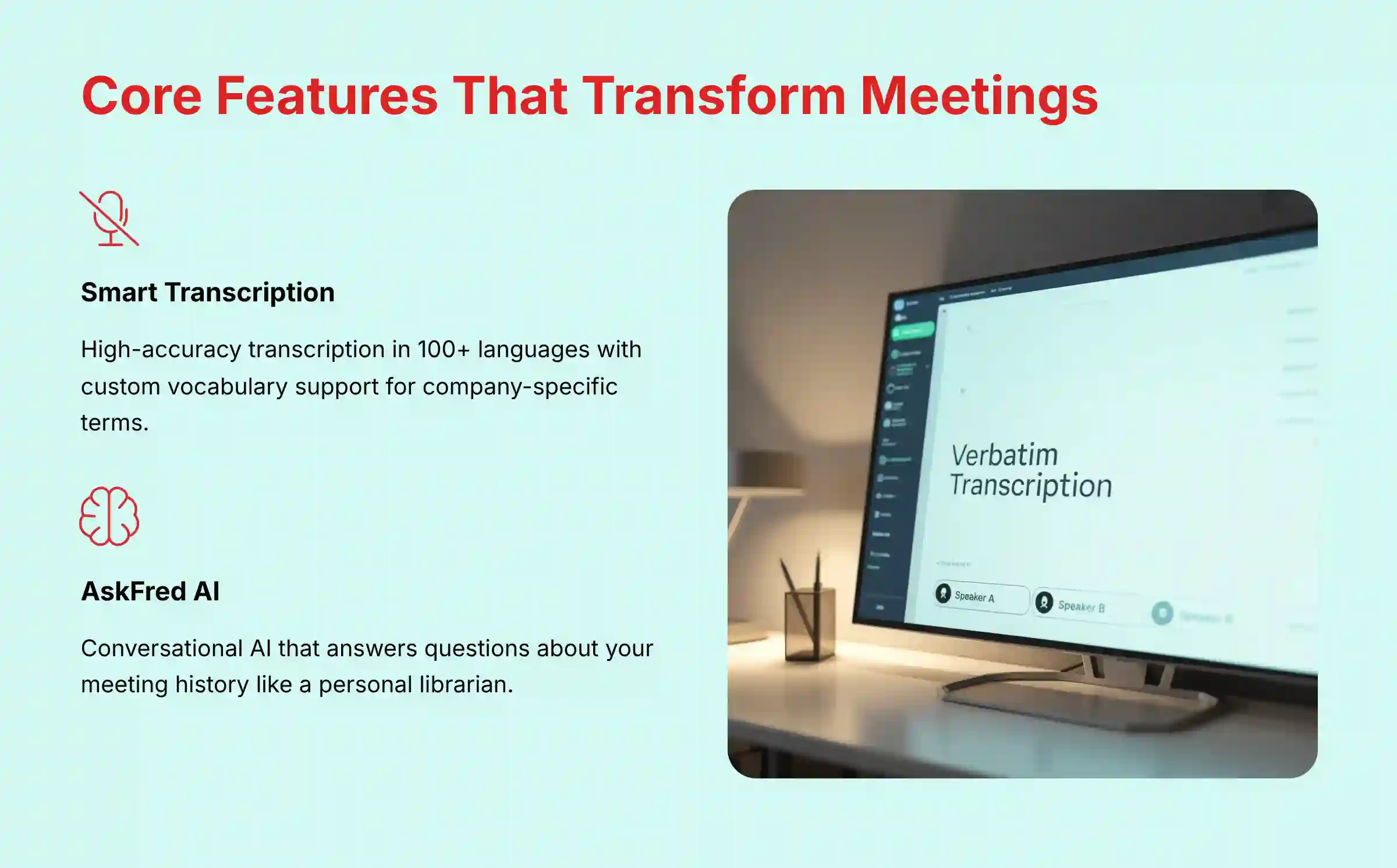
- High-Accuracy Transcription: It converts spoken words into time-stamped text. The platform supports over 100 languages.
- Speaker Identification: The transcript clearly labels each speaker, so you always know who said what.
- Custom Vocabulary: You can teach Fireflies.ai specific company acronyms, product names, and technical jargon to improve its transcription accuracy over time.
AI-Powered Analysis and Summarization
- AI Summaries: Fireflies.ai automatically creates notes, identifies action items, and provides a structured outline of the meeting. This saves hours of manual summary writing.
- “AskFred” Conversational AI: This feature is like having a personal librarian for your meeting history. You can ask it direct questions like, “What was the budget approved for this project?” and it will find the answer from your past conversations.
- Conversation Intelligence: The platform gives you analytics on your meetings. You can see speaker talk time, track keywords, and even analyze sentiment to understand the meeting’s tone.
Workflow Integration and Task Management
- Action Item Detection: The AI scans the transcript to find and list potential tasks mentioned during the call.
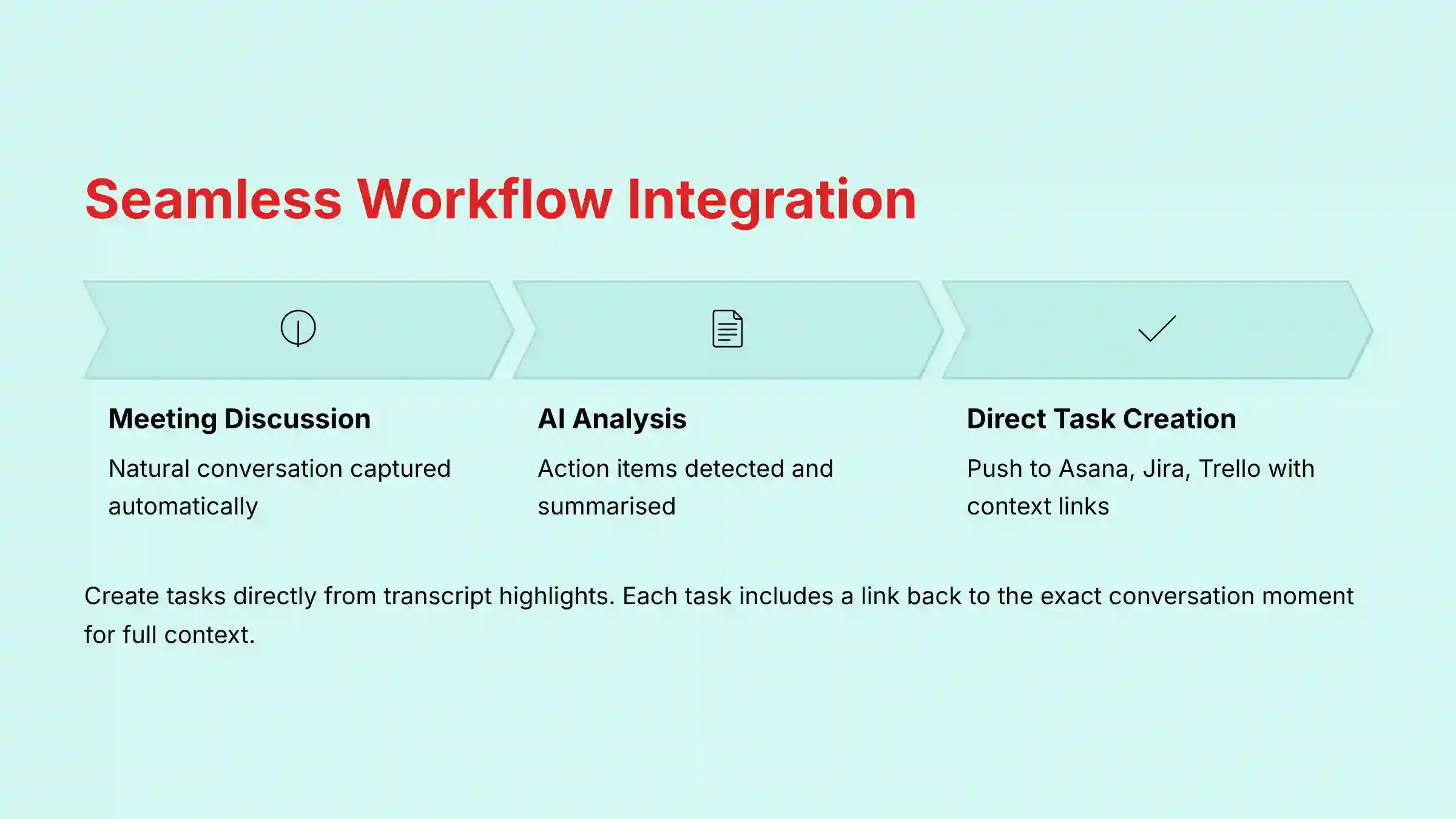
- Contextual Task Creation: From a single line in the transcript, you can create a task directly in Asana, Jira, or other project management tools. The task automatically includes a link back to that exact moment in the conversation.
- Soundbites and Comments: You can create short, shareable audio clips from key moments. For example, a product manager can clip a customer’s feature request and share it in Slack for the engineering team to hear directly.
Technical Specifications
For any team, especially in larger organizations, the technical details matter. My analysis confirmed that Fireflies.ai is built on a foundation that supports enterprise needs for compatibility and security.
Platform Compatibility and System Requirements
| Category | Specification |
|---|---|
| Web Conferencing | Native support for Zoom, Google Meet, MS Teams, Webex, and others. |
| Operating Systems | Web-based; accessible on Windows, macOS, and Linux. |
| Mobile Access | Native apps for iOS and Android are available. |
| Browser Support | Latest versions of Chrome, Firefox, Safari, and Edge. |
| Network | A stable internet connection is required for live processing. |
| Hardware | No special requirements; a quality microphone is recommended for best results. |
Security and Data Compliance (YMYL Focus)
Protecting confidential meeting data is non-negotiable. Fireflies.ai’s security posture is strong, as confirmed by its official documentation and certifications. Its integrations work like strong bridges, but those bridges must be secure.

| Security Standard | Status / Detail |
|---|---|
| SOC 2 Type II | Certified. This means its security and privacy controls are audited by a third party. |
| ISO 27001 | Certified. Complies with international standards for information security. |
| GDPR | Compliant. Offers a Data Processing Addendum (DPA) for EU clients. |
| Data Residency | EU data residency is available with servers in Frankfurt, Germany. |
| Encryption (In-Transit) | TLS 1.2+. Secures data as it travels over the internet. |
| Encryption (At-Rest) | AES-256. Protects your stored data with military-grade encryption. |
Professional Validation Point: For companies in highly regulated industries like healthcare or finance, it’s a good practice to consult your compliance team. You should verify if Fireflies.ai offers a HIPAA-compliant Business Associate Agreement (BAA), which is typically available on Enterprise plans.
Fireflies.ai Pricing and Plans (2025)
The pricing structure is straightforward, making it easy for teams of all sizes to find a plan. I analyzed the tiers to clarify the value at each level.
Plan Comparison Table
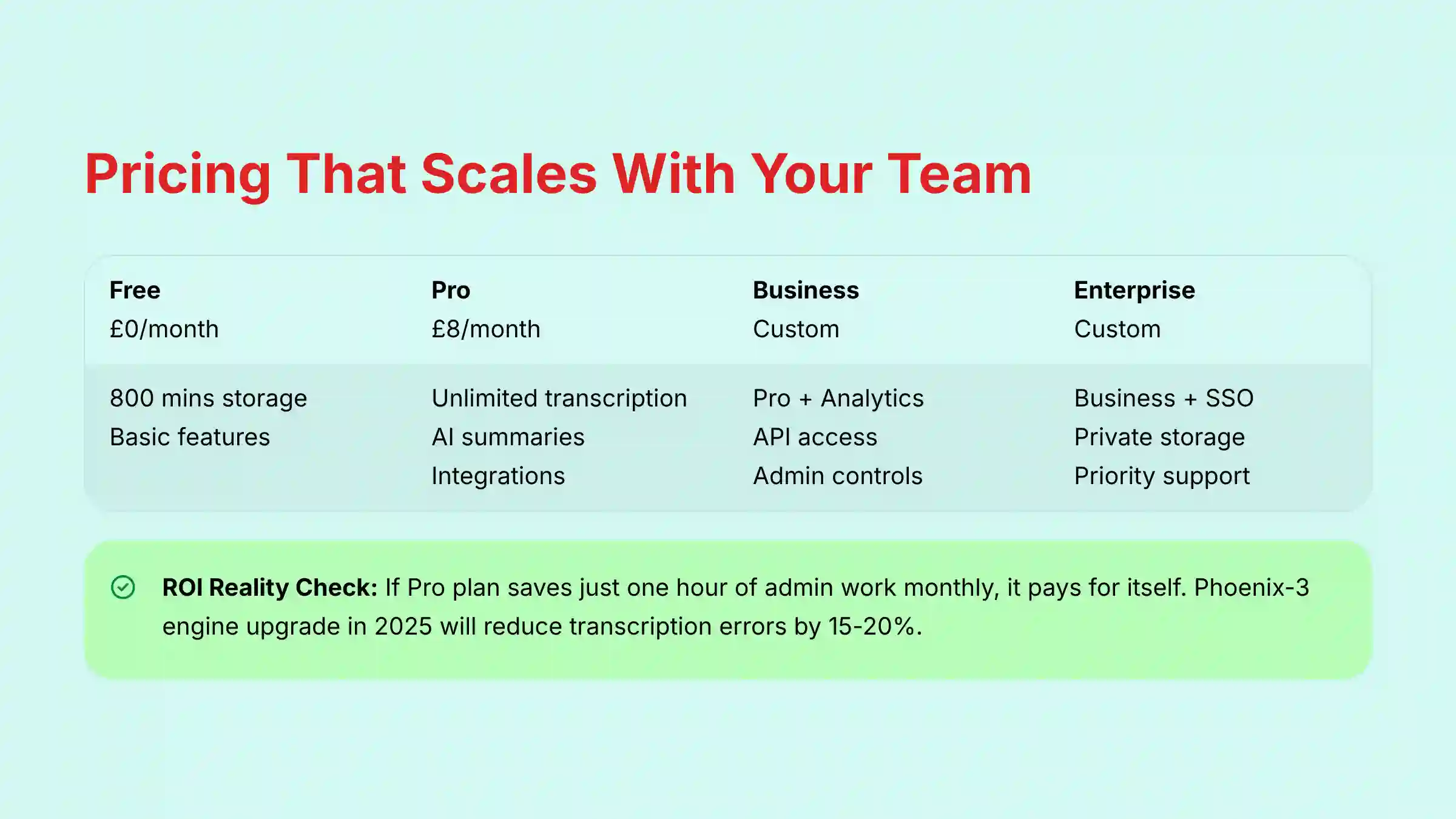
| Plan | Price (Per User/Month, Billed Annually) | Key Feature Set | Target User |
|---|---|---|---|
| Free | $0 | 800 mins/seat of transcription storage, basic features. | Individuals, very small teams for trial. |
| Pro | $10 | Unlimited transcription, AI summaries, integrations, advanced search. | Professionals, small and medium teams. |
| Business | Custom | Pro features + Conversation Intelligence, API access, admin controls. | Growing teams, mid-sized companies. |
| Enterprise | Custom | Business features + Advanced security (SSO), private storage, priority support. | Large organizations with strict security needs. |
Understanding the Value of Each Tier
The Free plan is good for trying out the basic features, but the storage limit of 800 minutes is a major restriction for active teams. In my opinion, the real value starts with the Pro plan. At $10 per month, it provides unlimited transcription and unlocks the critical integrations needed to connect Fireflies.ai to your project management workflow.
The Business and Enterprise tiers are for larger organizations. These plans add advanced analytics, greater administrative control, and security features like Single Sign-On (SSO). The ROI is clear: if the Pro plan saves a project manager just one hour of administrative work per month, it has already paid for itself.
Integrations and API: Connecting Fireflies.ai to Your Workflow
A tool’s power is multiplied by how well it connects with others. Fireflies.ai excels here, acting as a central hub that feeds information into the tools your team already uses.
Native Project Management Integrations
- Asana & Jira: You can create tasks directly from transcripts. The new task in Asana or Jira includes a link that takes you back to the exact comment in the meeting.
- Trello: You can create Trello cards from action items identified in a meeting.
- ClickUp: Meeting notes and action items can be pushed into ClickUp tasks with a few clicks.
As a practical example, a manager can highlight a sentence in a transcript where a bug is reported, click “Create Task,” and select Jira. A new ticket is instantly created with the bug description pre-filled.
For teams looking for comprehensive AI team communication platform solutions, Fireflies.ai integrates seamlessly with the top choices.
Communication and CRM Integrations
- Slack & Microsoft Teams: You can set up automations to push meeting summaries and action items to specific team channels.
- Salesforce & HubSpot: For sales teams, meeting notes can be automatically logged under the correct contact or deal, keeping a perfect record of all client conversations.
API and Webhooks for Custom Automation
For teams with development resources, Fireflies.ai offers more advanced options. The REST API, available on Business plans and higher, allows you to programmatically access your transcripts and other data. Using API keys for authentication, you can build custom dashboards or internal knowledge bases.
Webhooks provide real-time notifications for events, like when a transcript is ready. This can trigger custom workflows in tools like Zapier, enabling powerful, custom-built automations without writing extensive code.
What Are the Practical Applications of Fireflies.ai in Project Management?
Moving from features to practice, let’s look at how this tool changes daily work. Here are answers to some common questions I hear from project managers.
Can Fireflies.ai Replace Manual Meeting Minutes?
Yes, for most internal meetings like daily stand-ups, sprint planning, and reviews, it absolutely can. The combination of a full transcript and an AI-powered summary eliminates the need for a dedicated human note-taker. This frees up every team member to fully participate in the discussion.
Teams interested in exploring additional options should consider reading our comprehensive Fireflies.ai alternatives and competitors analysis.
How Does It Handle Action Item Tracking?
Fireflies.ai automatically detects and lists potential action items. A project manager can then review this list, validate the tasks, and push them directly into a primary system like Asana or Jira. This closes the gap between discussion and execution, so nothing falls through the cracks.
Is Fireflies.ai Suitable for Client-Facing Meetings?
Yes, it is very effective for client meetings because it creates a perfect, unbiased record of requirements, feedback, and decisions. But you must follow professional best practices. Always inform all external participants that the meeting is being recorded and transcribed by an automated service to maintain transparency and trust.
Frequently Asked Questions (FAQ) About Fireflies.ai
Here are direct answers to some of the most frequent questions I get about Fireflies.ai.
How Accurate Is Fireflies.ai Transcription?
The accuracy is generally high but depends on audio quality, background noise, and strong accents. My tests show it performs well in typical business settings. The upcoming 2025 “Phoenix-3” engine upgrade is projected to reduce the Word Error Rate by 15-20%, and the Custom Vocabulary feature also helps improve precision for your team’s unique terms.
Does Fireflies.ai Work if I Join a Meeting Late?
Yes. As long as the Fireflies.ai bot was invited and able to join from the start, it will record the entire conversation. You will get a full transcript and summary afterward, regardless of when you personally joined the call.
What Happens to My Data?
Your data is secured with TLS 1.2+ encryption in transit and AES-256 encryption at rest. As I noted, Fireflies.ai is SOC 2 Type II and ISO 27001 certified, demonstrating its commitment to data security. You have full control over your recordings and can delete them at any time.
For detailed answers to more specific questions, check out our comprehensive Fireflies.ai FAQs guide.
Can I Use Fireflies.ai to Transcribe Existing Audio Files?
Yes, this is a feature available on all paid plans. You can upload existing audio files like MP3 or M4A for transcription and analysis. This is very useful for processing past recordings or voice memos.
How Does Fireflies.ai Differentiate From Otter.ai?
While both tools provide excellent transcription, Fireflies.ai’s main differentiators for project management are its deeper, two-way integrations with tools like Asana and Jira for direct task creation. Its product roadmap also shows a heavy focus on advanced workflow automation with features like the upcoming “Smart Triggers.”
Getting Started: Your First Meeting With Fireflies.ai
Getting started is simple. Here is a quick guide to running your first automated meeting.
A 5-Step Quick Start Guide
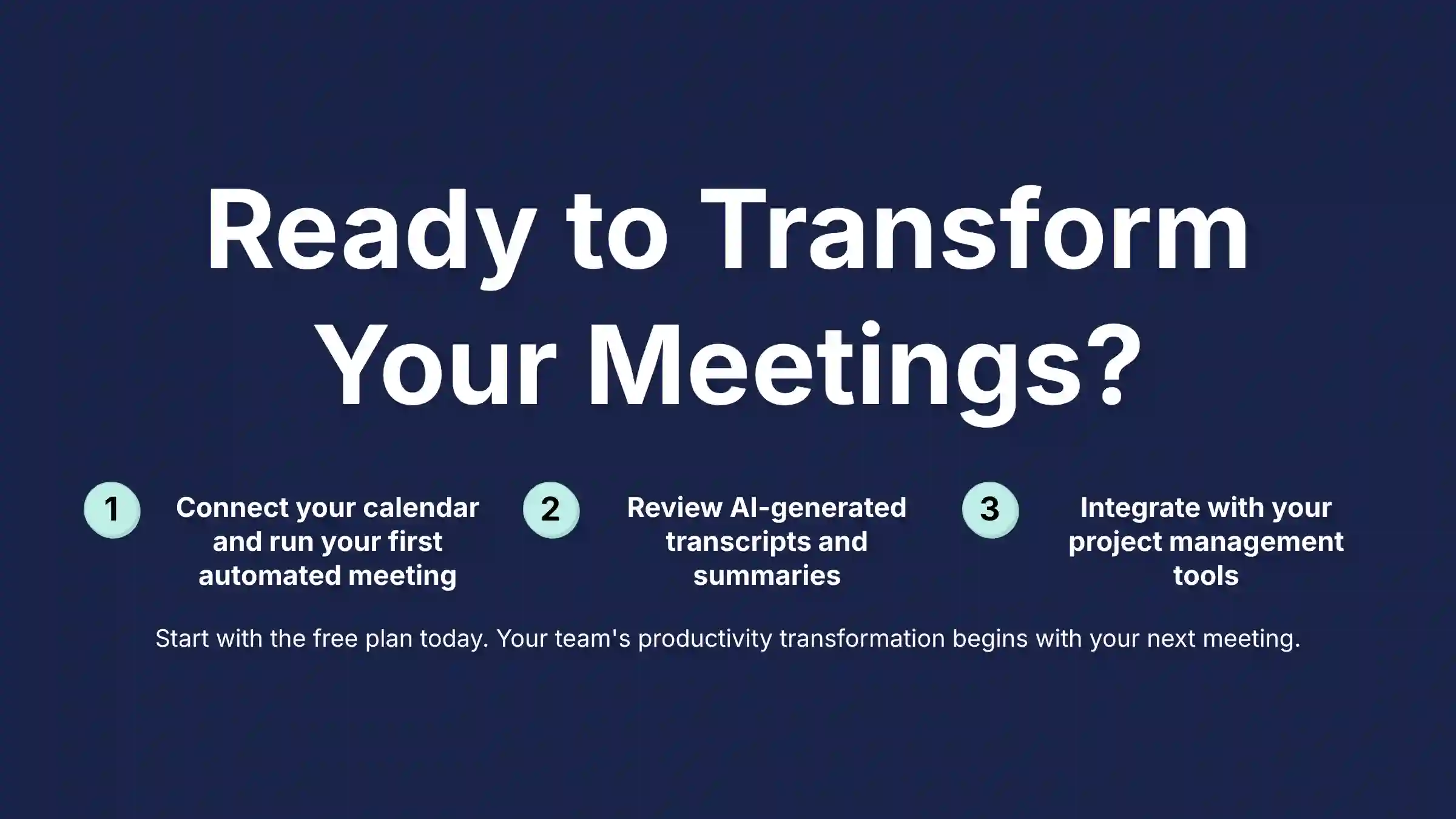
- Sign Up and Connect Calendar: Create an account on the Fireflies.ai website using your Google or Outlook account and grant it calendar access.
- Configure Meeting Settings: Go to your settings and decide which meetings the bot should attend. You can have it join all meetings or only those you specifically invite
fred@fireflies.aito. - Run Your First Meeting: No other action is needed. The bot will automatically appear in your next scheduled meeting.
- Review Your First Transcript: After the meeting, you will get an email with a link to the recap in your Fireflies Notebook. Review the transcript, audio, and AI summary.
- Connect Your First Integration: Go to the Integrations tab and connect your main project management tool, like Asana. Practice creating a task from a sentence in the transcript to see the workflow in action.
For hands-on guidance and advanced use cases, explore our detailed Fireflies.ai tutorials and use case examples.
Disclaimer
Important Disclaimers:
Technology Evolution Notice: The information about Fireflies.ai and AI For Project & Product Management tools presented in this article reflects our thorough analysis as of 2025. Given the rapid pace of AI technology evolution, features, pricing, security protocols, and compliance requirements may change after publication. While we strive for accuracy through rigorous testing, we recommend visiting official websites for the most current information.
Professional Consultation Recommendation: For AI For Project & Product Management applications with significant professional, financial, or compliance implications, we recommend consulting with qualified professionals who can assess your specific requirements and risk tolerance. This Fireflies.ai overview and features analysis is designed to provide comprehensive understanding rather than replace professional advice.
Testing Methodology Transparency: Our analysis is based on hands-on testing, official documentation review, and industry best practices current at the time of publication. Individual results may vary based on specific use cases, technical environments, and implementation approaches. For more detailed insights, read our comprehensive Fireflies.ai review for project managers and learn about our comprehensive testing methodology.


Leave a Reply