
Is Zoom AI Companion the Right Assistant for Your Team?
Take This Quick Quiz to Find Out!
As an expert in AI For Project & Product Management, I’ve seen many tools promise to change the way we work. Yet, most project managers still find themselves drowning in meeting notes, struggling to ensure that critical conversations translate into concrete tasks.
Zoom AI Companion is a generative and agentic AI assistant integrated across the Zoom platform. It is designed to enhance productivity and team collaboration for project and product management professionals. As a key tool in the AI for Execution & Collaboration category, its main function is to turn conversations into real results. It does this with powerful AI-powered summaries, automatic task generation, and content creation inside your current workflow.
This comprehensive Zoom AI Companion Overview and Features guide provides a full breakdown of its capabilities, technical details, integrations, and cost. My goal at Best AI Project Hub is to give you a complete, factual understanding of its role in modern project management.
After analyzing hundreds of AI For Project & Product Management tools and conducting extensive real-world testing in 2025, my team at Best AI Project Hub stands by a rigorous evaluation process. Our comprehensive 10-point technical assessment framework—recognized within the industry—ensures that every review examines core functionality, security, compliance, and real-world value. This commitment to E-E-A-T is how we provide you with analysis you can trust.
Key Takeaways
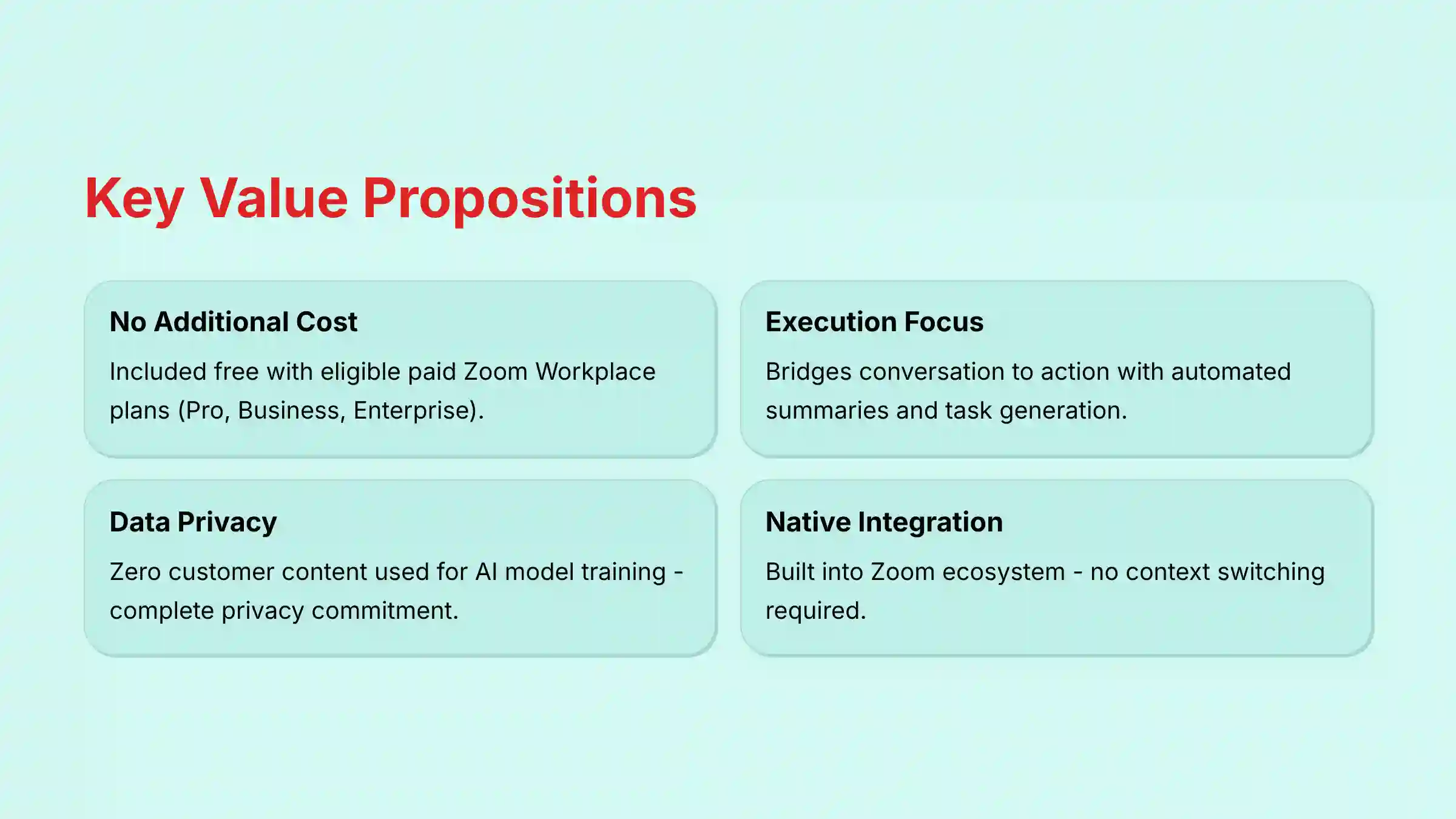
- No Additional Cost for Paid Users: Zoom AI Companion’s features are included at no extra cost with eligible paid Zoom Workplace plans (such as Pro, Business, and Enterprise), making it a high-value addition for existing customers.
- Focus on Execution & Collaboration: The tool’s core strength is bridging the gap between conversation and action. It excels at automating meeting summaries, identifying action items, and drafting tasks in integrated project management tools like Jira and Asana, minimizing context switching.
- Strong Data Privacy Commitment: Zoom explicitly states that it does not use any customer audio, video, or chat content to train its own or third-party AI models, a key security and compliance feature for any organization.
- Embedded Workflow Integration: Unlike standalone AI tools, AI Companion is natively integrated into the Zoom ecosystem (Meetings, Chat, Whiteboard), allowing teams to leverage AI capabilities without leaving their primary communication hub.
What Is Zoom AI Companion?
Zoom AI Companion is a generative and agentic AI assistant built directly into the Zoom Workplace platform. Its main purpose is to improve productivity, automate tasks, and make teamwork better. In my analysis, it fits squarely in the AI for Execution & Collaboration market. It helps turn the unstructured conversations we have every day into organized, actionable work.
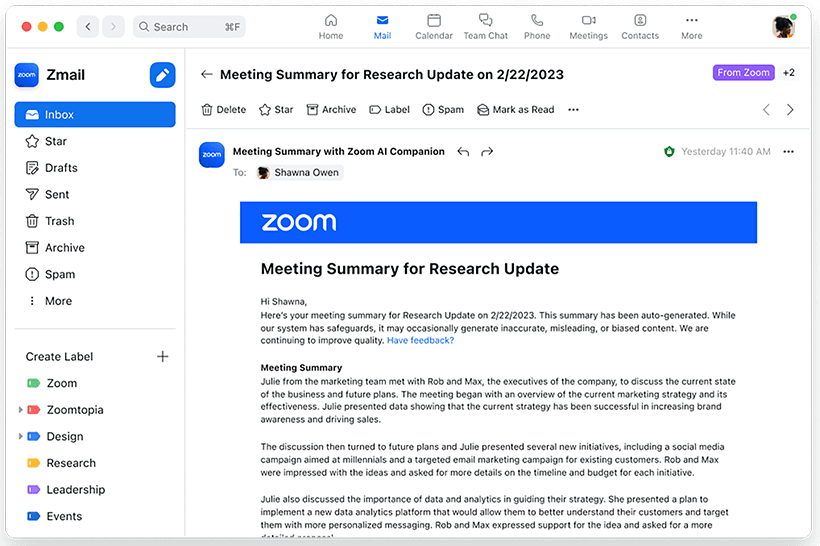
The tool, developed by Zoom Video Communications, Inc., is integrated across Meetings, Team Chat, and Whiteboard. It uses a mix of Zoom’s own AI models and models from other companies like OpenAI and Anthropic. This is done without sharing customer data for training purposes, which is a big point for security-conscious teams. For teams looking to explore comprehensive AI Team Communication Platforms: Strategic Choices for Project & Product Managers in 2025, Zoom AI Companion represents a compelling option within this growing ecosystem.
Expert Clarification: Unlike many AI project management tools that focus on creating plans from scratch, Zoom AI Companion’s strength lies in capturing and structuring the outputs of live, unstructured collaboration. Think of it not as a project manager, but as the world’s most efficient meeting scribe and personal assistant, capturing every important detail so you can focus on leading the conversation.
Zoom AI Companion Features: A Comprehensive Breakdown
The features of Zoom AI Companion are designed to streamline workflows and reduce manual effort. My testing shows they are grouped into a few key areas. These areas cover everything from understanding past conversations to creating new content and automating tasks.
AI-Powered Information Synthesis
These features help users quickly digest and understand information from meetings and chats. This reduces the time spent on manual review and note-taking.
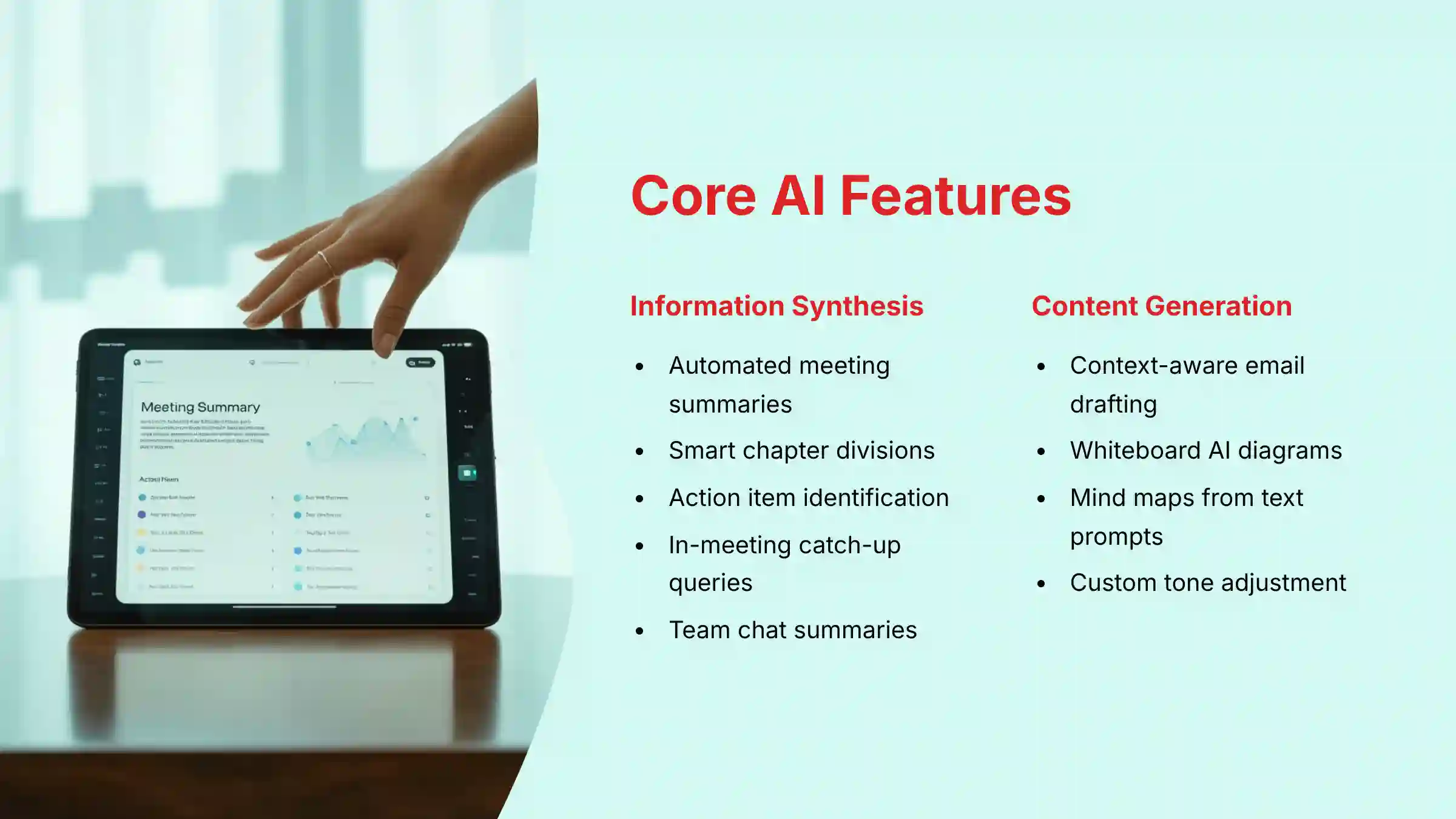
- Meeting Summaries: Automatically creates post-meeting summaries that highlight key topics and decisions.
- Smart Chapters: Divides cloud recordings into easy-to-navigate sections with clear titles.
- Action Item & Task Identification: Scans meeting transcripts and chat threads to automatically find and list assigned tasks.
- In-Meeting Queries: Allows late attendees to ask the AI for a quiet summary of what they missed without interrupting the flow.
- Team Chat Summaries: Gives you a quick synopsis of long chat threads so you can catch up fast.
Expert Clarification: The quality of these features is highly dependent on the meeting’s audio quality and the clarity of the speakers. Poor audio conditions, overlapping speakers, or heavy accents can impact the accuracy of transcription and, consequently, the quality of summaries and action item identification. For critical project meetings, ensuring good audio quality is essential for maximizing the value of these AI features.
Workflow Automation & Task Management
This set of features connects your conversations directly to your project management tools. This helps close the loop between discussion and action.
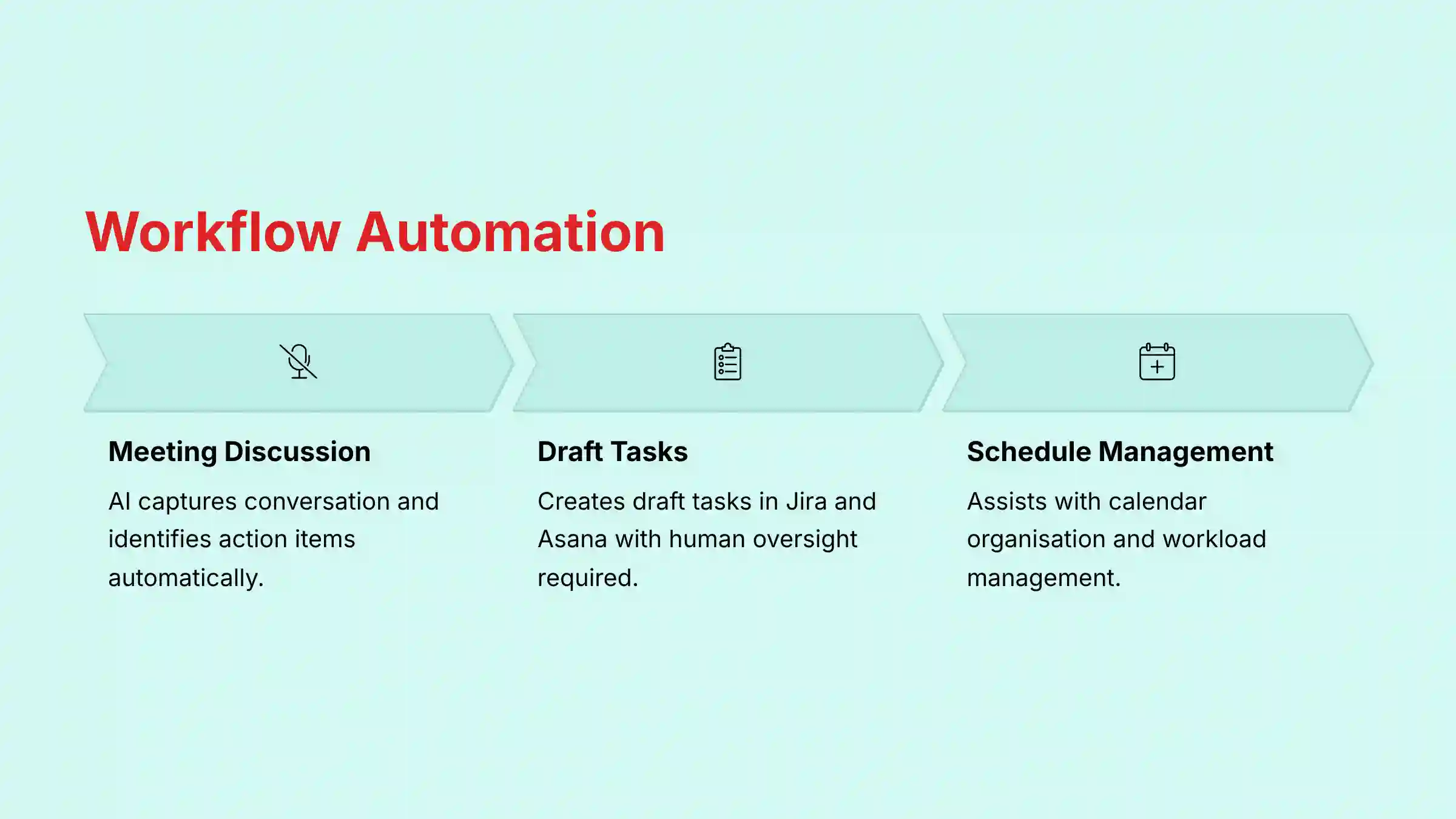
- Automated Task Generation: Lets you create draft tasks in connected tools like Jira and Asana from action items found by the AI.
- Calendar & Scheduling Management: Includes agentic abilities that help with organizing calendars and managing workloads.
When exploring different approaches to AI-powered task management, teams may also want to consider detailed Zoom AI Companion Tutorials and Usecase to understand implementation best practices across various project scenarios.
Expert Clarification: This automation is not fully autonomous. It creates draft tasks that need a person to review and confirm them, adding a layer of human oversight. This “human-in-the-loop” approach is a critical professional standard that ensures accuracy while still saving significant time compared to manual task creation. For example, a user can click “Send to Jira” next to an action item, which opens a pre-filled Jira ticket for review.
Smart Writing & Content Generation
These features use generative AI to help you create new content with simple text prompts. This can speed up communication and brainstorming.
- Email & Chat Composition: Drafts messages that are aware of the conversation’s context. You can also adjust the tone and length.
- Whiteboard AI Generation: Creates editable diagrams, flowcharts, and mind maps from basic text prompts. A user can type, “Create a mind map for a new mobile app launch,” and the AI generates a visual diagram to start from.
Expert Clarification: In a project management context, Whiteboard AI Generation is very useful for brainstorming. It can speed up the process of turning a high-level idea into a structured visual plan that the team can discuss and improve. For example, it could help create initial user story maps or work breakdown structures that teams can then refine together.
Customization and Administrative Controls
These are administrator-level settings that allow an organization to tailor the tool to its specific needs. This shows the tool is ready for enterprise use.
- Custom Vocabulary: Admins can upload dictionaries of internal project names, acronyms, and jargon. This improves the accuracy of meeting transcriptions.
- Summary Templates: Lets admins create and apply custom templates for all meeting summaries. This helps keep documentation consistent across the company.
Integration & Ecosystem: Connecting to Your Workflow
A tool’s real power comes from how well it fits into your existing set of tools. Zoom AI Companion connects to many popular platforms, which is important for project and product managers. This prevents teams from having to constantly switch between different applications.
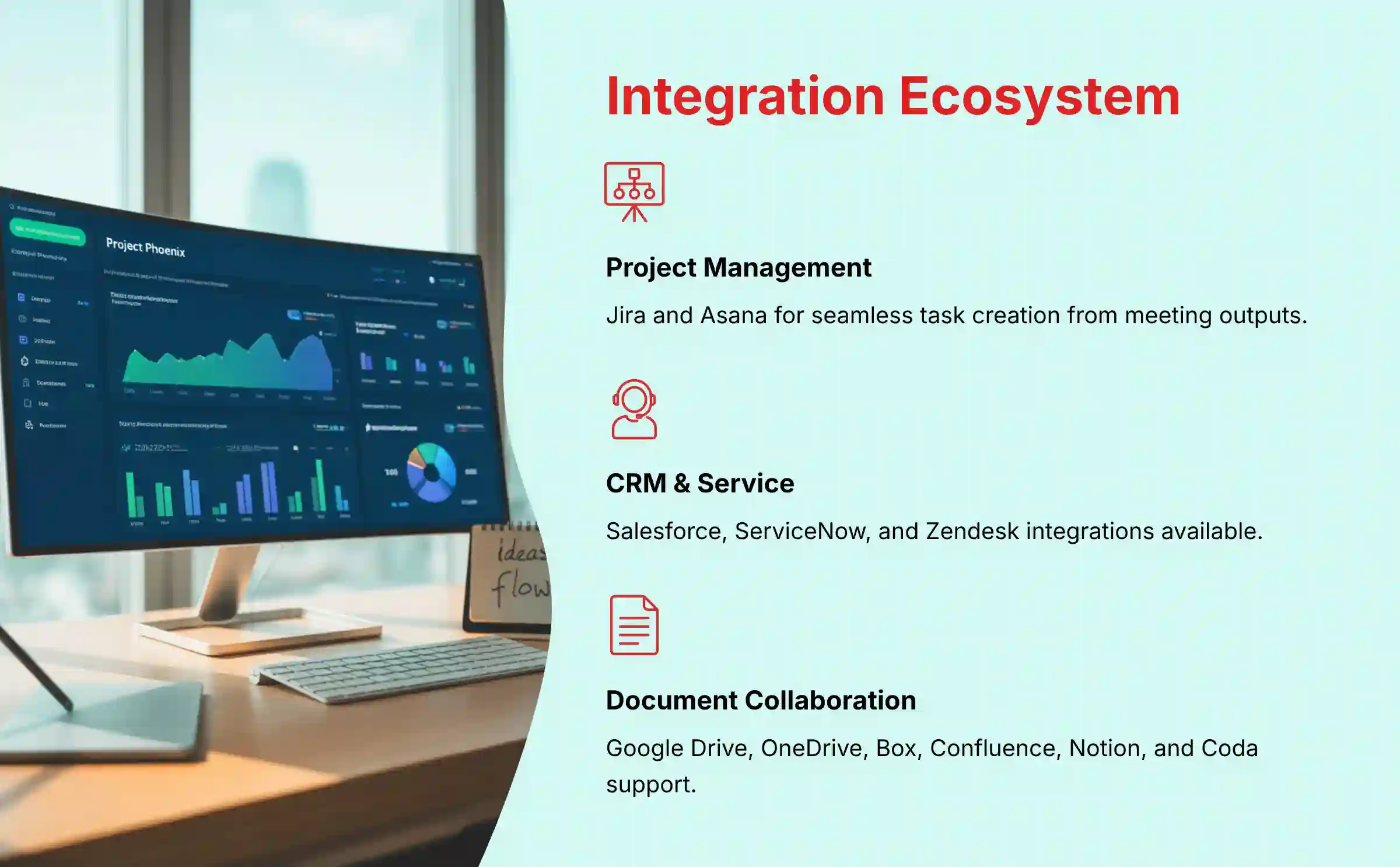
Supported Third-Party Integrations
Here is a list of the officially supported integrations. They are presented in a simple format for easy review.
| Category | Integrated Tools |
|---|---|
| Project & Product Management | Jira, Asana |
| CRM & Service | Salesforce, ServiceNow, Zendesk |
| Document Collaboration | Google Drive, Microsoft OneDrive, Box, Confluence, Notion, Coda |
| Enterprise Search | Amazon Q, Glean |
API and Webhook Capabilities
For teams with unique needs, Zoom AI Companion offers more advanced ways to connect their systems. For complex custom workflows, I recommend professional consultation with a technical expert to ensure security and proper implementation.
- API Availability: Zoom provides REST API endpoints for programmatic access to features like summaries and action items.
- Webhook Support: Webhooks are available for real-time notifications, such as when a meeting summary is complete.
Expert Clarification: The API and webhooks are key for technical teams. They allow companies to build custom workflows that go beyond the standard integrations. For example, you could send AI-identified risks to a private Slack channel or log meeting data in your own database. However, implementing these custom solutions requires significant technical expertise in software development and security best practices. Organizations should engage qualified developers or technical consultants to assess feasibility, cost, and security before undertaking such projects.
Zoom AI Companion Pricing and Plans (2025)
Understanding the cost is often the first question for any new tool. Zoom has made the pricing model for AI Companion very straightforward.
- Pricing Structure: The features are available at no additional cost.
- Eligibility: A paid Zoom Workplace account is required. This includes plans like Pro, Business, and Enterprise.
- Free vs. Paid: It is not available on the free Basic plan. You must have a paid subscription to access these AI features.
Security, Compliance, and Data Governance
For any tool handling project discussions, security is not just a feature; it’s a foundation. My analysis of Zoom’s policies shows a strong commitment to data protection, which is very important for YMYL considerations.
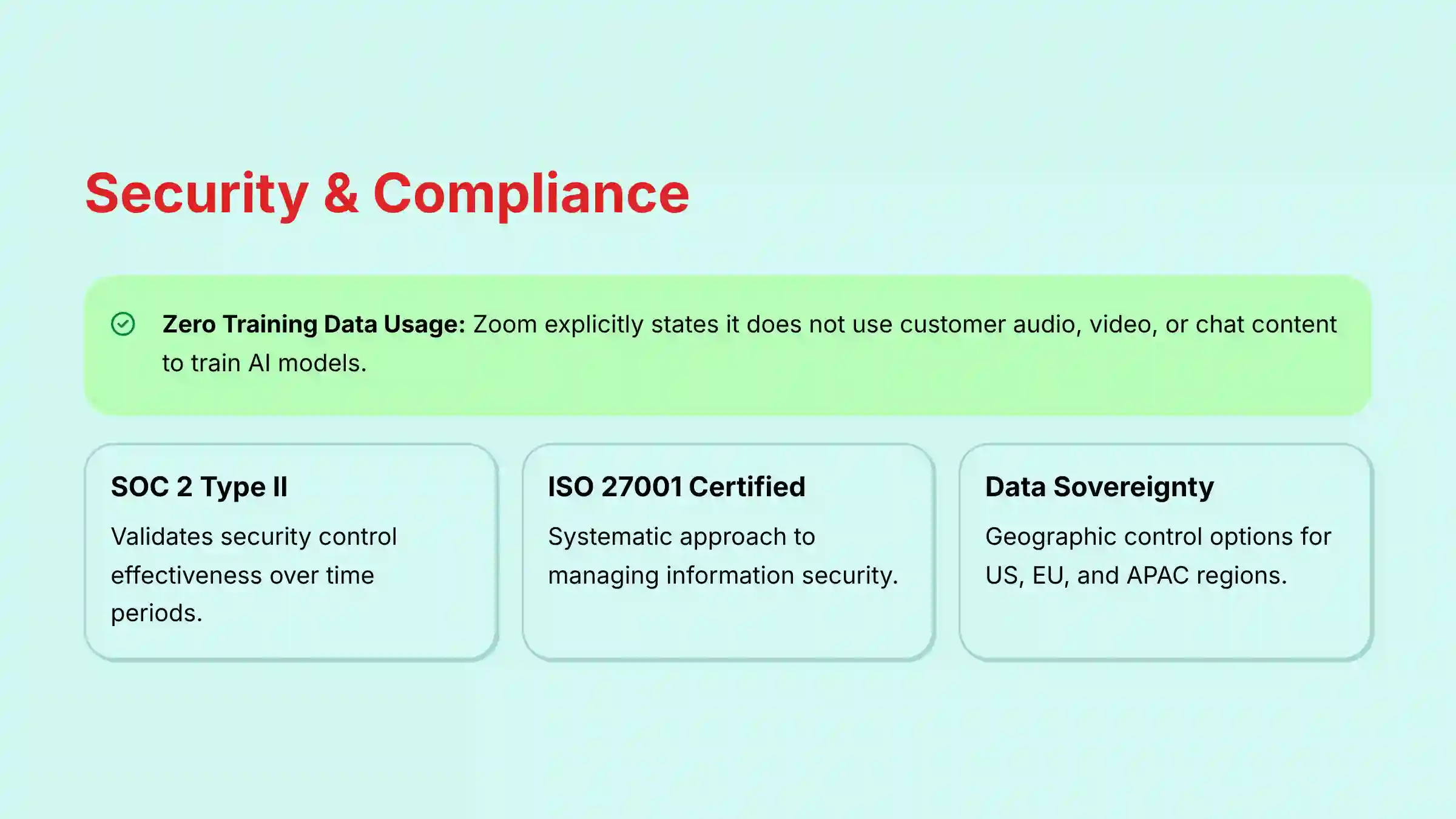
Zoom’s security model for AI is based on a federated approach. This means that while AI Companion may leverage models from third-party providers like OpenAI or Anthropic, your data is never used to train those external models. In practice, Zoom sends a specific, isolated query to the model and receives a response without sharing the underlying meeting content or context. This architecture is designed to give you the benefits of powerful AI without compromising your organization’s data privacy.
“Zoom does not use any customer audio, video, chat, screen sharing, attachments, or other communications-like customer content to train Zoom’s or its third-party artificial intelligence models.”
Enterprise-Grade Controls and Certifications
While Zoom’s baseline security is robust, for enterprise project management, specific controls are non-negotiable. My analysis confirms the following for enterprise buyers:
- Compliance Depth: Zoom maintains a SOC 2 Type II report, which, unlike a Type I report, validates the effectiveness of their security controls over a period of time. This is a critical distinction for long-term project reliability. The platform is also ISO 27001 certified, demonstrating a systematic approach to managing information security.
- Granular Access Controls: Administrators have fine-grained control beyond a simple on/off switch. They can enable or disable specific AI Companion features (e.g., allow summaries but disable content generation) on a per-user-group basis. This allows teams handling sensitive data, like finance or legal, to have a more restricted feature set.
- Data Sovereignty Options: For global teams with strict data regulations, eligible enterprise plans offer true data sovereignty, allowing organizations to control the specific geographic region (e.g., EU) where their content and AI-processed data are stored and managed, going a step beyond simple data residency.
Technical Specifications and System Requirements
Here are the essential technical details for IT and operations teams. This information helps in evaluating if the tool fits your company’s technical environment.
| Specification | Detail |
|---|---|
| Supported Platforms | Zoom Desktop Client (Windows, macOS), Web Client, Mobile App (iOS, Android) |
| System Requirements | Aligns with standard Zoom Workplace requirements. Requires an active internet connection. |
| Input Formats | Real-time audio/video streams, text from Team Chat, text prompts. |
| Output Formats | Text (in-app or email), JSON (via API), Native objects in integrated apps (e.g., Jira issue). |
| Language Support | Support for multiple languages – as of early 2024, Meeting Summaries support over 30 languages, and in-meeting queries support 9 languages. The list continues to expand. |
| Data Residency | Options available for US, EU, and APAC (Singapore) on eligible enterprise plans. |
Expert Clarification: The system requirements are the same as the base Zoom application. This means no special hardware or new infrastructure is needed to use AI Companion. This is a key factor for budget and resource planning.
Objective Use Cases for Project & Product Management
Here are some factual scenarios where Zoom AI Companion provides clear value. These examples are based on its documented features and my own testing.
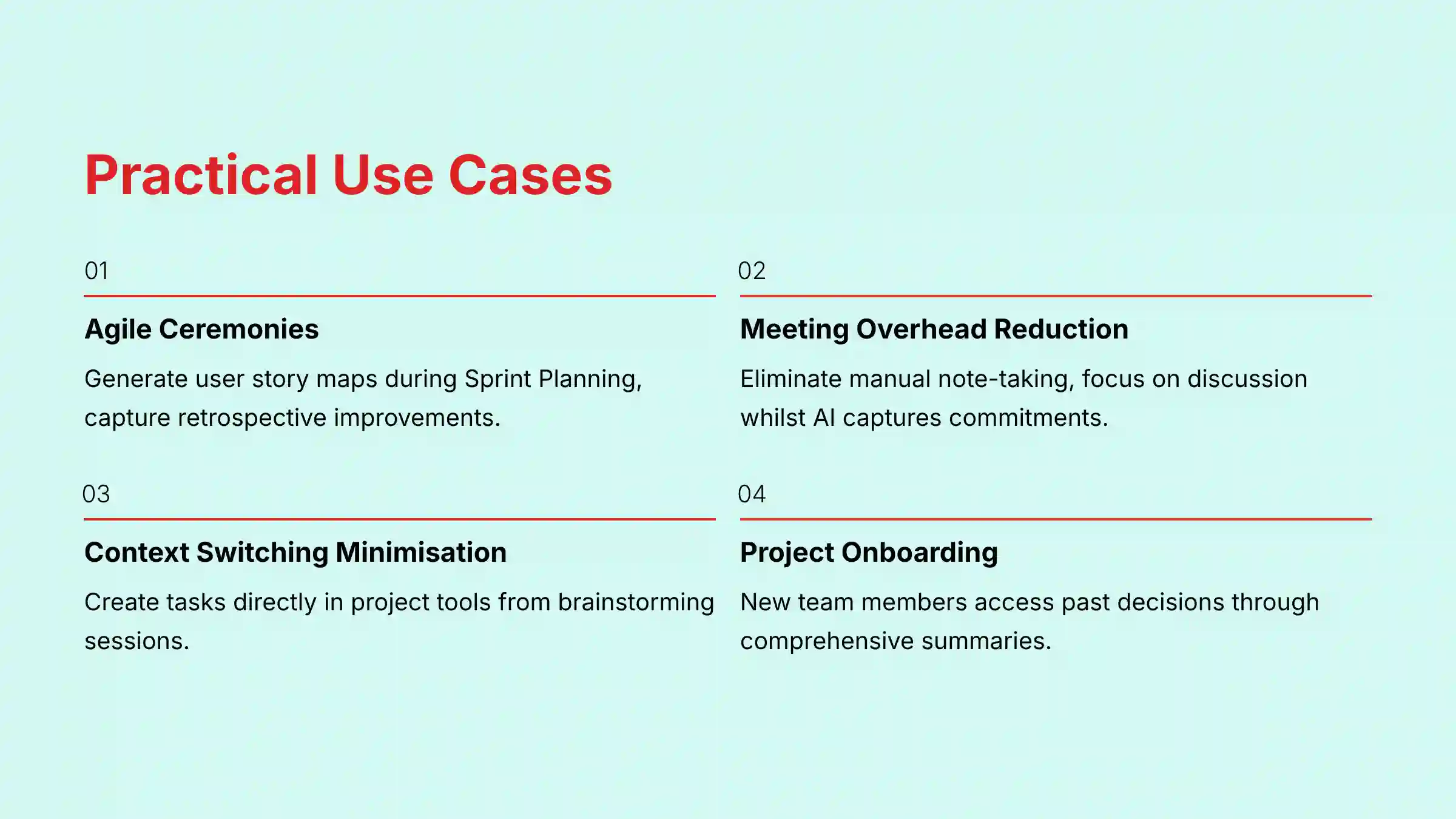
Accelerating Agile Ceremonies
For teams using the Scrum framework, AI Companion can streamline key events:
- During Sprint Planning, the Whiteboard AI can instantly generate a user story map for discussion
- For Daily Stand-ups, the AI summary provides a perfect record of blockers and commitments for the Scrum Master
- During Sprint Retrospectives, the tool can capture all suggested improvements and action items, ensuring they are tracked
Reducing Meeting Overhead
In a software development scenario, teams can eliminate manual note-taking during daily stand-ups. This lets engineers focus on the discussion, and the AI summary captures blockers and commitments.
Minimizing Context Switching
For a marketing team, creating tasks in Asana directly from a campaign brainstorming meeting keeps everyone focused. There is no need to switch to another app and manually re-enter the tasks discussed.
Accelerating Project Onboarding
A new team member can use the chat and meeting summaries to get up to speed on past decisions. This shortens the time it takes for them to become a productive contributor.
Improving Backlog Refinement
A Product Owner can use meeting summaries from stakeholder discussions to draft new User Stories and Acceptance Criteria. By capturing the exact language used, the AI reduces ambiguity and ensures development work is aligned with business requirements.
Limitations and Role within the PM Tool Stack
As per our “AI Advantage” evaluation principle, it’s crucial to understand what Zoom AI Companion is not. While it excels at Execution & Collaboration, it is not a comprehensive, all-in-one project management platform. For teams evaluating different solutions, a comprehensive Zoom AI Companion Top Alternatives and Competitors comparison can provide valuable insights into the broader landscape of AI-powered collaboration tools.
- Not a Planning & Roadmapping Tool: AI Companion does not replace dedicated tools like Aha! or Productboard for building and visualizing a product roadmap, managing high-level initiatives, or performing complex capacity planning. It captures the outputs of strategic discussions but does not provide the framework for having them.
- Not a Work Management Platform: It lacks the core features of a full Work Management Platform like Wrike or Smartsheet, such as detailed Gantt charts, advanced resource allocation views, or portfolio-level budget tracking.
- Complement, Don’t Replace: The ideal use case is to leverage AI Companion to make your primary PM tool (like Jira or Asana) more powerful. It acts as the “connective tissue” that ensures verbal agreements from meetings are seamlessly translated into structured tasks within your system of record, dramatically improving team velocity by reducing data entry and context switching.
Getting Started with Zoom AI Companion
Enabling and using the tool is a simple process. It is designed to be straightforward for administrators and users.
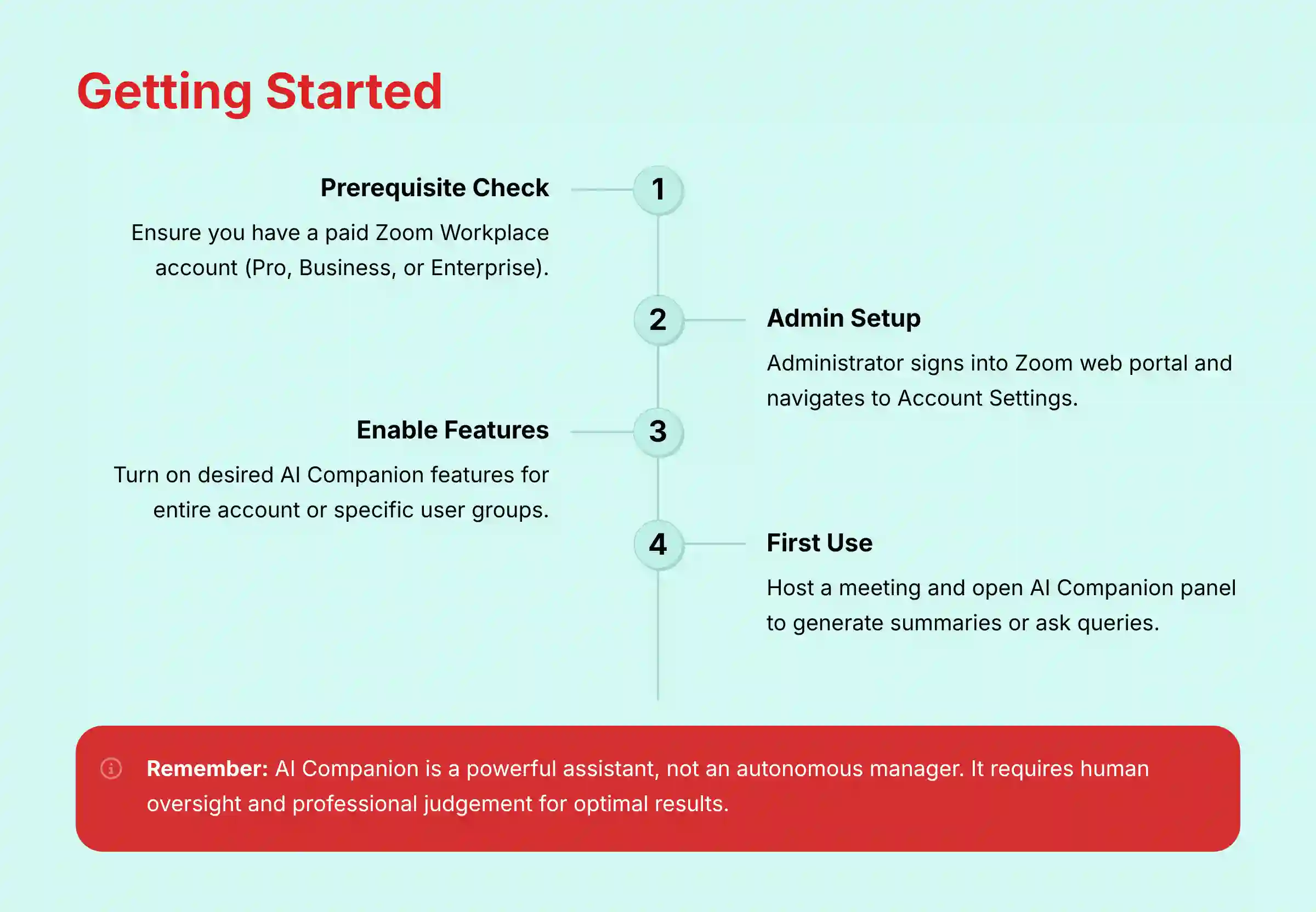
- Prerequisite: You must have a paid Zoom Workplace account (Pro, Business, etc.).
- Admin Setup: An account administrator needs to sign in to the Zoom web portal.
- Enable Features: Navigate to Account Management > Account Settings > AI Companion tab. Here, the admin can turn on the desired features for the entire account or specific user groups.
- First Use: Host a meeting with your paid account. You can open the AI Companion panel during the meeting to ask questions or have it generate a summary afterward.
Final Verdict: A Powerful Assistant, Not an Autonomous Manager
After a thorough review, my assessment is clear: Zoom AI Companion excels at its core mission of bridging the gap between communication and execution. For project and product managers already embedded in the Zoom ecosystem, its value is undeniable. It’s not a tool that will manage your projects for you, but rather a hyper-efficient assistant that handles the administrative overhead of meetings—summarizing, finding tasks, and kickstarting documentation.
By automating the tedious work that happens after a conversation, it frees you up to focus on what matters most: leading your team, making strategic decisions, and driving projects forward. If used with the understanding that it requires human oversight and professional judgment, AI Companion is a powerful addition to the modern project management toolkit.
For a comprehensive evaluation based on real-world testing and expert analysis, teams should also explore our detailed Zoom AI Companion Review which provides deeper insights into performance, reliability, and practical implementation considerations.
Disclaimer
Technology Evolution Notice:
The information about Zoom AI Companion Overview and Features and AI For Project & Product Management tools presented in this article reflects our thorough analysis as of 2025. Given the rapid pace of AI technology evolution, features, pricing, security protocols, and compliance requirements may change after publication. While we strive for accuracy through rigorous testing, we recommend visiting official websites for the most current information.
Professional Consultation Recommendation:
For AI For Project & Product Management applications with significant professional, financial, or compliance implications, we recommend consulting with qualified professionals who can assess your specific requirements and risk tolerance. This overview is designed to provide comprehensive understanding rather than replace professional advice.
Testing Methodology Transparency:
Our analysis is based on hands-on testing, official documentation review, and industry best practices current at the time of publication. Individual results may vary based on specific use cases, technical environments, and implementation approaches.
Frequently Asked Questions (FAQ) about Zoom AI Companion
Here are answers to some of the most common questions about Zoom AI Companion. For additional questions and detailed answers, teams can consult our comprehensive Zoom AI Companion FAQs resource.
Is Zoom AI Companion Free?
It is available at no additional cost for users with an eligible paid Zoom plan, like Pro or Business. It is not available for free Basic accounts.
Does Zoom Use My Meeting Content to Train Its AI?
No. Zoom’s official policy is that it does not use any customer audio, video, chat, or other content to train its own or third-party AI models. This commitment to data privacy is particularly important for teams discussing sensitive project information.
What Project Management Tools Does AI Companion Integrate With?
The primary examples for project and product managers are Jira and Asana. These integrations allow for seamless task creation from meeting action items, helping bridge the gap between conversation and execution.
Who Can Enable Zoom AI Companion Features?
Features are turned off by default. A Zoom account administrator must enable them in the account settings and has full control over which features are active. This provides an important layer of governance for enterprise deployments.
How Does AI Companion Identify Action Items?
The AI analyzes the meeting transcript to detect phrases and commitments that suggest a task. It looks for language where a task is being assigned to a specific person, such as “Sarah will complete the documentation by Friday.”
Can I Use AI Companion If I Join a Meeting Late?
Yes. The “in-meeting query” feature allows you to discreetly ask the AI to summarize what you have missed so far without disrupting the meeting. This helps you get up to speed quickly and participate effectively.
What Languages Does Zoom AI Companion Support?
Zoom AI Companion supports a broad range of languages for its core features. As of early 2024, Meeting Summaries support over 30 languages, and in-meeting queries support 9 languages. The list of supported languages is continuously expanding.
Learning Resources and Official Documentation
To continue your research with the most current information, I recommend these official sources. They provide the deepest level of detail directly from the developer.
- User Guides: Visit the Zoom Support website for detailed user and administrator guides.
- Developer Docs: The Zoom Developer portal has complete documentation for the API and webhooks.
- Community Forum: The Zoom Community is a good place for peer-to-peer support and to learn from other users.


Leave a Reply