
Is Fireflies.ai the Perfect AI Assistant for Your Workflow?
This 2-Minute Quiz Reveals Your Match!
Key Takeaways
- AI-Powered Productivity: Fireflies.ai transforms meeting discussions into structured, actionable data, eliminating manual note-taking and ensuring no critical decisions are lost.
- Enterprise-Ready Security: SOC 2 Type II certified and GDPR compliant with advanced security controls for regulated industries and sensitive data handling.
- Seamless Integration: Direct integration with Jira, Asana, Trello, and other PM tools automatically converts meeting discussions into trackable tasks and action items.
- Superior ROI: Measurable time savings (2.5+ hours per week per PM), increased team velocity, and risk reduction through better decision documentation and accountability.
What is Fireflies.ai and how does it specifically help project and product managers?
Fireflies.ai is an AI-powered meeting assistant designed to automatically record, transcribe, summarize, and analyze voice conversations. For project and product managers, it’s not just a transcription service; it’s a productivity multiplier that transforms unstructured meeting dialogue into structured, actionable data.
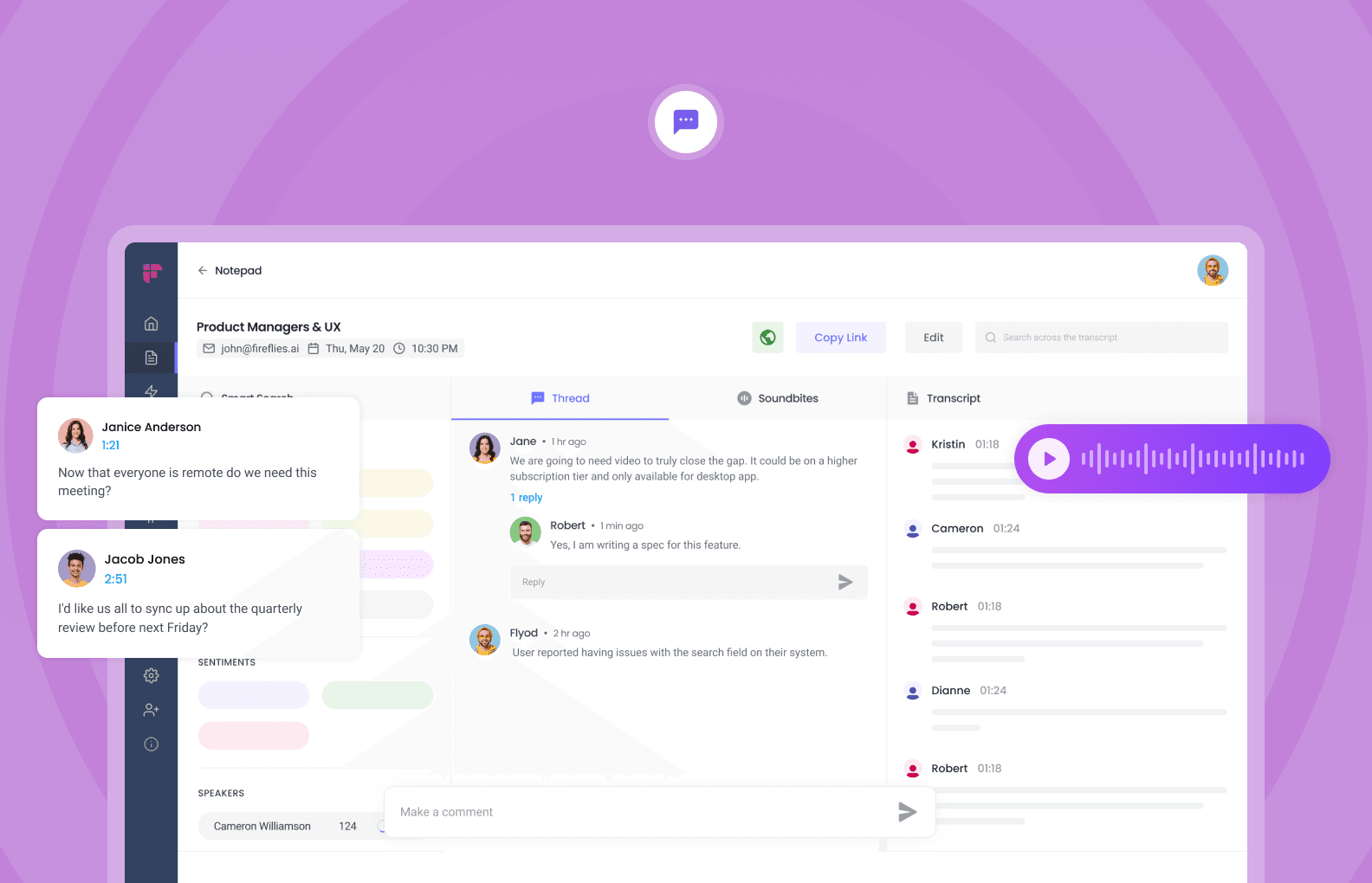
Its core function is to liberate managers from the burden of manual note-taking, allowing for full engagement in discussions. After a meeting, Fireflies provides a searchable transcript, a concise summary, and a list of key highlights. This directly addresses the common pain point of important decisions, action items, and feedback getting lost or being inconsistently captured.
For a project manager, this means:
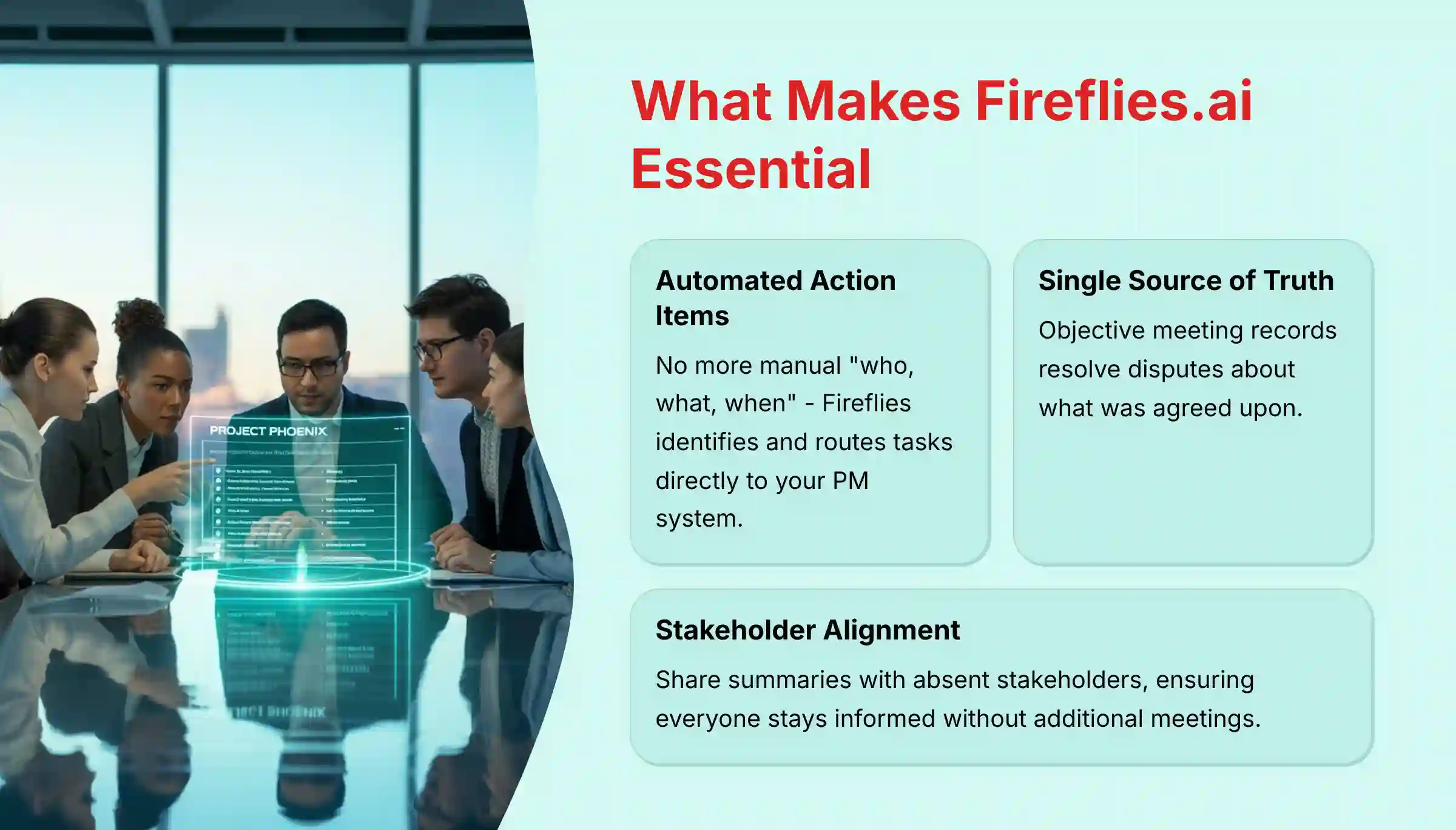
- Automated Action Item Capture: No more manually typing up “who, what, when.” Fireflies identifies and helps you route tasks directly to your project management system.
- A Single Source of Truth: The transcript serves as an objective record of the meeting, resolving disputes about what was agreed upon.
- Improved Stakeholder Alignment: Easily share summaries with stakeholders who couldn’t attend, ensuring everyone stays informed without needing another meeting.
For a product manager, Fireflies becomes a powerful user research and feedback analysis tool, allowing you to focus on the customer during an interview instead of on taking notes. By enabling deeper engagement during product discovery sessions and stakeholder meetings, product managers can gather higher quality insights while maintaining the natural flow of conversation.
To learn more about all of Fireflies.ai’s capabilities and features, explore our comprehensive Fireflies.ai Overview and Features guide.
How accurate is Fireflies.ai’s transcription for technical project meetings?
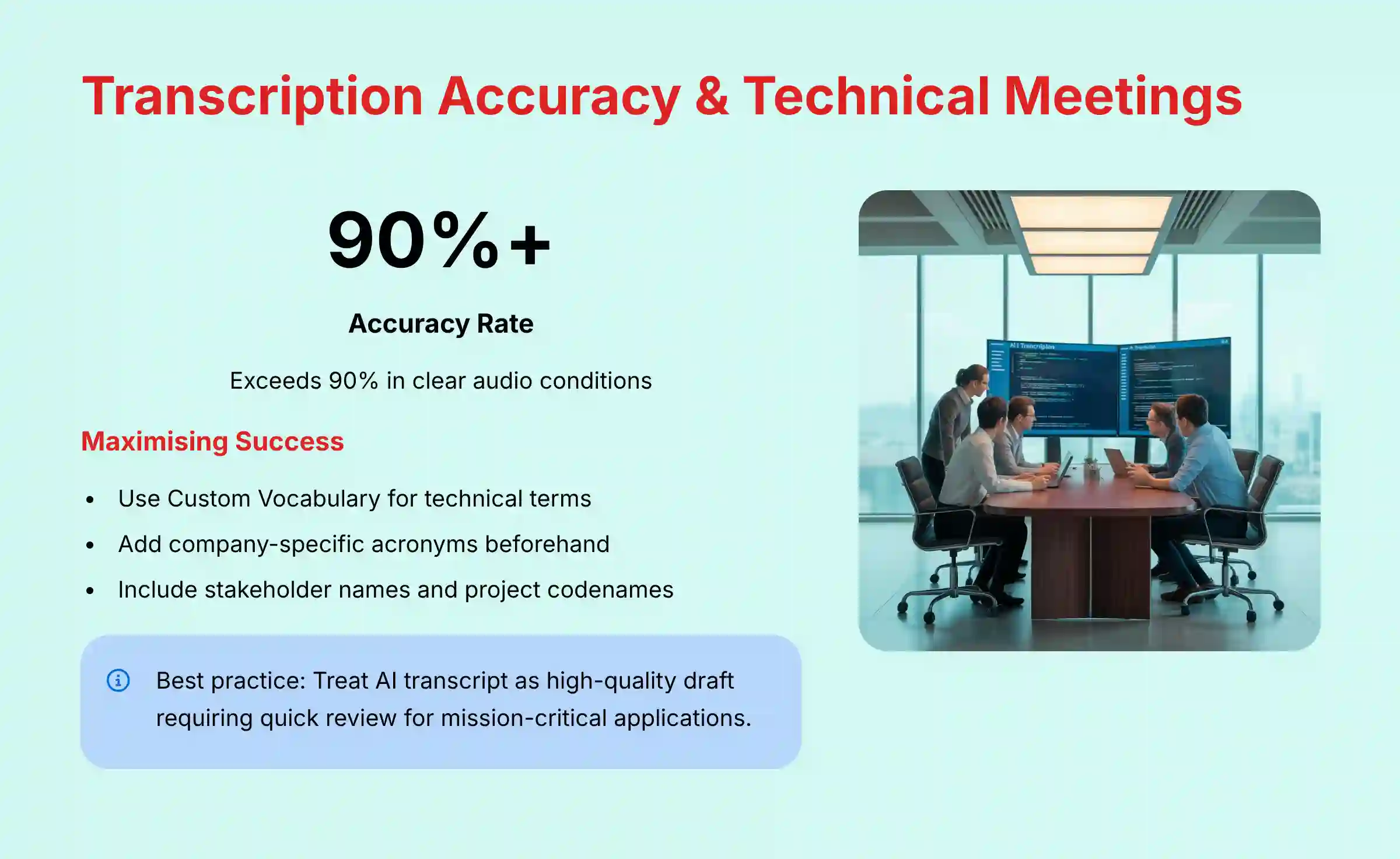
Fireflies.ai’s transcription accuracy is generally high, often exceeding 90%, especially in clear audio conditions. However, its performance with highly technical jargon, company-specific acronyms, and strong accents can vary. The key to maximizing accuracy lies in preparing the tool for success.
To handle specialized vocabulary, Fireflies offers a “Custom Vocabulary” feature. Before a meeting, you can add specific keywords, technical terms, and stakeholder names (e.g., “Project Chimera,” “Q3-OKR,” “isomorphic-fetch”). This primes the AI to recognize and correctly transcribe these terms, significantly boosting accuracy for technical discussions like sprint planning, architecture reviews, or API design sessions.
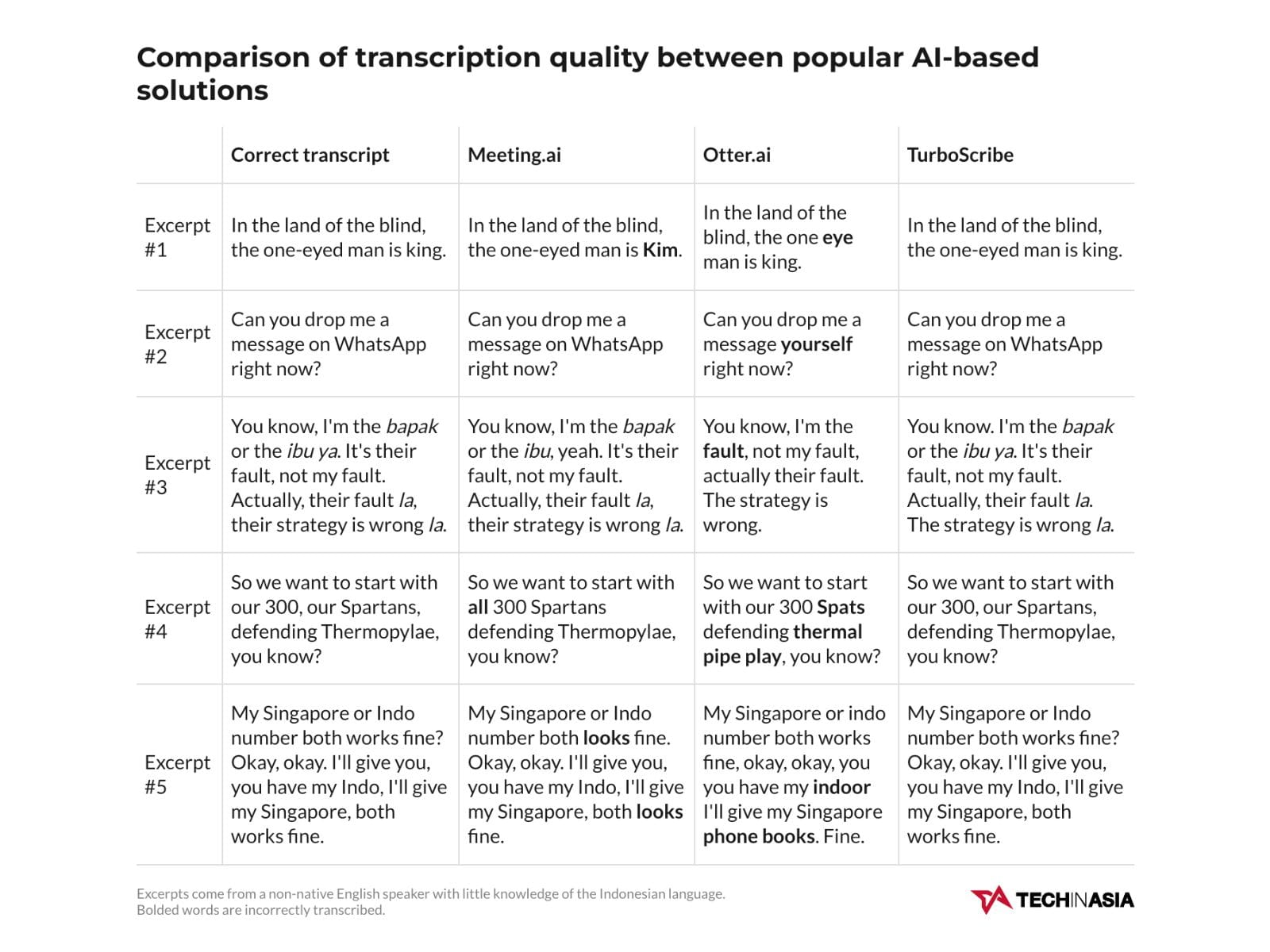
While the transcription is highly reliable for creating detailed notes and searching for keywords, it is not infallible. For mission-critical applications like formal meeting minutes or contractual agreements, the best practice is to treat the AI-generated transcript as a high-quality draft. A designated person should give it a quick review and make any necessary corrections, a process that is still exponentially faster than transcribing from scratch.
For project managers working in highly specialized domains (like biotech or aerospace), spending 10-15 minutes building a robust custom vocabulary library can dramatically improve transcription quality. This investment pays dividends across all future meetings, ensuring that complex technical discussions are captured with the highest possible fidelity.
For detailed analysis and comparison with competitors, check out our in-depth Fireflies.ai Review that covers accuracy benchmarks and best practices.
Is there a free version of Fireflies.ai to test?
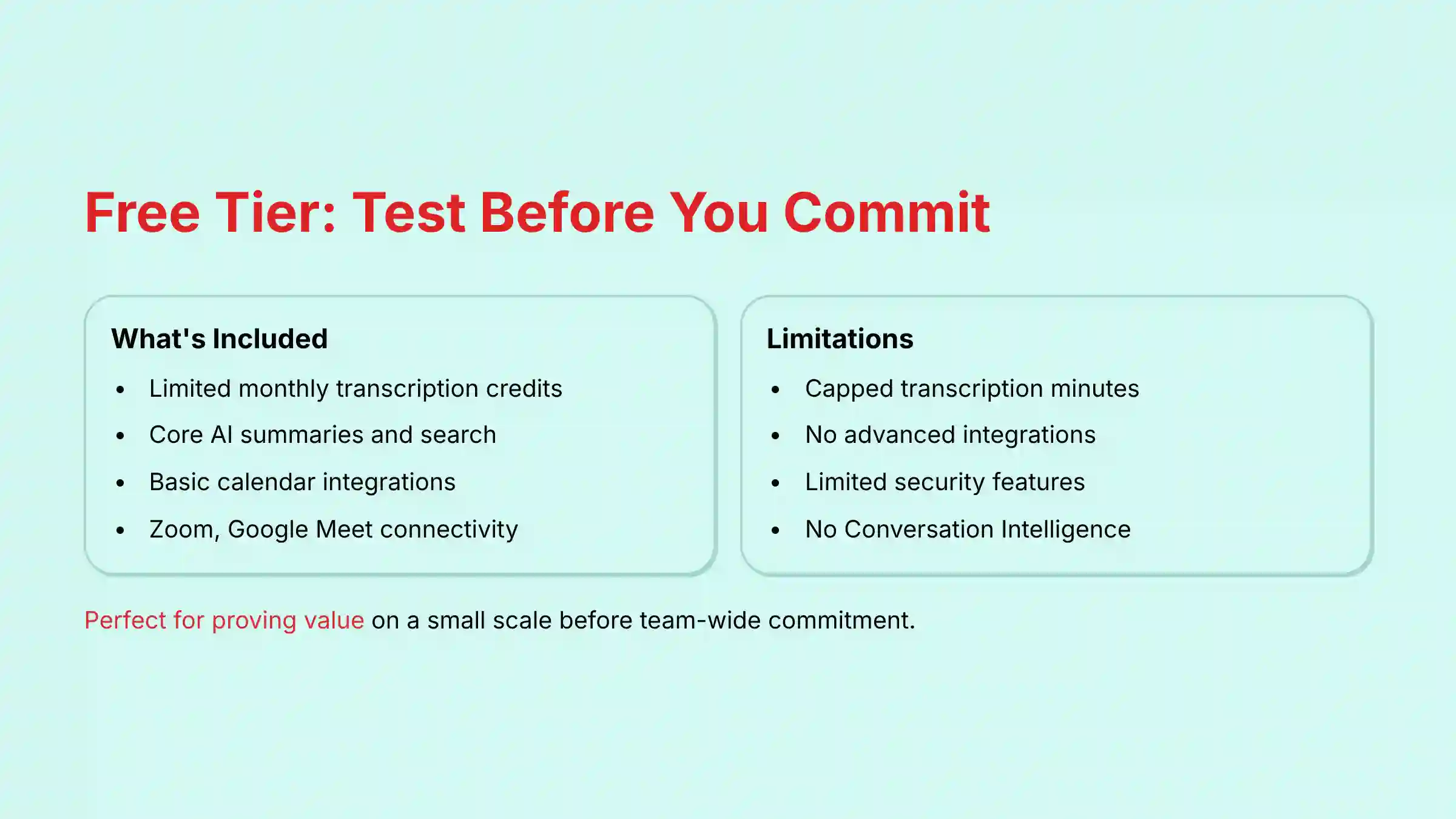
Yes, Fireflies.ai offers a Free Tier that is an excellent starting point for individual project managers or small teams looking to evaluate the platform’s core functionality. This free plan is not just a time-limited trial; it provides a permanent but limited set of features.
Typically, the Free Tier includes:
- Limited Transcription Credits: You receive a set amount of transcription minutes, which are consumed as Fireflies records your meetings. These credits usually replenish on a monthly basis.
- Core AI Features: You get access to the essential AI summaries, searchable transcripts, and keyword detection.
- Basic Integrations: The ability to connect with common calendar and conferencing tools like Google Calendar, Outlook Calendar, Zoom, and Google Meet is usually included.
The primary limitations of the Free Tier are the cap on transcription minutes and the exclusion of premium features like advanced integrations (e.g., native Jira or Asana task creation), Conversation Intelligence analytics, and enhanced security controls. The free version is perfectly suited for testing the transcription quality and basic workflow, allowing you to prove its value on a small scale before committing to a paid plan for your entire team.
For project managers working with sensitive data or in regulated industries, it’s important to note that the free tier typically does not include the advanced security features found in paid plans. This is a crucial consideration when evaluating whether Fireflies.ai will meet your organization’s compliance requirements.
How does Fireflies.ai integrate with project management tools like Jira, Asana, and Trello?
Fireflies.ai’s integration with project management platforms is its most powerful feature for team productivity. It acts as a bridge, turning conversations into actionable work items seamlessly. The integration works on two levels: basic and automated.
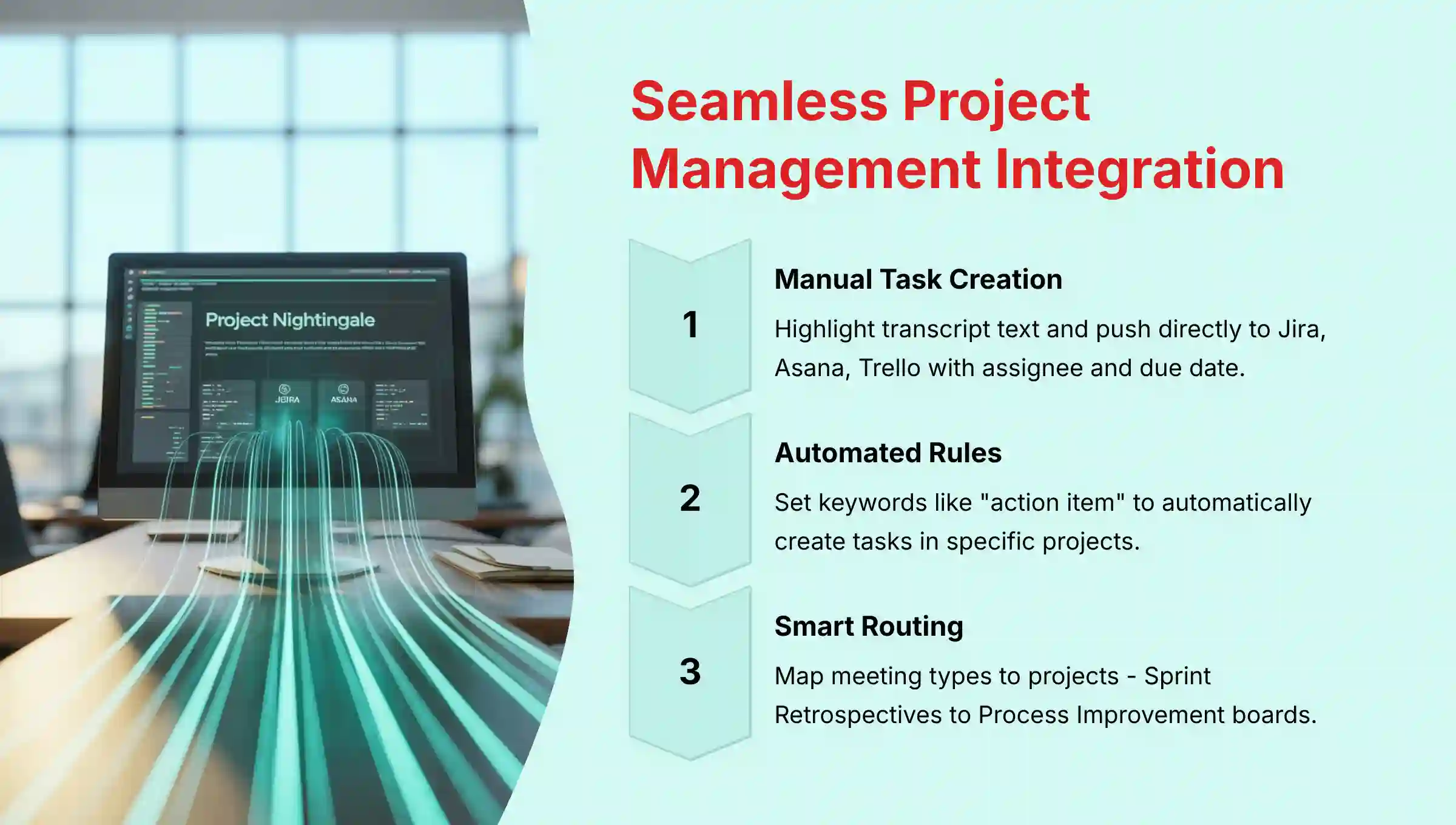
- Manual Task Creation: From within a meeting transcript in Fireflies, you can highlight a piece of text—such as an agreed-upon action item—and manually push it to your connected PM tool. A dialog box will appear allowing you to create a new task, ticket, or card in Asana, Jira, Trello, Monday.com, and others. You can typically assign it to a team member, set a due date, and add a description directly from Fireflies.
- Automated Task Creation: This is where the real magic happens. You can configure automation rules within Fireflies. For example, you can set up a rule that says, “Any time the keywords ‘action item’ or ‘follow up’ are mentioned, automatically create a task in my ‘Sprint Planning’ project in Asana.” This workflow runs in the background, ensuring that commitments made during a meeting are immediately placed into the team’s work queue without manual intervention.
These integrations prevent crucial tasks from falling through the cracks and eliminate the administrative overhead of manually translating meeting notes into a project plan.
🚀 Expert’s Insight: The biggest mistake teams make is not customizing the integration. Don’t just connect Asana and stop. Go into the integration settings within Fireflies and map your meeting types to specific projects. For example, all “Sprint Retrospective” meetings should automatically create tasks in your “Process Improvement” board, while “Client Onboarding” meetings should populate your client’s specific project. This pre-sorting saves the project manager hours of manual task routing each week.
For step-by-step guidance on setting up these integrations effectively, explore our detailed Fireflies.ai Tutorials and Usecase guide that includes real-world implementation examples.
Can Fireflies.ai automatically join and record all my meetings without manual invites?
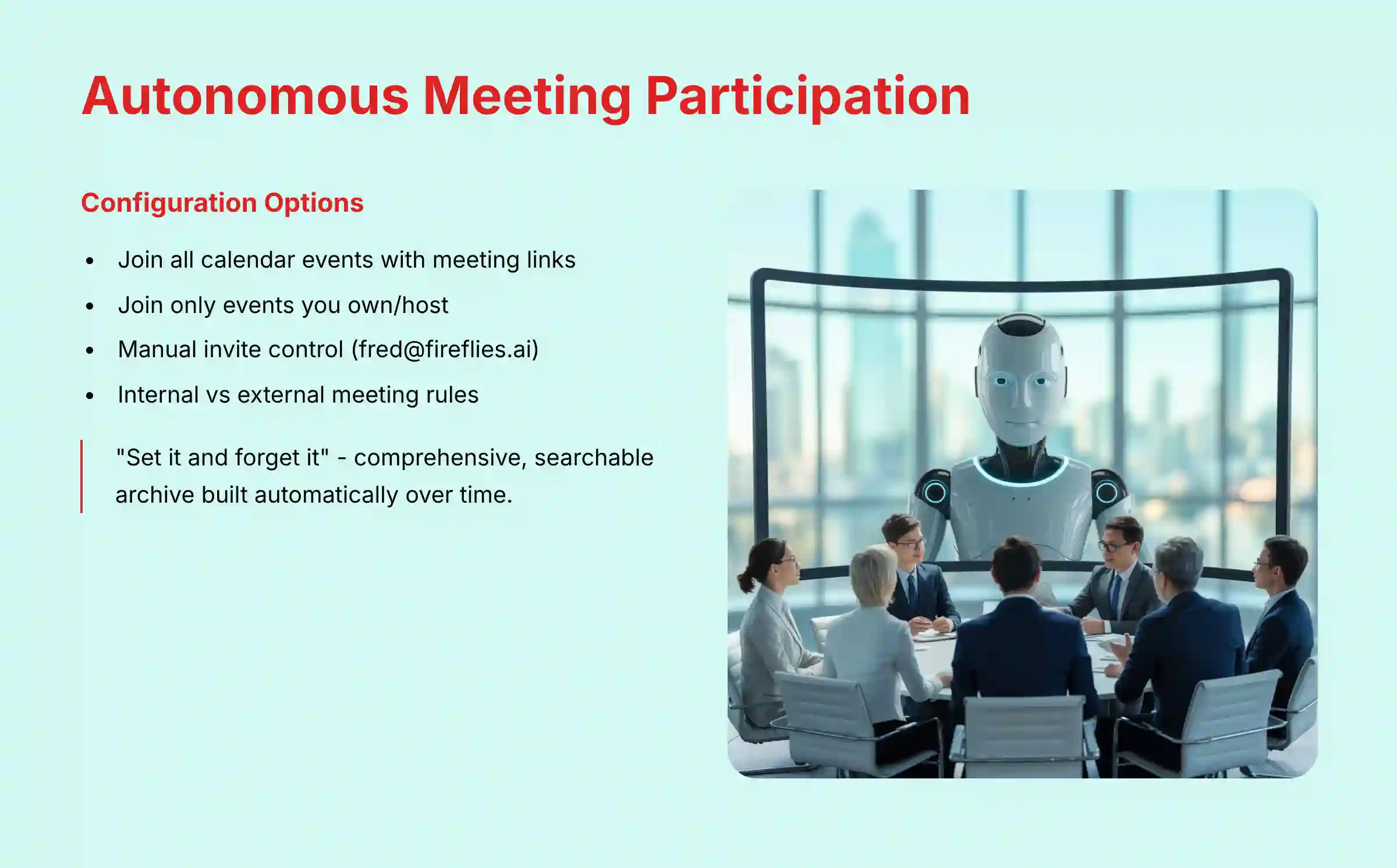
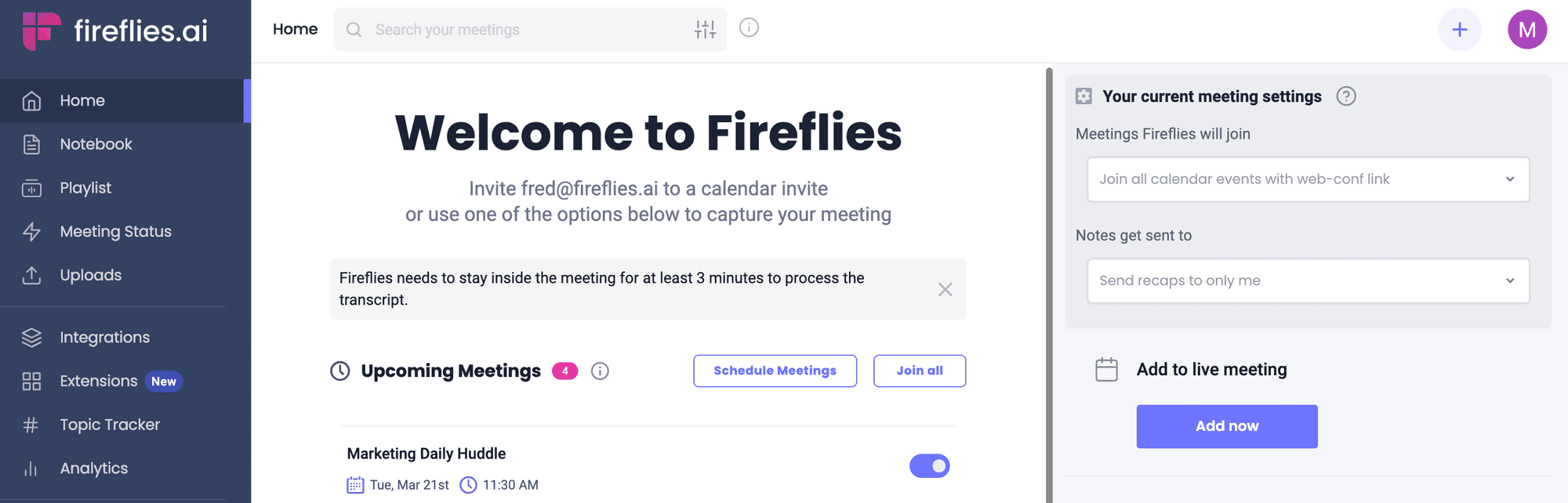
Yes, one of the primary convenience features of Fireflies.ai is its ability to function as an autonomous participant. You can configure it to automatically join and record any meeting on your calendar that has a conference link (e.g., Zoom, Google Meet, Microsoft Teams).
You have granular control over this behavior in the Fireflies settings. You can configure it to:
- Join all calendar events with a meeting link: This is the “set it and forget it” option.
- Join only events that you own/host: This prevents it from joining personal appointments or meetings where you are an optional attendee.
- Join only when you explicitly invite
fred@fireflies.ai: This gives you maximum manual control, for when you only want to record specific, high-value meetings. - Join internal or external meetings only: You can also set rules based on whether the attendees are within your organization or external clients and partners.
This automation is a core part of its value proposition, ensuring that no important conversation is missed because someone forgot to press “record” or invite the bot. It ensures a comprehensive, searchable archive of all project discussions is built automatically over time.
For project managers who oversee multiple workstreams with numerous stakeholders, this automatic joining capability eliminates a significant administrative burden. Instead of manually tracking which meetings need documentation, you can establish a consistent process where all project-related discussions are captured by default, creating an invaluable knowledge repository for the entire team.

Fireflies.ai vs. Otter.ai vs. Fathom: Which is best for project management?
While all three tools offer excellent transcription and summarization, the best choice for a project or product manager depends on your primary use case: workflow automation, collaborative note-taking, or cost-free individual use.
- Fireflies.ai (Best for Workflow Automation): Fireflies’ key differentiator is the depth of its integrations and automation capabilities. Its ability to automatically parse meetings for action items and create tasks directly in Jira, Asana, Trello, and other PM tools makes it the superior choice for managers focused on turning conversation into execution. The “Topic Tracker” feature, for monitoring keywords like “risk” or “blocker” across all meetings, provides a strategic oversight capability that others lack.
- Otter.ai (Best for Rich, Collaborative Notes): Otter excels at real-time, collaborative transcription. During a meeting, team members can highlight, comment on, and add images directly to the live transcript. This makes it a great tool for collaborative sessions like user interviews or brainstorming where the notes themselves are a shared workspace. While it has integrations, they are generally less focused on automated task creation than Fireflies.
- Fathom (Best for Individuals & Sales): Fathom’s most compelling feature is that its core recording and transcription service is completely free. It provides excellent, high-quality summaries and automatically generates call notes. However, its integrations and advanced features are more geared towards sales workflows (e.g., updating a CRM) than project management systems. It’s a fantastic choice for an individual PM who needs a personal meeting assistant without a budget.
Conclusion: For a project management team looking to streamline processes and ensure accountability, Fireflies.ai is typically the strongest choice due to its superior automation and PM tool integrations. The key differentiation lies in how each tool supports the complete project management workflow, not just the meeting documentation component.
For a comprehensive comparison of all available options, explore our detailed analysis in Fireflies.ai Top Alternatives and Competitors guide.
Is Fireflies.ai secure and compliant for enterprise use (SOC 2, GDPR)?
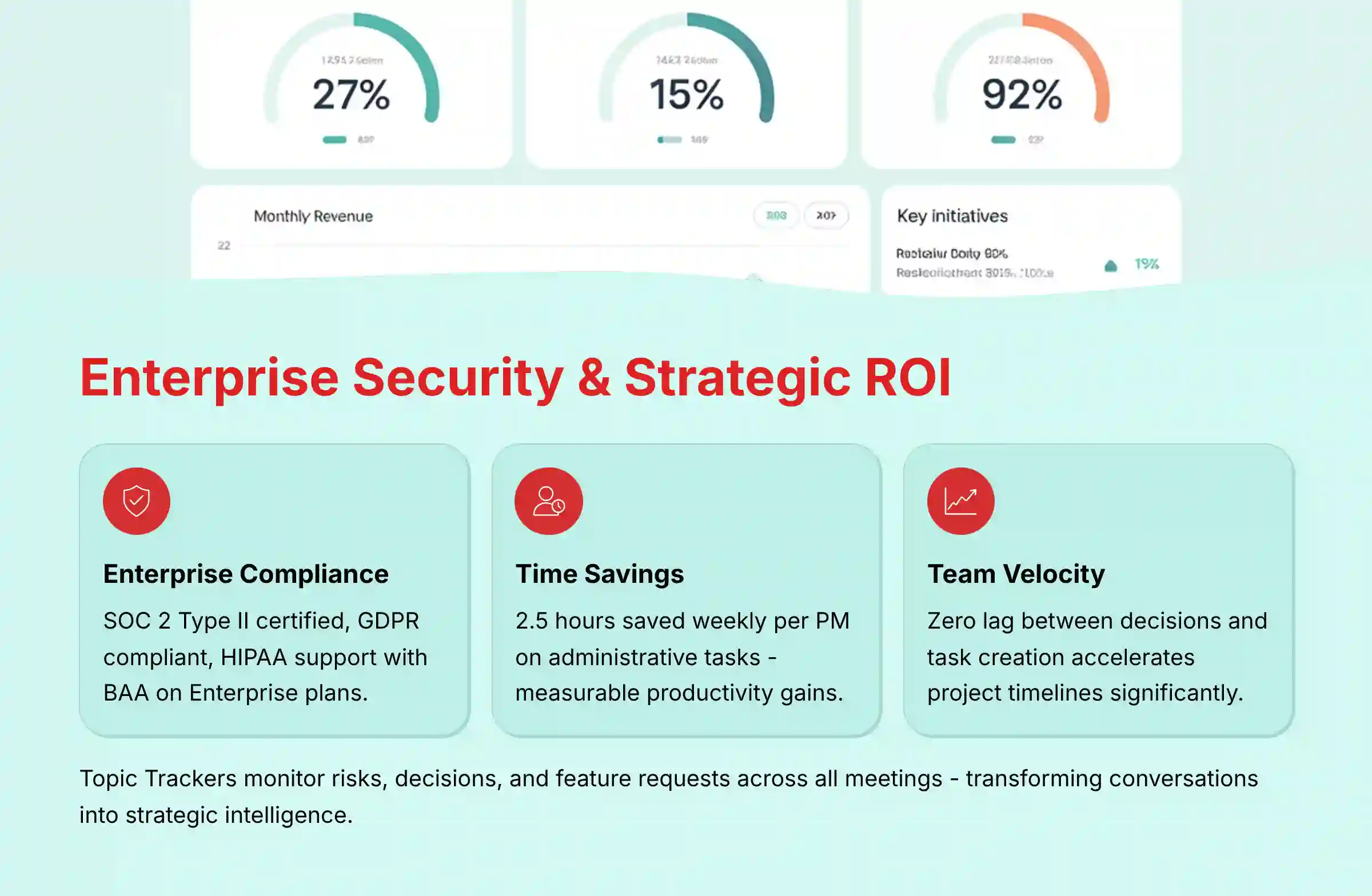
Yes, Fireflies.ai is designed for enterprise use and meets several key security and compliance standards, which is a critical requirement for any tool that handles sensitive company conversations.
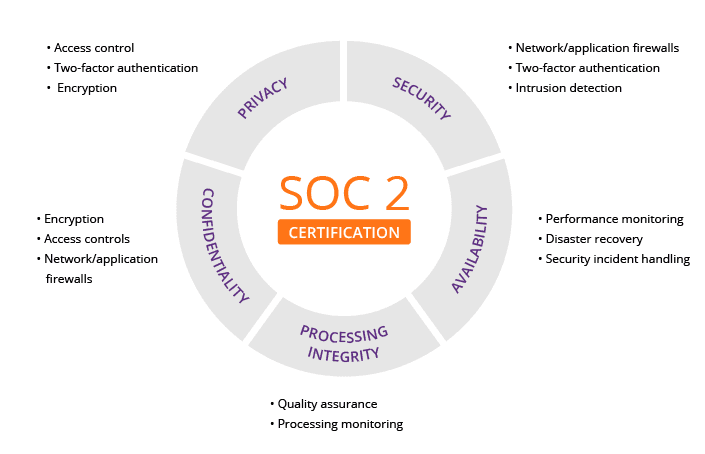
Fireflies.ai has achieved SOC 2 Type II certification. This is a rigorous, third-party audit that validates the company’s systems and controls for managing customer data based on five trust principles: security, availability, processing integrity, confidentiality, and privacy. This certification is often a non-negotiable requirement for enterprise software procurement.
Furthermore, Fireflies.ai is GDPR compliant, ensuring it adheres to the data protection and privacy regulations for individuals within the European Union. Key GDPR compliance features include:
- Data Processing Agreements (DPA): Fireflies provides DPAs to govern the processing of personal data.
- Data Subject Rights: It has processes in place for users to request access to or deletion of their data.
- Private Storage: For enterprise clients, Fireflies offers options for private, single-tenant cloud storage and the ability to request data be stored in specific geographic regions (like the EU) to meet data residency requirements.
Regarding healthcare data: Fireflies.ai can be configured to support HIPAA compliance, but this is restricted to its Enterprise Plan and requires the customer to sign a Business Associate Agreement (BAA). Using Fireflies.ai for conversations containing Protected Health Information (PHI) on any other plan, or without a BAA in place, would violate HIPAA regulations.
🛡️ Expert’s Insight: While Fireflies provides the technical and legal framework (SOC 2, GDPR), true security is also a matter of internal governance. Don’t just rely on the vendor’s compliance. As a manager, you must establish clear team policies on what gets recorded. For highly sensitive M&A or HR discussions, the best practice is to use Fireflies’ settings to exclude it from those specific meetings. The tool is secure, but you still control the front door. A simple team-wide policy on when not to use the tool is as important as the tool’s own security features.
How can I use Fireflies’ advanced features to track risks, decisions, and feature requests?
The true power of Fireflies for a strategic project or product manager lies in its Topic Tracker and Conversation Intelligence features. These tools elevate it from a simple note-taker to a portfolio-level listening tool.
Topic Trackers are essentially custom keyword filters that you can create to scan every meeting transcript. Instead of just searching one meeting, you create persistent trackers that find patterns across all conversations over time. Here’s how to use it strategically:
- Create Trackers for Key PM Metrics:
- Risk Tracker: Add keywords like “blocker,” “risk,” “bottleneck,” “slipping,” “concern.”
- Decision Tracker: Add “we’ve decided,” “the decision is,” “let’s agree,” “moving forward.”
- Commitment Tracker: Add “I’ll do,” “action item,” “by end of day,” “who will own.”
- Product Feedback Tracker: (For PMs) Add “I wish,” “it’s confusing,” “feature request,” and competitor names.
- Analyze the Results: Once set up, Fireflies will generate a dashboard for each tracker, showing you every time these phrases were mentioned, in which meeting, and by whom. A project manager can now see if “blocker” mentions are trending up across a project, indicating growing risk. A product manager can instantly collate every feature request from a dozen different sales calls.
Conversation Intelligence provides analytics on meeting dynamics, such as talk-to-listen ratios, sentiment, and monologue lengths. This can be used to coach junior PMs on how to run more inclusive meetings or to see if stakeholder sentiment is turning negative over the course of a project.
For product managers specifically, creating trackers for user pain points, competitive mentions, and feature requests can transform scattered feedback into a structured dataset that informs prioritization decisions. This turns every client call, team meeting, and stakeholder review into valuable product intelligence without requiring additional dedicated research time.
To see more advanced use cases and strategic implementations, visit our Fireflies.ai FAQs section for expert tips and real-world examples.
What is the real ROI of Fireflies.ai, and how can I prove its value to my manager?
The Return on Investment (ROI) from Fireflies.ai comes from three primary areas: time savings, increased team velocity, and risk reduction. To prove its value, you must frame the benefits in these measurable terms.
- Time Saved on Administrative Tasks (The Easiest to Measure):
- Calculation: For one week, manually track the time you and your team spend writing meeting notes, identifying action items, and creating tasks in your PM tool. Let’s say it’s 3 hours per week for a PM. With Fireflies, this is reduced to about 30 minutes (for review/editing).
- ROI Pitch: “Fireflies saves me 2.5 hours per week of low-value administrative work. At my hourly rate, this is a saving of [$X] per month. Across our team of 5 PMs, this is a saving of [$Y], which is more than double the subscription cost.”
- Increased Team Velocity (The Most Impactful):
- Calculation: The value here is in speed. Because action items are captured and assigned instantly, the time between a decision being made and work beginning is reduced from days to minutes. This means features get delivered faster and project cycles are shortened.
- ROI Pitch: “In the past, there was a 24-48 hour lag between a stakeholder meeting and the resulting tasks appearing in Jira. With the Fireflies-Jira integration, that lag is now zero. This allows our development team to pick up work immediately, which will help us complete our sprint goals more consistently and accelerate our project timeline.”
- Risk Reduction (The Hardest to Measure, but Most Critical):
- Calculation: This is about avoided costs. A single missed action item or misunderstood requirement can lead to weeks of rework. Fireflies provides a searchable, objective record that prevents these misunderstandings.
- ROI Pitch: “Last quarter, a key requirement was missed from the meeting notes, leading to 40 hours of rework. Fireflies creates a perfect transcript of every meeting, which serves as our single source of truth. This tool acts as an insurance policy against costly miscommunications, saving us potentially thousands in wasted engineering effort.”
For product managers specifically, there’s a fourth ROI area: improved product decisions. By capturing and organizing all customer feedback from various meetings, you can demonstrate how Fireflies helps build products that better meet market needs, potentially increasing adoption rates and customer satisfaction scores. This strategic benefit often resonates more strongly with senior leadership than pure efficiency gains.
To explore how Fireflies.ai compares to other team communication solutions and their respective ROI potential, review our comprehensive guide on the Best 10 AI Team Communication Platforms: Strategic Choices for Project & Product Managers in 2025.


Leave a Reply