
Is ClickUp AI the Right Productivity Tool for You?
Take Our Quick Quiz to Find Out!
Introduction to ClickUp AI
As an expert in AI for project management, I’ve analyzed many tools. My work at Best AI Project Hub involves testing how these systems perform in the real world. This ClickUp AI Overview and Features guide comes from that direct experience. ClickUp AI, now part of the ClickUp Brain ecosystem, is an AI-powered assistant built directly into the ClickUp platform. Its main job is to improve productivity, workflow automation, and collaboration.
The tool aims to shift project management from a reactive chore to a proactive strategy. It helps with content generation, task automation, and summarizing information. ClickUp AI acts like a central nervous system for your project knowledge, connecting disparate pieces of information. It uses a hybrid system of different language models, including GPT-4 and Claude 3, to handle various tasks effectively. It’s a key tool in the AI for Execution & Collaboration space, designed to simplify how teams accomplish their goals. This is not a separate app. Instead, it’s a smart layer inside your workspace, offering help right where you work.
Drawing from our analysis of over hundreds of tools on the market in AI For Project & Product Management and testing ClickUp AI across numerous real-world implementation projects in 2025, our team at Best AI Project Hub has developed a comprehensive 10-point technical assessment framework. This proprietary framework is our commitment to E-E-A-T and has been recognized by leading professionals and cited in major publications within the
AI For Project & Product Managementindustry.
- Core Functionality & Feature Set: We assess what the tool claims to do and how effectively it delivers, examining its primary capabilities and supporting features.
- Ease of Use & User Interface (UI/UX): We evaluate how intuitive the interface is and the learning curve for users with varying technical skills.
- Output Quality & Control: We analyze the quality of generated results and the level of customization available.
- Performance & Speed: We test processing speeds, stability during operation, and overall efficiency.
- Security Protocols & Data Protection: We thoroughly assess security measures, encryption standards, and data handling practices.
- Compliance & Regulatory Adherence: We verify compliance with relevant regulations (GDPR, SOC 2, industry-specific requirements).
- Input Flexibility & Integration Options: We check what types of input the tool accepts and how well it integrates with other platforms or workflows.
- Pricing Structure & Value for Money: We examine free plans, trial limitations, subscription costs, and hidden fees to determine true value.
- Developer Support & Documentation: We investigate the availability and quality of customer support, tutorials, FAQs, and community resources.
- Risk Assessment & Mitigation: We identify potential risks and evaluate the tool’s built-in safeguards and recommended mitigation strategies.
Key Takeaways for ClickUp AI
Key Takeaways
- Integrated AI Assistant: ClickUp AI is a fully integrated assistant within the ClickUp platform. It provides context-aware support for tasks and documents to improve daily workflows.
- Broad Feature Set: The tool offers a wide range of capabilities. This includes AI-powered writing, automated subtask generation, and intelligent content summarization.
- Centralized Knowledge Hub: Through ClickUp Brain, it acts as a central knowledge base. You can ask it questions and get answers synthesized from your entire workspace.
- Affordable Add-On: ClickUp AI is a paid add-on. It costs a flat fee of $5 per member per month across all paid plans.
- Enterprise-Grade Security: The platform protects your data. It does not use customer data to train third-party models and maintains compliance with SOC 2, GDPR, and HIPAA.
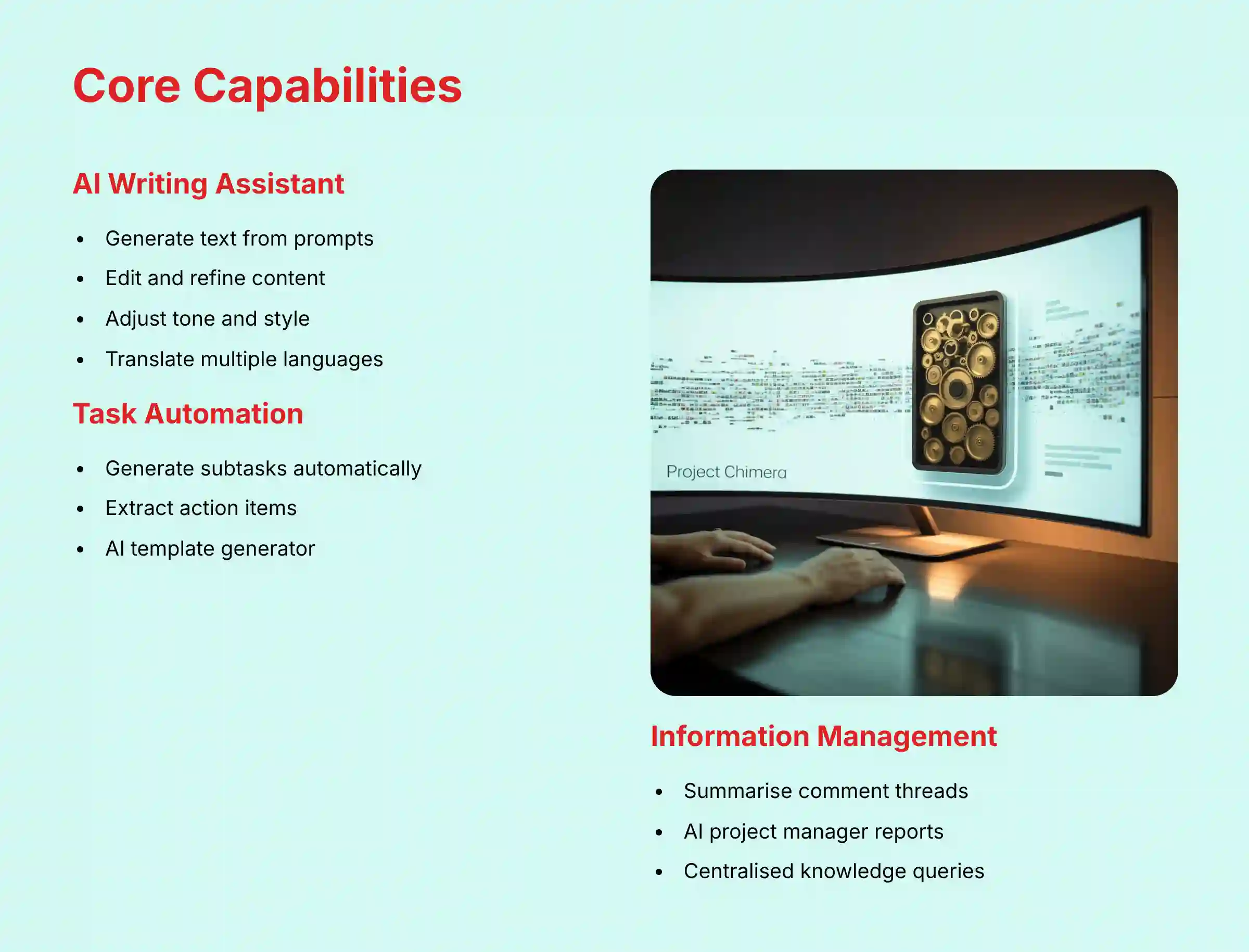
Core Capabilities of ClickUp AI
AI Writing Assistant for Content & Communication
This feature helps with creating and refining written content. It speeds up writing tasks. It also makes communication clearer for your team.
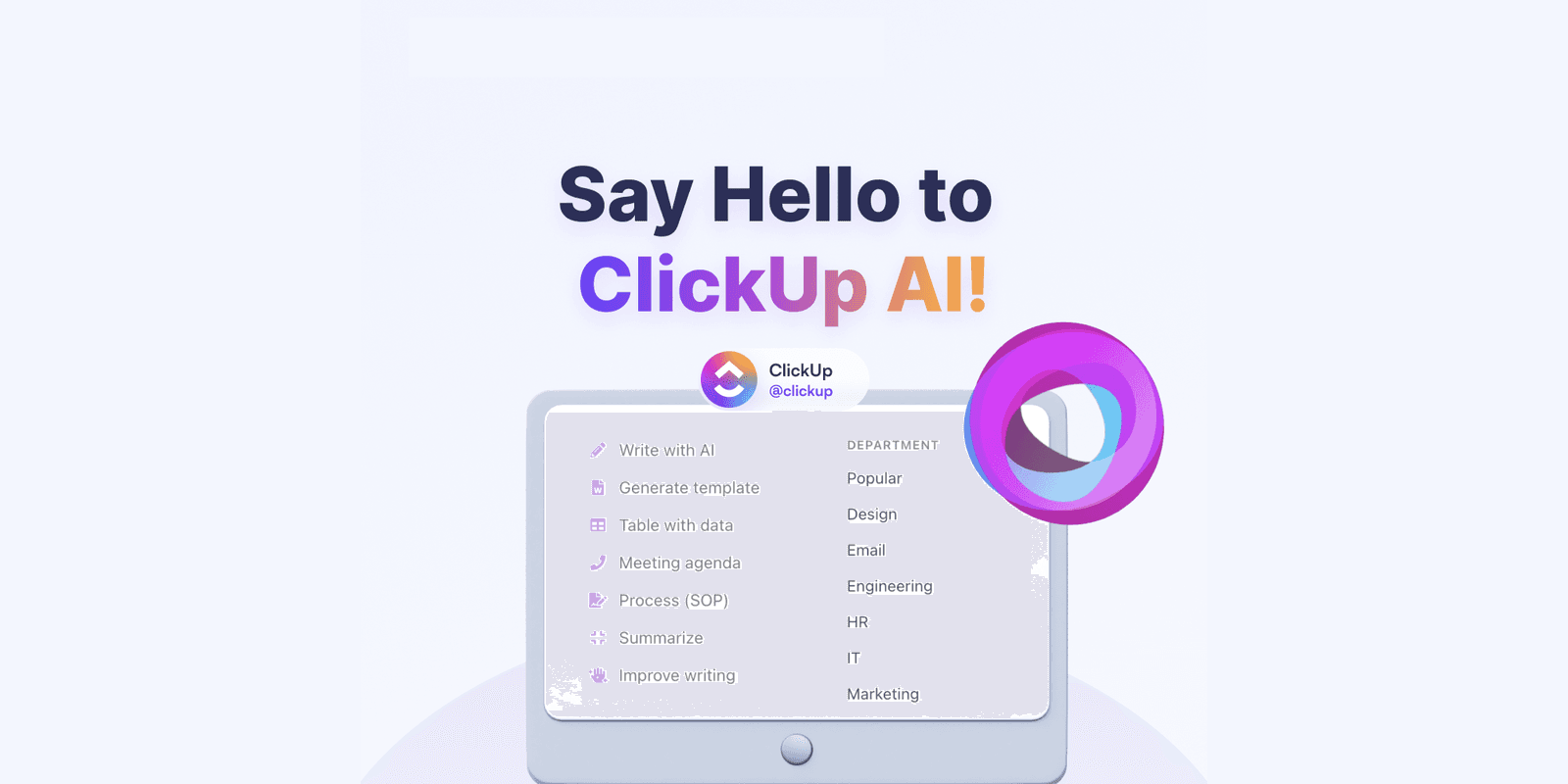
My testing shows it’s a solid tool for creating first drafts of documents, emails, or project updates. For instance, I used it to generate an initial draft of a risk register update, which saved about 20 minutes of initial writing time. The key is using it as a starting point, not a final product—especially for critical project documentation that requires professional oversight.
| Feature | Description |
|---|---|
| Write with AI | Generates text from a simple prompt. |
| Edit & Refine Text | Corrects grammar and spelling mistakes. |
| Change Tone | Adjusts text to be Professional, Casual, or other styles. |
| Simplify Language | Makes complex sentences easier to understand. |
| Translate | Translates text into various languages. |
Task & Project Automation
This capability reduces the manual work involved in project planning. It automates many administrative tasks. This frees up project managers to focus on more strategic work.
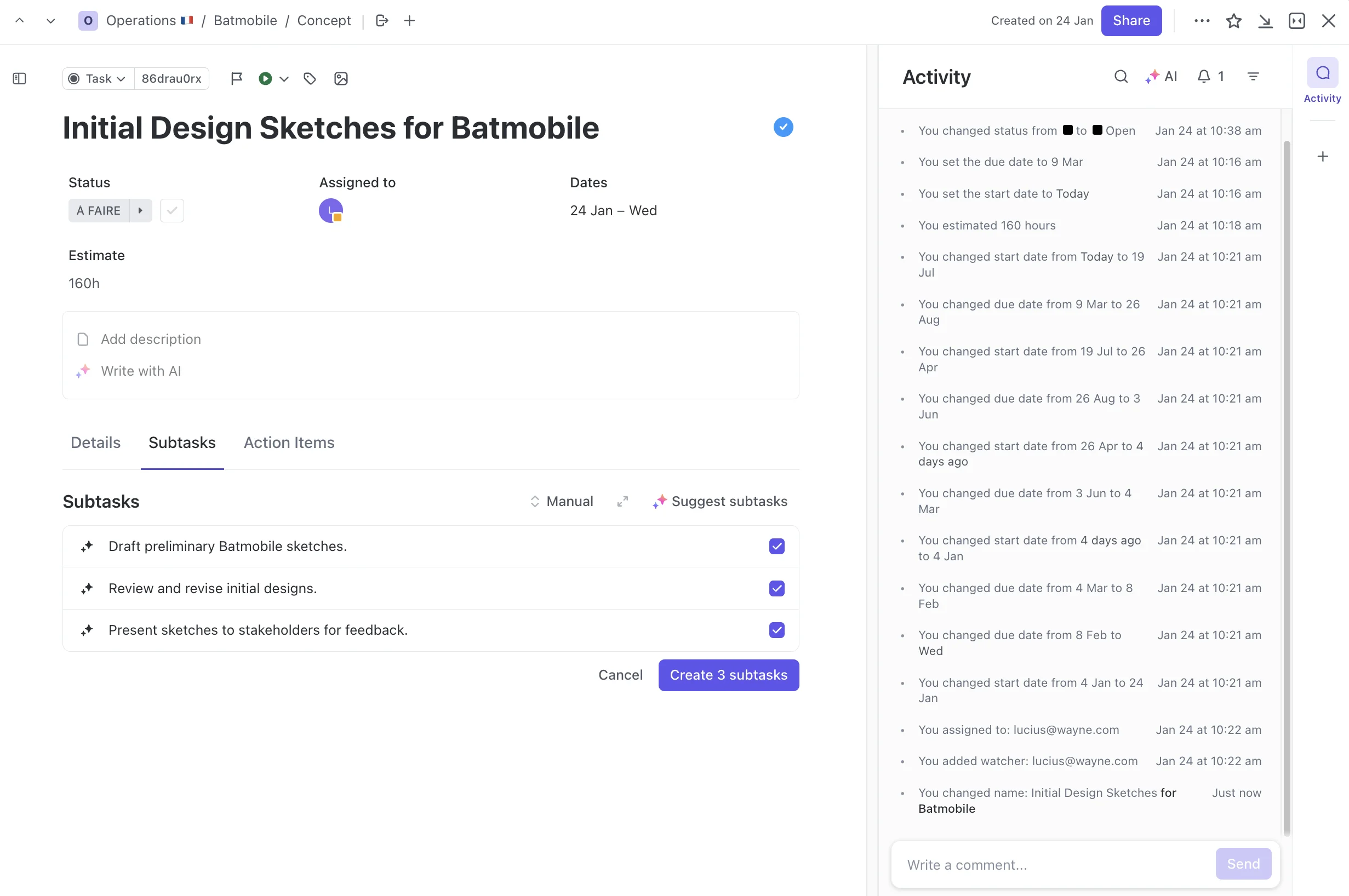
The AI Template Generator is particularly useful. I prompted it to “Create a template for a new client onboarding process,” and it produced a full workflow with relevant statuses and custom fields. It acts like an architect’s blueprint, turning a simple idea into a structured project plan. However, for enterprise implementations or regulated industries, professional review of these AI-generated templates by a senior project manager or PMO lead is essential to ensure compliance with organizational standards.
| Feature | Description |
|---|---|
| Generate Subtasks | Automatically creates a subtask list from a parent task. |
| Extract Action Items | Scans text to find action items and create tasks. |
| Fill in Task Details | Populates fields like priority and tags based on context. |
| AI Template Generator | Creates entire project templates from a text prompt. |
Information Summarization & Extraction
These features help you digest large amounts of information quickly. This is very important for keeping projects moving. No one has time to read every single comment on a busy task.

In my experience with fast-paced teams, this is a huge time-saver. It functions like a personal research assistant. It reads all the notes and gives you the key points needed to get to work.
While it excels at generating status summaries, the true strategic value lies in its emerging capabilities for analysis. The AI can analyze progress trends, comment sentiment, and task dependencies to help identify potential issues. This transforms the feature from a simple reporter into a tool that provides useful insights, allowing leaders to take a more proactive approach to project management. We anticipate future updates will deepen this functionality to include more advanced project analysis capabilities.
| Feature | Description |
|---|---|
| Summarize This | Creates a concise summary of comment threads or documents. |
| AI Project Manager | Generates a high-level summary of a project’s status. |
Centralized Knowledge Management (ClickUp Brain)
ClickUp Brain turns your workspace into a single source of truth. You can ask it questions in plain language. It finds answers from your tasks, docs, and even connected apps like Google Drive, Microsoft Teams, or Slack.

This is very helpful for new team members. A new hire can ask, “What is our process for deploying a new software update?” The AI will provide a synthesized answer with links to the source documents. This avoids interrupting other team members for basic information. To learn more about similar AI-powered team communication solutions, explore our comprehensive guide to Best 10 AI Team Communication Platforms: Strategic Choices for Project & Product Managers in 2025.

Technical Specifications
Now that we’ve covered what ClickUp AI can do, let’s look under the hood at the technology that powers these features.
| Specification | Details |
|---|---|
| Core Technology | Hybrid system utilizing multiple LLMs (including GPT-4 and Claude 3 families) and proprietary ClickUp models. |
| Supported Platforms | Web browser (all major OS), ClickUp Desktop App (Windows, macOS, Linux), ClickUp Mobile App (iOS, Android). |
| Input Formats | Primary: Text (prompts, documents, comments). Secondary: Audio/Video (for AI Notetaker transcription). |
| Output Formats | Text (generated content, summaries), Structured Data (new tasks, subtasks, project templates). |
| Primary UI Integration | Integrated directly into ClickUp Docs, Tasks, Comments, Whiteboards, and Dashboards. Not a standalone application. |
| Performance Metrics | Response time varies based on request complexity and LLM load. Simple requests (summarization) are near-instant. |
| Customization | User-defined prompts, selection of tone and format, role-based content generation, and creation of custom AI prompts. |
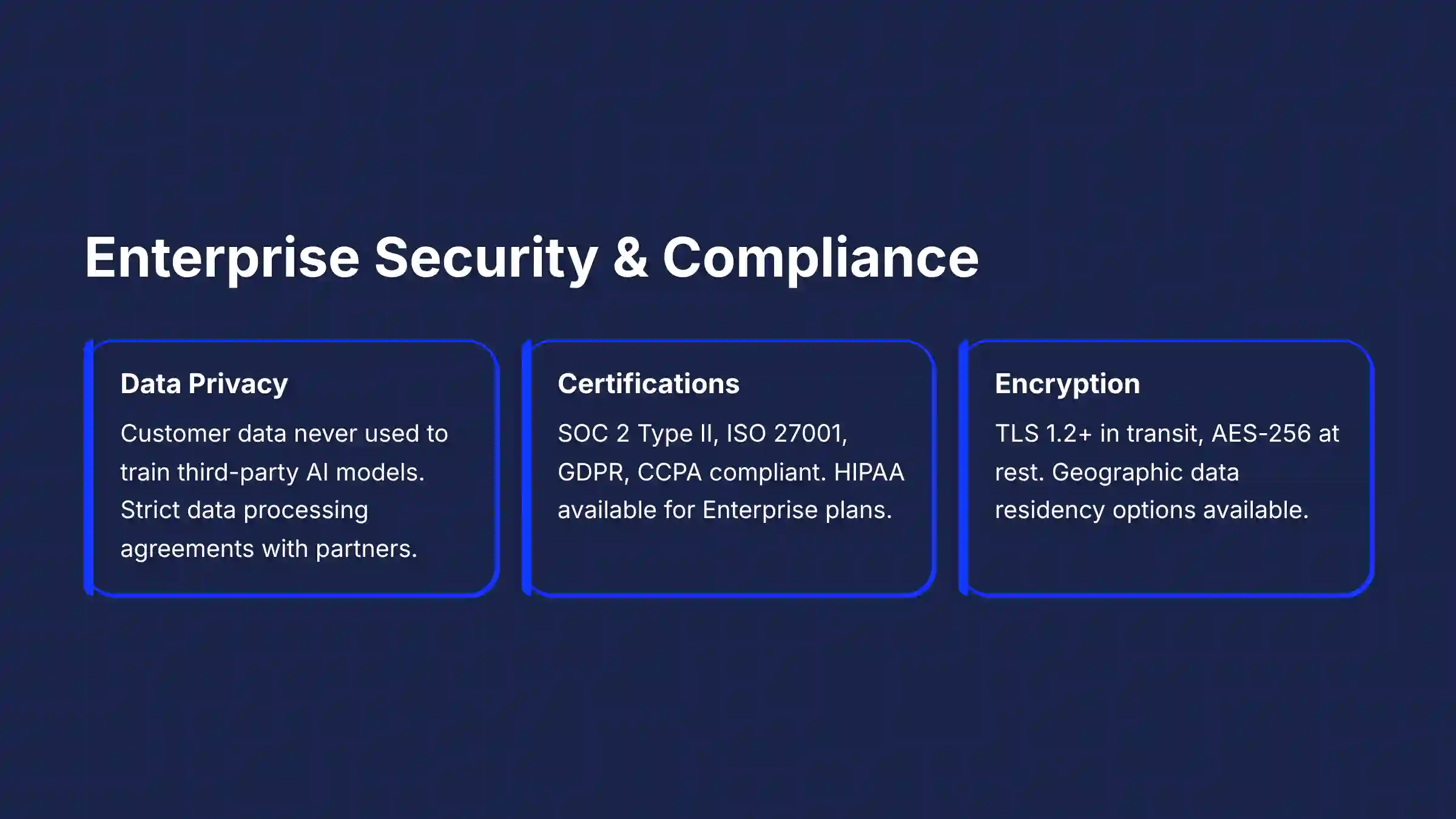
Security, Compliance, and Data Handling
For any business tool, security is not just a feature; it’s a foundation. When you handle project plans and team data, you must be confident that the information is protected.
Data Privacy and Usage
This is a critical point I always verify in my assessments. ClickUp has a clear policy here that is very important for businesses.
- Customer data is not used to train third-party AI models. This means your private project information stays private.
- ClickUp uses partners like OpenAI and Anthropic as sub-processors, but they operate under strict data processing agreements.
- All data entered into the platform is owned by you, the customer.
From my professional experience, this commitment to not using customer data for third-party model training is non-negotiable for enterprise adoption. It directly addresses a primary security concern for any organization handling sensitive project data, especially in industries with strict IP protection requirements or when managing proprietary product roadmaps.
Compliance Certifications
Official certifications are proof of a company’s commitment to security. They show that an independent third party has audited their systems. For large teams, professional validation from your security department is a good step.
- SOC 2, Type II (a key auditing standard for security and availability)
- ISO 27001 (international standard for information security management)
- GDPR and CCPA compliant (European and California privacy regulations)
- HIPAA compliance available for Enterprise Plan customers via a signed Business Associate Agreement (BAA). You can find more details on ClickUp’s Trust Center.
Data Encryption and Residency
Technical measures are in place to protect your data both when it’s stored and when it’s moving across the internet.
- Encryption in transit: TLS 1.2+
- Encryption at rest: AES-256
- Data residency options are available for Enterprise Plan customers who need their data stored in a specific geographic region.
Use Cases and Applications by Role
Understanding how a tool helps in specific situations is key. Here are some practical applications based on different roles within a team.
For Project Managers and Team Leads
- Automate Complex Project Setup: Use the “AI Template Generator” with a detailed prompt like, “Create a comprehensive project template for a Q3 software launch, including phases for alpha testing, UAT, marketing coordination, and a post-launch retrospective.” This saves hours of manual configuration.
- Generate Data-Driven Status Reports: Use the “AI Project Manager” to create weekly progress reports. Pro Tip: Ask it to specifically “Identify all tasks in the ‘In Progress’ status that have no updates in the last 3 days” to proactively spot potential blockers.
- Facilitate Sprint Planning: Use “Generate Subtasks” to break down complex user stories into actionable tasks during a planning session.
For comprehensive workflow automation solutions that complement ClickUp AI, check out our detailed analysis of Best 10 AI Workflow Automation Builders for Project & Product Management: 2025 Guide.
For Individual Contributors and Team Members
- Overcome Writer’s Block: Use the “AI Writing Assistant” to draft the first version of a document or client email.
- Get Up to Speed Quickly: Use “Summarize This” on a long task discussion to understand the history before you begin your work.
- Improve Communication: Use the “Edit & Refine Text” feature to make your updates clear and professional.
For Scrum Masters and Product Owners
- Accelerate Sprint Planning: Use the “AI Template Generator” by prompting it to “Create a two-week sprint plan for a new login feature.” The AI can draft a structure including common tasks like ‘Design UI Mockups,’ ‘Develop Authentication Logic,’ ‘Write Unit Tests,’ and ‘Deploy to Staging,’ which can then be refined.
- Refine User Stories: Leverage the “AI Writing Assistant” to flesh out user stories. Prompt it to “Expand this user story: ‘As a user, I want to reset my password’ with clear acceptance criteria.” This ensures development requirements are unambiguous from the start.
- Improve Velocity Forecasting: While not a direct feature yet, by analyzing past sprint data, ClickUp Brain can provide insights to help teams make more accurate story point estimations and improve the predictability of their team velocity.
- Enhance CI/CD Pipeline Visibility: The integration with GitHub/GitLab goes beyond summarizing pull requests. By linking commits and merges to tasks, teams gain an end-to-end view, allowing ClickUp Brain to answer questions like, “What features are currently in the deployment pipeline for the next release?”
For teams looking to enhance their document collaboration alongside ClickUp AI, explore our curated list of Best 10 AI Document & Knowledge Collaboration for Project & Product Managers 2025.
ClickUp AI Pricing and Plan Availability (2025)
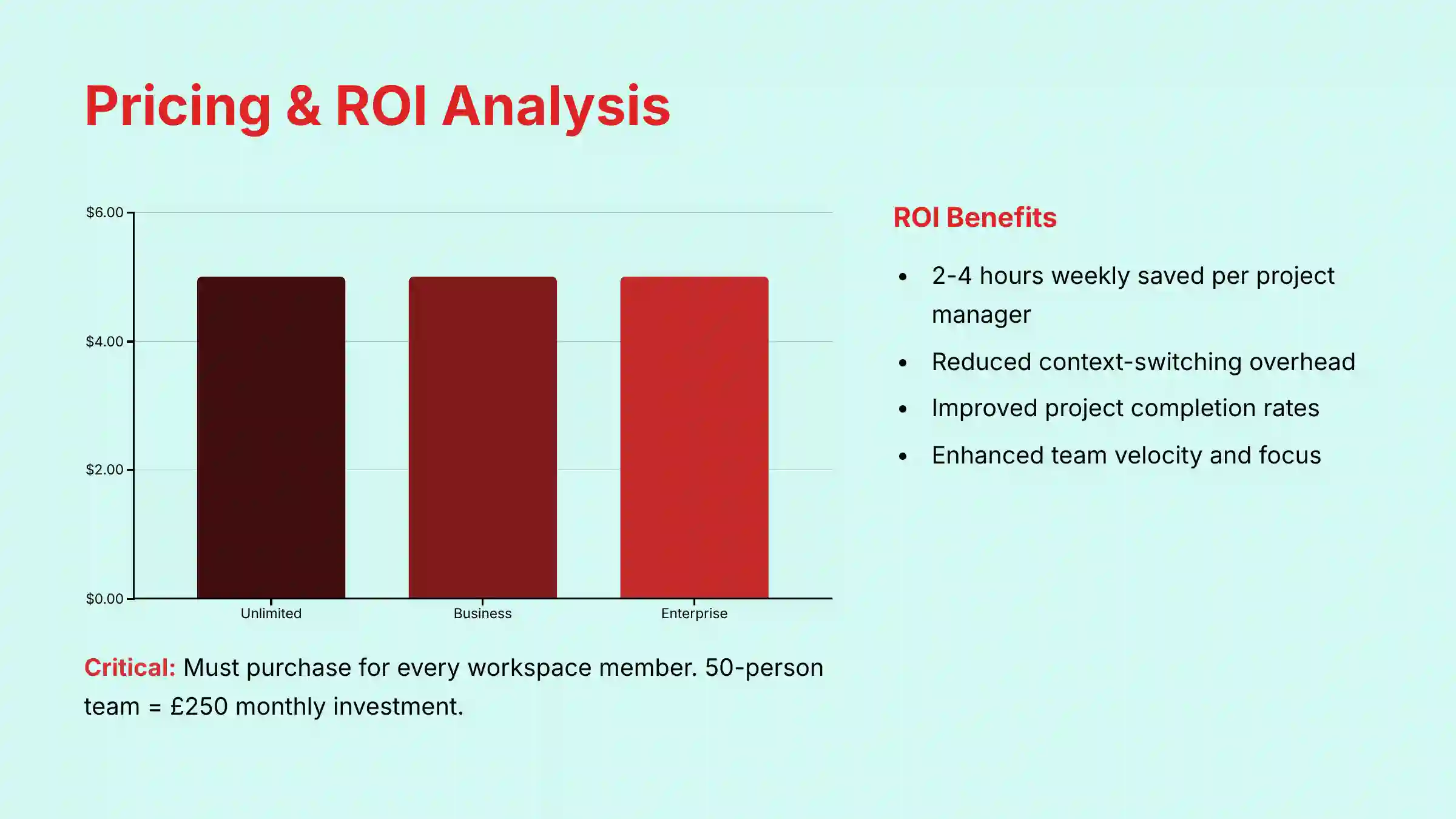
Pricing is straightforward and transparent. As of my 2025 review, ClickUp AI is an add-on available for all paid plans. This makes it accessible without needing to upgrade to the most expensive tier.
| ClickUp Plan | ClickUp AI Availability | Cost (per member/month) |
|---|---|---|
| Free Forever | Not Available | N/A |
| Unlimited | Available as a Paid Add-On | $5 |
| Business | Available as a Paid Add-On | $5 |
| Enterprise | Available as a Paid Add-On | $5 (Custom pricing available) |
Here are the key pricing details:
- Add-On Model: ClickUp AI is a paid add-on and is not included in the base price of any plan.
- Workspace-Wide Requirement: This is a critical detail for budget planning. The add-on must be purchased for every member and admin in the workspace, even if only a few will be heavy users. For a 50-person workspace, this translates to a fixed monthly cost of $250 for the AI add-on.
- Billing: The $5 per member per month fee applies to both annual and monthly billing cycles.
- Trial: A free trial is available for workspaces on paid plans, so you can test the features before committing.
Justifying the Cost: Calculating the Return on Investment (ROI)
For business leaders evaluating the $5 per-user add-on, the ROI can be framed in clear performance metrics. Based on our analysis, teams can expect to see returns in three key areas:
- Reduction in Administrative Overhead: Automating status summaries and generating project reports can save each project manager an estimated 2-4 hours per week, freeing them for strategic work.
- Improved Team Velocity and Focus: By summarizing long comment threads and extracting action items, the AI reduces context-switching and the need for clarification meetings, directly boosting team focus and productivity.
- Increased On-Time Project Completion: By using AI to generate comprehensive project templates and identify risks early, teams can improve planning accuracy and mitigate delays, leading to better project outcomes.
Integration and API Capabilities
A project management tool must connect with other software. ClickUp AI extends its reach into other apps your team uses every day.
Native and Third-Party Integrations
- Knowledge Management: The AI can search for information in connected Google Drive, Slack, Microsoft Teams, and Confluence accounts.
- Communication: It can summarize emails and help draft replies directly within tasks.
- Development: You can summarize pull request details from linked GitHub, GitLab, or Bitbucket tasks.
- Design: It summarizes comments on linked Figma files.
- Sync Depth and Directionality: For key integrations like Salesforce or HubSpot, it’s important for teams to validate the level of bi-directional sync. While data can be pulled into ClickUp to start projects, professional validation is needed to confirm if project status updates and AI-generated summaries can be automatically pushed back to the CRM record, closing the loop for sales and success teams.
API Access and Developer Ecosystem
For technical teams, API access is very important. It allows you to build custom workflows and automations.
- As of the latest documentation, there are no public API endpoints for direct generative AI interaction.
- Developers can use the API to manage the data that ClickUp Brain processes, such as creating new tasks.
- The AI Custom Field Mapping feature helps with importing data into ClickUp.
For technical project managers or developers, this is a crucial distinction. It means your automation efforts should focus on managing the data inputs that the AI uses (like creating tasks or docs via the API), rather than attempting to directly control the AI’s generative outputs in a custom application. This is a critical limitation for teams looking to build advanced custom workflow orchestration. For example, you cannot programmatically use the API to ask the AI to generate a report or summarize a document.

System Requirements and Known Limitations
Every tool has constraints. As a professional, it’s crucial to understand these to set realistic expectations and mitigate potential risks.
System and Browser Requirements
- Network: A stable internet connection is required.
- Web Browser: The latest two versions of Chrome, Firefox, Safari, or Edge.
- Desktop/Mobile Apps: Minimum OS versions are Windows 10+, macOS 10.13+, iOS 14.0+, and Android 7.0+.
Known Limitations and Professional Considerations
- API Access Limitations: The lack of direct API access means you cannot build custom applications that call on ClickUp’s generative AI. Impact: This limits deep, custom integration with proprietary developer workflows. Automation is focused on data management, not AI-driven logic.
- Content Restrictions: Users must adhere to ClickUp’s acceptable use policy. Compliance Risk: Ensure your team understands that the AI cannot be used to generate content for regulated industries or purposes that violate these terms, as this could pose a compliance risk.
- Adherence to Use Policy: All AI-generated content is subject to ClickUp’s acceptable use policy. Compliance Risk: Ensure your team understands that the AI cannot be used to generate content for regulated industries or purposes that violate these terms, as this could pose a compliance risk.
If you’re evaluating alternatives, our comprehensive ClickUp AI Top Alternatives and Competitors analysis provides detailed comparisons to help you make the best choice for your team’s needs.
Getting Started with ClickUp AI
Activating and using ClickUp AI is a simple process. Here are the steps to get your team started.
- Have a Paid ClickUp Plan: Your workspace must be on an Unlimited, Business, or Enterprise plan.
- Purchase the AI Add-On: A workspace admin can add ClickUp AI from the settings page for $5 per member per month.
- Explore with Pre-Built Prompts: Begin by using the AI in a task comment or a Doc. The pre-built prompts like “Summarize this” are a great way to see what it can do.
- Try a Simple Automation: Create a new task. Use the “Generate Subtasks” feature to watch the AI automatically structure your work.
Mentor’s Note: I recommend starting your team’s AI journey with a low-risk, internal project. Use the AI to summarize meeting notes or generate first drafts of internal documentation. This allows your team to build confidence and understand the tool’s capabilities before deploying it on high-stakes, client-facing work.
For comprehensive tutorials and practical use cases, explore our detailed ClickUp AI Tutorials and Usecase guide that walks you through implementation strategies and advanced features.
Supplemental Content: Frequently Asked Questions (FAQs)
What is ClickUp Brain?
ClickUp Brain is the official name for all of ClickUp’s AI features. It includes the AI Writing Assistant, AI Project Manager, and AI Knowledge Manager. It acts as a single intelligent layer that connects all the work and knowledge in your workspace.
Is My Data Used to Train ClickUp’s AI?
No. According to ClickUp’s official privacy policy, your data is never used to train the third-party AI models for other customers. Your data stays private to your workspace. It is only used to generate responses to your specific prompts.
Can I Buy ClickUp AI for Only One Person on My Team?
No. The ClickUp AI add-on must be purchased for every member in a workspace. It is not possible to buy licenses for just a few users. This policy makes sure all team members can collaborate with the same set of tools.
How Does ClickUp AI Generate Subtasks?
ClickUp AI analyzes the title and description of a parent task to generate subtasks. It uses natural language processing to identify the individual steps needed to complete the main task. Then, it creates a structured list of subtasks from that analysis.
What Languages Does ClickUp AI Support?
The AI Writing Assistant supports translation for many languages, including English, Spanish, French, German, Portuguese, and Italian. The main user interface is optimized for English, but the translation functions are extensive. You can check the official documentation for a full list.
Is There an API for ClickUp AI?
No. Currently, there are no public API endpoints that let developers directly control the generative AI features. Developers can use the standard ClickUp API to manage the data, like tasks and docs, that the AI works with.
Does ClickUp AI Work on the Mobile App?
Yes, the AI features are available on the ClickUp mobile apps for both iOS and Android. You can use the AI Writing Assistant and summarization features from your phone or tablet. This helps you stay productive when you are away from your desk.
How Much Does ClickUp AI Cost in 2025?
As of 2025, the ClickUp AI add-on costs a flat rate of $5 per member per month. This fee is added to the cost of your base ClickUp plan (Unlimited, Business, or Enterprise). It is required for all members in the workspace.
For more detailed answers to common questions, visit our comprehensive ClickUp AI FAQs resource that addresses implementation challenges and advanced feature questions.
Disclaimer
Disclaimer: The information about ClickUp AI presented in this article reflects our thorough analysis as of 2025. Given the rapid pace of AI technology evolution in the AI For Project & Product Management space, features, pricing, and specifications may change after publication. While we strive for accuracy, we recommend visiting the official ClickUp website for the most current information. Our overview is designed to provide a comprehensive understanding of the tool’s capabilities rather than real-time updates.
For the latest expert insights and detailed analysis, read our comprehensive ClickUp AI Review that evaluates the platform’s performance against industry standards and competitor offerings.


Leave a Reply