
Overwhelmed by AI Workflow Automation Builders?
This 2-Minute Quiz Pinpoints Your Perfect Match!
As the founder of Best AI Project Hub, I’ve seen countless teams struggle with the same problem: they are buried in manual administrative work, endless status meetings, and scattered communication.
This chaos leads to project delays, team burnout, and a disconnect from strategic goals. The definitive solution in 2025 is here: the Best 10 AI Workflow Automation Builders.
These platforms are a core part of the AI for Execution & Collaboration category, transforming messy processes into intelligent, efficient systems.
These tools act like a digital nervous system for your projects, automatically sending signals and instructions so the right work happens at the right time. This guide provides my complete analysis of the top 10 platforms, focusing on security, ROI, and real-world performance to help you make a confident, informed decision.
Key Takeaways
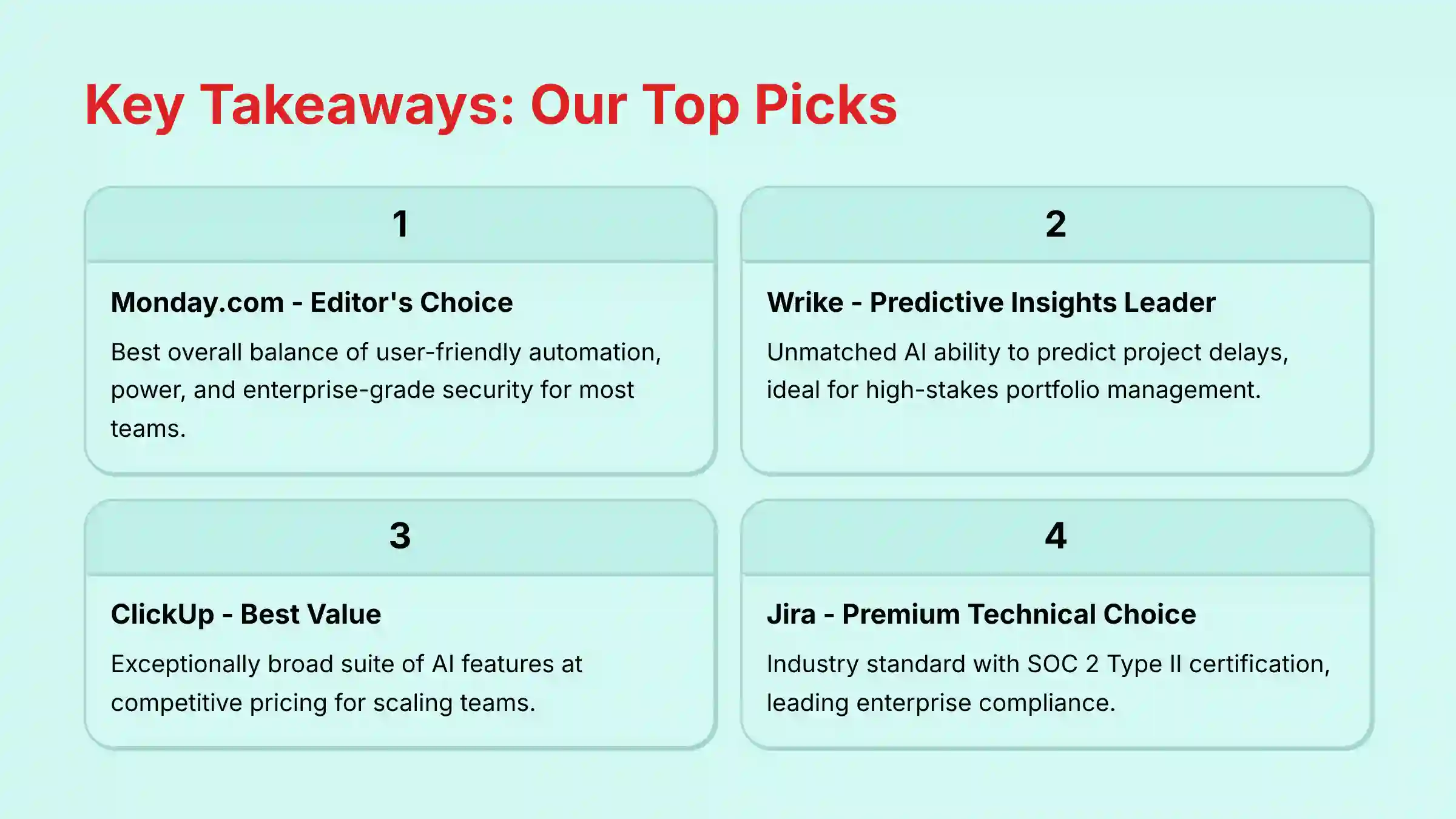
- Editor’s Choice: Monday.com offers the best overall balance of user-friendly automation, power, and enterprise-grade security for most teams.
- Best for Predictive Insights: Wrike’s AI is unmatched in its ability to predict project delays, making it a premium choice for high-stakes portfolio management.
- Security is Non-Negotiable: For any tool handling strategic data, SOC 2 Type II certification and clear AI data-training policies are the minimum standard. Tools like Jira and Smartsheet lead in enterprise compliance.
- Best Value for Power: ClickUp provides an exceptionally broad suite of AI features and workflow customizations at a highly competitive price point, ideal for scaling teams.
- ROI Focus: The main return on investment comes from automating routine tasks like status reports and task assignments, which can potentially save several hours per employee every week.
A Note on Professional Responsibility
Choosing an AI workflow tool is a significant business decision with financial and security implications. This guide is based on our extensive hands-on analysis to help you navigate your options. However, we strongly recommend you consult with your IT and security teams and review each vendor’s official documentation before making a final commitment. Full disclaimers are available at the end of this article.
How AI Transforms Core Project Management Processes
To understand the value of these tools, it helps to see how AI directly enhances or replaces traditional, manual project management activities.
This is about shifting from reactive task-tracking to predictive project success.
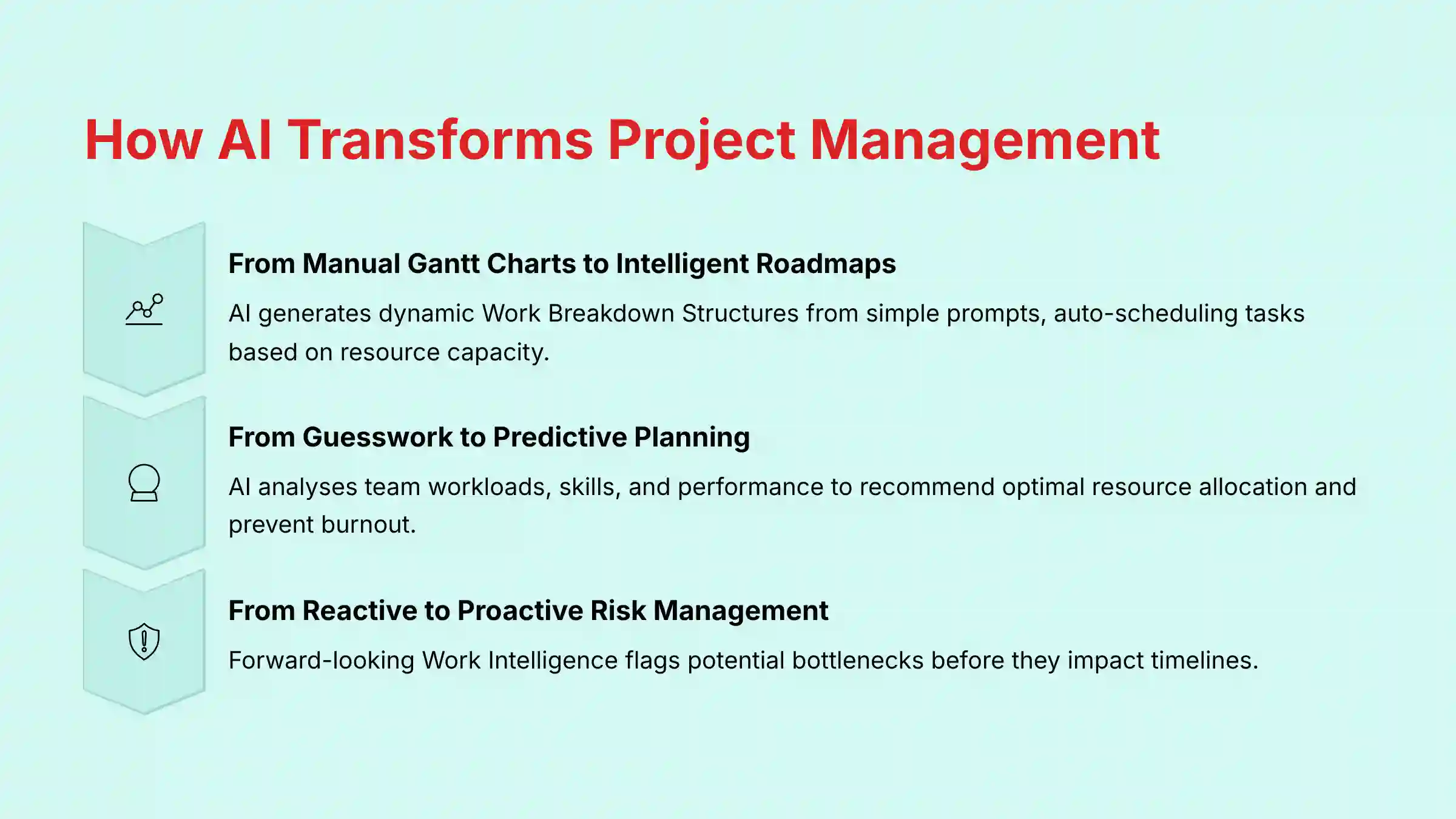
- From Manual Gantt Charts to Intelligent Roadmaps: Instead of manually plotting dependencies on a static Gantt chart, AI can generate a dynamic Work Breakdown Structure (WBS) from a simple prompt.
- It can then auto-schedule tasks based on resource capacity
- Suggest the critical path, turning weeks of planning into minutes
- From Subjective Guesswork to Predictive Resource Planning: Traditional resource allocation often relies on a manager’s gut feel.
- AI-powered resource capacity planning analyzes team members’ current workloads, skill sets, and historical performance
- Recommends the optimal person for a new task, actively preventing burnout and improving forecast accuracy
- From Reactive Reporting to Proactive Risk Mitigation: Instead of compiling status reports that look backward, AI provides forward-looking “Work Intelligence.”
- It analyzes project data to populate a dynamic Risk Register
- Flags potential bottlenecks and delays before they impact the timeline
- Allows managers to shift from firefighting to proactive problem-solving
- From Disconnected Goals to Aligned Execution: AI helps bridge the gap between strategy and daily work by connecting tasks to company-wide OKRs (Objectives and Key Results).
- Dashboards can visualize how sprint-level work contributes to strategic goals
- Ensures every team member understands their impact
The Security & Compliance Landscape for AI Workflow Tools
Security is mission-critical for these tools. Your project data contains strategic roadmaps and intellectual property—it represents the crown jewels of your business strategy, so protecting it is paramount.
Understanding a few key standards helps you make a safe choice.
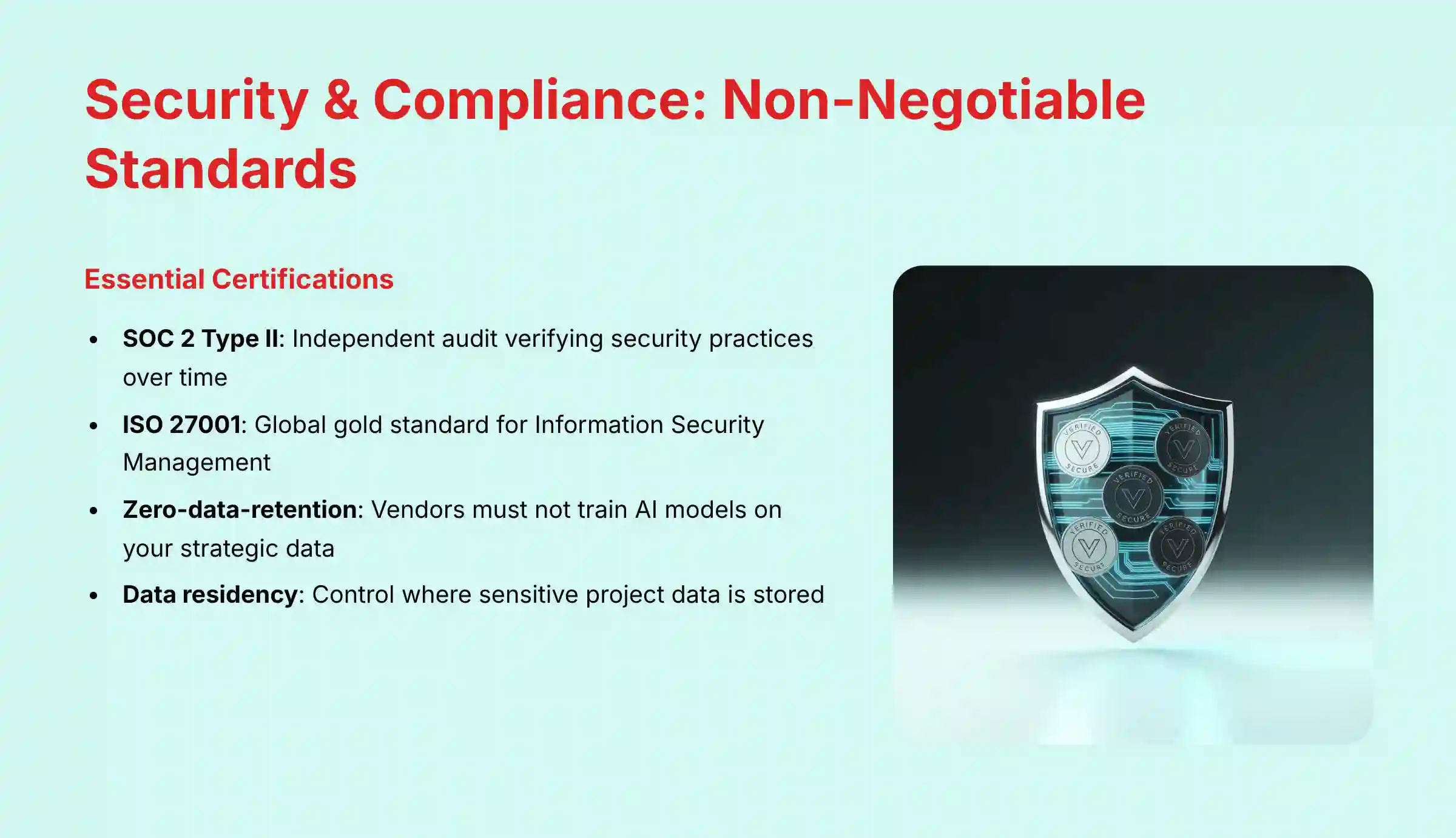
Think of SOC 2 Type II certification as a rigorous ‘building inspection’ for a software company. It’s an independent audit that verifies a vendor’s security, availability, and confidentiality practices over a period of time, proving their digital foundation is secure and up to code.
Another standard, ISO 27001, is the global gold standard for creating and managing an Information Security Management System (ISMS).
The AI data privacy question is also critically important. You must verify a vendor’s policy on using customer data to train their AI models.
A “zero-data-retention” or “opt-in only” policy, where the vendor contractually guarantees they will not train their general models on your data, is the best practice.
Finally, data residency matters for companies subject to GDPR or other regional laws. It gives you control over where your data is stored, such as on servers located specifically within the EU.
Beyond Certifications: Enterprise Governance and Access Control
For large organizations, certifications are the foundation, but day-to-day governance is managed through Identity and Access Management (IAM).
Enterprise-grade AI workflow builders must integrate seamlessly with a company’s central security infrastructure. Key attributes to verify in a vendor’s Trust Center include:
- Single Sign-On (SSO): Look for support for standards like SAML 2.0 or OpenID Connect.
- This allows your team to log in using their corporate credentials (e.g., Okta, Azure AD)
- Critical security and user experience feature
- User Provisioning (SCIM): The System for Cross-domain Identity Management (SCIM) enables your IT department to automate the creation, updating, and de-provisioning of user accounts.
- When an employee leaves the company, their access is automatically revoked
- Closes a major security loophole
- Granular Access Controls: Verify the ability to set permissions not just at the project level, but for specific tasks, fields, or user roles.
- Essential for protecting sensitive data in compliance with regulations like HIPAA
- Managing access for external contractors
- Comprehensive Audit Logs: The platform must provide immutable audit logs that record who accessed what data and when.
- Non-negotiable requirement for forensic analysis during a security incident
- Demonstrating compliance to auditors
Our Comprehensive Evaluation Framework
After analyzing hundreds of tools in AI For Project & Product Management and testing the Best 10 AI Workflow Automation Builders across numerous real-world implementation projects in 2025, our team at Best AI Project Hub provides a comprehensive 10-point technical assessment framework recognized by leading AI For Project & Product Management professionals.
- Core Functionality & Feature Set
- Ease of Use & User Interface (UI/UX)
- Output Quality & Control
- Performance & Speed
- Security Protocols & Data Protection
- Compliance & Regulatory Adherence
- Input Flexibility & Integration Options
- Pricing Structure & Value for Money
- Developer Support & Documentation
- Risk Assessment & Mitigation
Monday.com: The Best All-Around AI Workflow Builder
Editor’s Choice
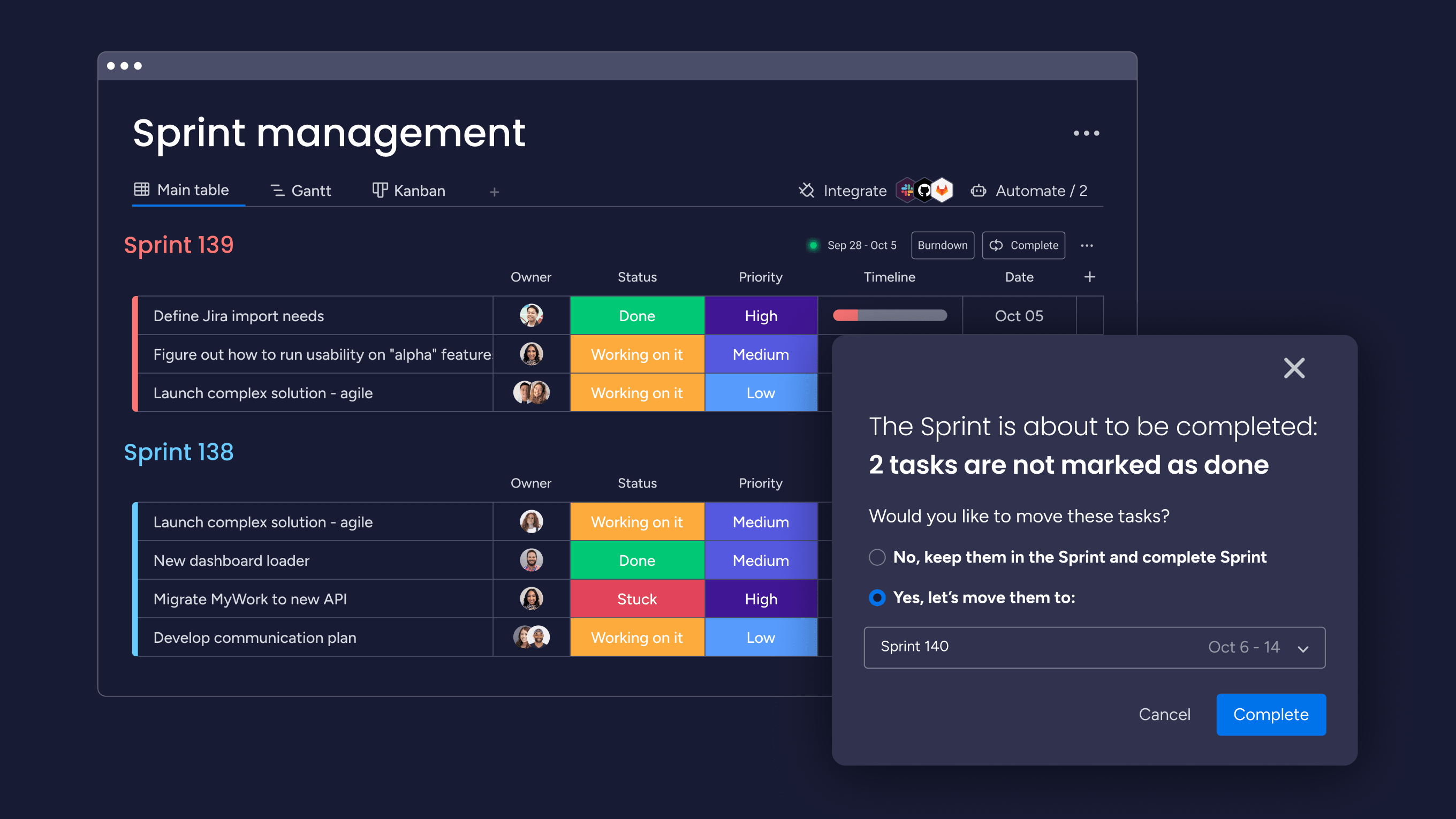
Overview & Core Capabilities
Monday.com is a highly visual Work OS that excels in its balance of user-friendliness and powerful automation. Its AI Assistant can generate tasks, summarize updates, and draft communications.
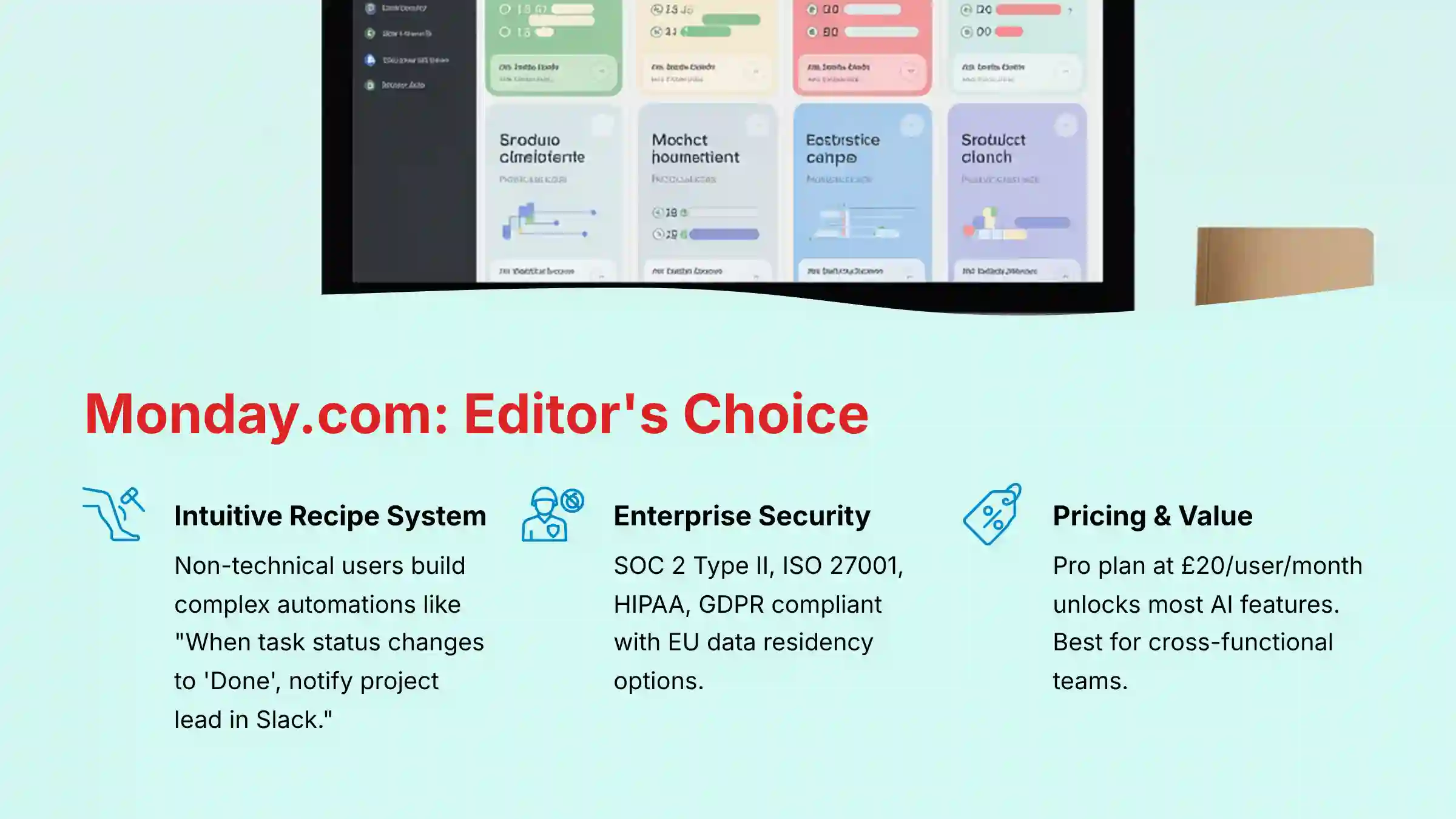
The intuitive “recipe” system allows non-technical users to build complex automations, like “When a task status changes to ‘Done’, notify the project lead in Slack.”
Security & Compliance Profile
- Certifications: SOC 2 Type II, ISO 27001, ISO 27017/18, HIPAA, GDPR
- AI Data Policy: Provides admin controls to opt-out of AI model training
- Data Residency: Available in the US, EU (Germany), and Australia
- Trust Center: Monday.com Trust Center
Technical Specifications
- Platform: Web, Desktop (macOS, Windows), Mobile (iOS, Android)
- Key Integrations: Deep integration with Slack, Microsoft Teams, Adobe Creative Cloud, Salesforce, Jira
- API: Robust REST API with a high rate limit of 10,000 requests/minute on Pro plans
Pricing & Value Assessment
- Tiers: Standard ($12/user/mo), Pro ($20/user/mo), Enterprise (Custom). Prices are based on monthly billing
- Value: Most AI and automation features require the Pro plan. The value comes from time savings on cross-functional process management and stakeholder reporting
Risk Considerations & Limitations
The primary risk is cost management, as the per-user price can escalate quickly for large teams. While powerful, the sheer number of features can be overwhelming during initial setup without a clear implementation plan.
Ideal Use Cases & Professional Applications
This tool is best for cross-functional teams in marketing, operations, and sales. It is excellent for managing marketing campaigns, client onboarding processes, and product roadmaps in both SMBs and enterprises.
Professional Experience Assessment
- For Managers & PMOs: The platform excels at providing high-level portfolio views and customizable dashboards that are perfect for PMO reporting.
- The ability to track resource utilization across projects gives managers a clear view of team capacity
- For Team Members: The “My Work” view is a standout feature, creating a focused, personalized task list that reduces overwhelm.
- Team members benefit from automations that handle routine status updates, allowing them to focus on deep work
Pro Tip: Use the “My Work” view to give team members a simplified, personal to-do list. In my experience, this dramatically increases adoption by reducing the feeling of being overwhelmed by complex project boards.
Jira: The Premium Choice for Technical Teams
Premium Choice

Overview & Core Capabilities
Jira is the industry-standard tool for agile software development teams. Its AI, Atlassian Intelligence, is designed to accelerate technical workflows.
Users can write complex database queries (JQL) using natural language, generate test cases from requirements, and summarize technical issues.
Security & Compliance Profile
- Certifications: SOC 2 Type II, SOC 3, ISO 27001, FedRAMP, GDPR, HIPAA
- AI Data Policy: Explicit policy of not training its AI models on customer data without consent
- Data Residency: Multiple options including US, EU, Australia, and Singapore
- Trust Center: Atlassian Trust Center
Technical Specifications
- Platform: Web, integrates with the entire Atlassian suite (Confluence, Bitbucket)
- Key Integrations: Unmatched integration with developer tools like GitHub, GitLab, and CI/CD pipelines
- API: Varies by plan, with robust options for automation and custom integrations
Pricing & Value Assessment
- Tiers: Standard ($8.15/user/mo), Premium ($16/user/mo), Enterprise (Custom)
- Value: The Premium plan unlocks advanced AI and automation. Its value is highest for technical teams where reliability, auditability, and deep developer tool integrations are paramount
Risk Considerations & Limitations
From a security standpoint, you can sleep well with Jira; it’s rock-solid. The real problem I see teams run into is poor user adoption if it’s rolled out to non-technical teams.
We have to be honest about its complexity—it’s a powerful tool, but it’s not for beginners without serious training.
Ideal Use Cases & Professional Applications
Think of Jira as a Formula 1 pit crew’s toolkit. It’s specialized, incredibly powerful, and perfectly integrated for a high-performance technical team.
It is the top choice for software development, bug tracking, and IT service management (ITSM) in regulated enterprise environments.
Professional Experience Assessment
- For Managers & Engineering Leads: Jira provides unparalleled visibility into the development lifecycle, from story points to release velocity.
- The ability to create automated rules based on code commits or build statuses is essential for modern DevOps
- For Team Members (Developers): The platform is designed for developer efficiency, allowing them to update tasks, link branches, and view pull requests without leaving their primary workflow
Critical Warning: Do not force Jira on non-technical teams without a comprehensive training and change management plan. Its complexity can lead to frustration and low adoption, undermining your investment.
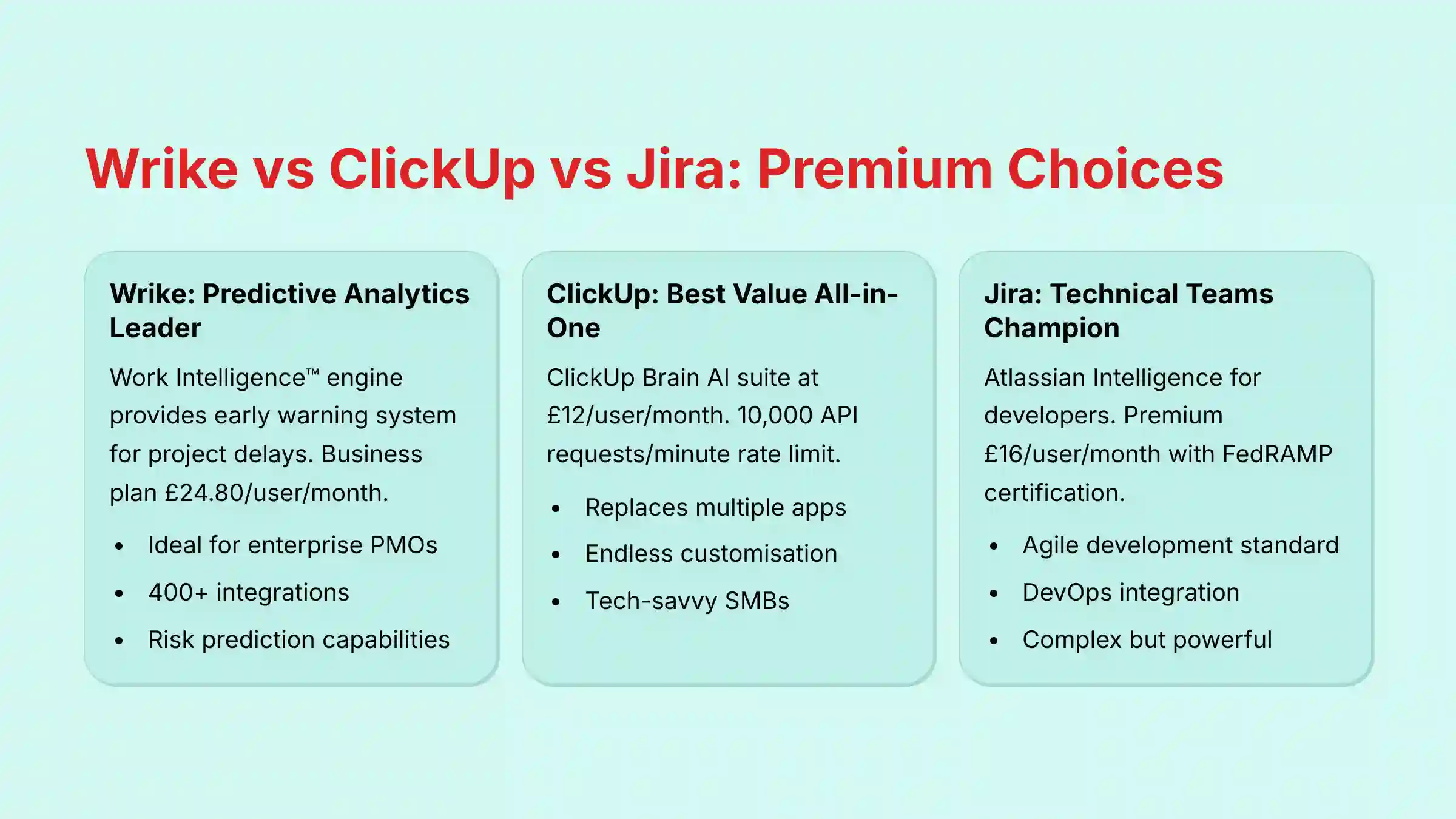
Wrike: The Leader in Predictive Analytics
Premium Choice
Overview & Core Capabilities
Wrike is a powerful platform designed for enterprise and agency teams. Its greatest strength is its AI-powered analytics and risk prediction.
The Work Intelligence™ engine provides an early warning system, analyzing project data to identify potential delays before they become critical issues.
Security & Compliance Profile
- Certifications: SOC 2 Type II, ISO 27001, GDPR, HIPAA
- AI Data Policy: Follows enterprise-grade data protection standards, with clear policies against using customer data for model training
- Data Residency: Options for regional data hosting are available for enterprise clients
- Trust Center: Wrike Security Information
Technical Specifications
- Platform: Web, with desktop and mobile apps
- Key Integrations: Over 400 pre-built integrations with tools like Salesforce and Adobe Creative Cloud
- API: Well-documented API for building custom solutions and data pipelines
Pricing & Value Assessment
- Tiers: Team ($9.80/user/mo), Business ($24.80/user/mo), Enterprise (Custom)
- Value: The Business plan unlocks most AI and automation. The predictive analytics feature can justify its premium price by preventing just one costly project delay
Risk Considerations & Limitations
Wrike can be overly complex for smaller teams or simple projects. The main risk is failing to achieve a return on investment if your organization doesn’t invest the time to properly implement the platform and train users on its advanced features.
Ideal Use Cases & Professional Applications
It is ideal for enterprise PMOs, professional services, and marketing agencies. Any organization managing a large, complex project portfolio where risk mitigation is a top priority will find Wrike’s predictive capabilities invaluable.
Professional Experience Assessment
- For Managers & PMOs: Wrike is a dream for PMO leaders. The predictive risk alerts and portfolio-level health dashboards provide an objective, data-driven view that replaces subjective status updates
- For Team Members: While the interface is less visual than some competitors, its structured nature and clear task assignments help team members understand priorities and dependencies within large, complex projects
Pro Tip: Integrate Wrike with your financial software. By connecting project progress data to budget data, you can create powerful dashboards that show the financial impact of project delays in real-time, providing a compelling case for executive intervention when needed.
ClickUp: The Best Value All-in-One Platform
Best Value
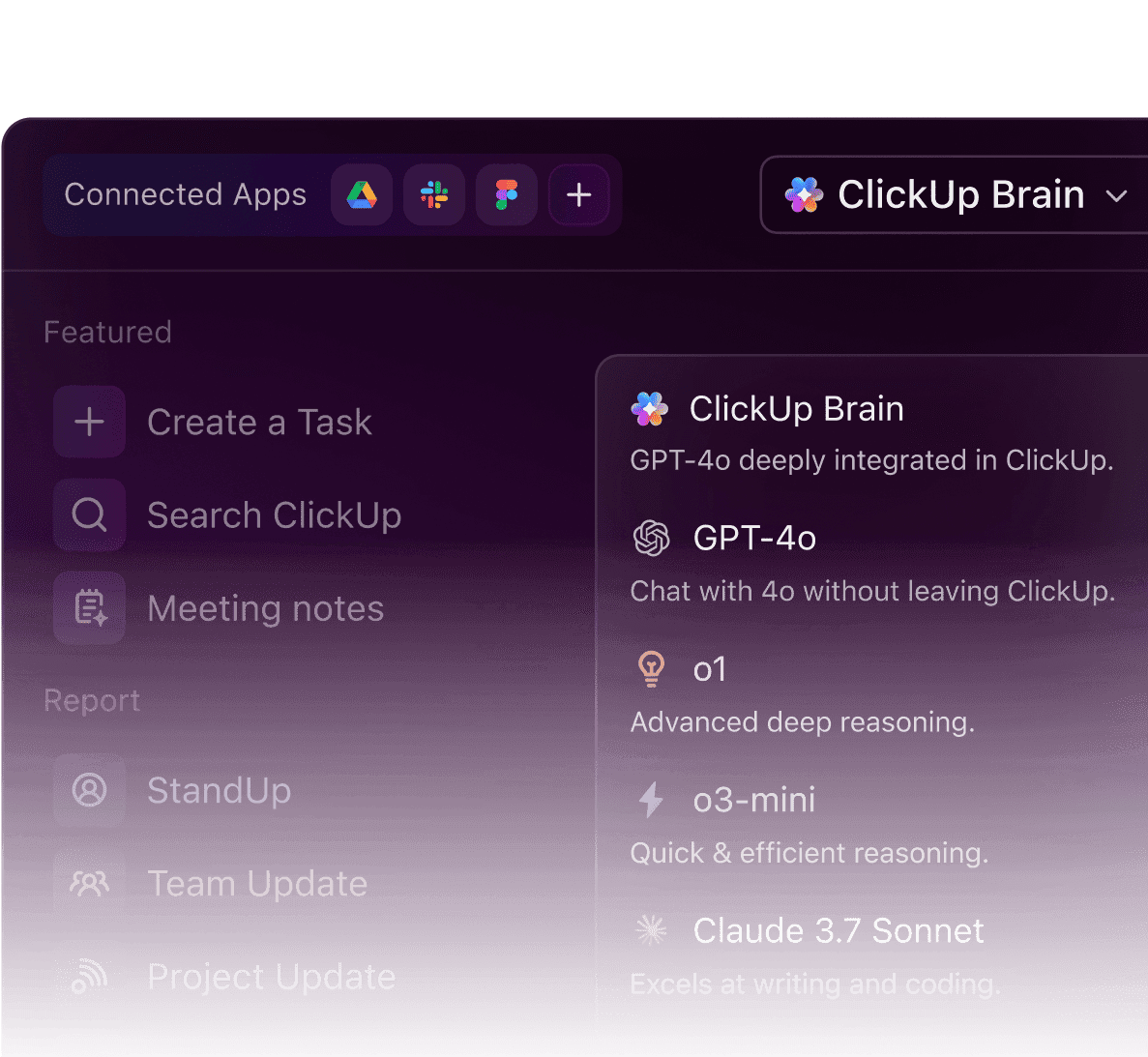
Overview & Core Capabilities
ClickUp is an all-in-one productivity platform that aims to replace multiple apps by combining tasks, docs, and goals.
Its AI suite, ClickUp Brain, is woven throughout the application, including an AI Project Manager to generate plans and AI writers for different roles.
Security & Compliance Profile
- Certifications: SOC 2 Type II, ISO 27001, HIPAA, GDPR
- AI Data Policy: Adheres to privacy standards, with information available on its security page
- Data Residency: Offers data residency in the European Union (Frankfurt) and Australia (Sydney) as an add-on for the Enterprise Plan
- Trust Center: ClickUp Security Page
Technical Specifications
- Platform: Web, desktop, and mobile apps
- Key Integrations: Connects with over 1,000 tools via native integrations and Zapier
- API: A very high rate limit of 10,000 requests/minute on paid plans
Pricing & Value Assessment
- Tiers: Unlimited ($7/user/mo), Business ($12/user/mo), Enterprise (Custom)
- Value: The Business plan unlocks most AI features. It offers an incredible price-to-performance ratio, providing a vast feature set that is ideal for scaling teams
Risk Considerations & Limitations
Let’s talk about the two big things you have to watch with ClickUp. First, its greatest strength—endless customization—is also its biggest risk.
I’ve seen teams get completely lost trying to build the “perfect” system. You need a clear plan.
Second, while EU data residency is available, it’s an Enterprise Plan add-on, which can impact cost and accessibility for smaller companies.
Ideal Use Cases & Professional Applications
It is a great choice for tech-savvy SMBs and startups. It suits teams who want a single, powerful, and affordable platform and are willing to invest the time required for a proper setup.
Professional Experience Assessment
- For Managers: The sheer breadth of features, from goal tracking to workload views, gives managers a comprehensive toolkit.
- However, it requires discipline to configure views that provide clear insights rather than data overload
- For Team Members: Once set up properly, it can be very powerful.
- The ability to switch between list, board, and calendar views for their tasks allows members to work in the way that suits them best
Critical Warning: Start simple with ClickUp. Resist the temptation to use every feature from day one. Define your 2-3 most critical workflows, build those out, and get your team comfortable before expanding.
Asana: The Champion of User-Friendly Design
Highly Recommended
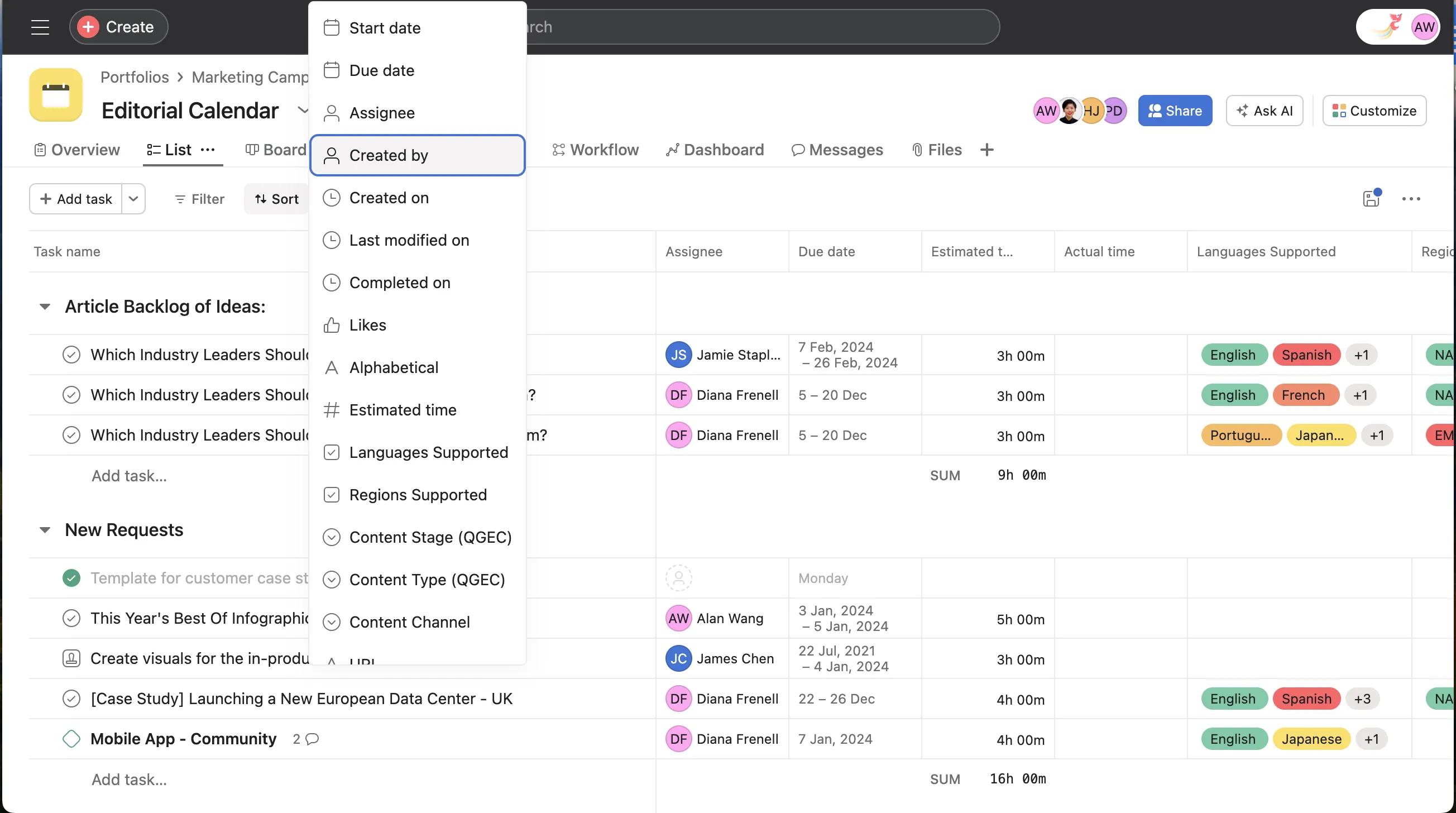
Overview & Core Capabilities
Asana is a work management platform focused on clarity and team collaboration. Its AI layer, Asana Intelligence, reduces administrative work and helps connect daily tasks to strategic goals.
Key features include workload management to prevent team burnout and Universal Reporting.
Security & Compliance Profile
- Certifications: SOC 2 Type II, ISO 27001, ISO 27018, HIPAA, GDPR
- AI Data Policy: Enterprise-grade controls and commitment to data privacy are detailed in their Trust Center
- Data Residency: Offers data residency in the US, EU, Japan, and Australia
- Trust Center: Asana Trust Center
Technical Specifications
- Platform: Web, with polished mobile apps
- Key Integrations: Seamless integrations with Slack, Microsoft 365, and Google Workspace
- API: Standard rate limit of 150 requests per minute, with a burst limit of 1,500 requests per minute to handle spikes
Pricing & Value Assessment
- Tiers: Premium ($13.49/user/mo), Business ($30.49/user/mo), Enterprise (Custom). Prices are based on monthly billing
- Value: The Business tier is required for most AI features and advanced reporting. The higher price is often justified by its excellent design, which drives high user adoption and reduces training costs
Risk Considerations & Limitations
Asana is a low-risk tool. Now, with Asana, there’s one thing you really need to watch.
The AI workload suggestions are helpful, but I’ve seen them create potential bias. It’s on you, as the manager, to keep a human eye on it and make sure the work is being spread fairly.
Ideal Use Cases & Professional Applications
It is perfect for non-technical teams in marketing, operations, and design. It also suits enterprise companies focused on cross-functional collaboration and strategic alignment through OKR tracking.
Professional Experience Assessment
- For Managers: Asana’s goal-tracking and reporting features make it easy to communicate progress to stakeholders.
- The visual Workload feature is invaluable for proactive resource management and preventing team burnout
- For Team Members: Asana is a joy to use. The clean, intuitive interface makes it easy to see what needs to be done and by when.
- This clarity is a major factor in its high team adoption rates
Pro Tip: Use Asana’s “Goals” feature to link individual projects and tasks directly to company OKRs. This creates a clear line of sight from daily work to strategic impact, which is highly motivating for teams.
Smartsheet: The Enterprise-Grade Spreadsheet Powerhouse
Must-Have
Overview & Core capabilities
Smartsheet is an enterprise platform that combines a spreadsheet’s familiarity with powerful automated workflows.
Its AI excels at manipulating structured data, allowing users to generate complex formulas from natural language and analyze trends across thousands of rows.
Security & Compliance Profile
- Certifications: SOC 2 Type II, SOC 3, ISO 27001, HIPAA, GDPR
- AI Data Policy: Built with enterprise security and governance as a core principle
- Data Residency: Offers EU data residency
- Trust Center: Smartsheet Trust Center
Technical Specifications
- Platform: Web-based
- Key Integrations: Strong focus on connecting to enterprise systems like Salesforce, ServiceNow, and Microsoft Dynamics 365
- API: Rate limit of 300 requests/minute
Pricing & Value Assessment
- Tiers: Pro ($7/user/mo), Business ($25/user/mo), Enterprise (Custom). Prices are based on annual billing
- Value: The Business plan is needed for most automations. For organizations running complex, data-heavy operations, its value is essential for governance and control
Risk Considerations & Limitations
Smartsheet is an extremely low-risk platform built for governance. The main risk is underutilization.
To get the full ROI, users must be properly trained to use its advanced capabilities effectively.
Ideal Use Cases & Professional Applications
Selecting a management tool is like choosing a vehicle. While a startup may need a scooter, a construction firm needs a heavy-duty truck.
Smartsheet is that truck—perfect for enterprise PMOs, IT operations, and construction project management.
Professional Experience Assessment
- For Managers & PMOs: Smartsheet is the gold standard for managing large-scale, process-driven portfolios.
- Its reporting capabilities allow for the aggregation of data from hundreds of project sheets into a single executive dashboard
- For Team Members: The grid-based interface is instantly familiar to anyone who has used a spreadsheet.
- This lowers the initial barrier, though mastering its automation features requires more learning
Pro Tip: Don’t just use Smartsheet for project plans. I’ve seen it deliver immense ROI when used for budget tracking and resource allocation in a single, connected sheet. Use its cell-linking feature to pull data from your project plan into a master financial dashboard for stakeholders.
Airtable: The Versatile Custom Application Builder
Versatile
Overview & Core Capabilities
Airtable is a low-code platform for building collaborative applications. It blends the features of a database with the simplicity of a spreadsheet.
Its AI features are designed to categorize, summarize, and process thousands of records automatically.
Security & Compliance Profile
- Certifications: SOC 2 Type II, ISO 27001, GDPR, HIPAA (Enterprise)
- AI Data Policy: Enterprise-level controls for data privacy
- Data Residency: EU data residency is available on the Enterprise Scale plan
- Trust Center: Airtable Trust Center
Technical Specifications
- Platform: Web-based
- Key Integrations: Connects with hundreds of apps and has a powerful API for custom solutions
- API: Rate limit of 5 requests/second
Pricing & Value Assessment
- Tiers: Plus ($12/user/mo), Pro ($24/user/mo), Enterprise Scale (Custom)
- Value: The Pro plan offers good value for growing teams. The true power is unlocked at the Enterprise level, which includes advanced security features and more extensive AI capabilities
Risk Considerations & Limitations
The main risk with Airtable is data governance. Its incredible flexibility makes it easy for users to create uncontrolled “shadow IT” databases of sensitive information.
This can pose a security risk if not properly managed by a central administrator.
Ideal Use Cases & Professional Applications
Airtable is ideal for building custom solutions like product roadmaps, content operations calendars, and user research repositories.
It suits any workflow that requires a relational database backend but needs a user-friendly front end.
Professional Experience Assessment
- For Managers: Airtable’s Interface Designer allows managers to create bespoke apps and dashboards for their team, providing exactly the information needed without the clutter of off-the-shelf software
- For Team Members: Users interact with a clean, simple interface designed for their specific role, while the complexity of the underlying database remains hidden, improving usability and focus
Pro Tip: Use Airtable’s “Views” feature to create different presentations of the same data for different audiences. A product manager can see a Kanban view, an executive can see a calendar view, and an engineer can see a filtered grid view—all powered by the same single source of truth.
Notion: The All-in-One Document and Project Hub
Versatile
Overview & Core Capabilities
Notion is an all-in-one workspace for writing, planning, and organizing, seamlessly combining notes, documents, and project management.
Notion AI is embedded throughout to summarize, draft, and organize text-based content.
Security & Compliance Profile
- Certifications: SOC 2 Type II, ISO 27001, GDPR, HIPAA (Enterprise Plan)
- AI Data Policy: Data is not used to train AI models without permission
- Data Residency: All data is currently hosted in the US
- Trust Center: Notion Security Page
Technical Specifications
- Platform: Web-based with desktop and mobile apps
- Key Integrations: Integrates well with Slack, Figma, and other tools popular with creative and product teams
- API: A well-supported API allows for custom integrations
Pricing & Value Assessment
- Tiers: Plus ($8/user/mo), Business ($15/user/mo), Enterprise (Custom)
- Value: AI is an add-on for $8/user/mo. Its value is highest for teams that need a single, unified tool for their company wiki, technical docs, and project management
Risk Considerations & Limitations
The lack of non-US data residency is a significant compliance risk for many international companies and must be verified with your legal team.
Its flexibility can also lead to organizational chaos if not managed with clear templates and governance.
Ideal Use Cases & Professional Applications
Notion is great for startups, product teams, and remote companies. It is excellent for content-centric workflows, product specs, and documentation-heavy projects where context is king.
Professional Experience Assessment
- For Managers: Notion allows managers to create a single source of truth, where the project plan, the technical brief, and the meeting notes all live on the same interconnected page, reducing information silos
- For Team Members: The minimalist and elegant interface is a pleasure to use. The power of having project tasks and the documentation needed to complete them in one place cannot be overstated
Critical Warning: Notion’s flexibility is its greatest weakness if not controlled. You must establish clear templates and a strict organizational hierarchy. Without governance, it can quickly become a “digital junk drawer.”
Trello: The Simple and Budget-Friendly Visual Tool
Budget-Friendly
Overview & Core Capabilities
Trello is a visual collaboration tool that organizes projects into boards, lists, and cards. Its AI, Butler, automates routine actions on the board.
You can create simple, natural language rules to move cards, add checklists, or set due dates.
Security & Compliance Profile
- Certifications: Benefits from Atlassian’s security program (SOC 2, ISO 27001, GDPR). HIPAA available for Trello Enterprise
- AI Data Policy: Follows Atlassian’s trustworthy AI principles
- Data Residency: Managed within the Atlassian ecosystem with options for data residency
- Trust Center: Atlassian Trust Center
Technical Specifications
- Platform: Web-based, with excellent mobile apps
- Key Integrations: “Power-Ups” add integrations with tools like Slack, Jira, and Google Drive
- API: Butler automation can connect to other systems via API calls
Pricing & Value Assessment
- Tiers: Standard ($5/user/mo), Premium ($10/user/mo), Enterprise ($17.50/user/mo)
- Value: It has a very capable free tier. The paid plans are affordable and unlock unlimited automations, delivering a strong ROI for teams with straightforward workflow needs
Risk Considerations & Limitations
Trello is a very low-risk tool. The main risk is simply outgrowing the platform.
As a team’s projects and reporting needs become more complex, they may need to migrate to a more powerful system like Jira or Monday.com.
Ideal Use Cases & Professional Applications
Trello is the digital equivalent of a clean, simple whiteboard with sticky notes. It’s perfect for personal task management, small team project tracking, and simple, linear processes like content pipelines or sales funnels.
Professional Experience Assessment
- For Managers: Trello provides an instant, at-a-glance view of workflow status. It’s excellent for tracking progress in simple, stage-based processes
- For Team Members: It is extremely easy to use. The visual drag-and-drop nature of moving cards from “To Do” to “Done” is intuitive and satisfying
Pro Tip: Combine Trello with a Power-Up like “Package Tracker” or “Approvals for Trello” to extend its capabilities for specific workflows without adding unnecessary complexity.
Pipefy: The Best for Automating Business Processes
Great for Beginners
Overview & Core Capabilities
Pipefy is a no-code workflow management platform that helps business users automate their processes without needing IT support.
Its AI can help build workflows and intake forms simply by describing them in natural language.
Security & Compliance Profile
- Certifications: SOC 2 Type II, GDPR, HIPAA
- AI Data Policy: Protects customer data according to industry best practices
- Data Residency: Data protection and residency options are available
- Trust Center: Pipefy Trust & Security
Technical Specifications
- Platform: Web-based
- Key Integrations: Connects to other business systems to create end-to-end automations
- API: Available for custom workflow needs
Pricing & Value Assessment
- Tiers: Starter (Free), Business ($23/user/mo when billed annually), Enterprise (Custom)
- Value: The Business plan provides significant value for departments looking to formalize and automate standard operating procedures, reducing manual errors and improving compliance
Risk Considerations & Limitations
This is a low-risk tool. Its structured, phase-based nature prevents much of the chaos that can arise from overly flexible platforms.
However, it is less suited for creative or dynamic projects that don’t follow a linear path.
Ideal Use Cases & Professional Applications
Pipefy is ideal for automating structured business processes in departments like HR, Finance, and IT.
This includes employee onboarding, purchase order approvals, and IT service requests.
Professional Experience Assessment
- For Managers: Pipefy provides excellent control and visibility over standardized processes. Managers can easily track SLAs and identify bottlenecks in recurring workflows
- For Team Members: The guided, card-based interface makes it clear what information is needed at each stage of a process, reducing errors and questions
Pro Tip: Use Pipefy’s public forms to create a standardized intake process for requests from other departments. This ensures you receive all the necessary information upfront, eliminating back-and-forth emails.
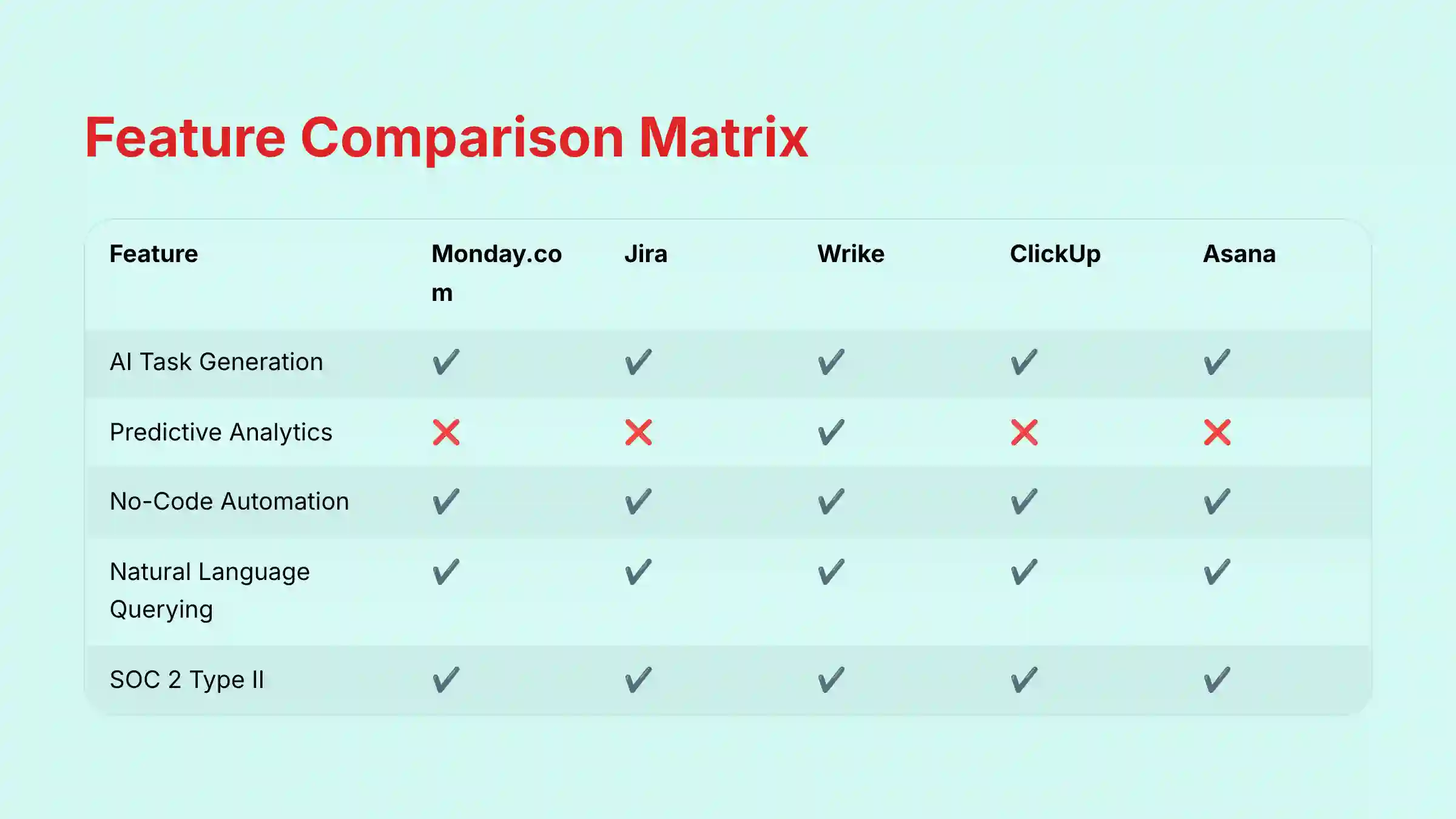
AI Workflow Builders: 2025 Feature Comparison
| Feature | Monday.com | Jira | Wrike | ClickUp | Asana | Smartsheet | Airtable | Notion | Trello | Pipefy |
|---|---|---|---|---|---|---|---|---|---|---|
| AI Task Generation | ✔️ | ✔️ | ✔️ | ✔️ | ✔️ | ✔️ | ✔️ | ✔️ | ❌ | ✔️ |
| AI Summarization | ✔️ | ✔️ | ✔️ | ✔️ | ✔️ | ✔️ | ✔️ | ✔️ | ❌ | ✔️ |
| No-Code Automation Builder | ✔️ | ✔️ | ✔️ | ✔️ | ✔️ | ✔️ | ✔️ | ✔️ | ✔️ | ✔️ |
| Predictive Analytics | ❌ | ❌ | ✔️ | ❌ | ❌ | ❌ | ❌ | ❌ | ❌ | ❌ |
| Natural Language Querying | ✔️ | ✔️ | ✔️ | ✔️ | ✔️ | ✔️ | ✔️ | ✔️ | ❌ | ✔️ |
| Time Tracking | ✔️ | ✔️ | ✔️ | ✔️ | ✔️ | ✔️ | ✔️ | ❌ | ❌ | ✔️ |
Security & Compliance Head-to-Head
*Available on Enterprise plans.
| Security Item | Monday.com | Jira | Wrike | ClickUp | Asana | Smartsheet | Airtable | Notion | Trello | Pipefy |
|---|---|---|---|---|---|---|---|---|---|---|
| SOC 2 Type II | ✔️ | ✔️ | ✔️ | ✔️ | ✔️ | ✔️ | ✔️ | ✔️ | ✔️ | ✔️ |
| ISO 27001 | ✔️ | ✔️ | ✔️ | ✔️ | ✔️ | ✔️ | ✔️ | ✔️ | ✔️ | ❌ |
| HIPAA Compliant | ✔️ | ✔️ | ✔️ | ✔️ | ✔️ | ✔️ | ✔️* | ✔️* | ✔️* | ✔️ |
| GDPR Compliant | ✔️ | ✔️ | ✔️ | ✔️ | ✔️ | ✔️ | ✔️ | ✔️ | ✔️ | ✔️ |
| EU Data Residency | ✔️ | ✔️ | ✔️ | ✔️* | ✔️ | ✔️ | ✔️* | ❌ | ✔️ | ✔️ |
| AI Data Opt-Out | ✔️ | ✔️ | ✔️ | ✔️ | ✔️ | ✔️ | ✔️ | ✔️ | ✔️ | ✔️ |
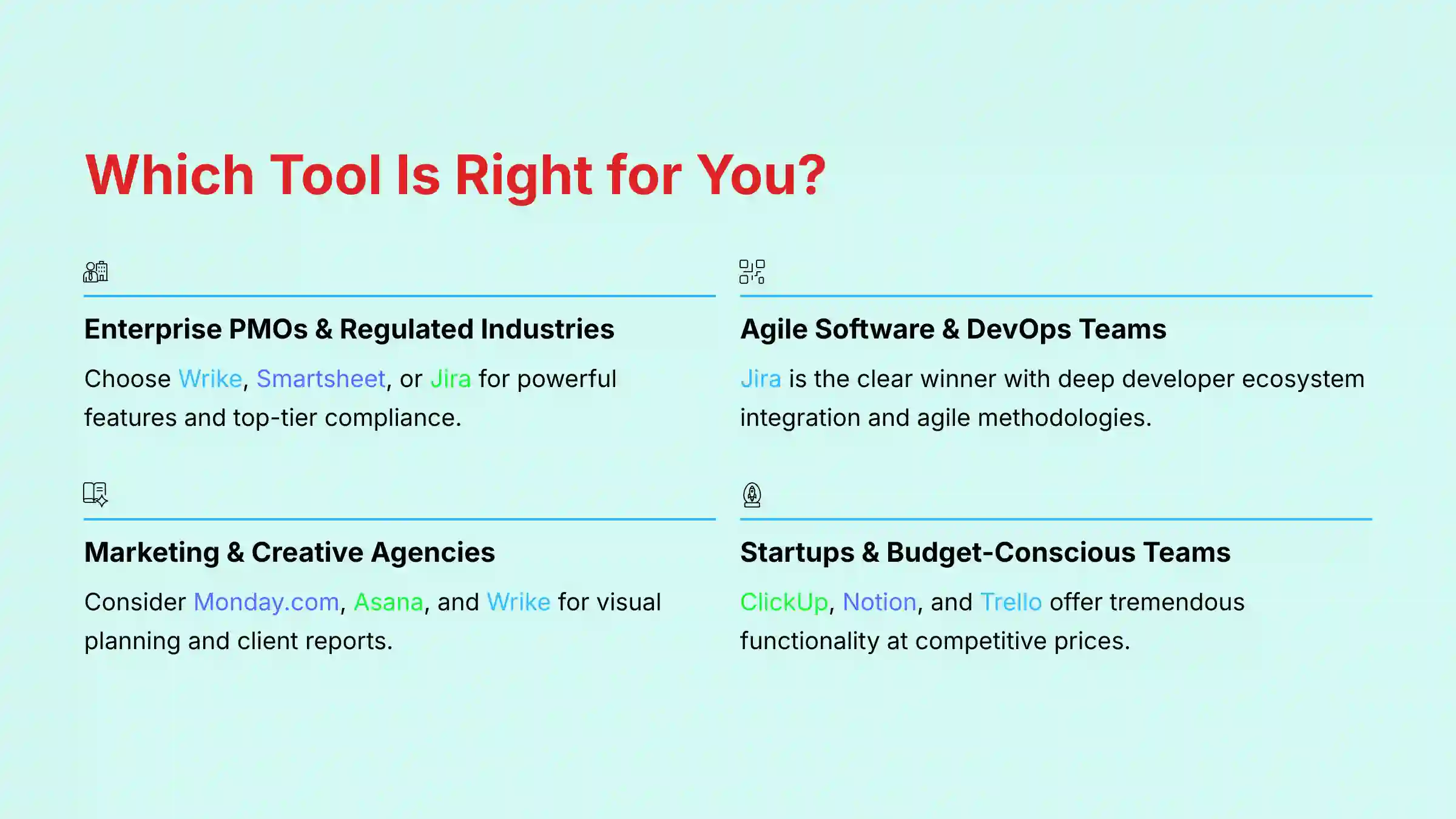
Which AI Workflow Builder Is Right for You?
For Enterprise PMOs & Regulated Industries
Your top choices are Wrike, Smartsheet, and Jira.
These platforms offer the best combination of powerful features, scalability, and top-tier security, governance, and compliance certifications.
For Agile Software & DevOps Teams
Jira is the clear winner. Its deep integration with the developer ecosystem and its purpose-built features for agile methodologies make it the undisputed industry standard.
For Marketing & Creative Agencies
You should consider Monday.com, Asana, and Wrike.
These tools provide the visual planning, robust collaboration features, and client-facing reports needed to manage creative projects effectively.
For Startups & Scaling Teams on a Budget
Look at ClickUp, Notion, and Trello.
These platforms provide a tremendous amount of functionality at a very competitive price point, but be prepared to invest time in setup and governance.
For Building Custom In-House Tools
Airtable is the best choice. Its flexible, database-centric model allows you to build bespoke applications and workflows tailored to your exact operational needs.
For Automating Standard Business Processes (HR/Finance)
Pipefy excels in this area. Its guided, process-driven approach makes it easy for non-technical users to automate repeatable workflows and ensure compliance.
Risk Assessment & Implementation Guide
Implementing a new tool always comes with challenges. Common issues include poor user adoption, scope creep in customization, and integration failures.
You can manage these risks with a clear plan.
- Engage Your IT/Security Team Early: Share the vendor’s Trust Center and security documentation with them before making a purchase to get their buy-in and validate compliance
- Run a Pilot Program: Test the tool with a single, enthusiastic team before a company-wide rollout.
- This helps you identify and resolve issues on a small scale
- Define Your Core Workflows First: Do not try to automate everything at once.
- Start with the 2-3 most painful, repetitive processes to demonstrate early value and build momentum
- Appoint a Tool Champion: Designate an internal expert to own the tool.
- This person can become the go-to resource for training others and establishing best practices
For enterprise-wide deployments or in highly regulated industries, I strongly recommend engaging a certified implementation partner.
A consultant can ensure a smooth, secure, and successful rollout that aligns with your strategic goals.
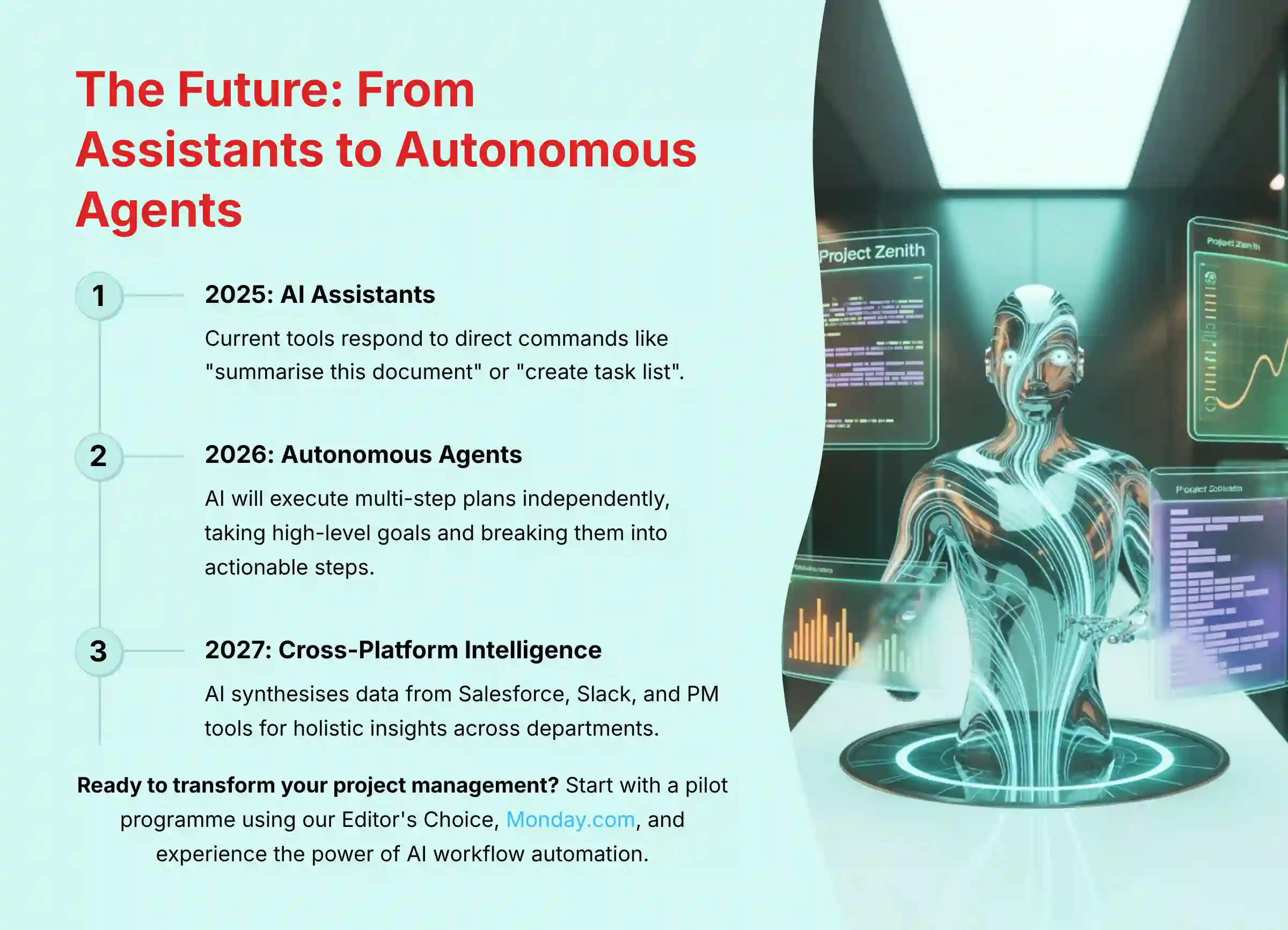
The Future of AI in Project Management
The evolution of these tools is moving quickly. We are seeing a shift from AI assistants to autonomous agents.
These agents will be able to execute multi-step plans with less human supervision, taking a high-level goal and breaking it down into actionable steps.
Another major trend is cross-platform intelligence. AI will synthesize data from Salesforce, Slack, and your PM tool to provide holistic insights, breaking down information silos between departments.
Finally, AI for team health will emerge as a key category, using data to analyze workloads and communication patterns to help predict team burnout, allowing managers to intervene proactively.
Frequently Asked Questions (FAQ)
Do AI project management tools use my data for training?
It varies by vendor, which is why this is a critical question to ask. Leaders like Jira and Asana have explicit, default opt-out policies.
You should always verify a vendor’s Trust Center and data processing agreements before purchasing.
What is the main difference between Monday.com and Asana?
Both are excellent tools for collaboration, but they have different core philosophies. In my analysis, Monday.com is generally more visual and customizable like a powerful spreadsheet, while Asana is more focused on clean task lists and connecting daily work to strategic goals.
Is Jira only for software developers?
While it excels for developers, Jira has a version called Jira Work Management for business teams. However, its underlying complexity and technical nature can present a steep learning curve for non-technical users compared to tools like Asana or Monday.com.
Can these tools really predict project delays?
Yes, tools like Wrike use predictive analytics. They analyze historical project data and current progress to flag tasks and projects that are at high risk of delay.
This provides a valuable early warning system for managers to act on.
How much do AI features typically cost?
It depends on the tool, but powerful AI is rarely free. Some platforms include basic AI in standard tiers, but many, like Asana, ClickUp, and Monday.com, require higher-priced Business or Pro plans to unlock the most impactful AI capabilities.
What is SOC 2 compliance and why does it matter?
SOC 2 is a rigorous third-party audit that verifies a vendor securely manages your data. It’s a critical trust signal that shows the company has proven, audited processes for protecting your organization’s sensitive information and your clients’ privacy.
What’s the difference between an AI assistant and an AI agent?
An AI assistant responds to your direct commands, such as “summarize this document.” In contrast, an AI agent can take a high-level goal and work autonomously to achieve it, planning and executing multiple steps on its own with less human intervention.
Can I replace Slack or Email with these tools?
Not entirely. They are designed to integrate deeply with communication tools, not replace them. The goal is to reduce notification clutter and centralize project-specific conversations within the context of the work itself, making your primary communication channels more efficient.
Important Disclaimers:
Technology Evolution Notice:
The information about the Best 10 AI Workflow Automation Builders and AI For Project & Product Management tools presented in this article reflects our thorough analysis as of 2025.
Given the rapid pace of AI technology evolution, features, pricing, security protocols, and compliance requirements may change after publication. While we strive for accuracy through rigorous testing, we recommend visiting official vendor websites for the most current information.
Professional Consultation Recommendation:
For AI For Project & Product Management applications with significant professional, financial, or compliance implications, we recommend consulting with qualified professionals, such as IT security experts or certified implementation partners, who can assess your specific requirements and risk tolerance.
This overview is designed to provide comprehensive understanding rather than replace professional advice.
Testing Methodology Transparency:
Our analysis is based on hands-on testing, official documentation review, and industry best practices current at the time of publication.
Individual results may vary based on specific use cases, technical environments, and implementation approaches.
Choosing the right tool is a significant decision, but the potential payoff in efficiency and project success is huge. By automating workflows and gaining intelligent insights, your team can focus on what truly matters: delivering value.
For a deeper dive into how these tools fit into your workflow, explore our full guide to the Best 10 AI Workflow Automation Builders.


Leave a Reply