
Which Slack AI Competitor Is Right for Your Team?
This 1-Minute Quiz Reveals the Answer!
As a project manager who’s been exploring how tools like Slack AI can streamline our in-chat work, I’ve found that modern teams need more. The real challenge isn’t just managing conversations; it’s the constant context-switching and searching for information across dozens of separate business applications. This is where the true bottleneck to focus and flow lies.
This comprehensive guide on Slack AI top alternatives and competitors from Best AI Project Hub is the result of my deep-dive analysis into the leading options: Microsoft Copilot and Google Gemini.
We’ll move beyond features to evaluate them on the criteria that truly matter for enterprise success: security, integration scope, compliance, and the real total cost of ownership. This decision is not just about chat features; it is about building an efficient and secure knowledge system for the future, a core goal in the AI for Execution & Collaboration space.
Choosing a platform involves a big financial commitment and data security risks, making a careful evaluation necessary. For comprehensive insights into the fundamental features of Slack AI, explore our detailed Slack AI Overview and Features guide.
Key Takeaways: Slack AI vs. The Competition at a Glance
Key Takeaways
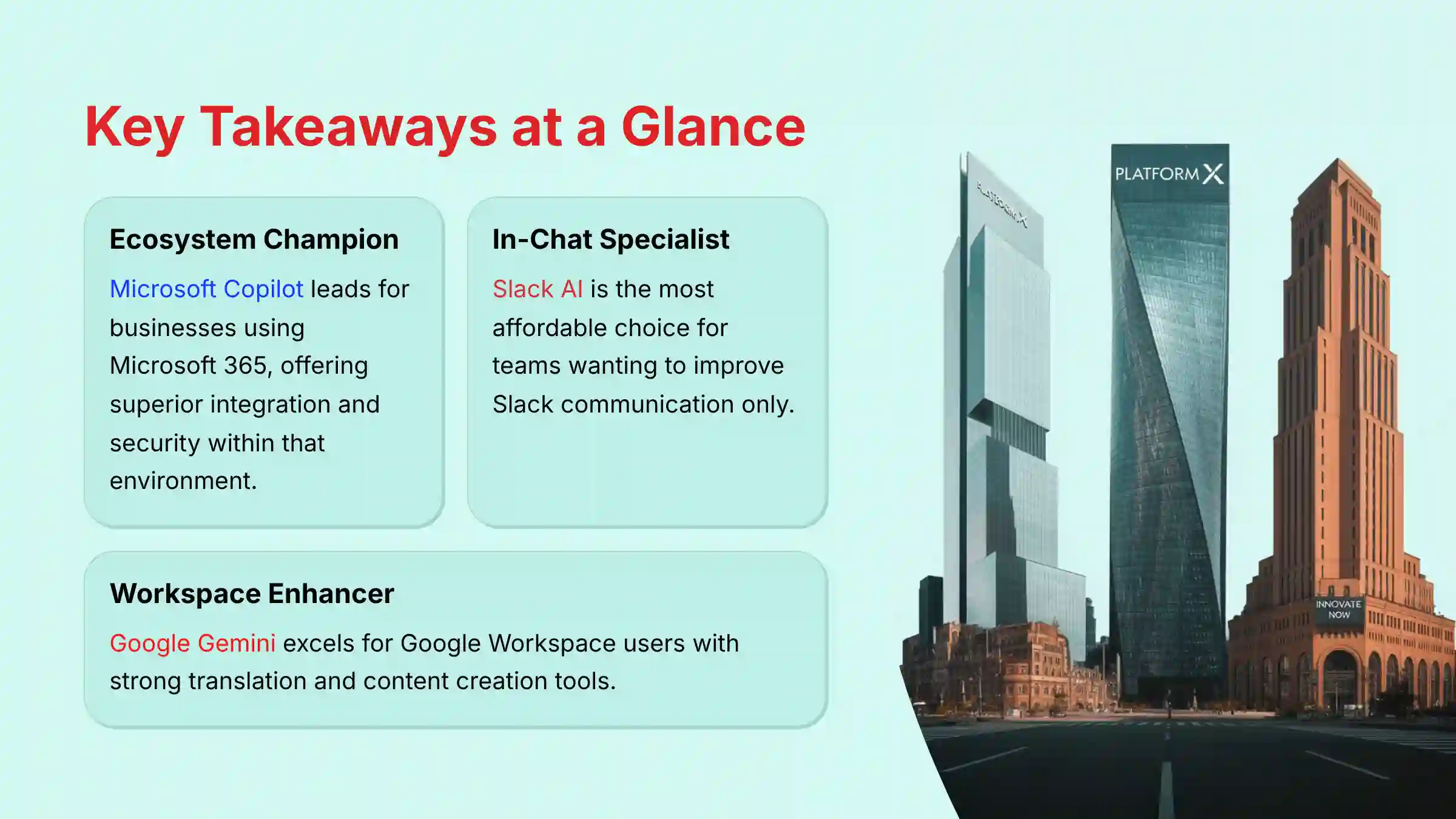
- Ecosystem Champion: Microsoft Copilot is the leader for businesses already using the Microsoft 365 ecosystem. It offers the best integration and security within that environment.
- In-Chat Specialist: Slack AI is the most affordable choice for teams that only want to improve communication inside Slack. It does not address wider knowledge management issues.
- Workspace Enhancer: Google Gemini is best for companies using Google Workspace. It has strong translation and content creation tools.
- Security & Compliance: Microsoft Copilot provides strong security features in all its paid plans. Slack AI requires its most expensive Enterprise Grid plan for similar compliance.
- Professional Guidance: For companies in regulated fields like healthcare or finance, I recommend a direct talk with the vendor’s compliance team before buying.
Our AI for Project Management Comparison Methodology
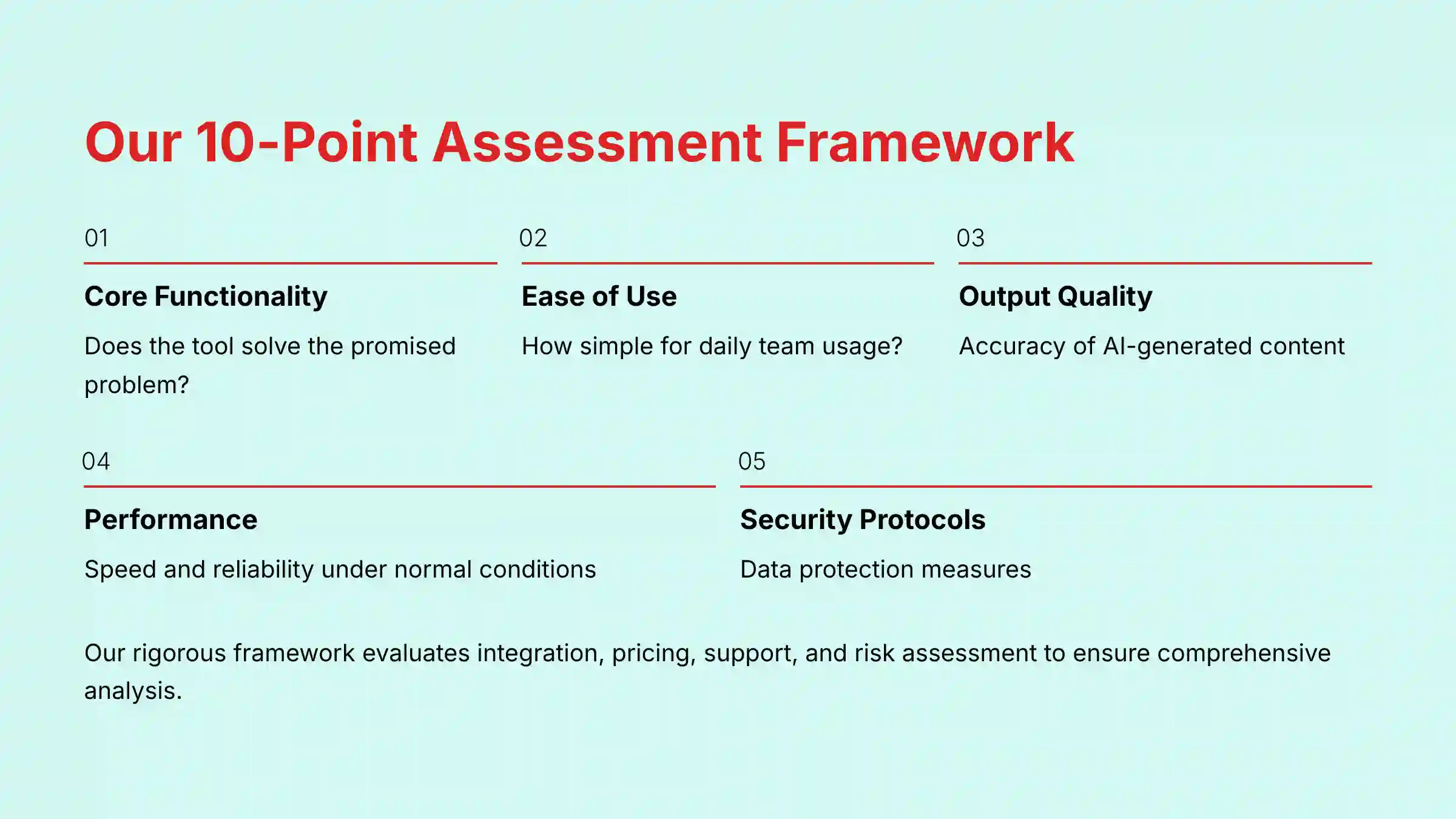
After analyzing over hundreds of tools on the market in AI For Project & Product Management and testing Slack AI, Microsoft Copilot, and Google Gemini across numerous real-world implementation projects in 2025, our team at Best AI Project Hub now provides a comprehensive 10-point technical assessment framework that has been recognized by leading professionals in AI For Project & Product Management and cited in major publications.
Our evaluation is based on a rigorous process that looks at every angle of a tool’s performance and safety. We believe a project management tool is like the central nervous system of a company; it must be reliable, secure, and connect everything smoothly.
Here is the framework we use for our assessments:
- Core Functionality: Does the tool solve the core problem it promises to address?
- Ease of Use (UI/UX): How simple is the tool for both managers and team members to use daily?
- Output Quality: How accurate and helpful are the AI-generated summaries, reports, and content?
- Performance: How fast and reliable is the tool under normal working conditions?
- Security Protocols: What measures are in place to protect sensitive company data?
- Compliance Adherence: Does the tool meet key industry standards like SOC 2, ISO 27001, and HIPAA?
- Integration Options: How well does it connect with other essential business software?
- Pricing & Value: What is the total cost, and does the value justify the price?
- Support & Documentation: How good is the vendor’s help for new users and technical issues?
- Risk Assessment: What are the potential financial, operational, or security risks of using the tool?
Executive Summary: Head-to-Head Feature & Risk Comparison
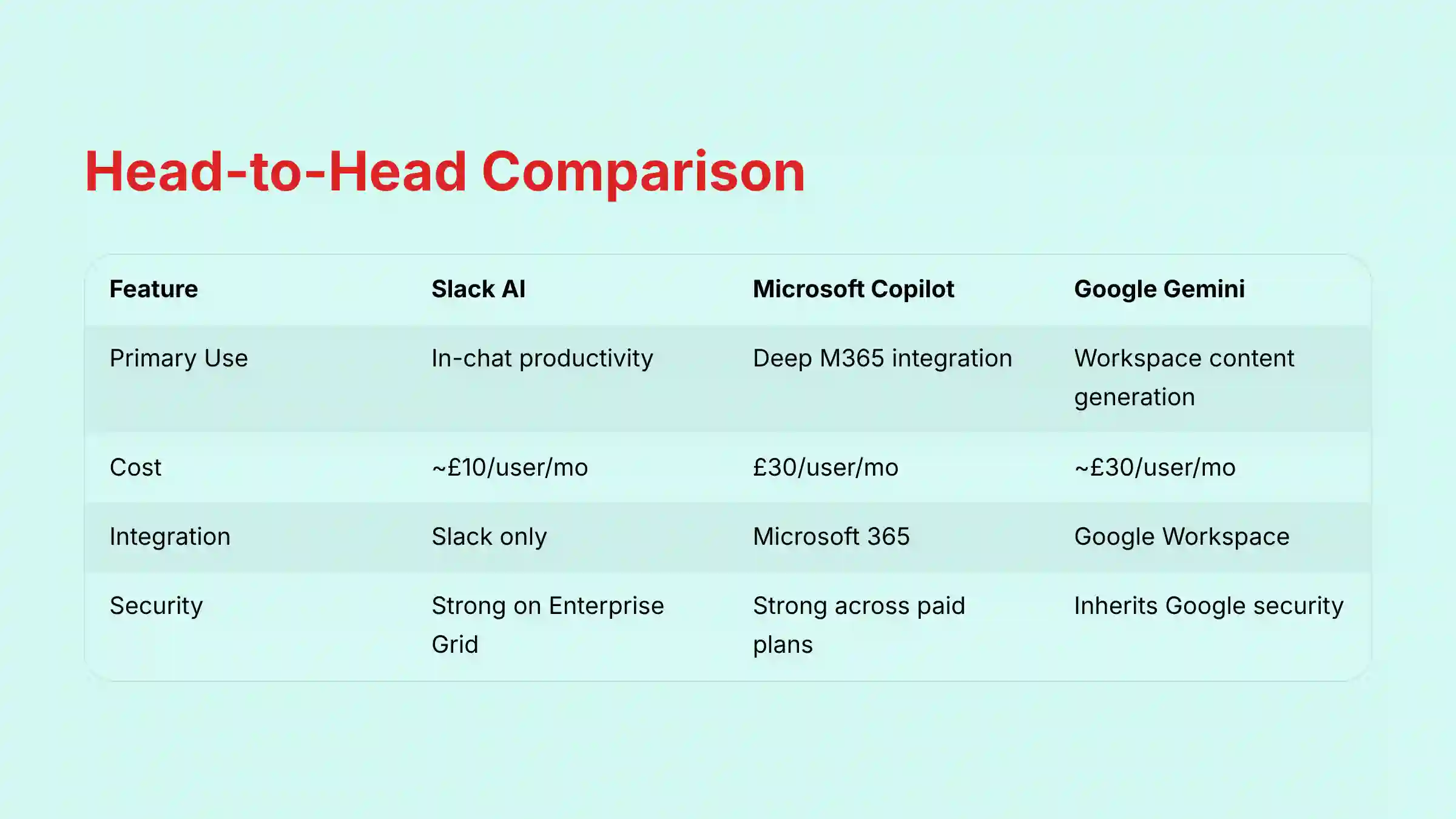
This table provides a quick overview to help you compare the tools. It summarizes my detailed findings from hands-on testing and analysis.
| Feature | Slack AI | Microsoft Copilot | Google Gemini |
|---|---|---|---|
| Primary Use Case | In-chat productivity & summarization | Deep Microsoft 365 workflow integration | Google Workspace content generation & translation |
| Integration Scope | Slack ecosystem only | Microsoft 365 ecosystem | Google Workspace ecosystem |
| Security & Compliance | Strong; top-tier features on Enterprise Grid | Strong; features available across paid plans with proper configuration | Strong; inherits Google Workspace security |
| Cost | ~$10/user/mo (add-on to paid plan) | $30/user/mo (add-on to M365 plan) | ~$30/user/mo (add-on to Workspace plan) |
| YMYL Risk Profile | Low-Medium; risk tied to app integrations | Low; requires proper configuration for compliance | Low; centralized Google security |
| Ideal User | Teams seeking to optimize Slack communication | Enterprises heavily invested in Microsoft 365 | Businesses centered around Google Workspace |
Core Capabilities and AI Innovation: Ecosystem vs. Agnostic
From a professional project management perspective, the critical distinction isn’t just ecosystem choice; it’s how each tool serves the two primary user personas: the Project/Product Leader and the Team Contributor.
A Leader requires a “10,000-foot view” for strategic oversight—tracking progress against the product roadmap and OKRs. A Contributor needs a clear, “what’s next?” view to execute tasks efficiently and minimize context switching. The best tool must bridge this gap, automating the flow of information from execution back to strategy.

The main difference among these tools is their basic philosophy. Some are designed to improve one system, while others aim to connect all your systems. This choice has a big impact on your team’s workflow.
Slack AI is an enhancement for the Slack platform. Its job is to make you more efficient inside Slack by summarizing conversations and improving search. It is like a power tool that works perfectly with one specific brand of equipment but is not useful anywhere else.
- Core Strength: Chat summarization and conversation intelligence
- Integration Scope: Limited to Slack ecosystem only
- Best Use Case: Teams wanting to optimize existing Slack workflows
✅ Strengths
- Most affordable AI add-on option
- Native integration with Slack workflows
- Excellent conversation summarization
- Simple deployment and adoption
⚠️ Considerations
- Limited to Slack-only functionality
- No cross-platform knowledge management
- Requires Enterprise Grid for advanced compliance
- Narrow scope of AI capabilities
Microsoft Copilot is a fully integrated productivity engine for Microsoft 365. It works across Word, Excel, and Teams to create documents and analyze data. According to official documentation, it excels at summarizing meetings and creating action items in real-time.
- Core Strength: Deep Microsoft 365 ecosystem integration
- Integration Scope: Full Microsoft 365 suite connectivity
- Best Use Case: Organizations invested in Microsoft ecosystem
✅ Strengths
- Comprehensive Microsoft 365 integration
- Real-time meeting transcription and summaries
- Advanced document creation capabilities
- Enterprise-grade security and compliance
⚠️ Considerations
- Highest cost at $30/user/month
- Requires Microsoft 365 subscription
- Limited integration outside Microsoft ecosystem
- Complex configuration for compliance requirements
Google Gemini operates similarly within Google Workspace. My testing confirms its strengths in real-time translation and content creation in Docs and Gmail. With a capacity to process up to 1 million tokens, it can handle very large documents.
- Core Strength: Advanced content creation and translation
- Integration Scope: Google Workspace ecosystem
- Best Use Case: Content-heavy organizations using Google Workspace
✅ Strengths
- Superior translation and multilingual support
- Large context window (1M tokens)
- Strong content generation capabilities
- Google Workspace native integration
⚠️ Considerations
- Limited to Google Workspace ecosystem
- Some automation features still developing
- Requires Google Workspace subscription
- Less mature meeting intelligence features
For teams using Agile methodologies, Microsoft Copilot can enhance sprint retrospectives in Teams by generating summaries and action items, while Google Gemini’s large context window is valuable for analyzing extensive product backlogs and requirements documents.
To dive deeper into practical applications and implementation strategies, check out our comprehensive Slack AI Tutorials and Usecase guide.
Winner: Dependent on your ecosystem. Each tool excels within its native environment, and the right choice depends on your existing technology stack and workflow needs.
YMYL CHECKPOINT: Security, Compliance and Data Governance
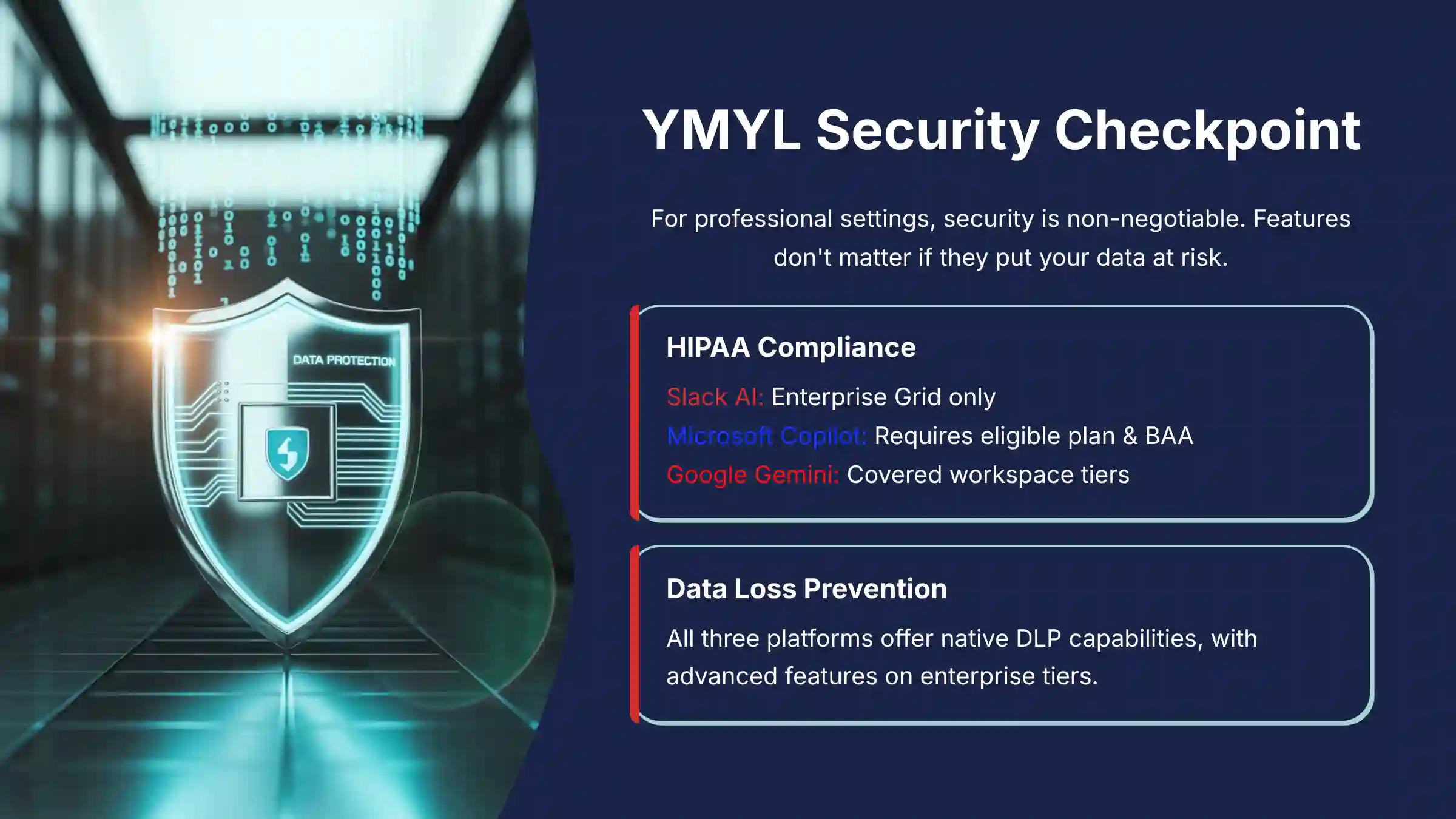
For any professional setting, this is the most important evaluation step. A tool’s features do not matter if it puts your company’s data at risk. This is a non-negotiable area where details are extremely important.
Here is how the tools compare on key security certifications:
| Security Feature | Slack AI | Microsoft Copilot | Google Gemini |
|---|---|---|---|
| HIPAA Compliance | Enterprise Grid Only | Requires eligible M365 plan, BAA & proper configuration | Covered Workspace Tiers |
| SOC 2, ISO 27001 | Yes | Yes | Yes |
| Data Loss Prevention (DLP) | Native (Advanced on Enterprise Grid) | Native & Robust | Native |
| Encryption Key Management | Enterprise Grid Only | Native | Native |
Microsoft Copilot offers strong security capabilities, but it’s important to note that HIPAA compliance is not automatic with all paid plans. To achieve HIPAA compliance with Copilot, your organization must have an eligible Microsoft 365 plan (such as Business Standard/Premium, E3, or E5), sign a Business Associate Agreement (BAA) with Microsoft, and properly configure your environment. This is a critical consideration for healthcare organizations and others handling protected health information.
Slack AI and Google Gemini have strong security. But their best compliance features often require their most expensive enterprise plans. This can be a major hidden cost for companies needing high levels of data protection.
Winner: Depends on configuration and requirements. Microsoft Copilot and Google Gemini both offer robust security features, but proper configuration and the right subscription tier are essential for achieving compliance requirements, especially for regulated industries.
Integration Ecosystem and Data Portability
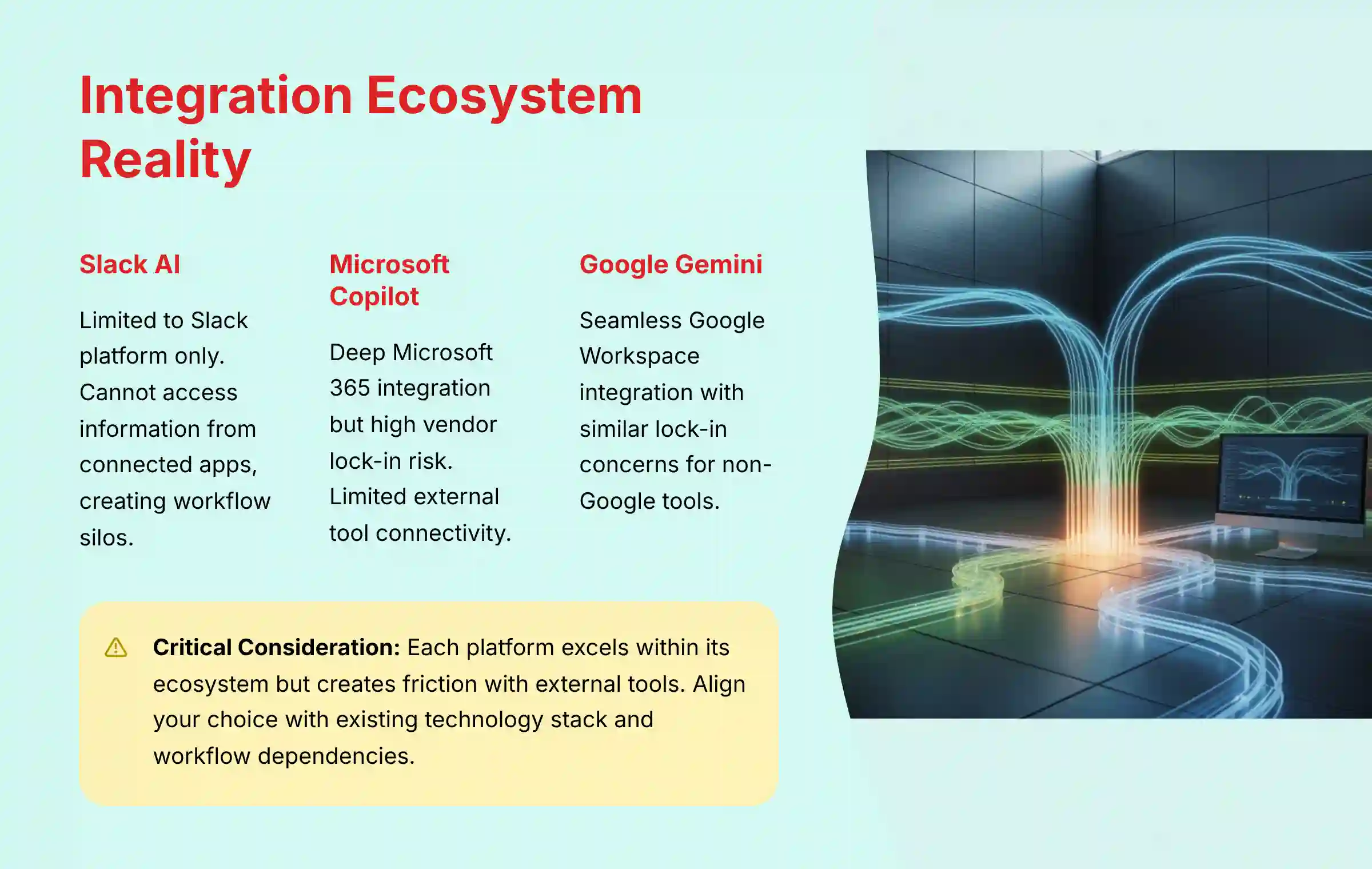
A tool’s true power comes from how well it works with your other software. A disconnected tool creates more work, not less. It is the difference between a single walled garden and a network of connected bridges.
- Slack AI: Its abilities are limited to the Slack platform. It cannot see or use information from other connected apps.
- Microsoft Copilot & Google Gemini: These tools offer deep integration inside their own ecosystems. But this creates a high risk of vendor lock-in, making it difficult to switch to other software in the future.
When evaluating these tools through a project management lens, consider how they connect with your existing Agile toolchain. For Scrum teams, Microsoft Copilot can enhance collaboration within Teams but may not integrate well with Jira or other specialized sprint planning tools outside the Microsoft ecosystem.
Similarly, Google Gemini works seamlessly with Google Workspace but may create friction if your team relies on non-Google tools for backlog grooming or resource allocation.
Winner: Tie with limitations. Each platform excels at integration within its own ecosystem but has limitations when connecting with external tools. Your choice should align with your current technology stack and workflow dependencies.
Financial Analysis: Pricing and Total Cost of Ownership (TCO)
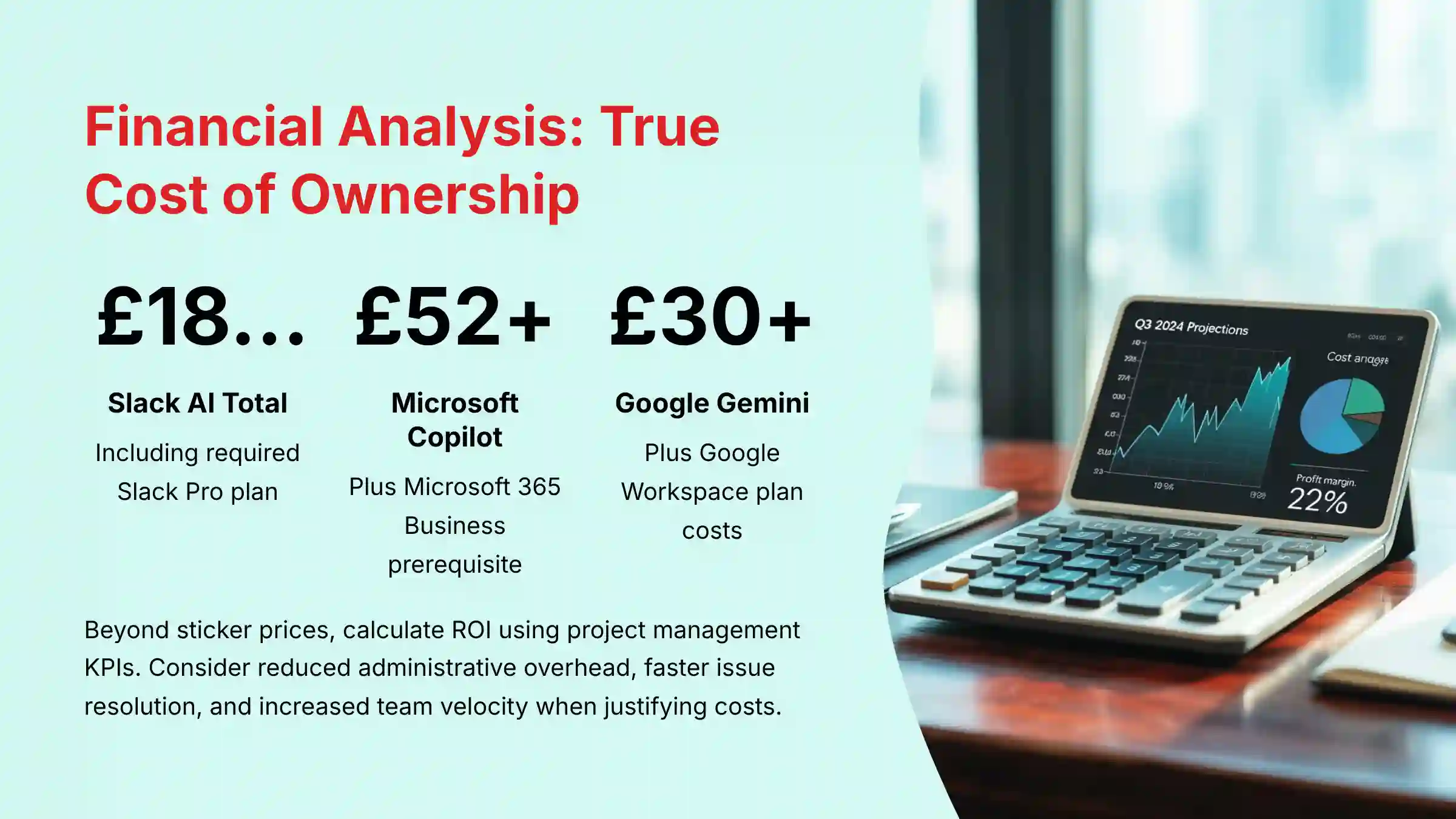
Beyond the sticker price, a sophisticated analysis must calculate the Return on Investment (ROI) using project management KPIs. Business leaders must justify these costs with measurable gains.
For instance, Microsoft Copilot’s value isn’t just in its features, but in its potential to reduce administrative overhead by automating the creation of meeting minutes and action items, freeing up a Project Manager’s time for strategic work.
Similarly, Google Gemini’s ROI is realized when it reduces the cycle time for resolving issues by providing instant answers, thereby increasing team velocity.
The price you see on the website is just the start. To understand the true financial impact, you must look at the total cost of ownership, including required plans and hidden fees for essential features.
| Tool | AI Add-On Cost | Prerequisite Plan | Total Entry Cost (per user/month) |
|---|---|---|---|
| Slack AI | ~$10 | Slack Pro ($8.75) | ~$18.75 |
| Microsoft Copilot | $30 | Microsoft 365 Business | ~$52+ |
| Google Gemini | ~$30 | Google Workspace Plan | Varies |
My financial risk evaluation shows different challenges for each tool. The risk with Slack AI is paying for a feature that only solves a small problem. For Copilot and Gemini, the risks are the high cost and being locked into one vendor.
When evaluating, ask vendors for case studies showing a quantifiable reduction in time spent on status reporting or an increase in the on-time project completion rate. When I look at the complete picture, the cost of Microsoft Copilot can be justified for enterprises with particular security needs, but you must verify that your specific M365 plan includes all the compliance features your organization requires.
Winner: It depends entirely on your primary goal. Slack AI is best for budget-conscious teams needing chat improvement. Microsoft Copilot offers more value for enterprises committed to the Microsoft ecosystem who need deep workflow integration.
What Other Factors Influence The Best Choice?
Beyond the core technical and financial considerations, several strategic factors should influence your decision-making process. Consider your organization’s growth trajectory, regulatory requirements, and long-term technology roadmap when making this critical choice.
Frequently Asked Questions about Slack AI Alternatives
Based on my extensive testing and consultation with enterprise teams, here are the most common questions that arise during the evaluation process. For additional technical questions and detailed troubleshooting, visit our comprehensive Slack AI FAQs resource.
Which tool is better for real-time meeting summaries, Slack AI or Microsoft Copilot?
Microsoft Copilot is better for real-time meeting summaries. It is designed to work directly within Microsoft Teams meetings to transcribe, summarize, and identify action items as they happen. Slack AI can only summarize conversations that have already taken place in a channel.
Is Google Gemini’s translation feature secure enough for confidential documents?
Yes, it inherits the security of Google Workspace. When you use Google Gemini within Google Chat or Docs, it is protected by Google’s standard security and data privacy policies. However, I advise you to always verify this against your own company’s specific data handling rules before translating sensitive information.
What is the biggest hidden cost when switching from Slack to Microsoft Teams with Copilot?
The biggest hidden costs are migration and user retraining. Moving years of conversation history and integrations from Slack to Teams can be complex and time-consuming. You also have to invest time in training your team to use the new platform effectively, which causes a temporary drop in productivity.
For a startup, is Slack AI or Google Gemini a better starting point?
It depends on the startup’s software stack. If the startup primarily uses Slack and needs a budget-friendly way to manage chat, Slack AI is a good starting point. If the startup uses Google Workspace as its productivity suite and needs powerful document creation and translation capabilities, Google Gemini would be more valuable despite the higher cost.
How does data privacy differ between a self-hosted alternative and Slack AI?
Self-hosted alternatives offer maximum data control. Tools like Mattermost give you complete control over your data because you host them on your own servers. Slack AI is a cloud-based service, meaning your data is processed on Slack’s servers, though it is protected by their security measures.
Does Microsoft Copilot work well with non-Microsoft tools like Google Drive or Salesforce?
No, this is its primary limitation. Microsoft Copilot is designed to work almost exclusively within the Microsoft 365 ecosystem. Its ability to connect to external tools is very limited compared to the more open approaches some specialized cross-platform tools offer.
What are the professional risks of implementing a collaboration AI tool poorly?
The main risks are data breaches and a failure to show a return on investment. If permissions are not configured correctly across integrations, sensitive data could be exposed. A complex setup can also lead to low user adoption, meaning the company pays for a powerful tool that nobody uses. From a project management perspective, this means the implementation itself carries a significant operational risk that must be actively managed with a dedicated owner and a clear validation process.
Final Recommendations and Risk Mitigation Framework
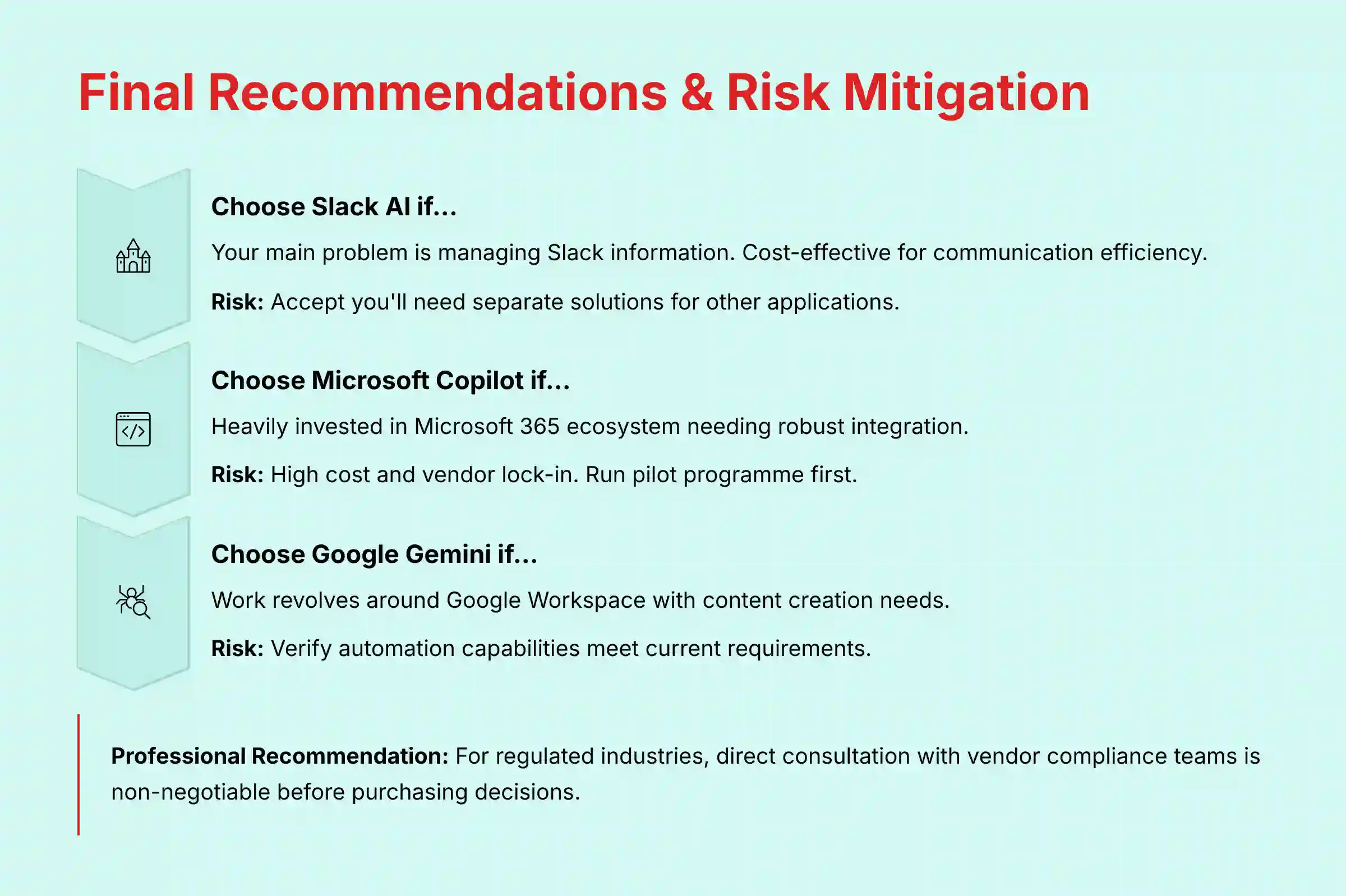
After testing these tools across real-world projects, I’ve found that there’s no single ‘best’ tool—only the right tool for a specific problem. The right choice depends entirely on your company’s existing tech stack, security posture, and biggest collaboration challenges. Here is the framework I use to help teams make a safe and effective decision.
- Choose Slack AI if… your main problem is managing information inside Slack. It is a cost-effective tool for improving communication efficiency.
- Risk Mitigation: You must accept that you will still need a different solution for managing knowledge across all your other applications.
- Choose Microsoft Copilot if… your company is heavily invested in the Microsoft 365 ecosystem and needs robust integration with Microsoft tools.
- Risk Mitigation: Prepare for the high cost and the risk of vendor lock-in. I suggest running a small pilot program to confirm its value before deploying it to the entire company. Also, work with your IT team to ensure you have the proper Microsoft 365 plan and have completed all necessary compliance steps, including signing a Business Associate Agreement (BAA) if you require HIPAA compliance.
- Choose Google Gemini if… your work revolves around Google Workspace and you need strong content creation and translation features.
- Risk Mitigation: Check that its current automation capabilities are sufficient for your needs, as some features are still developing.
This analysis is based on 2025 data. Given the rapid pace of AI development, conducting a personalized demo and a trial is essential. For organizations in regulated industries, direct consultation with the vendor’s compliance and security teams is non-negotiable before making a final purchasing decision.
For a broader perspective on AI communication platforms beyond these three options, explore our comprehensive analysis of the Best 10 AI Team Communication Platforms: Strategic Choices for Project & Product Managers in 2025.
Technology Evolution Notice: The information about Slack AI Top Alternatives and Competitors and AI For Project & Product Management tools presented in this article reflects our thorough analysis as of 2025. Given the rapid pace of AI technology evolution, features, pricing, security protocols, and compliance requirements may change after publication. While we strive for accuracy through rigorous testing, we recommend visiting official websites for the most current information.
Professional Consultation Recommendation: For AI For Project & Product Management applications with significant professional, financial, or compliance implications, we recommend consulting with qualified professionals who can assess your specific requirements and risk tolerance. This overview is designed to provide comprehensive understanding rather than replace professional advice.
Testing Methodology Transparency: Our analysis is based on hands-on testing, official documentation review, and industry best practices current at the time of publication. Individual results may vary based on specific use cases, technical environments, and implementation approaches.


Leave a Reply