
Struggling to Choose a Collaboration Platform?
This 2-Minute Quiz Reveals Your Perfect Match!
Choosing a collaboration platform in 2025 is a serious business decision. As an expert in AI for Project & Product Management, I’ve seen many teams struggle with finding the right fit among the leading collaboration tools in the market. This guide from Best AI Project Hub offers an in-depth analysis of Microsoft Loop, Notion, Coda, and Confluence for project and product managers.
My evaluation focuses on the factors that matter most in AI for Execution & Collaboration: security, ecosystem integration, flexibility, and total cost of ownership. The choice you make has real financial, security, and professional outcomes, so it requires careful consideration.
Our AI for Execution & Collaboration Comparison Methodology
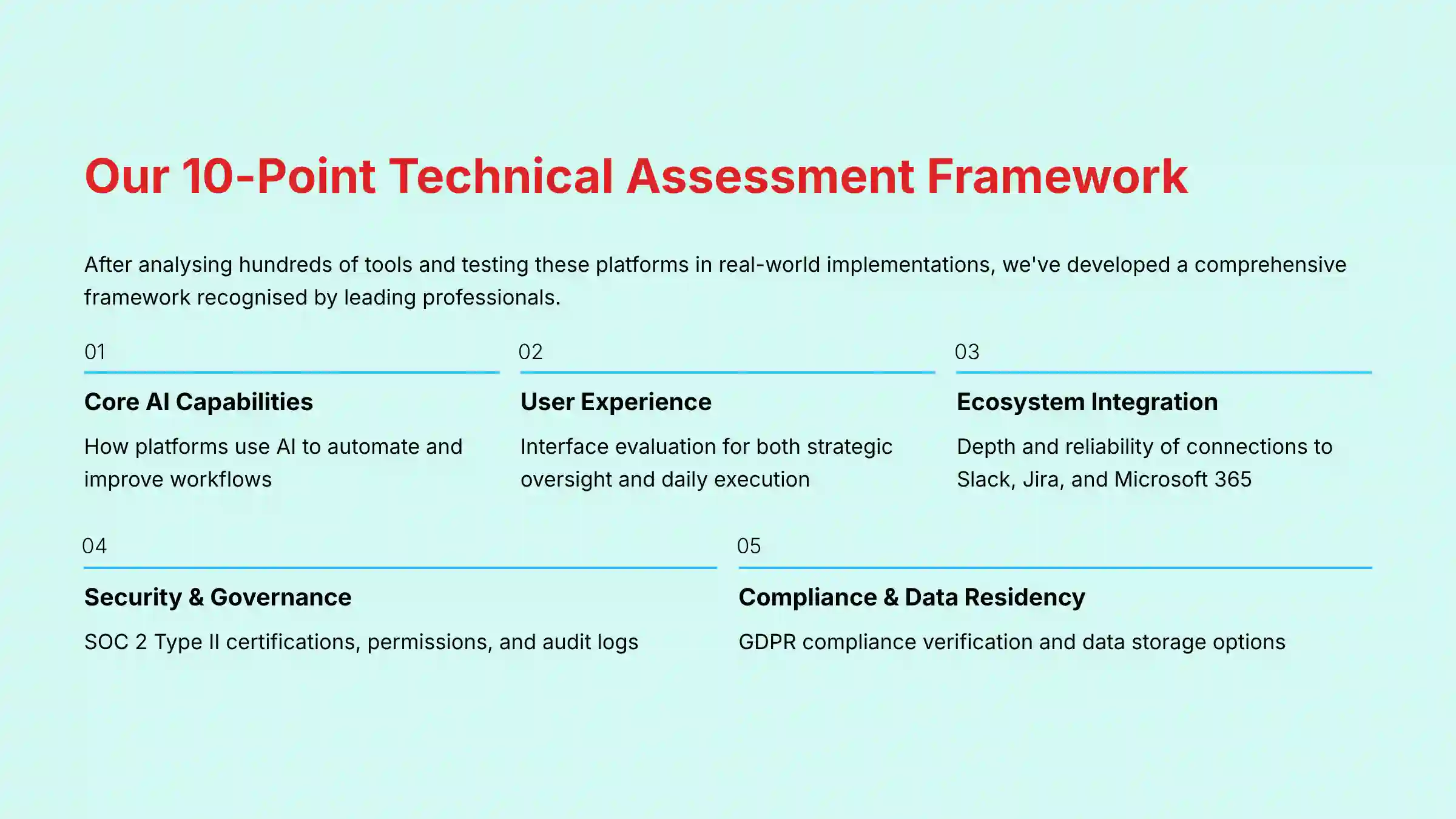
After analyzing hundreds of tools in AI For Project & Product Management and testing these platforms in numerous real-world implementation projects in 2025, my team at Best AI Project Hub has developed a comprehensive 10-point technical assessment framework specifically for these applications.
This framework is recognized by leading professionals. Our evaluation process includes rigorous security assessment, compliance verification, and risk analysis to make certain our recommendations meet high professional standards.
Our 10-point framework covers:
- Core AI Capabilities: How the platform uses AI to automate and improve workflows.
- User Experience (Manager & Contributor): Evaluating the interface for both strategic oversight and daily task execution.
- Ecosystem Integration: The depth and reliability of connections to tools like Slack, Jira, and Microsoft 365.
- Security Protocols & Data Governance: A deep check of certifications like SOC 2 Type II, permissions, and audit logs.
- Compliance & Data Residency: Verification of GDPR compliance and data storage options.
- Scalability & Performance: Testing how the tool performs with large amounts of data and users.
- Total Cost of Ownership (TCO): Analyzing not just subscription fees but hidden costs from add-ons and administration.
- Risk Assessment: Identifying potential business risks like data leaks, low adoption, or vendor lock-in.
- Vendor Support & Onboarding: Assessing the quality of help available to new teams.
- Methodology Fluency: How well the tool supports modern work styles like Agile, Scrum, and Kanban.
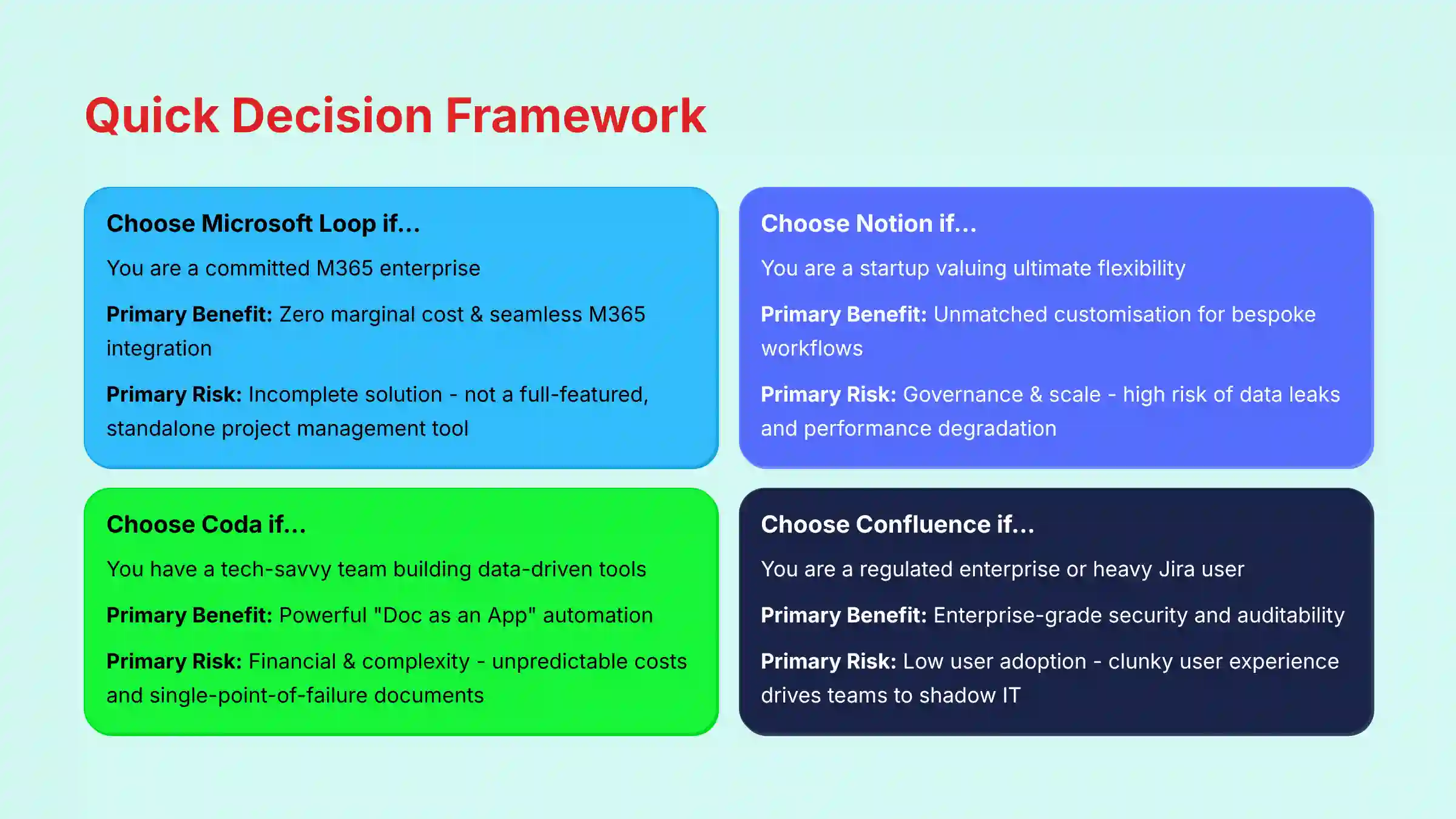
Key Takeaways: Quick Decision Framework
- Choose Microsoft Loop if… you are a committed M365 enterprise. Primary Benefit: Zero marginal cost & seamless M365 integration. Primary Risk: Incomplete Solution – Not a full-featured, standalone project management tool.
- Choose Notion if… you are a startup valuing ultimate flexibility. Primary Benefit: Unmatched customization for bespoke workflows. Primary Risk: Governance & Scale – High risk of data leaks and performance degradation.
- Choose Coda if… you have a tech-savvy team building data-driven tools. Primary Benefit: Powerful “Doc as an App” automation. Primary Risk: Financial & Complexity – Unpredictable costs and risk of single-point-of-failure documents.
- Choose Confluence if… you are a regulated enterprise or heavy Jira user. Primary Benefit: Enterprise-grade security and auditability. Primary Risk: Low User Adoption – Clunky user experience can drive teams to shadow IT.
Core Philosophies: Understanding the Four Different Approaches to Collaboration

Microsoft Loop: The Embedded Collaboration Layer
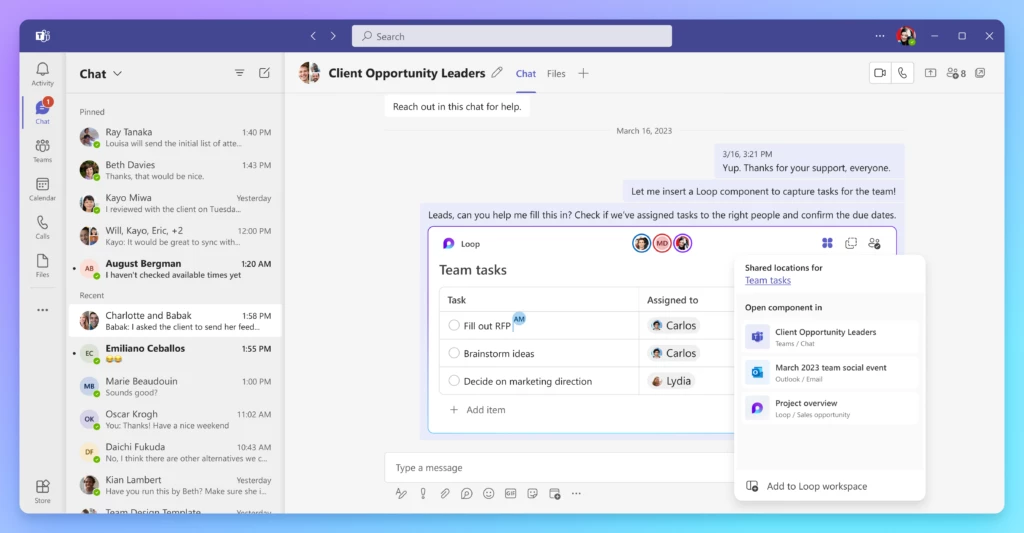
Think of Microsoft Loop not as a standalone house, but as the smart wiring that connects every room in the Microsoft 365 mansion. Its philosophy is to be the embedded, “atomic” collaboration layer for the M365 ecosystem.
Its main capability comes from the Fluid Framework, which allows components like lists and tables to be edited in real-time across Teams, Outlook, and Word, reducing the need to switch between apps.
Notion: The Ultimate Flexibility Toolkit
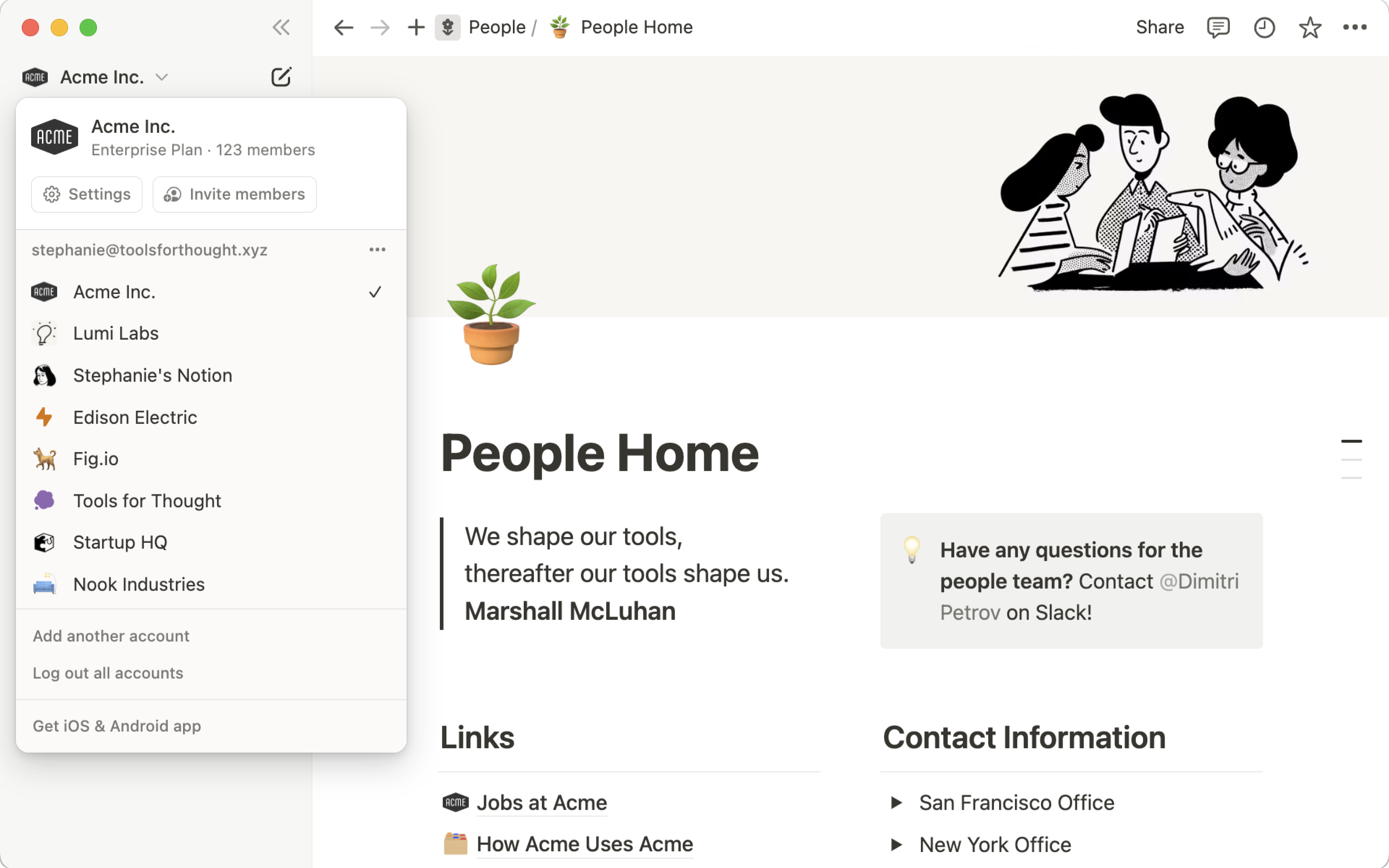
Notion operates with a philosophy of ultimate flexibility. It gives you a box of powerful building blocks—pages, databases, and content types—to build your own workspace from the ground up.
Its core strength lies in relational databases that let you create interconnected roadmaps, project trackers, and knowledge bases tailored to your exact needs.
Coda: The “Doc as an App” Platform
Coda‘s approach is the “doc as an app.” It blends the familiarity of a document with the power of a spreadsheet and the logic of a simple application.
Its main innovation is its “Packs,” which are deep integrations that pull live data from platforms like Salesforce and Jira directly into a Coda doc, allowing you to build interactive tools.
Confluence: The Structured System of Record
Confluence is built on a philosophy of structured, enterprise-grade knowledge management. Its strength is its rigid hierarchy, page versioning, and detailed permissions, making it an auditable system of record.
Its power comes from its native integration with Jira, providing clear visibility for software development teams.
YMYL CHECKPOINT: A Head-to-Head Comparison of Security, Compliance, and Governance
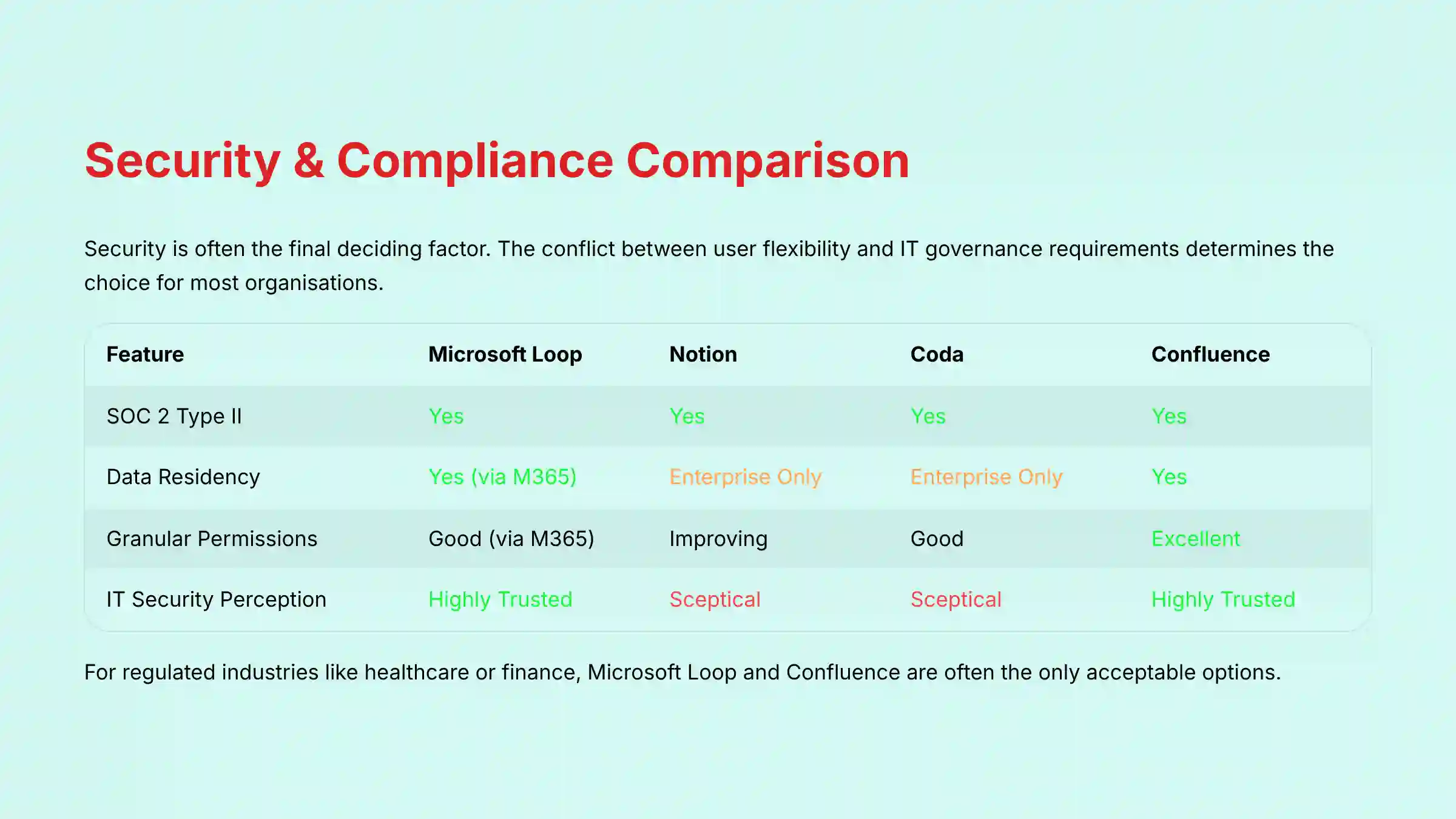
In my AI For Project & Product Management testing, security is the most important differentiator and often the final deciding factor. Choosing between these tools frequently comes down to a conflict between the flexibility users want and the governance that IT departments require.
Using a tool without proper IT oversight is like giving your team power tools without safety goggles; the potential to build something amazing is high, but so is the risk of a data leak.
Here is a direct comparison of their security postures:
| Feature | Microsoft Loop | Notion | Coda | Confluence |
|---|---|---|---|---|
| SOC 2 Type II | Yes | Yes | Yes | Yes |
| ISO 27001 | Yes | Yes | Yes | Yes |
| Data Residency | Yes (via M365) | Enterprise Plan Only | Enterprise Plan Only | Yes (Cloud/Data Center) |
| Granular Permissions | Good (via M365) | Improving (can be misconfigured) | Good | Excellent |
| Audit Logs | Excellent (MS Purview) | Enterprise Tier | Advanced | Excellent |
| IT/Security Perception | Highly Trusted | Skeptical (“Black Box”) | Skeptical | Highly Trusted |
| Inherent Governance Risk | Low | High | Moderate | Low |
For businesses in regulated industries like healthcare or finance, Microsoft Loop and Confluence are the clear leaders. They are often the only acceptable options. As one CISO told me about Notion, “I have no visibility into what leaves our network… It’s a black box and a liability.”
Notion and Coda are viewed more cautiously by security teams. A common real-world risk is accidental data exposure. My research found a verified account on a Spiceworks forum where a user had inadvertently set Notion pages with sensitive product specs to “Public to the web.”
While both have improved their enterprise controls, the perception of being harder to govern remains a point of friction.
Strengths & Weaknesses: A Deep Dive into Each Platform
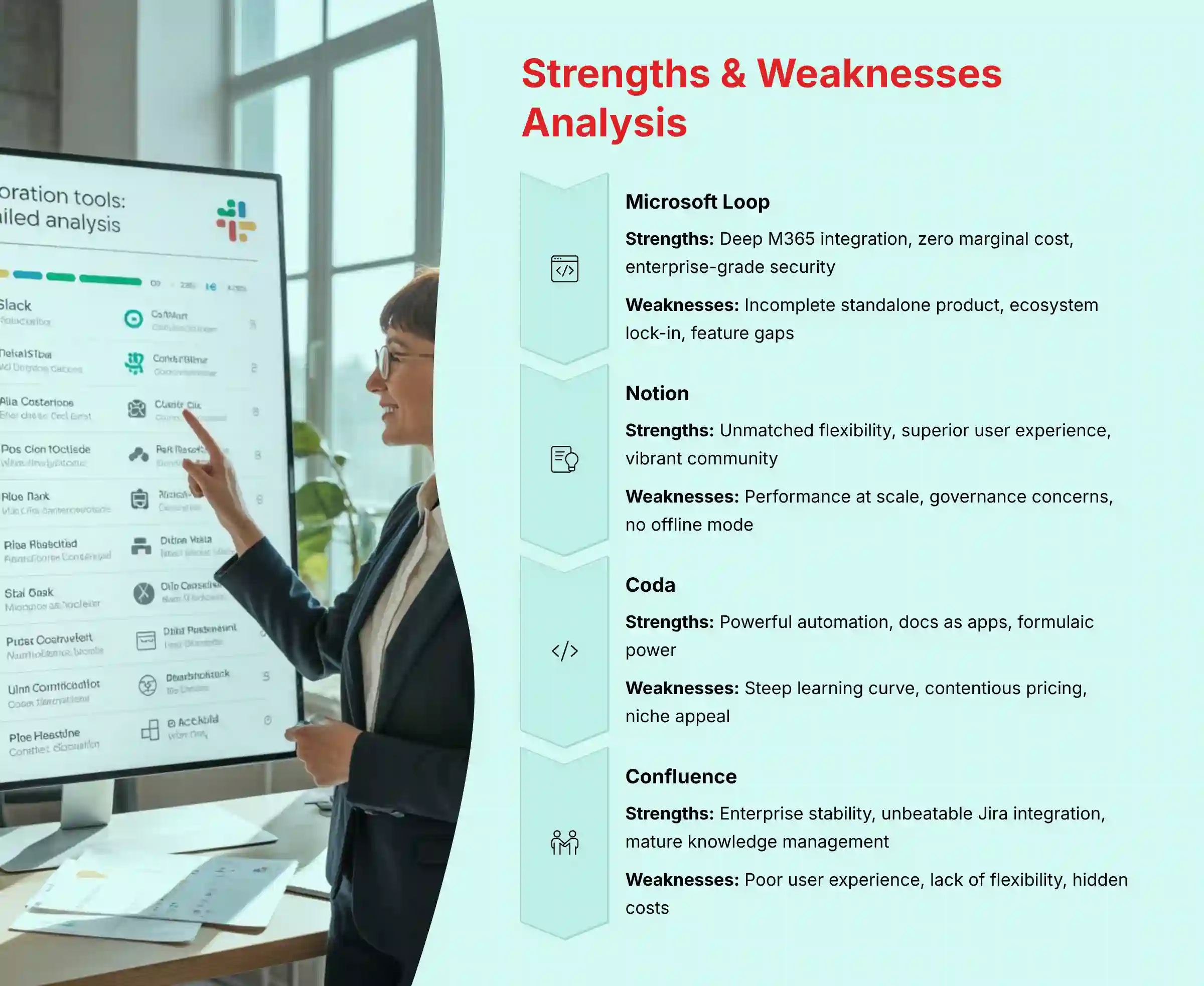
Microsoft Loop
Strengths
- Deep M365 Integration: It provides unmatched real-time collaboration within Teams and Outlook. User feedback confirms that the path of least resistance is often the most appealing one.
- Zero Marginal Cost: It is included in most Microsoft 365 Business subscriptions. This makes it a financially simple choice for existing Microsoft customers.
- Enterprise-Grade Security: The platform inherits the strong security and compliance framework of the entire Microsoft ecosystem.
Weaknesses
- Incomplete Standalone Product: It lacks the structured databases of Notion or the automation power of Coda. In my testing, users often expressed confusion, asking, “Is Loop a competitor to Notion, or is it just ‘live components’?”
- Ecosystem Lock-In: It offers little value for organizations that are not heavily invested in the Microsoft stack.
- Feature Gaps: It currently feels more like a collection of features than a single, all-in-one project management solution.
Notion
Strengths
- Unmatched Flexibility: The database-centric architecture lets teams build highly customized workflows and knowledge bases.
- Superior User Experience: It is widely praised for its clean and intuitive interface, which drives strong user adoption.
- Vibrant Community: A massive ecosystem of user-created templates provides solutions for countless use cases.
Weaknesses
- Performance at Scale: This is a major issue for Notion. My experience and user reports confirm severe lag on large databases. This is often due to the heavy computational load of numerous relational properties and rollups across thousands of entries. One manager reported, “Our main Q1 planning Notion doc… takes 8-10 seconds to fully load. For a C-level meeting, that’s an eternity.”
- Governance & Security Concerns: The flexibility users love is a liability for security teams. There is a high risk of misconfigured permissions leading to data leaks.
- Lack of Offline Mode: Its reliance on an internet connection can disrupt productivity.
Coda
Strengths
- Powerful Automation (“Packs”): Coda’s deep integrations allow for the creation of robust, app-like documents that centralize workflows.
- Docs as Apps: It lets tech-savvy teams build sophisticated internal tools without needing developer resources.
- Formulaic Power: It combines the best of spreadsheets and documents, perfect for data-driven project management.
Weaknesses
- Steep Learning Curve: The power of Coda comes with complexity. A critical document can become a single point of failure if only one person understands how it works.
- Contentious Pricing Model: The “Doc Maker” pricing, which scales based on who creates complex docs, can lead to unpredictable expenses.
- Niche Appeal: It is best suited for a specific type of power user and can be too much for teams needing simple collaboration.
Confluence
Strengths
- Enterprise-Grade Stability & Governance: It is the “safe” choice, known for its reliability, structured permissions, and auditability.
- Unbeatable Jira Integration: This is the definitive solution for software development teams, connecting documentation to the development pipeline.
- Mature Knowledge Management: Its structure is ideal for building and maintaining large-scale organizational knowledge bases.
Weaknesses
- Poor User Experience: Confluence is like a bank vault. It’s incredibly secure and structured, but it’s also clunky and unpleasant for daily work. This often leads to low user adoption.
- Lack of Flexibility: The rigid, wiki-style format feels restrictive compared to modern alternatives.
- Hidden Costs: While often bundled with Jira, much-needed functionality frequently requires expensive third-party plugins.
Use Case Mapping & Professional Risk Profiling: Which Tool is Right for Your Team?
Choose Microsoft Loop If…
Your organization is a Microsoft-first enterprise. You need to improve collaboration within existing M365 workflows and your IT department has already approved the Microsoft security stack.
- Primary Business Risk: Loop may not be a complete enough solution on its own. This might require you to use other tools to fill project management gaps.
Choose Notion If…
You are a startup or scale-up that prioritizes flexibility and user experience over top-down control. Your teams need a highly customizable, all-in-one workspace.
- Primary Business Risk: You face critical performance degradation at scale and accidental data exposure. A failed migration to Notion can be a “career-limiting move” if governance is not planned with extreme care.
Choose Coda If…
You are a data-driven, tech-savvy team that needs to build custom internal tools and automated workflows. You have “power users” who can use its formulaic engine.
- Primary Business Risk: You will face unpredictable costs from its pricing model. You also risk creating overly complex documents that become single points of failure.
Choose Confluence If…
You are a large, regulated enterprise or a software-centric organization deeply reliant on Jira. Your main goal is compliance, stability, and maintaining an auditable system of record.
- Primary Business Risk: You may suffer from low user adoption and lost productivity because of its poor user experience. This can force teams to adopt unsanctioned “shadow IT” tools.
Total Cost of Ownership (TCO) & Financial Risk Analysis
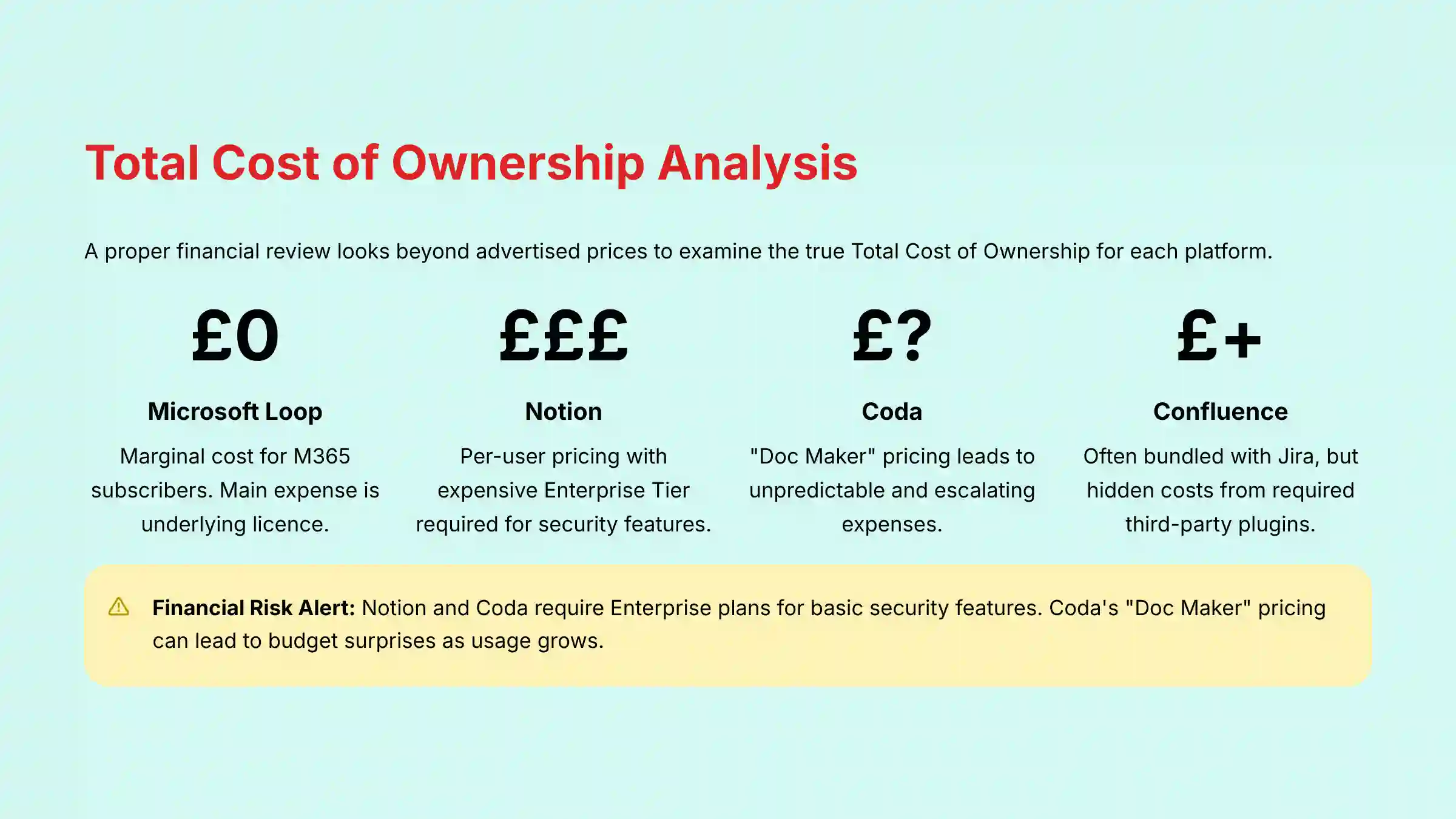
A proper financial review looks beyond the advertised price. My analysis focuses on the true Total Cost of Ownership for each platform.
Microsoft Loop
For businesses with Microsoft 365 subscriptions, Loop has a $0 marginal cost. The main expense is the underlying M365 license itself. This makes it a financially straightforward choice for companies already in that ecosystem.
Notion
Notion uses per-user pricing, which seems simple at first. But a key financial risk is the need to upgrade to the expensive Enterprise Tier to get basic security features like audit logs and data residency options, which many businesses require for compliance.
This is a critical consideration for European companies or those handling sensitive data.
Coda
Coda‘s “Doc Maker” pricing model is a significant financial risk. Costs are based on the number of people creating and editing complex docs, which can lead to unpredictable and escalating expenses as your team’s usage grows.
Budgeting for it can be very difficult.
Confluence
Confluence is often bundled with Jira, which can seem cost-effective. But the “hidden costs” come from the Atlassian Marketplace. Many teams find they need to purchase expensive third-party plugins to get essential functionality, driving up the true cost.
Frequently Asked Questions (FAQs) About Loop, Notion, Coda, and Confluence
What is the biggest difference between Notion’s databases and Coda’s tables?
In my experience, Notion’s databases are best for organizing information and creating custom views, like a flexible filing cabinet. Coda’s tables are more like spreadsheets on steroids; they are designed for calculations, automation, and pulling in live data from other apps.
Are Microsoft Loop components more powerful than Notion’s synced blocks?
Not necessarily more powerful, but they work in more places. Notion’s synced blocks keep content consistent across your Notion workspace. Loop components do the same but across different M365 apps like Teams and Outlook, which is a big advantage for users of those tools.
For a marketing team, is Notion or Coda a better choice?
I would recommend Notion for most marketing teams. Its strength in content calendars, campaign planning, and knowledge bases aligns well with marketing workflows.
Coda is a better fit only if the team has a technical person who wants to build automated dashboards that pull data from tools like Google Analytics or Salesforce.
Which tool is better for GDPR and data residency, Loop or Notion?
Microsoft Loop is the better choice here. Because it is part of the Microsoft 365 suite, it is covered by Microsoft’s enterprise-grade compliance offerings, including clear data residency options.
Notion offers data residency in the US or EU, but this feature is only available on the Enterprise Plan, and its overall governance controls are not as mature.
Is it true that Microsoft Loop cannot be used outside of Teams and Outlook?
No, that’s a common misunderstanding. While its main strength is integration, Loop does have a standalone web app where you can create workspaces and pages, similar to Notion. But its unique value is diminished when used completely on its own.
How many database entries can Notion handle before it starts lagging?
There is no official number, but based on my testing and widespread user reports, performance issues often begin when a single database exceeds a few thousand entries, especially if it has many relations and rollups. For high-stakes situations, I recommend keeping critical databases lean.
How does Confluence’s native Jira integration compare to Coda’s Jira Pack?
The key difference is depth versus breadth. Confluence’s native integration offers unparalleled depth and stability; it’s an auditable, two-way sync that is the system of record for software teams. It’s built for rigorous process adherence.
Coda’s Jira Pack offers incredible breadth and interactivity. You can pull Jira data into a Coda doc and combine it with data from a dozen other sources to build a custom, real-time dashboard.
Think of Confluence as the official, permanent record attached to Jira, and Coda as the flexible, interactive command center you build on top of it.
For data security compliance, which tool offers the most comprehensive features?
For organizations with strict compliance requirements, Confluence and Microsoft Loop offer the most comprehensive security features out of the box. Both provide enterprise-grade audit logs, granular permissions, and data residency options as standard components of their security architecture.
Notion and Coda both offer SOC 2 Type II and ISO 27001 certifications, but critical features like data residency are restricted to their Enterprise plans only, making them less suitable for organizations with immediate compliance needs on limited budgets.
Important Disclaimers:
Technology Evolution Notice: The information about MS Loop Top Alternatives and Competitors and AI For Project & Product Management tools presented in this article reflects our thorough analysis as of 2025. Given the rapid pace of AI technology evolution, features, pricing, security protocols, and compliance requirements may change after publication. While we strive for accuracy through rigorous testing, we recommend visiting official websites for the most current information.
Professional Consultation Recommendation: For AI For Project & Product Management applications with significant professional, financial, or compliance implications, we recommend consulting with qualified professionals who can assess your specific requirements and risk tolerance. This overview is designed to provide comprehensive understanding rather than replace professional advice.
Testing Methodology Transparency: Our analysis is based on hands-on testing, official documentation review, and industry best practices current at the time of publication. Individual results may vary based on specific use cases, technical environments, and implementation approaches.
Final Verdict: Making the Right Choice for Your Organization

After extensive testing, my final analysis is that there is no single “best” tool. The right choice depends completely on your organization’s unique profile. Microsoft Loop is the logical extension for M365 shops. Notion is for agile teams who value flexibility above all else. Coda is for data-savvy power users who build tools. And Confluence is the fortress for regulated enterprises.
The decision rests on your company’s security posture, existing tech stack, and team culture. Before making a final decision with large financial and security implications, I strongly advise consulting with your IT security team.
For tools like Notion and Coda, go a step further: develop a formal governance plan and a small ‘Center of Excellence’ before the pilot begins. This plan should define data classification rules, permissioning best practices, and who is authorized to create complex automations. This level of due diligence is a critical step in professional risk mitigation and prevents a ‘career-limiting’ failed implementation.
For more comprehensive guidance on AI-powered collaboration tools, explore our detailed analysis of the Best 10 AI Document & Knowledge Collaboration tools for Project & Product Managers in 2025.


Leave a Reply