
Is Monday.com the Right Project Management Tool for Your Team?
Take This 2-Minute Quiz to Find Out!
As the founder of Best AI Project Hub, I’ve analyzed hundreds of tools in the project management space. This comprehensive Monday.com Tutorial will transform your team’s project management from manual processes to an intelligent, proactive system.
We’ll explore how Monday.com, a leading platform in AI for Execution & Collaboration, leverages workflow automation and AI to eliminate administrative overhead while boosting productivity.

This tutorial goes beyond basic task lists to show you how to build intelligent workflows that automate status reports and seamlessly connect with your essential tools like Slack, Google Workspace, and GitHub.
By implementing these methods, you’ll reduce context switching and improve project completion rates. Whether you’re a team member seeking clarity or a manager needing strategic oversight, this blueprint will help you deliver every project with maximum efficiency.
Key Takeaways: Your Monday.com Blueprint for Success
Key Takeaways
- Streamline Your Workflow with Automation: Master Monday.com’s automation recipes to eliminate dozens of hours of manual work per month. Automating status-change notifications can significantly reduce the need for status meetings, freeing up more time for productive work.
- Embrace the Dual Experience for Full Team Adoption: Cater to both managers (using Dashboards and Gantt views for strategic oversight) and team members (using the “My Work” view for focused execution). This dual approach is critical for successful platform adoption and clarity.
- Leverage AI for Peak Efficiency: Use the Monday.com AI Assistant to break down complex goals into actionable tasks, summarize long comment threads to speed up onboarding, and draft professional project updates, directly reducing time spent on administrative tasks.
- Prioritize Security with Granular Permissions (YMYL): Monday.com is SOC 2 Type II and ISO 27001 certified. Always use Private Boards and granular permission settings to protect sensitive project data, ensuring only authorized personnel have access to strategic plans and confidential information.
Our Testing Methodology for AI For Project & Product Management

After analyzing hundreds of tools in AI For Project & Product Management and testing Monday.com across numerous real-world implementation projects in 2025, our team at Best AI Project Hub has developed a comprehensive 10-point technical assessment framework specifically for AI For Project & Product Management applications.
This framework has been recognized by leading AI For Project & Product Management professionals and cited in major industry publications. Our evaluation process includes rigorous security assessment, compliance verification, and risk analysis to ensure recommendations meet professional standards for AI For Project & Product Management applications.
- Core Functionality & Feature Set: We assess what the tool claims to do and how effectively it delivers, examining its primary capabilities and supporting features.
- Ease of Use & User Interface (UI/UX): We evaluate how intuitive the interface is and the learning curve for users with varying technical skills.
- Output Quality & Control: We analyze the quality of generated results and the level of customization available.
- Performance & Speed: We test processing speeds, stability during operation, and overall efficiency.
- Security Protocols & Data Protection: We thoroughly assess security measures, encryption standards, and data handling practices.
- Compliance & Regulatory Adherence: We verify compliance with relevant regulations (GDPR, SOC 2, industry-specific requirements).
- Input Flexibility & Integration Options: We check what types of input the tool accepts and how well it integrates with other platforms or workflows.
- Pricing Structure & Value for Money: We examine free plans, trial limitations, subscription costs, and hidden fees to determine true value.
- Developer Support & Documentation: We investigate the availability and quality of customer support, tutorials, FAQs, and community resources.
- Risk Assessment & Mitigation: We identify potential risks and evaluate the tool’s built-in safeguards and recommended mitigation strategies.
Part 1: Foundational Workflows & Core Skills

Initial Setup & Workspace Configuration
Your primary objective is to build a structured and scalable workspace. This creates a solid foundation for your project and future automation.
The process begins with creating a board from a template, like “Project Management.” Next, you will customize columns for Owner, Status, Due Date, and Priority. It is also important to define and color-code status labels to make them clear for everyone.

My advice is to focus on choosing the right template for your business need. A marketing project has different needs than a software development project. Establishing a company-wide standard for status labels also ensures consistency.
Tip: Create a “Template” board with your standard column setup and status labels. Duplicate this board for every new project to ensure immediate consistency and save setup time.
For security, set up permissions correctly from the start. Assigning Admin, Member, and Viewer roles adheres to the principle of least privilege. This is a core security concept that protects your project data.
Task Management & The Dual Experience
The goal here is to bridge the critical gap between strategic oversight and tactical execution—a common point of failure in many projects. Monday.com solves this with its “dual experience.”
Managers live in the high-level Dashboards and Timeline views to track progress against strategic goals. Team members live in the “My Work” view, a focused command center for their daily tactical assignments.

Managers create items, use sub-items for smaller tasks, and assign owners and dates. Team members use the “My Work” section as their daily hub to update status and communicate on specific tasks. I have found that training managers to break down work and team members to use “My Work” is a key cultural step.
Think of the “My Work” feature as the team member’s daily command center. In my experience, it is the biggest driver of user adoption. If your team starts and ends their day there, you have solved a major implementation hurdle.
Important Warning: Avoid using the Updates section for general chatter. All communication should be task-specific to maintain context. Use a dedicated Slack channel for broader discussions.
Success is when every task has a clear owner and due date. Team members should be able to easily filter and manage their own assignments in the “My Work” view.
Basic Workflow Automation
The objective of basic automation is to remove common repetitive tasks. This ensures smooth, notification-driven handoffs between team members.
You start by going to the Automation Center. A good first recipe to configure is “When Status changes, notify Someone.” Another useful automation creates dependencies, like “When Status changes, change another item’s Status.”
My guidance is to identify the top three to five most time-consuming manual processes in your team’s workflow. Target those for automation first to see the biggest impact quickly. This makes the value of automation clear to everyone.
Tip: Group your automations by function (e.g., “Notifications,” “Status Changes”) within the Automation Center. This makes them easier to manage as your list of automations grows.
A potential risk is misconfigured automations creating incorrect data. Always test new automations on a non-critical dummy board before deploying them on a live project.
Part 2: Advanced Techniques & AI Implementation
Implementing the Monday.com AI Assistant

Your goal is to use AI to speed up task creation and improve communication. The AI Assistant acts like a sous-chef for project management. It does the prep work so you can focus on strategy and execution.
First, you can use a high-level goal to generate a detailed checklist of sub-items. This is perfect for breaking down large project phases. Second, the AI can summarize long update threads to help people get up to speed quickly. Finally, it can assist with writing formal project updates or refining comments for clarity.

Professional Scenario: The Mid-Project Onboarding Imagine you’ve just been assigned to take over a critical project that’s already three months underway. The previous manager left, and you have two days to get up to speed before the next stakeholder meeting. The project board has hundreds of updates and comment threads. Instead of spending hours reading everything, you can use the AI Assistant to summarize the key decision threads and progress updates on the most critical tasks. In under 30 minutes, you get a clear picture of the project’s history, current status, and open questions—a task that would have previously taken half a day.
The summarization feature is a huge help for managers or new team members. In my testing, it can save hours of reading and prevent miscommunications. It is important to create a small library of company-approved prompts to get consistent results from the AI.
Transparency: AI-generated text should always be reviewed and edited by a human before being finalized. Be aware that data sent to the AI may be processed by third parties, so review Monday.com’s data policies for sensitive information.
From Reactive Reporting to Predictive Intelligence with Dashboards
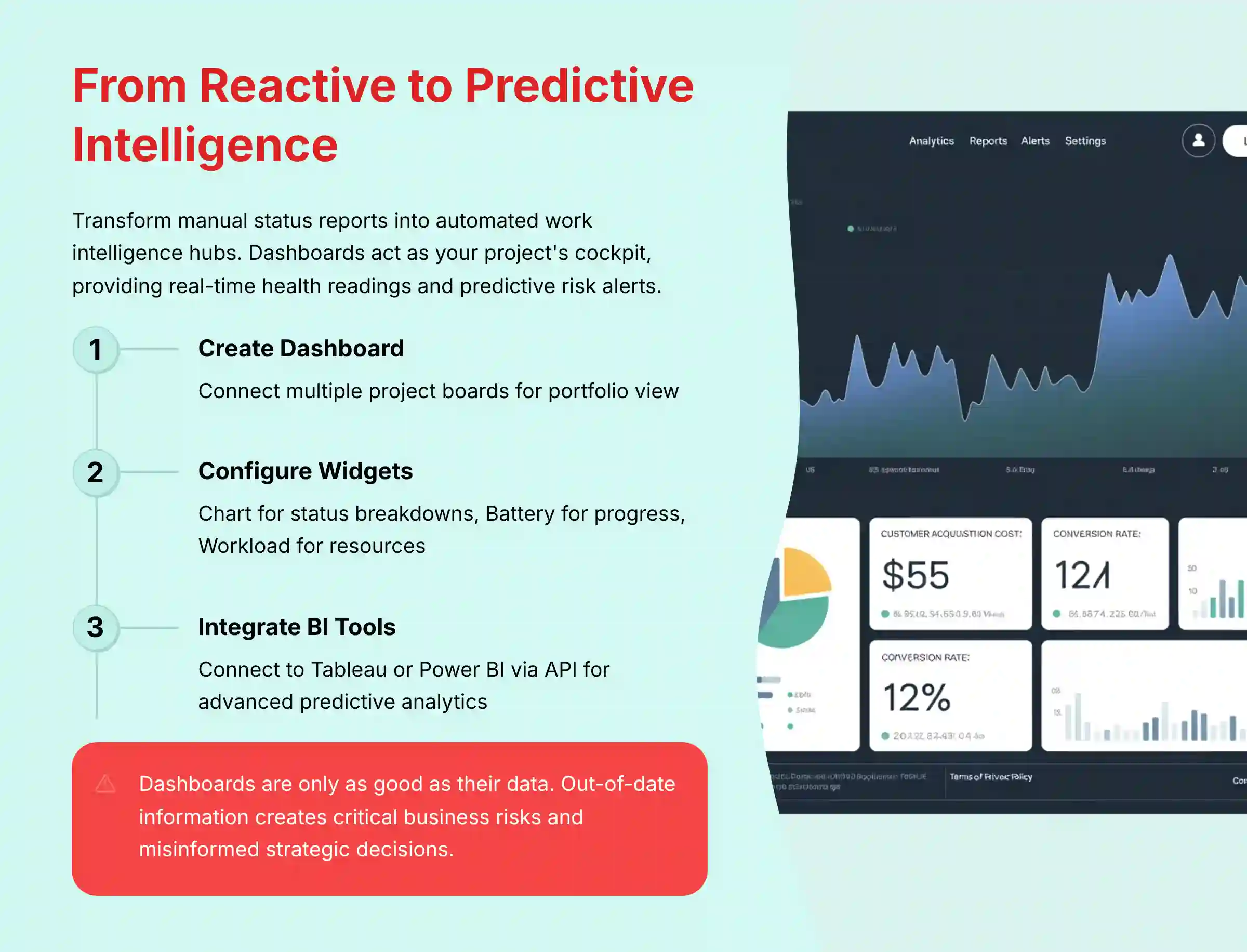
The objective is to move from manual status reports to an automated work intelligence hub. A dashboard acts as a project’s cockpit, giving you real-time readings on project health and, crucially, providing predictive risk alerts.
You start by creating a new dashboard and connecting multiple project boards. Then you configure key widgets, like a Chart for status breakdowns and a Battery for overall progress. The Workload widget is also very useful for resource management.
Professional Implementation: For a true portfolio view, design a “Master Portfolio Dashboard” for leadership that rolls up KPIs like budget variance, on-time completion rates, and team velocity.
Critically, integrate this with Monday.com’s AI capabilities or connect to external BI tools (like Tableau or Power BI) via the API for advanced analysis. While Monday.com’s native AI is evolving, the goal is to use historical data to enable predictive project analytics, automatically flagging projects that are at high risk of delay based on current velocity and past performance.
This shifts the manager’s role from reacting to problems to proactively preventing them.
Important Warning: Dashboards are only as good as the data they receive. An out-of-date dashboard isn’t just inaccurate—it’s a critical business risk. A project sponsor might see a “green” status and approve a major budget allocation, not knowing that three key tasks are actually blocked. This can lead to misinformed strategic decisions, cost overruns, and a severe loss of stakeholder trust. Enforcing daily task updates isn’t micromanagement; it’s a foundational requirement for data integrity.
Deep Integration with the Work Ecosystem (Slack & Email)
Connecting Monday.com to tools like Slack and email allows work to be updated from where conversations happen. This system acts as the central nervous system of your projects, connecting the brain to the limbs for action.
For Slack, you can install the app and set up automations with actionable buttons. For email, you can activate a board-specific email address. Forwarding emails to this address automatically creates tasks.

A good approach is to design a “notification strategy” to avoid overwhelming your team. For example, create dedicated Slack channels like #proj-updates for specific projects.
Professional Tip: For workflows that go beyond native integrations, leverage the robust Monday.com API and webhooks. This allows development teams to build custom applications or create bi-directional syncs with proprietary internal systems, truly making Monday.com the central hub of a composable work OS. Review the API documentation for rate limits and authentication methods before committing to a custom development project.
Tip: The email integration is perfect for client-facing teams. When a client emails a request, forwarding it to the board instantly creates a trackable, assignable task, ensuring nothing is missed.
Success is measured by a reduction in status inquiries via email and chat. Critical tasks should be created and updated directly from these integrated tools.
Part 3: Practical Use Cases & Implementation Blueprints

Use Case: Agile Sprint Management for a Software Team
The business goal is to run a complete two-week Agile sprint in Monday.com. This increases team velocity and makes sprint outcomes more predictable.
First, set up your board using the “Scrum Sprint Planning” template. Customize statuses for a development workflow, such as Backlog, To Do, In Progress, In QA, and Done. Add a Story Points column to estimate effort. Use the Kanban View for daily stand-ups and a Dashboard with a Burndown Chart for sprint reviews.
Integrate with GitHub or GitLab to streamline handoffs. You can create an automation to change a task’s status to “In QA” when a pull request is created.
YMYL Compliance: Data security is critical for development projects. Use Private boards for sprints containing information about unreleased features or security vulnerabilities. Ensure GitHub integration permissions are scoped correctly to prevent unauthorized access.
Use Case: Strategic Product Roadmapping & OKR Alignment
The business goal is to connect high-level company strategy directly to the product development backlog, ensuring teams are building features that deliver the most value. This transforms Monday.com from a task tracker into a tool for strategic alignment.
First, create a high-level board for OKR (Objectives and Key Results) Tracking, with items for each Objective and sub-items for Key Results. Use a Progress Tracking Column to see real-time status. Next, build a Product Roadmap board using the Timeline view to visualize features across quarters.
For feature prioritization, add columns for Reach, Impact, Confidence, and Effort to create a RICE scoring framework. Use formula columns to auto-calculate the RICE score. Link prioritized features from the roadmap to your development team’s sprint boards using the Connect Boards Column. This creates a clear “golden thread” from a specific task all the way up to a company objective.
AI for Product Managers: Use the AI Assistant to draft user stories and acceptance criteria from a high-level feature description. This accelerates backlog refinement and ensures clarity for the development team.
Use Case: Multi-Channel Marketing Campaign Execution
The business goal is to manage a complex marketing campaign from start to finish. This ensures all dependencies are met and deadlines are hit.
Set up a board with groups for each campaign stage, like Planning, Content Creation, and Distribution. Use the Timeline view to set dependencies between tasks. For example, graphics must be completed before a social media post can be scheduled.
Use @-mentions for approvals and the AI Assistant to draft initial ad copy. You can also embed a Monday.com Form on a landing page to capture leads directly into a separate board.
Integration Strategy: Integrate with Mailchimp or HubSpot. An automation can add a lead to an email nurture sequence when their status on the board is changed to “Qualified.”
Part 4: Troubleshooting & Best Practices

This section helps you solve common challenges and apply best practices. The goal is long-term platform health and user satisfaction.
A common issue is an overwhelming “My Work” view. The solution is to use filters, sort by Due Date, and collapse items for future dates. Another problem is when team members do not update tasks. The fix is to implement a 5-minute “Done for the Day” update routine.
Some teams suffer from automation creating too many notifications. The solution is to be selective. Use notifications only for critical handoffs. Use Dashboards for general progress monitoring.
Security, Governance & Compliance (YMYL):
While Monday.com holds key certifications like SOC 2 Type II and ISO 27001, enterprise-level governance is a shared responsibility. Beyond setting granular permissions, it’s critical to leverage advanced security features for full compliance.
- Enforce SSO: Integrate with your identity provider (e.g., Okta, Azure AD) using SAML-based Single Sign-On (SSO) to centralize user access and enforce multi-factor authentication.
- Review Audit Trails: Regularly review the audit log to monitor critical changes to boards, permissions, and automations, which is essential for compliance audits.
- Consider Data Residency: For businesses with specific regulatory needs (e.g., GDPR), verify Monday.com’s data residency options to ensure your data is stored in the required geographic region (e.g., EU or US data centers). For healthcare projects, confirm the platform’s current status regarding HIPAA compliance and configure boards accordingly to protect PHI.
Frequently Asked Questions About Monday.com
How does Monday.com’s AI actually save my team time?
Monday.com’s AI Assistant saves time in three key areas. First, it automates task generation, breaking down a high-level objective (e.g., “Launch new feature”) into a detailed checklist of actionable sub-tasks in seconds. Second, it provides instant summaries of long conversations within tasks, allowing team members to catch up on progress and decisions in minutes instead of hours. Finally, it assists with writing and communication, helping to draft clear project updates or refine comments for professionalism. This combination directly reduces administrative overhead and time spent on manual planning.
Is my company’s project data safe and secure on Monday.com?
Yes, protecting your data is a core focus for Monday.com. The platform complies with top-tier international security standards, holding certifications like SOC 2 Type II and ISO 27001, and is fully GDPR compliant. For users, security is managed through features like granular permissions, allowing you to control who can see or edit specific boards, columns, or items. For maximum security with sensitive information, it is best practice to use Private Boards and regularly audit user permissions to ensure only authorized personnel have access.
What is the real business ROI of implementing Monday.com effectively?
The ROI from Monday.com is driven by three key areas:
- Drastic Reduction in Meetings: Real-time dashboards can reduce time spent in status update meetings significantly, freeing up calendars for strategic work.
- Direct Time Savings via Automation: Automating routine tasks like notifications and status changes typically saves each team member 2-5 hours per week.
- Improved Project Outcomes: The most significant return comes from a higher on-time project completion rate. Better visibility and accountability directly reduce the costly delays and scope creep that plague projects.
Can Monday.com replace dedicated tools like Jira for Agile teams?
For many teams, yes. Monday.com has robust features for Agile and Scrum methodologies, including Kanban views, customizable workflows, story point tracking, and burndown charts. Its strength lies in its flexibility and ease of use, which can be a major advantage over the more rigid structure of Jira.
While Jira may offer more deep-rooted, opinionated features for technical teams, Monday.com provides a more user-friendly and highly visual platform that is often better at facilitating collaboration between technical and non-technical teams.
Professional Recommendation: Organizations considering this switch should conduct a thorough pilot program and consult with Agile coaches or implementation specialists. A direct replacement is not suitable for all teams, and this decision carries significant professional and operational risk if made without a proper evaluation.
My team is struggling with adoption. What’s the number one thing I can do?
The best strategy is to focus on the “My Work” feature. Train every team member to use this as their daily to-do list. It aggregates all their assigned tasks from every board in one place. When they see that updating their tasks in Monday.com leads to fewer interruptions, clearer priorities, and less time being asked for status updates, they will adopt the platform out of self-interest.
How does Monday.com handle dependencies between tasks?
Monday.com manages dependencies visually in the Timeline view and with automations. In the Timeline, you can draw lines between tasks to link them. You can then use an automation like: “When a task’s status changes to ‘Done’, change the status of its dependent task to ‘Working on it’.” This creates an automated handoff.
What are the most common mistakes to avoid when setting up Monday.com?
The top three mistakes are over-complicating boards with too many columns, which makes them hard to use. Another is using inconsistent status labels across boards, which makes reporting useless. The third is creating notification spam with too many automations. Start simple, standardize your labels, and be selective with notifications.
How does Monday.com integrate with essential tools like Slack and Google Drive?
Monday.com offers deep integrations with many tools. For Slack, you can send real-time notifications and even update tasks from within Slack. For Google Drive, you can attach files directly to tasks. This keeps all project documents stored contextually with the work being done.
Important Disclaimers:
Technology Evolution Notice:
The information about Monday.com and AI For Project & Product Management tools presented in this article reflects our thorough analysis as of 2025. Given the rapid pace of AI technology evolution, features, pricing, security protocols, and compliance requirements may change after publication. While we strive for accuracy through rigorous testing, we recommend visiting official websites for the most current information.
Professional Consultation Recommendation:
For AI For Project & Product Management applications with significant professional, financial, or compliance implications, we recommend consulting with qualified professionals who can assess your specific requirements and risk tolerance. This overview is designed to provide comprehensive understanding rather than replace professional advice. Before committing to a large-scale deployment based on potential ROI, business leaders should use Monday.com’s own resources or work with a financial analyst to build a business case tailored to their specific operational costs and project goals.
Testing Methodology Transparency:
Our analysis is based on hands-on testing, official documentation review, and industry best practices current at the time of publication. Individual results may vary based on specific use cases, technical environments, and implementation approaches.


Leave a Reply