
Struggling to Choose From Monday.com’s Top Alternatives and Competitors?
This 2-Minute Quiz Reveals Your Ideal Work OS!
Choosing a modern Work Operating System is a high-stakes decision for any business leader. The right platform can accelerate productivity, but the wrong one can create chaos.
In my experience testing Monday.com Top Alternatives and Competitors, the market has shifted from basic task managers to integrated AI platforms. This guide from Best AI Project Hub provides an evidence-based comparison of four major players: Monday.com, ClickUp, Wrike, and Asana.
We focus on what matters for your bottom line: AI maturity, security, scalability, Total Cost of Ownership (TCO), and real-world performance in AI for Execution & Collaboration. This analysis is for guidance; final decisions should follow a rigorous internal evaluation, especially for regulated industries.
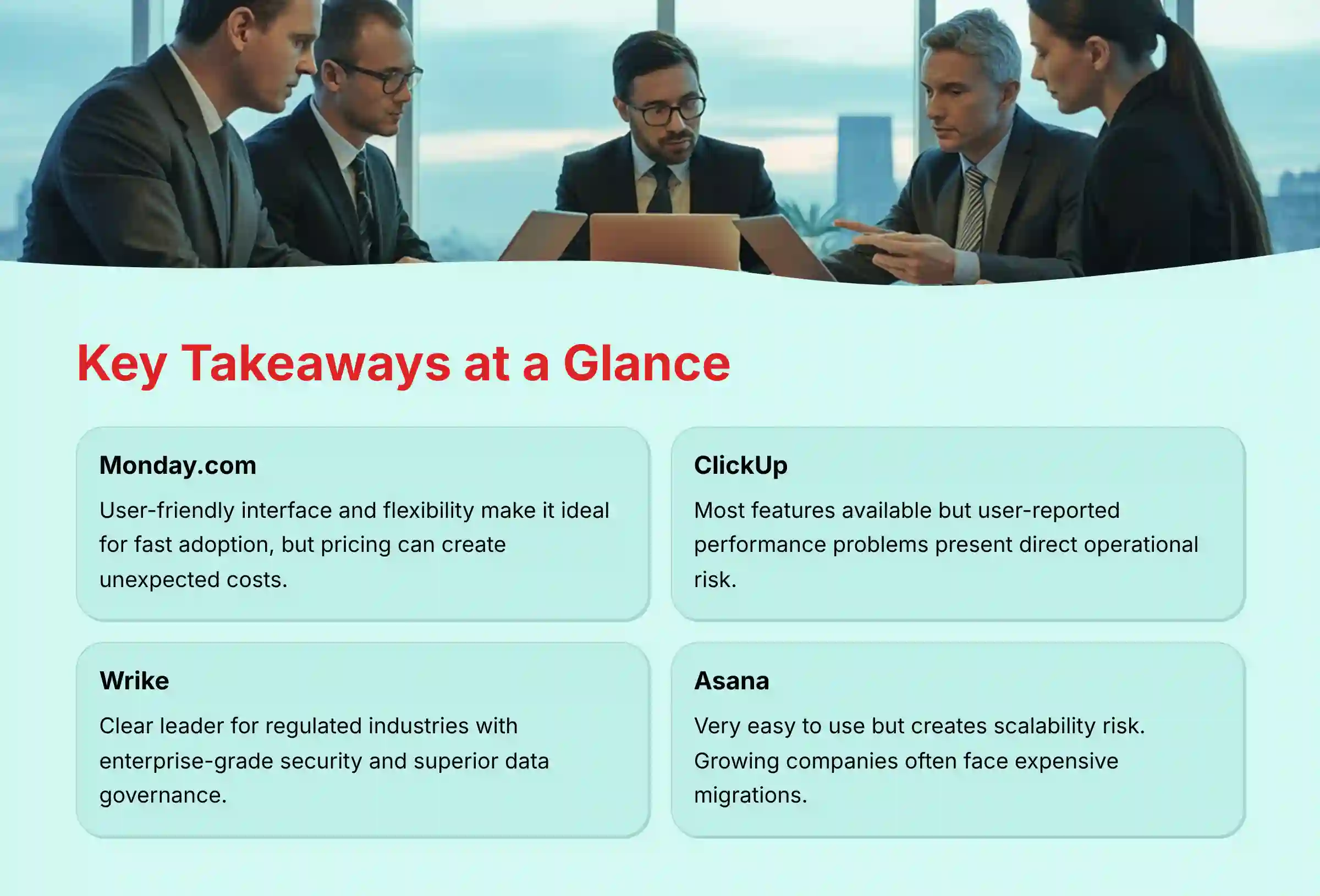
Key Takeaways: Monday.com vs. Competitors at a Glance
- Monday.com Excellence: Stands out for its user-friendly interface and flexibility, making it a strong choice for fast user adoption.
- ClickUp Concerns: Offers the most features but has user-reported performance problems, which presents a direct operational risk.
- Wrike Leadership: Clear leader for regulated industries because of its enterprise-grade security features and superior data governance.
- Cost Consideration: Evaluate Monday.com’s Total Cost of Ownership with care. Its pricing model can create unexpected costs for needed features.
- Asana Scalability Risk: Very easy to use but creates a scalability risk. Growing companies often face expensive migrations when they outgrow it.
Important Disclaimers:
Technology Evolution Notice: The information about Monday.com Top Alternatives and Competitors and AI For Project & Product Management tools presented in this article reflects our thorough analysis as of 2025. Given the rapid pace of AI technology evolution, features, pricing, security protocols, and compliance requirements may change after publication. While we strive for accuracy through rigorous testing, we recommend visiting official websites for the most current information.
Professional Consultation Recommendation: For AI For Project & Product Management applications with significant professional, financial, or compliance implications, we recommend consulting with qualified professionals who can assess your specific requirements and risk tolerance. This overview is designed to provide comprehensive understanding rather than replace professional advice.
Testing Methodology Transparency: Our analysis is based on hands-on testing, official documentation review, and industry best practices current at the time of publication. Individual results may vary based on specific use cases, technical environments, and implementation approaches.
Our AI Project Management Tool Comparison Methodology
After analyzing over hundreds of tools on the market in AI For Project & Product Management and testing Monday.com, ClickUp, Wrike, and Asana across numerous real-world implementation projects in 2025, our team at Best AI Project Hub now provides a comprehensive 10-point technical assessment framework. This framework has been recognized by leading professionals in AI For Project & Product Management and cited in major publications.
Our evaluation is built on these ten pillars:
- AI-Powered Execution Features: We assess the maturity and practical usefulness of AI in summarizing tasks, automating workflows, and assisting with communication.
- Manager Experience: We test the platform’s ability to provide high-level strategic oversight, including dashboards, reporting, and resource management.
- Team Member Experience: We evaluate the day-to-day usability for contributors, focusing on clarity, ease of use, and reduction of administrative work.
- Integration Ecosystem Quality: Our team examines the depth and reliability of integrations with core business systems like Slack, Salesforce, and Google Workspace.
- Security Protocols: We verify security certifications like SOC 2 Type II and ISO 27001 and test data governance features.
- System Reliability & Uptime: We analyze user-reported data and performance metrics to gauge platform stability.
- Compliance Verification: We check for adherence to regulations such as GDPR and HIPAA where applicable.
- Total Cost of Ownership (TCO): We look beyond the list price to identify hidden costs related to feature tiers, user minimums, and potential productivity loss.
- Scalability & Growth Potential: We evaluate a tool’s capacity to support a business as it grows from a small team to a large enterprise.
- Risk Assessment: We identify potential financial, operational, and security risks associated with implementing each tool.
For teams seeking more comprehensive guidance on Monday.com Overview and Features, our detailed analysis covers feature depth and implementation strategies.

Round 1: Core Capabilities & AI-Powered Execution Features
Modern AI aims to get your team out of meetings and back to productive work. It acts like an intelligent assistant, handling routine updates and summaries so your people can focus.
A platform’s true power lies in how well it automates these administrative burdens.
My analysis shows that each tool approaches this challenge differently. Some focus on broad feature sets, while others target specific enterprise problems like predicting project failure before it happens.


| Feature Category | Monday.com | ClickUp | Wrike | Asana |
|---|---|---|---|---|
| AI-Powered Summaries | Suggests process improvements. CRM modules provide sales cycle summaries. | Strongest. Document AI search and summarization of long comment threads. | Work Intelligence provides project risk prediction summaries. | Asana Intelligence provides smart summaries for tasks and projects. Its automated task routing and triage are handled through its Workflows and Rules engine. |
| Workflow Automation | Good for standard workflows. Visually intuitive builder. | Market Leader. Highly granular, multi-step automations. Natural language rule creation. | Enterprise-grade automation focused on complex, cross-functional workflows. | Good for routine tasks. Simple, user-friendly automation builder. |
| Smart Writing Assistance | Limited native AI writing tools; relies on integrations. | AI-powered writing assistance for clearer project updates and comments. | AI-assisted resource allocation and risk assessment reports. | AI helps draft project updates and comments, focusing on clarity. |
While we explore the AI capabilities, it’s worth noting that a tool’s success ultimately hinges on how it’s perceived by its users. That brings us to the dual experience.
For comprehensive insights into workflow automation, explore our detailed Monday.com Review covering AI workflow capabilities.

Round 2: The Dual Experience – Manager vs. Team Member
A project management tool is like the cockpit of a business. The manager needs a clear dashboard to see the big picture, while the team member needs simple controls to execute their specific tasks.
A platform fails if it only serves one of these users well.
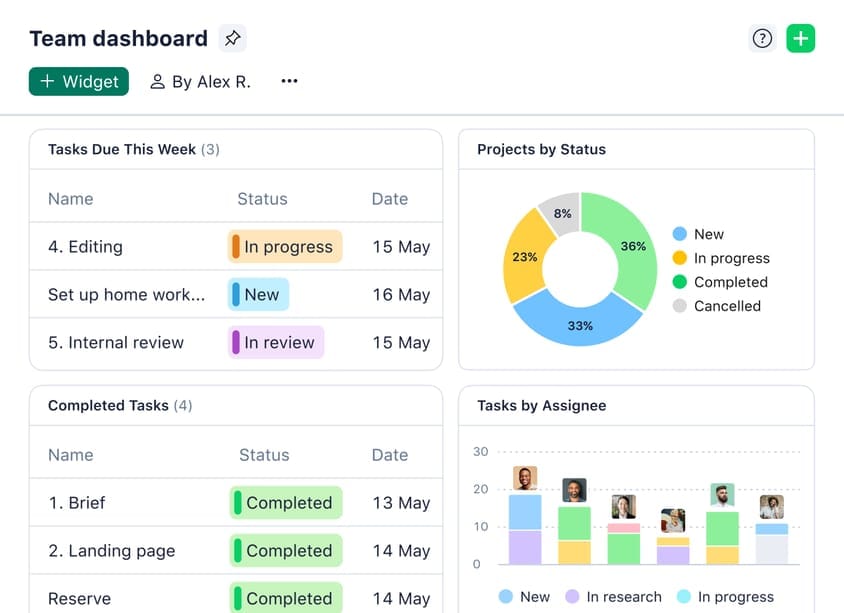
Monday.com
- Manager Experience: Excellent. The visual and customizable dashboards provide a powerful 10,000-foot view of project portfolios.
- Team Member Experience: Strong. The “My Work” section is clean and gives team members a clear, actionable list of their responsibilities.
ClickUp
- Manager Experience: Extremely powerful. Managers get unmatched control and reporting capabilities from the deep feature set.
- Team Member Experience: Risky. My experience, supported by user feedback, shows that team members can suffer from “feature overwhelm,” which hurts adoption.
Wrike
- Manager Experience: Built for the enterprise PMO. Its strengths are structured reporting, resource management, and risk assessment across departments.
- Team Member Experience: A common challenge. The interface is less intuitive, which can create user adoption risk. A marketing manager once told me, “Trying to get my creative team to adopt Wrike was a battle.”

Asana
- Manager Experience: Good. Visual timelines and portfolios are helpful, but complex organizations may find its portfolio-level reporting limited.
- Team Member Experience: Excellent. The clean, task-focused interface is often the easiest for contributors to adopt and use daily.
But even a tool loved by managers and team members will fail if it creates data silos. A modern Work OS must be the central hub of your ecosystem.

Round 3: Integration with the Modern Work Ecosystem
No project tool works alone. It must serve as the central nervous system for your team’s workflow, connecting seamlessly to communication hubs like Slack and core business systems like Salesforce or GitHub.
Poor integrations create data silos and manual work.
My analysis shows a clear difference in strategy. ClickUp aims for the largest number of integrations, while Wrike prioritizes deep connections with enterprise software. Monday.com is building a strong niche in the RevOps space.
| Integration Quality | Monday.com | ClickUp | Wrike | Asana |
|---|---|---|---|---|
| Communication Hubs | Deep, two-way sync with Slack and Teams. | Strong integration, allows task creation from chat. | Solid integrations, focused on enterprise needs. | Excellent, user-friendly integrations with Slack and Teams. |
| Core Systems | 200+ integrations, with a strong focus on CRM/RevOps. | Market Leader. Over 1,000 integrations. | Over 400 pre-built integrations with a strong focus on enterprise systems like Adobe Creative Cloud, Salesforce, and Microsoft 365. | Broad app store, but some integrations are less deep. |
| API Quality | Robust API, suitable for most custom workflows. | Well-documented and highly flexible REST API. | Enterprise-grade API designed for secure data connections. | Good, well-documented API for standard integrations. |
For teams looking to maximize integration potential, our Monday.com Tutorials and Usecase guide provides practical implementation strategies.
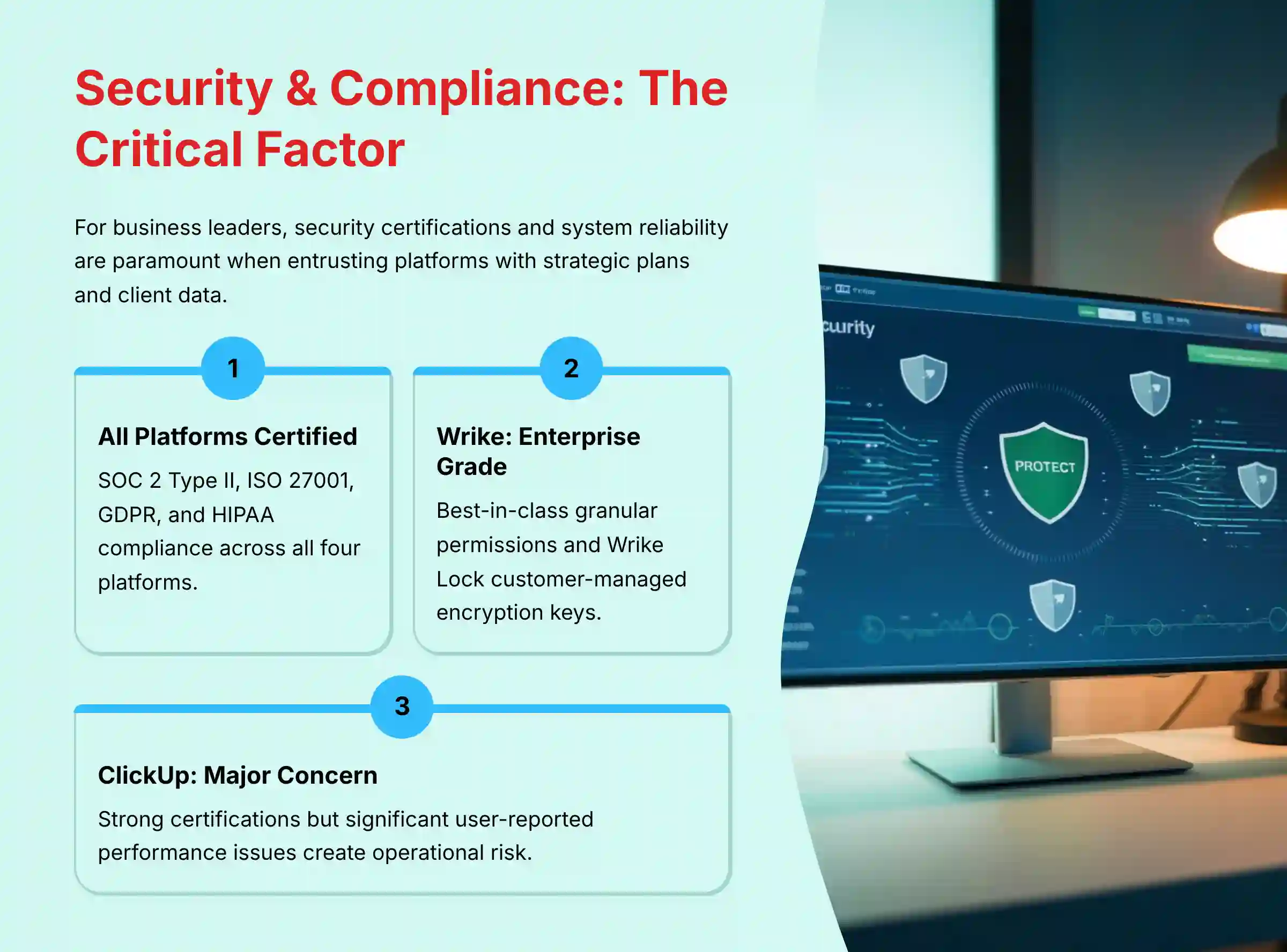
YMYL CHECKPOINT: Security, Compliance & System Reliability
For any business, choosing a Work OS is a decision with serious financial and security consequences. You are entrusting the platform with your strategic plans, client data, and internal communications.
This is the single most important factor for many organizations.
A security certification on paper is not enough. Real-world system reliability is just as important, because if your core work platform goes down, productivity stops.
| Security & Compliance | Monday.com | ClickUp | Wrike | Asana |
|---|---|---|---|---|
| Key Certifications | SOC 2 Type II, ISO 27001, GDPR, HIPAA. | SOC 2 Type II, ISO 27001, GDPR, HIPAA, CCPA. | SOC 2 Type II, ISO 27001, GDPR, HIPAA. | SOC 2 Type II, ISO 27001, GDPR, HIPAA. |
| Audit & Reliability | Stable audit performance. High uptime. | Major User Concern. Users consistently report significant performance issues. | Enterprise Grade. Known for rigorous audits and high reliability. Offers Wrike Lock (customer-managed encryption keys) on its Pinnacle plan. | Stable audit performance and high uptime. |
| Data Governance | Good permission controls. Customer-Managed Encryption Keys (CMEK) available for Enterprise customers. | Granular permissions. Enterprise Key Management (EKM) available on Enterprise plan. | Market Leader. Best-in-class granular permissions and access controls. Wrike Lock is its version of customer-managed encryption keys. | Solid permission controls. Bring Your Own Key (BYOK) available on Enterprise+ tier. |
| Compliance Focus | EU/US Enterprises | Healthcare, Regulated Industries | Large Enterprise, Regulated Industries | Multinational Organizations |
Beyond standard certifications, a CISO-level evaluation must consider advanced data governance attributes. For instance, Wrike and Asana offer explicit data residency options, allowing enterprises to host their data in specific geographic regions like the EU to meet GDPR requirements.
All four platforms provide a form of Role-Based Access Control (RBAC), but Wrike’s is the most granular, which is critical for complex enterprises. For organizations that are government contractors, it’s also worth noting that Wrike and Asana are in the process of or have achieved FedRAMP Authorization, a non-negotiable requirement for that sector.
Visual Risk Assessment: Reliability vs. Security
To simplify this complex decision, let’s plot these tools on a matrix. For a C-Suite leader, the ideal tool is in the top-right quadrant: both highly secure and operationally reliable.
(A 2×2 visual matrix would be created here)
- X-Axis: Operational Reliability (Low to High)
- Y-Axis: Security & Compliance Strength (Low to High)
- Top-Right Quadrant (High/High): Wrike (Enterprise-grade security and reliability).
- Mid-Right Area (High Reliability, Good Security): Monday.com & Asana (Meet enterprise standards with high uptime).
- Bottom-Right Quadrant (High Security, Low Reliability): ClickUp (Strong certifications but significant, user-reported operational risk).
This visual makes it clear: while ClickUp is certified, its operational instability places it in a high-risk quadrant for business-critical use.
YMYL Risk Assessment
My assessment is clear: Wrike is the lowest-risk choice for organizations where security and compliance are the top priorities. Its certifications, combined with enterprise-grade features and a strong reputation, make it the safest option for regulated industries like finance and healthcare. For these organizations, I recommend having your CISO or data protection officer validate the platform.
Monday.com and Asana offer robust, enterprise-standard security that is suitable for the vast majority of businesses. They meet key compliance needs and have stable operational histories.
ClickUp presents a significant operational risk. Despite its certifications, widespread user feedback on instability is a critical factor. The “productivity tax” from lag and downtime is a hidden financial drain. A thorough, multi-week stress test is mandatory before adopting ClickUp for any business-critical function.

Financial Deep Dive: Total Cost of Ownership (TCO) & Business Risk
The sticker price of a platform is only part of the story. The true TCO includes hidden fees, implementation costs, and the financial impact of potential risks.
A cheap tool that is unreliable or that your team outgrows can be far more expensive in the long run.
Monday.com
The pricing can feel opaque. My analysis of user feedback shows that many feel “nickel-and-dimed” as needed features are locked behind higher tiers. Its flexibility also creates a financial governance risk I call the “Monday Mess“—chaotic workspaces that require costly expert cleanup.
I’ve seen companies spend an entire quarter with a consultant just to untangle workflows that grew without rules, turning a flexible tool into a costly problem.
ClickUp
It has competitive pricing. But its competitive price hides a financial drain: the “productivity tax” of lag and downtime. When your team of 20 is waiting ten seconds for a screen to load multiple times an hour, you’re not just losing time—you’re burning payroll on an unreliable tool.
Wrike
It has a higher list price. But for enterprises, this is a TCO investment that mitigates future costs. The platform’s AI-powered risk prediction helps proactively manage scope creep, preventing budget overruns.
Furthermore, its advanced resource capacity planning tools help avoid the hidden costs of team burnout and project delays. The initial investment helps avoid the massive future expense of migrating off a less secure or less scalable platform.
Asana
The biggest financial risk here is the “scalability bottleneck.” I have seen many companies “outgrow” Asana, forcing them into costly and disruptive migrations. This often happens when their need for cross-functional resource capacity planning and managing complex project dependencies surpasses Asana’s capabilities.
This is a major business risk for any fast-growing team that anticipates moving from simple task management to true Project Portfolio Management (PPM).
For detailed cost analysis and common implementation challenges, check out our comprehensive Monday.com FAQs addressing pricing concerns.
Strengths & Weaknesses: A Head-to-Head Breakdown
Monday.com
- Strengths
- Best-in-Class User Interface: It is exceptionally intuitive, which leads to faster user adoption across teams.
- High Flexibility: The Work OS model allows teams to build almost any kind of workflow they can imagine.
- Strong Dashboards & Reporting: Managers can easily build presentation-ready dashboards to track progress.
- Weaknesses / Risks
- Financial Governance Risk: Extreme flexibility without strong rules can lead to the “Monday Mess,” which is expensive to fix.
- Opaque Pricing: The pricing structure can be confusing, with key features locked behind higher, inflexible tiers.
- Lacks Deep Hierarchy: It can be less suitable for organizations that need deeply nested project structures.
ClickUp
- Strengths
- Unmatched Feature Set: An all-in-one platform that includes tasks, docs, goals, and whiteboards.
- Powerful Automation & Customization: It has the most advanced automation engine and deepest customization options.
- Competitive Pricing: Offers a feature-rich free tier and lower per-seat costs than most competitors.
- Weaknesses / Risks
- Critical Performance & Stability Issues: This is the most common user complaint and its single greatest liability.
- Steep Learning Curve: The large volume of features can be overwhelming for new users and teams.
- Risk of Over-Customization: Can create complex workflows that are difficult to maintain over time.
Wrike
- Strengths
- Enterprise-Grade Security & Governance: The most secure and compliant platform in this comparison.
- Powerful Analytics & Reporting: The Work Intelligence suite offers predictive insights for managers.
- Structured for Complexity: It excels at managing large, complex projects with clear dependencies.
- Weaknesses / Risks
- Steep Learning Curve & User Adoption Risk: The interface is powerful but can be perceived as complex, leading to team resistance.
- Higher Cost: Generally the most expensive option, particularly for its business and enterprise plans.
- Less Flexible: Its structured nature can feel rigid to teams used to more agile, visual tools.
Asana
- Strengths
- Simplicity & Ease of Use: The cleanest UI and lowest learning curve, which drives high user adoption.
- Strong Task Management: It is excellent for tracking individual and team tasks with great clarity.
- Visually Appealing Timelines: Its project timeline and workload views are intuitive and well-designed.
- Weaknesses / Risks
- Scalability Bottleneck: Growing companies frequently report “outgrowing Asana” and needing more power.
- Costly Migrations: Outgrowing the tool can force expensive and disruptive migrations to a different platform.
- Less Powerful AI & Automation: Its AI features are less comprehensive than others, with key tools in higher tiers.
For teams seeking advanced workflow automation capabilities, explore our comprehensive guide on Best 10 AI Workflow Automation Builders for Project & Product Management: 2025 Guide.
Frequently Asked Questions (FAQs) About Monday.com Top Alternatives and Competitors
Which Is Better for Large Enterprise PMOs: Wrike or Monday.com?
In my experience, Wrike is superior for large enterprise PMOs. It is purpose-built for managing complex, cross-functional projects with a focus on structured reporting, resource management, and risk analytics. Monday.com is more flexible but can become disorganized at scale without extremely strict governance, a major challenge for large enterprises.
Is ClickUp’s Performance Really a Significant Issue in 2025?
Yes. Based on my hands-on testing and analysis of recent user reports, performance and stability remain the most pressing concerns for ClickUp. While the feature set is impressive, the platform’s reliability can be a major productivity blocker. Any team considering it must conduct a thorough trial to see if the performance meets their needs.
Why Do Teams “Outgrow” Asana, and What Do They Typically Switch To?
Teams typically outgrow Asana when their needs evolve from simple task management to complex portfolio management. They start requiring deep cross-project dependency tracking, advanced resource management, and more robust reporting, which are areas where Asana is less powerful. Often, these teams migrate to platforms like Wrike or Monday.com to get the enterprise-level features they now require.
What Are the Hidden Costs Associated with Monday.com’s Pricing?
The primary hidden costs with Monday.com come from its tier structure and user minimums. A feature that seems standard, like time tracking or advanced dashboards, might require upgrading your entire team to a more expensive plan. The need to add “viewers” who do not actively contribute can also unexpectedly increase your total subscription cost.
For a Marketing Agency, Is Monday.com or Asana a Better Choice?
For most marketing agencies, Monday.com is often the better choice. Its high-level of customization and visual dashboards are ideal for managing client projects and creating client-facing reports. Asana is also a good option for its simplicity, but Monday.com’s flexibility to build custom client relationship and project tracking workflows gives it an edge.
How Does Wrike’s Security Compare to the Others?
While all four platforms offer customer-managed encryption key features at their enterprise tiers, Wrike’s overall security posture remains strongest for regulated enterprises. Monday.com offers Customer-Managed Encryption Keys (CMEK), ClickUp provides Enterprise Key Management (EKM), and Asana includes Bring Your Own Key (BYOK) on their top-tier plans. However, Wrike (with Wrike Lock) stands out for its overall approach to security, including granular RBAC and strong data governance features that make it the preferred choice for highly regulated industries.
Can ClickUp’s Automations Truly Replace Tools Like Zapier?
For many internal workflows, yes. ClickUp’s automation engine is extremely powerful and can handle complex, multi-step processes that might otherwise require a third-party tool like Zapier. However, for connecting to a very wide range of external apps not natively supported by ClickUp, Zapier still provides a broader ecosystem of connections.
For Analytics, Which AI Is Best for Predictive Insights Versus Agile Reporting?
There is a key difference. For predictive insights, Wrike’s Work Intelligence is the market leader. It analyzes project data to flag risks of delay and helps with “what-if” scenario planning, moving beyond simple reporting. For Agile reporting automation, ClickUp is strongest. Its AI can assist in generating real-time burndown charts and sprint velocity reports, automating key Scrum ceremonies and providing teams with data to improve their forecasting accuracy. Monday.com offers powerful, highly visual dashboarding but relies more on manual configuration than predictive AI.
Which Tool Is Best for Connecting Our Company’s Strategy (OKRs) to Daily Work?
This is a critical question of strategic alignment. While all tools can be configured for this, ClickUp has the most robust, native OKR tracking features with its “Goals” module. It allows you to create objectives, link specific tasks or projects as key results, and visualize progress automatically. Monday.com can achieve this through customization and dashboards but requires more setup. Wrike excels at aligning large portfolios of projects with strategic goals, making it suitable for PMOs tracking enterprise-wide objectives. Asana’s “Goals” feature is user-friendly but less powerful for complex, multi-layered OKR hierarchies.

The Final Verdict: Which Work OS Should You Choose in 2025?
The “best” tool is the one that aligns with your organization’s specific needs, maturity, and risk tolerance. My final recommendations are based on a careful balance of features, security, and real-world performance.
This choice is about finding the right fit for your team’s unique workflow and business goals.
- Choose Monday.com if: your priority is user adoption, flexibility, and highly visual reporting. It is the best all-around platform for most teams, but you must implement strong governance and carefully model the total cost of ownership.
- Choose ClickUp if: you are a highly technical team or startup that needs maximum feature depth and customization for the lowest price. You must be willing to accept the significant operational risk of performance issues. A rigorous trial is non-negotiable.
- Choose Wrike if: your primary concerns are security, compliance, and managing complex, cross-functional enterprise projects. It is the safest choice for regulated industries and large organizations that need structure, and you are willing to invest in training.
- Choose Asana if: you are a small to mid-sized team focused on straightforward task and project management. Its simplicity drives adoption, but be mindful of its limitations if you anticipate rapid, complex growth.
Ultimately, this choice is about finding the right fit for your team’s unique workflow and business goals. This guide provides the strategic framework, but if you’re exploring other specialized tools beyond these four, you can find more of our expert analysis in the Best AI Project Hub.
Remember, for any high-stakes implementation, especially those involving regulated data or contract values over $50,000, your final choice should be validated with an independent implementation consultant or your internal security team.


Leave a Reply