
Is Monday.com AI the Right Co-Pilot for Your Team?
Take This 2-Minute Quiz to Find Out!
Key Takeaways
- AI-Powered Automation: Monday.com AI transforms project management through automated task generation, content creation, and intelligent workflow optimization
- Strategic Differentiation: Unlike Asana Intelligence or ClickUp AI, Monday.com focuses on deep workflow automation and board-level data manipulation
- Enterprise-Ready Security: SOC 2, ISO 27001 compliance with strict data handling protocols ensure business-critical information protection
- Credit-Based Pricing: AI features require separate add-on purchase with usage-based credit system for flexible scaling
- Implementation Requirements: Teams must first adopt Monday.com’s structured approach before fully leveraging AI capabilities

What is Monday.com AI and how does it help project management teams?
Monday.com AI is an intelligent assistant integrated into the Monday.com Work OS platform, designed to transform how project and product management teams handle routine tasks and complex workflows. Rather than being a single feature, it’s a comprehensive suite of AI-powered capabilities that acts as a co-pilot throughout your project lifecycle.
For project managers, Monday.com AI delivers immediate value through automated task generation. You can input a high-level objective like “Launch Q3 marketing campaign” and the AI will break it down into a detailed list of actionable sub-tasks with suggested timelines, eliminating hours of manual planning. The AI also excels at content creation, helping draft stakeholder communications, project updates, and status reports based on your board data.
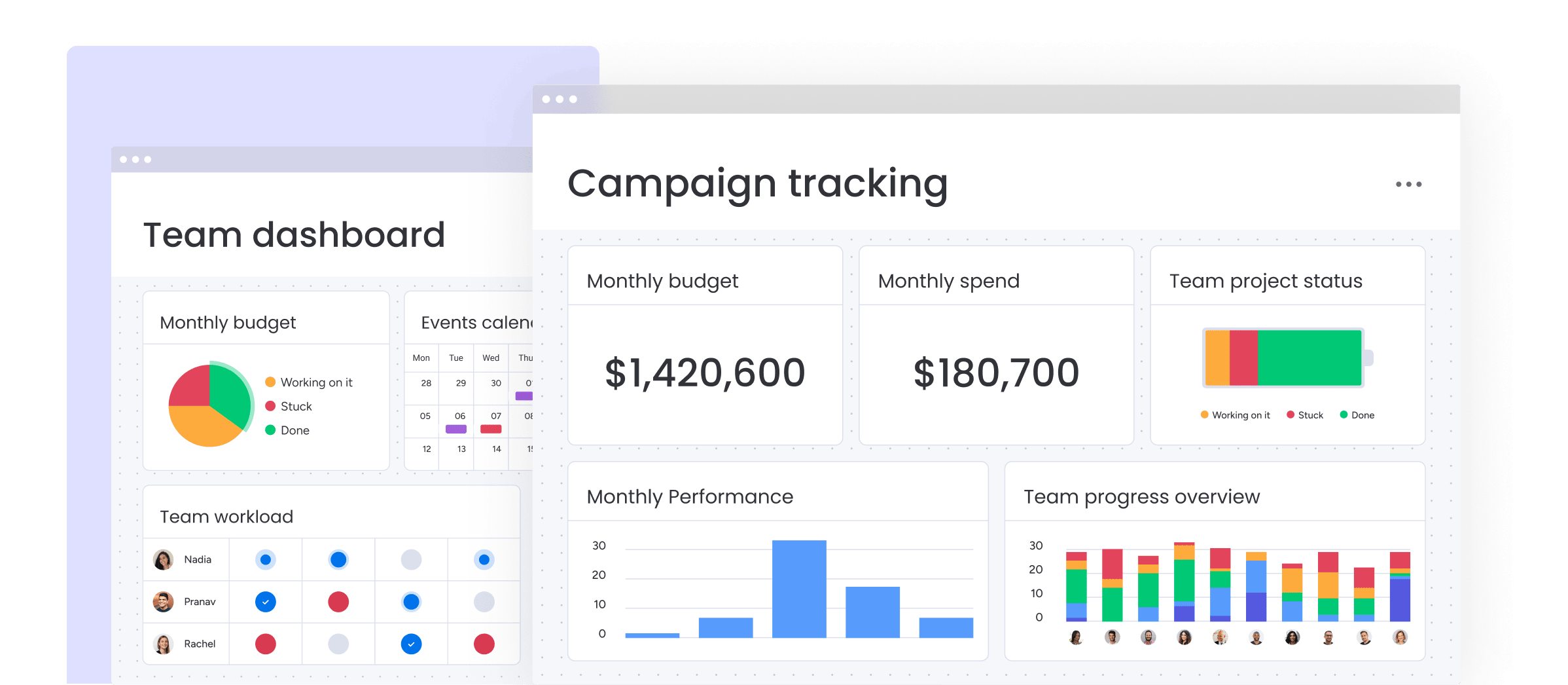
One of its most practical applications is data summarization. When team members need to catch up on a task’s history, the AI can analyze lengthy comment threads and provide concise summaries, reducing the time spent reading through extensive update logs. For non-technical users, the natural language formula generator is transformative – you can request complex board formulas in plain English, such as “Show days remaining until deadline only for incomplete tasks,” and the AI generates the correct syntax.
The platform’s strength lies in its deep integration with Monday.com’s Work OS framework, particularly for board-level automation and data manipulation. Teams can shift their focus from administrative overhead to strategic execution, letting the AI handle routine documentation while they concentrate on decision-making and stakeholder management. To explore more about Monday.com’s comprehensive feature set and capabilities, you can dive deeper into how these tools integrate with your existing workflows.

How does Monday.com AI compare to Asana Intelligence and ClickUp AI?
While all three platforms leverage AI to enhance productivity, they target different aspects of project management workflow optimization. The choice depends on your team’s primary pain points and existing tool ecosystem.
Monday.com AI excels in deep workflow automation and board-level data manipulation within its structured Work OS environment. Its standout features include intelligent task breakdown, formula generation using natural language, and template creation with embedded AI logic. The platform is particularly strong for teams that need sophisticated automation rules and want to minimize manual data entry across complex project structures.

Asana Intelligence focuses heavily on strategic alignment and leadership visibility. Its “Smart Goals,” “Smart Status,” and “Smart Answers” features help leaders understand portfolio performance, identify bottlenecks, and get natural language responses about project health. Asana’s AI is designed for executives and program managers who need high-level insights without diving into task-level details.

ClickUp AI positions itself as a universal work assistant, offering over 100 tools for content creation, editing, and summarization across documents, tasks, and communications. Its versatility extends beyond project management to CRM functionality, knowledge base management, and general productivity tasks. However, this breadth sometimes means less specialized integration with core project management workflows.
Choose Monday.com AI for teams committed to the Monday.com ecosystem who want powerful automation and structured workflow optimization. Select Asana Intelligence for leadership teams prioritizing strategic oversight and goal alignment. Opt for ClickUp AI when you need maximum versatility across diverse work functions beyond traditional project management. For a comprehensive comparison, check out Monday.com’s top alternatives and how they stack up against each other.

Who should use Monday.com AI features?
Monday.com AI is ideally suited for teams already invested in the Monday.com Work OS who want to eliminate administrative bottlenecks and optimize their structured workflows. The platform delivers the most value to specific roles and organizational contexts.
Project and program managers see immediate ROI through automated planning capabilities. Instead of spending hours creating detailed task breakdowns and writing status updates, they can focus on risk management, stakeholder communication, and strategic decision-making. The AI’s ability to generate comprehensive project plans from brief descriptions and draft professional communications transforms their day-to-day efficiency.
Product teams managing backlogs, sprints, and roadmaps benefit significantly from the AI’s content generation capabilities. It can draft user stories with proper acceptance criteria, summarize customer feedback from multiple sources, and generate release notes based on completed tasks. This accelerates the product development lifecycle by streamlining documentation requirements.
Non-technical team leaders who need custom dashboards and reports without coding expertise find the natural language formula builder transformative. They can extract insights from their project data without depending on technical specialists, enabling faster decision-making and more responsive team management.
Growing companies face particular challenges with process consistency as they scale. Monday.com AI helps enforce best practices by enabling the creation of sophisticated, automated templates that ensure new teams and projects follow established workflows. This standardization becomes crucial when onboarding multiple teams quickly.
The platform is less suitable for teams still relying heavily on disconnected tools like spreadsheets and email for project coordination. Organizations must first embrace Monday.com’s structured approach to fully leverage the AI’s capabilities. If you’re considering implementation, explore practical Monday.com tutorials and use cases to understand how different teams successfully adopt the platform.

How does Monday.com AI handle data security and compliance requirements?
Monday.com implements enterprise-grade security measures specifically designed to protect sensitive project data when using AI features. The platform maintains multiple compliance certifications and follows strict data handling protocols that address YMYL concerns for business-critical information.
The platform holds essential compliance certifications including SOC 2 Type II, ISO 27001, and ISO 27018, with full GDPR compliance. These certifications require regular independent audits of their infrastructure, data handling processes, and security controls, ensuring consistent protection standards.
For AI processing, Monday.com partners with OpenAI under a strict Data Processing Addendum (DPA) that governs how customer data is handled. Most importantly, your company’s data is not used to train OpenAI’s public models. Prompts and project information are processed solely to generate responses for your specific requests and are not incorporated into the AI’s general knowledge base, preventing sensitive project details from being exposed to other users.
All data transmission and storage uses industry-standard encryption protocols. This includes both data in transit (when communicating between your browser and Monday.com’s servers) and data at rest (when stored in their databases). Even in the unlikely event of a security breach, the underlying information remains protected through encryption.
While Monday.com provides robust technical safeguards, organizations should establish internal policies governing what information is appropriate to include in AI prompts. Best practices include avoiding proprietary code, personally identifiable information, or highly confidential strategic plans in AI requests. This adds human governance on top of the platform’s technical protections.
Account administrators can also implement granular permission controls to ensure sensitive project information is only accessible to authorized personnel, creating additional layers of security beyond the AI processing protections.

What are the current limitations of Monday.com AI?
While Monday.com AI significantly enhances productivity, understanding its limitations is crucial for setting realistic expectations and implementing appropriate human oversight in your project management workflows.
The AI lacks deep contextual understanding across your entire project portfolio. It operates primarily at the board or task level without comprehensive awareness of cross-project dependencies or organizational strategic priorities. For example, when generating a task list for a “product launch,” it cannot automatically account for dependencies with parallel projects in other departments unless you explicitly provide that context in your prompt. True portfolio-wide risk analysis and cascade effect prediction still require human strategic oversight.
Like all large language models, Monday.com AI can occasionally produce “plausible hallucinations” – information that appears accurate but contains factual errors or irrelevant details. This is most common when asking the AI to create content about topics with limited source material in your boards. All AI-generated content, particularly stakeholder communications, project reports, and strategic summaries, must undergo human review and fact-checking before distribution.
While the AI excels at individual tasks like summarization and content generation, building complex multi-step automations still requires Monday.com’s standard automation builder. The AI can assist with individual components (such as drafting notification messages or creating task templates), but cannot yet design and implement sophisticated workflows from single natural language commands. Complex automation logic like “When a task is marked ‘Done,’ archive it, notify the finance channel on Slack, but only if the Budget column exceeds $500” requires manual configuration through the platform’s automation interface.
The AI’s effectiveness also depends heavily on the quality and structure of your existing Monday.com boards. Teams with inconsistent data entry, unclear column naming, or poorly organized board structures may find the AI’s outputs less useful until they improve their underlying data hygiene. For comprehensive guidance on addressing these limitations and common questions, visit our Monday.com FAQs section.

How can I use Monday.com AI for advanced automation and Slack integration?
Monday.com AI enhances rather than replaces the platform’s powerful native automation capabilities. You can create sophisticated integrated workflows by combining AI intelligence with Monday.com’s rule-based automation engine and third-party integrations.
Start by establishing core integration foundations using Monday.com’s native connectors. For Slack integration, set up basic rules like “When a task status changes to ‘In Review,’ send a notification to the #project-updates channel.” This creates the fundamental data flow between platforms.
The key to advanced automation is using AI as a processing step between triggers and actions. Instead of sending generic notifications, configure the automation to “When a task status changes to ‘In Review,’ use Monday.com AI to summarize the last three task updates, then send that summary to the #project-updates Slack channel.” This provides team members with immediate context without requiring them to open Monday.com.
For complex project workflows, implement the “Trigger → AI Processing → Action” model. When a client submits feedback through a form, the automation can create a Monday.com item, trigger AI analysis to categorize the feedback sentiment and extract key themes, then route the processed information to appropriate team channels based on the AI’s analysis.
Integration with tools like Jira becomes more powerful when AI handles data transformation. Set up automations where Jira issue creation triggers Monday.com item creation, then uses AI to analyze the technical description and generate user-friendly sub-tasks for the broader project team. This bridges the communication gap between technical and non-technical team members.
For advanced scenarios involving tools without native integrations, Zapier serves as the bridge. Create Zaps that collect data from external sources, process it through Monday.com AI for analysis or formatting, then distribute the enhanced information across multiple platforms simultaneously. To maximize these capabilities, consider exploring the best AI workflow automation builders that complement Monday.com’s ecosystem.
What is the pricing structure for Monday.com AI?
Monday.com AI is available as a paid add-on to all paid plans including Basic, Standard, Pro, and Enterprise. It is not included in the free plan or as a standard feature in paid subscriptions, requiring separate purchase regardless of your current Monday.com plan tier.

The pricing operates on a credit-based system where different AI actions consume varying amounts of credits. Simple tasks like spell-checking or basic text formatting typically consume one credit, while complex operations like comprehensive project plan generation or detailed content creation may require multiple credits per request.
Credits are typically allocated at the account level and distributed across all users who have access to AI features. The number of credits included in your AI add-on package often correlates with the number of user seats in your Monday.com subscription, with monthly or annual renewal cycles depending on your billing preference.
When teams exceed their credit allocation, account administrators can purchase additional credit packs to maintain uninterrupted AI access. This prevents workflow disruption while allowing organizations to scale their AI usage based on actual demand rather than estimated needs.
Because AI pricing models evolve rapidly in the current market, you should verify current pricing directly on Monday.com’s official pricing page or through consultation with their sales team. This ensures accurate budgeting and prevents unexpected costs related to credit consumption or plan requirements.
Organizations should monitor their credit usage patterns during initial implementation to understand typical consumption rates and budget appropriately for ongoing AI integration in their project management workflows. For detailed analysis of value and cost considerations, explore our comprehensive Monday.com review focusing on AI workflow capabilities.

How do I activate and start using Monday.com AI?
Getting started with Monday.com AI requires account administrator involvement and typically follows a straightforward activation process once you’ve ensured your plan eligibility and purchased the AI add-on.
First, confirm your organization is on any paid Monday.com plan (Basic, Standard, Pro, or Enterprise) as the AI assistant is not available on free accounts. If you need to upgrade your plan or don’t currently have AI access, contact Monday.com’s sales team to discuss adding the AI assistant to your current subscription.
Account administrators can activate AI features through the Admin section of your Monday.com workspace, typically found under “Account Settings” or “Billing & Features.” Once enabled, the AI assistant becomes accessible throughout your workspace with consistent interface elements.
You’ll find the AI assistant in several key locations within your workspace. At the board level, look for a “Monday AI” button in the top toolbar that enables board-wide AI operations like bulk task generation or template creation. Within individual items, the AI icon appears in the updates section, ready to help draft communications or summarize task history. For text-based columns, the AI assistant activates when you select the column, offering to generate, edit, or enhance content directly within that field.
The most effective way to understand the AI’s capabilities is to start with pre-built AI-powered templates from Monday.com’s Template Center. Search for templates tagged with “AI” to find examples with embedded AI automations that demonstrate best practices and provide starting points for your own workflow customization.
Begin with simple tasks like asking the AI to generate a project task list from a brief description, then gradually explore more advanced features like automated content generation and workflow summarization as your team becomes comfortable with the interface and capabilities.


Leave a Reply