
Is Guru the Right AI Knowledge Management Solution for Your Team?
Take This Quiz to Find Out!
Key Takeaways
- AI-Powered Knowledge Delivery: Guru transforms how project teams access critical information by eliminating search-and-find tax through proactive knowledge surfacing
- Enterprise-Grade Security: SOC 2 Type II certification, GDPR compliance, and granular permission controls make it suitable for sensitive product roadmaps and competitive analysis
- Seamless Workflow Integration: Deep integrations with Slack, Microsoft Teams, and Jira deliver knowledge within existing project workflows without context switching
- Automated Information Maintenance: Built-in verification workflow system prevents knowledge rot through automated review cycles and expert accountability
- Flexible Pricing Structure: Free Starter plan supports up to 3 users, with paid tiers scaling from Builder to Enterprise based on team requirements
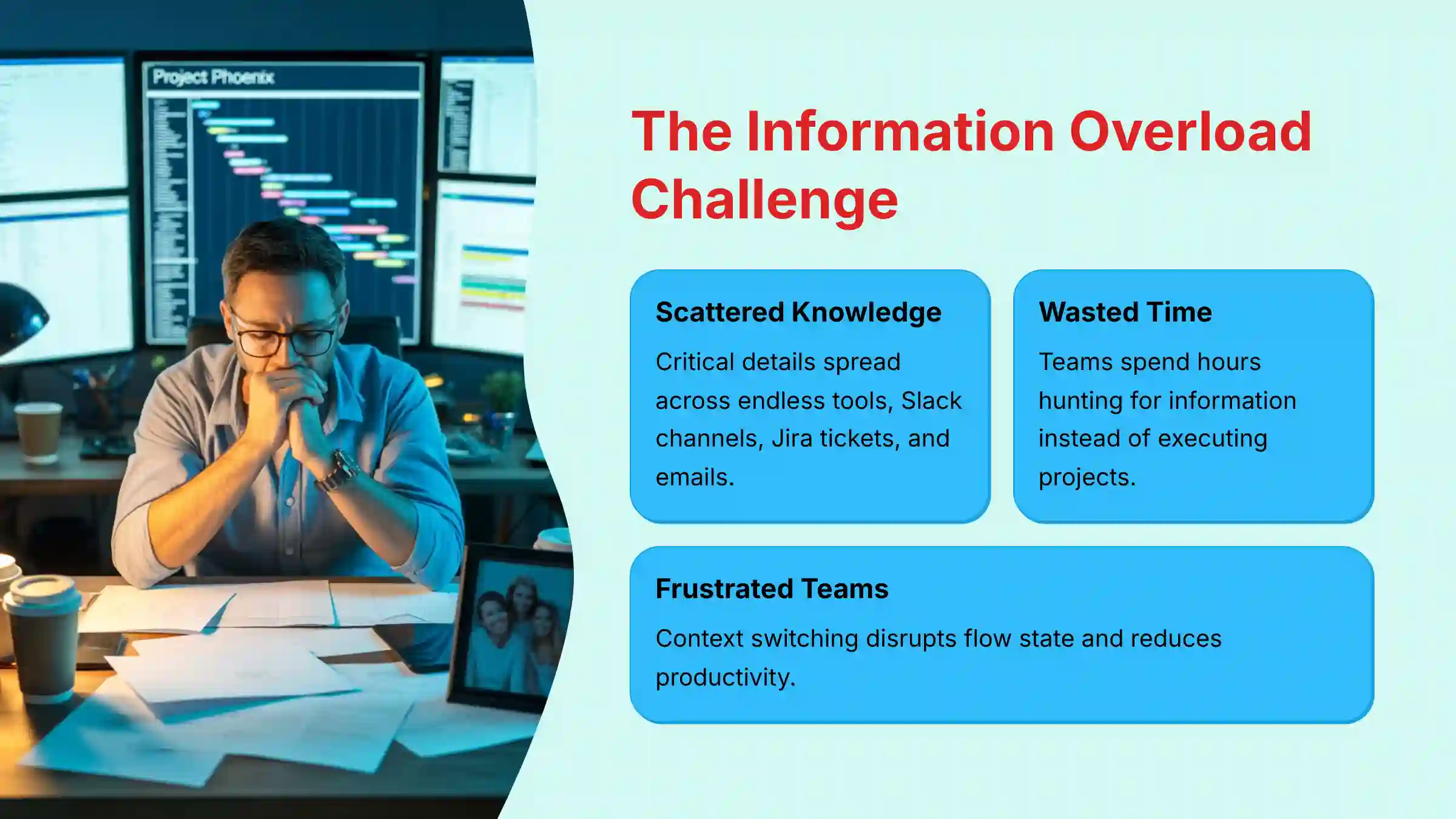
Today, we’re diving into the Guru FAQs to tackle one of project management’s biggest headaches: information overload. As project and product leaders, you know the struggle—critical details scattered across endless tools, leading to wasted time and frustrated teams.
I believe that leveraging smart AI tools is no longer a luxury but a necessity for transforming project delivery. This guide, from Best AI Project Hub, aims to cut through the hype and give you objective, hands-on insights into how Guru, a leading AI-powered knowledge management platform, can help.
We’ll explore Guru’s capabilities, compare it to traditional wikis, discuss its security features for sensitive data like product roadmaps, and see how it integrates seamlessly with your existing workflow for better execution and collaboration. You’ll learn how Guru helps maintain accurate, up-to-date knowledge, mitigates risks of AI reliance, and fits into various team budgets.
By the end, you’ll be empowered to decide if Guru is the right knowledge management solution to boost your team’s productivity and improve project success rates. As always, Best AI Project Hub is committed to helping you find the perfect tools in the ‘AI for Execution & Collaboration’ category, which you can explore further here.
What is Guru, and how does it specifically help project and product teams with information overload?
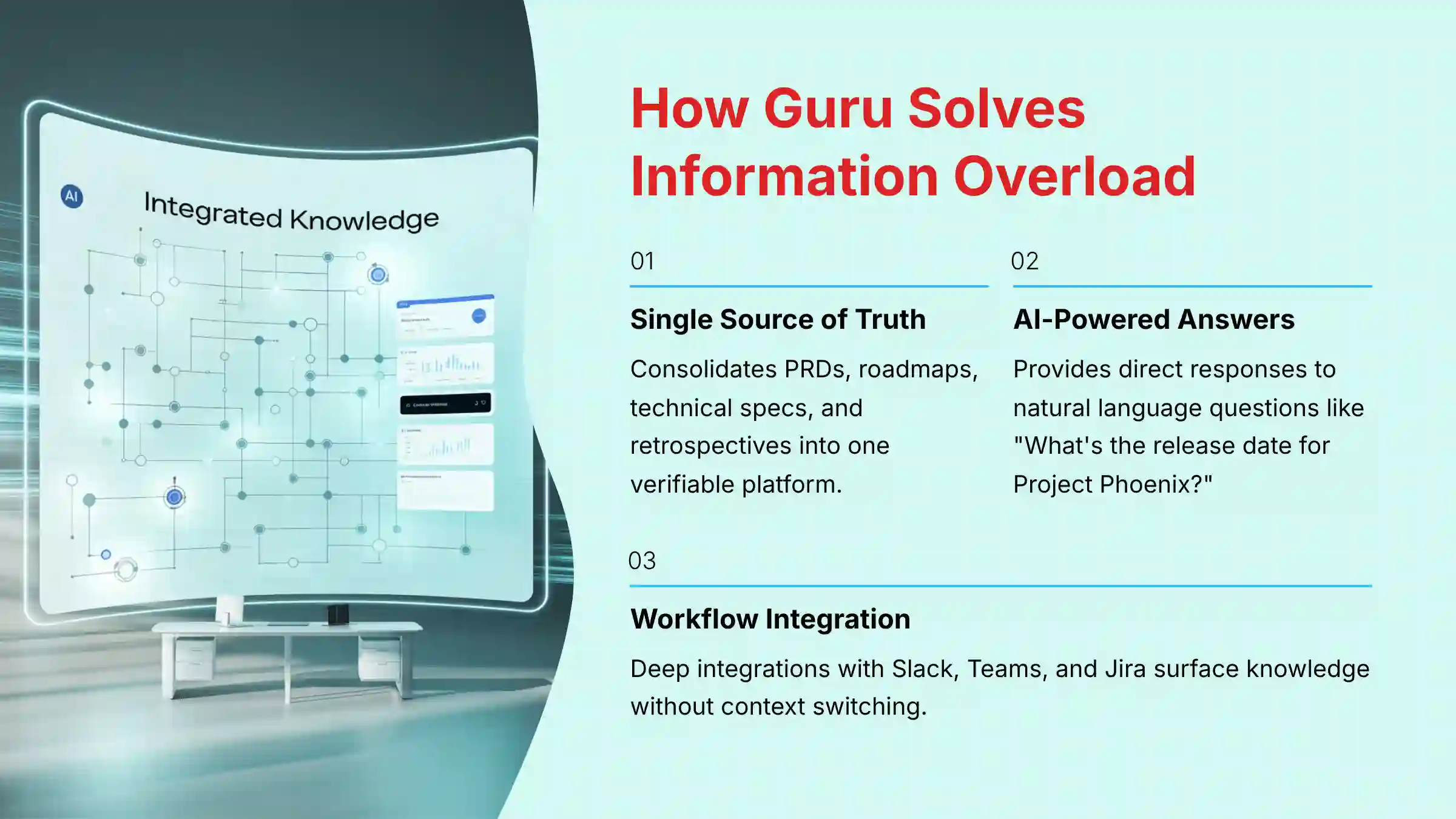
Guru is an AI-powered knowledge management platform that transforms how project and product teams access critical information by eliminating the “search-and-find tax”—the time wasted hunting for information across disconnected documents, Slack channels, Jira tickets, and emails.
Unlike traditional knowledge repositories, Guru actively delivers verified information when and where you need it through three core pillars. First, it serves as a Single Source of Truth by consolidating essential project documentation—Product Requirement Documents (PRDs), roadmaps, technical specs, user research, and sprint retrospectives—into one accessible and verifiable platform. Second, its AI-Powered Search and Answers capability goes beyond document retrieval to provide direct responses to natural language questions like “What is the release date for Project Phoenix?” or “What are the key takeaways from the Q3 user feedback report?” Third, Workflow Integration ensures Guru meets teams where they work through deep integrations with Slack, Microsoft Teams, and Jira, surfacing knowledge without forcing context switching.
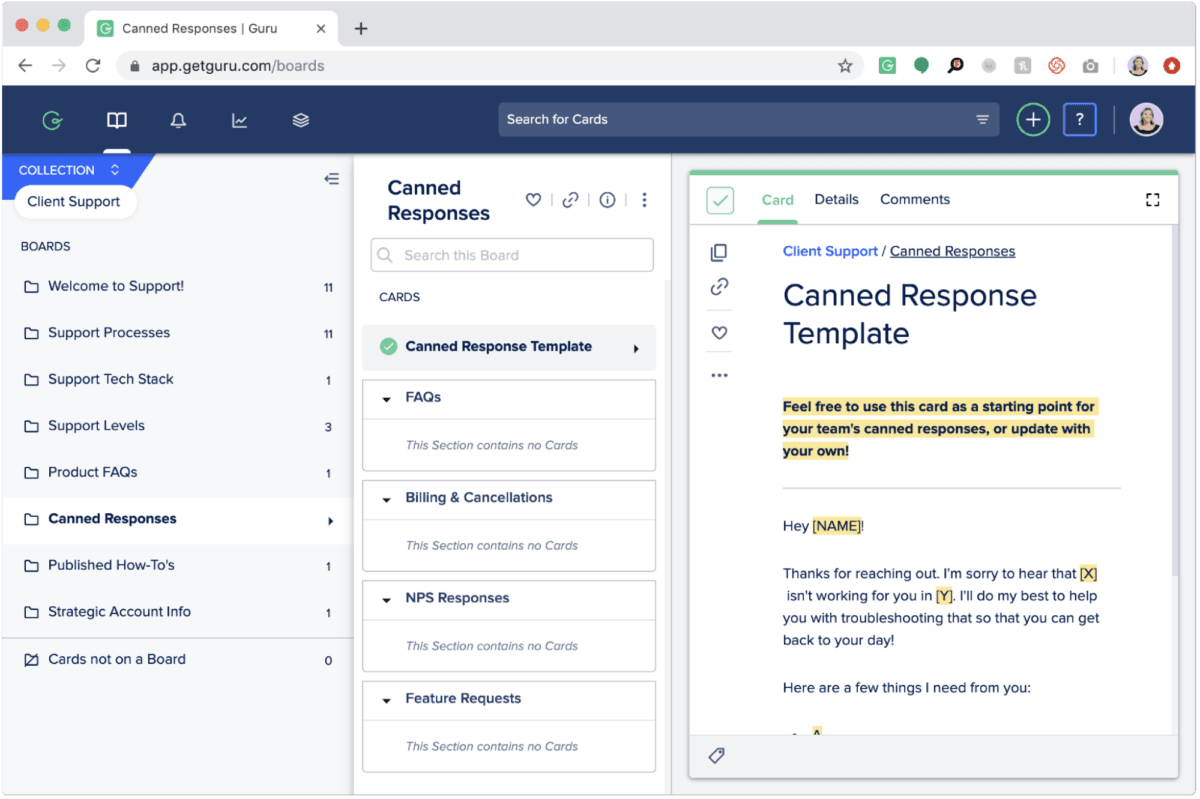
For project managers, this means faster decision-making and reduced meeting overhead. Product managers benefit from instant access to user research insights and feature specifications. Development teams can quickly resolve technical questions without interrupting their flow state. Guru transforms knowledge from a scattered liability into an on-demand asset, enabling teams to maintain focus while making better-informed decisions throughout the project lifecycle.
For more comprehensive information about Guru’s capabilities, check out our detailed Guru Overview and Features analysis.
How does Guru compare to traditional wikis like Confluence or Notion for project management?
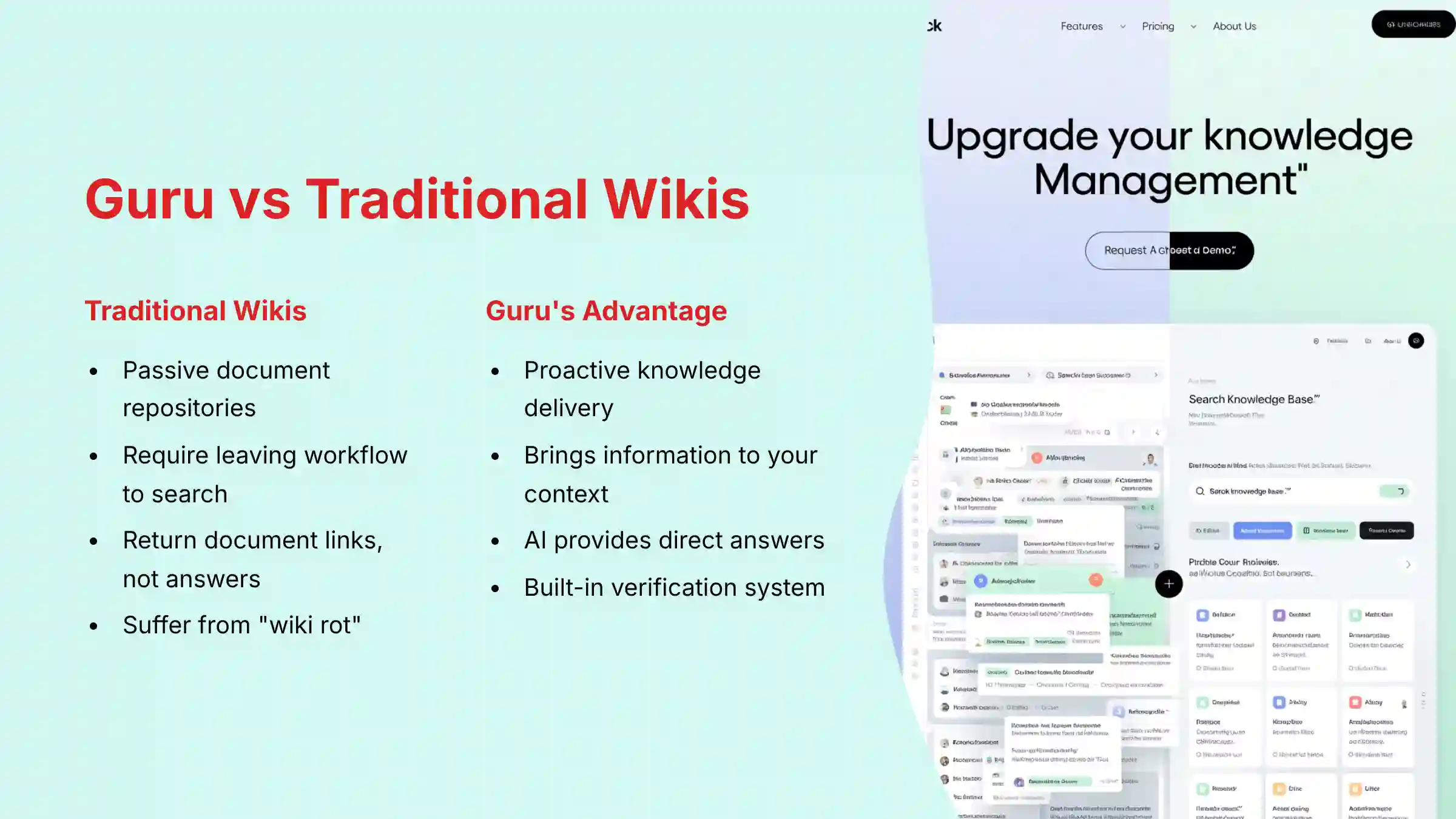
While Confluence and Notion excel as authoring and organization platforms for creating detailed documentation, Guru operates as a knowledge delivery network designed to actively surface information rather than store it passively. This fundamental difference creates distinct advantages for project and product teams.
Proactive Delivery vs. Passive Repository: Confluence and Notion require leaving your current workflow to search for information in another tab. Guru’s browser extension and integrations bring knowledge directly to your context—suggesting relevant “Cards” when viewing Salesforce records or Jira tickets, eliminating workflow interruptions that plague project teams.
AI Answers vs. Document Links: Traditional wikis return lists of potentially relevant documents. Guru’s AI provides direct answers by synthesizing content from multiple verified sources, transforming searches from “Here are 5 documents that might help” to “Here is the answer with source verification.”
Verification and Trust: Guru’s built-in verification engine addresses “wiki rot” by prompting experts to regularly review and update content. Each Card displays verification status, ensuring project teams can trust the information’s currency—critical for deadline-driven environments.
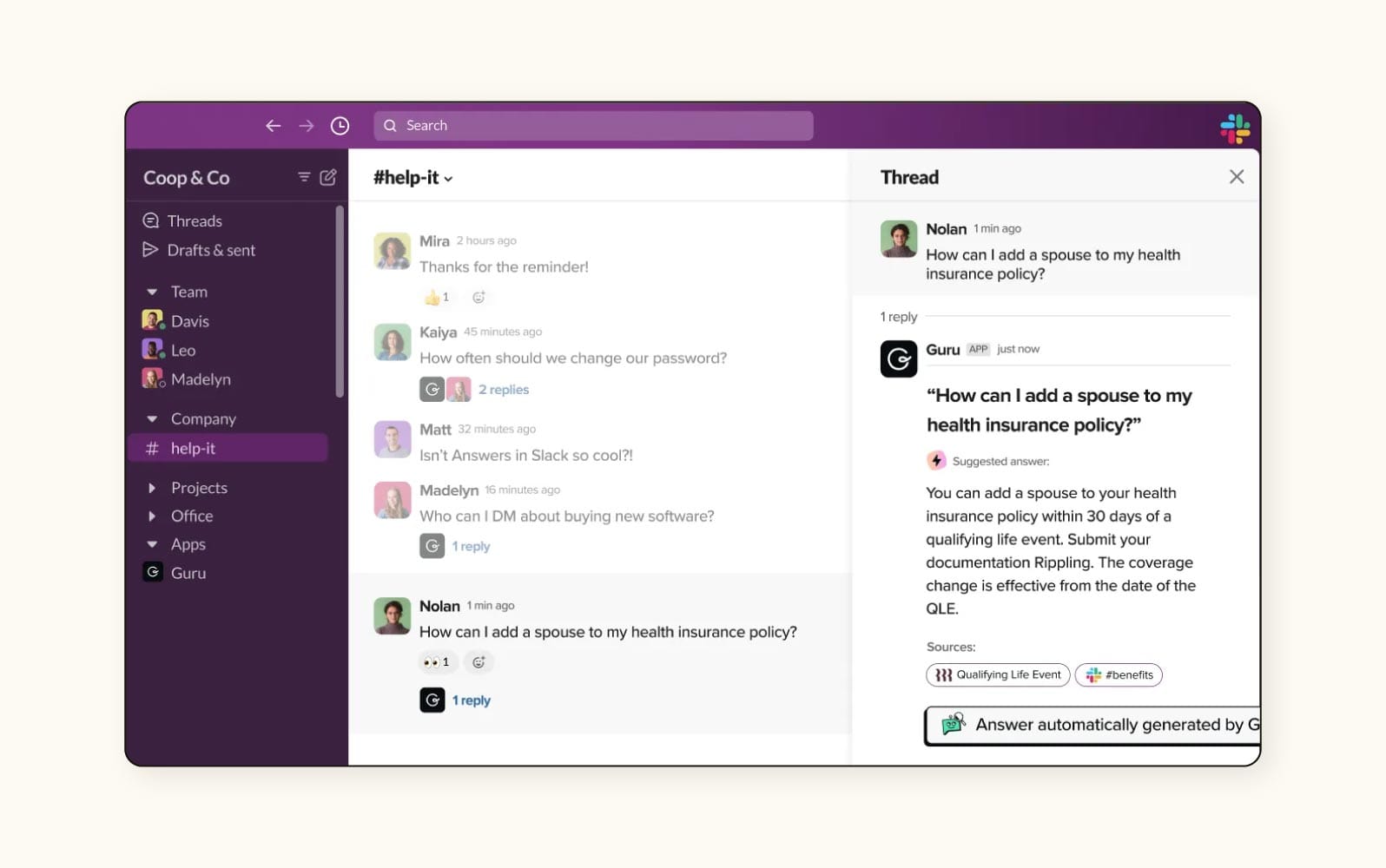
Choose Confluence/Notion if you need powerful collaborative authoring for detailed project documentation. Choose Guru if your primary challenge is helping teams quickly find existing information without disrupting their workflow. For project managers juggling multiple stakeholders and deadlines, Guru’s proactive knowledge delivery significantly reduces time spent answering repetitive questions and searching for project artifacts.
Want to explore alternatives? Our comprehensive guide on Guru Top Alternatives and Competitors provides detailed comparisons with other knowledge management solutions.
Is Guru secure enough for sensitive product roadmaps and competitive analysis?
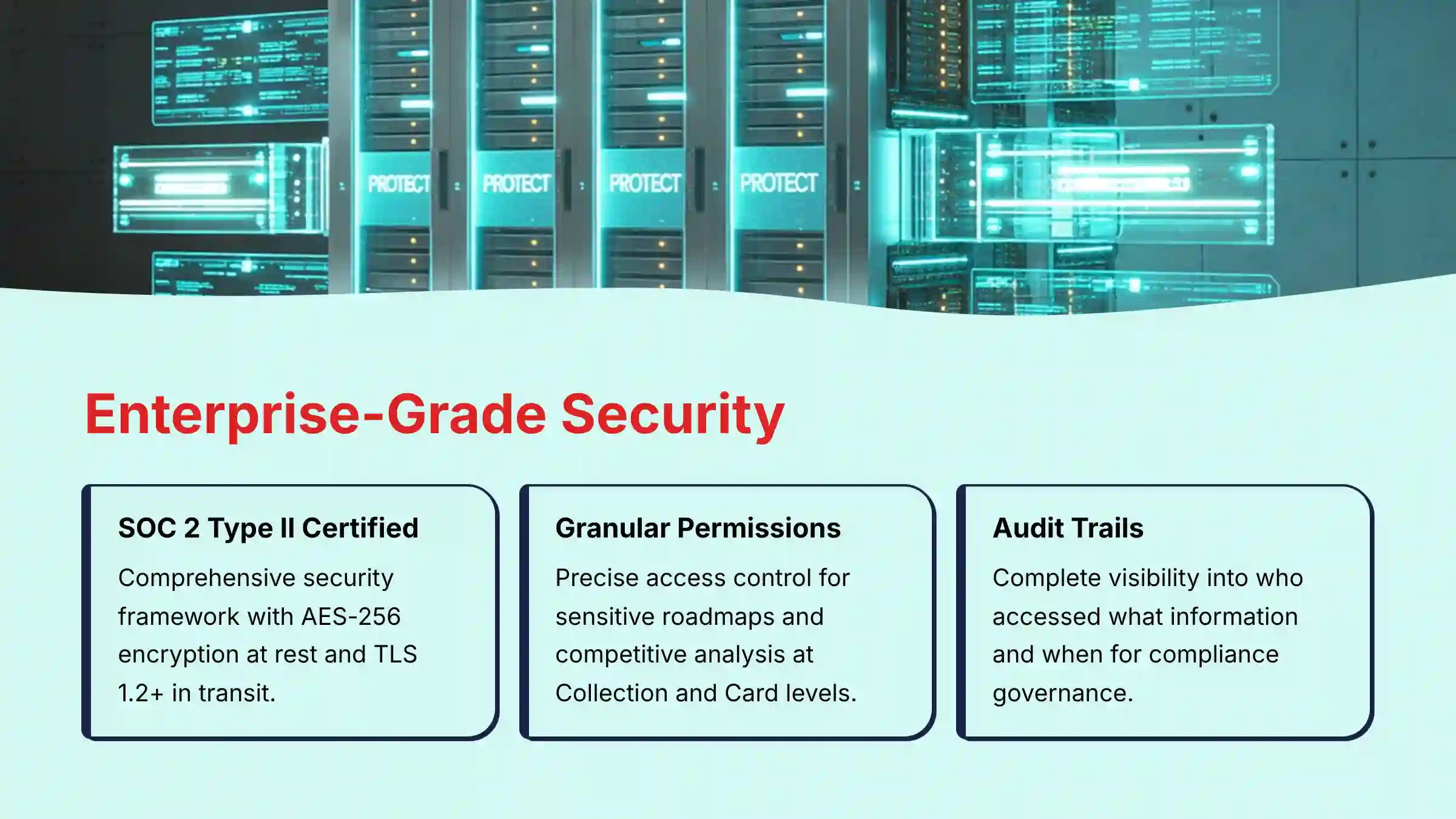
Yes, Guru provides enterprise-grade security suitable for storing sensitive product roadmaps, intellectual property, and competitive intelligence. The platform implements a comprehensive security framework that meets the stringent requirements of product and project teams handling confidential strategic information.
Core Security Framework includes SOC 2 Type II certification, verifying internal controls for security, availability, processing integrity, confidentiality, and privacy. GDPR compliance ensures proper handling of personal data. All data receives AES-256 encryption at rest and TLS 1.2+ encryption in transit—industry standards for protecting sensitive information.
Granular Permission Controls allow precise access management at Collection, Board, and individual Card levels. This ensures sensitive information like unannounced features, competitive analysis, or strategic roadmaps remains accessible only to authorized personnel. Product leadership can restrict access to roadmap details while allowing broader team access to implementation guidelines.
Data Isolation logically separates your organization’s data in Guru’s production environment, preventing cross-contamination or unauthorized access between customers. Audit logs (available on Pro tier and above) provide complete visibility into who accessed what information and when—essential for compliance and security governance.
Implementation Best Practice: Before migrating sensitive content, create a clear permissions hierarchy. Start with restrictive permissions for Collections containing strategic information, then grant access incrementally. Define separate Collections for Public (all employees), Product Team, Engineering Leads, and Leadership-Only content. This prevents accidental exposure while ensuring teams can access the information they need to execute effectively. Regular permission audits ensure your security posture remains appropriate as teams and projects evolve.
How does Guru integrate with key PM tools like Jira, Slack, and Microsoft Teams?
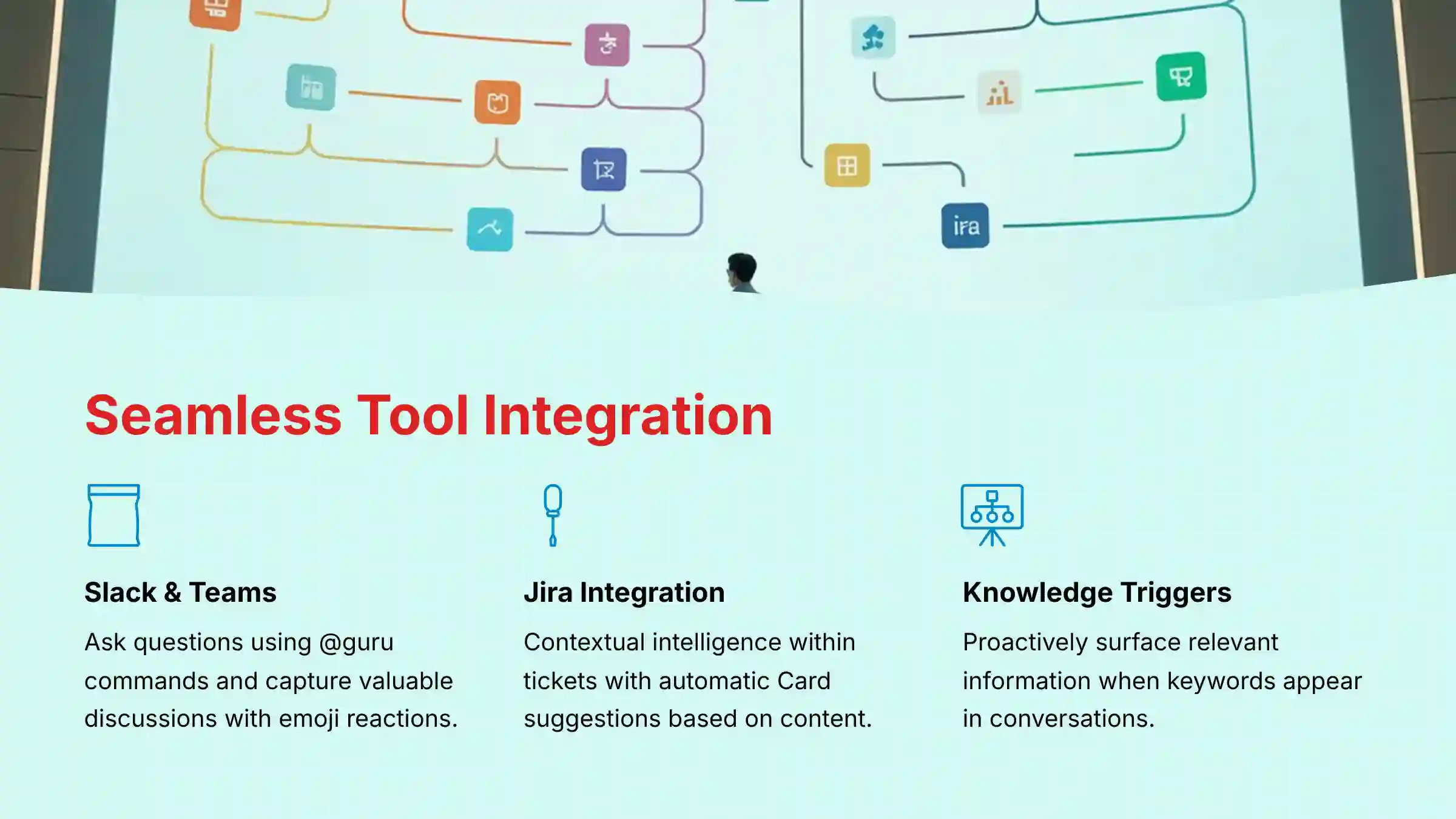
Guru’s integration strategy centers on delivering knowledge within existing workflows rather than creating another destination tool. These integrations transform routine project management activities by embedding intelligence directly into the tools teams use daily.
Slack & Microsoft Teams Integration provides the most powerful workflow enhancement. Team members can ask questions using @guru commands (e.g., “@guru what’s our policy on bug bounties?”), receiving instant answers from verified Guru Cards without leaving the conversation. The Knowledge Capture feature allows teams to preserve valuable discussions by using emoji reactions to convert chat threads into searchable Guru Cards—preventing critical project decisions from disappearing in chat history.
Knowledge Triggers proactively surface relevant information when specific keywords appear in channels. When someone mentions “Project Falcon” or “release process,” Guru automatically suggests relevant Cards, preventing repetitive questions and reducing support overhead for project leads.
Jira Integration delivers contextual intelligence within tickets. The Guru extension automatically displays relevant Cards based on ticket content—a UI bug ticket might surface design system guidelines or coding standards. The AI Answers feature works directly within Jira, allowing developers to ask questions about project dependencies, technical specifications, or stakeholder contacts without context switching.
Workflow Impact: These integrations eliminate the traditional knowledge management workflow of “stop work → open browser → search wiki → hope information is current → return to task.” Instead, knowledge becomes ambient, surfacing automatically when needed. Project managers report significant reductions in repetitive questions during standups, while development teams maintain flow state by resolving questions instantly within their existing tools.
To see practical implementation examples, explore our Guru Tutorials and Usecase guide.
How does Guru prevent information from becoming outdated and maintain accuracy?
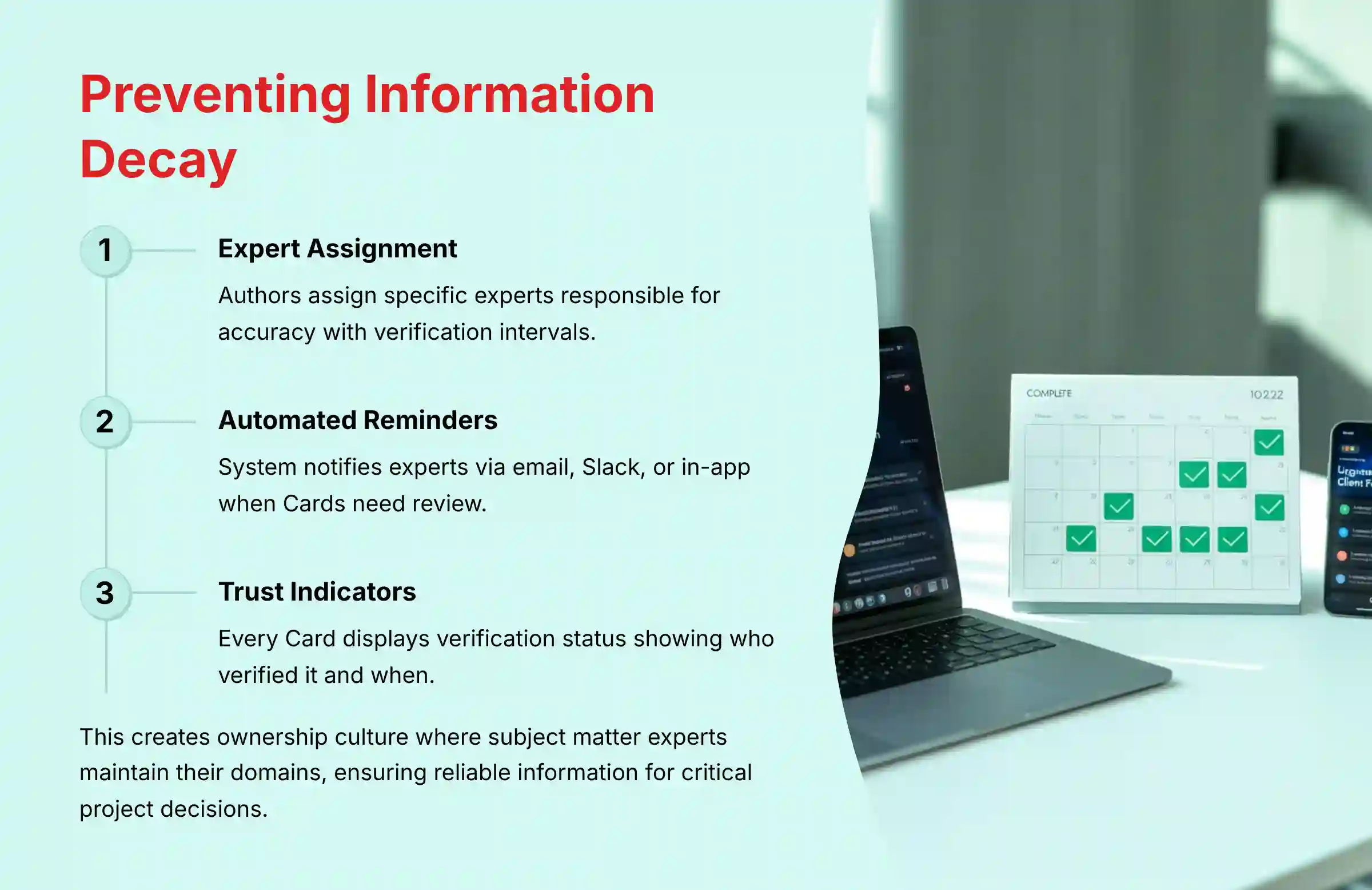
Guru addresses “knowledge rot” through its proprietary verification workflow system, transforming documentation maintenance from a passive, often-neglected task into an active, automated process that ensures information reliability for project teams.
Verification Process Architecture: When creating a Card, authors must assign a specific expert or group (e.g., “Product Lead,” “Engineering Manager”) responsible for accuracy. Verification intervals are set based on information criticality—API policies might require monthly review while team directory information might be reviewed annually. This creates accountability and prevents orphaned documentation.
Automated Maintenance Cycle: When Cards approach their verification deadline, Guru automatically notifies assigned experts via email, Slack, or in-app notifications. Experts can either re-verify with a single click if information remains accurate, or update content with new details. This closed-loop system ensures information currency without relying on individual initiative.
Visible Trust Indicators: Every Guru Card displays verification status showing who verified it and when, providing immediate visual cues about information trustworthiness. Out-of-date Cards are clearly flagged, preventing teams from acting on stale information—critical for project teams making time-sensitive decisions.
Cultural Impact: This system creates ownership culture where subject matter experts take responsibility for their domains. Product managers own feature specifications, engineering leads maintain technical standards, and project managers verify process documentation. The verification model transforms documentation from a “set it and forget it” mentality to an active knowledge curation practice.
For project teams, this means reliable access to current information when making critical decisions about scope, timelines, and resource allocation—reducing project risks associated with outdated assumptions or specifications.
What are the limitations and risks of relying on Guru’s AI for project management?
While Guru’s AI significantly enhances knowledge accessibility, understanding its limitations is crucial for project and product teams who rely on accurate information for critical decisions. Implementing proper safeguards ensures AI augments rather than replaces human judgment.
AI Accuracy Limitations: Like all Large Language Models, Guru’s AI can occasionally generate “hallucinations”—plausible but factually incorrect responses. The AI functions as a summarization and retrieval engine, not an authoritative source. It’s only as reliable as the underlying documentation quality. Vague, contradictory, or poorly written source documents will produce similarly flawed AI responses.
Over-reliance Risk: The convenience of instant AI answers can lead to blind trust without verification. This poses particular risks for critical project elements like budget constraints, technical specifications, contractual obligations, or compliance requirements where accuracy is essential. Teams may skip due diligence on AI-generated responses, potentially making decisions based on incomplete or misinterpreted information.
Knowledge Gap Amplification: AI cannot create knowledge that doesn’t exist in the system. Critical information trapped in private messages, undocumented tribal knowledge, or informal processes remains inaccessible to AI, creating blind spots in project decision-making.
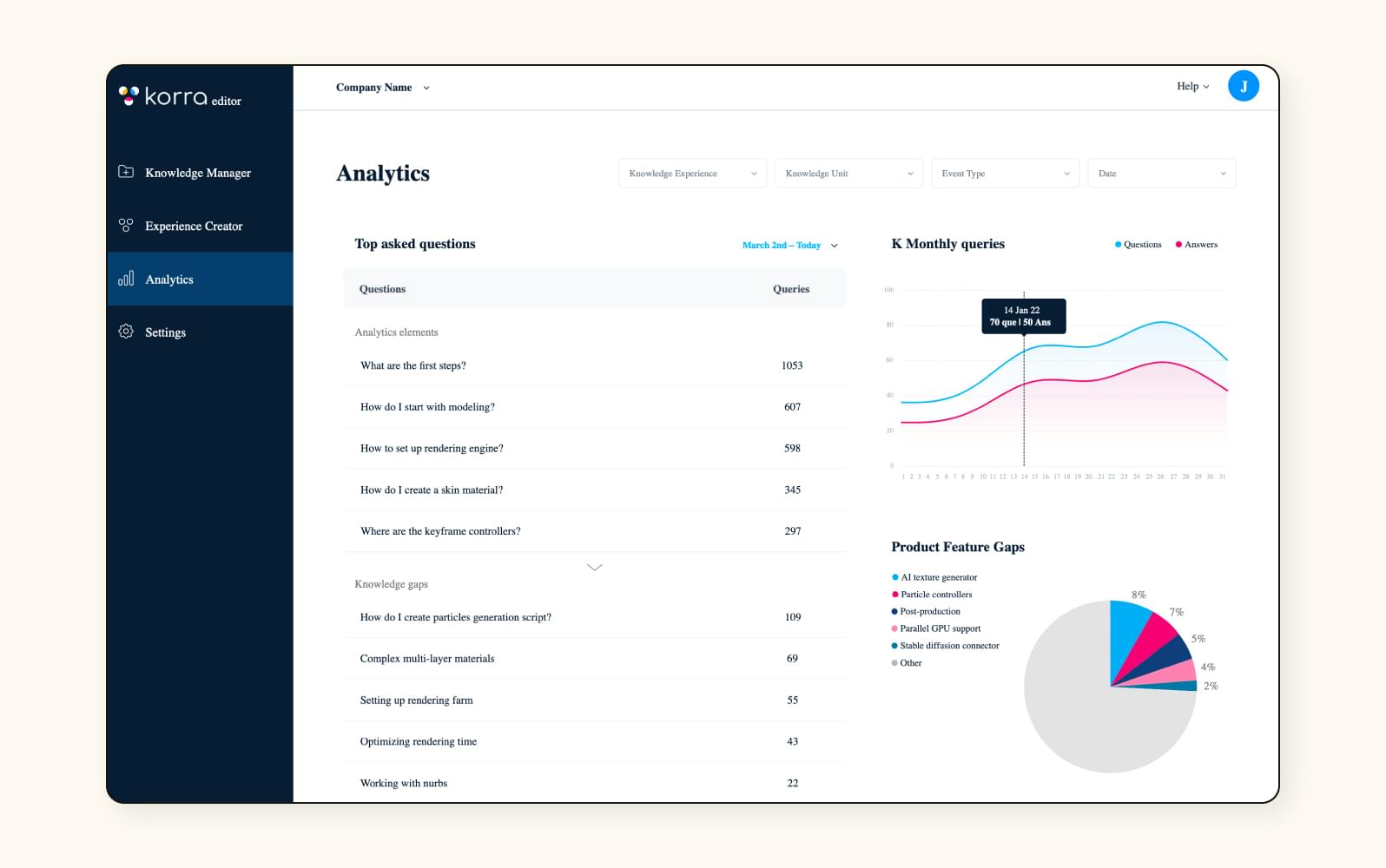
Risk Mitigation Strategy: Implement a “trust but verify” policy where AI responses serve as starting points, not final authorities. Always use source links to verify critical information in original, human-approved documents. For high-stakes decisions—committing to deadlines, quoting prices, or implementing technical specifications—require team members to review source documentation.
Best Practice Implementation: Train teams to treat Guru’s AI as an intelligent research assistant that accelerates information discovery while maintaining human oversight for validation. This approach captures AI efficiency benefits while preserving the accuracy standards essential for successful project delivery.
What is Guru’s pricing model, and is there a free plan suitable for small project teams?
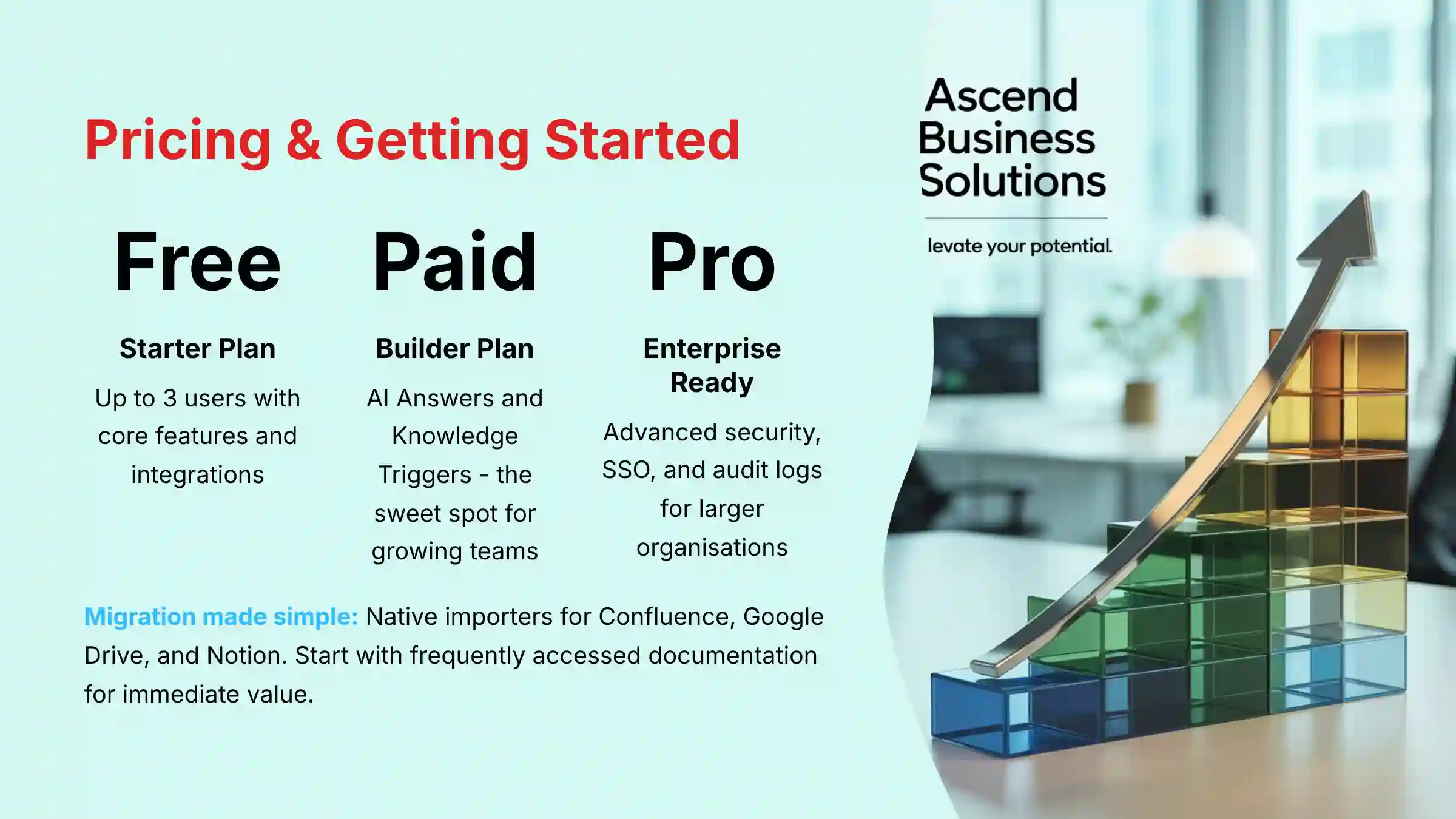
Guru offers four distinct pricing tiers designed to scale with team size and feature requirements, with per-user, per-month pricing that accommodates different organizational needs and budgets.
Starter Plan (Free): Supports up to 3 users and includes core knowledge creation capabilities, browser extension, and Slack/Microsoft Teams integration. This tier is excellent for small project teams or startups establishing their first knowledge base. While limited in user count, it provides sufficient functionality to demonstrate value and build documentation habits.
Builder Plan: The first paid tier unlocks critical AI-powered features including AI Answers, Knowledge Triggers for proactive suggestions, and usage analytics. This represents the “sweet spot” for growing project teams, as it provides the automation and intelligence features that deliver significant ROI through reduced repetitive questions and faster information access.
Pro Plan: Introduces advanced security and administrative features essential for larger organizations. Key additions include Audit Logs for compliance tracking, advanced Single Sign-On (SSO) options like Okta and Azure AD, and enhanced permission controls. This tier addresses enterprise security requirements while remaining more accessible than top-tier enterprise pricing.
Enterprise Plan: Offers maximum functionality including AI-powered knowledge discovery, dedicated Customer Success Manager support, advanced API access, and the highest levels of security and compliance features.
Strategic Recommendation: Small project teams should start with the free Starter plan to establish workflows and content, then upgrade to Builder when team size or AI feature needs exceed the free tier. The Pro plan becomes valuable when audit trails and advanced SSO are required for compliance or security governance.
Important Note: Always verify current pricing and features on Guru’s official pricing page, as SaaS pricing models and feature allocations change periodically. Contact sales representatives to confirm specific features meet your project team’s security and compliance requirements before committing.
How difficult is it to migrate existing project documentation from Confluence or Google Drive to Guru?
Guru has streamlined the migration process recognizing that most project teams have knowledge scattered across multiple platforms. The technical migration is straightforward, but the strategic work of organizing and optimizing information architecture provides the greatest long-term value.
Direct Import Capabilities: Guru offers native importers for major platforms including Confluence, Google Drive, Notion, and Zendesk. After authorizing access, you can select specific spaces, folders, or documents to import while preserving original formatting and content hierarchies. This eliminates manual copy-paste work for bulk content migration.
Strategic Migration Approach: The real value of migration lies in the opportunity to curate and optimize your knowledge base. Use migration as a chance to implement clear Collection structures, assign appropriate verifiers, and archive outdated documentation. Define Collections for different access levels—Public (all employees), Product Team, Engineering Leads, and Leadership-Only content—establishing proper information governance from the start.
Gradual Migration Strategy: Rather than migrating everything at once, consider a phased approach. Start with your most frequently accessed project documentation—current sprint information, active product specifications, and team processes. This allows teams to experience immediate value while gradually building comprehensive coverage.
API and Custom Solutions: For complex or custom migrations, Guru’s API enables developers to build programmatic import scripts for systems without direct integrators. This provides flexibility for organizations with unique documentation structures or legacy systems.
Success Factors: The most successful migrations involve cross-functional collaboration to define information architecture, assign subject matter experts as verifiers, and establish ongoing maintenance workflows. Technical migration typically takes days; building sustainable knowledge curation practices takes weeks but delivers lasting organizational value.
For comprehensive implementation guidance, review our Guru Review which includes detailed migration best practices and success stories.
Ready to transform your team’s knowledge management approach? Explore our complete collection of Best 10 AI Document & Knowledge Collaboration for Project & Product Managers 2025 to discover additional tools that can enhance your project execution capabilities.
For more specific implementation guidance and advanced use cases, don’t miss our comprehensive Guru FAQs collection, where we address the most common questions project teams have about implementing AI-powered knowledge management systems.


Leave a Reply