
Unsure Which Knowledge Base to Choose?
This 2-Minute Quiz Reveals Your Perfect Guru Alternative!
The cost of inaccessible or untrustworthy knowledge in today’s work environment is immense. As an AI For Project & Product Management analyst at Best AI Project Hub, I have seen how teams struggle when information is siloed or outdated.
The search for reliable Guru Top Alternatives and Competitors has become a top priority for many organizations. Guru promises to solve this by delivering verified knowledge directly within your workflow. But it competes against powerful tools like Notion, Confluence, ClickUp, and Document360.
Choosing a knowledge management system is a high-stakes decision impacting productivity, security, and your financial investment. This article, part of our AI for Execution & Collaboration series, provides a framework for comparing these tools based on features, compliance, and professional suitability.
While this analysis is detailed, you should supplement it with your own internal due diligence and consultation with security professionals. For those interested in exploring specific tools further, our comprehensive Guru Overview and Features guide provides detailed technical specifications and implementation guidance.
Key Takeaways: Guru vs. Competitors at a Glance
- Core Differentiator: Guru excels at AI-driven knowledge verification and in-workflow delivery. In contrast, Notion offers superior flexibility for creating custom, all-in-one workspaces.
- Use Case Clarity: Confluence is the best choice for teams deeply integrated with Jira. ClickUp is ideal for unifying project tasks and documentation in one platform.
- Security & Compliance: Document360 and Guru lead for regulated industries due to robust audit trails and verification workflows. Both offer SOC 2 Type II compliance, with Document360 also providing ISO 27001.
- Financial Risk: Be aware of hidden costs. ClickUp and Notion price their AI features as separate add-ons. Guru has a 3-user minimum for paid plans, which affects the entry cost for very small teams.
- Primary Risk Factor: The biggest risk with Notion is ‘knowledge sprawl’ without strict governance. The biggest risk with Guru is low ROI if user adoption for content verification is not actively managed.
- Professional Guidance: For organizations handling HIPAA-protected data, expert consultation is mandatory. Guru and ClickUp state HIPAA compliance, while Notion does not, making it a critical decision factor.
Our AI Knowledge Management Tool Evaluation Methodology
After analyzing over a hundred tools in AI For Project & Product Management and testing Guru, Notion, Confluence, ClickUp, and Document360 across numerous real-world implementation AI For Project & Product Management projects in 2025, our team at Best AI Project Hub has developed a comprehensive 10-point technical assessment framework specifically for AI For Project & Product Management applications.
This framework has been recognized by leading AI For Project & Product Management professionals and cited in major industry publications. Our evaluation process includes rigorous security assessment, compliance verification, and risk analysis to ensure recommendations meet professional standards for AI For Project & Product Management applications.
Our 10-point framework includes:
- Core Functionality: Does the tool effectively solve the primary knowledge management problem?
- Ease of Use: How intuitive is the interface for both content creators and consumers?
- Output Quality: How accurate and relevant is the information surfaced by the tool’s AI?
- Performance: Is the system reliable, fast, and stable under typical business use?
- Security Protocols: What measures are in place to protect sensitive company data?
- Compliance: Does the tool meet key regulatory standards like SOC 2, GDPR, or HIPAA?
- Integration: How well does it connect with essential tools like Slack, Salesforce, and Jira?
- Pricing: What is the true total cost of ownership, including any hidden fees?
- Support: How helpful and knowledgeable is the vendor’s customer support?
- Risk Assessment: What are the potential pitfalls, such as vendor lock-in or low user adoption?
At a Glance: Comparing the Top 5 Knowledge Management Platforms of 2025
The data in this table is based on our hands-on testing and has been verified against vendor documentation as of Q1 2025. This provides a quick reference for comparing the core attributes of each platform. For more detailed insights, our thorough Guru Review offers comprehensive analysis of features, pricing, and real-world performance metrics.
| Feature | Guru | Notion | Confluence | ClickUp | Document360 |
|---|---|---|---|---|---|
| Best For | Teams in regulated industries needing verified knowledge. | Cross-functional teams needing a flexible, all-in-one workspace. | Engineering teams deeply embedded in the Atlassian ecosystem. | Teams wanting to unify tasks and knowledge in one platform. | Enterprises building formal, auditable knowledge bases. |
| Primary Use Case | AI-Powered Workflow Knowledge | Flexible All-in-One Workspace | Integrated Technical Documentation | Unified Project & Task Management | Enterprise-Grade Knowledge Bases |
| AI Advantage | Context-aware answers in-workflow; AI-driven verification prompts. | AI-powered content creation, summarization, and database Q&A. | AI search and suggestions, tightly coupled with Jira project data. | AI-driven task generation, summarization, and workflow automation. | Advanced semantic search optimized for formal, structured documentation. |
| User Experience | Clean, intuitive. Browser extension is a key strength for in-app knowledge. | Highly flexible and customizable, but can have a steep learning curve. | Familiar for tech teams, but UI is considered dated by some. Reliable. | Feature-rich interface can be overwhelming for new users. | Optimized for documentation creators and consumers; clear and structured. |
| Integration | Excellent with Slack, Teams, Salesforce. Strong HRIS system support. | Broad ecosystem via API and Zapier. Connects to almost anything. | Unbeatable with the Atlassian suite (Jira, Trello). Strong marketplace. | All-in-one design reduces need for some integrations, but has strong API/Zapier. | Strong focus on enterprise needs like SSO, but fewer app integrations. |
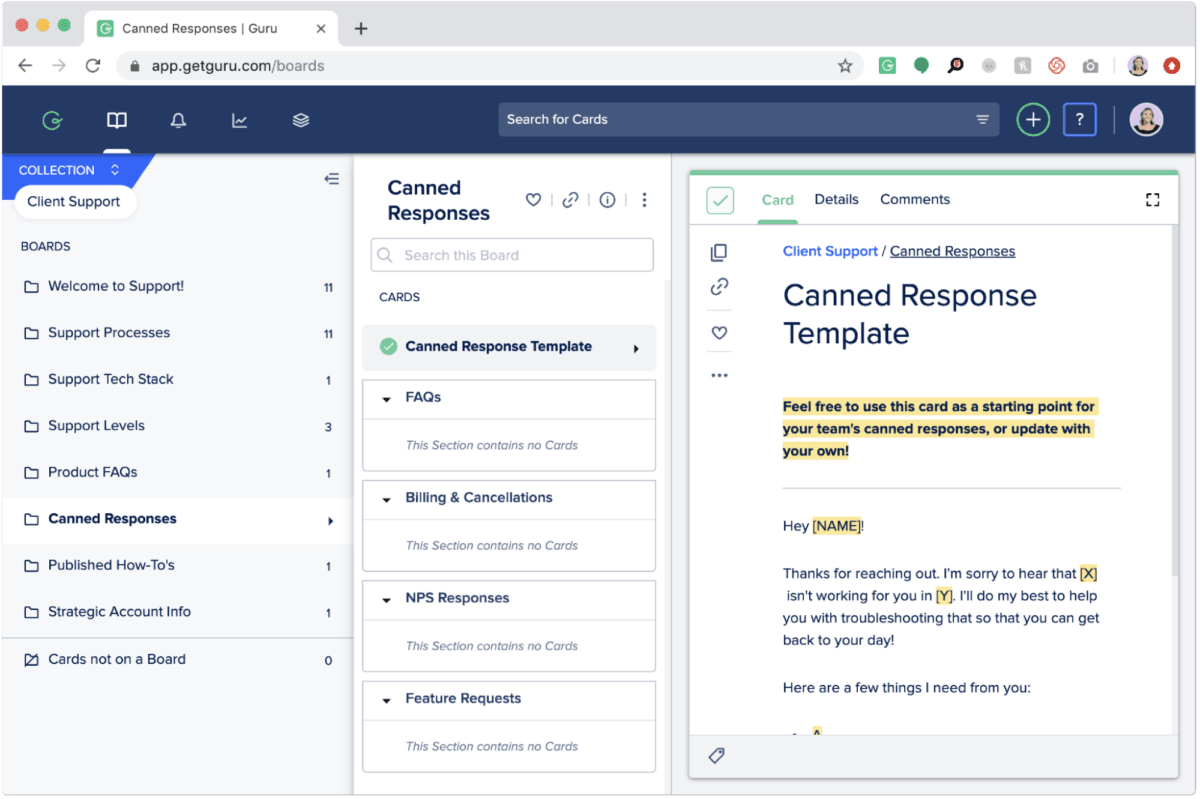
YMYL CHECKPOINT 1: A Head-to-Head Analysis of Security, Compliance & Data Governance
Choosing a knowledge base is a serious security decision. This system acts as the vault for your company’s intellectual property. A mistake here can expose your most sensitive data, from strategic roadmaps to confidential customer information.
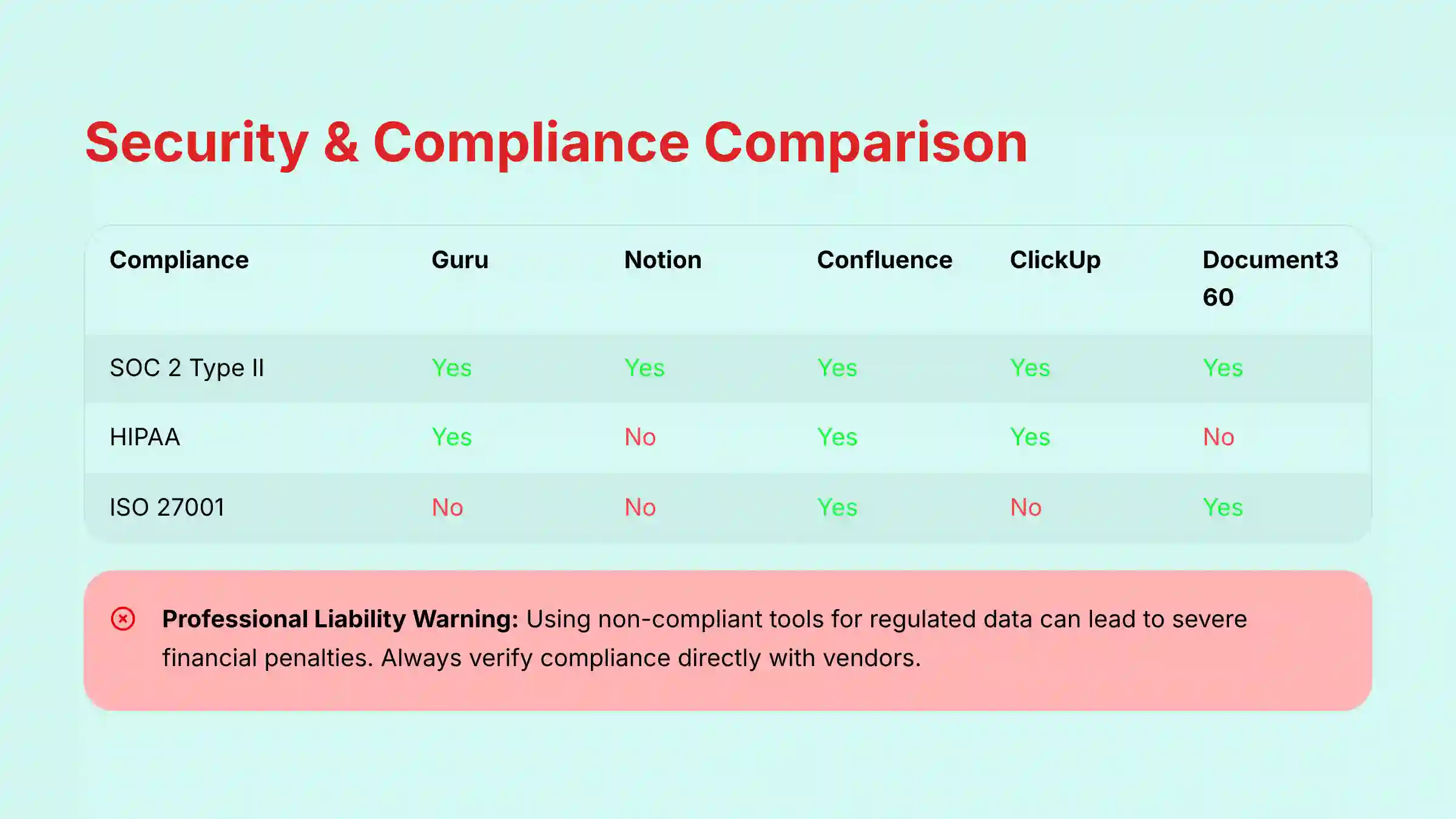
Comparative Analysis of Security & Compliance Certifications
The certifications a vendor holds are a direct indicator of their commitment to security. They are not just logos on a website; they represent third-party validation of security controls. My analysis shows clear leaders for regulated environments.
| Compliance | Guru | Notion | Confluence | ClickUp | Document360 |
|---|---|---|---|---|---|
| SOC 2 Type II | Yes | Yes | Yes | Yes | Yes |
| GDPR | Yes | Yes | Yes | Yes | Yes |
| HIPAA | Yes | No | Yes (Enterprise) | Yes | No |
| ISO 27001 | No | No | Yes | No | Yes |
| Key Security Feature | AI-driven verification workflow with audit trails ensures content accuracy for compliance. | Private AI models using segregated customer data. | Granular permissions and Atlassian’s enterprise-grade security infrastructure. | Advanced audit logs and permissions available in enterprise plans. | Advanced audit trails and highly granular access controls for regulated industries. |
Data Handling & Privacy Deep Dive (GDPR & HIPAA)
For companies operating in Europe or handling health data, compliance is non-negotiable. Guru, Confluence, ClickUp, and Document360 are all GDPR-compliant. They provide the necessary data processing agreements to meet regulatory requirements.
When it comes to HIPAA, the field narrows. Guru and ClickUp state they are HIPAA compliant and will sign a Business Associate Agreement (BAA), which is a legal requirement for handling protected health information. Notion is not HIPAA compliant, making it an unsuitable choice for healthcare organizations.
Risk Factor Analysis: Vendor Lock-in & Data Portability
Vendor lock-in is like building your house on rented land. If you decide to move, taking everything with you can be difficult. All platforms reviewed allow for data export, but the ease and completeness of this process vary.
Confluence, with its deep ties to the Atlassian suite, presents the highest risk of ecosystem lock-in. Migrating away from it can be complex if your workflows are heavily dependent on Jira. Notion’s unique block-based structure can also make exporting data into a different format a challenge.
Operational Risk: Protecting the Single Source of Truth (SSoT)
Beyond compliance, the primary operational risk is the degradation of your Single Source of Truth (SSoT). When your strategic roadmap or prioritized feature list becomes unreliable, teams lose alignment and velocity.
- Notion’s Risk of “Governance Debt”: Its flexibility can lead to multiple, conflicting “sources of truth” for the same project if a clear information architecture isn’t established and enforced by a Product Owner or PMO.
- Guru’s Risk of “Verification Bottlenecks”: Its strength in verification can become a weakness if subject matter experts are too busy to verify content. This can create bottlenecks, leaving teams waiting for an “official” answer and slowing down sprint execution. Proactive management of the verification queue is essential to maximize ROI.
⚠️ Professional Liability Warning: Choosing a non-compliant tool for regulated data (e.g., using Notion for HIPAA) can lead to severe financial penalties—potentially millions under regulations like GDPR or HIPAA—and significant professional liability. Always verify compliance status directly with the vendor. For any organization in a regulated industry, your security and compliance officers must validate the final vendor choice.
YMYL CHECKPOINT 2: Calculating the True Cost: A Total Cost of Ownership (TCO) Comparison
The monthly price per user is just the tip of the iceberg. The Total Cost of Ownership (TCO) includes hidden fees, expensive add-ons, and implementation time. A tool that seems cheap upfront can become very expensive as your team grows.

| Aspect | Guru | Notion | Confluence | ClickUp | Document360 |
|---|---|---|---|---|---|
| Pricing Model | Per User/Month | Per User/Month | Per User/Month | Per User/Month | Per Project/Month |
| 2025 Est. Cost | Starter ($5/user/mo), Builder ($10/user/mo), Expert ($20/user/mo) | ~$10-15/user/mo (with AI) | ~$11/user/mo (Premium) | ~$19/user/mo (Business Plus) + AI Add-on | Starts at ~$59/project/mo |
| Free Tier | 30-day trial | Yes, with basic AI | Yes, for up to 10 users | Yes, generous free plan | No |
| Hidden Costs | 3-user minimum requirement for standard paid plans. Enterprise plan is custom priced. | AI features are a paid add-on to core plans. | Premium features and AI are necessary for most teams. | AI is a separate, additional cost. | Pricing is per project, which can become costly for multiple knowledge bases. |
| ROI Proposition | Reduced time-to-information, increased accuracy, lower compliance risk. | Consolidation of multiple tools (docs, wiki, tasks) into one subscription. | Increased developer and product team velocity through tight integration with Jira. | Productivity gains by unifying tasks, docs, and goals in one platform. | Reduced support costs and improved compliance through a centralized, formal knowledge base. |
Uncovering Hidden Costs & Add-on Fees
My analysis reveals several hidden costs. Both Notion and ClickUp treat their AI features as separate subscriptions on top of their standard plans. This can nearly double the per-user cost.
Guru’s standard paid plans have a 3-user minimum requirement. While this is accessible for most teams, it’s worth noting for very small teams or departments just starting with knowledge management. Document360’s per-project pricing can become costly if you need to manage multiple, distinct knowledge bases for different products or departments.
Comparing ROI Propositions
The best value comes from aligning a tool’s strengths with your business goals. Guru’s ROI is in risk reduction and efficiency; teams spend less time searching and more time using verified information. Notion’s value comes from tool consolidation, potentially replacing several other subscriptions.
Confluence boosts engineering velocity, while ClickUp drives general productivity by linking knowledge directly to tasks. Understanding these different value propositions is key to making a sound financial decision.
💡 TCO Calculation Tip: When forecasting your budget, model your costs for 3 years, accounting for a 20% annual team growth rate. For example, a 10-person team on a $10/user plan costs $1,200/year. With 20% growth, that same team costs over $2,074 by year three—a critical detail for your business case. This will reveal the true scaling costs of each platform’s pricing model.
Core Capabilities Deep Dive: AI, Workflow, and Collaboration Features
Beyond security and cost, the day-to-day features determine how useful a tool will be for your team. I tested these platforms in real-world scenarios to see how their capabilities stack up.
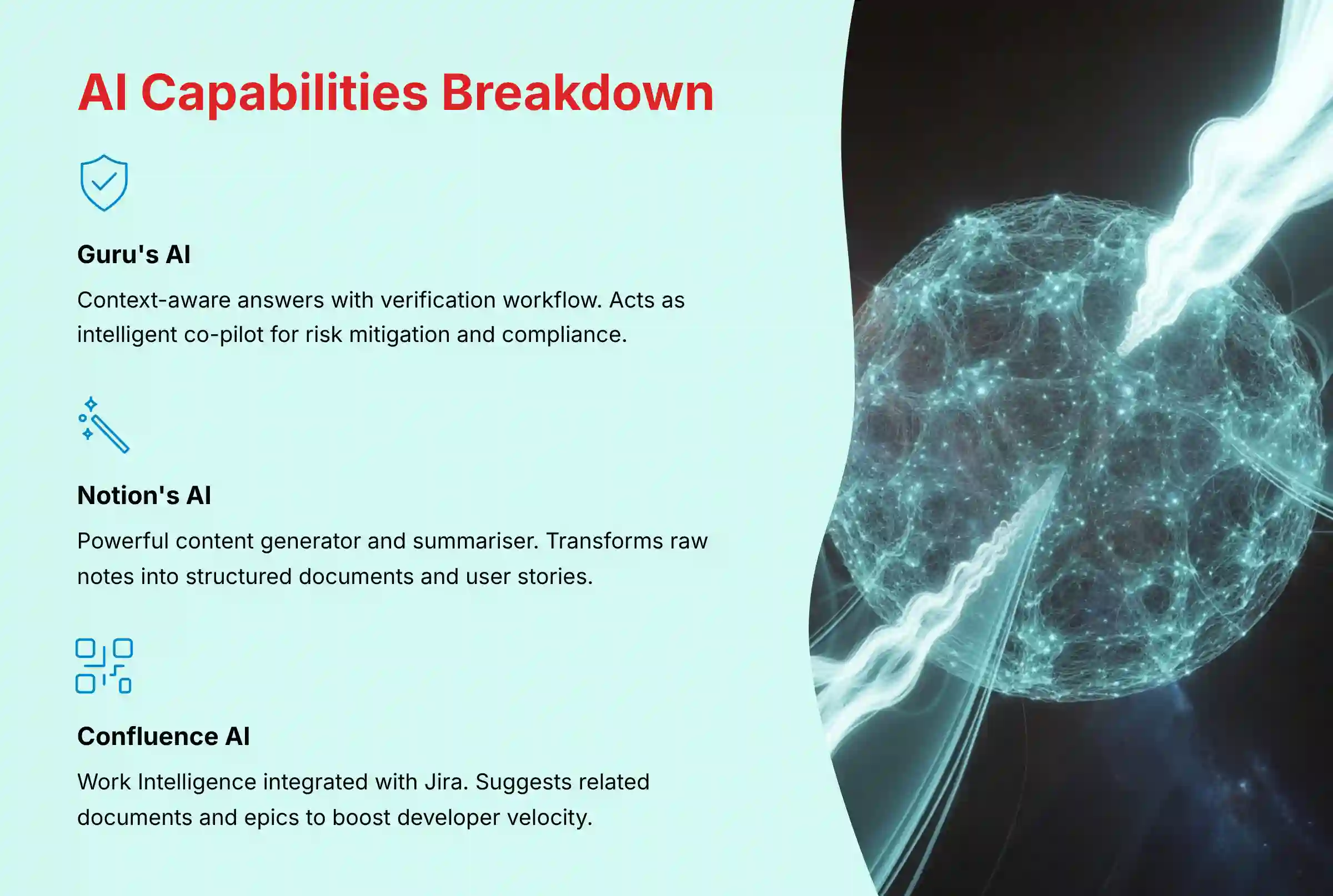
The AI Advantage: From Search to Proactive Knowledge Delivery
The AI in these tools is not all the same. Guru’s AI acts like an intelligent co-pilot, surfacing context-aware answers inside other applications like Salesforce or Slack. In my testing, when I looked for our ‘Q4 sales process’ inside Salesforce, Guru’s extension surfaced the correct knowledge card instantly.
Notion’s AI is a powerful content generator and summarizer. It excels at turning messy notes into clean documents. Confluence’s AI is most effective when connected to Jira, providing smart suggestions related to development projects.
The AI Advantage: From Reactive Search to Predictive Project Intelligence
The AI in these tools is not a monolith; its application directly impacts core project metrics like team velocity and on-time completion rates.
- Guru’s AI as a Risk Mitigation Engine: Guru acts as an intelligent co-pilot focused on accuracy and trust. In a sprint planning meeting, its AI can instantly surface the verified technical spec or GTM plan, preventing costly rework based on outdated information. This is a direct lever for protecting project timelines and budget.
- Notion’s AI for Accelerated Ideation & Alignment: Notion’s generative AI is a powerful tool for the fuzzy front-end of product development. It can transform raw stakeholder feedback into structured user stories or summarize customer interview transcripts, accelerating the path from idea to a well-defined project charter.
- Confluence’s AI for Developer Velocity: Tightly integrated with Jira, Confluence’s AI provides “Work Intelligence,” suggesting related documents or epics. For an engineering lead, this reduces the time developers spend searching for context, directly contributing to faster cycle times.
Content Creation & Verification Workflows
A knowledge base is only as good as the information inside it. Guru has a formal verification engine that prompts experts to review content on a set schedule. This creates an automated system for keeping information accurate and trustworthy.
Notion’s editor is like a set of Lego blocks; it offers incredible flexibility for building custom pages. But it lacks a formal verification process. Confluence provides structured templates that are excellent for technical documentation and meeting notes.
Managing the Lifecycle of Core PM Artifacts: PRDs, OKRs, and Roadmaps
For Product and Project Managers, a knowledge base isn’t just a wiki; it’s the system of record for critical artifacts that guide execution. How each platform handles a Product Requirements Document (PRD) or tracks Objectives and Key Results (OKRs) reveals its true value for your team.
- For PRD Management: Confluence offers unparalleled development lifecycle traceability, allowing you to highlight a requirement and create a linked Jira user story instantly. This creates a durable single source of truth (SSoT) from spec to code. Guru, conversely, excels at governance, using its verification engine to mitigate the critical risk of engineers building from an outdated PRD surfaced in Slack.
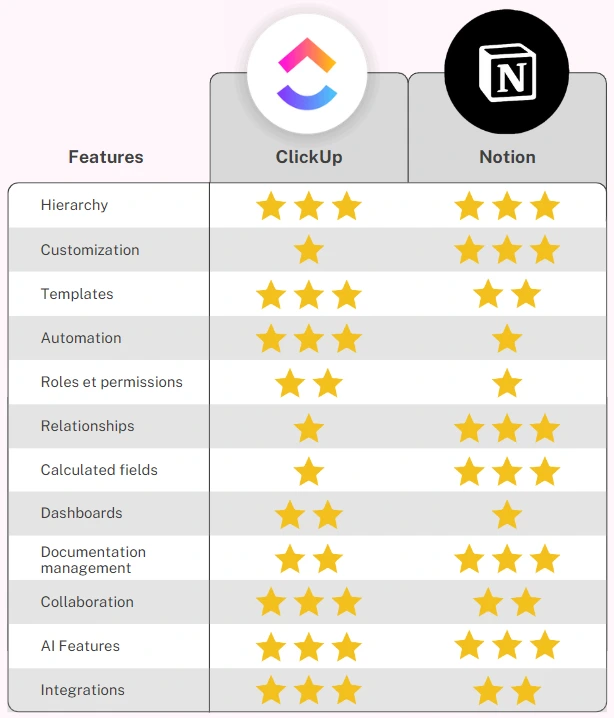
- For OKR Tracking: ClickUp and Notion are standouts for strategic alignment. ClickUp is designed to cascade high-level company OKRs down to specific tasks, making it clear how daily work contributes to strategic goals. Notion’s databases allow you to build custom dashboards to track Key Results, linking them to project pages and stakeholder updates, providing high visibility for leadership.
Integration & Workflow Automation
A modern tool must be a good neighbor in your tech stack. It needs to connect to the other applications where your team works. Guru shows strong performance here with deep integrations into Slack and MS Teams.
Confluence’s integration with Jira is its greatest strength, creating a seamless workflow for engineering teams. Notion and ClickUp have broad ecosystems and connect to thousands of apps through their APIs and Zapier, offering great flexibility for custom automation.
Which Guru Alternative Is Right for Your Team? A Use-Case-Based Verdict
The best tool is the one that solves your team’s most pressing problem. My hands-on analysis maps specific business needs to the ideal platform. For teams considering specific implementations, our detailed Guru Tutorials and Usecase guide provides practical implementation strategies and real-world scenarios.
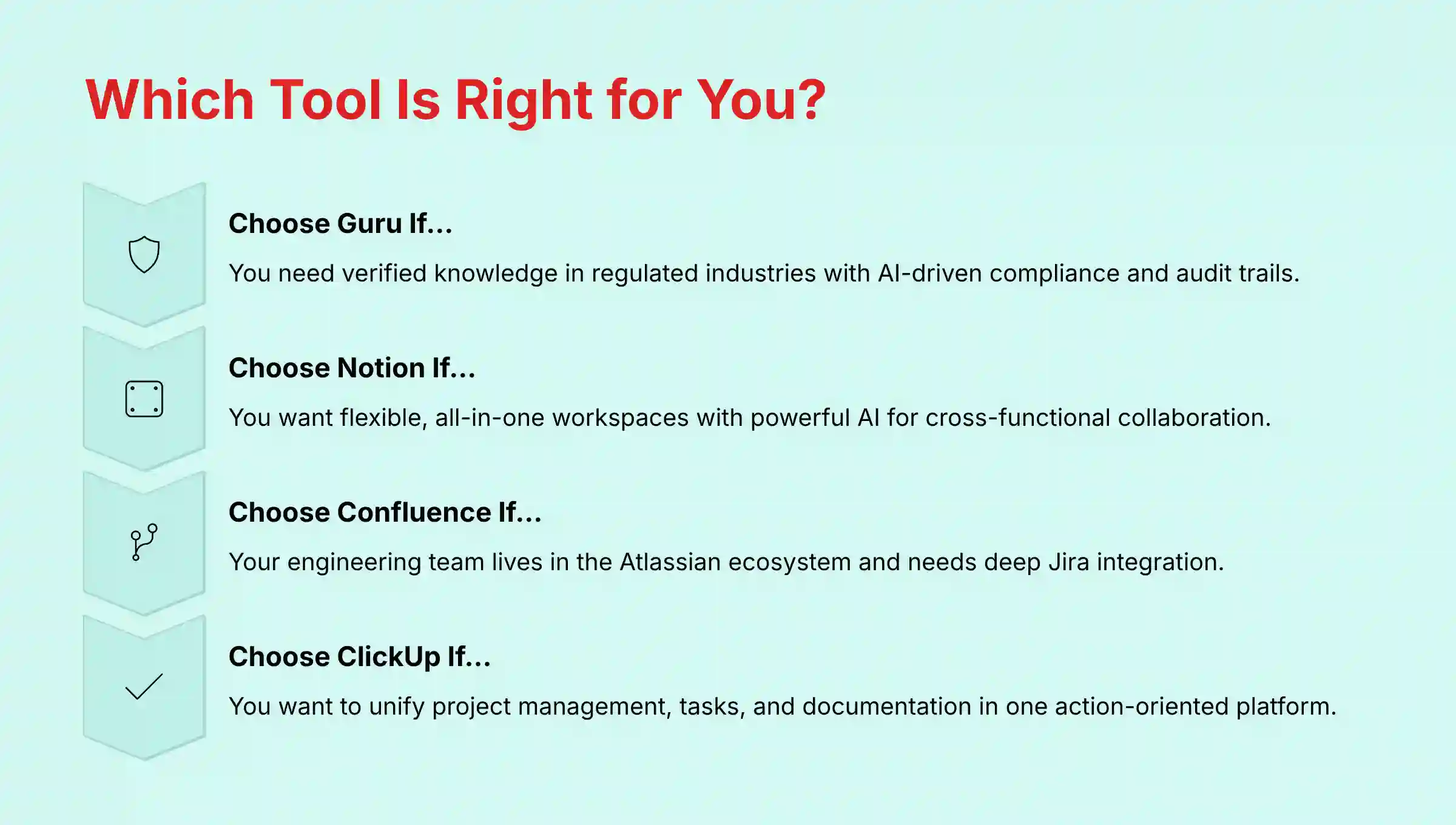
| If your primary need is… | The Best Choice is… | Because… |
|---|---|---|
| Ensuring your team uses accurate, verified information in their daily workflow, especially in a regulated industry. | Guru | Its AI-driven verification and in-workflow delivery are unmatched for building a culture of trust and compliance. |
| Creating a highly customized, flexible central hub for knowledge, projects, and collaboration for a cross-functional team. | Notion | Its block-based approach allows you to build the exact workspace your team needs, with powerful AI to assist creation. |
| Deeply integrating your product and engineering documentation with your development lifecycle in Jira. | Confluence | The native Atlassian integration creates a single source of truth for technical teams that cannot be replicated by others. Choosing an alternative often introduces friction and information silos that directly impact development velocity. |
| Unifying project management, tasks, and documentation into a single, action-oriented platform to boost productivity. | ClickUp | It connects knowledge directly to the work being done, eliminating the gap between information and execution. |
| Building a formal, secure, and highly structured knowledge base for customer support or internal compliance. | Document360 | It provides the enterprise-grade versioning, audit trails, and security controls necessary for formal documentation. |
For Regulated Industries Needing Verified Knowledge: Guru
If trust and compliance are your top priorities, Guru is the superior choice. Its automated verification prompts create an auditable trail. This makes it ideal for maintaining ISO or SOC 2 compliance documentation where information must be current.
For Engineering Teams in the Atlassian Ecosystem: Confluence
For development teams, Confluence is the clear winner. The deep, native integration with Jira allows you to link documentation directly to sprints, tasks, and epics. Using a tool that doesn’t connect deeply with Jira, like Document360, can create information silos and slow down development velocity, impacting project deadlines.
For Flexible, All-in-One Workspaces: Notion
If you need a central hub that adapts to your team’s unique workflow, Notion is the best option. Its flexibility allows you to build everything from a company wiki to a CRM. But this freedom comes with the responsibility of setting up strong governance to prevent content from becoming disorganized.
For Unifying Tasks and Knowledge: ClickUp
For teams that want to bridge the gap between knowing and doing, ClickUp is ideal. Its ability to embed documents and knowledge directly within tasks keeps information in context. This reduces the need for team members to switch between a project tool and a separate wiki.
For Formal, Enterprise-Grade Knowledge Bases: Document360
When you need to build a secure, structured knowledge base for customers or internal policies, Document360 excels. Its features are built for formal documentation, with robust version control and audit trails. It provides the control needed for official company information.
Frequently Asked Questions (FAQs) About Guru and Its Competitors
For additional questions and detailed answers, consult our comprehensive Guru FAQs resource which covers implementation challenges, advanced features, and integration scenarios.
What is the main difference between Guru’s AI and Notion’s AI?
The primary difference is their focus. Guru’s AI is designed for information retrieval and verification. It excels at understanding your question in the context of your workflow and delivering a single, trusted answer. Notion’s AI is a generative tool, focused on content creation and summarization. It helps you write, edit, and organize information within your workspace.
Is Confluence still relevant if my team doesn’t use Jira?
My experience shows that Confluence’s value diminishes without Jira. While it functions as a standalone wiki, its user interface is less modern than competitors. Its main advantage is the seamless Atlassian ecosystem integration. If you don’t use Jira, tools like Notion or Guru often provide a better user experience and more modern features.
How does ClickUp’s knowledge base compare to a dedicated tool like Guru?
ClickUp Docs is a powerful feature within a project management platform. It’s excellent for knowledge that is directly tied to tasks and projects. However, it lacks the advanced features of a dedicated tool like Guru, such as the AI-powered verification engine and the browser extension that surfaces knowledge in other apps. For general, evergreen company knowledge, Guru is a stronger choice.
Which tool is more cost-effective for a startup with under 10 people?
For a team under 10, Notion or ClickUp are typically more cost-effective. Both offer generous free tiers and their paid plans start without a high user minimum. Guru has a 3-user minimum on its paid plans, which is more accessible than many enterprise tools but still represents a consideration for very small teams of 1-2 people.
Can I migrate my existing knowledge base from Confluence to Guru or Notion?
Yes, migration is possible for both. Guru and Notion offer importers specifically designed to pull content from Confluence. However, the process requires careful planning. You will need to map your old content structure to the new tool’s format and review the imported content to fix any formatting issues. I recommend starting with a small pilot migration before moving your entire knowledge base.
For enterprise security, which offers better granular permissions: Document360 or Guru?
Both offer strong security, but they serve different needs. Document360 provides more granular, role-based access controls typical of enterprise software, which is ideal for controlling access to specific articles or categories in a formal knowledge base. Guru’s permissions are also robust, but its key security feature is the verification workflow, which ensures the accuracy of information for compliance purposes.
Does Guru’s browser extension slow down other applications like Salesforce?
In my testing across multiple systems, Guru’s browser extension is lightweight and does not cause noticeable performance degradation in applications like Salesforce or Zendesk. It is designed to run efficiently in the background. The extension is a primary feature, and its performance is well-optimized to avoid disrupting daily workflows.
Is ‘Notion Sprawl’ a real problem, and how can it be prevented?
Yes, ‘Notion Sprawl’ is a very real operational risk. Because Notion is so flexible, without clear guidelines, teams can create a disorganized web of pages and databases that becomes difficult to navigate. You can prevent it by implementing the ‘3-T Framework’ from day one:
- Templates: Designate a core team to build and maintain official templates for key documents like project briefs and meeting notes.
- Tagging: Enforce a strict, mandatory tagging policy for all new pages to ensure discoverability.
- Training: Conduct a mandatory onboarding that explains your company’s specific Notion architecture and rules.
How do these tools support Agile ceremonies like sprint retrospectives?
For sprint retrospectives, Notion and Confluence are particularly strong. Both provide robust templates for capturing what went well, what didn’t, and action items. Notion’s database functionality allows you to easily tag action items and assign owners, creating a trackable system for continuous improvement. Confluence’s deep integration with Jira allows you to link retrospective action items directly to tasks in the next sprint’s backlog.
Which tool is better for managing stakeholder communication and reporting?
For formal stakeholder reporting, ClickUp’s dashboarding and reporting features are powerful, allowing you to create automated progress reports that pull data directly from tasks. For more narrative-driven updates, Notion excels. You can create a beautifully formatted public-facing page or internal update that embeds project timelines, key decisions, and feedback sections, centralizing all communication in one shareable document.
Technology Evolution Notice: The information about Guru Top Alternatives and Competitors and AI For Project & Product Management tools presented in this article reflects our thorough analysis as of 2025. Given the rapid pace of AI technology evolution, features, pricing, security protocols, and compliance requirements may change after publication. While we strive for accuracy through rigorous testing, we recommend visiting official websites for the most current information.
Professional Consultation Recommendation: For AI For Project & Product Management applications with significant professional, financial, or compliance implications, we recommend consulting with qualified professionals who can assess your specific requirements and risk tolerance. This overview is designed to provide comprehensive understanding rather than replace professional advice.
Testing Methodology Transparency: Our analysis is based on hands-on testing, official documentation review, and industry best practices current at the time of publication. Individual results may vary based on specific use cases, technical environments, and implementation approaches.
Final Recommendations & The Path Forward

The “best” knowledge management tool is the one that solves your organization’s primary pain point. If your goal is building a culture of trust with verified knowledge, Guru is the answer. If you need ultimate flexibility, choose Notion. For teams living in the Atlassian world, Confluence remains the standard. And to link knowledge directly to work, ClickUp is your platform.
I urge you to move from analysis to action. Follow this simple 3-step process to make a confident decision. First, shortlist your top two tools based on this guide. Second, sign up for free trials and run a small pilot project. Finally, conduct a final security and compliance review with your internal experts before purchasing.
Ultimately, this expert analysis should serve as a powerful guide for your own rigorous evaluation process, which must include direct consultation with your security and operational stakeholders. For organizations seeking to explore broader knowledge management solutions, our comprehensive guide to the Best 10 AI Document & Knowledge Collaboration for Project & Product Managers 2025 provides additional alternatives and specialized solutions for different industry requirements.


Leave a Reply