
Is Confluence AI the Right Copilot for Your Team?
Take This 2-Minute Quiz to Find Out!
Key Takeaways
- AI-Powered Project Management: Confluence AI transforms project documentation by automating content generation, summarization, and Jira integration for 60-80% time savings
- Enterprise-Grade Security: SOC 2 Type II, ISO 27001, and GDPR compliant with zero-retention policies and strict data protection standards
- Seamless Atlassian Integration: Native Jira connectivity enables automated user story creation and bidirectional linking for complete project traceability
- Cost-Effective Solution: Pricing starts at $16 per user/month with potential ROI within first month through 15-20 hours saved monthly per project manager

What is Confluence AI and how does it help project and product managers?
Confluence AI, officially branded as part of Atlassian Intelligence, is a generative AI assistant natively integrated into the Confluence platform that transforms project and product management workflows. Rather than being a standalone tool, it’s a comprehensive set of AI-powered features designed to accelerate content creation, automate administrative tasks, and extract actionable insights from your existing documentation.
For project and product managers struggling with the “work about work” overhead, Confluence AI acts as an intelligent digital assistant that eliminates the tedious documentation tasks that typically consume 20-40% of a PM’s time. Its core capabilities directly address the most time-intensive challenges in project management:
Content Generation and Documentation: Draft complete strategy pages and project overviews with simple prompts, or choose from preset templates to create Product Requirements Documents (PRDs), project plans, risk assessments, and stakeholder communications. The AI understands project management terminology and can structure documents according to industry best practices.
Intelligent Summarization: Transform lengthy meeting notes, technical specifications, or user feedback into concise executive summaries. This capability is particularly valuable for creating status reports and ensuring stakeholders stay informed without information overload.
Action Item Extraction: Automatically identify and list tasks and actionable items from meeting discussions or project documentation, ensuring nothing falls through the cracks and maintaining accountability across your team.
Enhanced Collaboration: Quickly reply to customer requests with comprehensive responses drafted by AI and keep teams aligned with automatically generated updates and summaries. The AI helps maintain consistent communication quality across all project stakeholders.
By handling these administrative tasks, Confluence AI enables project managers to focus on strategic planning, stakeholder management, and driving results rather than spending hours on documentation overhead. For more detailed insights into Confluence Overview and Features, explore how this platform revolutionizes project documentation workflows.
Who is the ideal user for Confluence AI in project management?
The ideal user for Confluence AI is a project manager, product leader, or team lead who is already invested in or considering the Atlassian ecosystem as their central collaboration hub. This AI solution delivers maximum value for teams that recognize documentation and knowledge management as critical success factors but struggle with the time investment required.
Primary User Profiles:
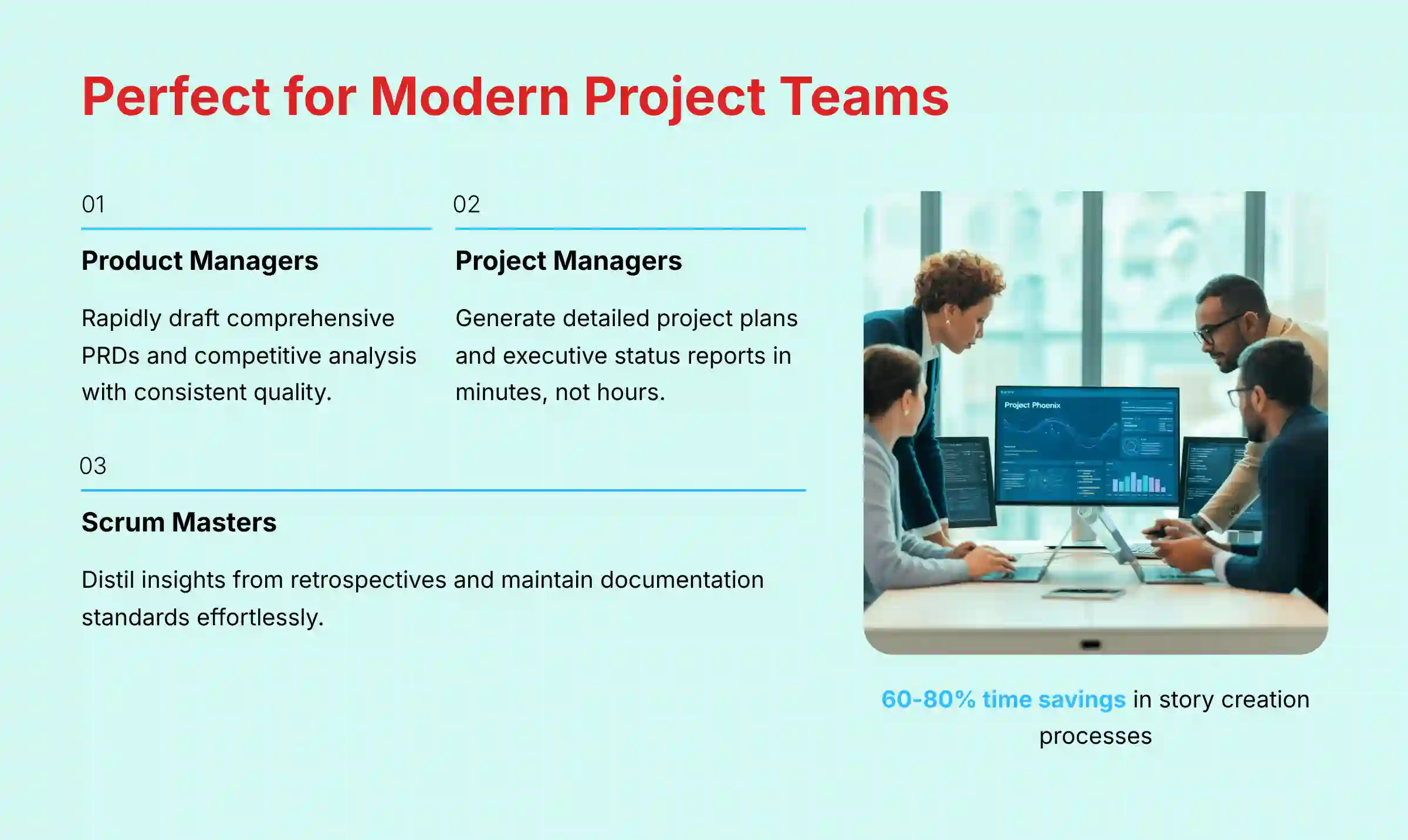
- Product Managers who need to rapidly draft comprehensive PRDs, competitive analysis documents, and user story specifications. The AI’s ability to maintain consistency across documentation while incorporating feedback from multiple stakeholders makes it invaluable for product planning and roadmap communication.
- Project Managers responsible for creating detailed project plans, tracking complex deliverables, and generating regular status reports for executives and stakeholders. The AI’s summarization capabilities can transform hours of report preparation into minutes of review and refinement.
- Scrum Masters and Agile Coaches who facilitate multiple teams and need to quickly distill insights from sprint retrospectives, planning sessions, and daily standups. The AI helps maintain consistent documentation standards while reducing the administrative burden of Agile ceremonies.
- Engineering Managers and Team Leads who want to provide their developers with seamless access to intelligent assistance without forcing context-switching to external tools. Since the AI is embedded directly in Confluence, technical teams can clarify requirements, summarize specifications, or generate documentation without leaving their familiar workspace.
- Cross-functional Teams working on complex projects with multiple stakeholders, where clear documentation and communication are essential for success. The AI helps maintain alignment by ensuring everyone has access to clear, up-to-date information presented in their preferred format.
The tool is particularly powerful for teams that feel overwhelmed by documentation requirements but recognize that good documentation is essential for project success and team scalability. To understand how Confluence AI compares to other solutions, check out this comprehensive Confluence Review that analyzes its effectiveness for various team types.

How does Confluence AI work on a technical level?
Confluence AI leverages advanced Large Language Models (LLMs) through a partnership with OpenAI, implementing a secure, context-aware processing system that maintains data privacy while delivering intelligent assistance. The technical architecture prioritizes both performance and security, ensuring that sensitive project information remains protected.
The Processing Workflow:
When you activate Confluence AI with a command like “summarize this page” or “draft a project plan for mobile app launch,” the system initiates a sophisticated multi-step process:
User Input Processing: Your prompt is captured along with the specific context from your current Confluence page, including text, tables, embedded content, and metadata. This contextual awareness is crucial—the AI doesn’t just respond generically but analyzes your specific project information.
Secure Data Packaging: Atlassian’s proprietary middleware securely packages your prompt and relevant page content, applying privacy filters and security protocols before any external processing occurs.
AI Model Interaction: The packaged request is sent via encrypted APIs to OpenAI’s models, with Atlassian serving as a secure proxy that enforces strict data handling policies. This architecture ensures your company’s information never directly reaches third-party systems.
Intelligent Response Generation: The LLM processes your request using both its training knowledge and your specific project context to generate relevant, actionable content tailored to your needs.
Secure Response Delivery: The generated content is returned through the same secure pathway and presented directly in your Confluence editor, where you can accept, modify, or discard the suggestions.
Critical Security Features: Atlassian maintains strict policies ensuring your proprietary data is never used to train models for other customers, and all processing occurs within secure, audited systems. The AI has no persistent memory of your interactions, ensuring each request is processed independently without creating ongoing data exposure risks.
This technical approach provides the benefits of cutting-edge AI capabilities while maintaining enterprise-grade security and compliance standards essential for business-critical project management.

Confluence AI vs Notion AI: Which is better for project management workflows?

The choice between Confluence AI and Notion AI fundamentally depends on your team’s workflow philosophy and existing tool ecosystem. Both offer powerful generative AI capabilities, but they serve different project management approaches and organizational needs.
Confluence AI excels in structured, process-driven project management, particularly for teams already using or planning to adopt the Atlassian suite. Its primary advantage lies in the seamless, native integration with Jira that creates an unbroken workflow from documentation to execution. You can draft a PRD in Confluence, highlight specific requirements, and use AI to automatically generate corresponding Jira epics or user stories with proper linking and traceability. This tight integration eliminates the context-switching and manual data entry that typically slows down Agile teams.
The AI is optimized for established project management artifacts—project plans, risk registers, status reports, and stakeholder communications. It understands the structure and requirements of these documents, helping maintain consistency and completeness across your project portfolio. For teams following formal methodologies like Scrum, Kanban, or traditional waterfall, Confluence AI provides templates and guidance that align with these established frameworks.
Notion AI prioritizes flexibility and customization, making it ideal for teams that prefer building custom workflows or need an all-in-one workspace solution. Its “everything is a block” architecture allows unlimited customization of project structures, and the AI can assist with everything from database queries to creative brainstorming. This flexibility makes it particularly attractive to startups and teams that want to consolidate their CRM, project tracking, and knowledge management into a single platform.
The Integration Reality: While Notion can connect to Jira and other tools through third-party integrations, these connections lack the native depth of Confluence AI’s built-in Atlassian ecosystem integration. Conversely, Confluence AI is more specialized and less flexible for non-standard use cases.
Recommendation: Choose Confluence AI if your team values proven project management frameworks, needs robust Jira integration, and prefers tools specifically designed for professional project execution. Choose Notion AI if you need maximum flexibility, want to build custom project workflows, or require an all-in-one workspace solution.
For a deeper comparison of project management tools, explore our analysis of Confluence Top Alternatives and Competitors to understand how different platforms stack up for various use cases.
How does Confluence AI integrate with Jira for automated user story creation?
The Confluence AI and Jira integration represents one of the most powerful workflow automation features available for Agile project management, enabling seamless translation of project documentation into actionable work items. This integration has been enhanced with features like AI issue creation from Slack, allowing teams to create Jira issues directly from Slack conversations using contextual AI.
The Automated User Story Creation Process:
- Document Creation: Begin by drafting project documentation in Confluence, such as a Product Requirements Document, feature specification, or detailed meeting notes. You can use Confluence AI to generate initial drafts or work with existing documentation.
- Content Selection and Analysis: Highlight any text within your document that describes a feature, user need, or actionable requirement. This could be a paragraph describing a new authentication flow, a list of acceptance criteria, or detailed user feedback requiring development attention.
- AI-Powered Issue Generation: With the relevant text selected, invoke the Confluence AI and choose “Create Jira Issue.” The AI analyzes the highlighted content, understanding both the technical requirements and user context to generate appropriate issue details.
- Intelligent Issue Structuring: The AI automatically creates a properly formatted user story or task, including a clear title, detailed description, and suggested acceptance criteria based on the source content. It maintains the context and intent from your original documentation while structuring it according to Agile best practices.
- Seamless Jira Integration: A dialog appears allowing you to specify the target Jira project, issue type (Story, Task, Bug, Epic), priority level, and initial assignee. You can review and edit the AI-generated content before creation.
- Bidirectional Linking: Once created, the Jira issue is automatically linked back to the source Confluence page, maintaining full traceability between requirements documentation and implementation work.
Advanced Capabilities: The system can create multiple related issues from a single document, automatically establish dependencies between issues, and suggest story point estimates based on similar historical work.
This integration eliminates the typical 15-30 minutes required to manually create each Jira issue from documentation, while ensuring consistency and completeness across all generated work items. Teams report 60-80% time savings in their story creation processes while maintaining higher quality and more detailed issue descriptions. Learn more practical applications in our comprehensive Confluence Tutorials and Usecase guide.

Can Confluence AI effectively summarize long documents and meeting notes?
Yes, Confluence AI’s summarization capabilities represent one of its most valuable and frequently used features, specifically designed to combat information overload and dramatically reduce the time teams spend processing lengthy content. The AI can provide prompt, clear, and concise summaries of entire whiteboards and convert these summaries into written Confluence pages, making it a comprehensive solution for various content types.
Summarization Capabilities and Use Cases:
- Executive Summary Generation: Transform dense, multi-page project plans, technical specifications, or research documents into concise executive summaries that highlight key decisions, risks, and next steps. This is particularly valuable for C-level presentations and stakeholder communications where detailed technical information needs to be distilled into strategic insights.
- Meeting Note Processing: After lengthy brainstorming sessions, sprint planning meetings, or stakeholder reviews, the AI can process raw meeting transcripts or notes to generate structured recaps that include key decisions, action items with owners, and follow-up requirements. The AI understands meeting context and can differentiate between decisions, discussions, and off-topic conversations.
- Project Catch-up and Onboarding: The system can identify important changes and updates on any page since your last visit, making it invaluable for team members returning from vacation, new hires joining ongoing projects, or managers overseeing multiple initiatives. Instead of reading through weeks of updates, users get focused summaries of what matters most.
- User Feedback Analysis: Compile raw user feedback from multiple sources (support tickets, user interviews, survey responses) into a single Confluence page and use the AI to identify common themes, priority issues, and feature requests. The AI can recognize patterns across large volumes of unstructured feedback.
- Technical Documentation Simplification: Convert complex technical documentation into user-friendly summaries appropriate for different audiences—from detailed developer guides to high-level business stakeholder overviews.
Quality and Accuracy: The AI maintains context awareness throughout documents, ensuring summaries capture not just individual points but the relationships and dependencies between different sections. It preserves important technical details while eliminating redundant or tangential information.
Teams using this feature report saving 2-3 hours per week on reading and information processing, allowing project managers to stay informed across multiple initiatives without becoming bottlenecks in information flow.
What are practical examples of document creation with Confluence AI?
Confluence AI excels at generating structured project management documents that follow industry best practices and organizational standards. The system helps overcome the “blank page” problem by providing strong starting points for various project artifacts, enabling project managers to focus on customization and refinement rather than creation from scratch.
Project Requirements Documents (PRDs): Provide the AI with basic project parameters—target audience, key features, business objectives, and success metrics. The AI generates a comprehensive PRD structure including executive summary, user personas, functional requirements, non-functional requirements, acceptance criteria, and risk assessment sections. For example, prompting “Create a PRD for a mobile expense tracking app for small business owners” yields a complete document framework with placeholder content that reflects industry standards.
Risk Assessment and Mitigation Plans: Input project scope, timeline, and known constraints, and the AI creates a structured risk register with identified potential risks, probability assessments, impact evaluations, and mitigation strategies. The AI draws from common project management frameworks to ensure comprehensive coverage of technical, resource, schedule, and business risks.
Sprint Planning and Retrospective Documentation: The AI can structure sprint planning sessions by creating templates that include capacity planning, story prioritization frameworks, and definition of done criteria. For retrospectives, it generates structured formats covering what went well, what could be improved, action items, and team health metrics.
Stakeholder Communication Plans: Define your project stakeholders, their information needs, and communication preferences, and the AI creates a comprehensive communication matrix including message formats, frequency, delivery methods, and escalation procedures. This ensures consistent, appropriate communication across all project participants.
Project Status Reports: Input current project metrics, completed milestones, upcoming deliverables, and known issues, and the AI generates professional status reports formatted for different audiences—from detailed team updates to executive summaries highlighting key metrics and decisions required.
Technical Architecture Documentation: For software projects, the AI can draft system architecture overviews, data flow diagrams (in text form), integration requirements, and deployment procedures based on high-level technical requirements and constraints.
Budget and Resource Planning Documents: Provide project scope and timeline information, and the AI creates resource allocation plans, budget breakdowns, and capacity planning documents that align with standard project management methodologies.
These AI-generated documents serve as sophisticated starting points that typically require 20-30% customization, compared to the 100% effort required for manual creation, resulting in significant time savings while maintaining professional quality and completeness.
How can teams customize AI-generated content tone and style in Confluence?
Confluence AI provides sophisticated tone and style customization capabilities that ensure all generated content aligns with your organization’s communication standards and brand voice. This flexibility is essential for maintaining consistency across project documentation, especially in organizations with specific writing guidelines or diverse stakeholder audiences.
Built-in Tone Options: The AI offers preset tone selections including Professional (for formal stakeholder communications), Conversational (for internal team documentation), Technical (for developer-focused content), Executive (for C-level summaries), and Creative (for brainstorming and innovation documents). Each tone adjustment changes vocabulary choices, sentence structure, and level of detail to match the intended audience.
Custom Style Guidelines Integration: Teams can define organization-specific style preferences by creating Confluence templates that include writing guidelines, preferred terminology, and formatting standards. The AI learns from these examples and applies consistent styling across all generated content. For instance, if your organization prefers active voice and specific project management terminology, the AI adapts all outputs accordingly.
Audience-Specific Customization: Specify the target audience in your prompts (e.g., “technical stakeholders,” “executive team,” “external clients”) and the AI automatically adjusts complexity, terminology, and focus areas. Technical content for developers includes implementation details and technical specifications, while executive summaries emphasize business impact and strategic alignment.
Iterative Refinement Process: After generating initial content, users can request specific modifications: “Make this more formal,” “Simplify for non-technical stakeholders,” or “Add more specific metrics and data points.” The AI maintains document context while applying these refinements, ensuring consistency throughout the document.
Brand Voice Integration: Organizations can provide the AI with examples of well-written internal documents, and it will analyze and replicate the style patterns, including sentence structure preferences, paragraph length, and organizational formatting conventions.
Language and Regional Customization: The AI adapts to regional business communication preferences (American vs. British English, formal vs. informal address styles) and can incorporate industry-specific terminology and compliance language requirements.
Template-Based Consistency: Create organization-specific document templates with embedded style instructions, and the AI will automatically follow these guidelines for all content generation, ensuring every project document maintains consistent professional standards.
This customization capability eliminates the need for extensive post-generation editing while ensuring all AI-produced content meets organizational quality standards and communication expectations.

How does Confluence AI ensure security and privacy of project data?
Data security and privacy represent critical concerns for project managers handling sensitive strategic information, intellectual property, and confidential business plans. Atlassian maintains strict commitments to building responsible AI technology with enterprise-grade security measures specifically designed for business-critical project management environments.
Data Processing and Storage Security: Confluence AI implements a zero-retention policy for user prompts and generated content. Your project data is processed in real-time for response generation but is never stored, cached, or retained by the AI systems. This ensures that sensitive project information, strategic roadmaps, and confidential stakeholder communications remain within your organization’s control.
Enterprise Compliance Certifications:
- SOC 2 Type II certification, ensuring rigorous security controls for data handling, processing, and transmission
- ISO 27001 compliance provides additional assurance for information security management systems
- GDPR compliance ensures proper handling of personal data within project documentation and stakeholder information
Third-Party Data Protection: Despite using OpenAI’s models for processing, Atlassian serves as a secure proxy that enforces strict data protection policies. Your project data never directly reaches OpenAI’s systems, and specific contractual agreements prevent any use of customer data for model training or improvement that would benefit other organizations.
Access Control and Permissions: The AI respects Confluence’s granular permission system, ensuring that generated content and summaries only include information that users have explicit permission to access. If you don’t have access to certain project pages or sensitive sections, the AI won’t incorporate that information into summaries or responses.
Network and Transmission Security: All data transmission occurs over encrypted channels using TLS 1.2 or higher. API communications between Confluence and AI processing systems use mutual TLS authentication to prevent interception or unauthorized access.
Audit and Monitoring Capabilities: Enterprise customers receive detailed audit logs showing AI usage patterns, data access requests, and generated content activities. This enables compliance teams to track and verify appropriate use of AI features across project management activities.
Data Residency Options: For organizations with specific data sovereignty requirements, Atlassian offers regional data processing options to ensure project data remains within required geographical boundaries.
Incident Response and Business Continuity: Comprehensive incident response procedures include immediate notification protocols for any security events, with guaranteed response times and remediation procedures that minimize business impact.
These security measures ensure that project managers can confidently use AI assistance for sensitive strategic planning and confidential project documentation without compromising organizational data protection requirements.

What are the current pricing options for Confluence AI?
Understanding Confluence AI pricing is crucial for project managers and team leaders evaluating the return on investment for AI-enhanced project management capabilities. The pricing is approximately $16 USD per user per month, with incremental discounts for larger teams—for example, at 1000 users, the cost reduces to $12 USD per user per month.
Pricing Structure and Models: Confluence AI is offered as part of Atlassian Intelligence, which follows a per-user subscription model. For teams already on Jira Software Premium plans, Atlassian Intelligence is included as part of the feature set with no separate cost, making it an attractive option for organizations already invested in the Atlassian ecosystem.
Plan Integration and Requirements: The AI features are typically bundled with Premium and Enterprise tier subscriptions rather than being available as standalone add-ons. This bundling approach means teams need to evaluate the complete value proposition of advanced Atlassian features, not just the AI capabilities in isolation.
Cost-Benefit Analysis for Project Teams: The pricing should be evaluated against the time savings and productivity improvements. Project managers typically save 15-20 hours per month through automated document generation, summarization, and Jira integration features. At standard consulting rates, this time savings often justifies the subscription cost within the first month of use.
Volume Pricing and Enterprise Discounts: Organizations with larger teams benefit from progressive pricing discounts, with significant cost reductions at enterprise scale. Enterprise customers also receive additional features like enhanced security controls, audit capabilities, and dedicated support that provide additional value for complex project management environments.
Trial and Evaluation Options: Atlassian typically offers trial periods for teams to evaluate AI capabilities within their specific project management workflows. This allows project managers to measure actual productivity improvements and ROI before committing to full subscriptions.
Budget Planning Considerations: Teams should budget for the full user count that will benefit from AI features, including project managers, product owners, scrum masters, and active team contributors who regularly interact with project documentation. The per-user model ensures costs scale predictably with team growth.
Competitive Pricing Context: Compared to standalone AI tools plus traditional project management software, the integrated Confluence AI pricing often represents better value due to reduced context-switching overhead and native workflow integration benefits.
Organizations should evaluate total cost of ownership including reduced manual effort, improved documentation quality, and accelerated project delivery timelines when assessing the financial impact of Confluence AI adoption.
What are the current limitations of Confluence AI?
While Confluence AI provides powerful capabilities for project management workflows, understanding its current limitations is essential for setting appropriate expectations and planning complementary tools or processes. These limitations help project managers make informed decisions about when and how to leverage AI assistance most effectively.
Content Generation Scope and Quality: The AI excels at creating structured documents and first drafts but requires human oversight for accuracy, completeness, and organizational context. Generated project plans may miss specific organizational requirements, industry regulations, or unique stakeholder needs that require expert knowledge. Complex technical specifications or highly specialized project requirements often need significant human refinement.
Integration Limitations: AI search features work best when Confluence sites contain detailed, up-to-date content, meaning organizations with sparse or outdated documentation may not see optimal results. The AI cannot access information from external systems beyond the Atlassian ecosystem, limiting its ability to incorporate data from CRMs, financial systems, or specialized project management tools.
Context and Memory Constraints: The AI processes each request independently without maintaining conversation history or learning from previous interactions with your specific projects. This means it cannot build upon previous discussions or remember project-specific preferences and decisions across multiple sessions.
Language and Localization: While the AI supports multiple languages, its effectiveness varies significantly for non-English content. Project teams operating in multilingual environments may find inconsistent quality in content generation and summarization for languages other than English.
Real-Time Data Processing: The AI cannot access real-time project data, current Jira ticket status, or live metrics from integrated systems. This limits its ability to provide current project health assessments or up-to-date status reporting without manual data input.
Complex Logic and Decision Making: While excellent for documentation and summarization, the AI cannot replace human judgment for complex project decisions, risk assessments requiring industry expertise, or strategic planning that involves organizational politics and nuanced stakeholder management.
Customization and Configuration: Teams cannot train the AI on organization-specific processes, terminology, or templates beyond what’s available through standard Confluence features. This limits the ability to create highly specialized content that matches unique organizational methodologies.
Performance and Availability: AI features depend on external processing systems, meaning performance can vary based on system load and network conditions. Organizations requiring guaranteed response times for critical project activities should have backup processes available.
Understanding these limitations helps project managers use Confluence AI as a powerful productivity enhancement tool while maintaining appropriate human oversight and complementary processes for comprehensive project management success.
Is Confluence AI compliant with GDPR and enterprise security standards?
Compliance with data protection regulations and enterprise security standards is non-negotiable for project management tools handling sensitive business information, strategic plans, and stakeholder data. Atlassian has implemented comprehensive compliance measures to meet the most stringent enterprise requirements for AI-powered project management tools.
GDPR Compliance Framework: Confluence AI fully complies with General Data Protection Regulation requirements, including explicit consent mechanisms, data minimization principles, and user rights management. Atlassian maintains detailed documentation of their commitment to responsible AI technology and compliance standards. Project managers can confidently use AI features for processing EU stakeholder information, user research data, and international project documentation.
SOC 2 Type II Certification: The platform maintains SOC 2 Type II compliance, demonstrating rigorous controls for security, availability, processing integrity, confidentiality, and privacy. This certification is particularly important for project managers handling financial projections, strategic roadmaps, and confidential competitive information.
ISO 27001 Information Security Management: ISO 27001 certification ensures systematic approach to managing sensitive project information, including risk management processes, incident response procedures, and continuous security improvement protocols. This standard is essential for enterprise project management environments with strict security requirements.
Data Processing Transparency: All AI processing activities include detailed logging and audit capabilities, enabling compliance teams to track data usage, access patterns, and AI interactions. Project managers receive full visibility into how their project data is processed and can demonstrate compliance during regulatory audits.
Cross-Border Data Transfer Protection: For international projects, Atlassian provides appropriate safeguards for data transfers including Standard Contractual Clauses and adequacy decisions that ensure project data protection regardless of processing location.
Industry-Specific Compliance: The platform supports compliance with industry-specific regulations including HIPAA (for healthcare projects), FISMA (for government projects), and financial services regulations (for fintech projects). Project managers in regulated industries can leverage AI capabilities while maintaining sector-specific compliance requirements.
Data Retention and Deletion Policies: Clear policies govern data retention periods, deletion procedures, and user rights to data portability. Project teams can maintain compliance with organizational data governance policies while benefiting from AI enhancement.
Third-Party Risk Management: Despite utilizing external AI models, Atlassian maintains contractual protections ensuring third-party processors cannot access, retain, or use customer project data for purposes beyond immediate processing requirements.
Continuous Compliance Monitoring: Regular compliance audits, vulnerability assessments, and penetration testing ensure ongoing adherence to security standards as AI capabilities evolve and expand.
These comprehensive compliance measures enable project managers to confidently use Confluence AI for sensitive project management activities while meeting the most demanding enterprise security and regulatory requirements.
How does Atlassian handle data usage and training with Confluence AI?
Data usage policies and training practices represent fundamental concerns for project managers considering AI tools for sensitive project information and strategic documentation. Atlassian has implemented transparent, customer-protective policies that ensure project data remains confidential and is never used to benefit competing organizations or improve general AI models.
Zero-Training Data Usage Policy: Atlassian maintains strict contractual agreements ensuring that customer project data, documentation content, and AI interaction histories are never used to train or improve AI models that would benefit other customers or organizations. Your strategic project information, competitive analyses, and internal communications remain exclusively within your organization’s control.
Data Processing Isolation: Each AI request is processed in isolation without creating persistent data stores or learning databases that could inadvertently expose project information to other users or organizations. The AI model processes your specific request using your specific context but retains no memory or learning from that interaction.
Transparent Data Flow Documentation: Atlassian provides detailed documentation explaining exactly how project data flows through AI processing systems, what information is temporarily accessed during processing, and how data is immediately purged after response generation. This transparency enables project managers to make informed decisions about which types of information to include in AI requests.
Customer Data Ownership: All project data, including AI-generated content based on your information, remains your intellectual property. Atlassian claims no ownership rights to strategic plans, project documentation, or insights generated using their AI tools. This protection is particularly important for product roadmaps, competitive strategies, and proprietary business processes.
Processing Purpose Limitations: AI processing is strictly limited to providing the specific AI assistance requested by users. The technology cannot be used for data mining, competitive intelligence, or any purpose beyond generating the specific response to your immediate request.
Opt-Out and Control Mechanisms: Organizations maintain complete control over AI feature usage and can disable AI processing for specific projects, user groups, or content types that require additional protection. This granular control ensures sensitive projects can maintain traditional security models while other projects benefit from AI assistance.
Regular Policy Reviews and Updates: Atlassian commits to regular review and updating of data usage policies as AI technology evolves, ensuring customer protections remain current with technological developments and emerging privacy standards.
Contractual Protections: Enterprise customers receive specific contractual guarantees regarding data usage, with legal remedies available if data handling policies are violated. These contracts provide additional assurance for organizations with strict data governance requirements.
Independent Security Audits: Third-party security audits regularly verify compliance with stated data usage policies, providing independent validation that customer project data receives appropriate protection throughout AI processing workflows.
These comprehensive data protection measures ensure project managers can leverage AI capabilities for strategic planning and sensitive project management without compromising confidential business information or competitive advantages.

How can teams get started with Confluence AI and access trial options?
Getting started with Confluence AI requires strategic planning to ensure maximum value and smooth adoption across project management teams. The implementation process involves both technical setup and change management considerations to help teams realize productivity benefits quickly while maintaining project quality standards.
Initial Setup and Activation Process: Confluence AI is typically enabled at the organization level by Atlassian administrators. Once activated, individual users can begin accessing AI features immediately through the standard Confluence interface. The AI appears as integrated buttons and prompts within the editor, making adoption intuitive for teams already familiar with Confluence workflows.
Trial and Evaluation Options: Atlassian offers evaluation periods for organizations considering AI capabilities, though specific trial terms may vary by organization size and existing subscription status. Teams already on Premium plans have immediate access to AI features as part of their existing subscription, making evaluation seamless for established Atlassian customers.
Implementation Best Practices for Project Teams: Begin with low-risk, high-impact use cases such as meeting note summarization, draft document creation, and action item extraction. This allows teams to build confidence with AI capabilities while establishing workflows that complement existing project management processes.
Training and Adoption Strategy: Successful implementation requires training project managers, product owners, and team leads on optimal AI usage patterns. Focus on specific use cases like automated PRD generation, sprint planning documentation, and stakeholder communication creation to demonstrate immediate value.
Integration with Existing Workflows: Map current project management processes to identify where AI assistance provides maximum impact. Common high-value integration points include:
- Project initiation documentation
- Weekly status reporting
- Risk assessment updates
- Retrospective analysis
Success Metrics and Measurement: Establish baseline metrics for document creation time, meeting preparation overhead, and administrative task completion before AI implementation. This enables teams to quantify productivity improvements and justify continued investment.
Pilot Program Structure: Consider starting with a single project team or specific project type to validate AI effectiveness in your organizational context. Successful pilot programs typically run for 4-6 weeks and include both quantitative metrics (time savings, document completion rates) and qualitative feedback (user satisfaction, workflow improvement).
Scaling and Organization-Wide Rollout: After successful pilot validation, develop rollout plans that include user training, best practice documentation, and ongoing support resources. Consider creating internal champions who can help other teams adopt AI-enhanced project management workflows.
Ongoing Support and Resources: Atlassian provides comprehensive documentation, community forums, and support resources to help teams optimize AI usage. Regular feature updates and capability enhancements continue expanding the value of AI investment over time.
The key to successful Confluence AI adoption is starting with clear use cases, measuring results, and gradually expanding usage as teams become comfortable with AI-enhanced project management workflows. For additional frequently asked questions and detailed implementation guidance, visit our comprehensive Confluence FAQs resource.
Ready to explore more AI-powered collaboration tools for your project management needs? Discover our curated selection of the Best 10 AI Document & Knowledge Collaboration for Project & Product Managers 2025 to find the perfect solution for your team’s unique requirements.


Leave a Reply