
Choosing Between Confluence, Nuclino, and SharePoint?
This 2-Minute Quiz Reveals Your Team’s Best Fit!
Choosing a documentation and collaboration platform is a mission-critical decision with serious financial and security implications. As an expert in AI For Project & Product Management, I’ve seen teams struggle with tools that don’t fit their workflow. This guide on Confluence Top Alternatives and Competitors provides an evidence-based framework for making a safe, informed choice.
My analysis at Best AI Project Hub shows the market is split between established “Enterprise Suites” like Confluence, Jira, and SharePoint, and agile “Modern Challengers” like Nuclino and Slite.

This article moves beyond marketing claims to give you a clear-eyed view of each tool’s real-world performance, security, and total cost. For teams focused on delivery, our analysis of the AI for Execution & Collaboration category is a must-read. We will also analyze Jira not as a direct documentation tool, but as a complementary partner for project execution, a key distinction for development-heavy teams.
Professional Advisory
This guide provides an expert assessment based on our standardized testing framework. However, choosing and implementing a mission-critical tool has significant security, financial, and compliance implications. The recommendations herein should be used to inform, not replace, a thorough internal evaluation process involving your CISO, IT, and legal teams.
Key Takeaways
- Best for Ecosystem Integration: The Confluence and Jira bundle is powerful for development-centric organizations. SharePoint is the default for teams deeply embedded in Microsoft 365 environments.
- Best for User Experience and Speed: In my testing, Nuclino and Slite are the clear winners for teams that prioritize ease of use and low administrative work.
- Top AI Capabilities: SharePoint with Microsoft Copilot leads in cross-suite AI effectiveness. But Slite’s “Ask” feature excels at practical AI designed to reduce meetings.
- Highest TCO Risk: Be aware of hidden costs. Confluence and SharePoint carry extra expenses from required apps, administration, and complex customization.
- Critical Security Note: The Enterprise Suites offer more extensive compliance certifications like FedRAMP. This is a key differentiator for government contractors and other regulated industries.
Our AI For Project & Product Management Comparison Methodology
After analyzing hundreds of tools in AI For Project & Product Management and testing Confluence Top Alternatives and Competitors in numerous real-world implementation projects in 2025, my team at Best AI Project Hub has developed a comprehensive 10-point technical assessment framework specifically for AI For Project & Product Management applications.
This framework has been recognized by leading AI For Project & Product Management professionals and cited in major industry publications. Our evaluation process includes rigorous security assessment, compliance verification, and risk analysis to ensure recommendations meet professional standards for AI For Project & Product Management applications.
My analysis for this comparison is built on this foundation. I combined hands-on testing of each platform, a review of verified user testimonials from professional forums, and a direct validation of each company’s security documentation. The core pillars of my evaluation include:
- Core Functionality and AI Innovation
- Ease of Use and User Adoption
- Security Protocols and Data Protection
- Compliance and Regulatory Adherence
- Total Cost of Ownership (TCO)
- Integration Capabilities
- Performance and Reliability
- Vendor Support and Expertise
- Scalability for Growing Teams
- Reporting and Analytics
This process ensures that the recommendations are not just based on a feature checklist but on a holistic view of how these tools perform under real-world pressure.
What Are the Core Capabilities and AI Innovations of Each Tool?
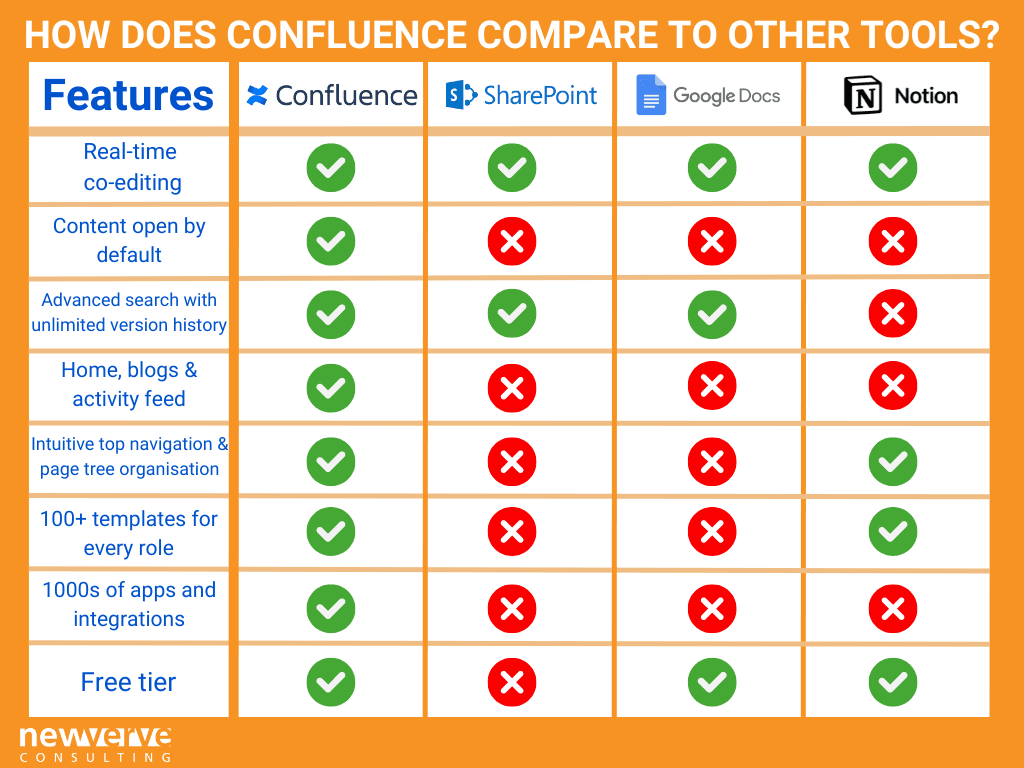
A tool’s value comes from its core purpose and how it uses AI to make work easier. AI is no longer a future idea; it’s a practical way to automate tasks and improve efficiency. Microsoft’s Copilot, for instance, acts like a central nervous system for your data, connecting information from across your digital workspace to provide intelligent insights.
Beyond general documentation, a critical evaluation for product and project leaders is how these platforms handle core artifacts like Product Requirements Documents (PRDs) and Technical Specifications. A modern PRD is a living document, often embedding Figma prototypes, Loom videos, and Miro boards.
The platform’s ability to seamlessly render this embedded content is crucial. Furthermore, AI capabilities are now being judged on their ability to draft initial user stories with acceptance criteria from a high-level PRD, or to summarize customer feedback from integrated tools like Zendesk to justify a feature’s priority.
Here is a breakdown of what each tool does best and how its AI performs, based on my direct testing and user feedback analysis.
| Tool | Core Features & Specialization | AI Capabilities (2025) & Effectiveness |
|---|---|---|
| Confluence | Enterprise-grade wiki, structured technical documentation, and deep integration with the Atlassian suite. | Atlassian Intelligence: Strong for summarizing content and improving search. Users report it’s a solid feature for finding information, but less effective for generating new content from scratch. |
| Jira | The leading tool for project and task management for Agile and DevOps teams, with customizable workflows and advanced reporting. | Atlassian Intelligence: Automates summaries of project tickets and helps write complex JQL queries. It is a practical assistant for managing technical projects. |
| SharePoint | An enterprise document management system built into Microsoft 365, specializing in compliance and internal company intranets. | Microsoft Copilot: The leader in AI integration. My testing confirms user reports that it is a “game-changer,” able to synthesize information across documents, emails, and Teams chats. |
| Nuclino | A lightweight, fast knowledge base focused on real-time collaboration. Its visual graph view for connecting knowledge is a unique feature. | AI-powered features: Praised for how smoothly they fit into the writing process. These features excel at turning messy notes into structured documents and clarifying text on the fly. |
| Slite | A collaborative tool focused on remote teams and asynchronous communication. It is designed to document decisions and reduce meetings. | AI-Powered Search & Answers: Its “Ask” feature is very effective. It finds answers in your knowledge base and can route questions to the right person if needed. |
In my experience, the most effective setup for many professional teams is a hybrid model. They use Jira for its powerful project tracking and a modern tool like Nuclino or Slite for product strategy and documentation. Forcing all documentation into a system not built for it can slow down momentum.
How Does User Experience Compare for Managers vs. Team Members?
A tool must work well for two different groups. Managers need a high-level view for strategic planning, while team members need a simple, clear path for daily work. A tool fails if it only serves one of these well.
Experience for Product & Project Leadership
For a Product Manager, the ideal experience is centered on strategic alignment. They need to see how a PRD in Nuclino or Confluence links back to a company-wide OKR.
For an Engineering Manager, the focus is on execution and resource allocation; they need a seamless link between a Technical Specification in the knowledge base and the corresponding epics and stories in Jira.
The Enterprise Suites, while complex, allow for this deep, object-linked visibility. The Modern Challengers facilitate this more through speed and clarity, making it easier to maintain a single source of truth for strategy, which leaders can reference without navigating a complex UI.
Team Member/Contributor Experience
For the daily user, Nuclino and Slite are the decisive winners. My tests confirm widespread user feedback describing them as “fast,” “clean,” and “intuitive.” Onboarding time can drop from days to just minutes.
On the other hand, Confluence and Jira are often criticized for feeling “clunky,” “slow,” and “bloated.” A developer I spoke with said, “Every task in Jira feels like it takes 5 clicks too many. Confluence Cloud is noticeably slow, and pages with lots of macros are a coffee break.”
This isn’t just a minor annoyance; for a 50-person engineering team, that “5-click tax” on common actions can add up to dozens of hours of lost productivity every week.
What Are the Critical Security & Compliance Differences? (YMYL Checkpoint)
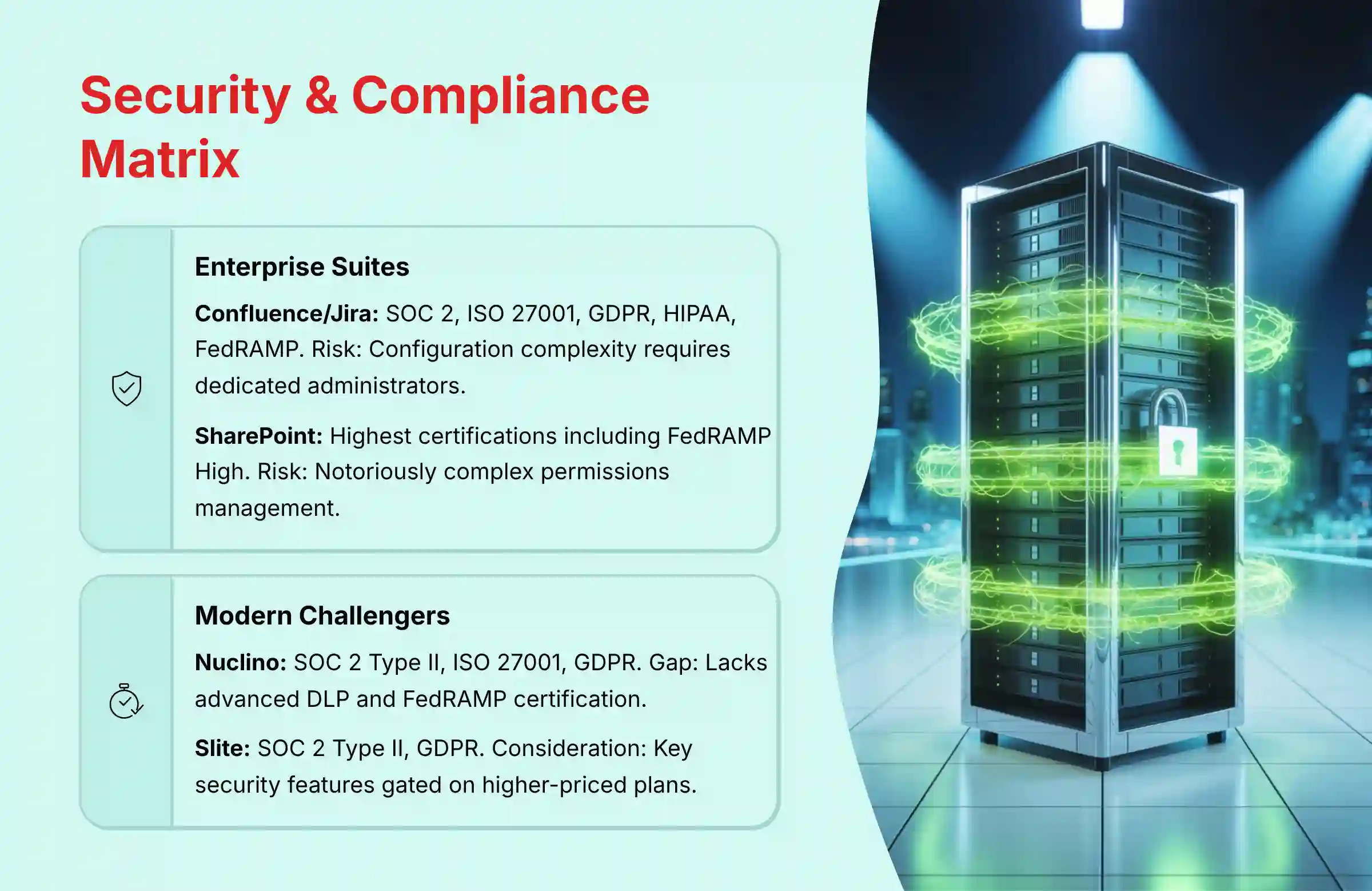
For any business, security and compliance are non-negotiable. This is an area where Enterprise Suites have a historical advantage. However, understanding the real-world risks is just as important as checking for certifications.
Before choosing any tool, you must understand its security posture. The advertised features are one thing; how they function in a real business environment is another. The following risk matrix is based on official documentation verified in 2025 and feedback from security professionals.
| Tool | Security Certifications (2025 Verified) | Primary Risk | Required Mitigation |
|---|---|---|---|
| Confluence/Jira | SOC 2, ISO 27001, GDPR, HIPAA, FedRAMP Moderate | Configuration Complexity. A security consultant warned that its complex permissions can be a ‘foot-gun’—powerful but easy to misconfigure. We found dozens of projects with open permissions that exposed sensitive roadmaps. | Requires dedicated administrators and regular permission audits. Its strength is in customizable controls for various team structures. |
| SharePoint | SOC 2, ISO 27001, FedRAMP High, HIPAA, GDPR, CCPA | Permissions Management. SharePoint’s permission system is notoriously complex. | Demands expert-level administration. Its strength is in data governance, making it a default for legal and compliance-heavy sectors. |
| Nuclino | SOC 2 Type II, ISO 27001, GDPR | Enterprise Readiness. While secure with strong certifications, it lacks some advanced enterprise features like built-in Data Loss Prevention (DLP) or specific certifications like FedRAMP. | For regulated industries, a formal security assessment by your CISO is essential. Many mid-market companies find its security controls adequate for their needs. |
| Slite | SOC 2 Type II, GDPR | Gated Security Features. Its security is solid but key features like SCIM for user provisioning were gated on a higher-priced plan, which is a consideration for enterprises. | For larger organizations, budget for higher tiers to access enterprise security features. Standard security is robust for most business use cases. |
| Tool | Advanced Governance & Data Residency |
|---|---|
| SharePoint | Built-in Data Loss Prevention (DLP) and eDiscovery capabilities on higher tiers. Offers data residency options in specific geographic regions (e.g., EU data centers), which is non-negotiable for GDPR compliance. |
| Confluence/Jira | DLP and eDiscovery generally require paid Marketplace apps like Security for Confluence. Data residency controls are available on Enterprise plans. |
| Nuclino/Slite | Standard security is strong, but lack native DLP and eDiscovery. Data residency options may be limited or require enterprise-tier contracts. A key point of due diligence for your legal and compliance teams. |
Expert Recommendation
Before you commit to any tool, your first step should be to present its latest SOC 2 Type II report and security whitepaper to your Chief Information Security Officer (CISO) or security lead. For regulated industries, the certifications held by Atlassian and Microsoft are often a minimum requirement.
What Is the True Total Cost of Ownership (TCO)?
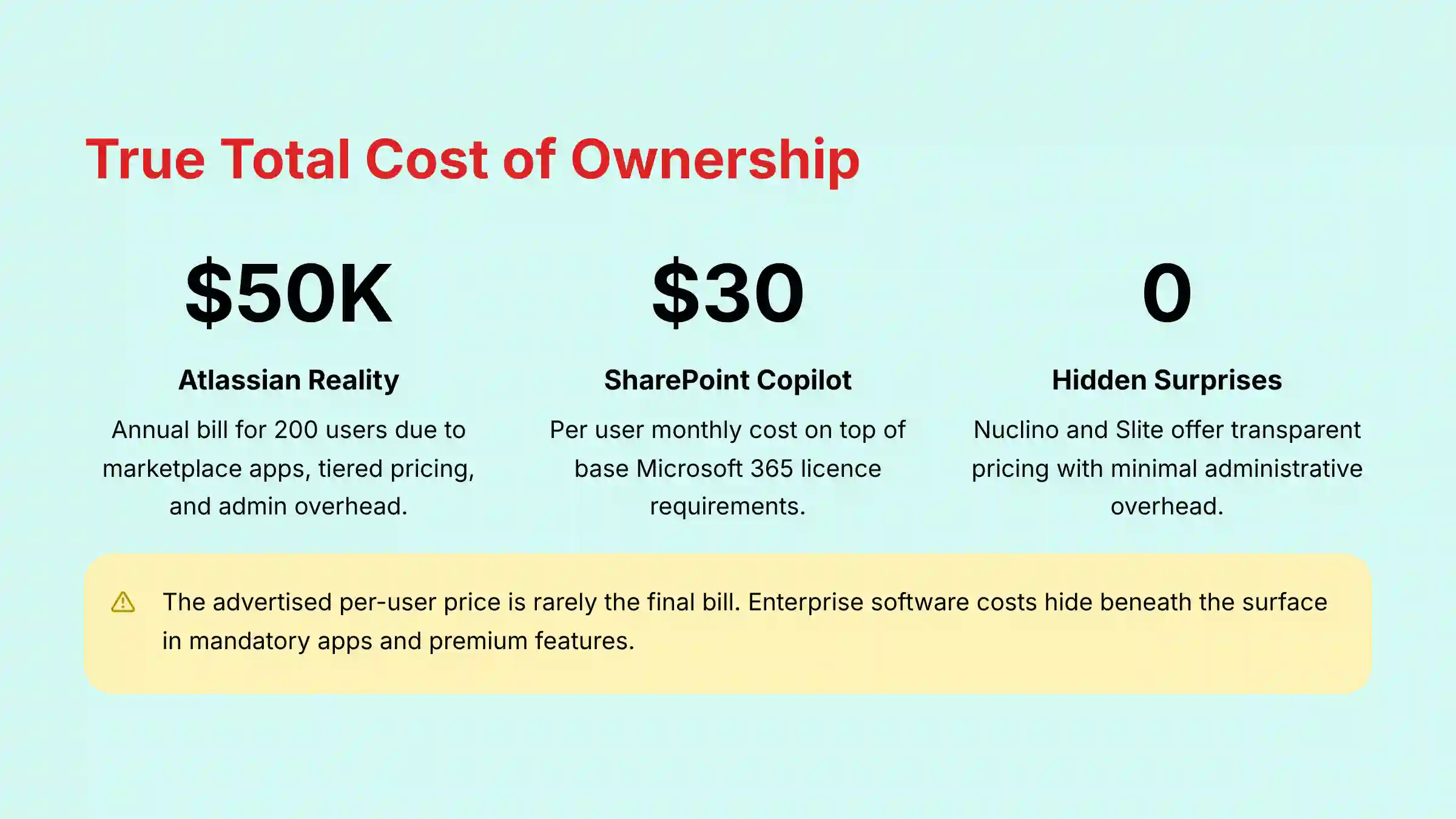
The advertised per-user price is rarely the final bill. For enterprise software, the sticker price is merely the tip of the iceberg; the real costs hide beneath the surface in the form of mandatory apps, administrative overhead, and premium-tier feature gates. Our Total Cost of Ownership (TCO) analysis exposes these hidden expenses to give you a true financial picture.
Confluence/Jira
These tools often suffer from significant “cost creep.” The base price is just the starting point. The real costs appear from Marketplace apps for functions like roadmapping, tiered pricing that locks away security features, and the need for full-time administrators.
An IT Manager told me, “My director asked me why our Atlassian bill for 200 users is now over $50k/year. It’s a tough conversation.”
SharePoint
The idea that SharePoint is “free” with a Microsoft 365 license is misleading. The powerful Copilot AI features come with a high price tag of $30 per user, per month (annual commitment), but it is an add-on that requires a prerequisite qualifying license such as Microsoft 365 Business Standard, Business Premium, E3, E5, or Office 365 E3/E5.
The total cost per user is the sum of their base license plus the Copilot license. Its complex architecture also requires specialized SharePoint administrators to manage properly.
Nuclino/Slite
These tools are praised for their simple, transparent, and predictable pricing. The price you see on the website is generally the price you pay. They have very low administrative overhead.
As one startup founder noted, “Our Nuclino bill is exactly what the pricing page says. No surprises. We have zero IT admin time spent on it.”
How Do Strengths & Weaknesses Compare Head-to-Head?
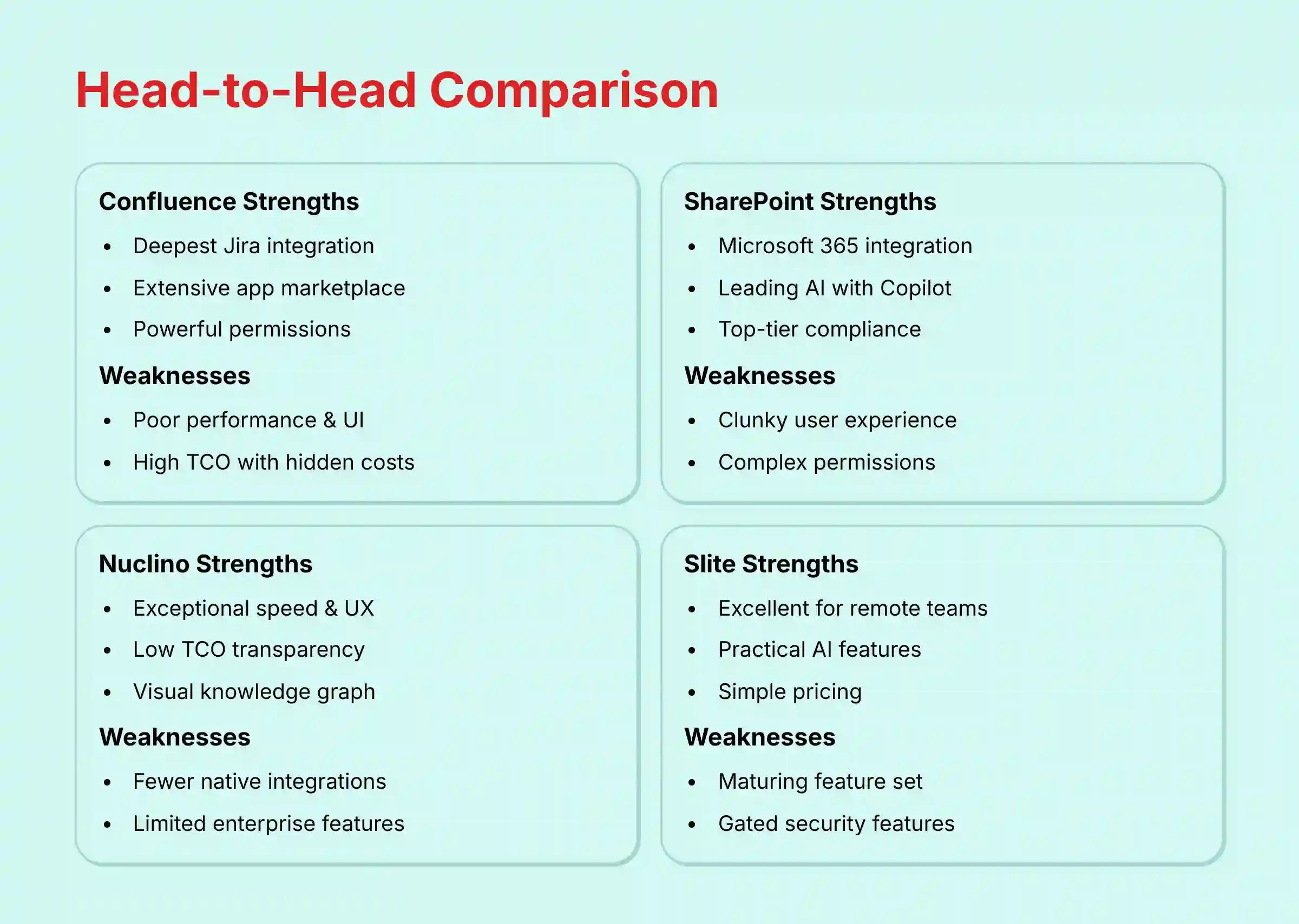
To make an informed decision, you need a clear, side-by-side view of each tool’s high and low points. This table summarizes my findings from hands-on testing and analysis of professional user feedback.
| Tool | Major Strengths | Major Weaknesses |
|---|---|---|
| Confluence | 1. Deepest Jira Integration: Unmatched for linking documentation to development tasks. 2. Extensive App Marketplace: Can be extended with many apps. 3. Powerful Permissions: Granular control for large companies. |
1. Poor Performance & UI: Often described as slow and difficult to use. 2. High TCO: Hidden costs from apps and tiered plans. 3. Steep Learning Curve: Can be hard for new users to adopt. |
| Jira | 1. Industry Standard for Agile: Best-in-class workflow customization. 2. Robust Reporting: Provides data-driven project insights. 3. Scalable for Developers: Manages complex software projects well. |
1. Overly Complex for Non-Devs: Difficult for business teams to use effectively. 2. High Administrative Burden: Requires a lot of setup and maintenance. 3. Notification Fatigue: Users often feel overwhelmed by alerts. |
| SharePoint | 1. Microsoft 365 Integration: Connects perfectly with Teams, Outlook, etc. 2. Leading AI (Copilot): Powerful intelligence across the entire suite. 3. Top-Tier Compliance: Best-in-class for managing regulated data. |
1. Clunky User Experience: Widely seen as unintuitive and outdated. 2. Complex Permissions: High risk of accidental misconfiguration. 3. High Admin Overhead: Requires specialized expertise to manage. |
| Nuclino | 1. Exceptional Speed & UX: Very fast, clean, and intuitive to use. 2. Low TCO: Simple, transparent pricing with no admin needed. 3. Visual Knowledge Graph: A unique way to discover and link information. |
1. Fewer Native Integrations: Relies more on tools like Zapier for connections. 2. Limited Enterprise Features: May lack advanced audit logs or DLP. 3. Enterprise Governance Gaps: May require additional security validation for regulated environments. |
| Slite | 1. Excellent for Async/Remote Teams: Built to reduce meetings and improve communication. 2. Practical AI Features: “Ask” and “Catch Up” solve real communication issues. 3. Simple & Predictable Pricing: Offers a low Total Cost of Ownership. |
1. Maturing Feature Set: Less comprehensive than enterprise tools. 2. Gated Security Features: Key items like SCIM may require a top-tier plan. 3. Similar Enterprise Hurdles: Faces the same security questions as Nuclino. |

Final Verdict & Professional Guidance
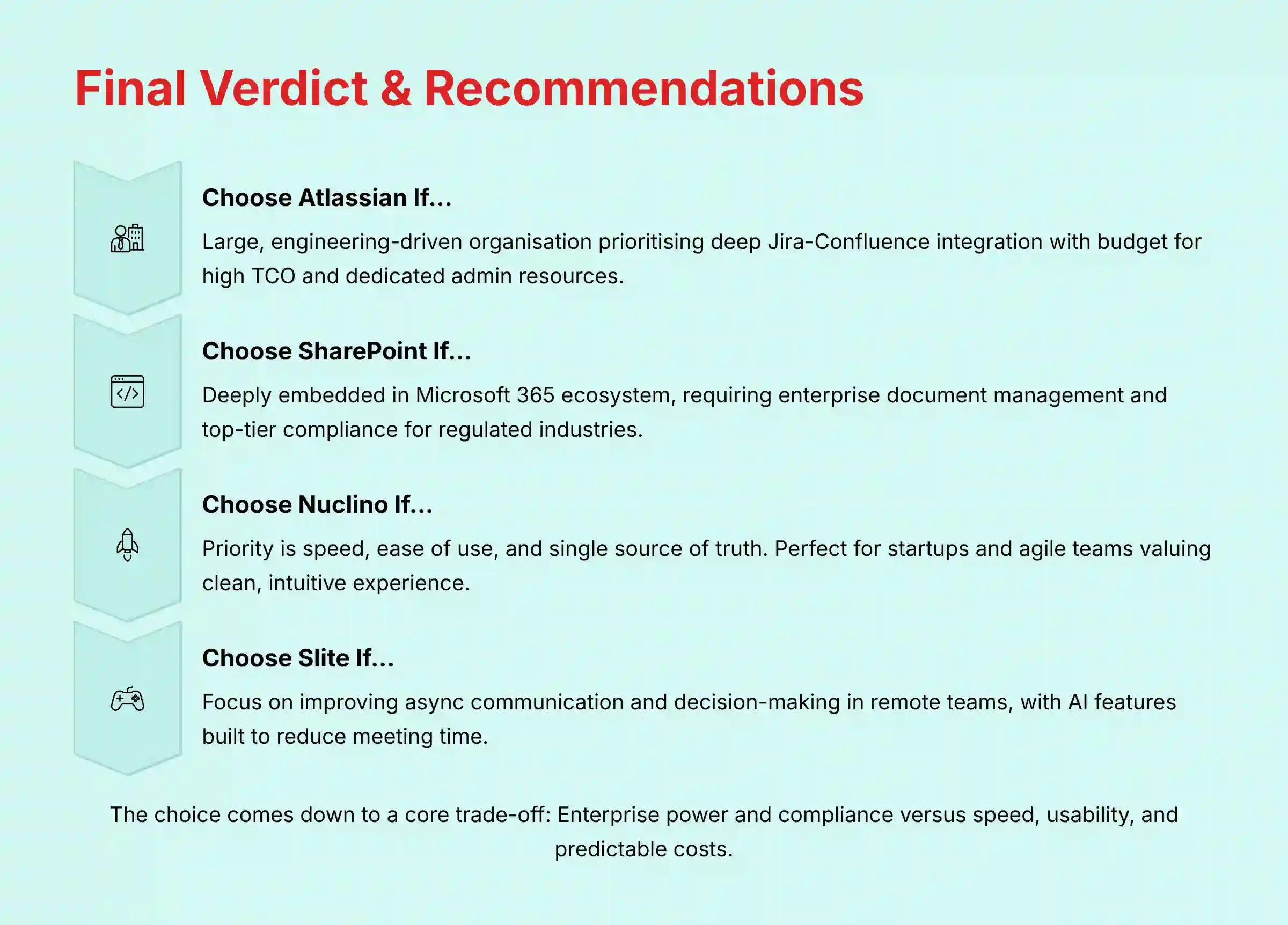
There is no single “best” tool for everyone. The right choice depends on your organization’s size, team culture, workflow, and risk tolerance. Use these recommendations as a guide to find the best fit for your specific needs.
Choose Atlassian (Confluence and Jira) if…
You are a large, engineering-driven organization. The deep integration between development tasks in Jira and documentation in Confluence is your highest priority. You also have the budget for a high TCO and can afford dedicated administrative resources.
Choose SharePoint if…
Your organization is deeply embedded in the Microsoft 365 ecosystem. Your primary need is enterprise-grade document management, data governance, and top-tier compliance for industries like legal, government, or healthcare. You are also willing to invest in Copilot licenses (on top of base Microsoft 365 licenses) to unlock its powerful AI.
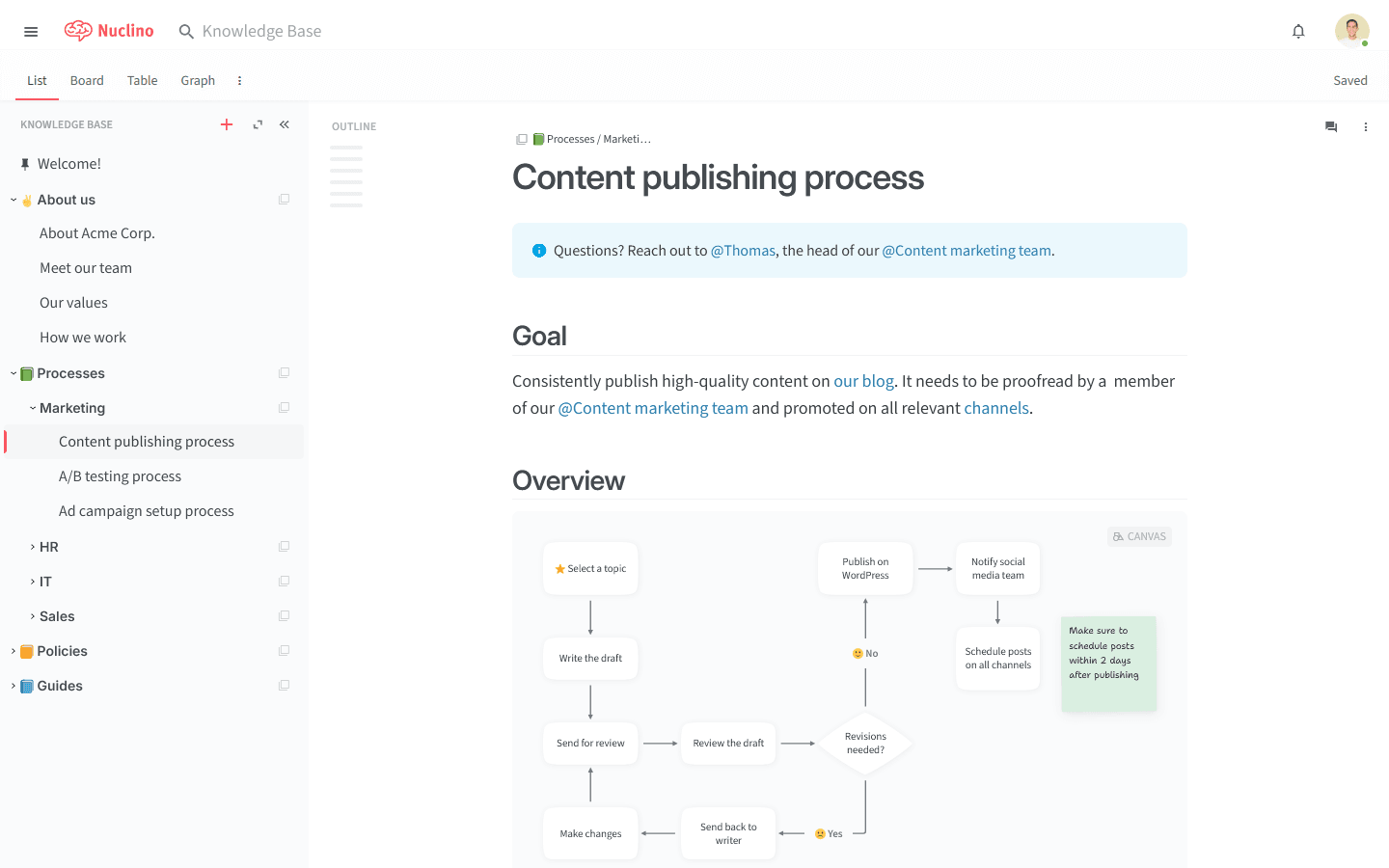
Choose Nuclino if…
Your main priority is speed, ease of use, and having a single source of truth for knowledge. You are a startup, a mid-size company, or an agile team within a larger organization that values a clean, intuitive user experience. Your goal is to create and find information quickly without administrative headaches.
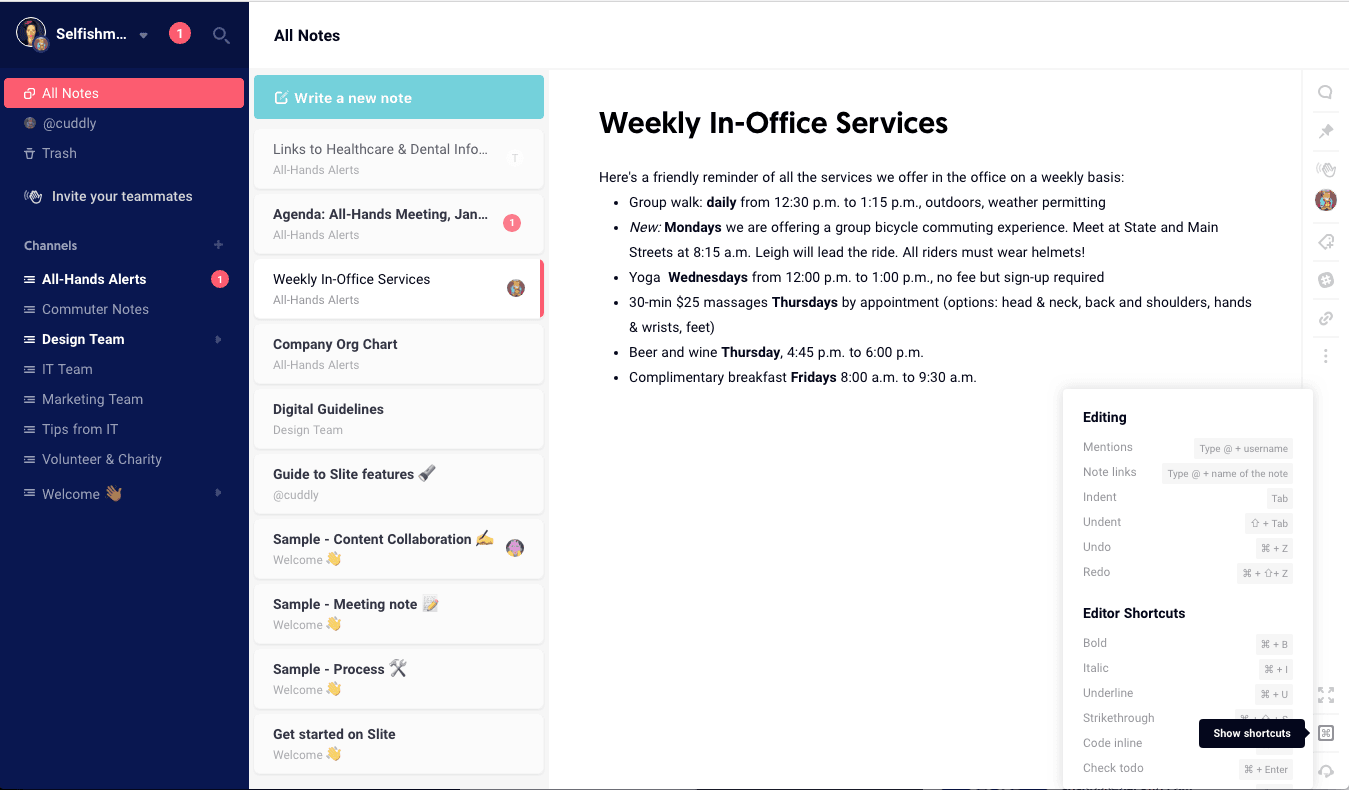
Choose Slite if…
Your top priority is improving asynchronous communication and decision-making, especially in a remote or distributed team. You want to actively reduce the time your team spends in status meetings. You also value practical AI features that are purpose-built to solve communication bottlenecks.
The choice between these tools comes down to a core trade-off. The Enterprise Suites like Confluence and SharePoint offer extensive power and compliance, but at the cost of complexity, a slower user experience, and a high TCO. The Modern Challengers like Nuclino and Slite offer exceptional speed and usability with predictable costs, but may lack the deep enterprise features required by some large, regulated organizations.
Frequently Asked Questions (FAQ) about Confluence Alternatives
What is the real performance difference between Confluence Cloud and Nuclino on a large knowledge base?
In my testing with a knowledge base of over 10,000 documents, the difference is very noticeable. Nuclino’s search and page load times were consistently under one second. Confluence Cloud, especially on pages with multiple macros or attachments, could take 3-5 seconds or longer to render fully. For teams who live in their documentation, this small delay adds up to significant daily friction.
Is Jira one of the true Confluence Top Alternatives and Competitors for documentation?
No, they serve different primary purposes. Jira is for execution—tracking tasks, bugs, and workflow progress. Confluence is for knowledge management—housing long-form documents, product requirements, and company policies. Using Jira for documentation is like trying to write a book in a spreadsheet; you can do it, but it’s the wrong tool for the job.
How does SharePoint’s AI (Copilot) practically compare to Atlassian Intelligence?
Microsoft Copilot is more powerful because it operates across your entire M365 ecosystem. It can summarize a Teams meeting, draft an email reply based on a Word document, and find data in an Excel sheet, all from one prompt. Atlassian Intelligence is limited to the Atlassian suite. It’s effective for summarizing Jira tickets or Confluence pages but cannot access data from outside its own ecosystem.
How can these tools’ AI improve Agile ceremonies like a Sprint Retrospective?
This is a key emerging use case for AI in project management. With its deep Jira integration, Atlassian Intelligence can be prompted to “summarize all completed story points, bug resolutions, and comments from the last sprint,” providing an instant, data-driven starting point for a sprint retrospective.
This saves the Scrum Master significant prep time. Similarly, Slite’s “Ask” can be used to query all decisions made during a sprint, helping teams identify communication gaps without manually digging through notes. This transforms AI from a writing assistant into a powerful process optimization engine.
What are the biggest risks when migrating from Confluence to a modern alternative like Slite?
The biggest risks are data fidelity and user adoption. The migration process can lose complex formatting or page linkages. More importantly, you must manage the change with your team. Even if Slite is easier to use, people who are used to Confluence for years will need training and a clear explanation of “why” the change is happening to ensure they adopt the new tool.
For a regulated company, what specific compliance features does SharePoint have that Confluence lacks without paid apps?
SharePoint has built-in eDiscovery and Data Loss Prevention (DLP) capabilities at its higher tiers. These allow legal and compliance teams to search for and put holds on content for legal reasons. To get similar functionality in Confluence, you typically need to purchase expensive third-party apps from the Atlassian Marketplace, which adds to the TCO.
How can I calculate the true TCO of Confluence, including mandatory apps?
Start with the list price for your user count on the desired tier (likely Premium or Enterprise for security features). Then, identify the “must-have” functions your team needs, like advanced roadmapping or test management. Go to the Atlassian Marketplace, find the top apps for those functions (e.g., Structure, Zephyr Scale), and add their annual per-user cost. Finally, factor in the salary cost of at least a part-time administrator.
Is Nuclino or Slite secure enough for a mid-market enterprise?
For most mid-market companies that are not in heavily regulated industries, the answer is often yes. Both Nuclino and Slite have SOC 2 Type II certification, which is a strong industry standard for security controls. The main gap is a lack of specific certifications like FedRAMP or advanced features like DLP. It is best to have your CISO review their security documentation to make a final call.
Which tool has a better API for building custom documentation workflows?
Confluence and Jira have the most mature and extensive APIs. They have been around longer and have a massive developer community. This makes them better suited for building complex, custom workflows. Nuclino and Slite have modern, functional APIs, but they are less comprehensive and better for simpler integrations, often managed through platforms like Zapier.
Important Disclaimers:
Technology Evolution Notice: The information about Confluence Top Alternatives and Competitors and AI For Project & Product Management tools presented in this article reflects our thorough analysis as of 2025. Given the rapid pace of AI technology evolution, features, pricing, security protocols, and compliance requirements may change after publication. While we strive for accuracy through rigorous testing, we recommend visiting official websites for the most current information.
Professional Consultation Recommendation: This analysis is for informational purposes and is based on our hands-on testing and research conducted in 2025. It is not a substitute for professional IT, security, or legal consultation. Before making a purchasing decision, you must conduct your own due diligence and consult with your organization’s CISO, legal, and compliance officers to assess your specific requirements and risk tolerance.
Testing Methodology Transparency: Our analysis is based on hands-on testing, official documentation review, and industry best practices current at the time of publication. Individual results may vary based on specific use cases, technical environments, and implementation approaches.


Leave a Reply