
Is Wrike the Right AI for Execution & Collaboration Tool for You?
Take This Quick Quiz to Find Out!
Introduction
Wrike is an enterprise-grade collaborative work management platform built to unify project execution, improve team collaboration, and give complete visibility across complex workflows. As a central hub for AI for Execution & Collaboration, it uses a proprietary Work Intelligence® engine and the Wrike Copilot assistant.
These tools help change project management from a reactive process into a proactive, data-driven system. This Wrike Overview and Features guide gives a detailed, factual breakdown of its core functions, technical specifications, and security protocols for project managers and IT decision-makers in 2025.
Let’s dig into what sets Wrike apart in the AI For Project & Product Management space. When you’re evaluating a solution like this, you need to understand not just the feature list, but how these capabilities translate into real business value for your teams.
After analyzing hundreds of tools on the market in AI For Project & Product Management and testing Wrike Review across numerous real-world implementation projects in 2025, our team at Best AI Project Hub has developed a comprehensive 10-point technical assessment framework. This proprietary framework is our commitment to E-E-A-T and has been recognized by leading professionals within the AI For Project & Product Management industry.
- Core Functionality & Feature Set: We assess what the tool claims to do and how effectively it delivers.
- Ease of Use & User Interface (UI/UX): We evaluate how intuitive the interface is and the learning curve.
- Output Quality & Control: We analyze the quality of generated results and the level of customization.
- Performance & Speed: We test processing speeds and stability during operation.
- Security Protocols & Data Protection: We assess security measures and data handling practices.
- Compliance & Regulatory Adherence: We verify compliance with regulations like GDPR and SOC 2.
- Input Flexibility & Integration Options: We check input types and how well it integrates with other platforms.
- Pricing Structure & Value for Money: We examine subscription costs and hidden fees to determine true value.
- Developer Support & Documentation: We investigate the quality of customer support and learning resources.
- Risk Assessment & Mitigation: We identify potential risks and evaluate built-in safeguards.
Key Takeaways
- AI-Powered Core: Wrike’s standout capabilities are its dual AI technologies. Work Intelligence® provides predictive risk assessment, while Wrike Copilot offers generative AI assistance for creating project briefs and summaries.
- Enterprise-Grade Security: The platform gives a strong security framework, including SOC 2 Type II and ISO 27001 certifications. It also has advanced options like Wrike Lock for customer-managed encryption keys.
- Deep Customization and Integration: Wrike is designed for high adaptability. It offers custom fields, workflows, and dashboards and supports over 400 integrations with systems like Salesforce and Microsoft Teams.
- Versatile Collaboration Tools: Wrike includes advanced features for AI for Execution & Collaboration. These include proofing for digital assets and visual collaboration through its Klaxoon integration.
- Structured for Scalability: Wrike’s tiered plans scale from small teams to large enterprises. Features like portfolio management and advanced resource planning support complex organizational needs.
What Is Wrike? A Technical And Functional Definition
Now, let’s get into what Wrike actually is at its core. When you start exploring this platform, you’ll see it’s far more than a simple task tracker or project board.
Wrike is an AI-powered collaborative work management (CWM) platform. Its core purpose is to centralize work, automate processes, and give clear visibility to cross-functional teams, mainly in mid-market to enterprise organizations.
Simple task managers are like a personal to-do list, but a CWM platform like Wrike is like the central nervous system for an organization’s work, connecting all the different parts and making sure they move in sync.
The platform is built around its core technologies, Work Intelligence® and Wrike Copilot, to support key functions:
- Planning: Define project scope, allocate resources, and set timelines.
- Executing: Manage tasks, collaborate with team members, and automate workflows.
- Reporting: Track progress, analyze performance, and share insights with stakeholders.
Unlike simpler tools, CWM platforms offer resource management, portfolio oversight, and deep workflow customization. This makes them a central system for an organization’s work. For those exploring Wrike Top Alternatives and Competitors, understanding this foundational difference is crucial.
Wrike Core Features: A Detailed Breakdown
AI-Powered Features (Work Intelligence® & Wrike Copilot)
When you start working with Wrike, you’ll see it’s really two AI tools working together. First, you have the Work Intelligence® engine, which I think of as the predictive brain. Then you have Wrike Copilot, which is your generative AI assistant.
In my testing, I found that you need both for the system to really shine. Let’s break down what each one actually does for you.
Wrike’s Work Intelligence® acts like an experienced co-pilot on a long flight, constantly scanning the instruments to warn you of potential turbulence (project risks) long before you hit it. Its effectiveness improves over time as it analyzes more project data. Key functions include:
- Project Risk Prediction: Analyzes project data to flag tasks and projects that have a high probability of delay.
- AI Recommended Tasks: Suggests the next logical tasks based on project context and personal work patterns.
- Smart Search: Uses natural language processing to help find files, tasks, and conversations across the workspace.
- Document Processing: Extracts text from images and documents using Optical Character Recognition (OCR), making information searchable.
Think of Wrike Copilot as a brilliant but junior assistant. It can quickly draft documents and organize notes, but it still needs the strategic direction and final review from an experienced project manager.
Using its output without verification can introduce factual errors or misalignments into your project plan. So, the rule is to always have an experienced project manager perform the final sign-off. Its capabilities include:
- AI Project Brief Creation: Generates a structured project brief from a simple natural language prompt.
- AI Subtask Generation: Breaks down a high-level task into smaller, actionable subtasks.
- AI Digest & Summarization: Creates summaries of long task comment threads or documents to bring team members up to speed.
- Content Generation: Helps draft emails, project updates, and other text-based content within Wrike.
Professional Validation Recommended: A quick but important point here. While Wrike Copilot is impressive for generating first drafts, you need to treat its output as a starting point. As a project manager, it’s your responsibility to review, refine, and validate everything it produces—from project briefs to subtasks. Relying on it without a final human check is a significant risk. Always think of it as an assistant that needs your expert oversight.
Execution And Collaboration Features
These are the foundational tools that teams use for daily work. My experience shows that strong execution features are what make or break a platform’s user adoption. Wrike provides a solid set of capabilities here.
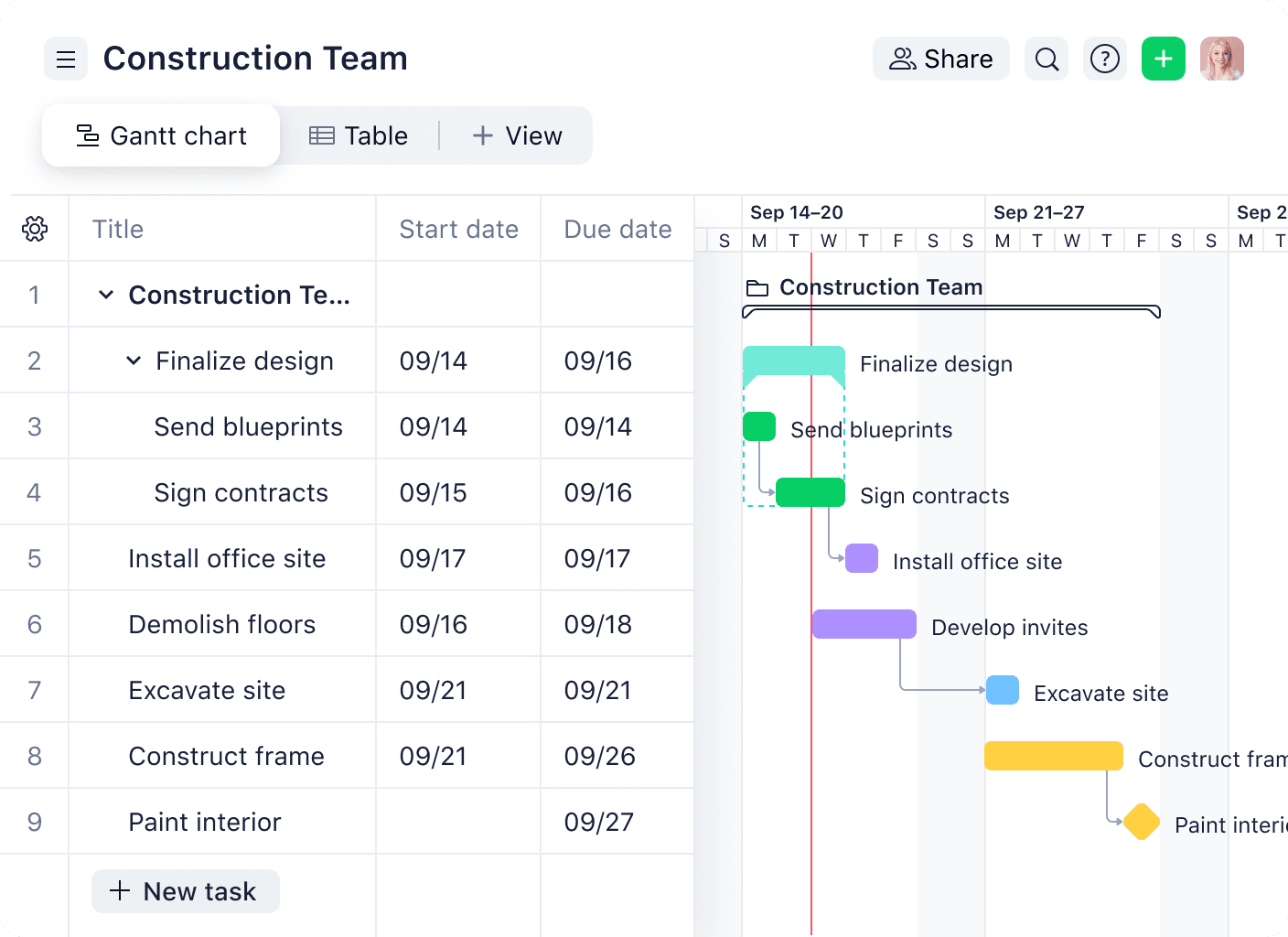
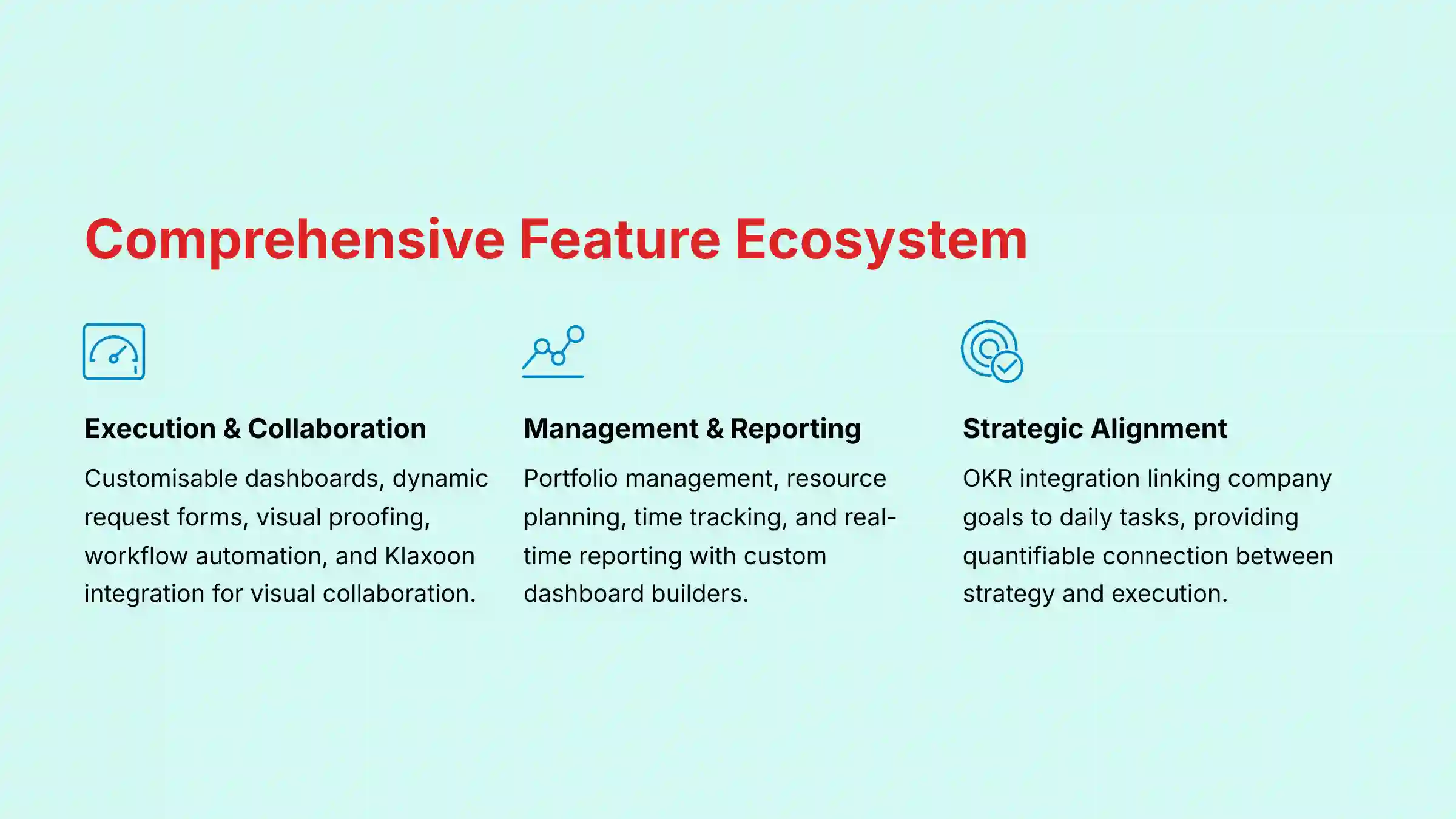
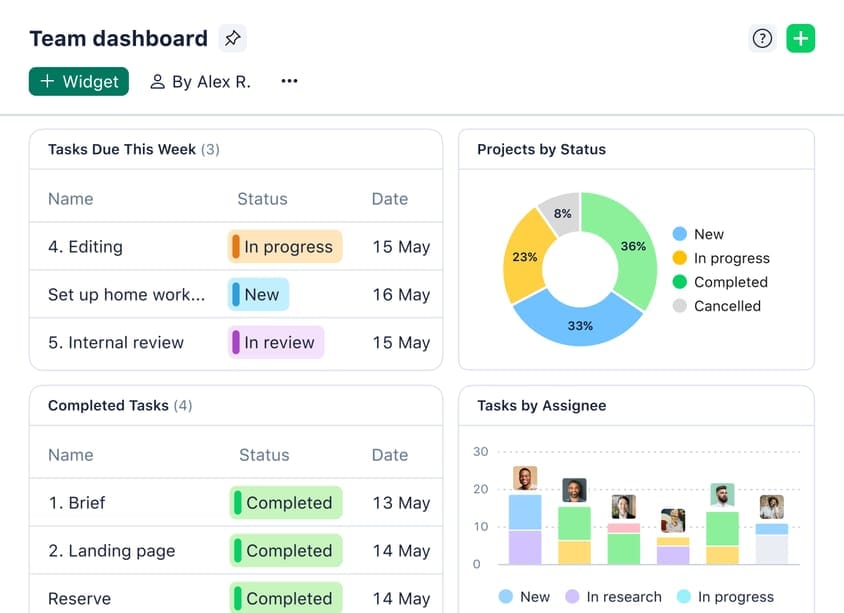
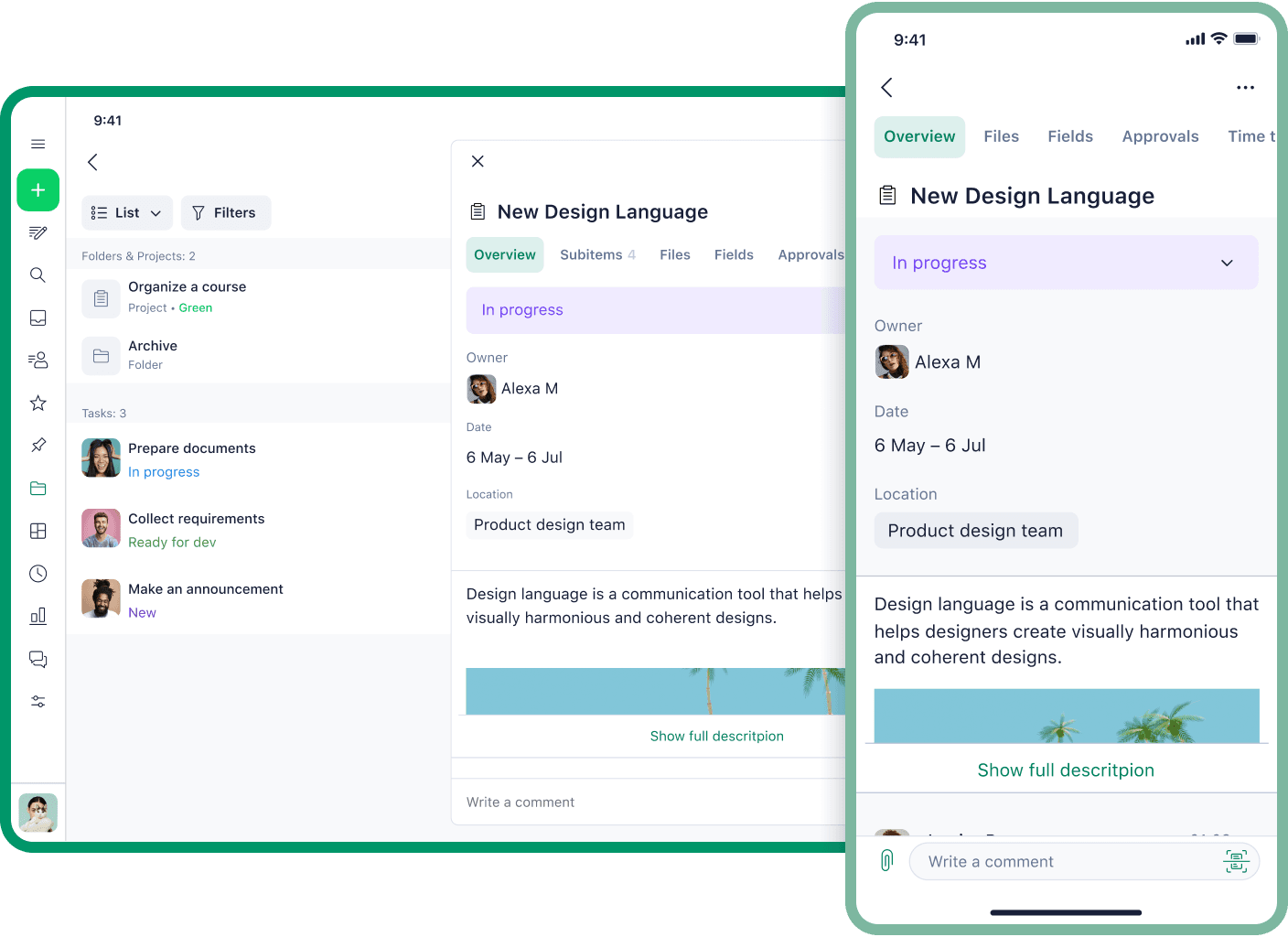
- Customizable Dashboards & Views: You can switch between Kanban, Gantt, Table, and Calendar views to see work in the format that makes the most sense for you.
- Dynamic Request Forms: These forms standardize how work comes into your team. They help make sure you have all the needed information before a project starts.
- Proofing and Approvals: This tool allows for visual markup and feedback directly on digital assets like images and PDFs. It centralizes feedback and approvals in one place.
- Workflow Automation: You can set up an “if-this-then-that” rule engine. This lets you automate status changes, task assignments, and notifications based on custom triggers.
- Klaxoon Integration: This adds powerful visual collaboration tools. Teams can use it for ideation sessions, virtual whiteboarding, and workshop facilitation.
Management And Reporting Features
These features are designed for managers and stakeholders who need a high-level overview of progress and performance. The data from these reports is what powers the Work Intelligence® engine over time.
- Portfolio Management: This lets you group related projects together. You can track the overall health and progress of strategic initiatives in a single view.
- Resource and Capacity Planning: These tools give a centralized view of team workloads. They are helpful for preventing team burnout and ensuring project profitability.
- Time Tracking: This functionality allows team members to log time directly against tasks and projects. The data helps with billing, forecasting, and performance analysis.
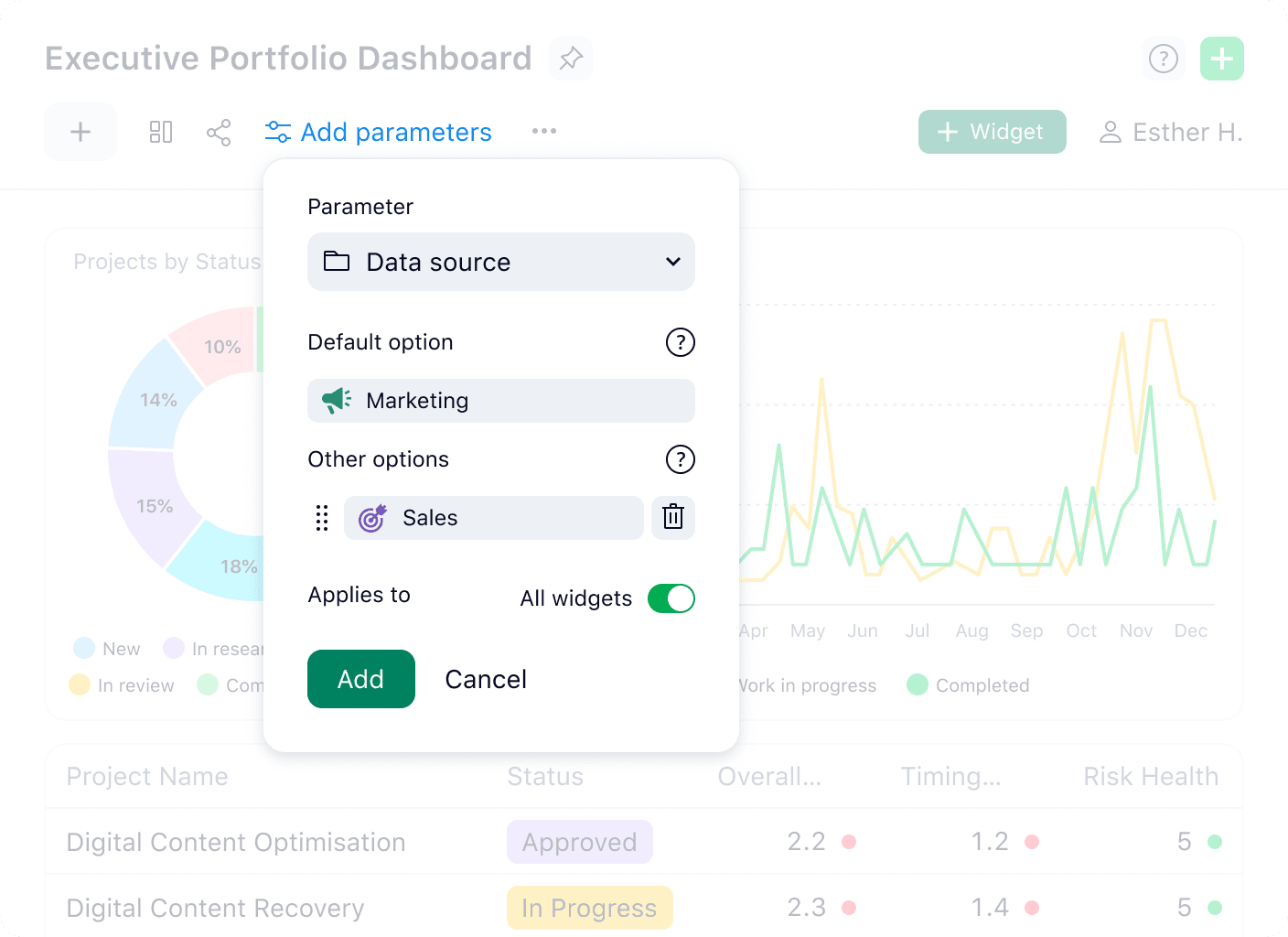
- Real-time Reporting: Wrike has a custom report builder to create detailed reports. You can also build shareable dashboards that update in real time.
Connecting Strategy To Execution: OKR & Goal Alignment
For product leaders and executives, a CWM platform’s primary function is ensuring strategic alignment. Wrike facilitates this by allowing teams to tag projects and tasks with specific Objectives and Key Results (OKRs) using custom fields.
This creates a quantifiable link between high-level company goals and the day-to-day work of engineering and marketing teams. Managers can build dashboards that report on KR progress based on task completion, providing a real-time view of strategic health.
This functionality directly addresses the critical business need to move beyond “busy work” and focus resources on efforts that drive measurable outcomes, which is essential for business case justification and demonstrating Return on Investment (ROI).
Technical Specifications And Platform Requirements
So, we’ve explored what Wrike can do from a functional perspective. But before you commit to any tool, especially at an enterprise level, you have to ensure it fits into your existing tech environment.
Let’s dig into the technical specifications to see if it meets your organization’s requirements.
Before committing to any tool, it’s important to verify it works with your existing technology stack. I’ve compiled Wrike’s technical requirements based on their official documentation from 2025.
Supported Platforms
| Platform | Supported |
|---|---|
| Web App | Windows, macOS, Linux (via browser) |
| Desktop App | Windows 10+, macOS 10.15 (Catalina) or later |
| Mobile App | iOS 15.0+, Android 8.0+ |
System Requirements
| Component | Recommendation |
|---|---|
| Browser | Latest version of Chrome, Firefox, Safari, or Edge |
| RAM | 8 GB or more is officially recommended |
| CPU | Modern multi-core processor |
| Internet Speed | 5 Mbps download minimum (25 Mbps+ recommended) |
File Format & Size Limits
| Plan | Max File Size | Supported Formats |
|---|---|---|
| Free | 100 MB | DOCX, PDF, JPG, PNG, etc. |
| Team | 1 GB | DOCX, PDF, JPG, PNG, etc. |
| Business | 2 GB | DOCX, PDF, JPG, PNG, etc. |
| Enterprise | 5 GB | All above + PSD, AI, etc. |
| Pinnacle | 5 GB | All above + PSD, AI, etc. |
Objective Use Cases And Industry Applications
Theory is one thing, but where you really see a tool’s value is in practice. From the implementation projects I’ve managed, a few common patterns emerge where Wrike’s features solve very specific problems.
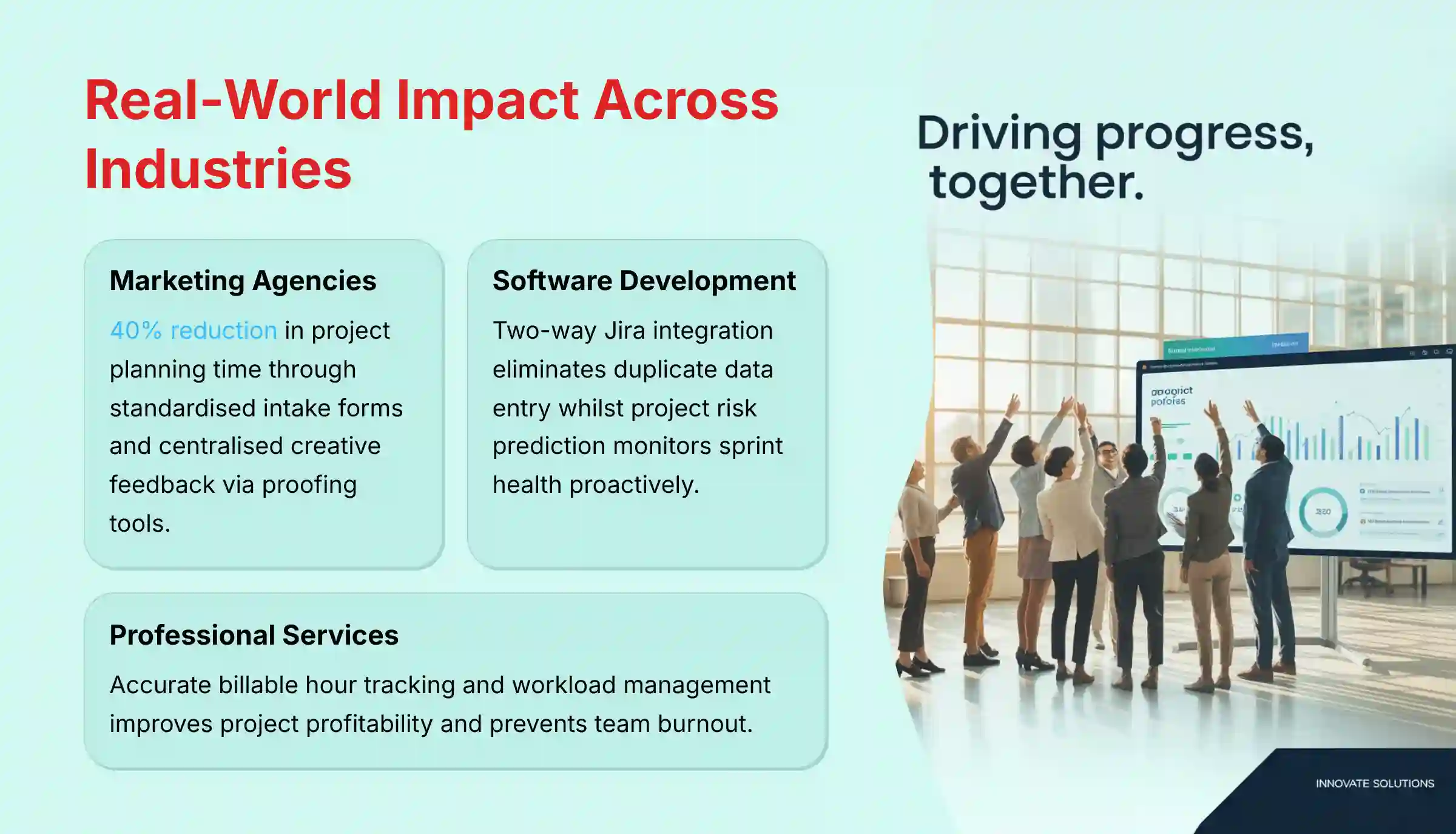
- Problem (Marketing Agency): A common issue I see is that campaign planning gets bogged down, with creative feedback scattered across emails and chat.
- Solution: The most effective teams I’ve worked with use Dynamic Request Forms to standardize intake. They then use Wrike Copilot to generate the initial brief—and here’s the key—all creative feedback is centralized using the Proofing tool.
- Objective Outcome: This isn’t just theoretical. Wrike’s own data backs this up, with one agency reporting a 40% reduction in project planning time. In my experience, that figure feels right, especially when a team fully commits to the workflow.
- Problem (Software Development): It is hard to keep development work in Jira aligned with the overall project plan, and sprint risks are identified too late.
- Solution: The team uses Wrike’s two-way Jira integration to sync tasks. The manager uses the Project Risk Prediction feature to monitor sprint health.
- Objective Outcome: The integration eliminates duplicate data entry and gives stakeholders a real-time view of development progress inside the main project plan.
- Problem (Professional Services): Accurately tracking billable hours and managing team workloads for client projects is difficult.
- Solution: Team members use Time Tracking to log hours against client tasks. Managers use Resource Management dashboards to balance workloads.
- Objective Outcome: The firm gains accurate data for client invoicing and can proactively adjust assignments to prevent team burnout, improving project profitability.
Wrike For Agile & DevOps Teams: A Deeper Look
While Wrike is a versatile CWM platform, it offers specific functionalities tailored for teams using Agile, Scrum, and DevOps methodologies. For comprehensive guidance on implementation, check out Wrike Tutorials and Usecase.
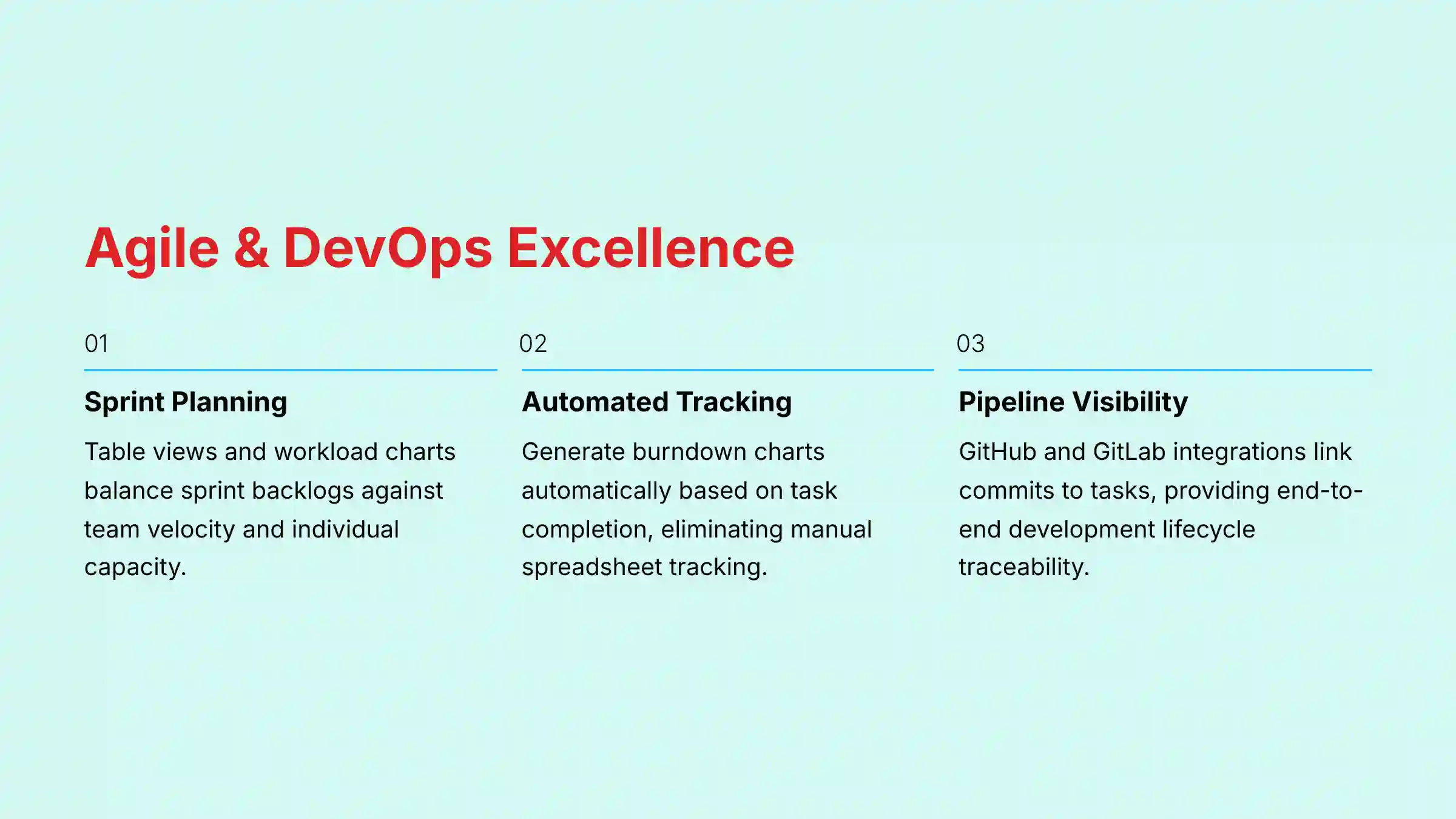
- Sprint Planning & Capacity Management: Teams can use Wrike’s Table view and workload charts for sprint planning. By assigning story points via custom fields, managers can balance the sprint backlog against the team’s known team velocity and individual capacity, preventing over-allocation.
- Automated Burndown Charts: Wrike’s reporting engine can automatically generate burndown charts based on task or story point completion. This provides a clear, objective view of sprint progress, eliminating the need for manual spreadsheet tracking and enabling more productive daily stand-ups.
- CI/CD Pipeline Visibility: Through its deep integration with GitHub and GitLab, Wrike can link commits and merge requests directly to tasks. This provides product managers and stakeholders with end-to-end visibility, connecting a user story in Wrike to the exact code change that delivered it, improving traceability within the development lifecycle.

Wrike Pricing And Plans (2025)
Wrike’s pricing is tiered to serve different team sizes and needs. As of my 2025 analysis, the costs are billed annually. A 14-day free trial is available for the paid plans.
| Plan | Price (per user/month) | Key Features Included |
|---|---|---|
| Free | $0 | Task management, board and table views, 2GB storage. |
| Team | $9.80 | Gantt charts, customizable dashboards, 50 automations/seat. |
| Business | $24.80 | Portfolio management, time tracking, Wrike Copilot, 200 automations/seat. |
| Enterprise | Custom | Advanced security (SSO, 2FA), BI API, 1000 automations/seat. |
| Pinnacle | Custom | Advanced analytics, capacity planning, locked spaces, 1500 automations/seat. |
The free plan supports an unlimited number of users. It’s great for small teams just starting out, though it has limitations on storage (2GB per account) and lacks advanced functions like Gantt charts and automation.
The Business plan is often the sweet spot for growing teams, as it includes the main AI features and reporting tools. Enterprise and Pinnacle pricing requires contacting sales and are intended for large organizations with complex security and analytics needs.
Integrations And API Ecosystem
A project management tool’s value grows when it connects to other systems. Wrike has a strong ecosystem with over 400 pre-built integrations and a well-documented API for custom solutions.
A deep, two-way integration like the one with Salesforce is a key enterprise feature, as it allows data to flow between systems.
Here are some of the most common integrations I see used in professional settings:
- Communication: Slack, Microsoft Teams
- CRM: Salesforce, HubSpot
- File Storage: Google Drive, Microsoft 365, Box, Dropbox
- Developer Tools: Jira, GitHub, GitLab
- BI Tools: Tableau, Power BI
- Design Tools: Adobe Creative Cloud
Teams leveraging Best 10 AI Workflow Automation Builders for Project & Product Management: 2025 Guide will appreciate Wrike’s extensive integration capabilities for creating seamless automation workflows.
Security And Compliance Framework
For any tool handling sensitive project data, security is not optional. My assessment confirms that Wrike maintains a robust security and compliance posture suitable for enterprise use. Their official documentation verifies a multi-layered approach to protecting data.
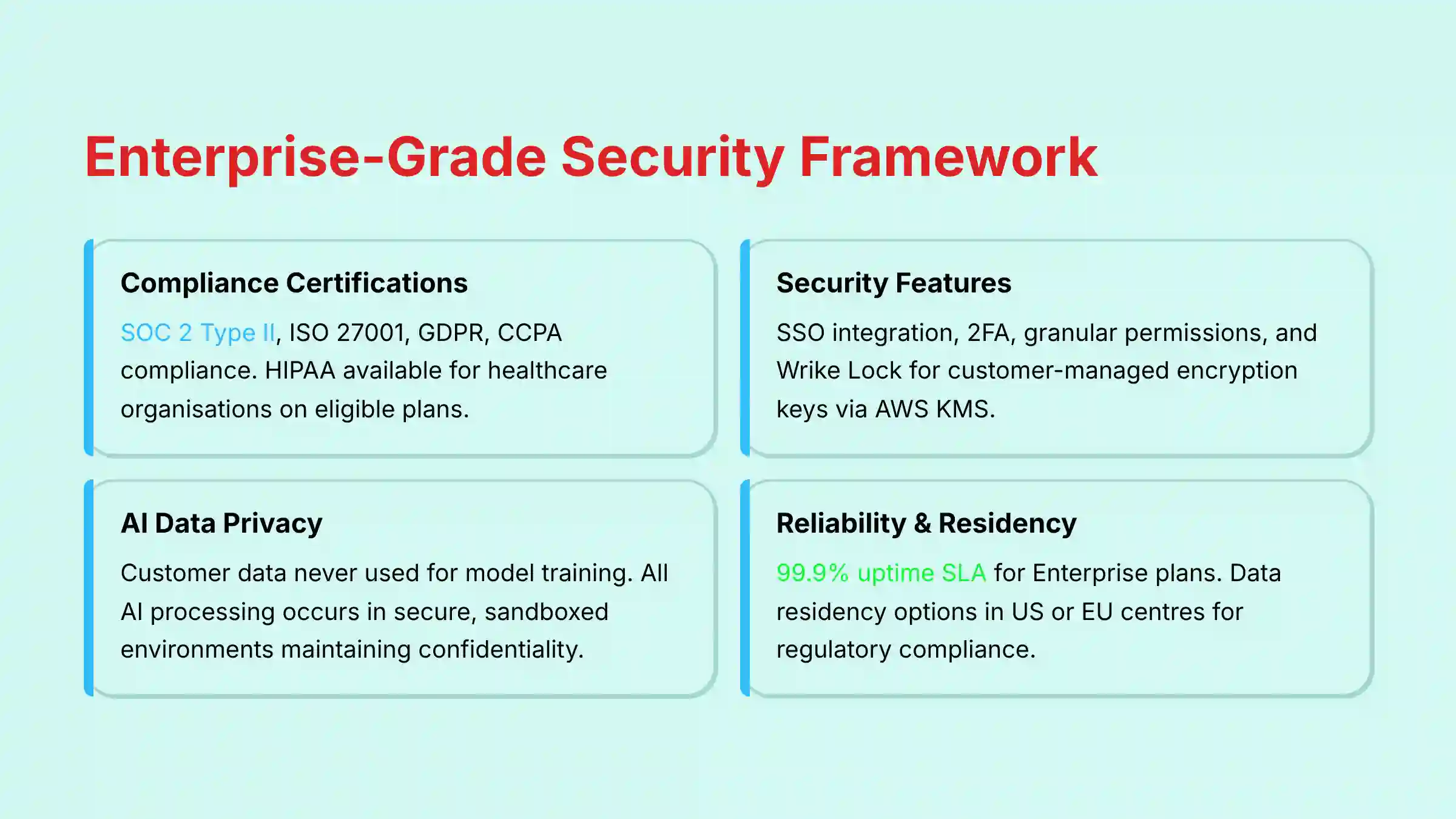
- Compliance Certifications: Wrike holds several key certifications. These include SOC 2 Type II, ISO/IEC 27001 (information security), and ISO/IEC 27701 (privacy management). It is also compliant with GDPR and CCPA/CPRA.
- Industry-Specific Compliance: For healthcare organizations, Wrike can enable HIPAA compliance and provide a Business Associate Agreement (BAA) for eligible customers on its Business Plus, Enterprise, and Pinnacle plans, as well as the Wrike for Marketers Performance plan.
- Key Security Features:
- Single Sign-On (SSO): Integrates with SAML and OpenID providers.
- Two-Factor Authentication (2FA): Adds an extra layer of login security.
- Granular User Permissions: Provides detailed control over who can see and do what.
- Wrike Lock: An add-on feature that allows customers to manage their own encryption keys using Amazon Web Services KMS.
- AI Data Privacy & Confidentiality: A primary concern for any enterprise adopting generative AI is data confidentiality. Our professional validation confirms Wrike’s policy that customer data input into Wrike Copilot and Work Intelligence® is not used for training the global models. All processing occurs in a secure, sandboxed environment, ensuring that proprietary strategic plans and project data remain confidential—a critical checkpoint for legal and compliance reviews.
- Enterprise-Grade Reliability & Data Residency: Wrike commits to a 99.9% uptime SLA for its Enterprise and Pinnacle plans, a non-negotiable requirement for a mission-critical system. For organizations with specific regulatory needs, Wrike offers data residency options, allowing customers to have their data hosted in either their US or EU data centers to comply with GDPR and other regional data protection laws.
For organizations in highly regulated industries, I recommend a professional security review to confirm that Wrike’s features align with your specific legal and compliance requirements.
Getting Started With Wrike: A Brief Guide
Based on my walkthrough of the onboarding process, getting started with Wrike is a structured experience. New users should use the pre-built project templates to learn best practices and speed up adoption.
- Account Creation: Sign up for a 14-day free trial or a paid plan on the Wrike website. You will need to provide contact information to create your workspace.
- Initial Setup: The onboarding guide will walk you through inviting team members and configuring your workspace settings.
- Creating the First Project: Use a pre-built template (like “Marketing Campaign”) to create your first project. Follow the guide to add tasks, set due dates, and assign work to your team.

Frequently Asked Questions (FAQ) About Wrike
What Is The Main Difference Between Wrike And Simpler Tools Like Trello?
The main difference is Wrike’s depth and scalability for complex work. Wrike offers advanced features like portfolio management, resource planning, and enterprise-grade security, while tools like Trello are focused on simpler Kanban-style task management for smaller teams.
Are Wrike’s AI Features Available On All Plans?
No, Wrike’s primary AI features are included in the higher-tier plans. Basic functions like recommended tasks are available on most plans, but advanced capabilities like Project Risk Prediction and Wrike Copilot are reserved for the Business, Enterprise, and Pinnacle plans.
How Does Wrike Ensure The Security Of My Project Data?
Wrike ensures data security through multiple layers of protection. The platform is SOC 2 Type II and ISO 27001 certified and offers features like SSO, 2FA, and the Wrike Lock add-on for customer-managed encryption keys.
Can Wrike Be Used For Agile Software Development?
Yes, Wrike is well-suited for Agile software development. It supports Kanban boards and Gantt charts for sprint planning and integrates directly with developer tools like Jira and GitHub to sync development progress with project tasks.
What Is Wrike’s Primary Integration With Microsoft Teams?
Wrike’s primary integration with Microsoft Teams allows users to create and update Wrike tasks directly within a Teams channel. You can also add a Wrike project tab to a channel for full visibility without leaving the Teams interface.
Does Wrike Offer Gantt Charts?
Yes, Wrike offers fully interactive Gantt charts, available starting on the Team plan. These charts allow you to visualize project timelines, create task dependencies, and adjust schedules with a drag-and-drop interface.
How Does Wrike’s Resource Management Work?
Wrike’s resource management, available on Business plans and above, gives a centralized view of team workloads. Managers can see who is over or under-allocated and assign tasks based on availability to ensure balanced workloads.
Is There A Free Version Of Wrike?
Yes, Wrike offers a Free plan that supports an unlimited number of users. It includes core task management features but has limitations on storage (2GB per account) and lacks advanced functions like Gantt charts and automation.
How Can A Business Calculate The ROI Of Implementing Wrike?
The Return on Investment (ROI) for Wrike is calculated by measuring improvements in key performance indicators. This includes: 1) Reduction in administrative overhead by automating status reporting and task assignments (often 5-10 hours saved per manager per week); 2) Improved on-time delivery rate due to predictive risk alerts and better resource balancing; and 3) Increased team capacity by centralizing communication and reducing time lost to context-switching.
Businesses typically start by benchmarking these metrics before implementation and measuring the delta after three to six months to build a data-driven business case justification.
How Does Wrike Compare To Competitors Like Asana And Monday.com For Enterprise Use?
Wrike’s primary differentiator for enterprise clients lies in its depth of security, advanced analytics, and robust portfolio management features. While competitors like Asana and Monday.com excel in user-friendliness and team-level task collaboration, Wrike is architected for complex, cross-functional workflows requiring granular control.
Features like Wrike Lock (CMEK), its standing in the Gartner Magic Quadrant for CWM, and industry-specific compliance (like HIPAA BAAs) position it against enterprise-focused solutions like Planview and Workfront.
For additional insights, explore Wrike FAQs for more detailed answers to common implementation questions.

Disclaimer
Disclaimer: The information about Wrike Overview and Features presented in this article reflects our thorough analysis as of 2025. Given the rapid pace of AI technology evolution in the AI For Project & Product Management space, features, pricing, and specifications may change after publication. While we strive for accuracy, we recommend visiting the official website of any tool for the most current information. Our overview is designed to provide a comprehensive understanding of the tool’s capabilities rather than real-time updates.


Leave a Reply