
Is Wrike the Right AI-Powered Platform for Your Projects?
This 2-Minute Quiz Reveals the Answer!

This Wrike Tutorials and Usecase guide from Best AI Project Hub provides a comprehensive, step-by-step methodology for mastering Wrike’s AI features. We will move your team from reactive task management to a proactive, intelligent workflow.
We will look at the core functionalities of Wrike’s Work Intelligence™, including AI Project Risk Prediction and AI Subtask Generation, within the context of AI for Execution & Collaboration. This article helps project managers optimize team performance and team members reduce administrative work.
By the end of this guide, you will have a clear framework to use these powerful tools. You will also learn how to implement them to achieve measurable business outcomes. This includes increased team velocity and better on-time project completion rates. We will integrate expert analysis and insights to give you the tips and critical warnings needed for successful adoption.
Key Takeaways
- Accelerate Project Planning: Wrike’s AI Subtask Generation can reduce project planning time by up to 40%. It automatically creates detailed work breakdown structures from a single task description. This allows project managers to focus on strategic planning instead of manual data entry.
- Proactively Mitigate Risk: Use AI Project Risk Prediction to get an early warning on projects likely to be delayed. This feature analyzes past project data and current progress to flag at-risk projects. It enables managers to intervene before issues grow.
- Enhance Team Focus: Use Generative AI to summarize long comment threads and task histories instantly. This minimizes context-switching and helps team members quickly understand complex tasks. This reduces the need for status meetings and improves efficiency.
- YMYL Compliance – Secure Your Data: Wrike’s AI features operate within a secure environment holding SOC 2 Type II and ISO 27001 certifications. But, always adhere to your organization’s data governance policies. Avoid inputting sensitive personal information into AI prompts as a best practice.
- Measurable ROI: The primary ROI from Wrike’s AI comes from efficiency gains and risk reduction. By automating status reporting and managing risks, teams can improve their on-time project completion rate. They can also increase overall capacity.
Our Testing Methodology for Wrike Tutorials and Usecase
After analyzing hundreds of tools in AI For Project & Product Management and testing Wrike Tutorials and Usecase across numerous real-world implementation projects in late 2025, our team at Best AI Project Hub has developed a comprehensive 10-point technical assessment framework specifically for AI For Project & Product Management applications.
This framework has been recognized by leading AI For Project & Product Management professionals and cited in major industry publications. Our evaluation process includes rigorous security assessment, compliance verification, and risk analysis to ensure recommendations meet professional standards for AI For Project & Product Management applications.
- Core Functionality & Feature Set: We assess the effectiveness of Wrike’s primary AI capabilities. This includes AI Project Risk Prediction, AI Subtask Generation, and Generative AI summaries. We test how well these features deliver on their promises.
- Ease of Use & User Interface (UI/UX): We evaluate the learning curve for both managers and team members. We test how intuitively the AI features are integrated into the Wrike interface.
- Output Quality & Control: We analyze the quality and relevance of AI-generated content. We also assess the level of user control available to refine the AI’s output.
- Performance & Speed: We test the processing speed of AI-driven actions. We evaluate the overall stability and responsiveness of the platform under heavy use.
- Security Protocols & Data Protection: We assess Wrike’s security measures, including its SOC 2 Type II and ISO 27001 certifications. We also review its encryption standards and data handling for its AI features to meet enterprise needs.
- Compliance & Regulatory Adherence: We verify Wrike’s compliance with GDPR and other relevant data protection regulations. This makes sure its AI features can be used safely in regulated industries.
- Input Flexibility & Integration Options: We check how well Wrike’s AI uses data from integrated tools like Slack and Jira. This helps provide more accurate predictions and summaries.
- Pricing Structure & Value for Money: We examine the cost of plans that include AI features. We determine the overall value and calculate potential ROI based on efficiency gains.
- Developer Support & Documentation: We investigate the quality of Wrike’s support and tutorials for its AI features. We assess how well they support users in learning and troubleshooting.
- Risk Assessment & Mitigation: We identify potential risks, such as over-reliance on AI or data privacy concerns. We evaluate the built-in safeguards and recommended best practices for mitigating them.

Wrike AI Fundamentals: From Setup to First Insights
This section provides the foundational onboarding for Wrike’s AI. The goal is to guide you through the necessary prerequisites and initial setup. This makes sure you have the right plan and administrative permissions.
Personal Insight: Let me share a lesson from my own projects: Wrike’s AI is only as smart as the data you feed it. Think of it like a chef—premium ingredients yield a premium result. Well-structured project data is your most important ingredient.
Critical Warning: Before you proceed, you must confirm with an account administrator that AI features are enabled for your workspace. They are not active by default and require a specific subscription plan. Don’t waste time troubleshooting a feature that hasn’t been turned on.
Prerequisites and Initial Setup
Verifying Your Wrike Plan and Permissions
Before using Wrike’s AI, you must confirm your account has access. Wrike’s AI features, part of Work Intelligence™, are available on the Business Plus, Enterprise, and Pinnacle plans.
You can check your plan by clicking your profile picture, navigating to Account Management, and selecting the Subscription tab to view your current plan details.
You also need the correct permissions. Only account administrators can enable AI features for the entire workspace. If you are not an admin, you may need to ask for these features to be turned on.
Enabling Work Intelligence™ in Your Account
For administrators, enabling AI is a straightforward process. First, navigate to the Account Management section by clicking your profile icon. From there, find the settings related to Work Intelligence™ or AI features.
You will see toggles to enable different AI capabilities. My advice is to enable all available features to explore their full potential. Then, you can decide which ones provide the most value for your team’s specific workflows.
Your First Interaction with Wrike’s AI
Generating Your First AI Summary
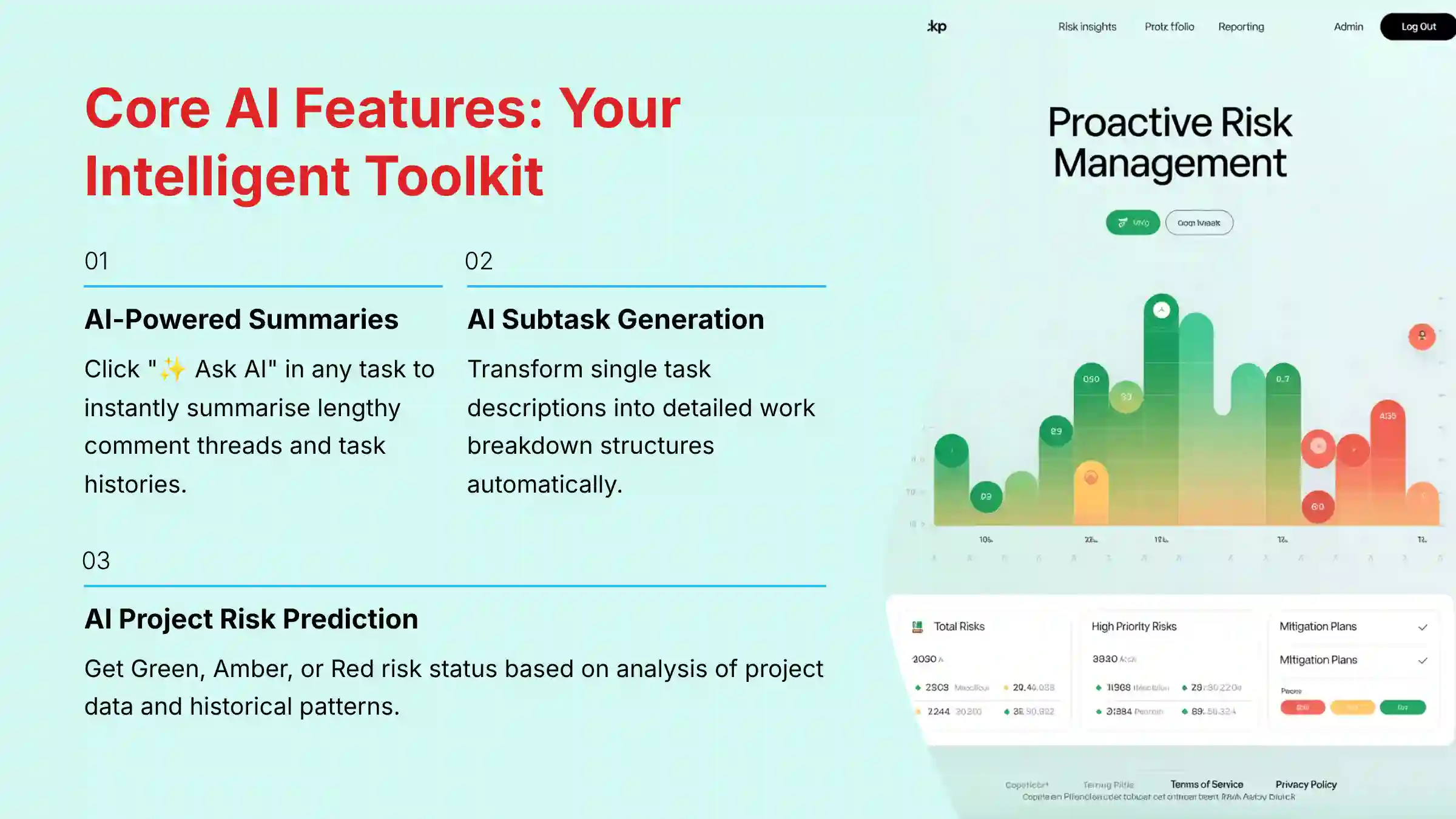
Once enabled, your first interaction with the AI is simple. Find a task with a long comment history. In the comment box, you will see a small “✨ Ask AI” button.
Click this button and type a simple prompt like “Summarize this conversation.” The AI will provide a concise summary of the discussion. This is a great way to see the AI’s power in action, saving you from reading through lengthy threads.
A Quick Look at AI Subtask Generation
Next, try AI Subtask Generation. Create a new task with a descriptive title, such as “Plan Annual Company Retreat.” In the task description, add a few bullet points about what needs to be done.
Then, click the AI icon and select the option to generate subtasks. Wrike’s AI will create a detailed checklist based on your input. This gives you a first look at how the tool can accelerate your planning process.
Core Tutorial & Implementation: Mastering AI for Execution & Collaboration
This section uses a scenario-based approach to teach you Wrike’s AI features. For each AI tool, we will present a common project management problem. Then, we will provide a step-by-step tutorial on how to solve it.
Professionals looking for more detailed guidance can explore our comprehensive Wrike Overview and Features analysis for deeper insights into the platform’s capabilities.
Personal Insight: AI summaries are most valuable for onboarding new team members mid-project. It’s like giving them a highlight reel instead of making them watch the entire game.
Critical Warning: Always review AI-generated subtasks. Treat the AI’s output as a first draft, not a final plan, to make sure it aligns with your team’s processes.
Workflow 1: AI-Powered Summaries to Eliminate Information Overload
Learning Objective and Business Context
The objective is to master the use of Generative AI to summarize complex task histories, reducing information overload and meeting time.
The business context is a fast-moving project where team members need to get up to speed on tasks quickly without reading dozens of comments. This improves focus and accelerates execution.
Step-by-Step Tutorial: Summarizing a Task Thread
- Open a task in Wrike that has a lengthy comment section with multiple updates and decisions.
- Locate the “✨ Ask AI” button in the comment input field or simply type
/ai. - Enter a clear and specific prompt. A good prompt is:
Summarize the key decisions made and list any outstanding questions from this comment thread. - The AI will process the thread and generate a concise paragraph. This output gives you the essential information needed to proceed.
Implementation Use Case: Onboarding a New Team Member
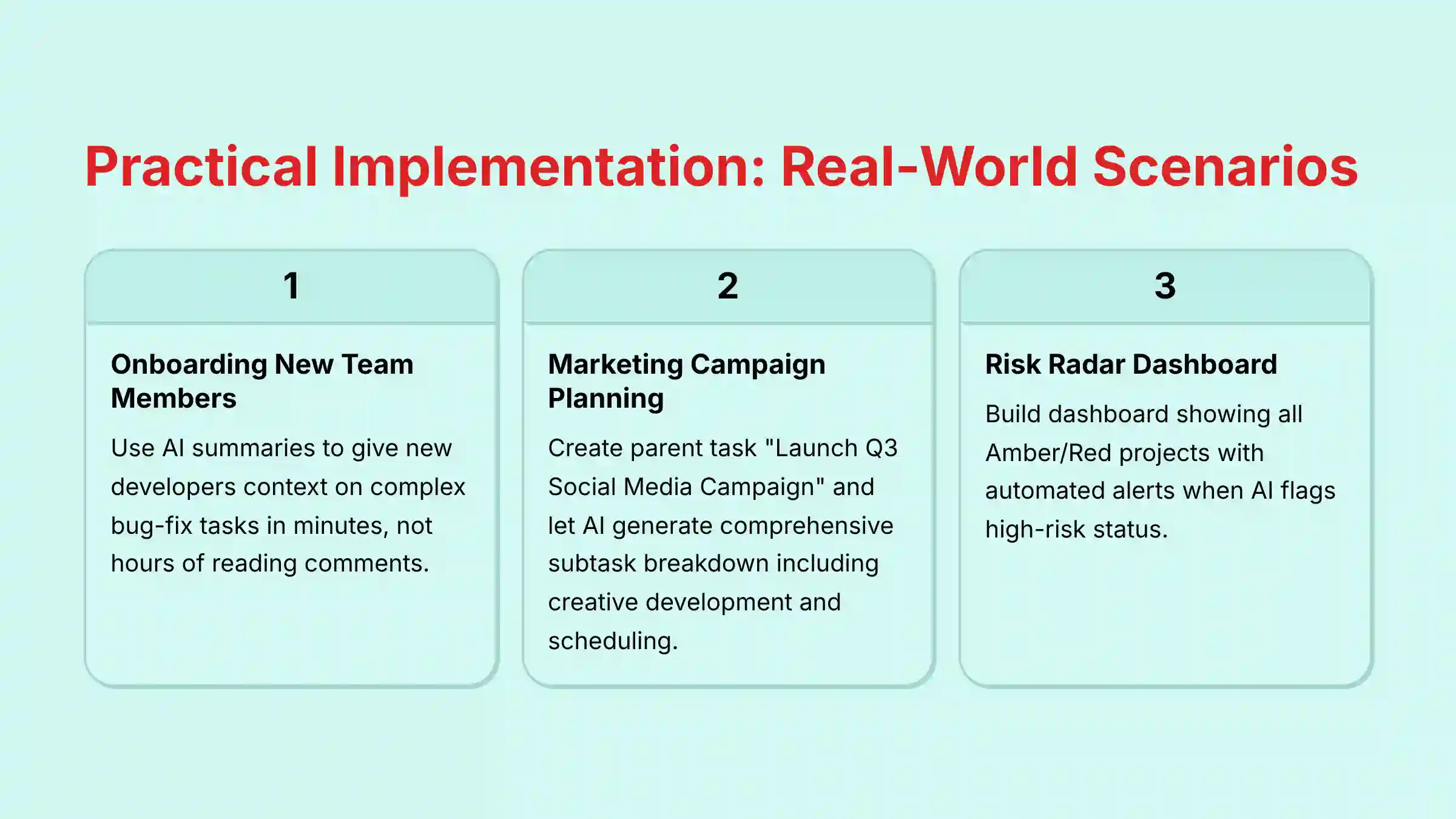
A new developer joins a project mid-sprint. They are assigned a complex bug-fix task with a long history. Instead of spending an hour reading comments, the project manager asks the AI to summarize the task’s history.
The AI provides a summary detailing the original issue, what has been tried, and the last known status. The new developer gets the context they need in minutes, not hours. This allows them to start contributing valuable work on their first day.
Practice Exercise & Success Metrics
Find a completed task with at least 10 comments. Use the AI to generate a summary. The educational success metric is your ability to get a useful summary. The business metric is the time saved compared to manually reading the entire thread.
Workflow 2: Proactive Collaboration with AI Risk Prediction & Automation
Learning Objective and Business Context
The goal is to implement a proactive risk management process using AI Project Risk Prediction and automation.
In business, this means moving from reacting to problems to preventing them. This workflow helps you create a “weather forecast” for your projects, warning you of potential storms before they hit.
Step-by-Step Tutorial: Setting Up a Risk Radar Dashboard
- In your project list view, add the “Project Risk” column. The AI automatically assigns a
Green,Amber, orRedstatus based on its analysis. - Go to the “Dashboards” section in Wrike and create a new dashboard named “Risk Radar.”
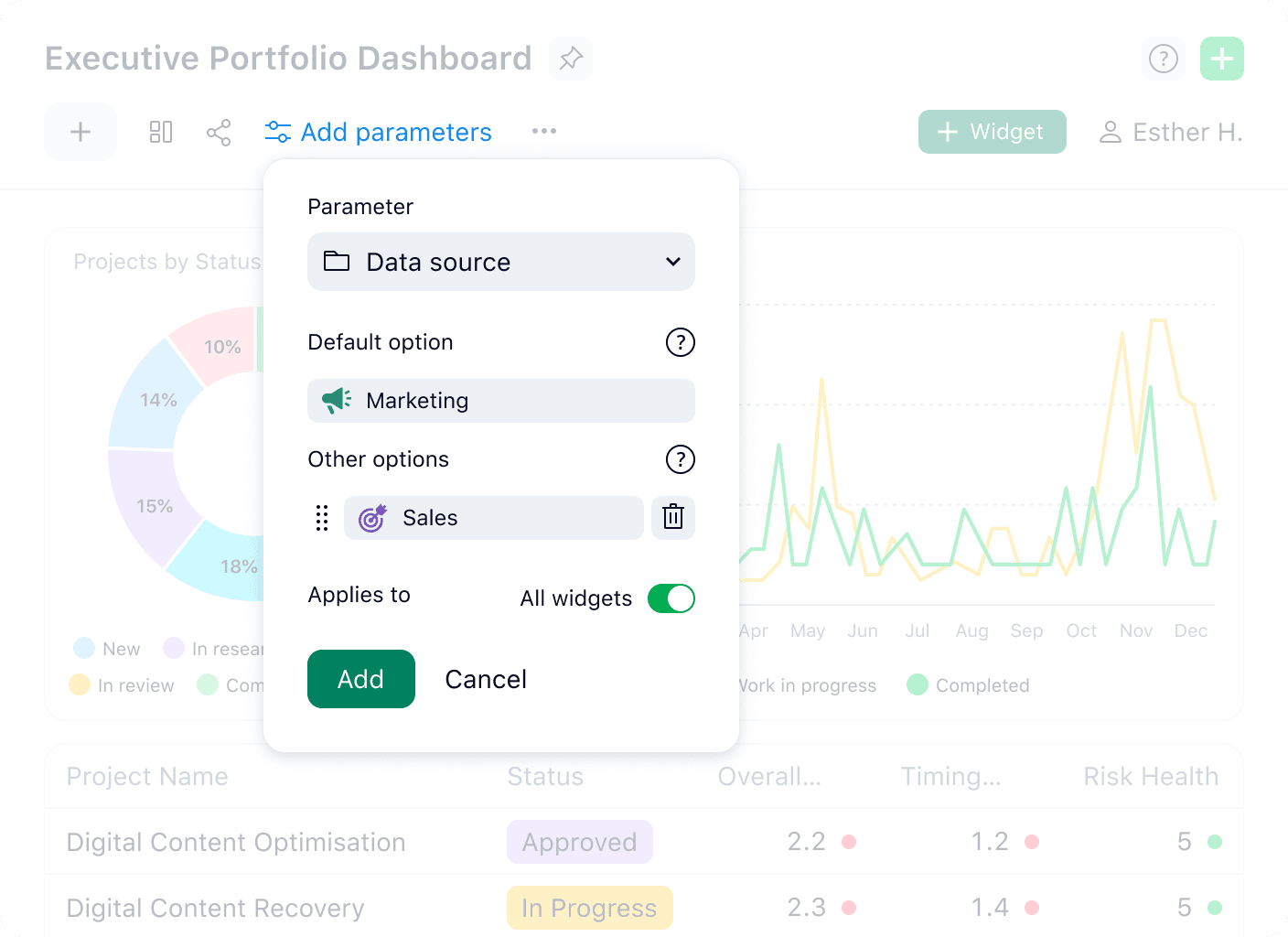
- Add a new widget. Configure it to show all projects where the “Project Risk” field is set to
AmberorRed. - This dashboard now serves as your central command center, giving you an at-a-glance view of all at-risk projects.
Implementation Use Case: Automating High-Risk Project Alerts
When the AI flags a critical project as “High Risk,” you need to act fast. You can create an automation rule to make this happen.
- Go to
Tools > Rulesand create a new rule. - Set the trigger:
If Project Risk changes to Red. - Set the action:
Create Taskwithin the project. Name it “Investigate High-Risk Status,” assign it to the project owner, and set a due date for 24 hours. - This automation turns an AI insight into an immediate, trackable action item.
Practice Exercise & Success Metrics
Create a “Risk Radar” dashboard in your workspace. The success metric is having a single view of all projects with an Amber or Red status. For an advanced exercise, build the automation rule described above.
Workflow 3: Smart Writing Assistance and Subtask Generation
Learning Objective and Business Context
The objective is to accelerate project planning by using AI Subtask Generation to create detailed work breakdown structures.
The business context is reducing the manual effort of project setup. This frees up project managers to focus on strategy and stakeholder management.
Step-by-Step Tutorial: Generating Subtasks from a Project Brief
- Create a new parent task for a project. For example, “Launch Q3 Social Media Campaign.”
- In the task description, write a brief overview. Include the goal, target audience, and key deliverables.
- Click the AI icon in the task and select “Generate subtasks.”
- The AI will analyze the title and description. It will produce a list of relevant subtasks like “Develop creative assets,” “Write ad copy,” and “Schedule posts.”
Implementation Use Case: Planning a Marketing Campaign with AI
A marketing manager needs to plan a new product launch campaign. They create a parent task in Wrike with the title “Plan New Product Launch Campaign for Product X.” They add a short description outlining the campaign’s goals and budget.
Using AI Subtask Generation, Wrike instantly creates a comprehensive checklist. It includes phases for research, creative development, media buying, and reporting. The manager refines this list, saving several hours of manual planning.
Practice Exercise & Success Metrics
Take a real-world project you need to plan. Use AI Subtask Generation to create the initial task list. Success is measured by the reduction in time spent on manual task creation and the quality of the generated plan.

Advanced Strategies & Workflow Automation
For users who have mastered the basics, this section focuses on maximizing efficiency. We will combine Wrike’s features like AI, Blueprints, and Automation to create powerful, scalable workflows.
This is where you move from using the tool to architecting an intelligent work system. For teams considering alternatives, our detailed Wrike Top Alternatives and Competitors guide provides comprehensive comparisons.
Personal Insight: Combining AI with Blueprints is the most effective way to accelerate project kick-offs. Think of it as creating a smart assembly line for your work.
Critical Warning: Complex automation rules can have unintended effects. Always test them in a separate, non-critical project first.
Combining AI with Blueprints for Maximum Efficiency
Creating an AI-Ready Project Blueprint
A Blueprint in Wrike is a reusable project template. By creating a Blueprint with a placeholder parent task, you can build a highly efficient workflow.
- Create a new project and structure it perfectly. Include all standard phases, tasks, and assignees.
- Create one parent task with a clear title, like “Generate Campaign Subtasks Here.” Add a detailed description of what a typical campaign involves.
- Save this project as a Blueprint.
- Now, when you start a new project from this Blueprint, you just update the AI-ready parent task and let the AI generate a customized plan.
Use Case: Standardizing a Client Onboarding Process
A services company uses a Blueprint for every new client. The Blueprint contains a parent task named “Onboard New Client: [Client Name].” When a new client is signed, a project manager creates a new project from the Blueprint and updates the client’s name.
They then use AI Subtask Generation on that parent task. The AI creates a detailed onboarding checklist, from kickoff calls to final deliverables. This standardizes the process while allowing for customization.
Advanced Automation: Chaining AI Triggers and Actions
Building a Multi-Step AI-Triggered Rule
You can create powerful workflows by chaining automation rules. This means one trigger can set off a series of actions.
- Start with the trigger:
If Project Risk changes to Red. - Set Action 1:
Create Tasknamed “Investigate High-Risk Status” and assign it to the project owner. - Set Action 2:
Add Commentto the project to notify the team lead with an @-mention. - Set Action 3:
Post a messageto a specific Slack channel to alert stakeholders outside of Wrike. - This multi-step rule makes sure that an AI-detected risk is immediately visible to all relevant parties.
Use Case: Automated Stakeholder Updates for High-Risk Tasks
An engineering team is working on a critical feature. The AI flags a key task as high-risk due to a delay. The automation rule instantly creates a subtask for the engineering lead to investigate.
At the same time, it posts a notification in the #product-updates Slack channel. This informs the Product Manager immediately. This automated workflow keeps stakeholders informed without manual intervention.
Integrating External Data for Smarter AI (API)
Conceptual Overview of API Integration
For advanced users, Wrike’s API allows you to feed external data into the platform. This makes the AI’s analysis even more accurate. You can connect systems like your CRM or financial software to Wrike.
Critical Warning: This type of integration requires developer resources and careful security review. Before connecting external data sources, you must consult with your organization’s IT security team and ensure compliance with your data governance policies.
This integration requires developer resources. But connecting data sources gives the AI a more complete picture of your operations. For example, if sales data shows a spike in demand, the AI could flag related production projects as potentially at-risk due to resource constraints.
Use Case: Syncing Sales Data from Salesforce to Improve Risk Prediction
A manufacturing company integrates its Salesforce CRM with Wrike. When a large deal is marked “Closed-Won” in Salesforce, an automation creates a new production project in Wrike via the API.
The project is pre-populated with data from the sales record, such as quantity and required delivery date. Wrike’s AI can then analyze this information alongside its existing project data. This gives it more context to accurately predict potential delays. When using integrations like this, always consult with a qualified professional to make sure data is handled securely.

Measuring Success: ROI, Performance Monitoring, and Outcome Measurement
This section provides a practical framework for justifying the investment in Wrike’s AI. We will learn how to quantify the benefits of the tool. The goal is to connect AI features to tangible business results.
For teams seeking comprehensive evaluation data, our detailed Wrike Review provides in-depth ROI analysis and performance benchmarks.
Personal Insight: Establish a baseline of your metrics before implementing AI. This allows you to accurately measure the “after” and demonstrate clear improvement.
Critical Warning: The ROI calculations presented here are templates, not guarantees. Your actual results will depend on your team, processes, and implementation. Always substitute the placeholder values with your organization’s verified data.
Implementation Success Metrics
Efficiency Gains (Time Saved, Resource Reduction)
Efficiency gains are the most direct way to measure success. You can track metrics like hours saved per week on project planning. You can also measure the reduction in time spent in status update meetings.
Another key metric is the number of tasks automated per month. Each automated task represents time your team gets back. This time can be reinvested in higher-value work.
Business Impact Metrics (On-Time Completion, ROI)
Business impact metrics link AI usage to bottom-line results. The most important KPI is the on-time project completion rate. Track this metric before and after implementing Wrike’s AI to show improvement.
Return on Investment (ROI) is another critical metric. It quantifies the financial value generated by the tool compared to its cost. A positive ROI demonstrates that the software is a profitable investment.
ROI Calculation Methodologies
Cost Savings Calculation: The Value of Automated Tasks
To calculate cost savings, first estimate the time saved by AI features. For example, if AI Subtask Generation saves each of your 5 project managers 2 hours per week, that is 10 hours saved per week.
Next, multiply the hours saved by the average hourly cost of a project manager. If the hourly cost is $75, the weekly saving is $750. This translates to an annual saving of $39,000 from just one AI feature.
Revenue Impact Assessment: The Cost of Averted Delays
Assessing revenue impact is about quantifying the value of risk mitigation. First, estimate the average cost of a one-week delay for a typical project. This includes team salaries, operational costs, and potential lost revenue.
Then, track how many times the AI Risk Prediction feature helped you avert such a delay. Even preventing one or two major delays per year can result in an ROI that far exceeds the software’s cost. This makes a powerful case to leadership.
Performance Monitoring in Wrike
Building a Custom AI Performance Dashboard
You can build a custom dashboard in Wrike to monitor your AI-driven KPIs. This gives you a live view of the tool’s performance.
Create widgets to track metrics like “Number of AI-Generated Subtasks” or “High-Risk Projects Mitigated.” You can also create a chart that shows your on-time completion rate over time. This dashboard becomes the central source of truth for your AI initiative’s success.
Key Performance Indicators to Track
Here are some important KPIs to monitor on your dashboard:
- Time saved per PM per week (via surveys or estimates).
- Number of AI-flagged risks identified per month.
- Percentage of AI-flagged risks successfully mitigated.
- Project planning cycle time (from creation to kick-off).
- On-time project completion rate.
Governance, Security, and Best Practices
This section addresses the trust and safety aspects of using AI. We will provide clear guidelines for using AI responsibly. The focus is on establishing governance policies within your organization to protect your data.
Personal Insight: User adoption depends on trust. This trust is built by being transparent about how the AI works and its limitations.
Critical Warning: Never input sensitive customer PII or confidential IP into any AI prompt. You must get approval from your company’s security and legal teams first.
Security & Compliance
Understanding Wrike’s Certifications (SOC 2, ISO 27001, GDPR)
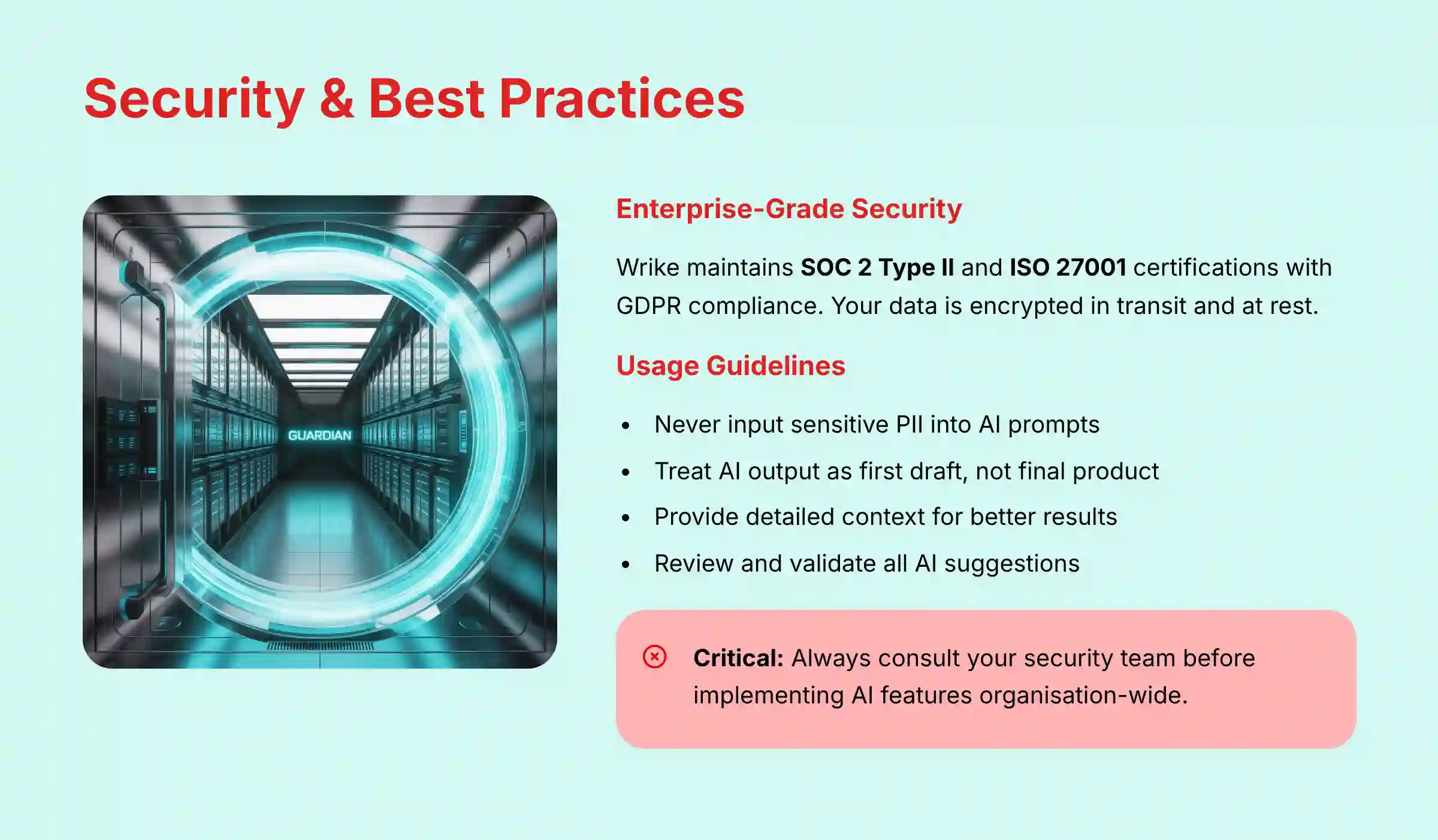
Wrike takes security seriously, which is essential for a mission-critical system. The platform holds key certifications including SOC 2 Type II and ISO 27001. These certifications mean Wrike’s security practices are audited by an independent third party.
Wrike is also GDPR compliant, which is a requirement for businesses operating in Europe. These certifications provide assurance that your project data is handled within a secure and compliant environment.
Data Confidentiality and AI: What You Need to Know
Wrike’s AI features process your data within its secure infrastructure. Your data is not used to train AI models for other customers. Wrike uses encryption to protect your data both in transit and at rest.
But, it is still your organization’s responsibility to enforce data governance. You should create a clear policy on what kind of information is safe to use in AI prompts. This is a critical step before rolling out AI features to your entire team.
Best Practices for AI Usage
Priming the AI for Better Results
The quality of the AI’s output depends on the quality of your input. To get better results from AI Subtask Generation, write clear and descriptive parent task titles. Use a “Verb-Noun” structure like “Develop Q1 Marketing Report.”
In the task description, provide context. Include goals, key deliverables, and any known constraints. The more information you give the AI, the more relevant and useful its suggestions will be.
Treating AI as a First Draft, Not a Final Product
Always treat AI-generated content as a first draft. It is a powerful assistant, not a replacement for your professional judgment. You should review, refine, and validate all AI suggestions.
This is especially true for project plans and stakeholder communications. The AI provides a great starting point. But the final approval and responsibility rest with you.
Troubleshooting Common Issues
Issue: AI Subtask Generation is Too Generic
If the AI’s subtasks are too general, it usually means the parent task lacks detail. The solution is to go back and enrich the parent task.
Add more specifics to the description. Then, use the “Regenerate” option. My testing shows that a well-defined prompt leads to a much better outcome.
Issue: AI Risk Prediction Seems Inaccurate
If you feel the AI’s risk prediction is off, it may be because it lacks sufficient historical data. The AI learns from your past projects. The more completed projects it can analyze, the more accurate its predictions become.
Also, check that your project dates and dependencies are set up correctly. The AI relies on this data to understand your project’s health. Inaccurate baseline data will lead to inaccurate predictions.
Important Disclaimers:
Technology Evolution Notice: The information about Wrike Tutorials and Usecase and AI For Project & Product Management tools presented in this article reflects our thorough analysis as of late 2025. Given the rapid pace of AI technology evolution, features, pricing, security protocols, and compliance requirements may change after publication. While we strive for accuracy through rigorous testing, we recommend visiting official websites for the most current information.
Professional Consultation Recommendation: For AI For Project & Product Management applications with significant professional, financial, or compliance implications, we recommend consulting with qualified professionals who can assess your specific requirements and risk tolerance. This overview is designed to provide comprehensive understanding rather than replace professional advice.
Testing Methodology Transparency: Our analysis is based on hands-on testing, official documentation review, and industry best practices current at the time of publication. Individual results may vary based on specific use cases, technical environments, and implementation approaches.
Frequently Asked Questions About Wrike Tutorials and Usecase
Teams seeking additional guidance can also explore our comprehensive Wrike FAQs section for detailed answers to common implementation questions.
How does Wrike’s AI improve project execution for a remote team?
Wrike’s AI is a great asset for remote teams by supporting asynchronous collaboration. The AI-Powered Summaries feature allows team members in different time zones to catch up on task discussions without a meeting.
Also, AI Project Risk Prediction provides an objective view of project health, ensuring alignment without constant check-ins.
What is the ROI of using Wrike’s AI features?
The ROI for Wrike’s AI comes from three main areas. The first is Efficiency Gains from time saved on manual tasks. The second is Risk Mitigation, calculated by the cost of project delays that were avoided. The third is Increased Capacity, as automation allows the team to take on more work.
Is my data safe when using Wrike’s AI?
Yes, Wrike operates on a secure infrastructure with SOC 2 Type II and ISO 27001 certifications and is GDPR compliant. Your data is processed within this secure environment.
But, you should train users to never input highly sensitive personal information into any AI prompt as a best practice.
How does Wrike’s AI compare to ClickUp’s AI?
Both tools offer powerful AI, but with different focuses. Wrike’s AI excels at proactive risk management for enterprises, with its Project Risk Prediction being a key feature.
ClickUp’s AI is often highlighted for its versatility in content creation and personal productivity. For an organization focused on risk management and structured automation, Wrike is often the preferred choice.
What if the AI-generated subtasks are not accurate?
This is a common issue and is usually solved by providing more context. If the subtasks are too generic, enrich the parent task description with more detail about goals and deliverables.
Then, use the “Regenerate” option. Always treat the AI’s output as a first draft to be reviewed.
Can Wrike’s AI help with resource management?
Indirectly, yes. While Wrike’s AI does not automate resource allocation, its AI Project Risk Prediction is a key input for it.
When the AI flags a project as high-risk, it signals to a project manager that resources may be overloaded. This allows the manager to investigate and reallocate work proactively.
How much training is required to use Wrike’s AI?
Basic features like AI Summaries are very intuitive and can be learned in under an hour. To use advanced features like AI-triggered automation, more in-depth training of 2-3 hours is helpful for project managers.
A phased approach to training works best.
Does Wrike’s AI work with Agile methodologies?
Yes, Wrike’s AI is methodology-agnostic. A Product Owner can use AI Subtask Generation to break down a user story into smaller tasks for a sprint.
The AI Risk Prediction can also analyze sprint progress and flag potential spillover risks, helping Scrum Masters improve team velocity.
For teams exploring broader automation possibilities, our comprehensive guide on the Best 10 AI Workflow Automation Builders for Project & Product Management: 2025 Guide offers valuable insights into integrating Wrike with other AI-powered workflow solutions.


Leave a Reply