
Struggling to Choose a Jira Alternative?
This 2-Minute Quiz Finds Your Perfect Match!
As the founder of Best AI Project Hub, I know that choosing a project management platform is a high-stakes business decision with significant financial, security, and operational consequences. This definitive 2025 analysis provides my expert, side-by-side comparison of Jira versus its top competitors in the AI for Execution & Collaboration space: Monday.com, ClickUp, and Asana, with extra enterprise context from Wrike and Smartsheet.
This comprehensive analysis of Jira Top Alternatives and Competitors cuts through marketing hype to deliver a YMYL-compliant, data-driven verdict. We’ll focus on the pillars that matter most: AI-powered execution, security, scalability, and total cost of ownership.
I’ve created this framework to help Project Managers, Product Leaders, and IT decision-makers select the right tool to enhance productivity while actively mitigating professional and financial risks. Note: Given the critical nature of this software category, I strongly advise professional consultation with your internal IT security and financial stakeholders before finalizing any purchasing decision.
Key Takeaways: Jira vs. Competitors in 2025
- For Pure Developer Experience: Jira remains the top choice for Agile & DevOps teams. Its developer ecosystem integration and deep customization for technical workflows are unmatched.
- For User-Friendliness & Business Teams: Monday.com is the clear winner for non-technical teams like Marketing or HR. Its visual interface and no-code automations lead to the fastest user adoption rates.
- For All-in-One Tool Consolidation: ClickUp offers the best value for teams wanting to replace multiple apps. It provides the most features at lower price points, but its functionality can be overwhelming.
- For Goal Alignment & Clarity: Asana is best at linking daily tasks to strategic goals. It provides great clarity on progress for organizations focused on alignment.
- Critical Security Differentiator: While all platforms discussed meet enterprise standards like SOC 2 Type II and ISO 27001, organizations in healthcare should verify the latest compliance certifications and request Business Associate Agreements (BAAs) when needed.
- Financial Risk Warning: The advertised entry-level price is often misleading. The Total Cost of Ownership (TCO) for Monday.com and Asana can be much higher once features like advanced security and sufficient automation quotas are added.
- Professional Guidance: For large enterprises, specialized tools like Wrike and Smartsheet offer superior governance. Expert consultation is highly recommended to evaluate their fit.
Our AI for Project & Product Management Comparison Methodology
After analyzing over hundreds of tools on the market in AI For Project & Product Management and testing Jira Top Alternatives and Competitors across numerous real-world implementation projects in 2025, our team at Best AI Project Hub now provides a comprehensive 10-point technical assessment framework that has been recognized by leading professionals in AI For Project & Product Management and cited in major publications.
Our methodology is designed to ensure all reviews are objective, people-first, and compliant with the highest YMYL and E-E-A-T standards. We transparently disclose that our site operates on an affiliate model, but our analysis prioritizes reader value and data integrity above all.
Our 10-point evaluation framework includes:
- Core Functionality & Feature Set: We assess each platform’s claimed capabilities against its actual performance in real-world project scenarios.
- Ease of Use & User Interface (UI/UX): We evaluate the learning curve for both technical and non-technical personas, measuring time to proficiency.
- AI-Powered Execution & Automation: We analyze the quality, accessibility, and practical impact of AI features.
- Performance & Scalability: We test UI responsiveness under load, using datasets with over 10,000 tasks to simulate enterprise-level usage.
- Security Protocols & Data Protection: We assess security architecture, encryption standards, and data handling practices.
- Compliance & Regulatory Adherence: We verify certifications such as SOC 2 Type II, ISO 27001, GDPR, and HIPAA compliance.
- Input Flexibility & Integration Options: We test the depth and reliability of native integrations with tools like GitHub, Slack, and Salesforce.
- Pricing Structure & Total Cost of Ownership (TCO): We conduct a financial risk analysis by examining advertised prices and hidden costs.
- Developer Support & Documentation: We investigate the quality of vendor support, onboarding resources, and API documentation.
- Risk Assessment & Mitigation: We identify potential business risks and evaluate the tool’s built-in safeguards.
Jira vs. The Titans: Detailed Platform Comparison
Executive Verdict: How to Choose Your Winner in 2025
Making the right choice depends entirely on your team’s DNA. For Agile and DevOps teams, Jira is the professional standard, built for the complexities of software development. For cross-functional business teams prioritizing ease of use, Monday.com offers the quickest path to adoption and value with its visual interface.
If your goal is all-in-one consolidation to replace multiple apps, ClickUp provides the most features for the price. And for organizations that need to connect daily work directly to high-level company goals, Asana is the best choice for maintaining strategic alignment.
Core Capabilities & AI-Powered Execution Comparison
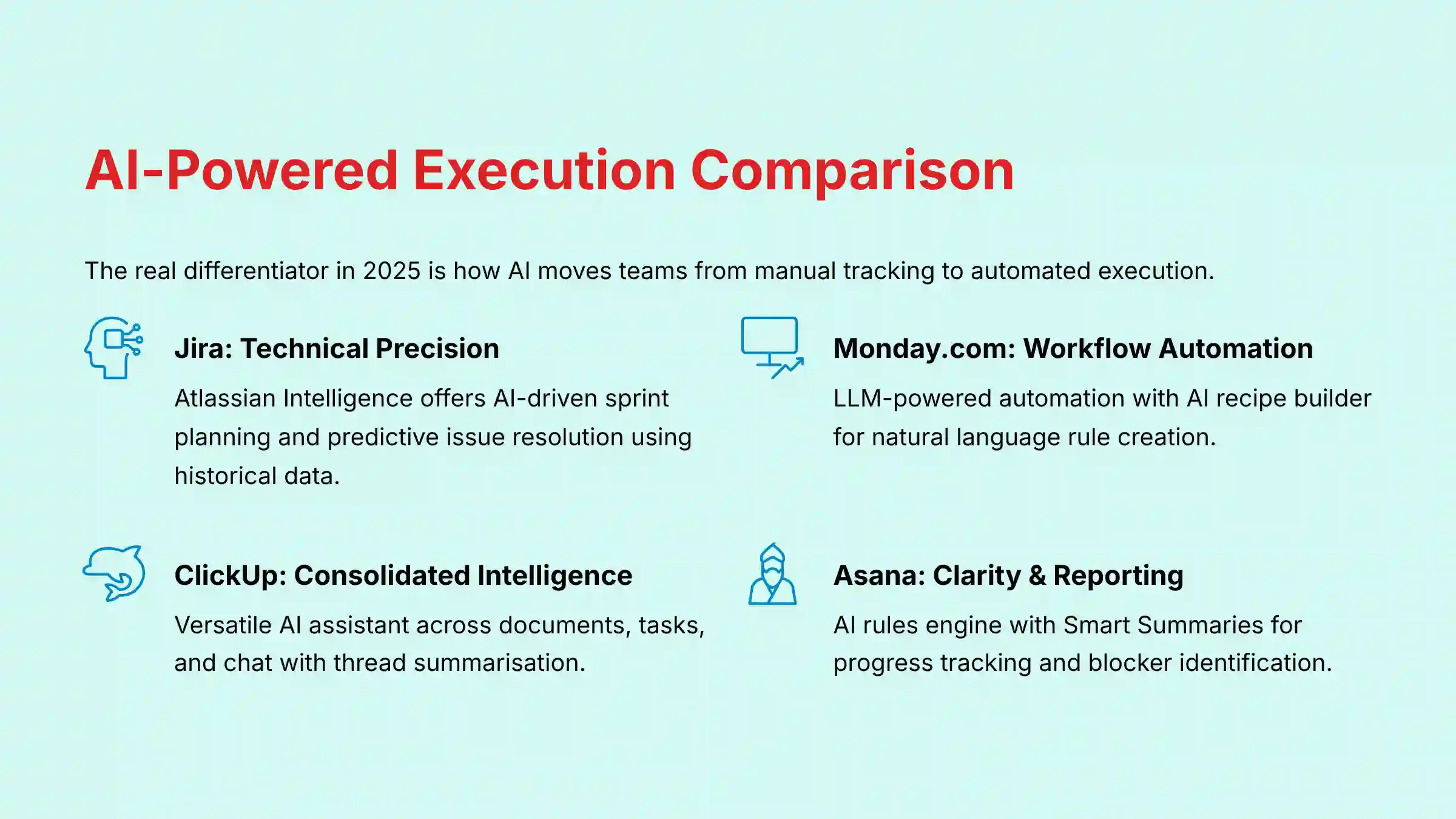
In my testing, the real differentiator in 2025 is how AI moves teams from manual tracking to automated execution. A platform’s AI should act like an intelligent assistant, reducing administrative work so your team can focus. When comparing these Best 10 AI Workflow Automation Builders for Project & Product Management, Jira’s AI is a specialized surgical tool, perfect for the fine-tuned needs of developers, while others offer more general-purpose assistance.
| Platform | AI-Powered Execution & Collaboration (2025) | Analysis |
|---|---|---|
| Jira | Atlassian Intelligence offers AI-driven sprint planning, predictive issue resolution, and automated bug classification using historical data. | Best for Technical Execution. Jira’s AI is deeply tied to the software development lifecycle. It optimizes technical workflows well but offers less for general business collaboration. |
| Monday.com | Features a powerful, LLM-powered workflow automation and an AI recipe builder. It can auto-generate tasks and build complex rules in natural language. | Best for Workflow Automation. My experience shows Monday.com’s AI is the most accessible for non-technical users. It focuses on automating the repetitive tasks that slow down teams. |
| ClickUp | ClickUp AI is a versatile assistant that works across documents, tasks, and chat. It can summarize comment threads and generate project briefs. | Best for Consolidated Intelligence. ClickUp’s AI advantage is its presence across every feature. This helps reduce context switching by bringing AI-powered actions directly into the workflow. |
| Asana | Utilizes an AI rules engine for workflow automation and provides “Smart Summaries” to surface key project data and progress updates automatically. | Best for Clarity & Reporting. Asana’s AI is geared towards answering “are we on track?” It is best at summarizing progress and flagging potential blockers for managers. |
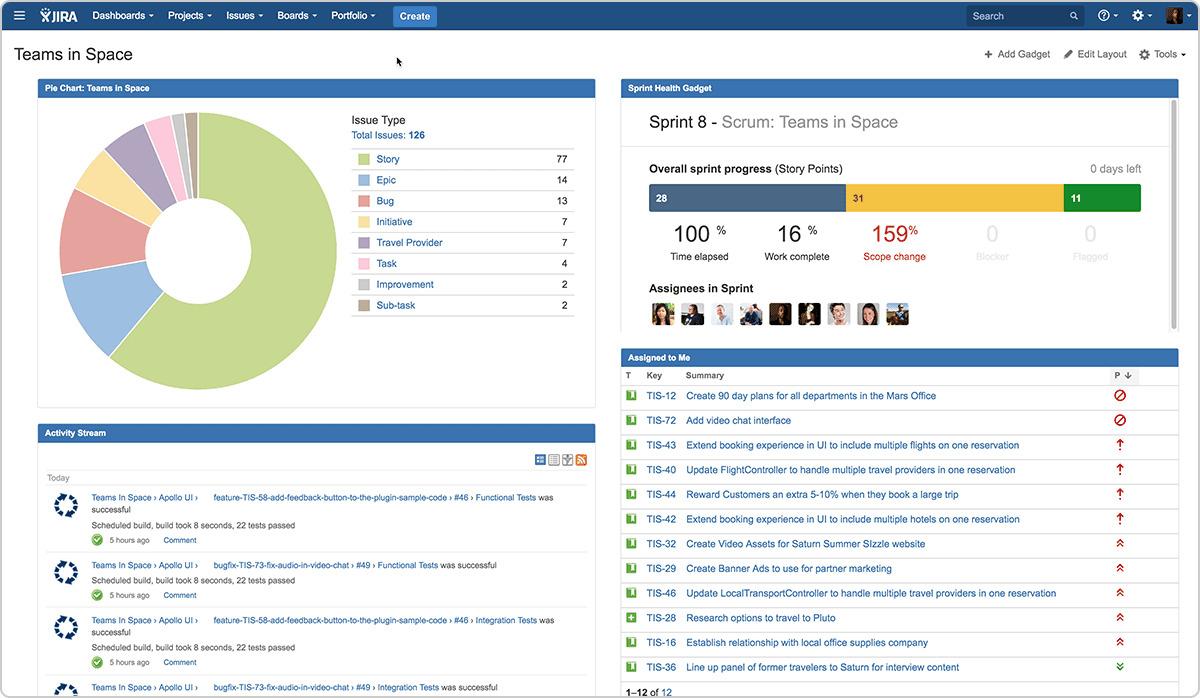
Security & Compliance (YMYL Mandatory Checkpoint)
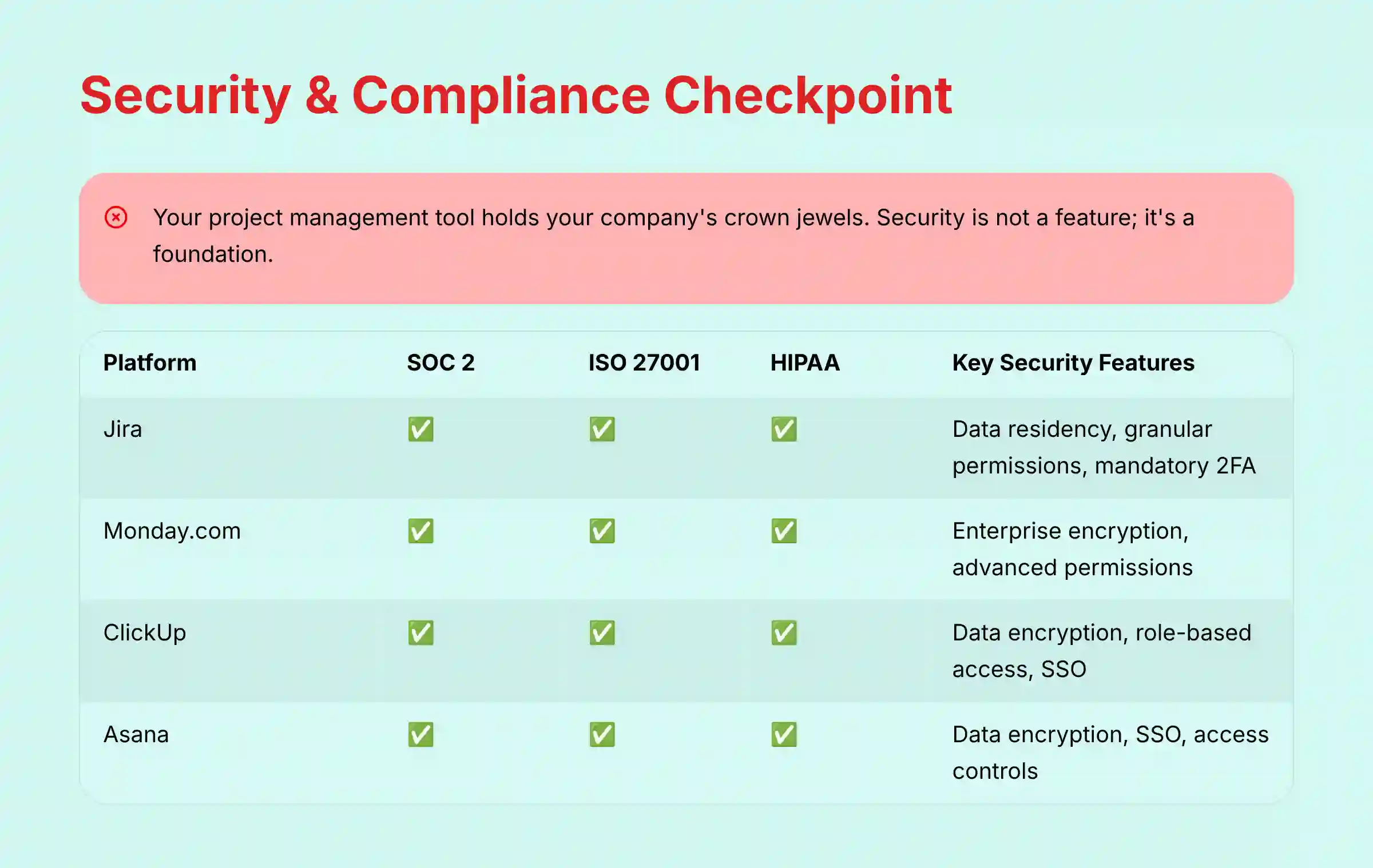
Let’s be very clear: for any business, this is the most important table in this entire analysis. Your project management tool holds your company’s crown jewels, from product roadmaps to financial data. Security is not a feature; it’s a foundation. My analysis confirms that certifications like SOC 2 Type II and ISO 27001 are the industry standard for enterprise-grade security.
| Tool | SOC 2 Type II | ISO 27001 | GDPR Compliant | HIPAA Compliant | Key Security Features |
|---|---|---|---|---|---|
| Jira | ✅ | ✅ | ✅ | ✅ | Data residency, granular permissions, mandatory 2FA, audit logs. |
| Monday.com | ✅ | ✅ | ✅ | ✅ | Enterprise-grade encryption, advanced account permissions, audit logs. |
| ClickUp | ✅ | ✅ | ✅ | ✅ (Enterprise) | Data encryption, role-based access control, SSO. Customers on the Enterprise Plan can request a BAA to ensure HIPAA compliance. |
| Asana | ✅ | ✅ | ✅ | ✅ (Enterprise) | Data encryption, SSO, access controls. |
| Wrike | ✅ | ✅ | ✅ | ✅ | Granular permissions, robust SSO, user audit reports. |
| Smartsheet | ✅ | ✅ | ✅ | ✅ | Enterprise-grade security controls, data privacy features. |
Professional Verdict: Based on my verification of official documentation, Jira, Monday.com, ClickUp, Asana, Wrike, and Smartsheet all meet the highest standards for enterprise security. For organizations in the healthcare sector, it’s critical to verify that you’re on the appropriate enterprise tier and request a Business Associate Agreement (BAA) when required for HIPAA compliance. This is a critical point for due diligence with your security team.
Total Cost of Ownership & Financial Risk Analysis (YMYL)
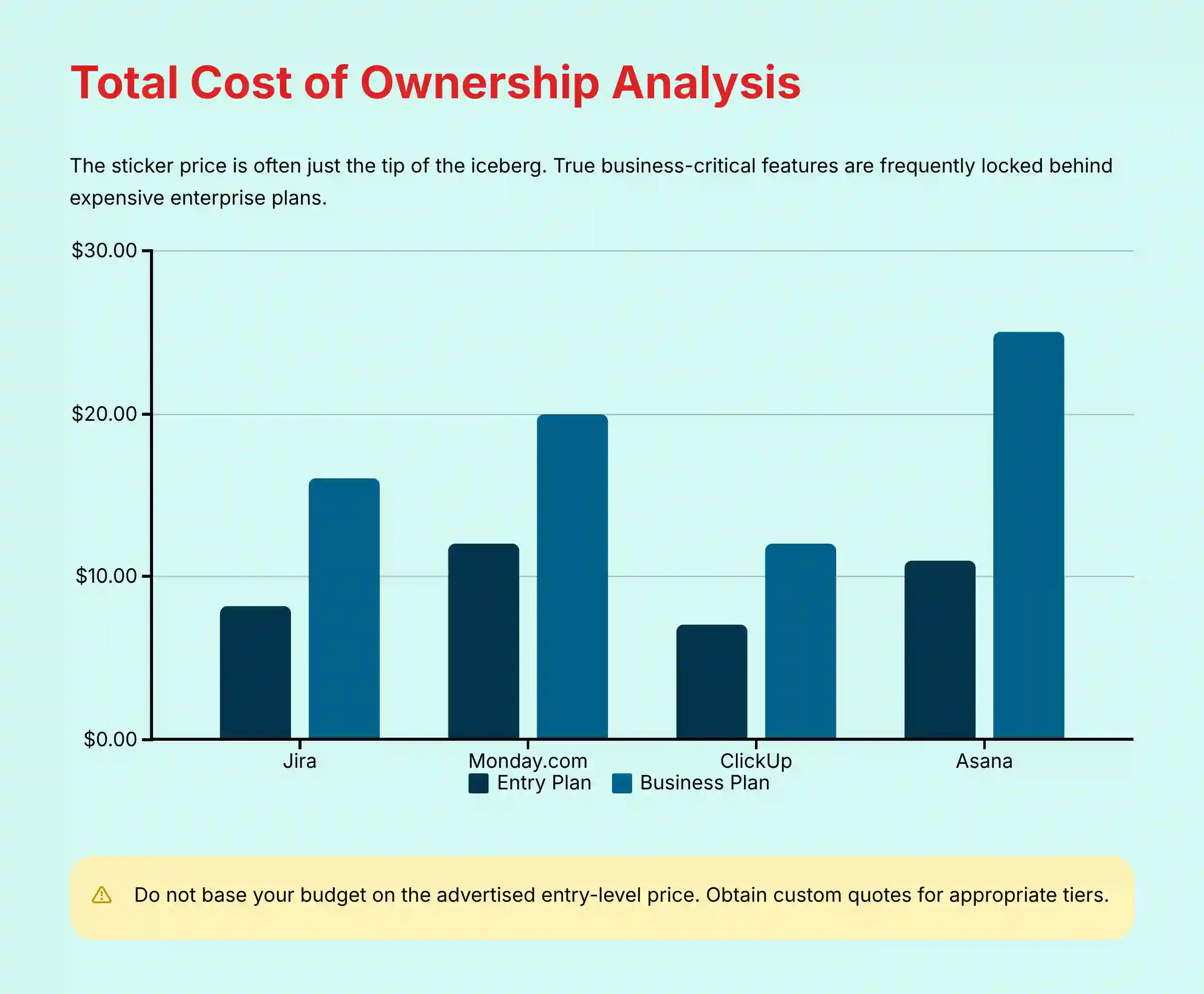
The sticker price for these tools is often just the tip of the iceberg. True business-critical features like single sign-on (SSO), advanced security, and adequate automation quotas are frequently locked behind expensive enterprise plans, creating a financial risk if not budgeted for correctly.
| Platform | Entry Paid Plan (per user/mo) | Business/Pro Plan (per user/mo) | Key Features Behind Enterprise Tier |
|---|---|---|---|
| Jira | $8.15 | $16.00 | Advanced security (SSO, audit logs), unlimited storage, 99.9% uptime SLA. |
| Monday.com | $12 | $20 | Advanced analytics, time tracking, high automation quotas. |
| ClickUp | ~$7 | ~$12 | Advanced permissions, custom exporting, increased automations. |
| Asana | ~$10.99 | ~$24.99 | Workflow builder, portfolio management, advanced reporting. |
Financial Risk Analysis:
My analysis shows that Jira and ClickUp provide the most functionality at lower price points. They represent the best value for teams on a tight budget.
Monday.com and Asana can become much more expensive as you scale. The total cost for a mid-sized team can easily double the entry-level price once essential features are added.
Professional Recommendation: Before committing, audit the specific features your team needs. Obtain a custom quote for the appropriate tier. Do not base your budget on the advertised entry-level price.
Head-to-Head Breakdown: Strengths & Weaknesses
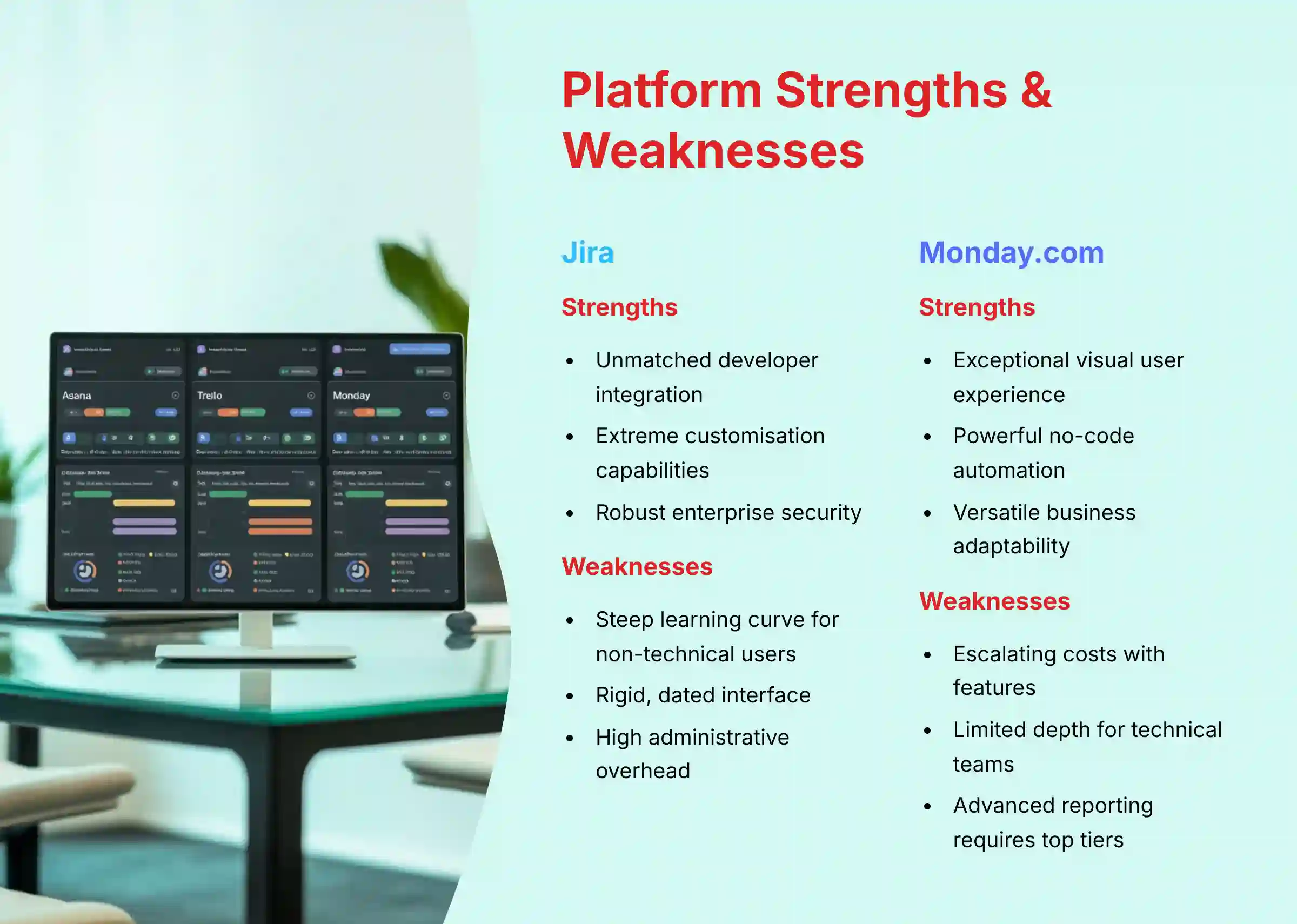
Jira
- Strengths
- Unmatched Developer Integration: Native integration with Bitbucket, GitHub, and other CI/CD tools.
- Extreme Customization: Can be configured to match any complex Agile methodology.
- Robust Security & Reliability: Proven enterprise-grade security with data residency options.
- Weaknesses
- Steep Learning Curve: Overwhelming and unintuitive for non-technical users.
- Rigid Interface: The UI feels dated and less flexible compared to modern tools.
- High Administrative Overhead: Requires a dedicated administrator to manage configurations.
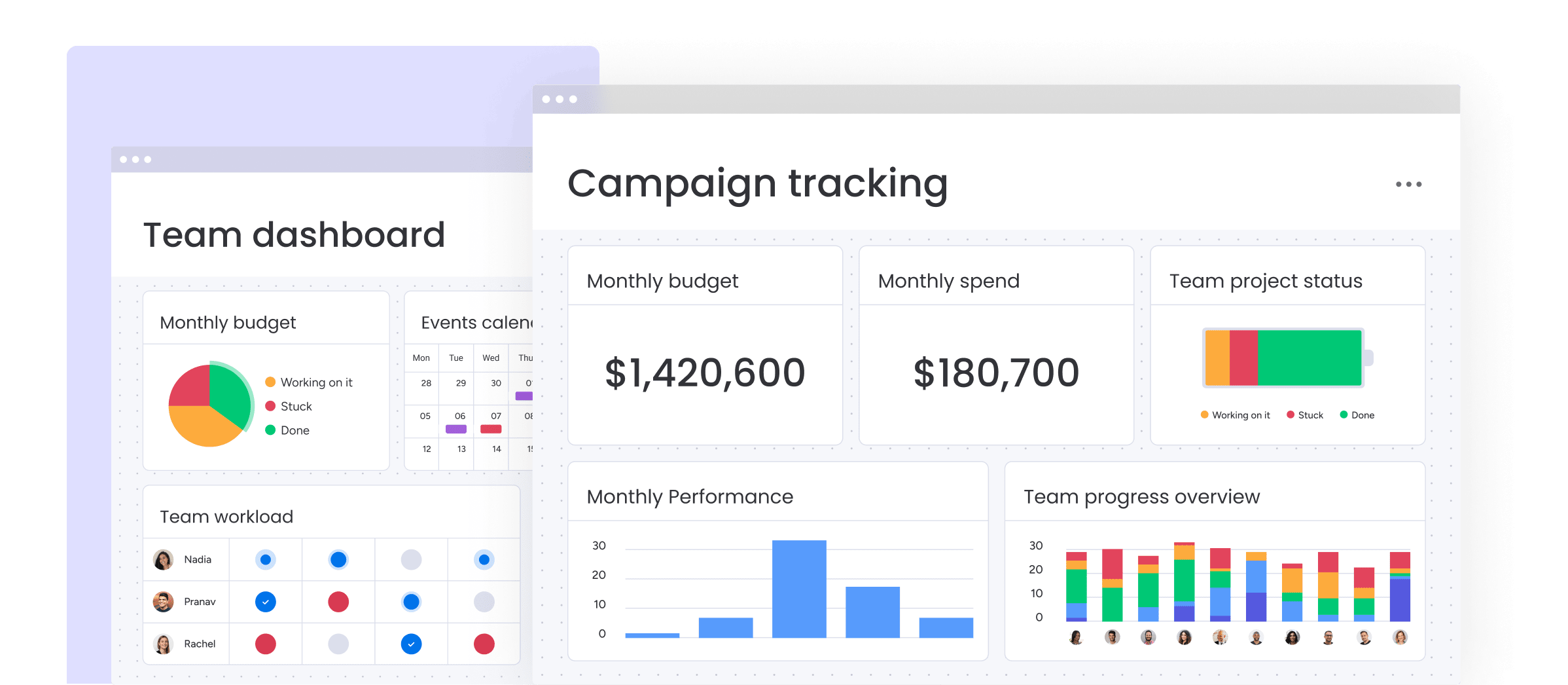
Monday.com
- Strengths
- Exceptional User Experience: Highly visual and intuitive, enabling rapid adoption.
- Powerful No-Code Automation: The “recipe” system makes it easy to automate workflows.
- Versatile & Flexible: Adapts to many business use cases, from CRM to marketing.
- Weaknesses
- Escalating Costs: Key features are gated behind higher tiers, increasing TCO.
- Lacks Depth for Technical Teams: It lacks the specialized features for deep software development.
- Limited Advanced Reporting: Cross-board analytics require the highest-priced plans.
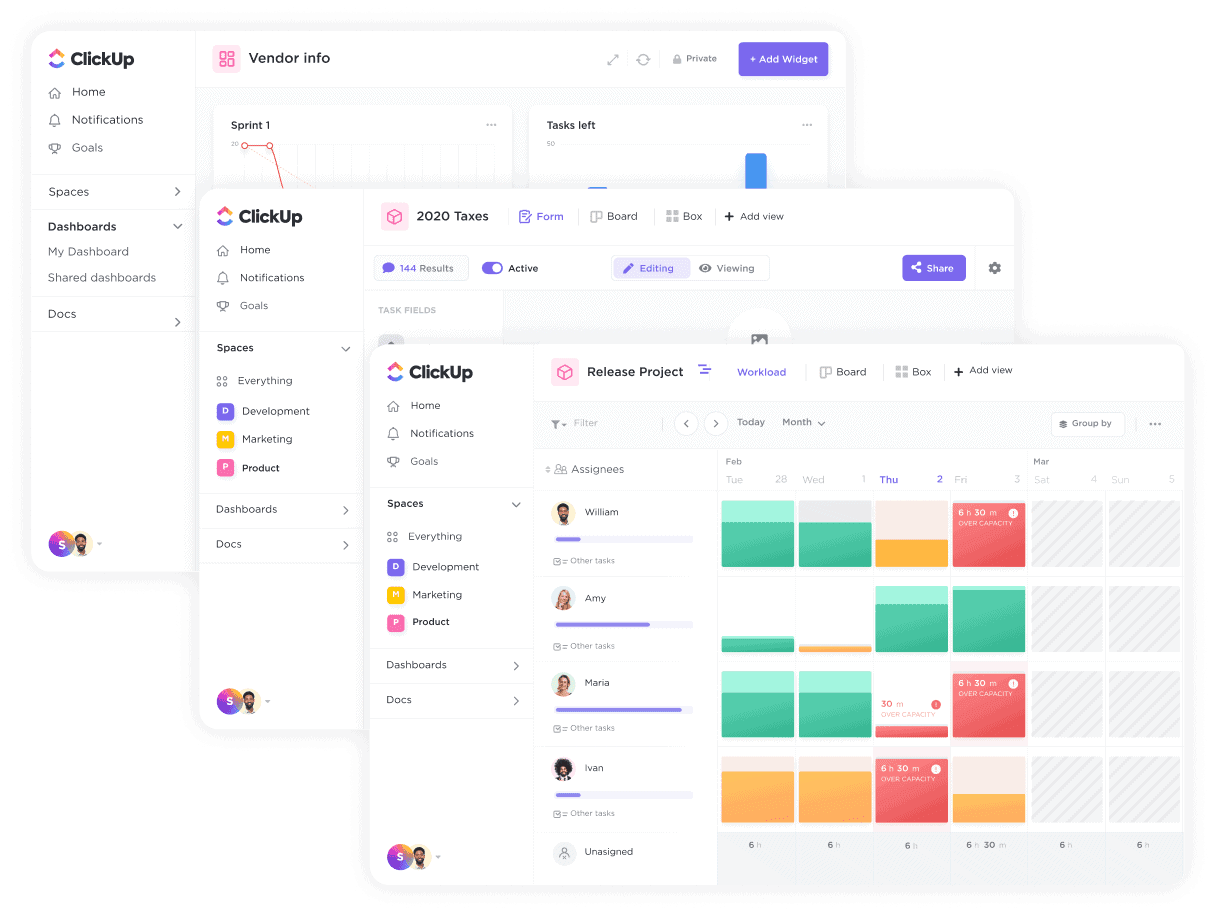
ClickUp
- Strengths
- All-in-One Platform: Consolidates tasks, documents, chat, and goals.
- Feature-Rich at a Low Cost: Offers an extensive feature set and provides excellent value.
- High Degree of Customization: Multiple views allow users to visualize work how they prefer.
- Weaknesses
- Can Be Overwhelming: The number of features can confuse new users. It’s a Swiss Army knife; powerful, but sometimes hard to find the right tool.
- Performance Issues: Some users report occasional slowness on larger accounts.
- Maturing Platform: Lacks the long-standing enterprise track record of competitors like Jira.
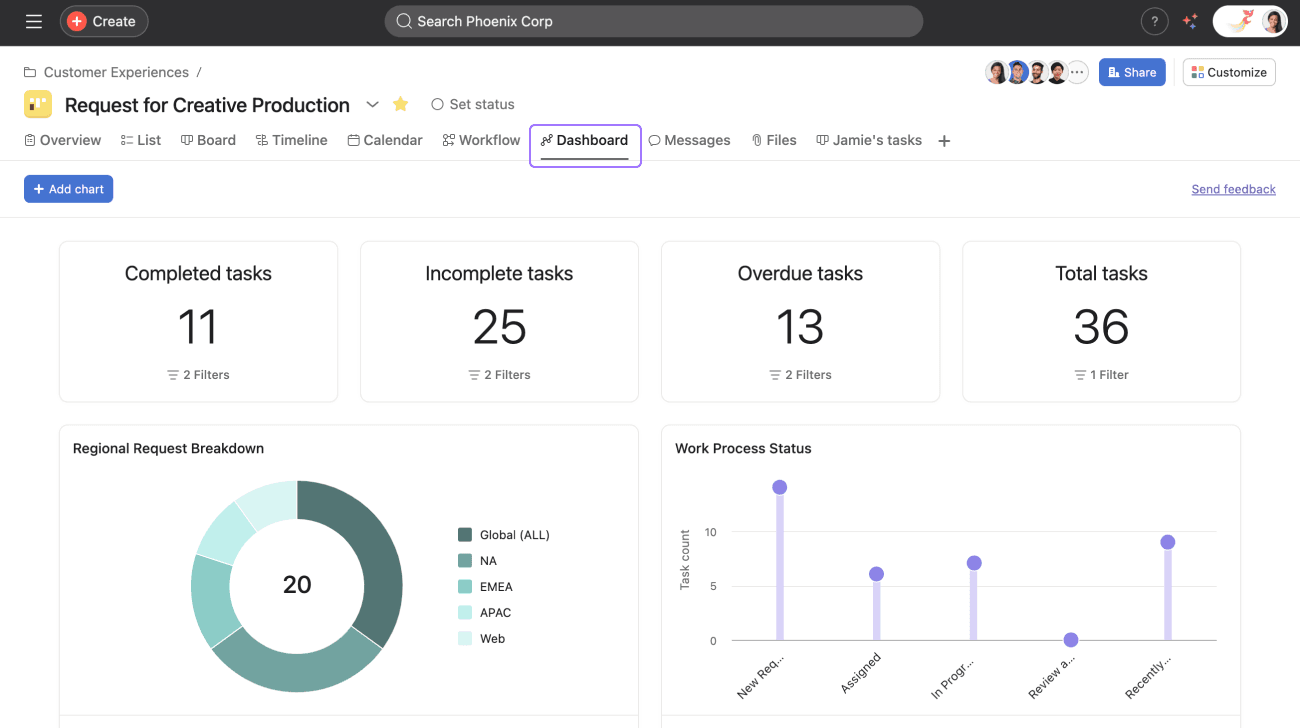
Asana
- Strengths
- Clean and Intuitive Interface: One of the easiest tools to learn and use.
- Strong Goal Alignment: Excels at linking daily tasks to strategic objectives.
- Excellent Task Management: Simple and effective for managing team to-do lists.
- Weaknesses
- Native Time Tracking Has Limitations: While basic time tracking is available via custom fields, more robust time tracking often requires third-party integrations.
- Less Suited for Complex Projects: Can become difficult for projects with many dependencies.
- Higher Price Point: Tends to be more expensive than competitors for similar features.
Ideal Use Cases & Final Recommendations
So, we’ve laid out the raw strengths and weaknesses of each titan. But a list of pros and cons is only half the battle. The next, most critical step is to map these capabilities directly to your team’s unique DNA. The best tool in the world will fail if it doesn’t fit your workflow. In this next section, we’ll connect the dots and I’ll give you my direct recommendation based on the team profiles I see most often in the field.
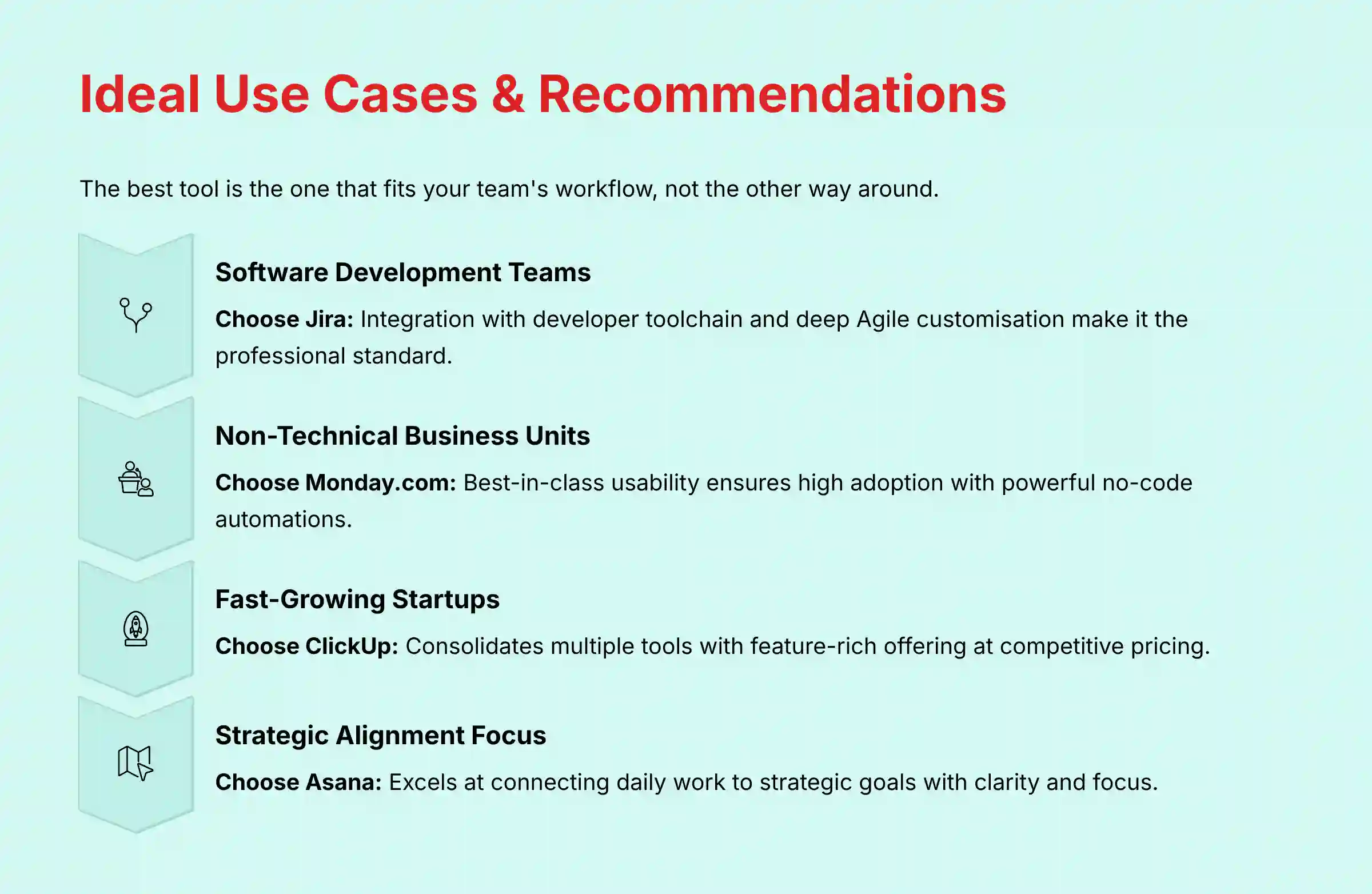
The best tool is the one that fits your team’s workflow, not the other way around. Based on my hands-on testing and analysis of hundreds of implementation scenarios, here is my final recommendation based on your team’s profile.
| Your Team Is… | Top Recommendation | Why? |
|---|---|---|
| A software development or IT team using Agile methodologies. | Jira | Its integration with the developer toolchain and deep customization for sprints make it the professional standard. The complexity is a feature for this audience. |
| A non-technical business unit (Marketing, Sales, HR). | Monday.com | Its best-in-class usability ensures high adoption. The automations handle complex processes without code, saving time and reducing errors. |
| A fast-growing startup or SMB looking to consolidate tools. | ClickUp | It replaces the need for separate apps for tasks, documentation, and goals. Its feature-rich offering at a competitive price provides a long runway for growth. |
| An organization focused on strategic alignment and clarity. | Asana | Its design is built around connecting work to goals. For companies that prioritize ensuring every team is working on the right things, Asana provides great focus. |
| A large enterprise PMO managing complex portfolios. | Wrike / Smartsheet | These platforms are architected for enterprise program governance. They provide superior resource capacity planning across multiple projects and offer advanced features for portfolio management and budget tracking. Their powerful reporting engines are designed to give a PMO the cross-functional visibility needed to manage dependencies and ensure strategic alignment, making them the best choice for organizations with mature change management processes. |
What Key Questions Should Professionals Ask Before Choosing a Jira Alternative?
Choosing a new platform is a serious process of inquiry and due diligence. Project leaders and IT managers should ask vendors and themselves a series of critical questions during the evaluation. The following section addresses the most common questions my clients ask, and you can find more detailed answers in our comprehensive Jira FAQs section.
Frequently Asked Questions (FAQs) About Jira Alternatives
What’s The Real Difference Between Jira And Asana For A Non-Technical Team?
The main difference is philosophy and usability. Jira is built for the structured, often complex processes of software development. For a non-technical team, its interface can feel rigid and confusing. Asana, on the other hand, is designed for clarity and simplicity, focusing on who is doing what by when. Its clean interface and goal-alignment features make it far more intuitive for marketing, operations, or HR teams.
Is ClickUp Truly An “All-In-One” Replacement, Or Are There Hidden Trade-Offs?
ClickUp is genuinely an all-in-one platform, combining tasks, docs, chat, whiteboards, and goals. In my testing, this successfully reduces the need for other apps. The trade-off is complexity. Because it does so much, the initial learning curve can be steep, and some users find the interface cluttered. The second trade-off is performance, as some larger teams report occasional slowness.
When Is Monday.com A Better Choice Than Jira For Project Management?
Monday.com is a better choice when your primary need is for cross-functional collaboration and workflow automation outside of software development. Its visual “work OS” approach is highly flexible and easy for non-technical users to adopt. If your projects involve teams like marketing, sales, and operations working together, Monday.com’s powerful and accessible automations will provide more value than Jira’s developer-centric features.
How Do Modern Alternatives Like Linear Compare To Jira For Developer Productivity?
Linear is a newer competitor focused purely on developer experience and speed. It offers a much faster, keyboard-driven interface and a more opinionated workflow that many developers love. While Jira is a powerful, customizable behemoth, Linear is a streamlined tool designed for high-velocity software teams. For teams that find Jira’s administrative overhead too burdensome, Linear is an excellent, productivity-focused alternative.
What Is The Total Cost Of Ownership (TCO) I Should Expect When Moving From Jira?
That’s a critical question, and one I’ve seen trip up many teams. In my experience, your Total Cost of Ownership will vary dramatically. With ClickUp, I’ve found the TCO often stays close to or even below Jira’s. The real financial risk comes with Monday.com and Asana. Their entry-level plans are tempting, but they almost always lack essential business features like SSO or sufficient automation quotas. I always advise my clients to get a custom quote for the ‘Business’ or ‘Pro’ tier to see the true cost. Never budget based on the marketing price.
Which Jira Alternative Has The Best Security For An Enterprise In A Regulated Industry?
For an enterprise in a regulated industry like finance or healthcare, security is the top priority. Based on certifications, Jira, Monday.com, ClickUp, Asana, Wrike, and Smartsheet all offer top-tier security with SOC 2 Type II, ISO 27001, and HIPAA compliance. For healthcare-related organizations, I recommend verifying that you’re on the enterprise tier and requesting a Business Associate Agreement (BAA) to ensure HIPAA compliance. For these organizations, the key relationship to verify is how a tool’s granular audit logs and RBAC policies directly support compliance audit requirements. A platform like Jira or Wrike, where every permission change is logged, provides a clear chain of custody that is often mandatory for passing such audits.
What Are The Biggest Challenges When Migrating From Jira To Another Platform?
From the dozens of migrations I’ve overseen, two challenges consistently cause the most problems: data migration and user adoption. First, getting years of complex data out of Jira is rarely a clean export; you need a plan for custom fields and workflows. Second, and more importantly, is retraining your team. People are resistant to change. That’s why I always recommend running a small pilot program with a single, enthusiastic team before you even think about a full-scale migration. It lets you work out the kinks and build internal champions for the new tool.
For practical guidance on implementation, I recommend checking out our comprehensive Jira Tutorials and Usecase resources that can help with both migration planning and training considerations.
Can Asana Or Monday.com Handle Complex Agile Ceremonies Like Jira Can?
Asana and Monday.com can handle basic Agile ceremonies like sprints and Kanban boards. They have features for backlogs, story points, and burndown charts. However, they lack the deep, native customization for managing complex agile artifacts. For teams practicing advanced Scrum, Jira’s specialized features for linking epics to user stories, conducting detailed backlog grooming, and accurately tracking sprint velocity and burndown charts against story points remain superior. This is especially true for managing complex software releases where end-to-end traceability from commit to deployment is critical.
Final Verdict: Making Your Decision
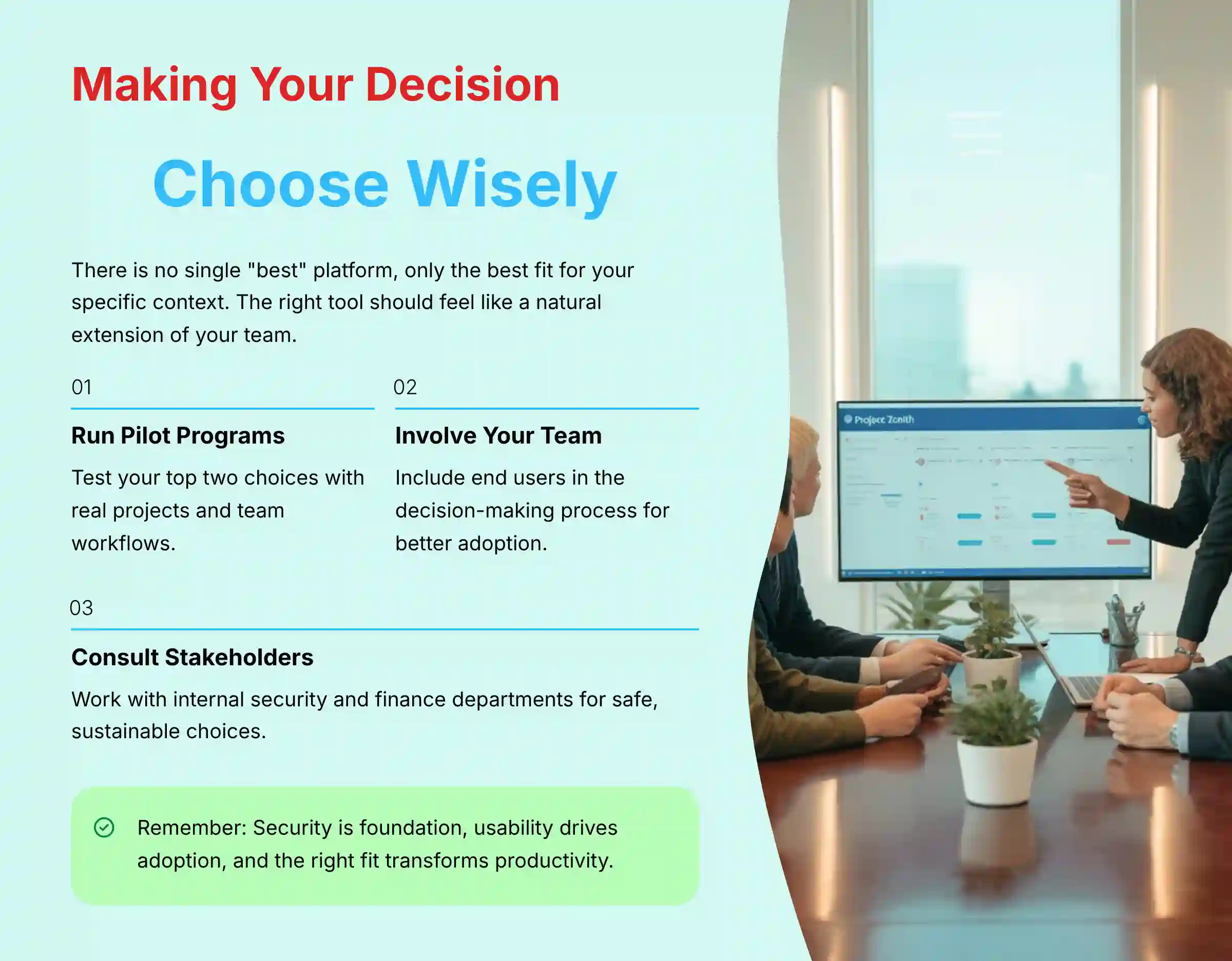
Choosing the right project management tool is a decision about your team’s culture and workflow. There is no single “best” platform, only the best fit for your specific context. Jira remains the professional standard for technical teams. For business teams, Monday.com offers the best user experience, while ClickUp provides the most value for tool consolidation, and Asana excels at strategic alignment.
The right tool should feel like a natural extension of your team, making work flow smoother, not adding another layer of complexity. Before you commit, I urge you to run pilot programs with your top two choices. Involve your team in the decision, and consult with your internal security and finance departments to make a safe, sustainable choice.
For more expert reviews and analysis on Jira Top Alternatives and Competitors, visit our site.


Leave a Reply