
Which AI Project Management Tool Is Right for You?
This 2-Minute Quiz Reveals Your Perfect Match!
Navigating the evolving landscape of project management with AI can feel like a constant journey of discovery, and that’s precisely why these Jira FAQs are so critical for today’s professionals.
I believe understanding Atlassian Intelligence’s capabilities in Jira is no longer optional; it’s essential for anyone aiming to optimize their project delivery and boost team productivity.
Here at Best AI Project Hub, my mission is to cut through the marketing hype and provide clear, hands-on analysis, helping you, the project management professional, make informed decisions.
We’ll explore how Jira’s AI features can transform your workflows within the AI for Execution & Collaboration domain, from automating content creation to enhancing decision-making. For those looking to deepen their understanding of Jira’s capabilities, our comprehensive Jira Overview and Features guide provides detailed insights into the platform’s core functionality.
We’ll also critically analyze its strengths, limitations, and crucial security implications, ensuring you leverage these powerful tools responsibly. By the end, you’ll have a pragmatic understanding of how to use Jira AI to drive real project success.
Key Takeaways
- AI Integration: Atlassian Intelligence embeds seamlessly within Jira’s interface, enhancing workflows without requiring separate tools
- Content Acceleration: AI generates user stories, acceptance criteria, and documentation while maintaining professional quality standards
- Security Framework: Customer data remains isolated from public AI training while maintaining enterprise-grade protection standards
- Premium Access: AI features are available only on Premium and Enterprise tiers, requiring cost-benefit evaluation for implementation
- Human-in-Loop: Best practices require human review of AI-generated content to maintain accuracy and prevent subtle errors
What is Atlassian Intelligence and how does it integrate with Jira?

Atlassian Intelligence is the comprehensive AI engine embedded throughout Atlassian’s cloud ecosystem, including Jira Software, Jira Service Management, and Confluence. Rather than being a standalone feature, it functions as a collection of AI-powered capabilities designed to accelerate workflows, enhance decision-making, and boost team productivity within project management contexts. In Jira specifically, it operates as a contextually-aware assistant that understands your projects, issues, and team communications.

The integration appears seamlessly within the Jira interface at multiple touchpoints:
- Issue Creation & Editing: Product managers can invoke Atlassian Intelligence to generate complete user stories from basic prompts, create detailed acceptance criteria, or break down epics into actionable subtasks.
- Comments & Communication: The AI can summarize extensive discussion threads, saving project stakeholders significant time when catching up on an issue’s history.
- Advanced Querying: It powers natural language search capabilities, allowing team members to request data conversationally (e.g., “show me all blocking bugs assigned to the frontend team”) and have it translated into precise JQL queries.
- Knowledge Management: When connected with Confluence, it enables contextual information retrieval across your organization’s documentation, bringing relevant project information directly into your Jira workflow.
This embedded approach ensures AI capabilities enhance existing project management processes rather than requiring teams to learn separate tools or interfaces. For project managers, this means less time spent on administrative tasks and more time focused on strategic leadership and team enablement.
What is the difference between Jira Automation and Atlassian Intelligence in Jira?

Jira Automation and Atlassian Intelligence represent two complementary but fundamentally different approaches to enhancing project management efficiency:
Jira Automation operates as a rule-based system following deterministic “if-this-then-that” logic. It’s designed to handle repetitive, predictable workflow processes. For example, a project manager might create an automation rule that automatically transitions issues to “In Review” when a pull request is created, or notifies stakeholders in Slack when requirements change. These rules follow explicit, human-defined logic paths with guaranteed, consistent outcomes.
Atlassian Intelligence, by contrast, leverages generative AI to work with unstructured data and natural language. Rather than following rigid rules, it interprets, generates, and analyzes information. A product manager might use Atlassian Intelligence to:
- Generate comprehensive user stories based on a simple feature description
- Summarize lengthy technical discussions to extract key decisions
- Draft release notes from completed issues
- Convert vague requirements into structured acceptance criteria
The key distinction lies in their purpose: Automation manages the mechanical flow of work (transitions, assignments, notifications), while Intelligence enhances the content and understanding of the work itself.
Project managers can create powerful workflows by combining both technologies. For example, when a sprint ends, Automation might trigger Intelligence to generate a comprehensive sprint summary, which is then automatically shared with stakeholders via Slack. This combination of deterministic process management and intelligent content generation represents the future of AI-enhanced project management.
What are the main use cases for AI in Jira for project management?

Atlassian Intelligence in Jira addresses several critical pain points in the project management lifecycle, particularly within the Execution & Collaboration phase. Here are the primary use cases that deliver tangible value:
1. Content Acceleration & Quality Enhancement
- User Story Generation: Product managers can transform vague requirements into structured user stories with proper acceptance criteria, ensuring consistent quality across the backlog.
- Task Description Refinement: The AI helps clarify ambiguous task descriptions, reducing back-and-forth communications and ensuring developers understand requirements.
- Documentation Generation: Automatically create release notes, sprint summaries, and status reports from existing issue data.
2. Information Synthesis & Knowledge Management
- Comment Thread Summarization: Distill lengthy discussions (sometimes containing 50+ comments) into concise summaries, saving team members 15-20 minutes per complex issue when catching up.
- Cross-Reference Identification: Highlight connections between related issues that might otherwise be missed, improving project coherence.
- Contextual Knowledge Retrieval: Pull relevant information from connected Confluence pages directly into Jira workflows.
3. Work Breakdown & Planning Enhancement
- Epic Decomposition: Break down large initiatives into properly structured subtasks, ensuring comprehensive sprint planning.
- Effort Estimation Assistance: Suggest story point values based on similar completed issues, improving estimation accuracy.
- Risk Identification: Analyze issue descriptions to highlight potential dependencies or complications.
4. Query & Reporting Simplification
- Natural Language Searching: Convert conversational questions into precise JQL queries (e.g., “Show me all high-priority bugs fixed last sprint but reopened this sprint”).
- Dashboard Creation Assistance: Help project managers build informative dashboards without advanced JQL knowledge.
These capabilities directly address the central challenge modern project managers face: reducing administrative overhead while improving information clarity and work quality. By delegating routine content creation and information processing to AI, project leaders can focus more on strategic thinking, team coaching, and stakeholder management. For teams considering implementation, our Jira Tutorials and Use Case guide provides practical examples of how to leverage these AI features effectively in real-world scenarios.
How does Atlassian handle data privacy and security with its AI features in Jira?

Atlassian employs a multi-layered approach to data privacy and security for its AI features in Jira, balancing innovative functionality with enterprise-grade protection. The company maintains a hybrid AI model strategy, using both proprietary models and partnerships with leading AI providers like OpenAI while enforcing strict data handling policies.
Data Usage & Training Boundaries
Atlassian explicitly does not use customer data to train third-party foundation models. Your organization’s project details, comments, and proprietary information remain isolated from the general training corpus used by OpenAI and other providers. This creates a clear boundary between your sensitive project information and the ongoing development of public AI models.
Security Framework & Compliance
Atlassian Intelligence operates within the company’s established cloud security framework, including:
- SOC 2 Type II certification (verifying proper data handling controls)
- ISO 27001 compliance (demonstrating information security management)
- Encryption of data both in transit and at rest
- Regional data residency options for enterprises with strict jurisdictional requirements
Data Processing Flow
When a project manager uses an AI feature in Jira, the relevant context data is:
- Securely transmitted to the AI provider via encrypted channels
- Processed to generate the requested response
- Returned to your Jira instance
- Not retained by the AI provider for future training
Access Control Integration
Critically, Atlassian Intelligence respects existing Jira permission structures. When summarizing information or generating content, the AI will only access data the requesting user has permission to view. This prevents unauthorized information disclosure across teams or projects.
For project management organizations handling sensitive strategic initiatives, intellectual property, or regulated information, these protections provide essential guardrails. However, it remains vital for project leaders to understand that while the data isn’t used for model training, it does temporarily leave the Atlassian ecosystem for processing. Organizations with extreme security requirements should conduct thorough reviews of Atlassian’s Data Processing Addendum and specific AI terms to ensure alignment with their compliance obligations.
What are the known limitations or risks of using AI in Jira?

While Atlassian Intelligence offers significant benefits for project management, understanding its limitations and potential risks is essential for effective implementation:
Technical Limitations
- Contextual Understanding Boundaries: The AI primarily processes information visible on the current issue or page, lacking a holistic understanding of your entire project portfolio. This means it cannot effectively analyze complex cross-project dependencies or make sophisticated project timeline predictions based on team velocity patterns.
- Non-Customized Knowledge Base: Unlike some enterprise AI solutions, Atlassian Intelligence cannot currently be fine-tuned on your organization’s proprietary documentation, historical projects, or specific terminology. This limits its ability to provide highly customized recommendations aligned with your unique project management methodology.
- Historical Data Analysis Gaps: The AI excels at processing text but has limited ability to perform trend analysis on historical project data, making it less effective for predictive project analytics compared to dedicated project intelligence tools.
Practical Risks
- Factual Inaccuracies (“Hallucinations”): The AI can occasionally generate plausible-sounding but incorrect information, particularly when asked to create content beyond its immediate context. This risk is especially concerning for:
- Technical specifications where precision is critical
- Regulatory compliance requirements
- Financial or timeline estimations
- Over-Reliance Dangers: Teams may develop excessive trust in AI-generated content, potentially reducing critical human review of important project artifacts. This can lead to undetected errors propagating through your project documentation.
- Quality Dependency: The “garbage in, garbage out” principle applies strongly. If your existing project documentation contains ambiguities or contradictions, the AI will struggle to provide coherent summaries or suggestions.
- Cost-Benefit Considerations: AI features are primarily available in Premium and Enterprise tiers, requiring a financial commitment that may be substantial for smaller teams. The ROI must be carefully evaluated against concrete productivity improvements.
Best Practice Mitigation Strategy
Successful project teams establish clear guidelines treating AI as a “first draft” tool rather than a final authority. Implement a mandatory human review process for all AI-generated content, especially for critical project artifacts like requirements, acceptance criteria, and release documentation. This “human-in-the-loop” approach maximizes the time-saving benefits while minimizing the risk of introducing subtle but significant errors into your project lifecycle.
How does Jira AI compare to ClickUp AI and Asana Intelligence for project management?

When evaluating AI capabilities across leading project management platforms, significant differences emerge in how Jira, ClickUp, and Asana have integrated artificial intelligence into their ecosystems:
Strengths: Excels in development-centric environments with deep technical and collaborative capabilities.
- Technical Content Generation: Superior ability to create structured user stories with acceptance criteria, test cases, and technical documentation
- Development Workflow Integration: Seamless connections with development tools like Bitbucket, enabling AI-assisted code reviews and commit summaries
- Query Power: Unmatched natural language to JQL conversion for complex data retrieval
- Cross-Platform Knowledge: Unique ability to pull relevant information from Confluence directly into Jira workflows
Ideal for: Software development teams and structured agile workflows, making it particularly valuable for technical product managers and scrum masters.
Strengths: Positions itself as a versatile productivity assistant spanning multiple business functions.
- Multi-Department Support: Includes templates for marketing, sales, HR, and other departments, not just engineering
- Document Creation Breadth: Creates a wider variety of business documents including marketing briefs, creative content, and customer communications
- Low-Code Workflow Building: AI assists in creating automation rules without technical expertise
- Universal Inbox Processing: Helps manage communications across multiple channels and prioritize actions
Ideal for: Cross-functional teams and organizations seeking a unified workspace beyond pure project management.
Strengths: Focuses on strategic clarity and executive oversight.
- Work Graph Analysis: Identifies dependencies and potential bottlenecks across projects through relationship mapping
- Strategic Alignment: Automatically connects tasks to higher-level company objectives and goals
- Progress Forecasting: More advanced capabilities for predicting project outcomes and timeline risks
- Meeting Efficiency: AI-driven meeting agenda creation and follow-up action tracking
Ideal for: Leaders maintaining strategic alignment and visibility across complex organizational initiatives.
Decision Framework for Project Leaders
- Choose Jira AI if your organization prioritizes technical accuracy, development workflow integration, and operates within the Atlassian ecosystem
- Select ClickUp AI for versatile business content creation and simplified workflows across multiple departments
- Opt for Asana Intelligence when strategic alignment, executive visibility, and cross-project insights are paramount
The optimal choice ultimately depends on your team composition, workflow complexity, and whether your primary challenges center around technical execution, cross-functional coordination, or strategic alignment. For teams already using Jira, our comprehensive Jira Top Alternatives and Competitors analysis provides deeper insights into when migration might be beneficial versus maximizing your current Atlassian investment.
What is the pricing model for Atlassian Intelligence in Jira?
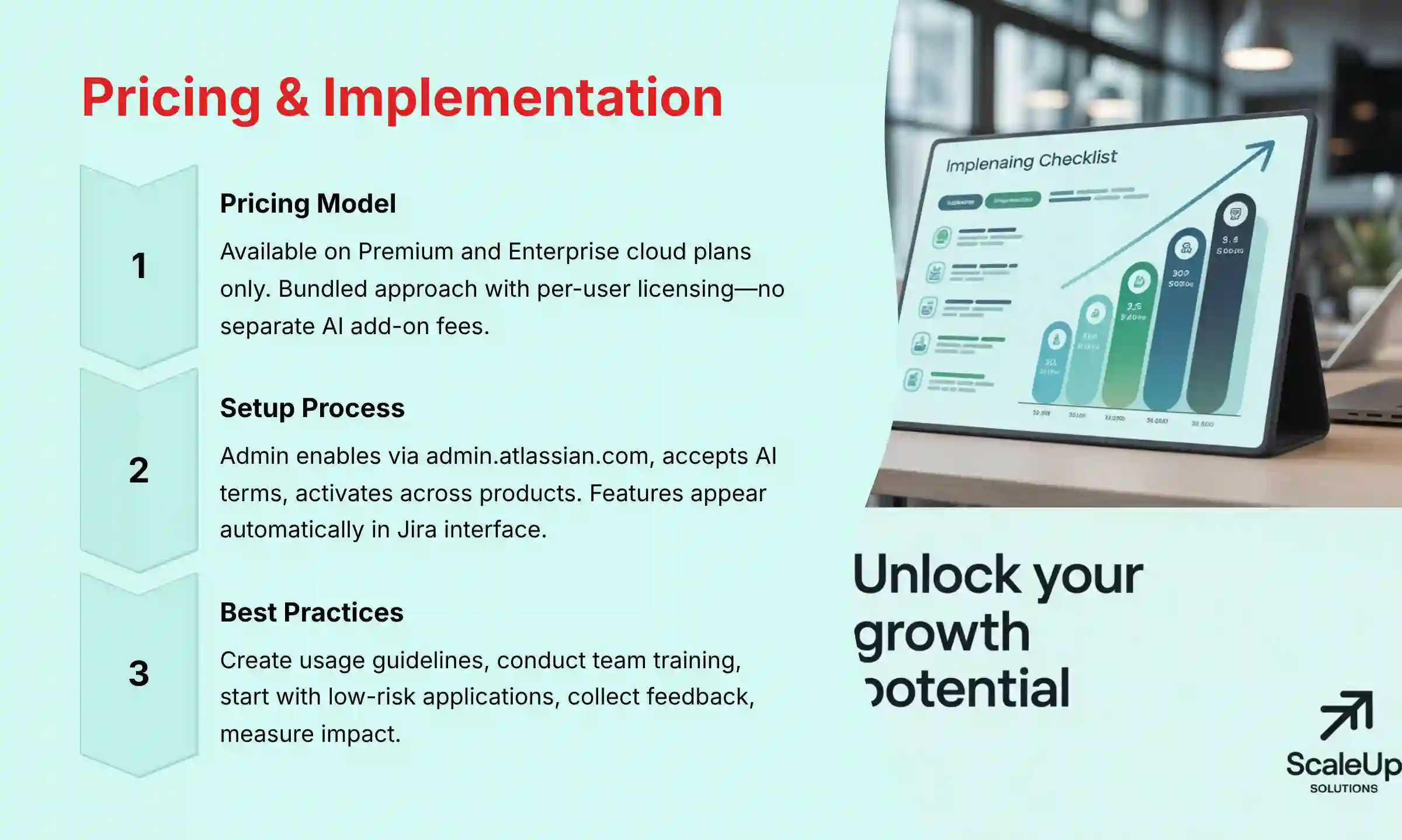
Atlassian Intelligence is not included in all Jira plans but is offered through a tiered access model that aligns with Atlassian’s broader subscription structure. As of mid-2023, the AI features are primarily available to customers on Premium and Enterprise cloud plans, with no access provided on Free or Standard tiers.
Pricing Structure Details
- Bundled Approach: Rather than charging per AI query or usage volume, Atlassian includes Intelligence capabilities within the higher-tier subscription costs. This means once you’re on a compatible plan, your team can use the AI features without worrying about incremental usage fees.
- Per-User Model: Since Jira licensing follows a per-user pricing structure, each team member who requires access to Atlassian Intelligence must have a Premium or Enterprise license assigned to them.
- No Separate AI Add-on: Unlike some competitors who offer AI capabilities as discrete add-ons with separate pricing, Atlassian has integrated Intelligence directly into their premium offerings.
Cost Considerations for Project Management Teams
For project managers evaluating the financial impact, it’s important to recognize the significant price differential between Standard and Premium tiers—often representing a 2-3x increase in per-user costs. This premium positioning reflects Atlassian’s strategy of delivering their most advanced features, including AI, to their higher-value customers.
The ROI calculation must factor in:
- Time savings from automated content generation
- Reduced meeting time through improved information synthesis
- Faster onboarding of new team members to project context
- Improved documentation quality and consistency
Organizations should conduct a thorough cost-benefit analysis, potentially starting with a limited Premium deployment for key project management personnel before expanding to the entire team.
Always check Atlassian’s current pricing page for the most up-to-date information, as their AI packaging strategy continues to evolve with the rapidly changing AI landscape and competitive market pressures.
How do I enable and configure Atlassian Intelligence for my Jira projects?
Enabling Atlassian Intelligence for your Jira projects involves a straightforward administrative process, provided your organization has subscribed to a compatible plan (Premium or Enterprise). Here’s the complete implementation process:
Administrator Setup Process
- Access Admin Portal: The Jira System Administrator or Atlassian Organization Admin must navigate to the administration portal at
admin.atlassian.com. - Navigate to AI Settings: In the left sidebar, select “Settings” and then look for “Atlassian Intelligence” or “AI Services” (the exact naming may vary slightly with updates).
- Review Products: You’ll see a list of eligible Atlassian products in your organization, including Jira Software, Jira Service Management, and Confluence. Select the products where you want to activate AI capabilities.
- Accept Terms & Data Processing: The administrator must review and accept the specific AI terms of service and data processing addendum. This is a critical step for organizations with strict data governance requirements.
- Complete Activation: After accepting the terms, click “Activate” to enable the features. The activation typically propagates across your selected products within minutes.
Project-Level Implementation
Once activated at the organization level, Atlassian Intelligence becomes automatically available across all projects without requiring additional project-specific configuration. The AI capabilities will appear contextually throughout the Jira interface:
- In the issue editor toolbar as an AI assistant icon
- Within comment fields as a summarization option
- In JQL editors as a natural language query converter
- In description fields for content generation assistance
User Adoption Best Practices
For project managers leading the implementation:
- Create Usage Guidelines: Establish clear team guidelines for when and how to use AI features, particularly for content that requires accuracy (like requirements or specifications).
- Conduct Brief Training: Schedule a short demonstration session showing practical use cases relevant to your team’s workflow, such as summarizing long discussions or generating user stories.
- Start with Low-Risk Applications: Begin with using AI for internal documentation and summaries before progressing to customer-facing content.
- Collect Feedback: Create a dedicated channel or Jira issue where team members can share their experiences, both positive and negative, to refine your approach.
- Measure Impact: Track metrics like time spent in meetings, documentation quality, and sprint planning efficiency to quantify the benefits of AI adoption.
By following this structured approach, project management teams can integrate Atlassian Intelligence smoothly while establishing appropriate governance around its use.
What AI-powered reporting capabilities does Jira offer for project managers?
Jira’s AI-powered reporting capabilities transform how project managers analyze, visualize, and communicate project status through several key features:
Natural Language Query Analysis
The most powerful AI reporting feature in Jira is the ability to convert conversational questions into precise JQL (Jira Query Language) queries. Project managers can simply ask questions like:
- “Show me all critical bugs fixed last sprint but reopened this sprint”
- “Which tasks are at risk of missing our quarterly deadline?”
- “Compare velocity between the frontend and backend teams this quarter”
The AI interprets these requests and generates the appropriate JQL, making advanced data retrieval accessible without technical query expertise. This dramatically reduces the time spent constructing complex filters and reports.
Automated Insight Generation
Beyond basic data retrieval, Atlassian Intelligence can analyze project data to surface meaningful patterns and insights:
- Trend Identification: The AI highlights changing patterns in issue resolution times, bug rates, or team velocity
- Anomaly Detection: Automatically flags unusual developments like sudden increases in blocking issues
- Predictive Indicators: Early warnings about potential deadline risks based on current progress rates
These capabilities enable project managers to focus on addressing problems rather than spending hours trying to discover them manually.
Dynamic Report Creation
Atlassian Intelligence assists project managers in creating comprehensive reports through:
- Template Suggestion: Recommending appropriate report formats based on the data being analyzed
- Content Generation: Creating narrative explanations of charts and data for stakeholder communications
- Visualization Optimization: Suggesting the most effective visual representation for different data types
Customization Limitations
While powerful, Jira’s AI reporting currently has some limitations project managers should be aware of:
- It cannot yet perform complex multi-project portfolio analysis without additional configuration
- Custom field analysis capabilities may be limited for highly specialized implementations
- Historical prediction accuracy depends on the quality and consistency of your existing project data
For maximum effectiveness, project managers should combine AI-powered reporting with traditional dashboard configurations, using the AI to accelerate data retrieval and initial analysis while leveraging custom dashboards for recurring visibility needs.
How can Jira’s AI features improve sprint planning and backlog management?

Jira’s AI capabilities significantly enhance sprint planning and backlog management by addressing core inefficiencies in these critical project management processes:
Backlog Refinement Enhancement
Atlassian Intelligence transforms how product and project managers approach backlog refinement:
- User Story Generation & Improvement: Convert vague product requirements into properly structured user stories with acceptance criteria. For example, a one-line feature request like “Add export functionality” can be expanded into a complete user story with “As a [user type], I want to [action] so that [benefit]” format and detailed acceptance criteria.
- Story Point Suggestion: The AI can analyze historical data from similar completed issues to recommend appropriate story point values, improving estimation consistency and reducing planning poker debates.
- Requirement Clarity Analysis: Automatically identify ambiguous language or missing details in backlog items, flagging them for clarification before sprint planning begins.
Sprint Planning Acceleration
During sprint planning sessions, AI features streamline decision-making and reduce meeting duration:
- Capacity Optimization: Based on team member availability and historical performance, the AI can suggest appropriate sprint workloads that balance ambition with realistic delivery capacity.
- Epic Breakdown: When planning large initiatives, product managers can use the AI to decompose epics into a comprehensive set of child issues, ensuring no critical components are overlooked.
- Dependency Identification: The AI analyzes issue descriptions to highlight potential dependencies between tasks, helping teams sequence work appropriately.
Ongoing Backlog Management
Between formal planning sessions, Atlassian Intelligence helps maintain a healthy, prioritized backlog:
- Duplicate Detection: Identify semantically similar issues across the backlog even when they use different terminology, reducing redundancy.
- Priority Recommendation: Analyze issue content against predefined criteria (business value, technical risk, customer impact) to suggest appropriate prioritization.
- Backlog Health Scoring: Evaluate overall backlog quality based on completeness of descriptions, clarity of requirements, and appropriate tagging.
Implementation Best Practices
Project managers can maximize these benefits by:
- Creating AI-assisted refinement sessions before formal sprint planning
- Establishing clear acceptance criteria for what constitutes a “ready” backlog item
- Using AI-generated content as starting points that still require human review
- Leveraging the time saved for more strategic discussions about product direction and team challenges
By integrating these AI capabilities into established agile ceremonies, teams typically experience 30-40% reductions in planning meeting duration while simultaneously improving the quality of sprint commitments and backlog health. For teams looking to implement these practices, exploring workflow automation through Best 10 AI Workflow Automation Builders can provide additional optimization opportunities beyond Jira’s native capabilities.
What security measures should teams consider when using Atlassian Intelligence in Jira?
When implementing Atlassian Intelligence in Jira, project management teams must adopt a comprehensive security approach that addresses both platform-provided protections and organization-specific policies:
Data Classification & AI Usage Boundaries
Before fully deploying Atlassian Intelligence, establish clear guidelines for what types of information can be processed by the AI:
- Restricted Content Categories: Define specific data types that should never be processed through AI features, such as:
- Personal identifiable information (PII)
- Financial projections and unreleased business strategies
- Intellectual property details and patent-related information
- Compliance-regulated data (depending on your industry)
- Permission-Based Access Controls: Leverage Jira’s existing permission schemes to restrict which team members can use AI features on sensitive projects. Consider creating specific project roles for AI usage authorization.
Monitoring & Governance Framework
Implement an oversight process that ensures appropriate AI utilization:
- Usage Auditing: Establish regular reviews of how AI features are being used across projects. Atlassian’s audit logs can help identify any potential misuse or security concerns.
- Content Review Processes: For high-sensitivity projects, implement a peer review requirement for AI-generated content before it becomes part of the official project record.
- Data Minimization Practices: Train team members to provide only necessary context when using AI features, avoiding the inclusion of extraneous sensitive information.
Technical Safeguards
Ensure you’ve properly configured the technical aspects of your Jira instance:
- Network Security: If using strict network policies, ensure proper allowlisting of the API endpoints used by Atlassian Intelligence.
- Authentication Requirements: Consider requiring additional authentication factors before using AI features on sensitive projects.
- Data Residency Verification: For organizations with strict data sovereignty requirements, verify Atlassian’s current capabilities for regional data processing align with your compliance obligations.
Risk Management Approach
Develop a risk management strategy specifically for AI usage:
- Incident Response Plan: Create clear procedures for addressing potential data exposure through AI features.
- Regular Security Reviews: Schedule periodic assessments of how Atlassian Intelligence is being used within your organization, addressing any emerging security concerns.
- Training Program: Develop specific training materials that educate team members about the security implications of AI use in project management contexts.
By implementing these measures, project teams can realize the productivity benefits of Atlassian Intelligence while maintaining appropriate security controls around sensitive information. This balanced approach ensures AI enhances rather than compromises your project management security posture.

Ready to Transform Your Project Management with AI?
Atlassian Intelligence in Jira represents a significant evolution in project management capabilities, offering powerful tools to accelerate workflows, enhance decision-making, and improve team collaboration. By understanding its capabilities, limitations, and best practices for implementation, you can leverage these AI features to drive measurable improvements in project delivery and team productivity.
Whether you’re just beginning to explore AI integration or looking to optimize your existing implementation, the key lies in maintaining a balanced approach that combines the efficiency of artificial intelligence with the critical thinking and oversight that only human project leaders can provide.
Continue exploring Jira’s capabilities and compare it with other AI-powered project management solutions to make the most informed decision for your team’s success.


Leave a Reply