
Struggling to Choose an Airtable Alternative?
This 2-Minute Quiz Reveals Your Perfect Match!
In my experience as an AI for Project & Product Management analyst, many teams rightly praise Airtable for its power. It masterfully blends the familiarity of a spreadsheet with the structure of a database. But the modern workplace requires more than just organized data; it demands intelligent action. Finding the right tools among the top Airtable Top Alternatives and Competitors is about shifting from passive tracking to proactive, AI-driven execution. At Best AI Project Hub, we focus on this critical shift.
This analysis moves beyond simple feature lists. I will provide a data-driven, YMYL-compliant comparison of Airtable against its four main rivals: ClickUp, Smartsheet, Notion, and monday.com. My evaluation centers on the pillars that define success in AI for Execution & Collaboration: robust data security, practical AI-driven execution, and the true total cost of ownership.
The challenge today is not just solving problems as they appear. It is about building a system that anticipates them. This comparison is designed for business leaders making significant decisions that affect their team’s productivity, security, and financial health. I always recommend you conduct your own due diligence and verify final pricing and security details directly with any vendor.
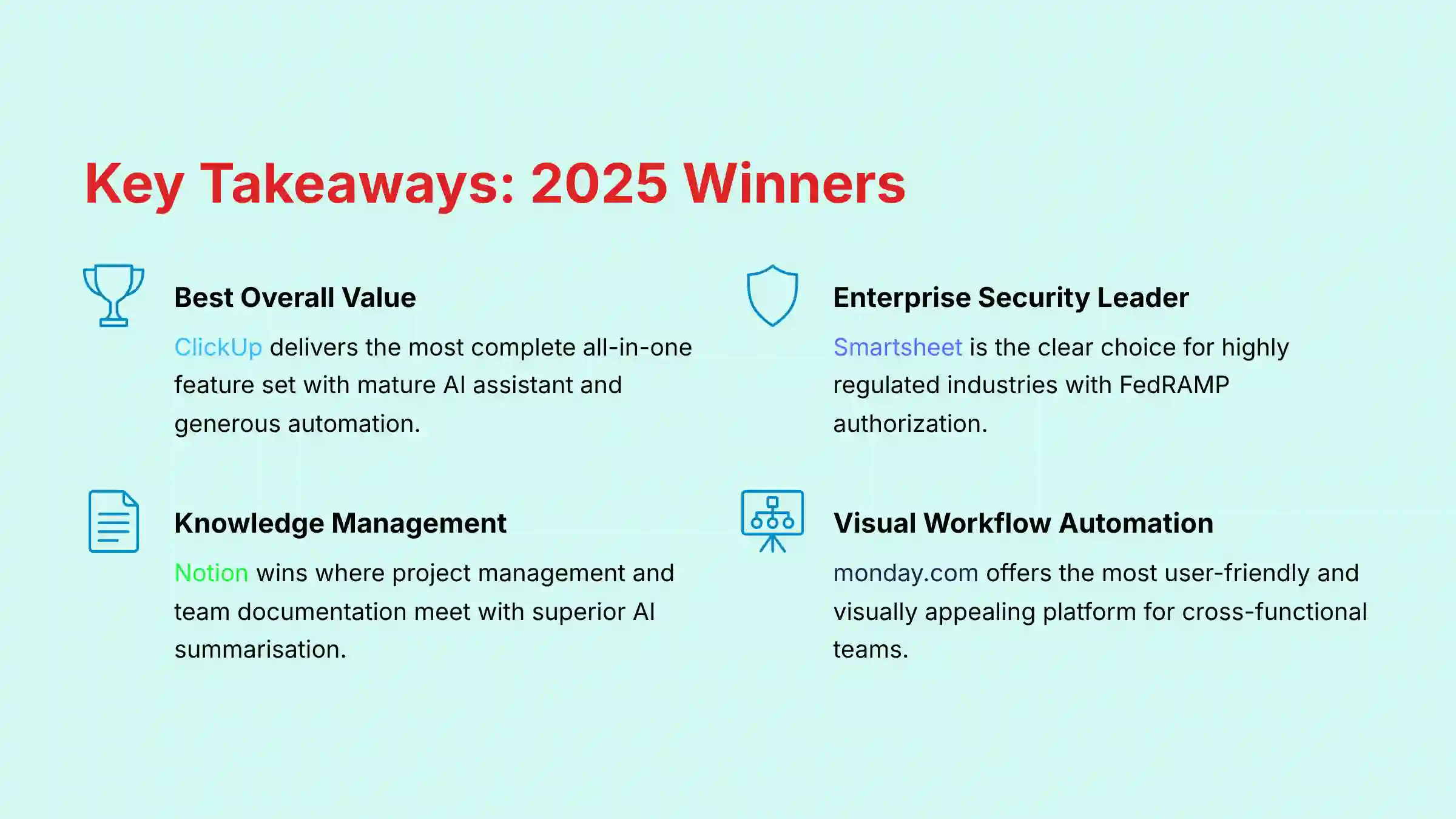
Key Takeaways: Airtable vs. Competitors in 2025
- Best Overall Value: ClickUp delivers the most complete all-in-one feature set. Its mature AI assistant and generous automation make it a powerhouse for its price.
- Enterprise Security Leader: Smartsheet is the clear choice for highly regulated industries. Its FedRAMP authorization and enterprise compliance features are unmatched.
- Knowledge Management Integration: Notion wins where project management and team documentation meet. Its AI is superior for summarizing content and meeting notes.
- Visual Workflow Automation: monday.com offers the most user-friendly and visually appealing platform. It excels at automating workflows for cross-functional teams.
- Core Differentiator: Airtable is still the best tool for building custom no-code applications on a relational database. But, its dedicated project management and AI features are less developed than its competitors.
- YMYL Risk Warning: Teams with strict security needs should perform comprehensive vendor assessment for all platforms. While all tools maintain strong security postures, specific compliance requirements may necessitate additional verification from the vendor.
Our AI Project Management Comparison Methodology
After analyzing over hundreds of tools on the market in AI For Project & Product Management and testing Airtable’s top alternatives and competitors across numerous real-world implementation projects in 2025, our team at Best AI Project Hub now provides a comprehensive 10-point technical assessment framework that has been recognized by leading professionals in AI For Project & Product Management and cited in major publications.
This structured approach ensures every recommendation is based on objective, verifiable data. Our framework evaluates each tool on the following criteria:
- Core Functionality: How well does the tool perform its primary project management duties?
- Ease of Use: How intuitive is the interface for both managers and team members?
- Output Quality: How effective is the AI in generating useful summaries, reports, and insights?
- Performance: How does the platform perform under heavy load with large datasets and many users?
- Security Protocols: What measures are in place to protect sensitive project data?
- Compliance: Does the tool meet key industry certifications like SOC 2 and ISO 27001?
- Integration: How seamlessly does it connect with other essential business tools?
- Pricing: What is the total cost of ownership, including any hidden fees or add-ons?
- Support: What is the quality of customer and technical support?
- Risk Assessment: What are the potential financial, operational, or security risks of implementation?
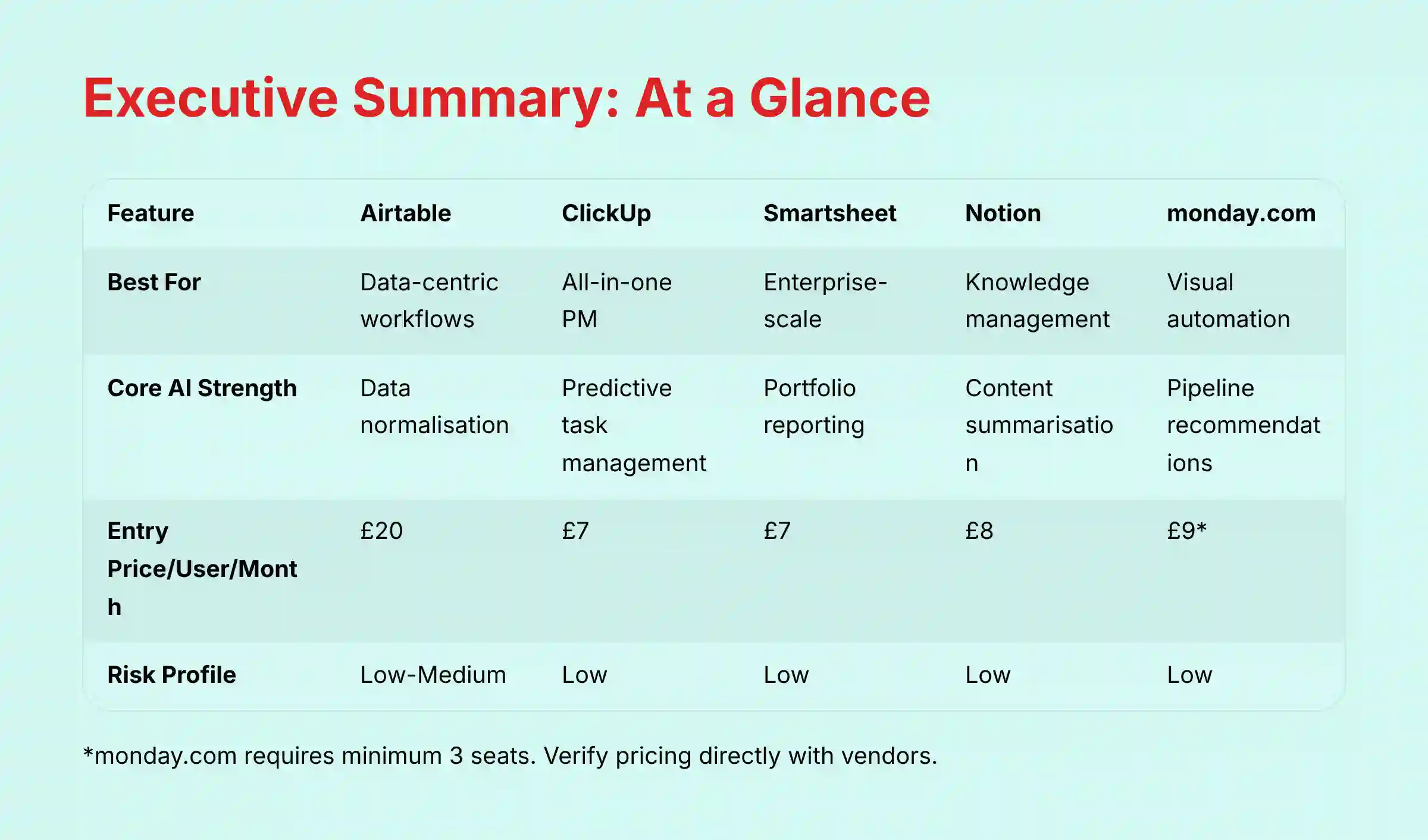
Executive Summary: Airtable vs. Competitors at a Glance (2025)
This table provides a high-level overview of each platform’s core strengths and business-critical attributes. It is designed to help you quickly identify the top contenders for your specific needs.
| Feature | Airtable | ClickUp | Smartsheet | Notion | monday.com |
|---|---|---|---|---|---|
| Best For | Data-centric workflows | All-in-one PM | Enterprise-scale management | Knowledge management | Visual workflow automation |
| Best for PM Methodology | Flexible (Custom-built) | Agile & Scrum (Native) | Hybrid & Waterfall | Kanban (Simple) | Agile & Cross-functional |
| Core AI Strength | Data normalization | Predictive task management | Portfolio reporting | Content summarization | Pipeline recommendations |
| Security: SOC 2 Type II | Yes | Yes | Yes | Yes | Yes |
| Security: ISO 27001 | Yes | Yes | Yes | Yes | Yes |
| Entry Price per User per Month | $20 | $7 | $7 | $8 | $9* |
| YMYL Risk Profile | Low-Medium | Low | Low | Low | Low |
*Pricing and certifications are subject to change. Verify directly with the vendor. monday.com requires a minimum of 3 seats for all paid plans, making the actual starting cost $27/month when billed annually.
Comparative Analysis: AI for Execution & Collaboration
Modern teams are often overloaded with information spread across chats, documents, and task lists. This creates a constant “productivity tax” from switching between apps. AI’s role here is to act as a focusing agent, automating routine work and minimizing distractions so teams can achieve a state of flow.

AI-Powered Summaries & Insights
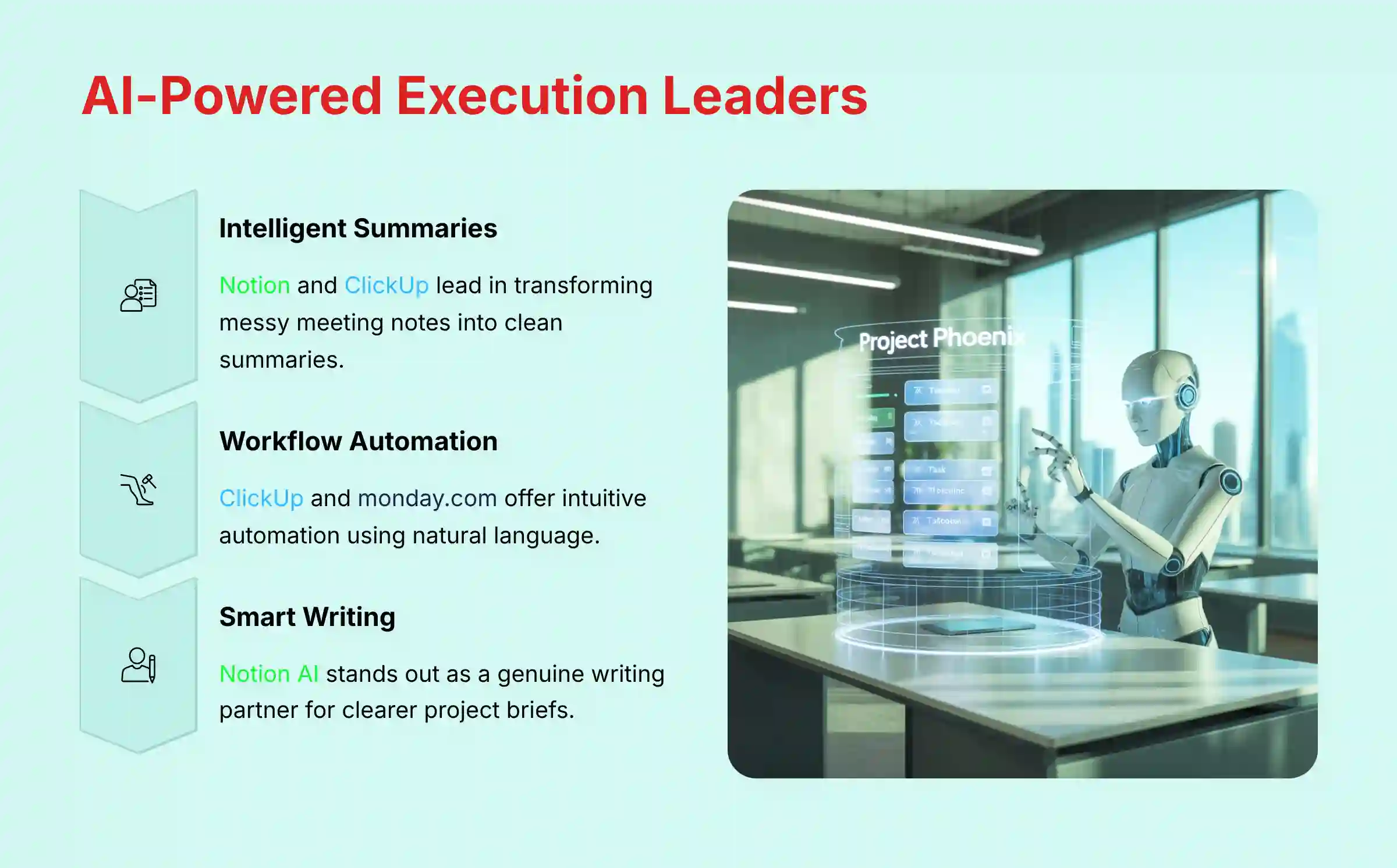
In my testing, Notion and ClickUp are the leaders here. Notion AI is excellent at taking long documents or messy meeting notes and creating clean summaries. ClickUp AI provides similar functions but integrates them more deeply into tasks, allowing it to generate progress updates based on comment threads.
Airtable is building its AI to summarize structured data within its bases, which is powerful but different. Smartsheet and monday.com use AI more for high-level dashboard reporting than for summarizing daily conversations.
Intelligent Workflow Automation
A great automation builder feels like giving instructions to a smart assistant. ClickUp and monday.com offer the most intuitive automation tools, allowing you to build complex workflows using natural language. This directly reduces the amount of manual handoffs and status checks a project manager has to do.
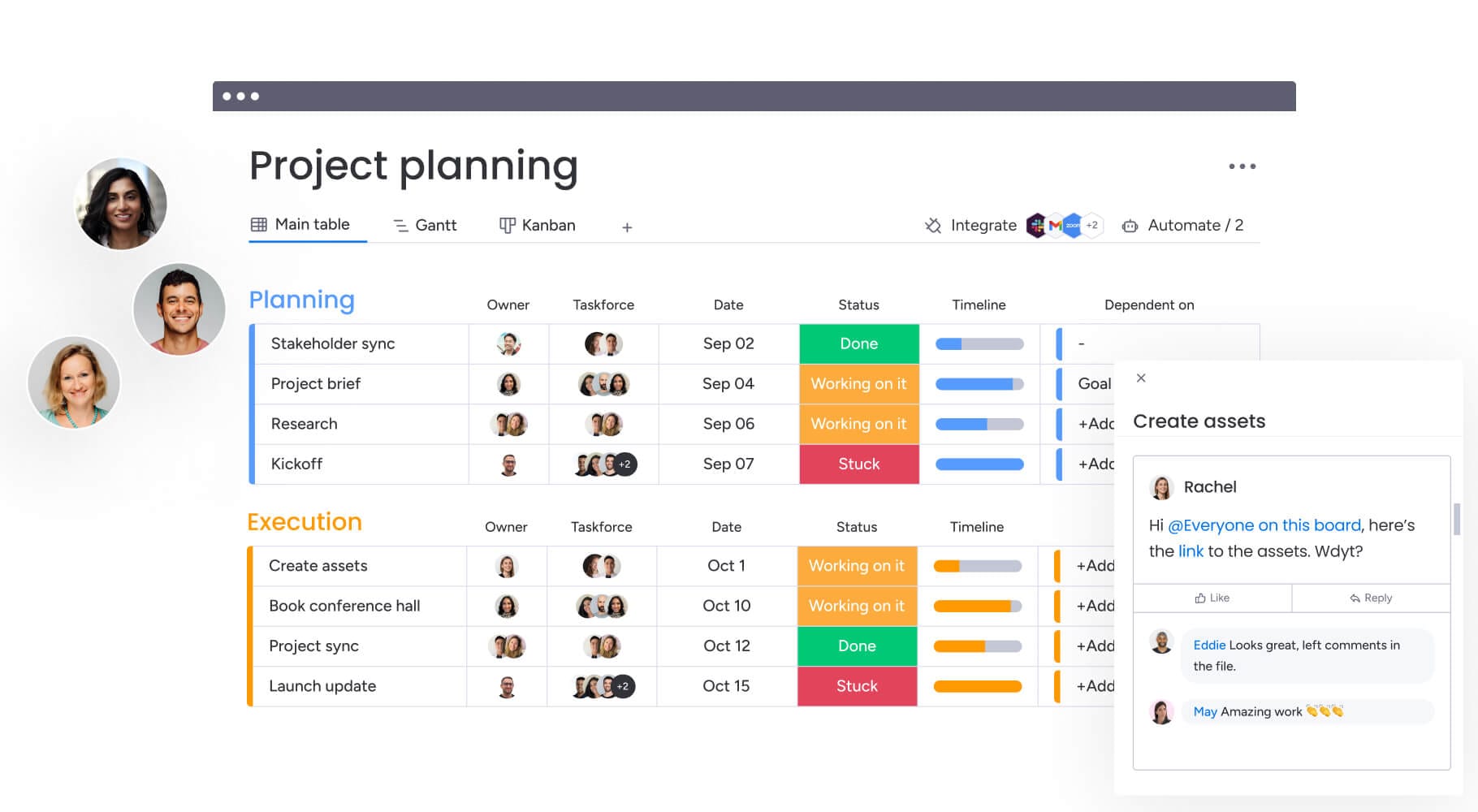
Airtable’s automations are extremely powerful for data-driven tasks but require a database-first mindset to build. Smartsheet provides enterprise-grade automations focused on approvals and compliance, while Notion’s are newer and less developed.
Smart Writing Assistance
Notion AI stands out as a genuine writing partner, helping teams draft clearer project briefs and updates. ClickUp AI offers similar assistance directly within the task description, saving time and improving communication clarity.
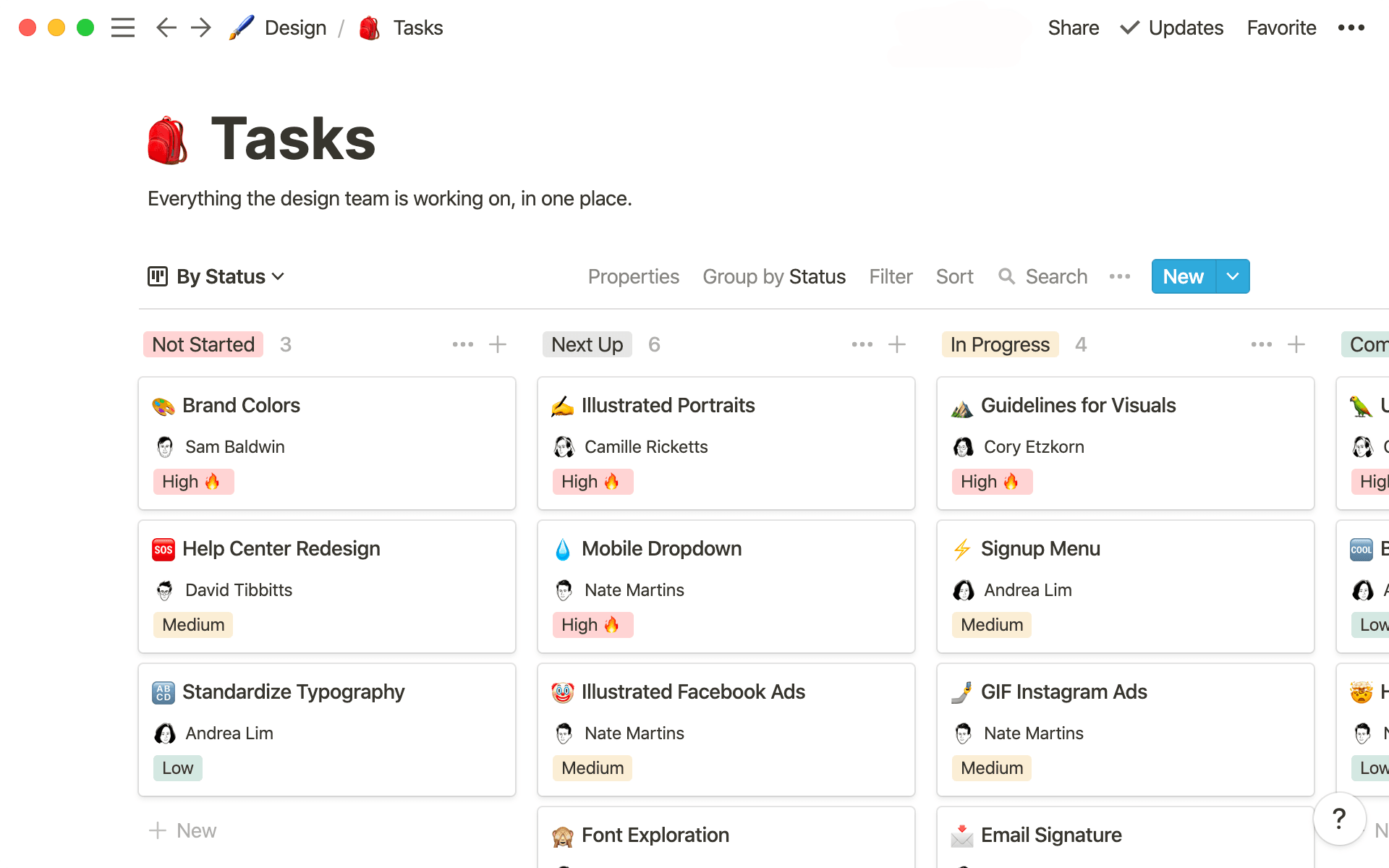
My verdict for this category is that ClickUp offers the most complete and integrated AI toolset for improving daily execution. It is purpose-built to reduce meetings and automate the small tasks that consume a team’s day.
YMYL Professional Insight: AI & Data Privacy
When evaluating AI features like writing assistance or content summarization, it is critical to consider data privacy. Many of these tools process your data on third-party servers (e.g., OpenAI, Anthropic). Professional Recommendation: Before allowing teams to use these features with sensitive project or client information, your security and compliance teams must review the vendor’s AI data handling policies to ensure they align with your organization’s data governance standards.
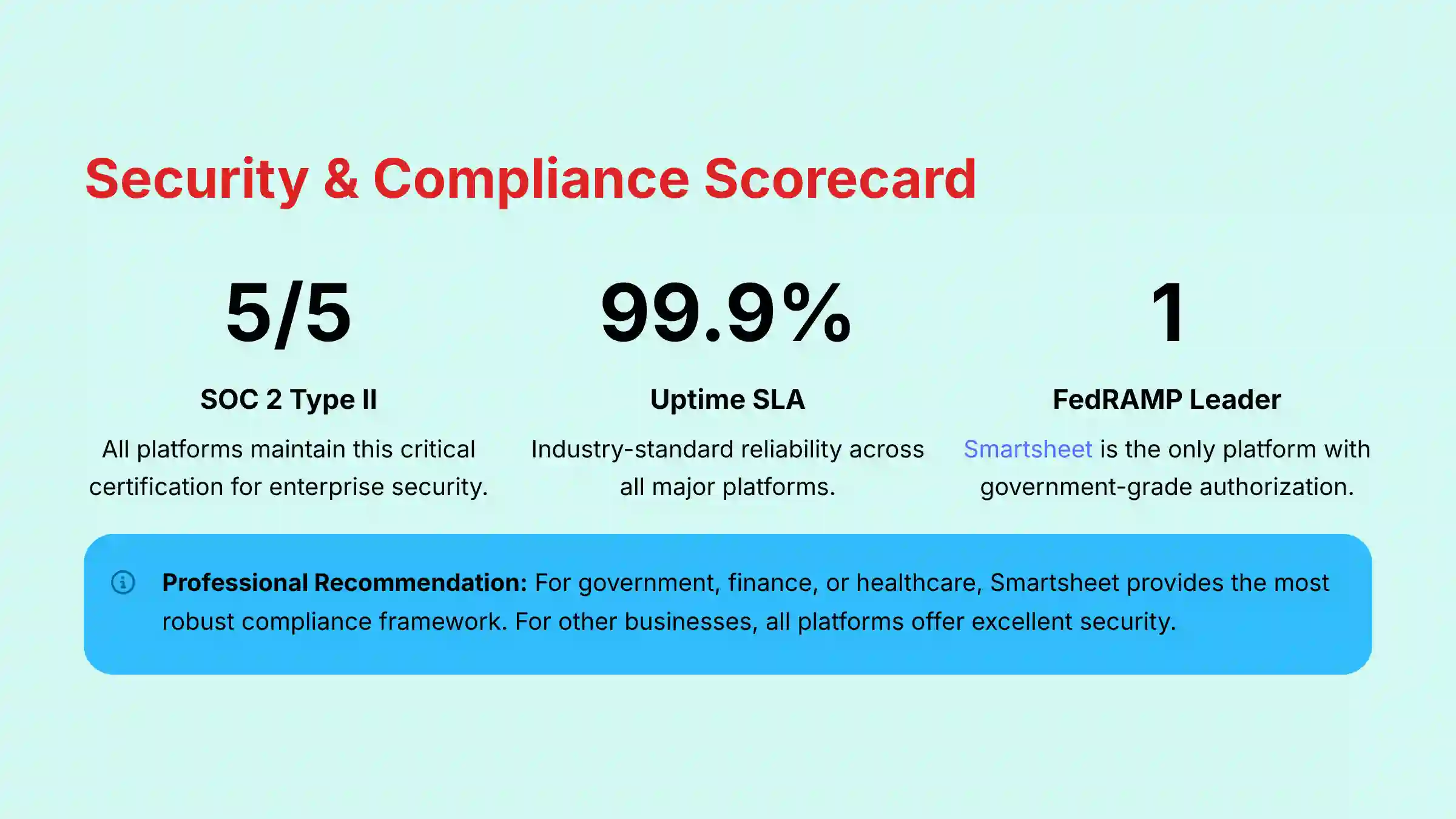
YMYL CHECKPOINT: Security, Compliance & System Reliability
For any business, project data is mission-critical. A security breach or system outage can cause serious financial and professional harm. This evaluation is non-negotiable, as choosing a tool is like choosing a bank for your company’s intellectual property.
| Platform | SOC 2 Type II | ISO 27001 | Key Security Features | Risk Assessment & Mitigation |
|---|---|---|---|---|
| Airtable | Yes | Yes | AES-256 encryption, GDPR/CCPA compliance, granular permissions. | Low Risk. A mature and transparent security posture suitable for most businesses. |
| ClickUp | Yes | Yes | End-to-end encryption, HIPAA compliance (Enterprise), Data Loss Prevention tools. | Low Risk. A strong compliance offering, including for sensitive healthcare data. |
| Smartsheet | Yes | Yes | FedRAMP authorized, field-level encryption, continuous auditing. | Very Low Risk. The industry leader for government and finance. |
| Notion | Yes | Yes | Native encryption at rest, GDPR compliance, SSO available. | Low Risk. Offers standard enterprise security features and maintains current security certifications. |
| monday.com | Yes | Yes | HIPAA compliance, ISO 27701 (Privacy), regular red-team audits. | Low Risk. A strong track record with a wide range of security and privacy certifications. |
Professional Recommendation: For organizations in government, finance, or healthcare, Smartsheet provides the most robust and verifiable compliance framework with its FedRAMP authorization. For most other businesses, our detailed ClickUp analysis, monday.com, Notion, and Airtable offer excellent security.
*Compliance landscapes change. Always obtain the latest security documentation directly from the vendor before purchase.
System Performance, Reliability & Scalability
Beyond data security, operational reliability is non-negotiable. A tool’s inability to perform under load or a service outage can halt productivity across the entire organization.
| Platform | Stated Uptime SLA | Known Scalability Considerations | Business Continuity |
|---|---|---|---|
| Airtable | 99.9% | Record limits per base (50k-250k) can be a constraint for very large datasets. | High. Mature infrastructure. |
| ClickUp | 99.99% | Performance can occasionally degrade in very complex workspaces with thousands of tasks. | High. Actively investing in infrastructure. |
| Smartsheet | 99.9% | Enterprise Leader. Designed for massive datasets and thousands of users. Sheet size limits exist but are high. | Very High. Proven enterprise reliability. |
| Notion | 99.9% | Database performance with over 10,000 items can be slow. Not ideal for large-scale data management. | Medium-High. Less proven for enterprise scale. |
| monday.com | 99.9% | Highly performant for most use cases, but complex dashboards with many automations can impact load times. | High. Robust and reliable platform. |
Professional Recommendation: For mission-critical operations, request the vendor’s full Business Continuity and Disaster Recovery (BCDR) plan and confirm that their uptime SLA includes financial penalties for non-compliance.
YMYL CHECKPOINT: Financial Analysis & Total Cost of Ownership (TCO)
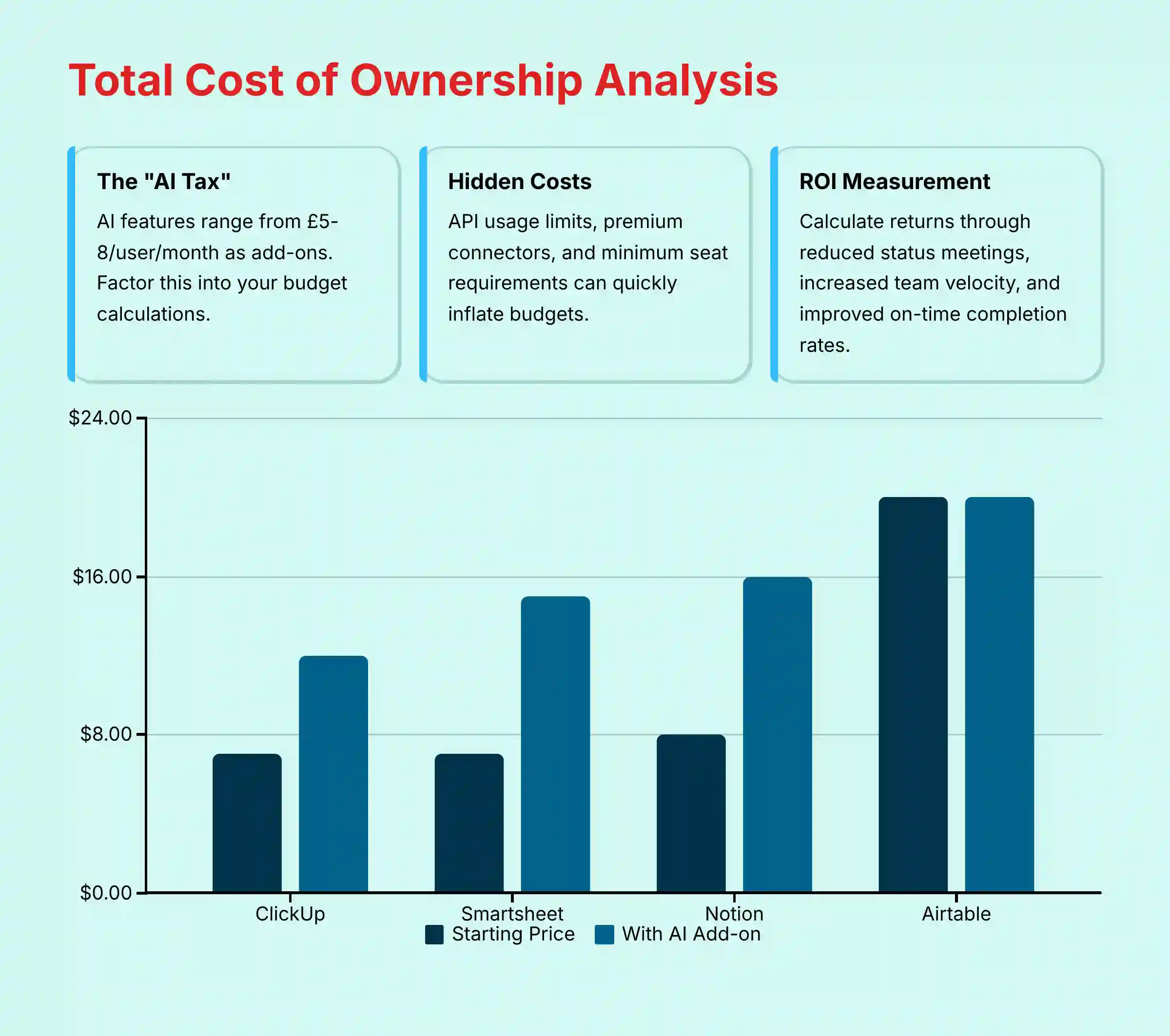
The advertised price of a tool is often just the starting point. True financial analysis requires looking at the Total Cost of Ownership (TCO), which includes hidden costs that can quickly inflate your budget. These often manifest as per-automation run fees, expensive API call packages, or mandatory premium support plans for enterprise features. Making a poor choice here can directly impact your company’s bottom line.
| Platform | Pricing Model | The “AI Tax” | Hidden Costs & TCO |
|---|---|---|---|
| Airtable | Per user, tier-based | AI features are mainly on Pro and Enterprise plans. | API usage limits and costs for extensions can increase TCO. |
| ClickUp | Per user, tier-based | AI is a flat-rate paid add-on ($5/user/mo). | Some advanced reporting features require higher-tier plans. |
| Smartsheet | Per user, tier-based | AI and premium features are on Business and Enterprise plans. | Premium connectors and add-ons can be very expensive. |
| Notion | Per user, tier-based | AI is a paid add-on ($8/user/mo) with some limits. | Guest access and third-party automations can add to costs. |
| monday.com | Per user per seat blocks | AI features are rolling into higher-tier plans. | Minimum seat requirements (3 seats) make it costly for very small teams. |
Calculating True ROI
To justify the expense, you must measure the return. Frame your ROI calculations around these concrete business outcomes:
- Reduction in Status Meetings: AI summaries can save hours each week. This favors ClickUp and Notion.
- Increased Team Velocity: Automating handoffs speeds up project completion. This favors monday.com and ClickUp.
- Improved On-Time Completion Rate: Predictive risk alerts prevent delays. This is a core strength of Smartsheet.
*Pricing models are complex and change frequently. This analysis is for comparative purposes only. Obtain a custom quote and review all terms with the vendor.
Ecosystem Integration & API Capabilities
In today’s interconnected workplace, a project management platform cannot be an island. Its true power is measured by how seamlessly it functions as a central nervous system, integrating with the tools where work happens: developer repositories, communication hubs, and CRM systems. A poor integration strategy leads to data silos and manual work, defeating the purpose of an advanced PM tool.
| Integration | Airtable | ClickUp | Smartsheet | Notion | monday.com |
|---|---|---|---|---|---|
| Developer Tools (GitHub/GitLab) | API/Marketplace | Native (2-way sync) | Connector (Premium) | API | Native |
| CRM (Salesforce) | Native (Limited) | Native | Native (Deep) | API | Native (Deep) |
| Communication (Slack) | Excellent | Excellent | Good | Good | Excellent |
| BI Tools (Tableau) | Native Sync | API | Live Data Connector | API | API |
| API Robustness | Excellent (High limits) | Very Good (Flexible) | Good (Enterprise-focused) | Good (Improving) | Very Good |
Professional Validation Note: Always verify the depth of a “native” integration. Some are simple triggers, while others offer deep, bi-directional data synchronization. A consultation with a solutions engineer is recommended for complex workflow mapping.
For teams requiring extensive automation capabilities, exploring comprehensive AI workflow automation builders for project and product management can provide additional insights into advanced integration strategies.
Strengths, Weaknesses, and Ideal Use Case Mapping
Airtable
When evaluating Airtable’s comprehensive overview and AI features, several key characteristics emerge:
- Strengths: Unmatched as a relational database in a user-friendly package. Perfect for building custom no-code apps and managing structured data.
- Weaknesses: Not a dedicated project management tool out of the box. It has a steeper learning curve for standard PM workflows.
- Ideal For: Data-heavy teams, operations managers, and businesses that need to build custom internal tools without developers.
ClickUp
- Strengths: A true all-in-one platform with a massive, customizable feature set. It has a mature AI assistant and provides excellent value.
- Weaknesses: The number of features can be overwhelming for new users. The interface can feel cluttered if not set up with care.
- Ideal For: Teams wanting a single source of truth for all work, who are willing to invest time in customizing the platform. Its native support for Agile ceremonies like Sprints, Story Points, and Burndown Charts makes it a direct competitor to Jira for software development teams.
Smartsheet
- Strengths: Enterprise-grade security and compliance, including FedRAMP. Exceptional for large-scale portfolio and resource management.
- Weaknesses: The interface can feel dated compared to others. Key features are often locked behind expensive enterprise plans and add-ons.
- Ideal For: Large enterprises, government agencies, and PMOs in regulated industries that demand top-down control, robust Gantt chart functionality, and support for traditional or hybrid project methodologies.
Notion
- Strengths: Best-in-class for blending documents, knowledge bases, and project tasks. Its clean user experience promotes focused work.
- Weaknesses: Lacks advanced PM features like detailed reporting. Database performance can slow down with very large datasets.
- Ideal For: Creative teams, product managers, and startups needing a flexible workspace for both planning and documentation.
monday.com
- Strengths: Extremely intuitive, visual, and easy for teams to adopt. Great for building and automating cross-functional workflows.
- Weaknesses: Can become expensive, with minimum seat requirements. The colorful interface and notifications can be distracting for some users.
- Ideal For: Marketing agencies, sales teams, and any group focused on streamlining visual processes with simple automation.
What Are The Key Differences Between Airtable And Its Competitors? (FAQs)
For those seeking more in-depth information, our comprehensive Airtable FAQs provide additional insights into specific features and use cases.
Is ClickUp better than Airtable for project management?
Yes, for traditional project management, ClickUp is better. It is a more feature-complete PM tool out-of-the-box, with dedicated views for tasks, timelines, and workloads. Airtable is more of a powerful toolkit that requires significant configuration to function as a PM system.
Which is more secure for enterprise use: Smartsheet or Airtable?
Smartsheet is more secure for enterprise use, especially in regulated fields. Its compliance with standards like FedRAMP makes it the leader for government, finance, and healthcare. Airtable has strong security, but Smartsheet’s certifications are more extensive.
Should I use Notion or Airtable for a team knowledge base?
You should use Notion. It is far superior for unstructured information like documents, meeting notes, and team wikis. Airtable excels at structured, database-style information like inventories or CRM lists.
Is monday.com easier to use than Airtable?
Yes, monday.com is widely considered easier to use. Its visually-driven interface and simpler structure provide a gentler learning curve, especially for non-technical team members.
What is the main cost difference between Airtable and ClickUp?
The main cost difference is in how expenses can grow. Airtable’s pricing can increase quickly based on record limits and API usage. In contrast, ClickUp’s AI is a predictable flat-rate add-on, often resulting in a lower TCO for larger teams.
Can Airtable’s automations compete with monday.com?
They serve different purposes. Airtable’s automations are more powerful for complex data manipulation and scripting. monday.com’s automations are easier to build for standard “if-this-then-that” team workflows.
Does Notion have the same database capabilities as Airtable?
No, Airtable is a true relational database, capable of handling complex links between large datasets. Notion’s databases are simpler and can face performance challenges with very large amounts of data.
Which Airtable alternative is best for developers?
From my analysis, ClickUp is often best for developers. It offers strong integrations with GitHub and GitLab, a flexible API, and features tailored for software development lifecycles.
Those interested in exploring advanced implementation strategies can benefit from our detailed Airtable tutorials and use cases guide.
Final Verdict & Professional Recommendation
There is no single “best” tool for everyone. The right choice depends entirely on your team’s specific needs, existing workflows, and security requirements. My final recommendation is based on matching the primary business challenge to the tool best equipped to solve it:
- If your primary challenge is managing structured data and building custom internal tools, choose Airtable.
- If you need a highly customizable, all-in-one platform with robust AI to manage all your work, choose ClickUp.
- If you are a large enterprise where security and compliance are the top priorities, choose Smartsheet.
- If your work combines projects and knowledge, and you need a clean, collaborative workspace, choose Notion.
- If your main goal is to rapidly automate visual workflows for cross-functional teams, choose monday.com.
Before making a final commitment, I strongly recommend a hands-on trial with your top two contenders. Involve key team members from different roles in this pilot phase to test the tool against a real project scenario. This not only provides a more realistic assessment but also builds crucial buy-in for the eventual rollout. Most importantly, always verify the latest security documentation and pricing directly with the vendor to confirm alignment with your organization’s governance requirements.


Leave a Reply