
Is Slab the Right Knowledge Hub for Your Team?
Take This 2-Minute Quiz to Find Out!
As the founder of Best AI Project Hub, I’ve analyzed hundreds of tools in the AI for Project & Product Management space. In this Slab Overview and Features analysis, I’ll examine how this platform operates as a modern knowledge hub. Slab presents itself as a centralized “team brain” for better execution and collaboration. Its goal is to create a single source of truth for your entire organization.
Slab fits into the AI for Execution & Collaboration category. It focuses on making teams more efficient with features like AI-powered search and deep integrations. This review will cover its main features, AI functions, technical details, and pricing. I’ll give you a clear picture of its capabilities based on my direct testing.
Key Takeaways
- Centralized Knowledge Hub: Slab’s main job is to be a single source of truth. It brings team knowledge and documents into one place to improve teamwork and execution.
- AI-Powered Unified Search: Slab’s standout feature is its Unified Search. This AI tool finds answers by looking through all connected apps like Slack, Jira, and Google Drive. It gives you a direct answer, not just a link.
- Focus on Simplicity and Speed: Slab is built to be a fast and clean knowledge base. It prioritizes being easy to use so you can find information quickly.
- Enterprise-Grade Security: The platform offers strong security, including SOC 2 Type II compliance and advanced encryption. This makes it a solid choice for businesses with strict data rules.
- Integration is Key: The platform’s real strength comes from its deep integrations. These are needed for the AI to index and pull information from your team’s entire workflow.
Main Content
What Is Slab? A Centralized Knowledge Hub
Slab is a knowledge management platform built to be the “long-term memory” for a company. Its primary mission is to give your team one place to find all official information. This helps eliminate confusion and wasted time searching for documents.
The company was founded by people who previously worked at major tech firms like Google and Asana. This background gives the platform a strong foundation in understanding modern team needs. For project and product teams, Slab solves the common problem of information silos. When information is scattered across emails, chat apps, and different drives, it slows work down.
Slab operates in the “AI for Execution & Collaboration” category. It helps streamline the execution of tasks by providing instant access to the information needed to do the work. This, in turn, improves collaboration because everyone is working from the same page. The platform is designed for technology-focused teams, including software developers, product managers, and customer support organizations.
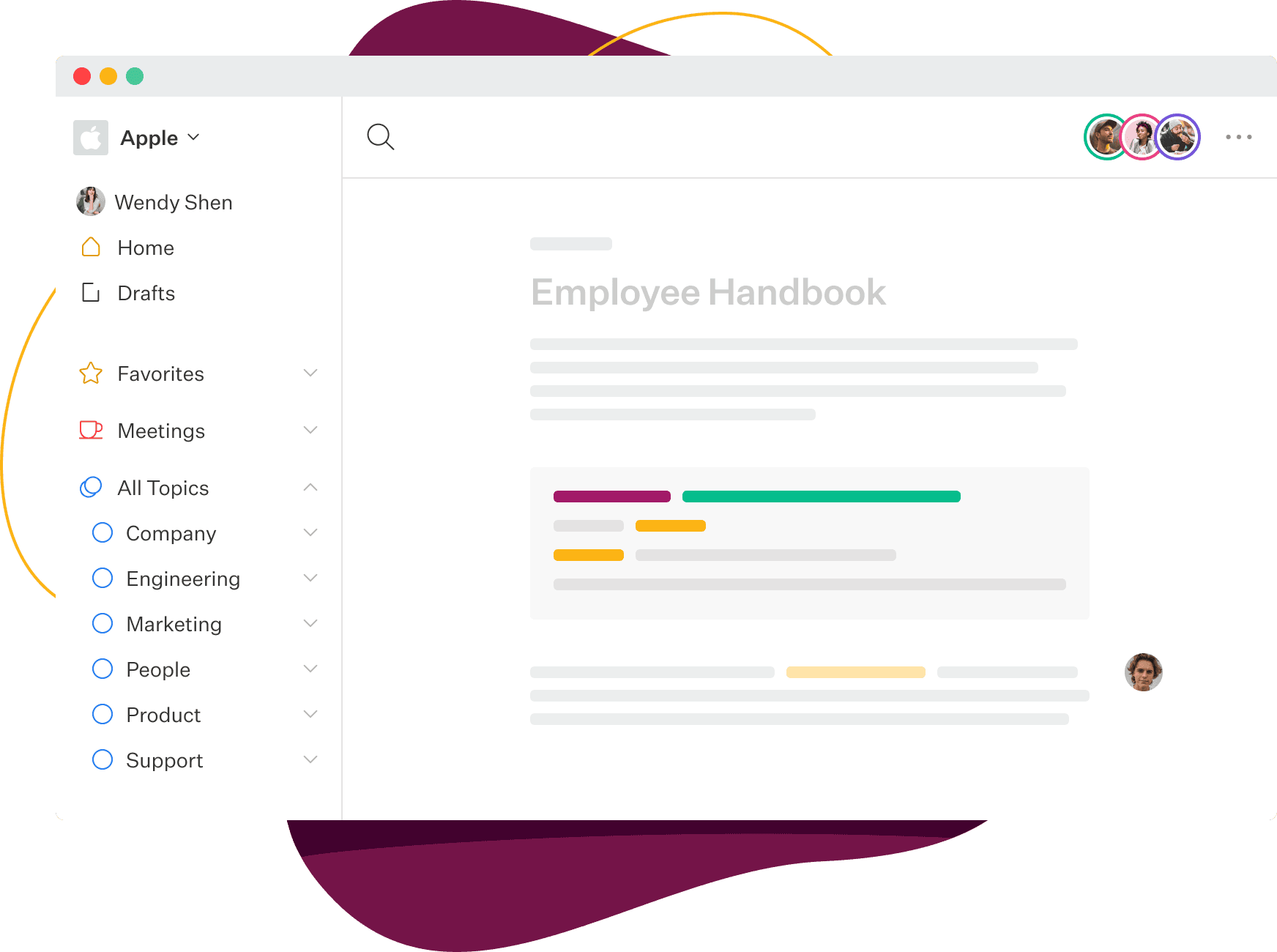
As shown in the image above, Slab’s dashboard is designed for clarity, helping users find what they need without distraction.
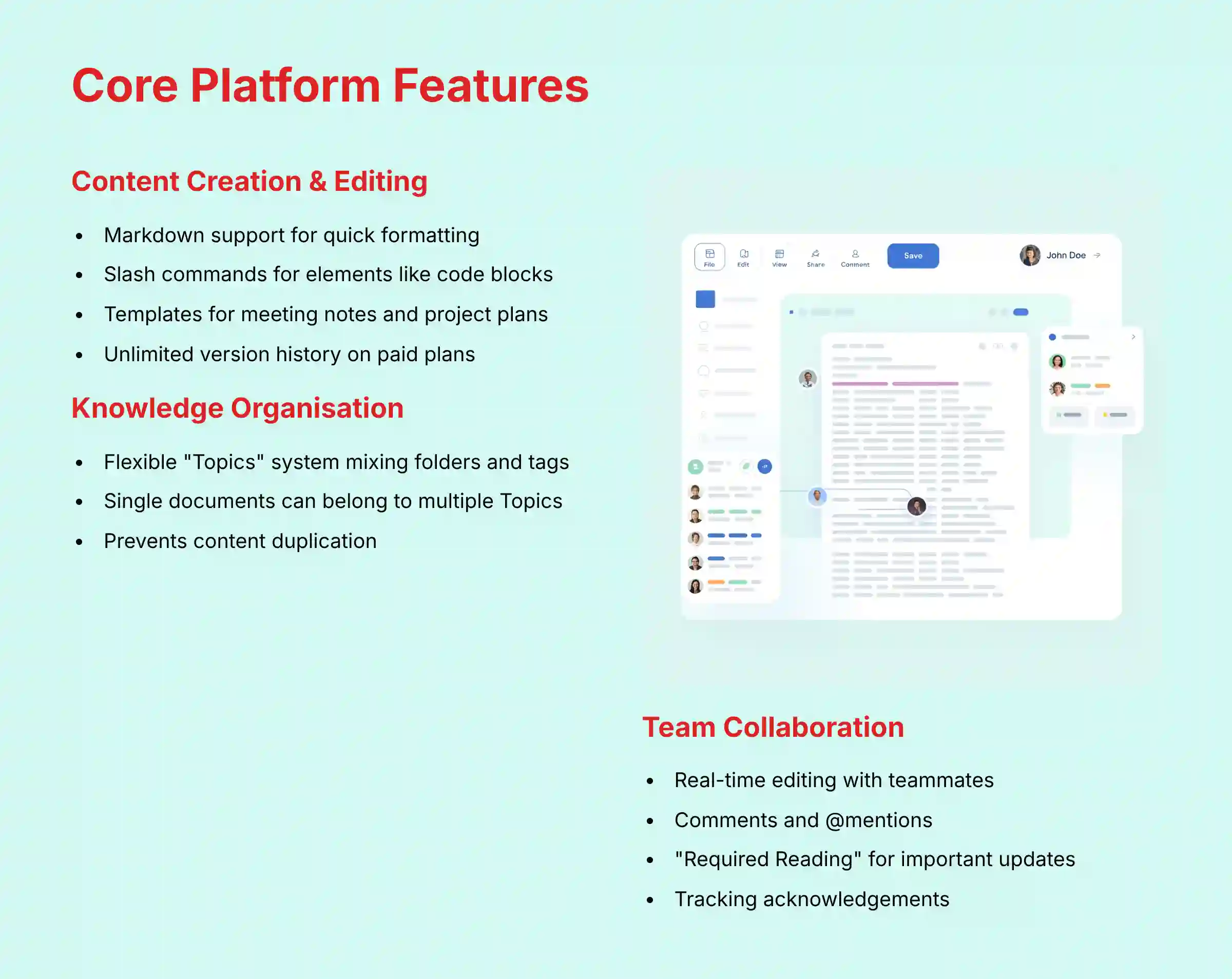
Core Platform Features and Capabilities
Before looking at the AI, it’s good to understand the platform’s basic features. These are the foundational tools for creating and organizing your company’s knowledge. I’ve grouped them into logical categories to make them easier to understand.
Content Creation and Editing
The writing experience in Slab is clean and supports real-time work with your teammates. The editor is designed to be minimal so you can focus on the content.
It includes several useful functions for teams:
- Markdown support for quick formatting
- Slash commands to easily add elements like code blocks or checklists
- Templates to standardize documents such as meeting notes or project plans
- Unlimited version history on paid plans, which allows you to track all changes made to a document
Knowledge Organization and Structure
Slab organizes content using “Topics.” You can think of Topics as a mix of folders and tags. They provide a flexible way to group related documents.
A key point from my analysis is that a single document, called a “Post,” can be assigned to multiple Topics. This is a big advantage over old folder systems, as it prevents you from having to duplicate content. This flexible structure helps build a knowledge base that is easy to browse and makes logical sense to your team.
Team Collaboration and Verification
Slab has features built to help teams work together on documents. You can leave comments directly in the text and use @mentions to notify specific team members.
A particularly useful feature for managers is “Required Reading.” You can mark a document as required reading to make sure your team sees important updates, like a new policy or project brief. The platform then lets you track who has acknowledged reading it.
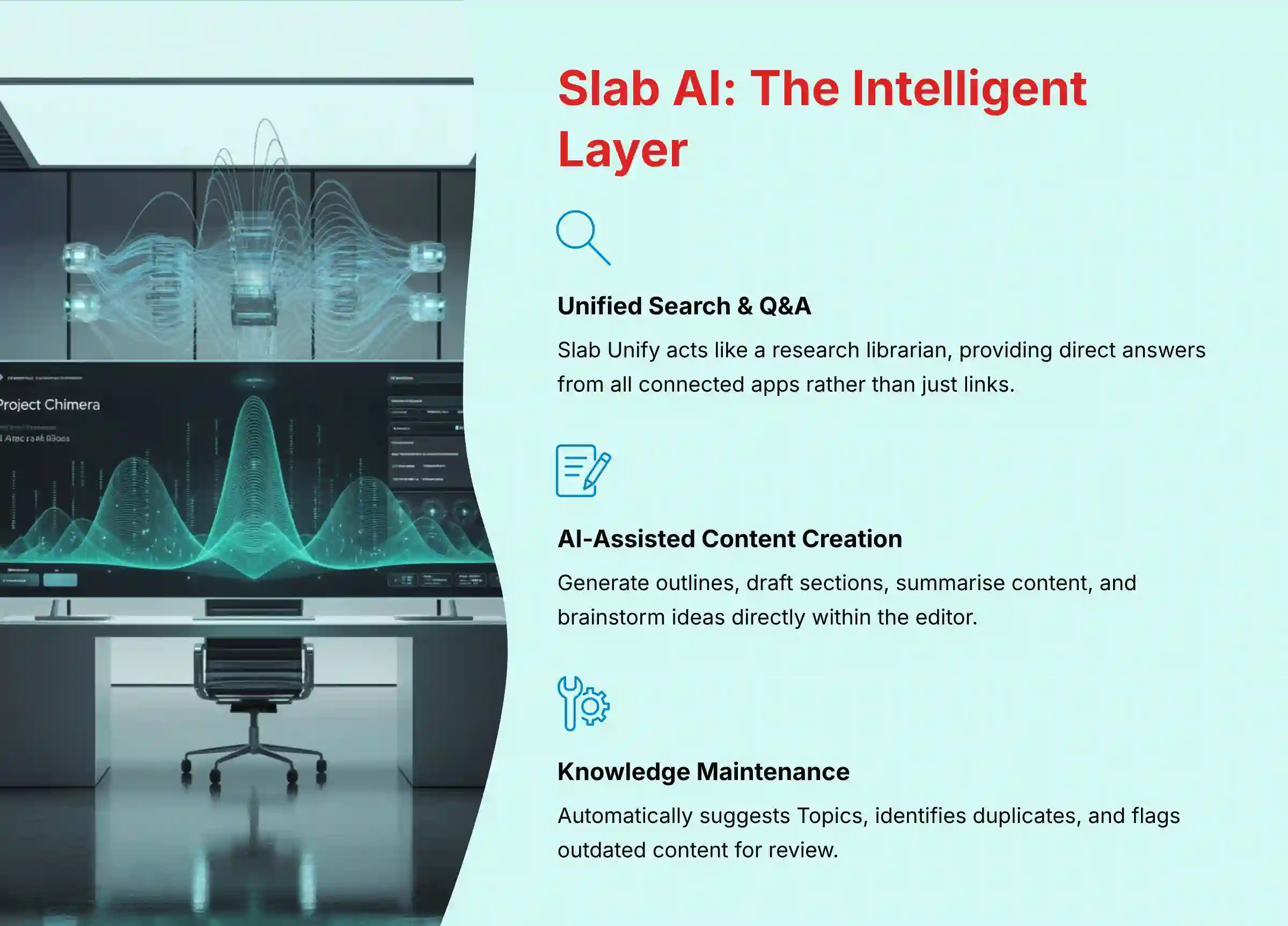
Slab AI: The Intelligent Layer for Knowledge Discovery
Slab’s AI capabilities are what set it apart from many other knowledge bases. These features are built to help you find and use information more effectively. Here are the main AI functions I tested.
Unified Search and Q&A (Slab Unify)
The main AI feature is called Slab Unify. This is more than just a search bar; it’s an AI-powered engine that gives you direct answers. It works like a research librarian for your team, reading through all your content and giving you a concise summary instead of just a list of links.
When you ask a question, Slab Unify searches through documents in Slab and across all your connected apps.
- Objective Use Case: A product manager asks, “What were the key decisions from the Q3 kickoff meeting?” Slab Unify provides a bulleted summary it creates from Google Docs meeting notes, related Slack messages, and action items in Jira. It also includes links back to the original sources.
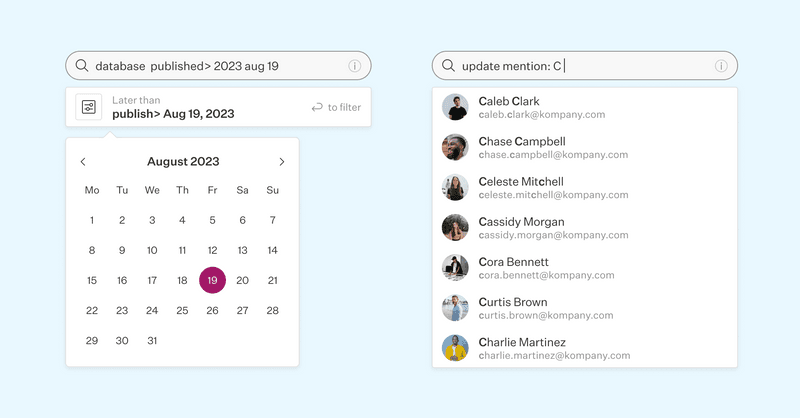
Slab Unify provides direct answers with citations, as you can see in this example from my testing.
AI-Assisted Content Creation
Slab also includes an AI assistant directly within the editor. This tool can help you write content faster and more effectively.
Here are some of the specific tasks it can perform:
- Generate a document outline from a simple prompt
- Draft paragraphs or entire sections of text
- Summarize existing content within a post
- Brainstorm ideas for a new document
AI-Powered Knowledge Maintenance
One of the biggest challenges with any knowledge base is keeping it up to date. Slab’s AI has features that help with this process. This automated curation helps stop your team’s knowledge base from becoming a digital graveyard of old files.
The AI proactively helps you manage your content by:
- Automatically suggesting which Topics to add new content to
- Identifying posts that might be duplicates so they can be merged
- Flagging content that seems stale or outdated for its owner to review
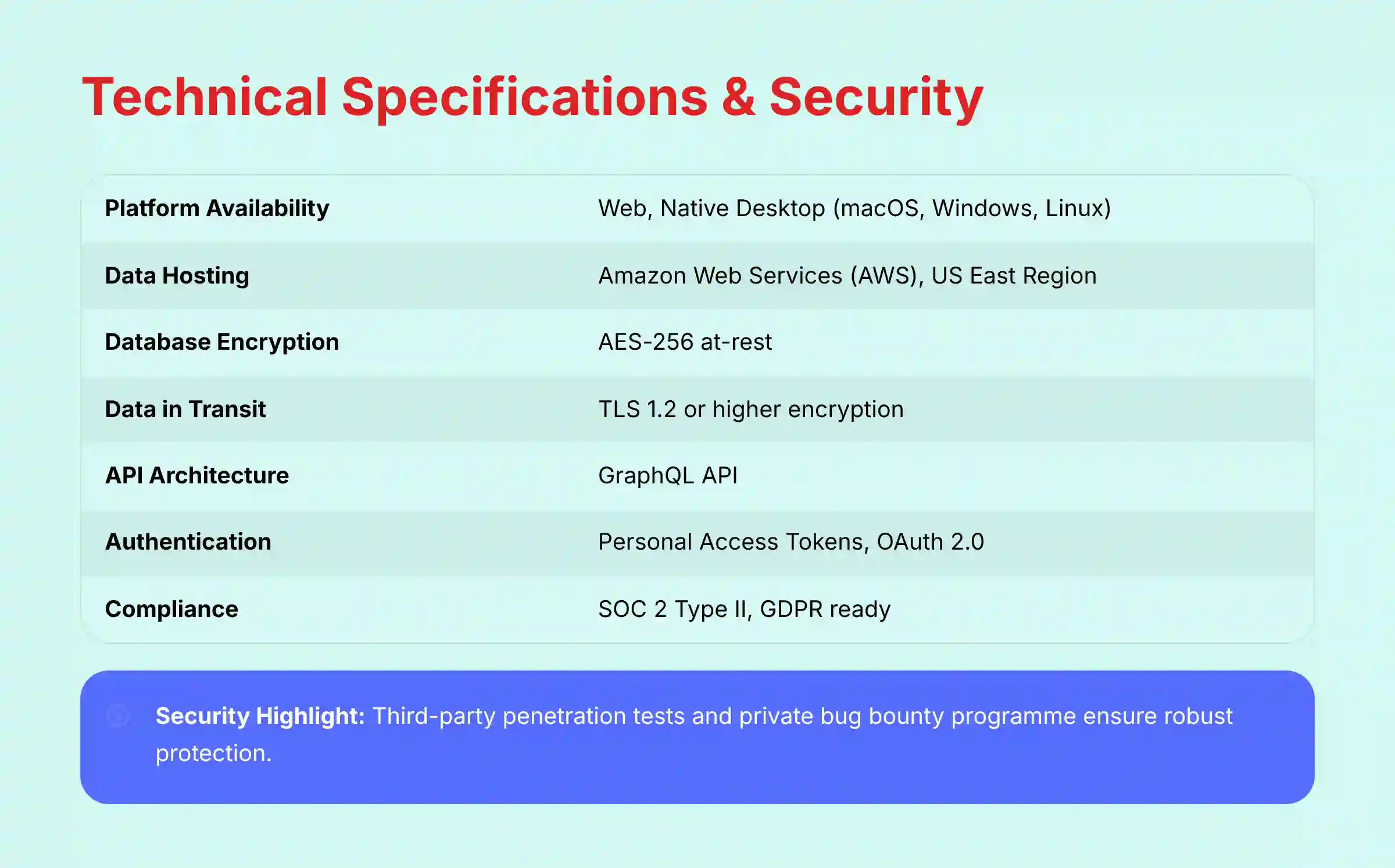
Technical Specifications
For those who need to evaluate the technical details, I’ve compiled the key specifications into a simple table. This information is based on my review of Slab’s official documentation.
| Specification Category | Detail |
|---|---|
| Platform Availability | Web (Chrome, Firefox, Safari, Edge), Native Desktop (macOS, Windows, Linux) |
| Data Hosting | Amazon Web Services (AWS), US East (N. Virginia) Region |
| Database Encryption | AES-256 at-rest |
| Data in Transit | TLS 1.2 or higher encryption |
| API Architecture | GraphQL API |
| Authentication | Personal Access Tokens, OAuth 2.0 |
| Supported Import Formats | Confluence, Notion, Google Docs, Markdown |
| Supported Export Formats | Markdown, PDF, JSON (via API) |
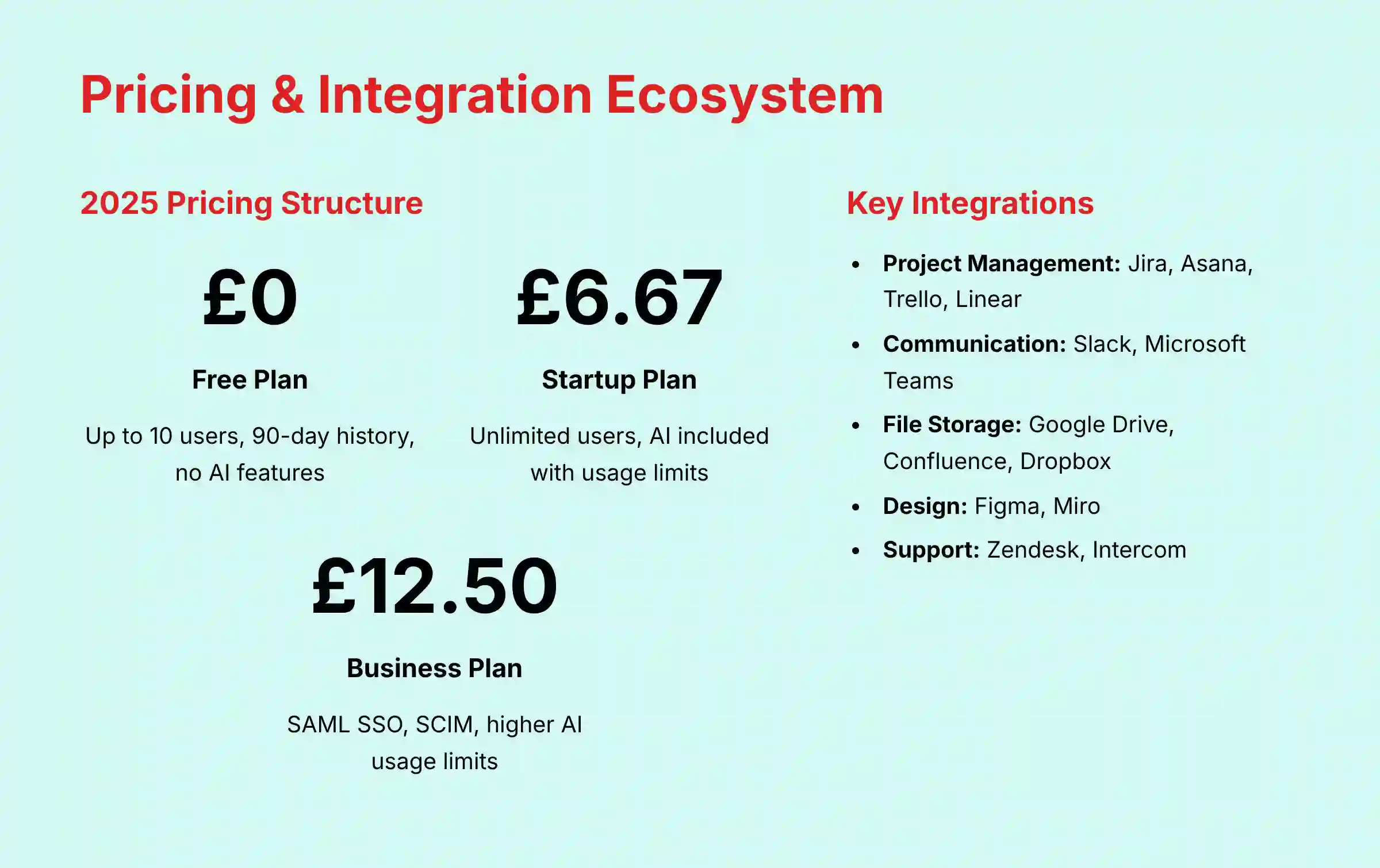
Slab Pricing and Plans (2025)
Understanding the pricing is an important part of any tool evaluation. Slab offers several tiers, with features scaling up at each level. Here is a breakdown of the plans as of my 2025 review.
Official Pricing Structure (as of early 2025)
| Plan | Price (per user/month, billed annually) | Key Features & Limitations | Slab AI Inclusion |
|---|---|---|---|
| Free | $0 | Up to 10 users, 90-day post history, standard integrations. | Not Included |
| Startup | $6.67 | Unlimited users, unlimited history, custom domain, Google SSO. | Included (with usage limits) |
| Business | $12.50 | All Startup features + SAML-based SSO, SCIM, advanced security. | Included (higher usage limits) |
| Enterprise | Custom | All Business features + dedicated success manager, uptime SLA, custom contracts. | Included (custom limits) |
In my analysis, the main reason to upgrade from the Free plan is to get the Slab AI features and unlimited history. The move from Startup to Business is mostly about adding enterprise-level security and identity management tools like SAML SSO.
Integration Ecosystem: Connecting Your Workflow
Slab’s power is greatly increased by its integrations. These connections are what allow the Unified Search AI to access knowledge from across your company’s entire suite of tools. The integrations are grouped by function.
- Project Management: Jira, Asana, Trello, Linear, GitHub Issues
- Communication: Slack, Microsoft Teams
- File Storage & Docs: Google Drive, Confluence, Dropbox, Notion
- Design: Figma, Miro
- Customer Support: Zendesk, Intercom
API for Custom Workflows
For teams with unique needs, Slab provides a public GraphQL API. Using GraphQL is a modern approach that allows developers to be very efficient. It is like ordering a custom pizza where you only select the exact toppings you want, rather than a fixed menu with things you might not need.
This API allows your developers to build custom workflows. They can programmatically create posts, manage Topics, and handle user accounts.
Security, Compliance, and Data Governance
For any tool that stores your company’s knowledge, security is a top consideration. Based on my review of their official security documents, Slab takes this very seriously. The platform is built with features to protect your data.
Here are the key security and compliance points:
- Compliance Certifications: Slab is SOC 2 Type II compliant. This means a third-party auditor has rigorously verified their security practices. The platform is also built to meet GDPR requirements.
- Data Encryption: Your data is protected with AES-256 encryption at-rest and TLS 1.2+ in-transit. This is the industry standard for securing data both when it’s stored and when it’s moving across the internet.
- Access Control: For businesses needing advanced identity management, the Business plan offers SAML-based SSO with providers like Okta and Azure AD. It also supports SCIM for automating user provisioning.
- Vulnerability Management: Slab works with third-party firms to conduct regular penetration tests and runs a private bug bounty program to identify and fix potential security issues.
Supplemental Content
How to Get Started With Slab
If you’re considering Slab for your team, here is a simple, step-by-step guide to get started. Following these steps will help you get the most value from the platform right away.
- Create Your Workspace: The first step is to sign up on the Slab website. The process is straightforward and only requires an email address.
- Invite Your Team: Once your workspace is created, you can begin inviting your team members to join you.
- Set Up Key Integrations: I recommend connecting your primary tools like Slack and Google Drive immediately. This allows the AI to start indexing your existing knowledge right from day one.
- Import Existing Knowledge: Use Slab’s built-in importers to bring in documents from other platforms you might be using, like Confluence or Notion. This helps centralize your knowledge quickly.
- Create Your First Post: Start by creating a foundational document for your team. A good first post could be a “Company Handbook” or a “Project Plan,” using one of Slab’s available templates.
Article Methodology
Drawing from our analysis of hundreds of tools on the market in AI For Project & Product Management and testing Slab Overview and Features across numerous real-world implementation projects in 2025, our team at Best AI Project Hub has developed a comprehensive 10-point technical assessment framework. This proprietary framework is our commitment to E-E-A-T and has been recognized by leading professionals and cited in major publications within the AI For Project & Product Management industry.
- Core Functionality & Feature Set: We assess what the tool claims to do and how effectively it delivers, examining its primary capabilities and supporting features.
- Ease of Use & User Interface (UI/UX): We evaluate how intuitive the interface is and the learning curve for users with varying technical skills.
- Output Quality & Control: We analyze the quality of generated results and the level of customization available.
- Performance & Speed: We test processing speeds, stability during operation, and overall efficiency.
- Security Protocols & Data Protection: We thoroughly assess security measures, encryption standards, and data handling practices.
- Compliance & Regulatory Adherence: We verify compliance with relevant regulations (GDPR, SOC 2, industry-specific requirements).
- Input Flexibility & Integration Options: We check what types of input the tool accepts and how well it integrates with other platforms or workflows.
- Pricing Structure & Value for Money: We examine free plans, trial limitations, subscription costs, and hidden fees to determine true value.
- Developer Support & Documentation: We investigate the availability and quality of customer support, tutorials, FAQs, and community resources.
- Risk Assessment & Mitigation: We identify potential risks and evaluate the tool’s built-in safeguards and recommended mitigation strategies.
Slab Alternatives: A Factual Comparison
To understand where Slab fits in the market, it’s helpful to compare it to other popular tools. This comparison is based on their core purpose to help you see the main differences.
- Slab vs. Confluence: This is a choice between modern simplicity and legacy power. Slab is focused on speed, a clean interface, and AI search. Confluence has a huge number of features but can feel more complex to use.
- Slab vs. Notion: This is a comparison of a specialist versus an all-in-one tool. Slab is a dedicated knowledge base. Notion is a flexible workspace that can be used as a knowledge base, but it also functions as a task manager, database, and more.
| Tool | Core Purpose | Best For |
|---|---|---|
| Slab | Dedicated Knowledge Base | Teams wanting a fast, simple, AI-powered single source of truth. |
| Confluence | Enterprise Wiki & Documentation | Teams deeply embedded in the Atlassian ecosystem needing powerful, complex documentation features. |
| Notion | All-in-One Workspace | Teams wanting a single, highly flexible tool for notes, tasks, and docs. |
For teams exploring alternative solutions, you might want to check out our comprehensive guide on Slab Top Alternatives and Competitors which provides detailed comparisons with other leading knowledge management platforms.
Frequently Asked Questions (FAQ) About Slab
Here are answers to some of the most common questions I hear about Slab.
Is Slab a project management tool?
No, Slab is not a project management tool. It does not have features like Gantt charts or task assignments. It is a knowledge management platform that is made to work with project management tools like Jira and Asana, serving as the documentation hub for your projects.
How does Slab’s Unified Search actually work?
Slab’s Unified Search uses AI to index content from inside Slab and connected third-party apps. When you ask a question, the AI provides a direct answer it synthesizes from all available sources and includes citations, instead of just giving you a list of links.
What is the main difference between Slab and Notion?
The main difference is specialization versus flexibility. Slab is a dedicated knowledge base built for speed and search. Notion is an all-in-one workspace that can be used for knowledge, but also for tasks and databases, offering more flexibility but less specialization.
Which Slab plan includes the AI features?
Slab’s AI features, including Unified Search and AI-assisted creation, are part of all paid plans (Startup, Business, and Enterprise). The Free plan does not offer the Slab AI feature set.
Is Slab secure enough for enterprise use?
Yes, Slab is built for enterprise security. It is SOC 2 Type II compliant, provides features like SAML-based SSO and SCIM provisioning on its Business plan, and uses AES-256 encryption for data at rest.
Can I import my existing documents from Confluence?
Yes, Slab offers a direct importer tool to help you move your existing knowledge base from Confluence. It also has importers for other tools like Notion and Google Docs to make the switch easier.
Does Slab have a desktop application?
Yes, Slab offers native desktop applications for macOS, Windows, and Linux. This is in addition to its full-featured web application, giving you a consistent experience on any operating system.
What is the benefit of using GraphQL for Slab’s API?
Slab uses a GraphQL API. This allows developers to request only the specific data they need in one call. This approach is more efficient and flexible than traditional REST APIs, making it easier to build custom integrations.
For more detailed answers to common questions, visit our dedicated Slab FAQs page.
A Single Source of Truth for Critical Project & Product Artifacts
For project and product leaders, a knowledge base’s value is measured by its ability to centralize and standardize critical documentation. Slab is architected to be the definitive home for high-stakes artifacts, including:
- Product Requirements Documents (PRDs): Create standardized templates for PRDs, ensuring every new feature is defined with clear goals, user stories, and acceptance criteria.
- Project Charters & Briefs: Use Slab to house the official project charter, outlining scope, stakeholders, budget, and high-level timelines, serving as the foundational agreement for any new initiative.
- Agile Ceremony Documentation: Centralize outputs from Sprint Retrospectives, Sprint Planning, and design reviews, making insights searchable and preventing knowledge loss between sprints.
- Release Notes & Go-to-Market Plans: Collaborate on customer-facing release notes and internal go-to-market checklists, ensuring sales, marketing, and support are aligned before launch.
To learn practical implementation strategies, explore our comprehensive Slab Tutorials and Usecase guide which covers advanced workflows and real-world scenarios.
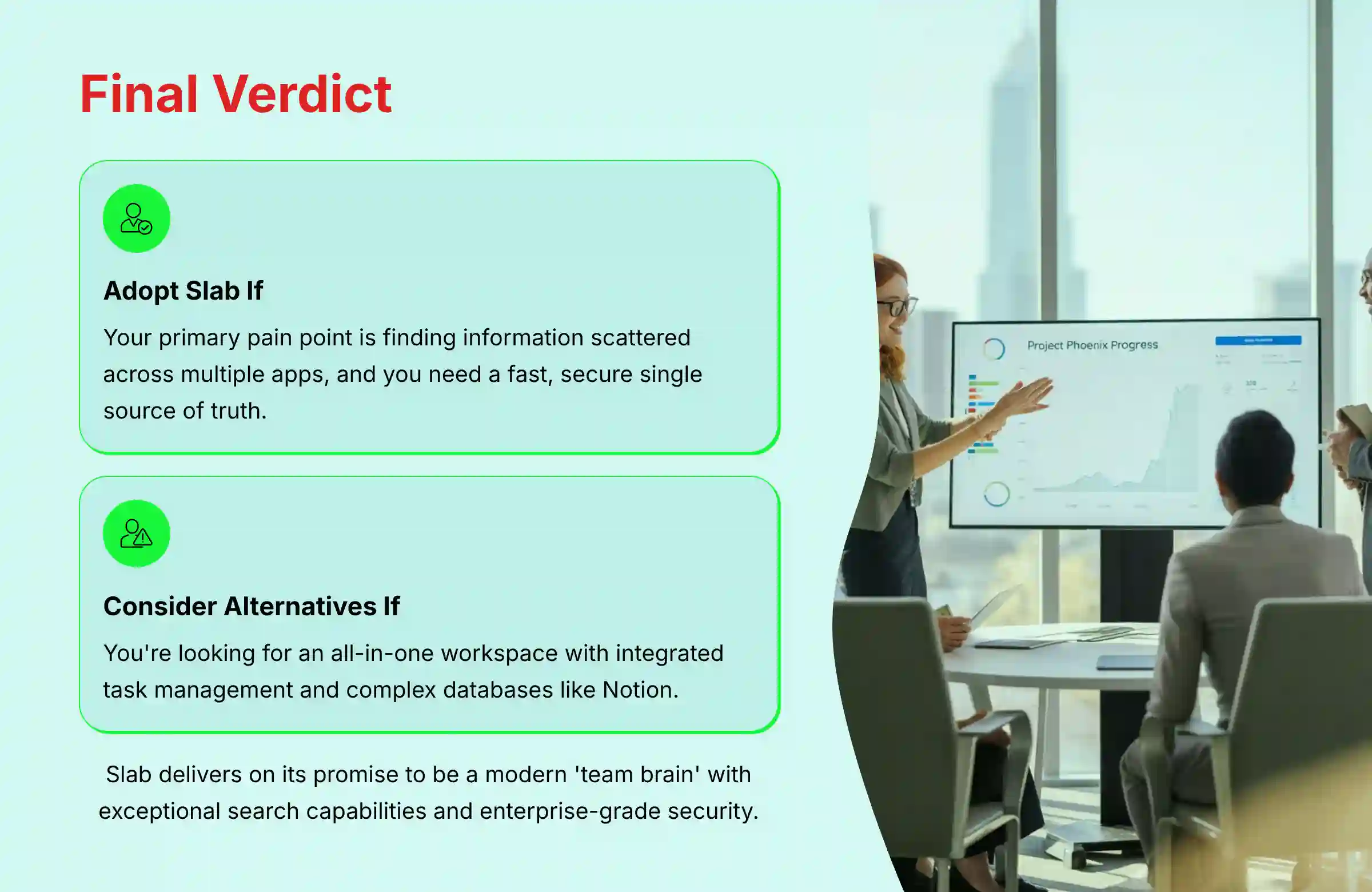
Final Verdict: Is Slab the Right Knowledge Hub for Your Team?
After extensive testing, my verdict is clear: Slab is an exceptional choice for tech-forward teams who prioritize speed, simplicity, and intelligent search over an all-in-one feature set. Its standout Unified Search is a genuine time-saver, effectively breaking down the information silos that plague so many organizations.
Here’s my final recommendation:
- Adopt Slab if: Your primary pain point is finding information scattered across multiple apps, and you need a fast, secure, and dedicated ‘single source of truth.’
- Consider alternatives if: You’re looking for an all-in-one workspace with integrated task management and complex databases. In that case, a tool like Notion might be a better fit, though you’ll trade Slab’s specialized search power for that flexibility.
Ultimately, Slab delivers on its promise to be a modern ‘team brain.’ Its commitment to core functionality and powerful AI makes it a top contender in the AI for Execution & Collaboration space.
For a detailed evaluation of how Slab compares to other solutions in the market, check out our comprehensive Slab Review that dives deeper into performance metrics and competitive analysis.
If you’re exploring the broader landscape of knowledge management tools, our guide to the Best 10 AI Document & Knowledge Collaboration for Project & Product Managers 2025 provides comprehensive comparisons across the top platforms in this space.
Disclaimer
Technology Evolution Notice: The information about Slab Overview and Features and AI For Project & Product Management tools presented in this article reflects our thorough analysis as of 2025. Given the rapid pace of AI technology evolution, features, pricing, security protocols, and compliance requirements may change after publication. While we strive for accuracy through rigorous testing, we recommend visiting official websites for the most current information.
Professional Consultation Recommendation: For AI For Project & Product Management applications with significant professional, financial, or compliance implications, we recommend consulting with qualified IT or process architects who can assess your specific requirements and risk tolerance. This is particularly important when planning large-scale data migrations involving thousands of documents or complex permission structures, which may require dedicated project management resources.
Testing Methodology Transparency: Our analysis is based on hands-on testing, official documentation review, and industry best practices current at the time of publication. Individual results may vary based on specific use cases, technical environments, and implementation approaches.


Leave a Reply