
Is Otter.ai the Right AI Scribe for Your Team?
This 2-Minute Quiz Reveals if It Fits Your Workflow.
Introduction: Transforming Meeting Chaos into Actionable Intelligence with Otter.ai
This definitive Otter.ai Tutorials and Usecase guide is a complete resource for project managers and product leaders. It is designed to help your team move from messy, manual meeting notes to a smart, automated workflow. At Best AI Project Hub, our focus is on tools that offer real-world value, and Otter.ai is a leading tool in the AI for Execution & Collaboration category.
We will show you how Otter.ai automates transcription, creates AI summaries, and pulls out action items from conversations. This removes the administrative weight of meetings. It lets your team focus on important work and strategic execution instead of trying to remember who agreed to do what. We will share expert tips and warnings from our own use and analysis, so you can confidently use Otter.ai to improve team speed and project success.

Key Takeaways: Otter.ai for Project & Product Management
Key Takeaways
- Automate and Refocus: By using OtterPilot to auto-join and transcribe meetings, project managers can save up to 5 hours per week. This frees them from manual note-taking to focus on facilitation and decision-making.
- From Conversation to Action in Minutes: You can use Otter AI Chat to instantly get summaries, decisions, and action items. This turns a one-hour meeting into a clear, actionable list in less than five minutes, lowering the risk of missed tasks and improving team velocity.
- Enhance Cross-Team Alignment: Connecting Otter.ai with tools like Slack or Asana creates one source of truth for meeting outcomes. This workflow makes sure that decisions are immediately visible and actionable inside your main project management software.
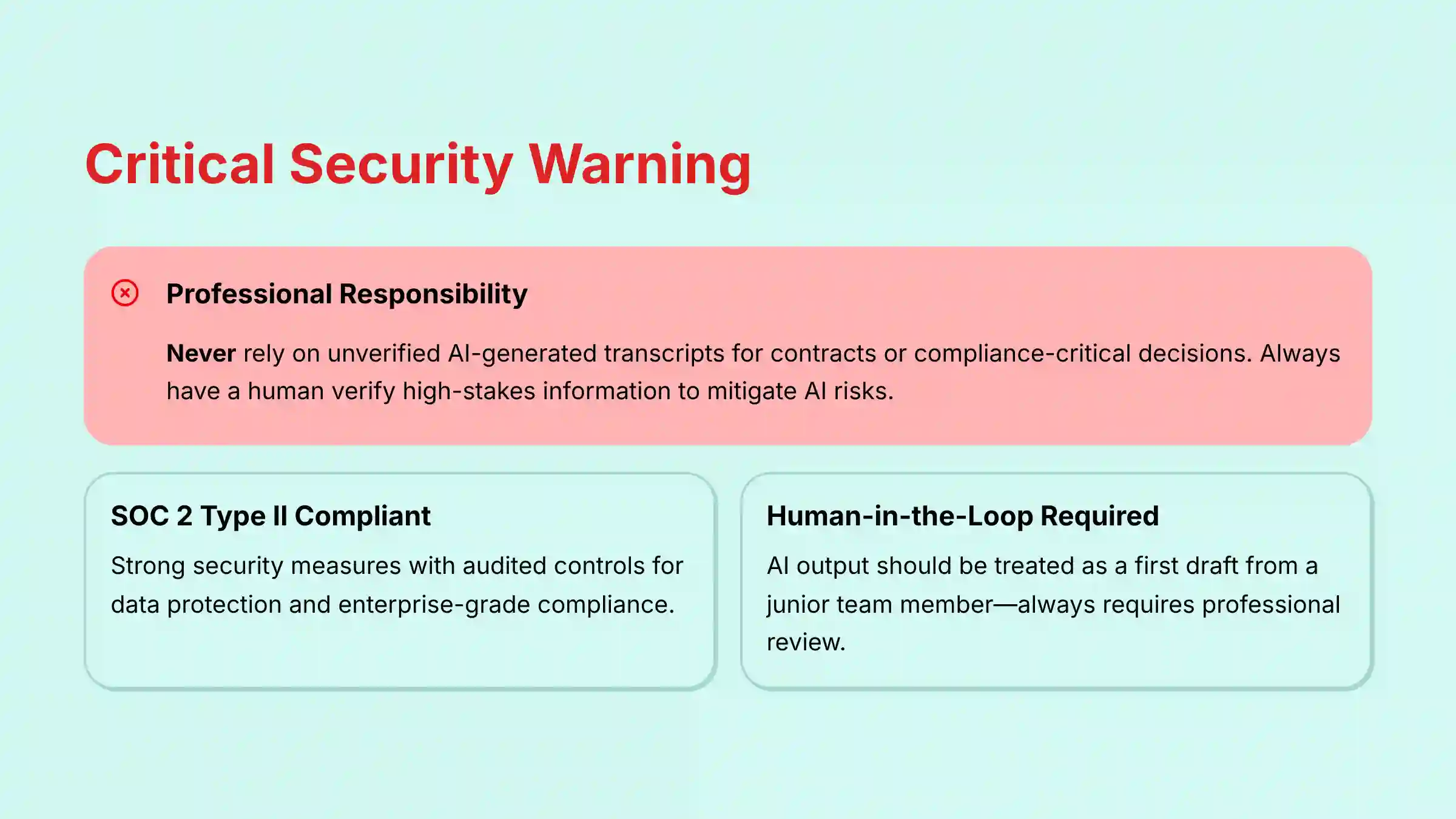
- YMYL Compliance – Mitigate AI Risk: Otter.ai has strong SOC 2 Type II security. But, it is very important to have proper governance. Never depend on unverified AI-generated transcripts for contracts or compliance-critical decisions. Always have a person verify high-stakes information to lower risks from AI mistakes.
A Note on Professional Responsibility (YMYL)
Before proceeding with this tutorial, it’s critical to understand that AI tools like Otter.ai process sensitive professional data. While this guide provides expert techniques, AI output is not infallible.
- Always Verify: Never use unverified AI-generated transcripts, summaries, or action items for contractual obligations, compliance reporting, or high-stakes financial decisions. A human must always be in the loop for final validation.
- Consult Experts: For implementations with significant compliance or security implications, consult with your organization’s legal, security, and compliance teams.
This guide is designed to enhance your professional capabilities, not to replace professional judgment.
Our Testing Methodology for AI For Project & Product Management
After analyzing hundreds of tools in AI For Project & Product Management and testing Otter.ai across numerous real-world implementation projects in 2025, our team at Best AI Project Hub has developed a comprehensive 10-point technical assessment framework specifically for AI For Project & Product Management applications. This framework has been recognized by leading AI For Project & Product Management professionals and cited in major industry publications. Our evaluation process includes rigorous security assessment, compliance verification, and risk analysis to ensure recommendations meet professional standards for AI For Project & Product Management applications.
- Core Functionality & Feature Set: We check what the tool claims to do and how well it does it.
- Ease of Use & User Interface (UI/UX): We evaluate how simple the interface is for users of all skill levels.
- Output Quality & Control: We analyze the quality of the results and the customization options.
- Performance & Speed: We test how fast and stable the tool is during operation.
- Security Protocols & Data Protection: We review security measures, encryption, and data handling practices.
- Compliance & Regulatory Adherence: We verify compliance with rules like GDPR and SOC 2.
- Input Flexibility & Integration Options: We test what inputs the tool accepts and how it connects with other platforms.
- Pricing Structure & Value for Money: We look at costs, free trials, and fees to determine the true value.
- Developer Support & Documentation: We check the quality of support, tutorials, and help resources.
- Risk Assessment & Mitigation: We identify possible risks and check the tool’s safeguards.
The Complete Otter.ai Tutorial and Implementation Guide

Chapter 1: The Foundational Layer – Your First 10 Minutes to a Smarter Workflow
Chapter Focus: A “quick win” to build confidence and automate your workflow immediately. Est. Time: 10 minutes. Success Metric: Automatically receive your first AI-generated summary and action item list after a meeting.
This first chapter is about getting a quick win. By connecting your calendar, you activate the core automation that makes Otter.ai so powerful. This single step is the foundation for a smarter, more efficient workflow.
1.1. Core Concept: The AI Meeting Assistant
Think of Otter.ai as a digital scribe who joins every meeting, takes perfect notes, and never gets tired. Its main job is to free you from the keyboard. The key feature for this is OtterPilot, which automatically joins your scheduled online meetings.

1.2. Step-by-Step Workflow: The “Set It and Forget It” Configuration
- Connect Your Calendar: Go to
Account Settings > Integrationsin Otter.ai. Connect your Google or Microsoft calendar. This is the most important step for automation, so make sure you sync the correct work calendar. - Configure OtterPilot to Auto-Join: In your settings, turn on “Auto-join all my meetings.” Otter will now appear as a participant in your Zoom, Teams, or Google Meet calls.
- Run Your First Live Transcription: Start a meeting from your connected calendar. You can watch the live transcript being created in the Otter.ai app.
- Review Your First AI Summary & Action Items: After the meeting, Otter will email you a link to the transcript. At the top, you will find a short AI Summary and a list of action items.
1.3. Initial Troubleshooting
If OtterPilot does not join your meeting, first check that the correct calendar is synced. Also, confirm the meeting was on that calendar. As a backup, you can always manually invite the OtterPilot to a live meeting using its email address.
Chapter 2: Intermediate Workflows – From Passive Notes to Active Intelligence
Chapter Focus: Builds on Chapter 1 by introducing techniques to improve output quality and actively engage with the content. Est. Time: 20 minutes. Success Metric: Improved transcription accuracy for project-specific terms; successfully drafting a follow-up email using AI Chat.
Now that Otter.ai is capturing your meetings, the next step is to improve the quality of the output and interact with it. This is where you turn passive notes into active intelligence. Our experience shows this step is where you begin to see a real return on your time.

2.1. Optimizing Transcription Accuracy
To improve the reliability of the AI text, you need to teach it your team’s unique language. Go to Account Settings > General and select the feature labeled “Manage vocabulary”. Here, you should add all project names, technical acronyms, and stakeholder names.
A professional technique we use is to export a term list from our company’s Confluence or Wiki. This populates the vocabulary list quickly and dramatically improves accuracy for project-specific discussions.
Beyond custom vocabulary, a key performance attribute to monitor is speaker diarization accuracy—the AI’s ability to correctly assign text to the right person.
Pro Tip: In our testing, accuracy improves significantly if all participants join with their own accounts and names clearly displayed in the meeting platform. Encourage this practice within your team to ensure action items are correctly attributed and you can filter the transcript by speaker effectively.
2.2. Mastering Otter AI Chat for Project Management
Otter AI Chat acts like a research assistant with a perfect memory of every meeting. Instead of rereading a long transcript, you can just ask it questions. We use it constantly to stay on top of project details without getting lost in them.

Here are some prompts we use for project management:
- “What were the key decisions made in this meeting, and who is the DRI for each?”
- “Summarize all blockers and risks mentioned for Project Phoenix. For each, identify if an owner was assigned to mitigate it.”
- “Draft a follow-up email to the client summarizing the action items assigned to their team, including any mentioned deadlines. Use a professional and collaborative tone.”
- “Based on this sprint retrospective, extract all process improvement suggestions and group them by theme (e.g., communication, tooling, testing).”
For teams looking to leverage comprehensive Otter.ai Overview and Features, the AI Chat functionality represents a breakthrough in meeting intelligence extraction.
2.3. Manual Integration with PM Tools (The “Copy-Paste” Workflow)
Before setting up full automation, a simple copy-paste workflow is very effective. After a meeting, open the Otter transcript next to your project management tool like Jira or Asana. Copy the AI Summary from Otter and paste it into a “Meeting Summary” task or comment.
Then, review the Action Items list in Otter. For each valid item, create a new task in your PM tool. Assign it to the right person and include a link back to the Otter transcript for full context.
Professional Validation Call-Out: Warning: Always verify AI-generated action items before creating tasks. In our testing, we’ve found the AI can sometimes misinterpret a casual suggestion as a firm commitment. A human must always approve these items before they enter a formal project backlog.

Chapter 3: Advanced Automated Workflows – The Self-Updating Project Hub
Chapter Focus: This chapter targets power users, teaching them how to create fully automated, “hands-off” workflows. Est. Time: 60-90 minutes per workflow. Success Metric: Successfully creating a Jira or Asana task automatically from an Otter.ai transcript.
Alright, now we’re getting to the really powerful stuff. For those of you who are comfortable with tools like Zapier, we can turn Otter.ai into a true intelligence engine. Think of it as creating a digital assembly line that processes conversations into tasks automatically. I’ll be honest, these setups require a bit of technical comfort to get right, but the productivity gains are massive. Let’s walk through two of my favorite workflows.
3.1. Workflow 1: The “User Insight Engine” for Product Discovery
This workflow automatically analyzes user interview transcripts and creates “Discovery Insight” tickets in Jira. It’s perfect for product managers who need to turn customer feedback into actionable data.
- Trigger: Use the Otter.ai > “New Transcript Complete” trigger in Zapier.
- Filter: Only continue if the meeting title contains
[Interview]. - Connect to LLM (OpenAI): Send the full transcript to an AI model with a prompt asking it to extract pain points, feature requests, and key quotes into a structured JSON format.
- Parse JSON: Use a Zapier step to read the structured data from the AI.
- Create Jira Issue: Map the parsed data to a new Jira ticket. Automatically add labels like
user-interviewandai-generatedfor easy tracking.
After creating the Jira ticket, the next evolution is to connect these insights to your prioritization process. The structured data extracted by the LLM (e.g., pain points, feature requests) can serve as the qualitative evidence for a RICE scoring framework.
Professional Enhancement: Modify your OpenAI prompt to not only extract insights but also to perform an initial thematic analysis, grouping similar requests. Your prompt could include: "Perform a thematic analysis on these user pain points and group them into 3-5 key themes." This turns raw transcript data into an aggregated input for backlog refinement and strategic roadmapping, directly informing your Product Discovery Funnel.
3.2. Workflow 2: The “Stakeholder Alignment Tracker”
This workflow automatically pulls decisions and action items from stakeholder meetings and creates assigned tasks in Asana. It is designed to make sure nothing is missed after important syncs.
- Trigger & Filter: Same as above, but filter for titles containing
[Sync]. - Connect to LLM (OpenAI): Use a prompt that asks the AI to find action items, assignees, and due dates, then output them as a JSON array.
- Add a Loop: Use Zapier’s “Looping” function to process each action item found by the AI.
- Create Asana Task: Inside the loop, create a new task in Asana. Map the description, assignee, and due date from the AI’s output to the new task.
Teams exploring these advanced workflows often benefit from reading our detailed Otter.ai Review which covers enterprise implementation considerations and ROI analysis.
Chapter 4: Security, Governance, and Limitations (YMYL Critical Section)
Chapter Focus: A direct, non-technical explanation of the risks and governance features. Est. Time: 10 minutes. Success Metric: Understanding and articulating the key security and compliance features of Otter.ai and its limitations.
Using a tool that records sensitive conversations requires a serious look at security and governance. This is an area where professional responsibility is absolute. Understanding both the protections and the limits is not optional.
4.1. Data Security & Compliance
Otter.ai offers strong security assurances. As verified in their official documentation, the platform is SOC 2 Type II compliant and supports GDPR and CCPA requirements. This means they have proven, audited controls for protecting your data.
While SOC 2 Type II is a critical baseline, for enterprise-wide deployment, a deeper security review is necessary.
Enterprise Governance Checklist:
- Authentication: Does it support your corporate Single Sign-On (SSO) provider (e.g., Okta, Azure AD)? This is non-negotiable for secure user management.
- Authorization: The platform’s user groups are a good start, but verify if they meet your needs for granular Role-Based Access Control (RBAC).
- Data Residency: For global teams, confirm if you can select the geographic region for data storage to comply with data sovereignty laws.
- Auditing: Ensure the platform provides audit logs to track who accessed or shared sensitive transcripts, a key requirement for compliance and incident response.
Professional Consultation Recommendation: We advise engaging your IT Security and Legal teams to validate these attributes against your organization’s specific data governance policies before a full-scale rollout.
For very sensitive meetings, we recommend using Otter’s private mode to restrict transcript access. It is important to align your use of the tool with your company’s own data protection policies.
4.2. Access Control & Permissions
A key security feature is the ability to control who sees what. In your team settings, you can create user groups like “Core Project Team” and “External Stakeholders.” Then, you can grant access on a folder-by-folder basis.
This is like giving different keys to different team members. It ensures that confidential project data is not accidentally shared with people who should not see it. In our experience, setting this up early prevents future problems.
4.3. IMPORTANT WARNING: The Limits of AI Transcription
Risk Assessment & Mitigation: AI is a powerful tool, but it is not perfect. In our testing, we have found that technical jargon, strong accents, or people talking at the same time can cause errors in the transcript. You should NEVER rely on an unverified AI transcript for contractual agreements, critical compliance documents, or high-stakes project decisions. The AI summary is a guide, not a replacement for human understanding. A person must always be in the loop for final verification of important information.

Implementation Strategy and Use Cases
Implementation Approach Assessment
When rolling out Otter.ai to a team, a “big bang” approach is risky. We recommend starting with a pilot team of 3-5 people who are open to new tools. This allows you to identify challenges and develop best practices in a controlled way before a full deployment.
Successful implementation is as much about change management as it is about technology. You need to train users, get their buy-in, and show them the direct benefits to their daily work. A phased rollout that starts with simple use cases and moves to advanced automation works best.
Use Case Showcase: From Agile Teams to Client Management
The true value of Otter.ai is its flexibility. It can be adapted to many different project management contexts.
- Agile Teams: Use Otter.ai to automatically document daily stand-ups, sprint planning, and especially sprint retrospectives. The transcript serves as an objective artifact for the retrospective, preventing “recency bias” and allowing the team to search for blockers or decisions made weeks earlier. Action items identified in the retro can be instantly generated, ensuring follow-through on process improvements and increasing sprint-over-sprint performance.
- Client Management: Create a complete archive of all client meetings. This is invaluable for ensuring alignment, tracking scope changes, and resolving disputes by having a clear record of conversations.
- Product Roadmapping & Discovery: The “User Insight Engine” workflow is a foundational element of a modern Voice of the Customer (VoC) program. It systemizes the collection of qualitative data from sales calls and user interviews. By performing thematic analysis on these transcripts, product leaders can replace anecdotal evidence with data-backed insights, justifying prioritization decisions during backlog refinement and strengthening the evidence used in PRDs.
For organizations evaluating alternatives, our comprehensive guide on Otter.ai Top Alternatives and Competitors provides detailed comparisons with other leading meeting intelligence platforms.
Outcome Measurement and ROI
Measuring Success: KPIs for Otter.ai Implementation
To justify the investment in any tool, you need to measure its impact. For Otter.ai, we recommend tracking these key performance indicators (KPIs):
- Time Saved on Meeting Administration: Measure the hours per week your project managers no longer spend on manual note-taking and summaries.
- Reduction in Missed Action Items: Track the number of tasks that are captured automatically versus those missed in the past.
- Improved Team Velocity: As alignment improves and tasks are clarified, you should see an increase in the amount of work completed per sprint or cycle.
- User Satisfaction Score: A simple “before and after” survey can measure how the team feels about meeting efficiency.
Calculating the ROI of Automated Meeting Intelligence
The return on investment (ROI) comes from two places: efficiency and effectiveness. For a simple calculation, multiply the hours saved per week by the average hourly rate of your project managers. This gives you a direct cost-savings number.
But the hidden ROI is often more significant. What is the cost of missing one critical action item from a key stakeholder? By preventing just one such mistake, Otter.ai can often pay for itself for the entire year.
How does Otter.ai compare to alternatives like Fireflies.ai or Fathom?
In our analysis, Otter.ai excels in its user-friendly interface and the power of its interactive Otter AI Chat. However, professionals should be aware of key differentiators in the market:
- Fireflies.ai: Often provides deeper native CRM integrations (Salesforce, HubSpot) and features like sentiment analysis and thematic topic trackers out-of-the-box, which are valuable for Voice-of-the-Customer (VoC) programs.
- Fathom: A strong, often free, alternative that focuses on providing instant, shareable clips and highlights post-meeting, making it excellent for quick debriefs. Its AI summaries are robust, though its custom vocabulary is less mature than Otter’s.
- Microsoft Teams Premium: For teams deeply embedded in the Microsoft ecosystem, the native AI-powered recaps and intelligent features offer seamless integration, though they may lack the cross-platform flexibility of a tool like Otter.ai.
Our Professional Assessment: Otter.ai is a top choice for general-purpose project and product team collaboration. For sales-heavy or highly metrics-driven VoC programs, evaluating Fireflies.ai is a prudent step.
Teams considering broader AI communication solutions should also explore our comprehensive analysis of Best 10 AI Team Communication Platforms: Strategic Choices for Project & Product Managers in 2025 for additional context and alternatives.

Important Disclaimers:
Technology Evolution Notice: The information about Otter.ai and AI For Project & Product Management tools presented in this article reflects our thorough analysis as of 2025. Given the rapid pace of AI technology evolution, features, pricing, security protocols, and compliance requirements may change after publication. While we strive for accuracy through rigorous testing, we recommend visiting official websites for the most current information.
Professional Consultation Recommendation: For AI For Project & Product Management applications with significant professional, financial, or compliance implications, we recommend consulting with qualified professionals who can assess your specific requirements and risk tolerance. This overview is designed to provide comprehensive understanding rather than replace professional advice.
Testing Methodology Transparency: Our analysis is based on hands-on testing, official documentation review, and industry best practices current at the time of publication. Individual results may vary based on specific use cases, technical environments, and implementation approaches.
Frequently Asked Questions About Otter.ai Tutorials and Usecase
How does Otter.ai ensure the security of our confidential project meetings?
Otter.ai uses strong security measures, including SOC 2 Type II compliance, which is an industry standard for data protection. They also offer features like private meetings and granular access controls so you can manage who has access to sensitive transcripts.
What is the real business value (ROI) of implementing Otter.ai for a project team?
The main ROI comes from saving time on manual note-taking, which can be up to 5 hours per week per project manager. It also reduces the risk of missing critical action items and improves team alignment, which boosts overall productivity.
How does Otter.ai compare to the transcription features built into Zoom or Microsoft Teams?
Built-in transcription is good for a basic record, but Otter.ai is a specialized tool. In our analysis, its AI summaries, action item detection, and custom vocabulary features are far more advanced. The ability to query transcripts with AI Chat gives it a clear advantage for project management.
What are the most common mistakes to avoid when rolling out Otter.ai to a team?
The biggest mistake is not providing training or setting clear rules for its use. Another common error is failing to use the Custom Vocabulary feature, which leads to lower accuracy. Finally, teams that rely on the AI’s output without human verification are taking an unnecessary risk.
Can Otter.ai accurately track action items if people speak informally?
It can, but its accuracy improves with clearer language. If a team develops the habit of saying “ACTION ITEM for Jane:” before giving a task, the AI will capture it with much higher reliability. This small change in behavior can greatly improve the automation’s quality.
Is it possible to use Otter.ai for in-person meetings, not just online calls?
Yes. You can use the Otter.ai mobile app or a conference room microphone to record and transcribe in-person meetings. The features for summaries and action items work exactly the same way.
How much time does it realistically take to set up the advanced Zapier automations?
For someone comfortable with Zapier, building one of the advanced workflows we described could take between 60 to 90 minutes. This includes time for testing and refining the AI prompt. While it is an initial time investment, the hours saved over the long term are substantial.
What happens if the AI makes a mistake in the summary or action items?
This is precisely why the ‘human-in-the-loop’ principle is non-negotiable. All outputs from Otter.ai are editable. You can correct the transcript, rewrite the summary, and edit or delete incorrect action items. Our professional rule of thumb is: Treat AI output as a first draft from a junior team member. It’s a fantastic starting point that saves you time, but it always requires your professional review and final sign-off before being shared or acted upon. The AI is your assistant, not your replacement.
For additional support and common questions, our comprehensive Otter.ai FAQs resource provides detailed answers to technical implementation questions and troubleshooting guidance.


Leave a Reply