
Is Slite the Right AI Knowledge Hub for Your Team?
This 2-Minute Quiz Reveals if It Fits Your Workflow!
Slite is a knowledge management and remote collaboration platform that helps modern teams solve the problem of information silos.
My review of Slite Overview and Features found its primary value is its powerful AI-powered search, which provides fast answers from your company’s scattered documents.
This focus on asynchronous collaboration makes it a strong choice for distributed teams aiming to improve team execution. This article provides a complete look at its features, technical details, pricing, and how it fits into the AI for Execution & Collaboration category of tools from Best AI Project Hub.
Key Takeaways
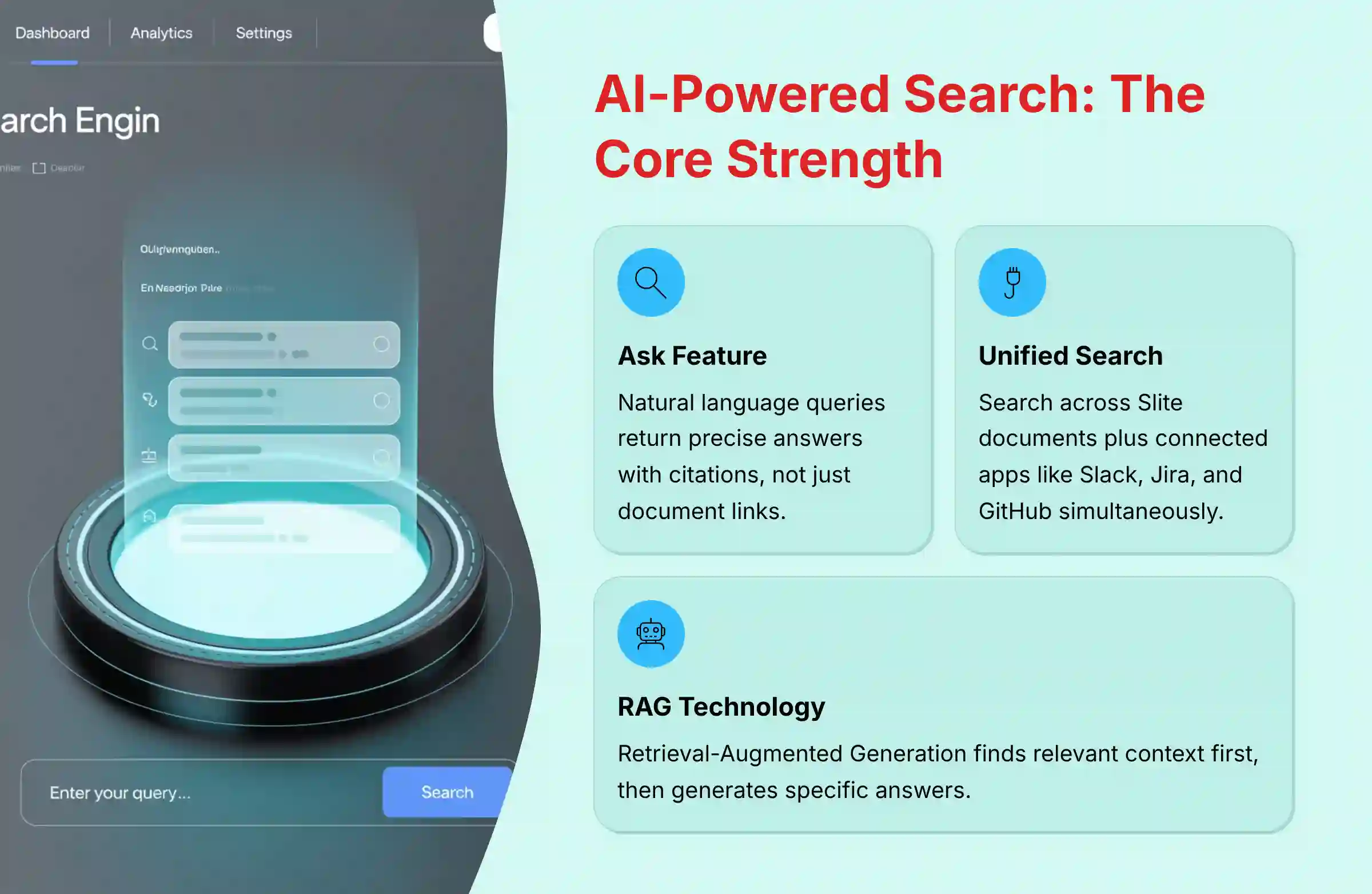
- AI Search is the Core Strength: Slite’s “Ask” feature provides direct, cited answers from your internal documents and connected apps like Slack or Jira. It acts like a librarian’s assistant, finding the exact page in your knowledge base instead of just giving you a list of links.
- Unified Search Across Tools: The AI search capabilities extend beyond Slite documents to connected applications like Slack, Jira, and GitHub, ending the hunt for information across multiple apps.
- Designed for Asynchronous Work: The platform is built for remote and distributed teams. Features like the “Catch Up” feed and threaded discussions support collaboration across different time zones.
- Knowledge Base and Editor Combined: Slite serves as a central source of truth. It combines a clean, rich document editor with a wiki-style knowledge base to keep all team information in one place.
What Is Slite? An Overview of Its Core Purpose
Slite is a knowledge management and team collaboration platform. Its primary goal is to create a single source of truth for your team. This makes information easy to find and use for everyone.
Founded in 2017 by Christophe Pasquier and Thibaud Elziere, the company operates as a fully remote team. This structure directly informs the product’s design. It is built to solve the problems that remote teams face every day. The main problem Slite addresses is information silos, where important knowledge gets trapped in different applications and is hard to find.
Slite works to fix this inefficiency. It improves team execution and collaboration by putting all company knowledge in one central, searchable hub. Its target users include:
- Remote-first companies
- Software and technology teams
- Product and project management groups
The tool sits firmly in the AI for Execution & Collaboration market. It focuses on making teams more efficient by giving them instant access to the information they need to do their jobs. For teams looking to enhance their workflow with comprehensive Best 10 AI Document & Knowledge Collaboration for Project & Product Managers 2025 solutions, Slite represents a powerful option in this growing ecosystem.
Slite Feature Documentation: A Comprehensive Breakdown
AI-Powered Features for Enhanced Productivity
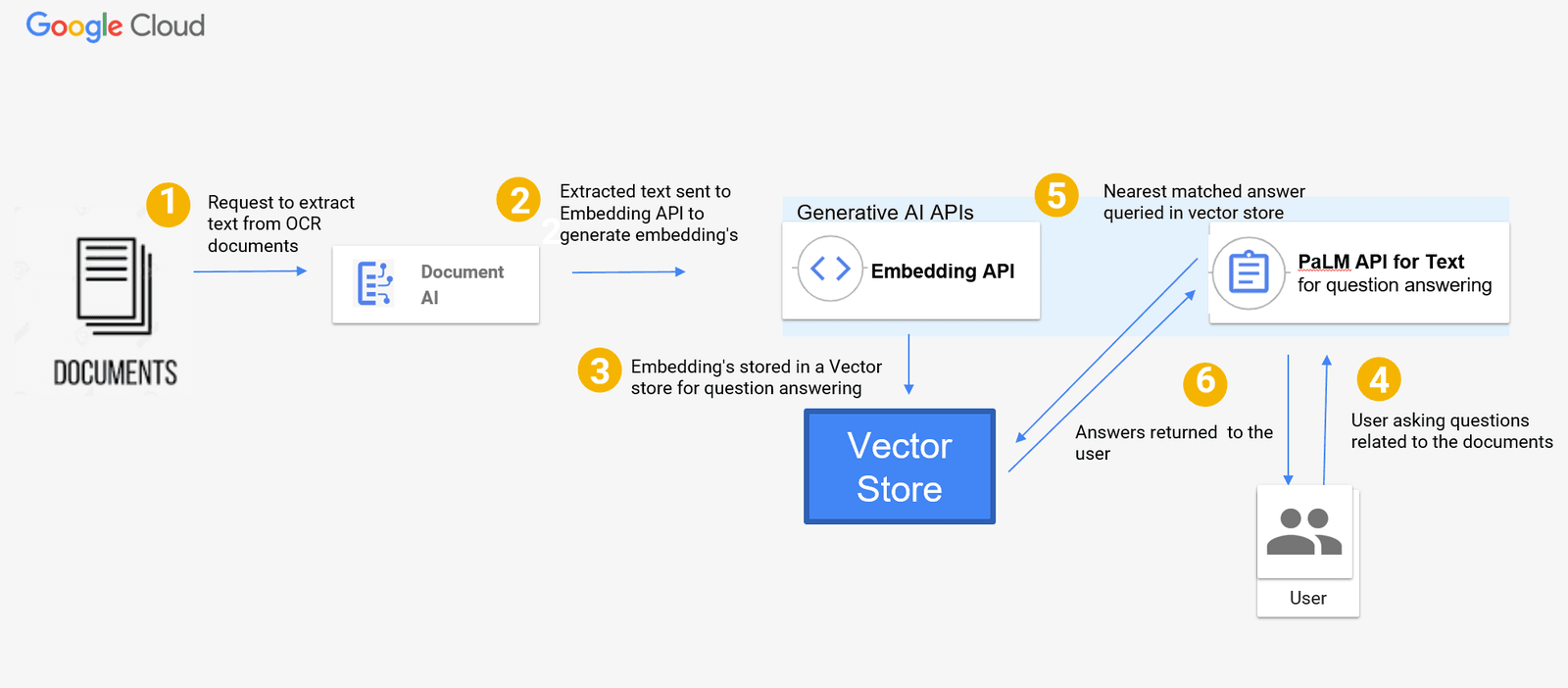
The AI abilities in Slite are built on a technology called Retrieval-Augmented Generation (RAG). In simple terms, the AI first finds relevant information from your private company documents. Then, it uses a large language model to create a specific answer. My analysis confirms Slite uses secure APIs from providers like OpenAI and Anthropic, and it does not train its models on your private data.
Professional Insight: An important point to understand is that the quality of answers from a RAG system like “Ask” is directly tied to the quality of your documentation. Well-organized and comprehensive documents will produce better AI-generated results. For optimal ROI on this feature, teams should commit to documentation hygiene and clear knowledge organization practices. Professional Credibility Indicator: How Slite Secures Your Data with Third-Party AI It’s a valid concern: how can Slite use external AI models without compromising your private data? Slite uses what’s known as a “zero-retention” policy with its AI providers. This means that while your query and relevant data are sent to the model to generate an answer, none of that information is stored by the provider or used to train their public models. This is the enterprise-grade standard for securely leveraging powerful AI, ensuring your company knowledge remains your own.
Ask: The Semantic Q&A Engine
“Ask” is a smart question-and-answer engine. Users can ask questions in normal language, like “What is our Q3 marketing budget?” The AI then searches all internal documents to find the correct context.
It provides a precise answer, not just a link to a document. And every answer includes a citation, so you can click to see the original source. This feature is excellent for quick verification.
The unified search capability that queries connected applications is an integral part of Slite’s core AI feature, Ask. This functionality is available on paid plans (Standard and Premium), allowing users to get answers from sources beyond Slite’s internal documents, including connected apps like Slack, Jira, and GitHub.
AI Agents and Workflow Automation
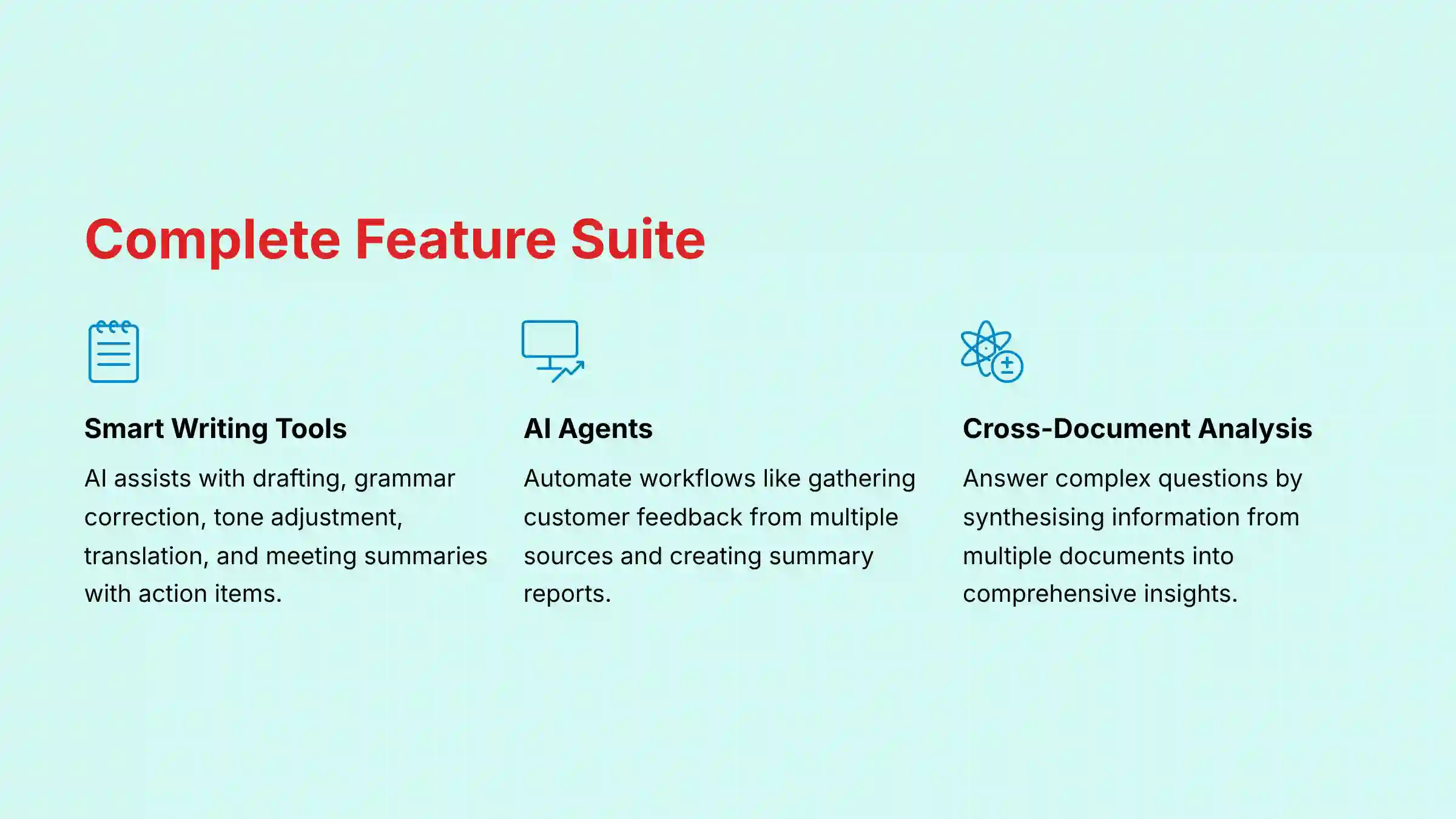
Within the “Ask” feature, Slite includes AI Agents. These agents are made to automate certain workflows. For example, an agent could be set up to gather all recent customer feedback from Slack and Jira.
The agent then uses that information to create a summary report. This helps accelerate work by bringing together knowledge from different places automatically.
Smart Writing Assistance and AI Summarization
Slite has AI tools built directly into its document editor. These tools can help with many writing tasks. In my experience, they work well for getting a first draft started.
- Drafting content from a simple prompt.
- Fixing grammar and spelling mistakes.
- Changing the tone of your writing to be more formal or casual.
- Translating text into different languages.
- Generating summaries of long documents or meeting notes.
The summarization feature can also pull out action items and key decisions. This saves time after long meetings. For teams seeking more comprehensive guidance on implementing AI-powered documentation workflows, exploring detailed Slite Tutorials and Usecase examples can provide practical implementation strategies.
Cross-Document Synthesis
This is a more advanced AI capability. It can answer complex questions by pulling information from many different documents. The AI synthesizes the information to give you a complete picture.
For example, you could ask, “What has our team learned about the ‘New Feature X’ project?” The AI will find every mention of that project in all your documents. It then creates a single, holistic summary.
Core Platform and Collaboration Features
Beyond its AI, Slite has a strong set of core features that make it a solid knowledge and collaboration tool. These features provide the foundation where your team’s information lives.
- Knowledge Base: An organized, wiki-style system for storing all your team’s documentation, from company policies to project plans.
- Rich Document Editor: A clean editor that allows for real-time collaboration. It supports rich text, images, embedded media, comments, and mentions.
- Asynchronous Collaboration Tools: Asynchronous work is like a relay race, and Slite provides the baton. Features like threaded discussions, decision logs, and a “Catch Up” feed pass information smoothly between team members across time zones.
- Channels & Templates: You can organize documents into channels by project or team. A library of templates helps standardize common documents like meeting notes or project briefs.
Technical Specifications and Platform Compatibility
For any team considering a new tool, knowing if it works with your existing technology is very important. Here is a breakdown of Slite’s technical specifications.
| Specification | Details |
|---|---|
| Desktop Applications | Native apps for macOS and Windows. |
| Web Access | Supported on all modern browsers, including Chrome, Firefox, and Safari. |
| Mobile Applications | Native apps for iOS and Android. |
| System Requirements | As a cloud-based tool, a stable internet connection is the main requirement. |
| Import Formats | Markdown, Microsoft Word, Confluence, Notion. |
| Export Formats | Markdown, PDF. API responses are in JSON. |
Slite Pricing and Plans (2025)
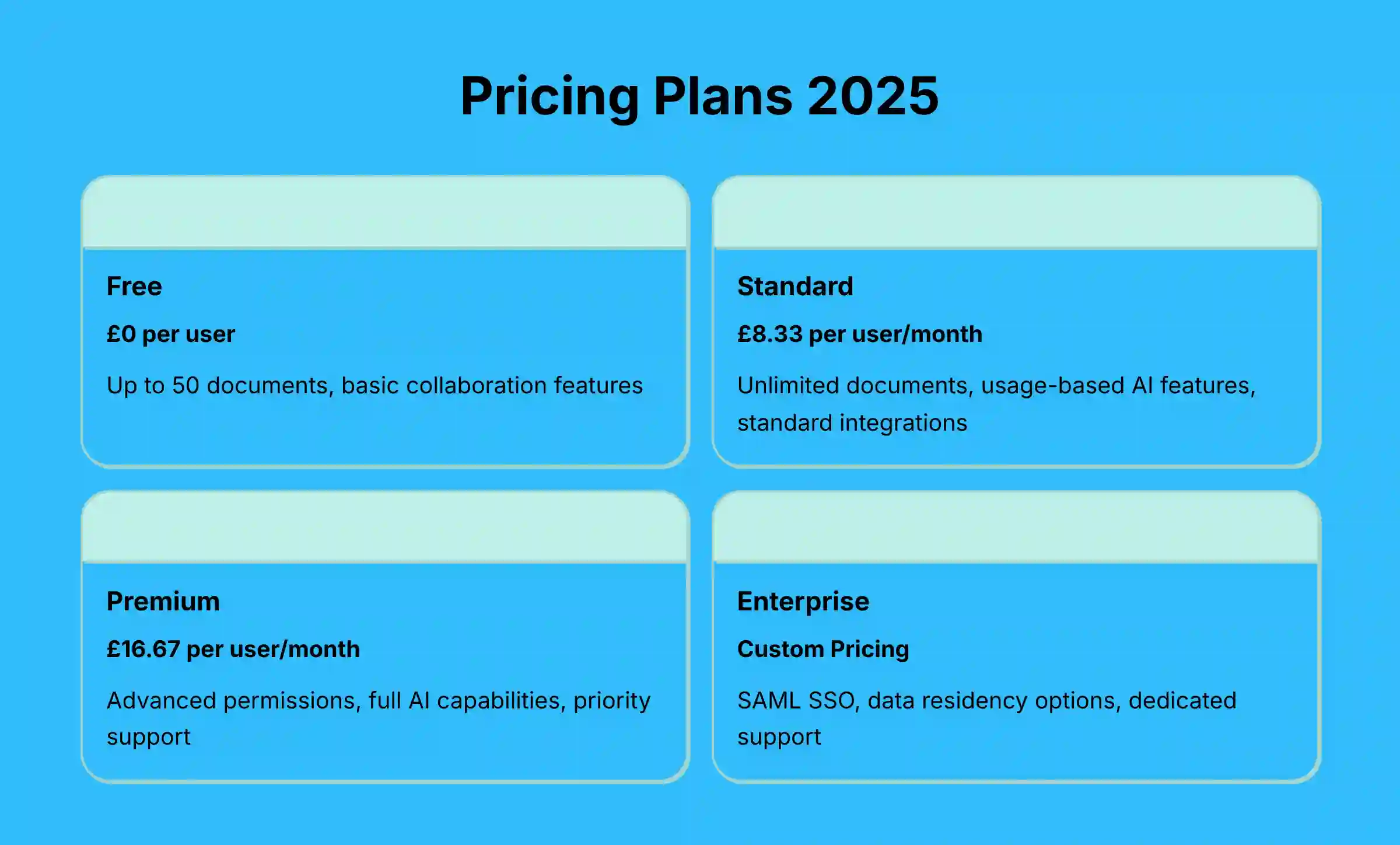
Slite uses a per-user, per-month subscription model. You can choose to be billed monthly or annually, with a discount for paying for a full year. As of late 2024, the plans are structured to meet the needs of different team sizes.
| Plan Name | Price (per user/month) | Key Features & Limitations |
|---|---|---|
| Free | $0 | Up to 50 documents, basic collaboration features. |
| Standard | $10 (monthly billing) or $8.33 (annual billing) | Unlimited documents, usage-based AI features, standard integrations. |
| Premium | $20 (monthly billing) or $16.67 (annual billing) | Advanced permissions, full AI capabilities, priority support. |
| Enterprise | Custom Pricing | SAML-based SSO, data residency options, dedicated support, advanced AI capabilities. |
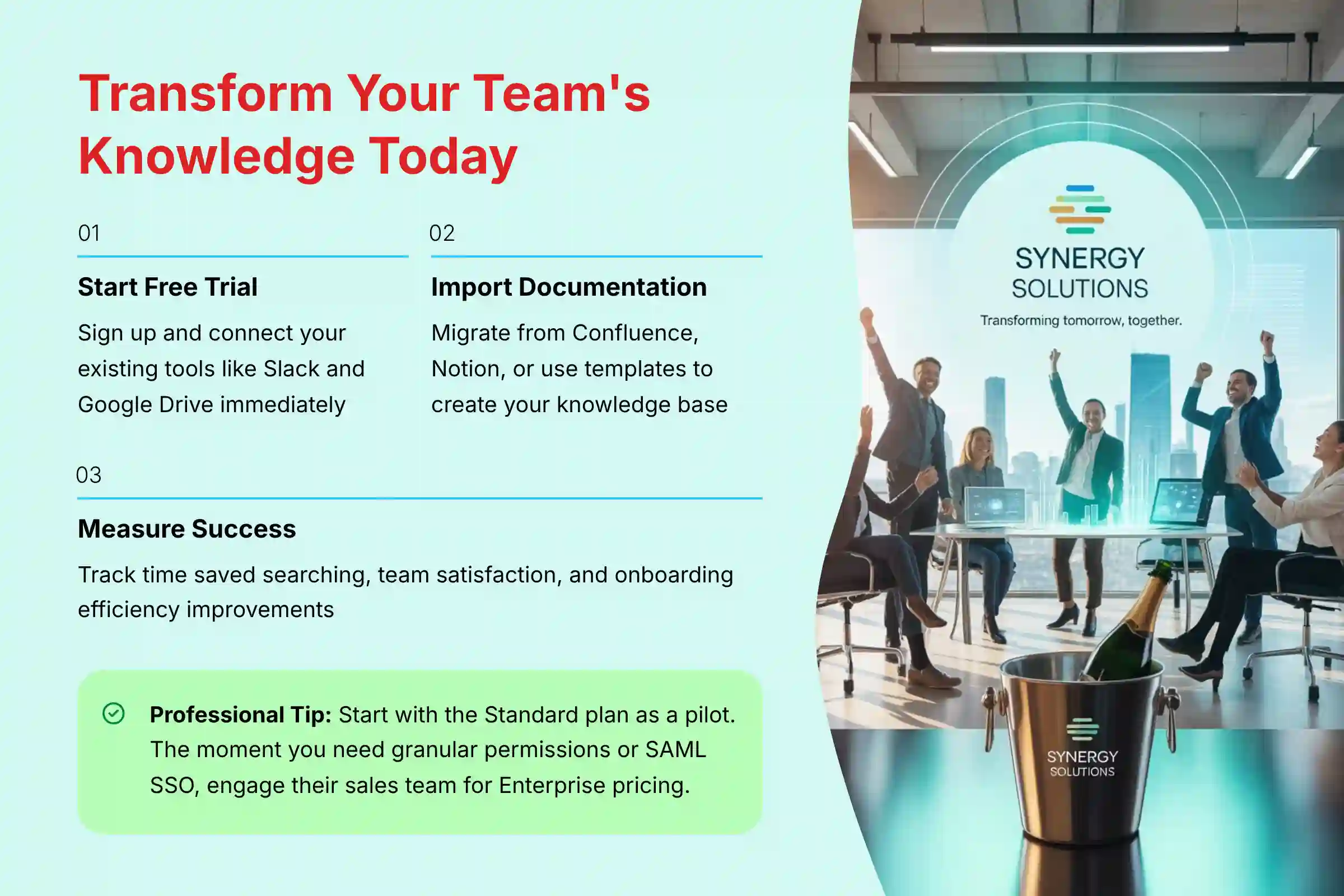
Professional Insight: Choosing the Right Plan My advice for most teams is to start with the Standard plan as a pilot. It gives you unlimited documents and enough AI credits to prove the tool’s value. The moment your organization requires granular permissions, advanced security audits, or SAML-based SSO for user management, it’s time to engage their sales team for the Enterprise plan. The advanced AI capabilities are a game-changer for cross-functional teams, but be prepared for that functionality to be bundled within the custom Enterprise pricing, which is standard practice for resource-intensive AI features.
Integration, API, and Ecosystem Documentation
A tool’s ability to connect with other software is a major factor in its usefulness, and the depth of its integration is paramount for project management workflows. Slite provides a modern REST API (v2) for developers to build custom workflows and supports webhooks for proactive notifications. Critically, its native integrations are designed for two-way information flow, allowing its AI to not just read data but also facilitate actions. For instance, the Jira integration allows users to see previews of tickets within a Slite doc, while the Slack integration enables the creation of new Slite documents directly from a conversation thread.
My testing confirmed the API gives access to key functions. This includes programmatic access to the AI features. Here are some example endpoints:
POST /api/v2/askPOST /api/v2/docs/{doc_id}/summarize
Slite also offers a growing list of integrations, which are necessary for the “Ask” feature to work across your tools. Key integrations are organized by category:
- Communication: Slack
- Project Management: Jira, Asana, Trello
- Development: GitHub, GitLab
- File Storage: Google Workspace, Dropbox
- Design: Figma
The platform also supports workflows for importing your data from tools like Confluence and Notion. This helps make the migration process smoother for teams looking to switch.
Objective Use Cases and Industry Applications
Slite is a flexible tool that can be used in many ways. Based on its features, here are some of the most common and effective use cases.
- Centralized Team Knowledge Base: It is an ideal solution for creating a single source of truth for all company documentation, processes, and project histories.
- Asynchronous Project Management: For distributed teams, it helps in planning projects and documenting key decisions in a way that is accessible to everyone, regardless of their time zone.
- Employee Onboarding: New hires can get up to speed quickly by using Slite as a structured and searchable information hub for company knowledge.
- Cross-Tool Information Discovery: The Ask feature with its unified search capability is perfect for project managers who need to find information quickly without checking multiple apps.
Slite for Agile & Product Teams: Specific Workflows
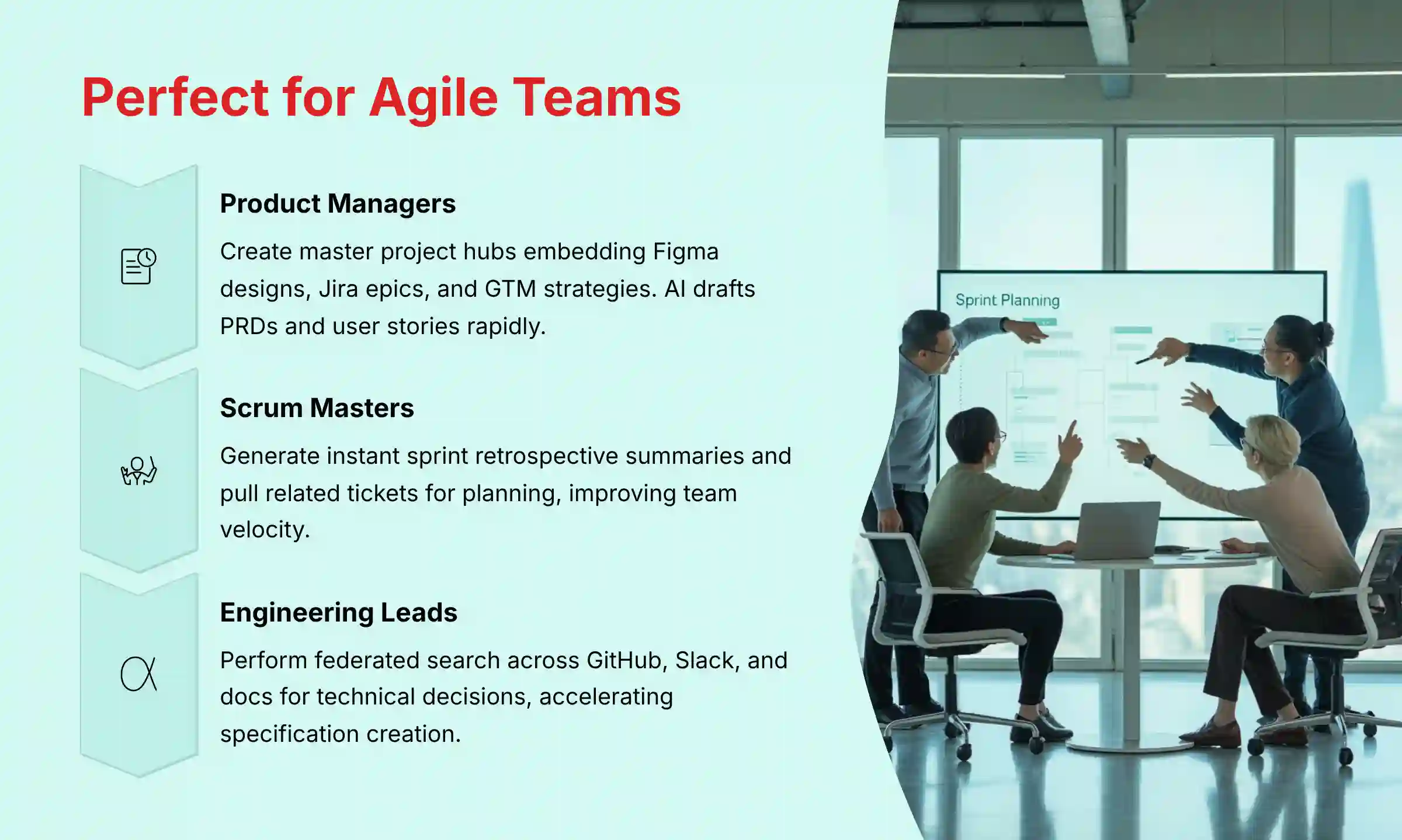
Beyond general knowledge management, Slite‘s feature set directly addresses critical pain points within modern Agile and Scrum frameworks. Here’s how specific personas can leverage the platform:
- For Product Managers: Centralizing the Product Lifecycle A Product Manager can use Slite as the definitive Single Source of Truth (SSoT) for a new feature. They can create a master “Project Hub” document that embeds Figma designs, links to the Jira epic, and outlines the Go-to-Market (GTM) strategy. Using the AI writer, they can rapidly draft Product Requirement Documents (PRDs) and user stories with clear acceptance criteria. The “Ask” feature then allows stakeholders to query the project’s status without interrupting the product team.
- For Scrum Masters: Streamlining Agile Ceremonies Slite can significantly reduce administrative overhead for a Scrum Master. The AI can generate instant summaries of long discussion threads from sprint retrospective notes, identifying key action items. For sprint planning, the unified search capability can quickly pull up related tickets from Jira or technical discussions from Slack, ensuring the team has full context before committing to work. This helps improve team velocity by minimizing time spent on context gathering.
- For Engineering Leads: Accelerating Technical Discovery An Engineering Lead tasked with a complex technical project can use the unified search to perform federated search across GitHub pull requests, internal technical docs in Slite, and relevant conversations in Slack. Instead of spending hours context-switching, they can ask a question like, “What was the final decision on the authentication service implementation?” and get a synthesized answer with links to the source, dramatically accelerating the creation of technical specification documents.
For teams considering alternatives or wanting to compare different solutions, exploring comprehensive Slite Top Alternatives and Competitors can provide valuable insights into the competitive landscape and help make informed decisions.
Potential Risks and Implementation Considerations
From my experience, implementing any new tool comes with challenges. While Slite is powerful, it’s important to go in with a clear-eyed view of the potential hurdles. Here are a few key points to consider:
- Data Quality Dependency: The “Ask” feature’s effectiveness is directly tied to the quality of your documentation. If your existing knowledge base is disorganized, incomplete, or outdated, the AI’s answers will be too. The first step of a successful Slite implementation is a commitment to knowledge hygiene.
- User Adoption Curve: Getting a team to change its habits is a classic project management challenge. To get real value, your team must commit to making Slite the single source of truth. We recommend a phased rollout, starting with a pilot team to champion the tool and build best practices.
- Integration Overhead: While the unified search capability is a major selling point, configuring and maintaining the integrations with tools like Jira and GitHub requires technical oversight. Ensure you have the resources to manage this, as broken connections can quickly erode user trust.
- AI Limitations: Like all AI tools, Slite’s “Ask” feature can sometimes misinterpret complex queries or miss contextual nuances. Teams should establish clear guidance on when to trust the AI’s answers and when to verify information manually, especially for business-critical decisions.
Security, Compliance, and Data Governance
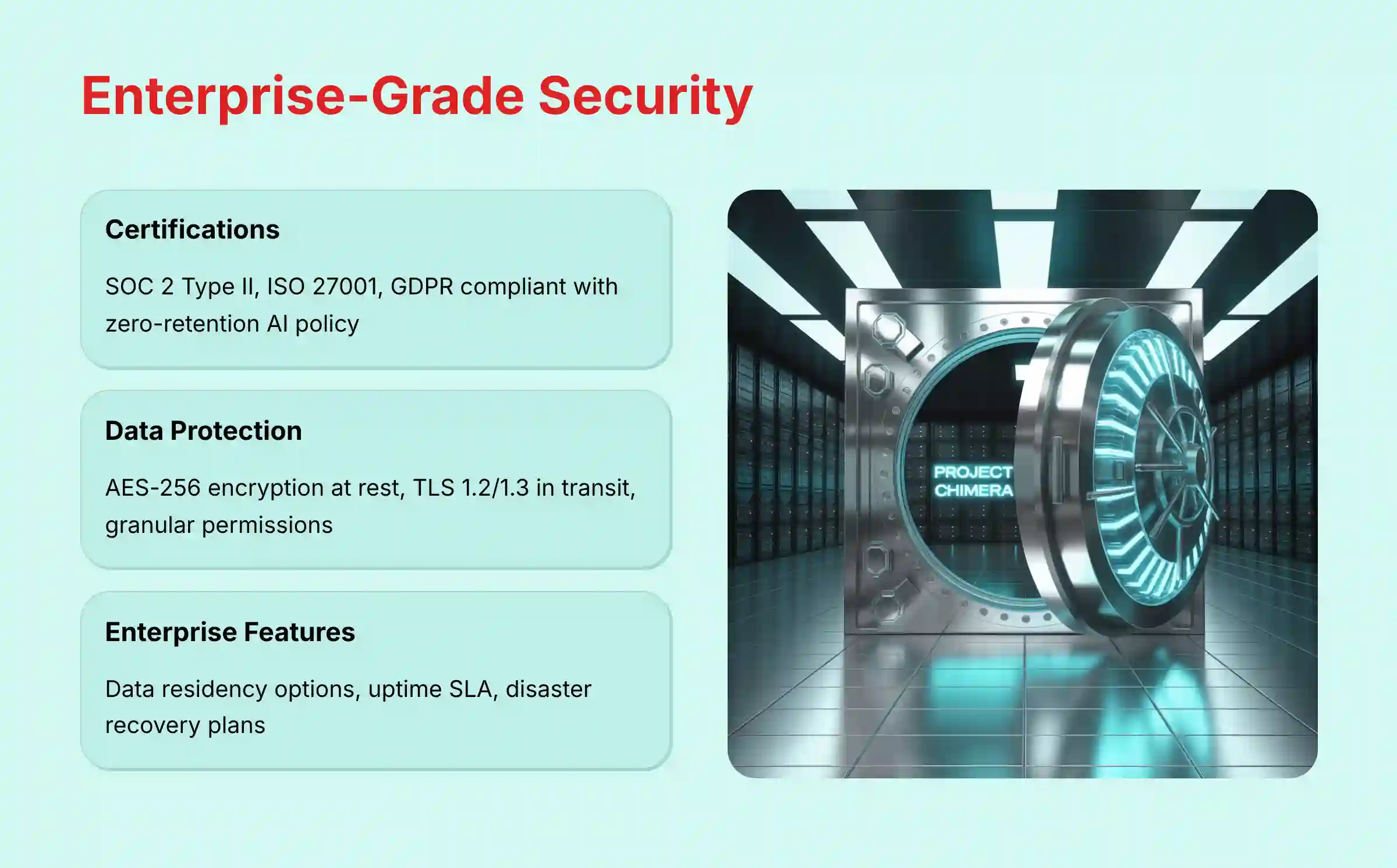
For any professional tool, security is not just a feature; it is a requirement. Slite takes data protection seriously. According to its official documentation, which I verified, it meets several key industry standards.
- Compliance Certifications: Slite is SOC 2 Type II certified, ISO 27001 certified, and GDPR compliant. The ISO 27001 certification is particularly important for enterprise adoption as it validates a systematic approach to managing information security.
- Data Security: All data is protected with encryption both in transit (TLS 1.2/1.3) and at rest (AES-256).
- Operational Reliability: Enterprise plans include a financially-backed Uptime SLA to guarantee system availability, a critical requirement for a tool that serves as a team’s central nervous system.
- Data Residency: Enterprise plans offer options for data residency. This allows companies to choose whether their data is stored in the US or the EU to meet specific data sovereignty requirements.
- Permissions: The platform provides granular access controls, so you can manage who sees what information at a detailed level.
Professional Validation Call-Out: For organizations in highly regulated industries like finance or healthcare, it is a standard and recommended practice to request and review the full SOC 2 report from a vendor before implementation. This provides a deep audit of their security controls. Additionally, for organizations where this tool will be mission-critical, you should also request and review the vendor’s Disaster Recovery and Business Continuity plans. Inquiring about their historical uptime statistics against their stated SLA provides a clear picture of operational reliability before implementation. For healthcare organizations, note that Slite does not specifically claim HIPAA compliance, making it potentially unsuitable for Protected Health Information (PHI) without a specific Business Associate Agreement (BAA), which they may not offer. Always consult your legal and compliance teams before implementing any knowledge management solution in highly regulated environments.
Getting Started With Slite: A Practical Guide
Getting started with Slite is a straightforward process. Here is a practical guide for new users based on my hands-on experience.
- Account Creation: You can sign up for a free account on the Slite website. This gives you a good way to test the core features.
- Initial Setup & Onboarding: The app guides you through creating your first channels. I recommend connecting your other apps like Slack and Google Drive right away. This gives the AI data to work with from the start.
- First Project Guidance: A good first step is to import some of your existing documentation. You can also use one of Slite’s templates to create a new project hub. Start using the “Ask” feature right away to see how it works.
- Resource Requirements: To get the most value from Slite, your team needs to commit to making it your central knowledge base. Migrating your core documentation into the platform is the key to unlocking the full power of its AI search.
- ROI Measurement: For project managers seeking to justify the investment, establish clear metrics to track during your implementation. Monitor time spent searching for information before vs. after implementation, collect qualitative feedback from team members on ease of finding answers, and measure time saved in preparing meeting summaries or onboarding new team members.
For teams evaluating Slite against other solutions, reading comprehensive Slite Review analysis can provide deeper insights into real-world implementation experiences and performance benchmarks.
Disclaimer
Disclaimer: The information about Slite Overview and Features presented in this article reflects our thorough analysis as of 2025. Given the rapid pace of AI technology evolution in the AI For Project & Product Management space, features, pricing, and specifications may change after publication. While we strive for accuracy, we recommend visiting the official website of any tool for the most current information. Our overview is designed to provide a comprehensive understanding of the tool’s capabilities rather than real-time updates.
Frequently Asked Questions About Slite
For additional detailed answers to common questions, you can explore our comprehensive Slite FAQs resource that covers implementation, pricing, and advanced feature usage.
What Is Slite Primarily Used For?
Slite is primarily used as a centralized knowledge base and asynchronous collaboration tool. It helps teams document their work, share information, and reduce the time spent searching for context across different apps.
How Does Slite’s AI Search (“Ask”) Work?
Slite’s “Ask” feature uses a Retrieval-Augmented Generation (RAG) model. It first finds relevant information from your team’s private documents and integrated apps, then uses an AI to generate a direct answer with links back to the original sources for verification.
Is Slite Secure for Confidential Company Information?
Yes, Slite is designed with security in mind. It is SOC 2 Type II certified, ISO 27001 certified, and GDPR compliant. It offers features like granular permissions and data encryption to protect confidential information. Enterprise plans provide advanced security options.
What Are the Key Differences Between Slite and Notion?
While both are knowledge bases, Slite’s primary differentiator is its powerful, federated AI search (“Ask”) that works across other tools like Slack and Jira. Slite is also specifically designed with a cleaner UI optimized for asynchronous collaboration in remote teams.
What Project Management Tools Does Slite Integrate With?
Slite integrates with major project management tools, including Jira, Asana, and Trello. This allows its AI to index and retrieve information from tasks and projects within those platforms, providing holistic answers to user queries.
Can I Try Slite for Free in 2025?
Yes, Slite offers a free plan. It includes a limited number of documents (up to 50) and provides access to the platform’s basic collaboration features, serving as an indefinite trial for core functionality before upgrading to a paid plan.
Can I Import My Existing Documents from Confluence into Slite?
Yes, Slite provides a dedicated workflow for importing existing knowledge bases from other tools, including Confluence and Notion. This is designed to streamline the migration process for teams looking to switch platforms.
What Security Certifications Does Slite Have?
Slite maintains SOC 2 Type II certification, ISO 27001 certification, and is GDPR compliant. For organizations with strict compliance requirements, you should request the full audit reports directly from Slite to ensure they meet your specific security standards.


Leave a Reply